forked from Github/frigate
Compare commits
38 Commits
v0.12.0-be
...
v0.7.0-rc3
| Author | SHA1 | Date | |
|---|---|---|---|

|
1771b9f286 | ||
|
|
56a9a46625 | ||
|
|
5174fc539f | ||
|
|
95cb97cf42 | ||
|
|
53adfe0b09 | ||
|
|
8d4e155ece | ||
|
|
6069709035 | ||
|
|
c9d7fbbd12 | ||
|
|
0b51f58de0 | ||
|
|
45e9f84f6c | ||
|
|
20cff853e8 | ||
|
|
d28d5e04a9 | ||
|
|
26f4e27df0 | ||
|
|
106d513e0b | ||
|
|
223ec76601 | ||
|
|
405837de22 | ||
|
|
51bd107536 | ||
|
|
08c43e7918 | ||
|
|
6f070502b5 | ||
|
|
61081b91a3 | ||
|
|
2a84d0afb9 | ||
|
|
2c17f27ab4 | ||
|
|
5bb9838c4f | ||
|
|
d59018a14c | ||
|
|
5f2b8bb6ad | ||
|
|
6554640a61 | ||
|
|
5fbb092212 | ||
|
|
dbb4ca7c87 | ||
|
|
e506931830 | ||
|
|
feaf63c15f | ||
|
|
a94179be4d | ||
|
|
7837de8bc8 | ||
|
|
0366781728 | ||
|
|
e898fca70a | ||
|
|
d788ceb1d3 | ||
|
|
90a48fc761 | ||
|
|
de57c79bf9 | ||
|
|
af8c4e7eac |
@@ -1,78 +0,0 @@
|
||||
{
|
||||
"name": "Frigate Devcontainer",
|
||||
"dockerComposeFile": "../docker-compose.yml",
|
||||
"service": "devcontainer",
|
||||
"workspaceFolder": "/workspace/frigate",
|
||||
"initializeCommand": ".devcontainer/initialize.sh",
|
||||
"postCreateCommand": ".devcontainer/post_create.sh",
|
||||
"overrideCommand": false,
|
||||
"remoteUser": "vscode",
|
||||
"features": {
|
||||
"ghcr.io/devcontainers/features/common-utils:1": {}
|
||||
},
|
||||
"forwardPorts": [5000, 5001, 5173, 1935, 8554, 8555],
|
||||
"portsAttributes": {
|
||||
"5000": {
|
||||
"label": "NGINX",
|
||||
"onAutoForward": "silent"
|
||||
},
|
||||
"5001": {
|
||||
"label": "Frigate API",
|
||||
"onAutoForward": "silent"
|
||||
},
|
||||
"5173": {
|
||||
"label": "Vite Server",
|
||||
"onAutoForward": "silent"
|
||||
},
|
||||
"1935": {
|
||||
"label": "RTMP",
|
||||
"onAutoForward": "silent"
|
||||
},
|
||||
"8554": {
|
||||
"label": "gortc RTSP",
|
||||
"onAutoForward": "silent"
|
||||
},
|
||||
"8555": {
|
||||
"label": "go2rtc WebRTC",
|
||||
"onAutoForward": "silent"
|
||||
}
|
||||
},
|
||||
"extensions": [
|
||||
"ms-python.vscode-pylance",
|
||||
"ms-python.python",
|
||||
"visualstudioexptteam.vscodeintellicode",
|
||||
"mhutchie.git-graph",
|
||||
"ms-azuretools.vscode-docker",
|
||||
"streetsidesoftware.code-spell-checker",
|
||||
"esbenp.prettier-vscode",
|
||||
"dbaeumer.vscode-eslint",
|
||||
"mikestead.dotenv",
|
||||
"csstools.postcss",
|
||||
"blanu.vscode-styled-jsx",
|
||||
"bradlc.vscode-tailwindcss"
|
||||
],
|
||||
"settings": {
|
||||
"remote.autoForwardPorts": false,
|
||||
"python.linting.pylintEnabled": true,
|
||||
"python.linting.enabled": true,
|
||||
"python.formatting.provider": "black",
|
||||
"python.languageServer": "Pylance",
|
||||
"editor.formatOnPaste": false,
|
||||
"editor.formatOnSave": true,
|
||||
"editor.formatOnType": true,
|
||||
"python.testing.pytestEnabled": false,
|
||||
"python.testing.unittestEnabled": true,
|
||||
"python.testing.unittestArgs": ["-v", "-s", "./frigate/test"],
|
||||
"files.trimTrailingWhitespace": true,
|
||||
"eslint.workingDirectories": ["./web"],
|
||||
"[json][jsonc]": {
|
||||
"editor.defaultFormatter": "esbenp.prettier-vscode"
|
||||
},
|
||||
"[jsx][js][tsx][ts]": {
|
||||
"editor.codeActionsOnSave": ["source.addMissingImports", "source.fixAll"],
|
||||
"editor.tabSize": 2
|
||||
},
|
||||
"cSpell.ignoreWords": ["rtmp"],
|
||||
"cSpell.words": ["preact"]
|
||||
}
|
||||
}
|
||||
@@ -1,13 +0,0 @@
|
||||
#!/bin/bash
|
||||
|
||||
set -euo pipefail
|
||||
|
||||
# These folders needs to be created and owned by the host user
|
||||
mkdir -p debug web/dist
|
||||
|
||||
if [[ -f "config/config.yml" ]]; then
|
||||
echo "config/config.yml already exists, skipping initialization" >&2
|
||||
else
|
||||
echo "initializing config/config.yml" >&2
|
||||
cp -fv config/config.yml.example config/config.yml
|
||||
fi
|
||||
@@ -1,17 +0,0 @@
|
||||
#!/bin/bash
|
||||
|
||||
set -euxo pipefail
|
||||
|
||||
# Frigate normal container runs as root, so it have permission to create
|
||||
# the folders. But the devcontainer runs as the host user, so we need to
|
||||
# create the folders and give the host user permission to write to them.
|
||||
sudo mkdir -p /media/frigate
|
||||
sudo chown -R "$(id -u):$(id -g)" /media/frigate
|
||||
|
||||
make version
|
||||
|
||||
cd web
|
||||
|
||||
npm install
|
||||
|
||||
npm run build
|
||||
@@ -1,16 +1,6 @@
|
||||
README.md
|
||||
docs/
|
||||
diagram.png
|
||||
.gitignore
|
||||
debug
|
||||
config/
|
||||
*.pyc
|
||||
.git
|
||||
core
|
||||
*.mp4
|
||||
*.jpg
|
||||
*.db
|
||||
*.ts
|
||||
|
||||
web/dist/
|
||||
web/node_modules/
|
||||
web/.npm
|
||||
*.pyc
|
||||
4
.github/FUNDING.yml
vendored
4
.github/FUNDING.yml
vendored
@@ -1,3 +1 @@
|
||||
github:
|
||||
- blakeblackshear
|
||||
- NickM-27
|
||||
github: blakeblackshear
|
||||
|
||||
55
.github/ISSUE_TEMPLATE/bug_report.md
vendored
Normal file
55
.github/ISSUE_TEMPLATE/bug_report.md
vendored
Normal file
@@ -0,0 +1,55 @@
|
||||
---
|
||||
name: Bug report
|
||||
about: Create a report to help us improve
|
||||
title: ''
|
||||
labels: ''
|
||||
assignees: ''
|
||||
|
||||
---
|
||||
|
||||
**Describe the bug**
|
||||
A clear and concise description of what the bug is.
|
||||
|
||||
**Version of frigate**
|
||||
What version are you using?
|
||||
|
||||
**Config file**
|
||||
Include your full config file wrapped in back ticks.
|
||||
```
|
||||
config here
|
||||
```
|
||||
|
||||
**Logs**
|
||||
```
|
||||
Include relevant log output here
|
||||
```
|
||||
|
||||
**Frigate debug stats**
|
||||
```
|
||||
Output from frigate's /debug/stats endpoint
|
||||
```
|
||||
|
||||
**FFprobe from your camera**
|
||||
|
||||
Run the following command and paste output below
|
||||
```
|
||||
ffprobe <stream_url>
|
||||
```
|
||||
|
||||
**Screenshots**
|
||||
If applicable, add screenshots to help explain your problem.
|
||||
|
||||
**Computer Hardware**
|
||||
- OS: [e.g. Ubuntu, Windows]
|
||||
- Virtualization: [e.g. Proxmox, Virtualbox]
|
||||
- Coral Version: [e.g. USB, PCIe, None]
|
||||
- Network Setup: [e.g. Wired, WiFi]
|
||||
|
||||
**Camera Info:**
|
||||
- Manufacturer: [e.g. Dahua]
|
||||
- Model: [e.g. IPC-HDW5231R-ZE]
|
||||
- Resolution: [e.g. 720p]
|
||||
- FPS: [e.g. 5]
|
||||
|
||||
**Additional context**
|
||||
Add any other context about the problem here.
|
||||
107
.github/ISSUE_TEMPLATE/camera_support_request.yml
vendored
107
.github/ISSUE_TEMPLATE/camera_support_request.yml
vendored
@@ -1,107 +0,0 @@
|
||||
name: Camera Support Request
|
||||
description: Support for setting up cameras in Frigate
|
||||
title: "[Camera Support]: "
|
||||
labels: ["support", "triage"]
|
||||
assignees: []
|
||||
body:
|
||||
- type: textarea
|
||||
id: description
|
||||
attributes:
|
||||
label: Describe the problem you are having
|
||||
validations:
|
||||
required: true
|
||||
- type: input
|
||||
id: version
|
||||
attributes:
|
||||
label: Version
|
||||
description: Visible on the Debug page in the Web UI
|
||||
validations:
|
||||
required: true
|
||||
- type: textarea
|
||||
id: config
|
||||
attributes:
|
||||
label: Frigate config file
|
||||
description: This will be automatically formatted into code, so no need for backticks.
|
||||
render: yaml
|
||||
validations:
|
||||
required: true
|
||||
- type: textarea
|
||||
id: logs
|
||||
attributes:
|
||||
label: Relevant log output
|
||||
description: Please copy and paste any relevant log output. This will be automatically formatted into code, so no need for backticks.
|
||||
render: shell
|
||||
validations:
|
||||
required: true
|
||||
- type: textarea
|
||||
id: ffprobe
|
||||
attributes:
|
||||
label: FFprobe output from your camera
|
||||
description: Run `ffprobe <camera_url>` and provide output below
|
||||
render: shell
|
||||
validations:
|
||||
required: true
|
||||
- type: textarea
|
||||
id: stats
|
||||
attributes:
|
||||
label: Frigate stats
|
||||
description: Output from frigate's /api/stats endpoint
|
||||
render: json
|
||||
- type: dropdown
|
||||
id: os
|
||||
attributes:
|
||||
label: Operating system
|
||||
options:
|
||||
- HassOS
|
||||
- Debian
|
||||
- Other Linux
|
||||
- Proxmox
|
||||
- UNRAID
|
||||
- Windows
|
||||
- Other
|
||||
validations:
|
||||
required: true
|
||||
- type: dropdown
|
||||
id: install-method
|
||||
attributes:
|
||||
label: Install method
|
||||
options:
|
||||
- HassOS Addon
|
||||
- Docker Compose
|
||||
- Docker CLI
|
||||
validations:
|
||||
required: true
|
||||
- type: dropdown
|
||||
id: coral
|
||||
attributes:
|
||||
label: Coral version
|
||||
options:
|
||||
- USB
|
||||
- PCIe
|
||||
- M.2
|
||||
- Dev Board
|
||||
- Other
|
||||
- CPU (no coral)
|
||||
validations:
|
||||
required: true
|
||||
- type: dropdown
|
||||
id: network
|
||||
attributes:
|
||||
label: Network connection
|
||||
options:
|
||||
- Wired
|
||||
- Wireless
|
||||
- Mixed
|
||||
validations:
|
||||
required: true
|
||||
- type: input
|
||||
id: camera
|
||||
attributes:
|
||||
label: Camera make and model
|
||||
description: Dahua, hikvision, amcrest, reolink, etc and model number
|
||||
validations:
|
||||
required: true
|
||||
- type: textarea
|
||||
id: other
|
||||
attributes:
|
||||
label: Any other information that may be helpful
|
||||
1
.github/ISSUE_TEMPLATE/config.yml
vendored
1
.github/ISSUE_TEMPLATE/config.yml
vendored
@@ -1 +0,0 @@
|
||||
blank_issues_enabled: false
|
||||
@@ -1,82 +0,0 @@
|
||||
name: Config Support Request
|
||||
description: Support for Frigate configuration
|
||||
title: "[Config Support]: "
|
||||
labels: ["support", "triage"]
|
||||
assignees: []
|
||||
body:
|
||||
- type: textarea
|
||||
id: description
|
||||
attributes:
|
||||
label: Describe the problem you are having
|
||||
validations:
|
||||
required: true
|
||||
- type: input
|
||||
id: version
|
||||
attributes:
|
||||
label: Version
|
||||
description: Visible on the Debug page in the Web UI
|
||||
validations:
|
||||
required: true
|
||||
- type: textarea
|
||||
id: config
|
||||
attributes:
|
||||
label: Frigate config file
|
||||
description: This will be automatically formatted into code, so no need for backticks.
|
||||
render: yaml
|
||||
validations:
|
||||
required: true
|
||||
- type: textarea
|
||||
id: logs
|
||||
attributes:
|
||||
label: Relevant log output
|
||||
description: Please copy and paste any relevant log output. This will be automatically formatted into code, so no need for backticks.
|
||||
render: shell
|
||||
validations:
|
||||
required: true
|
||||
- type: textarea
|
||||
id: stats
|
||||
attributes:
|
||||
label: Frigate stats
|
||||
description: Output from frigate's /api/stats endpoint
|
||||
render: json
|
||||
- type: dropdown
|
||||
id: os
|
||||
attributes:
|
||||
label: Operating system
|
||||
options:
|
||||
- HassOS
|
||||
- Debian
|
||||
- Other Linux
|
||||
- Proxmox
|
||||
- UNRAID
|
||||
- Windows
|
||||
- Other
|
||||
validations:
|
||||
required: true
|
||||
- type: dropdown
|
||||
id: install-method
|
||||
attributes:
|
||||
label: Install method
|
||||
options:
|
||||
- HassOS Addon
|
||||
- Docker Compose
|
||||
- Docker CLI
|
||||
validations:
|
||||
required: true
|
||||
- type: dropdown
|
||||
id: coral
|
||||
attributes:
|
||||
label: Coral version
|
||||
options:
|
||||
- USB
|
||||
- PCIe
|
||||
- M.2
|
||||
- Dev Board
|
||||
- Other
|
||||
- CPU (no coral)
|
||||
validations:
|
||||
required: true
|
||||
- type: textarea
|
||||
id: other
|
||||
attributes:
|
||||
label: Any other information that may be helpful
|
||||
@@ -1,84 +0,0 @@
|
||||
name: EdgeTpu Support Request
|
||||
description: Support for setting up EdgeTPU in Frigate
|
||||
title: "[EdgeTPU Support]: "
|
||||
labels: ["support", "triage"]
|
||||
assignees: []
|
||||
body:
|
||||
- type: textarea
|
||||
id: description
|
||||
attributes:
|
||||
label: Describe the problem you are having
|
||||
validations:
|
||||
required: true
|
||||
- type: input
|
||||
id: version
|
||||
attributes:
|
||||
label: Version
|
||||
description: Visible on the Debug page in the Web UI
|
||||
validations:
|
||||
required: true
|
||||
- type: textarea
|
||||
id: config
|
||||
attributes:
|
||||
label: Frigate config file
|
||||
description: This will be automatically formatted into code, so no need for backticks.
|
||||
render: yaml
|
||||
validations:
|
||||
required: true
|
||||
- type: textarea
|
||||
id: docker
|
||||
attributes:
|
||||
label: docker-compose file or Docker CLI command
|
||||
description: This will be automatically formatted into code, so no need for backticks.
|
||||
render: yaml
|
||||
validations:
|
||||
required: true
|
||||
- type: textarea
|
||||
id: logs
|
||||
attributes:
|
||||
label: Relevant log output
|
||||
description: Please copy and paste any relevant log output. This will be automatically formatted into code, so no need for backticks.
|
||||
render: shell
|
||||
validations:
|
||||
required: true
|
||||
- type: dropdown
|
||||
id: os
|
||||
attributes:
|
||||
label: Operating system
|
||||
options:
|
||||
- HassOS
|
||||
- Debian
|
||||
- Other Linux
|
||||
- Proxmox
|
||||
- UNRAID
|
||||
- Windows
|
||||
- Other
|
||||
validations:
|
||||
required: true
|
||||
- type: dropdown
|
||||
id: install-method
|
||||
attributes:
|
||||
label: Install method
|
||||
options:
|
||||
- HassOS Addon
|
||||
- Docker Compose
|
||||
- Docker CLI
|
||||
validations:
|
||||
required: true
|
||||
- type: dropdown
|
||||
id: coral
|
||||
attributes:
|
||||
label: Coral version
|
||||
options:
|
||||
- USB
|
||||
- PCIe
|
||||
- M.2
|
||||
- Dev Board
|
||||
- Other
|
||||
- CPU (no coral)
|
||||
validations:
|
||||
required: true
|
||||
- type: textarea
|
||||
id: other
|
||||
attributes:
|
||||
label: Any other information that may be helpful
|
||||
20
.github/ISSUE_TEMPLATE/feature_request.md
vendored
20
.github/ISSUE_TEMPLATE/feature_request.md
vendored
@@ -1,20 +0,0 @@
|
||||
---
|
||||
name: Feature request
|
||||
about: Suggest an idea for this project
|
||||
title: ''
|
||||
labels: enhancement
|
||||
assignees: ''
|
||||
|
||||
---
|
||||
|
||||
**Describe what you are trying to accomplish and why in non technical terms**
|
||||
I want to be able to ... so that I can ...
|
||||
|
||||
**Describe the solution you'd like**
|
||||
A clear and concise description of what you want to happen.
|
||||
|
||||
**Describe alternatives you've considered**
|
||||
A clear and concise description of any alternative solutions or features you've considered.
|
||||
|
||||
**Additional context**
|
||||
Add any other context or screenshots about the feature request here.
|
||||
107
.github/ISSUE_TEMPLATE/general_support_request.yml
vendored
107
.github/ISSUE_TEMPLATE/general_support_request.yml
vendored
@@ -1,107 +0,0 @@
|
||||
name: General Support Request
|
||||
description: General support request for Frigate
|
||||
title: "[Support]: "
|
||||
labels: ["support", "triage"]
|
||||
assignees: []
|
||||
body:
|
||||
- type: textarea
|
||||
id: description
|
||||
attributes:
|
||||
label: Describe the problem you are having
|
||||
validations:
|
||||
required: true
|
||||
- type: input
|
||||
id: version
|
||||
attributes:
|
||||
label: Version
|
||||
description: Visible on the Debug page in the Web UI
|
||||
validations:
|
||||
required: true
|
||||
- type: textarea
|
||||
id: config
|
||||
attributes:
|
||||
label: Frigate config file
|
||||
description: This will be automatically formatted into code, so no need for backticks.
|
||||
render: yaml
|
||||
validations:
|
||||
required: true
|
||||
- type: textarea
|
||||
id: logs
|
||||
attributes:
|
||||
label: Relevant log output
|
||||
description: Please copy and paste any relevant log output. This will be automatically formatted into code, so no need for backticks.
|
||||
render: shell
|
||||
validations:
|
||||
required: true
|
||||
- type: textarea
|
||||
id: ffprobe
|
||||
attributes:
|
||||
label: FFprobe output from your camera
|
||||
description: Run `ffprobe <camera_url>` and provide output below
|
||||
render: shell
|
||||
validations:
|
||||
required: true
|
||||
- type: textarea
|
||||
id: stats
|
||||
attributes:
|
||||
label: Frigate stats
|
||||
description: Output from frigate's /api/stats endpoint
|
||||
render: json
|
||||
- type: dropdown
|
||||
id: os
|
||||
attributes:
|
||||
label: Operating system
|
||||
options:
|
||||
- HassOS
|
||||
- Debian
|
||||
- Other Linux
|
||||
- Proxmox
|
||||
- UNRAID
|
||||
- Windows
|
||||
- Other
|
||||
validations:
|
||||
required: true
|
||||
- type: dropdown
|
||||
id: install-method
|
||||
attributes:
|
||||
label: Install method
|
||||
options:
|
||||
- HassOS Addon
|
||||
- Docker Compose
|
||||
- Docker CLI
|
||||
validations:
|
||||
required: true
|
||||
- type: dropdown
|
||||
id: coral
|
||||
attributes:
|
||||
label: Coral version
|
||||
options:
|
||||
- USB
|
||||
- PCIe
|
||||
- M.2
|
||||
- Dev Board
|
||||
- Other
|
||||
- CPU (no coral)
|
||||
validations:
|
||||
required: true
|
||||
- type: dropdown
|
||||
id: network
|
||||
attributes:
|
||||
label: Network connection
|
||||
options:
|
||||
- Wired
|
||||
- Wireless
|
||||
- Mixed
|
||||
validations:
|
||||
required: true
|
||||
- type: input
|
||||
id: camera
|
||||
attributes:
|
||||
label: Camera make and model
|
||||
description: Dahua, hikvision, amcrest, reolink, etc and model number
|
||||
validations:
|
||||
required: true
|
||||
- type: textarea
|
||||
id: other
|
||||
attributes:
|
||||
label: Any other information that may be helpful
|
||||
@@ -1,96 +0,0 @@
|
||||
name: Hardware Acceleration Support Request
|
||||
description: Support for setting up GPU hardware acceleration in Frigate
|
||||
title: "[HW Accel Support]: "
|
||||
labels: ["support", "triage"]
|
||||
assignees: []
|
||||
body:
|
||||
- type: textarea
|
||||
id: description
|
||||
attributes:
|
||||
label: Describe the problem you are having
|
||||
validations:
|
||||
required: true
|
||||
- type: input
|
||||
id: version
|
||||
attributes:
|
||||
label: Version
|
||||
description: Visible on the Debug page in the Web UI
|
||||
validations:
|
||||
required: true
|
||||
- type: textarea
|
||||
id: config
|
||||
attributes:
|
||||
label: Frigate config file
|
||||
description: This will be automatically formatted into code, so no need for backticks.
|
||||
render: yaml
|
||||
validations:
|
||||
required: true
|
||||
- type: textarea
|
||||
id: docker
|
||||
attributes:
|
||||
label: docker-compose file or Docker CLI command
|
||||
description: This will be automatically formatted into code, so no need for backticks.
|
||||
render: yaml
|
||||
validations:
|
||||
required: true
|
||||
- type: textarea
|
||||
id: logs
|
||||
attributes:
|
||||
label: Relevant log output
|
||||
description: Please copy and paste any relevant log output. This will be automatically formatted into code, so no need for backticks.
|
||||
render: shell
|
||||
validations:
|
||||
required: true
|
||||
- type: textarea
|
||||
id: ffprobe
|
||||
attributes:
|
||||
label: FFprobe output from your camera
|
||||
description: Run `ffprobe <camera_url>` and provide output below
|
||||
render: shell
|
||||
validations:
|
||||
required: true
|
||||
- type: dropdown
|
||||
id: os
|
||||
attributes:
|
||||
label: Operating system
|
||||
options:
|
||||
- HassOS
|
||||
- Debian
|
||||
- Other Linux
|
||||
- Proxmox
|
||||
- UNRAID
|
||||
- Windows
|
||||
- Other
|
||||
validations:
|
||||
required: true
|
||||
- type: dropdown
|
||||
id: install-method
|
||||
attributes:
|
||||
label: Install method
|
||||
options:
|
||||
- HassOS Addon
|
||||
- Docker Compose
|
||||
- Docker CLI
|
||||
validations:
|
||||
required: true
|
||||
- type: dropdown
|
||||
id: network
|
||||
attributes:
|
||||
label: Network connection
|
||||
options:
|
||||
- Wired
|
||||
- Wireless
|
||||
- Mixed
|
||||
validations:
|
||||
required: true
|
||||
- type: input
|
||||
id: camera
|
||||
attributes:
|
||||
label: Camera make and model
|
||||
description: Dahua, hikvision, amcrest, reolink, etc and model number
|
||||
validations:
|
||||
required: true
|
||||
- type: textarea
|
||||
id: other
|
||||
attributes:
|
||||
label: Any other information that may be helpful
|
||||
32
.github/dependabot.yml
vendored
32
.github/dependabot.yml
vendored
@@ -1,32 +0,0 @@
|
||||
version: 2
|
||||
updates:
|
||||
- package-ecosystem: "github-actions"
|
||||
directory: "/"
|
||||
schedule:
|
||||
interval: daily
|
||||
open-pull-requests-limit: 10
|
||||
target-branch: dev
|
||||
- package-ecosystem: "docker"
|
||||
directory: "/docker"
|
||||
schedule:
|
||||
interval: daily
|
||||
open-pull-requests-limit: 10
|
||||
target-branch: dev
|
||||
- package-ecosystem: "pip"
|
||||
directory: "/"
|
||||
schedule:
|
||||
interval: daily
|
||||
open-pull-requests-limit: 10
|
||||
target-branch: dev
|
||||
- package-ecosystem: "npm"
|
||||
directory: "/web"
|
||||
schedule:
|
||||
interval: daily
|
||||
open-pull-requests-limit: 10
|
||||
target-branch: dev
|
||||
- package-ecosystem: "npm"
|
||||
directory: "/docs"
|
||||
schedule:
|
||||
interval: daily
|
||||
open-pull-requests-limit: 10
|
||||
target-branch: dev
|
||||
62
.github/workflows/ci.yml
vendored
62
.github/workflows/ci.yml
vendored
@@ -1,62 +0,0 @@
|
||||
name: CI
|
||||
|
||||
on:
|
||||
push:
|
||||
branches:
|
||||
- dev
|
||||
- master
|
||||
|
||||
# only run the latest commit to avoid cache overwrites
|
||||
concurrency:
|
||||
group: ${{ github.ref }}
|
||||
cancel-in-progress: true
|
||||
|
||||
env:
|
||||
PYTHON_VERSION: 3.9
|
||||
|
||||
jobs:
|
||||
multi_arch_build:
|
||||
runs-on: ubuntu-latest
|
||||
name: Image Build
|
||||
steps:
|
||||
- id: lowercaseRepo
|
||||
uses: ASzc/change-string-case-action@v5
|
||||
with:
|
||||
string: ${{ github.repository }}
|
||||
- name: Check out code
|
||||
uses: actions/checkout@v3
|
||||
- name: Set up QEMU
|
||||
uses: docker/setup-qemu-action@v2
|
||||
- name: Set up Docker Buildx
|
||||
uses: docker/setup-buildx-action@v2
|
||||
- name: Log in to the Container registry
|
||||
uses: docker/login-action@f4ef78c080cd8ba55a85445d5b36e214a81df20a
|
||||
with:
|
||||
registry: ghcr.io
|
||||
username: ${{ github.actor }}
|
||||
password: ${{ secrets.GITHUB_TOKEN }}
|
||||
- name: Create version file
|
||||
run: make version
|
||||
- name: Create short sha
|
||||
run: echo "SHORT_SHA=${GITHUB_SHA::7}" >> $GITHUB_ENV
|
||||
- name: Build and push
|
||||
uses: docker/build-push-action@v3
|
||||
with:
|
||||
context: .
|
||||
push: true
|
||||
platforms: linux/amd64,linux/arm64,linux/arm/v7
|
||||
target: frigate
|
||||
tags: |
|
||||
ghcr.io/${{ steps.lowercaseRepo.outputs.lowercase }}:${{ github.ref_name }}-${{ env.SHORT_SHA }}
|
||||
cache-from: type=gha
|
||||
cache-to: type=gha,mode=max
|
||||
- name: Build and push TensorRT
|
||||
uses: docker/build-push-action@v3
|
||||
with:
|
||||
context: .
|
||||
push: true
|
||||
platforms: linux/amd64
|
||||
target: frigate-tensorrt
|
||||
tags: |
|
||||
ghcr.io/${{ steps.lowercaseRepo.outputs.lowercase }}:${{ github.ref_name }}-${{ env.SHORT_SHA }}-tensorrt
|
||||
cache-from: type=gha
|
||||
22
.github/workflows/dependabot-auto-merge.yaml
vendored
22
.github/workflows/dependabot-auto-merge.yaml
vendored
@@ -1,22 +0,0 @@
|
||||
name: dependabot-auto-merge
|
||||
on: pull_request
|
||||
|
||||
permissions:
|
||||
contents: write
|
||||
|
||||
jobs:
|
||||
dependabot-auto-merge:
|
||||
runs-on: ubuntu-latest
|
||||
if: github.actor == 'dependabot[bot]'
|
||||
steps:
|
||||
- name: Get Dependabot metadata
|
||||
id: metadata
|
||||
uses: dependabot/fetch-metadata@v1
|
||||
with:
|
||||
github-token: ${{ secrets.GITHUB_TOKEN }}
|
||||
- name: Enable auto-merge for Dependabot PRs
|
||||
if: steps.metadata.outputs.dependency-type == 'direct:development' && (steps.metadata.outputs.update-type == 'version-update:semver-minor' || steps.metadata.outputs.update-type == 'version-update:semver-patch')
|
||||
run: gh pr merge --auto --squash "$PR_URL"
|
||||
env:
|
||||
PR_URL: ${{ github.event.pull_request.html_url }}
|
||||
GITHUB_TOKEN: ${{ secrets.GITHUB_TOKEN }}
|
||||
102
.github/workflows/pull_request.yml
vendored
102
.github/workflows/pull_request.yml
vendored
@@ -1,102 +0,0 @@
|
||||
name: On pull request
|
||||
|
||||
on: pull_request
|
||||
|
||||
env:
|
||||
DEFAULT_PYTHON: 3.9
|
||||
|
||||
jobs:
|
||||
build_devcontainer:
|
||||
runs-on: ubuntu-latest
|
||||
name: Build Devcontainer
|
||||
# The Dockerfile contains features that requires buildkit, and since the
|
||||
# devcontainer cli uses docker-compose to build the image, the only way to
|
||||
# ensure docker-compose uses buildkit is to explicitly enable it.
|
||||
env:
|
||||
DOCKER_BUILDKIT: "1"
|
||||
steps:
|
||||
- uses: actions/checkout@v3
|
||||
- uses: actions/setup-node@master
|
||||
with:
|
||||
node-version: 16.x
|
||||
- name: Install devcontainer cli
|
||||
run: npm install --global @devcontainers/cli
|
||||
- name: Build devcontainer
|
||||
run: devcontainer build --workspace-folder .
|
||||
# It would be nice to also test the following commands, but for some
|
||||
# reason they don't work even though in VS Code devcontainer works.
|
||||
# - name: Start devcontainer
|
||||
# run: devcontainer up --workspace-folder .
|
||||
# - name: Run devcontainer scripts
|
||||
# run: devcontainer run-user-commands --workspace-folder .
|
||||
|
||||
web_lint:
|
||||
name: Web - Lint
|
||||
runs-on: ubuntu-latest
|
||||
steps:
|
||||
- uses: actions/checkout@v3
|
||||
- uses: actions/setup-node@master
|
||||
with:
|
||||
node-version: 16.x
|
||||
- run: npm install
|
||||
working-directory: ./web
|
||||
- name: Lint
|
||||
run: npm run lint
|
||||
working-directory: ./web
|
||||
|
||||
web_test:
|
||||
name: Web - Test
|
||||
runs-on: ubuntu-latest
|
||||
steps:
|
||||
- uses: actions/checkout@v3
|
||||
- uses: actions/setup-node@master
|
||||
with:
|
||||
node-version: 16.x
|
||||
- run: npm install
|
||||
working-directory: ./web
|
||||
- name: Test
|
||||
run: npm run test
|
||||
working-directory: ./web
|
||||
|
||||
python_checks:
|
||||
runs-on: ubuntu-latest
|
||||
name: Python Checks
|
||||
steps:
|
||||
- name: Check out the repository
|
||||
uses: actions/checkout@v3
|
||||
- name: Set up Python ${{ env.DEFAULT_PYTHON }}
|
||||
uses: actions/setup-python@v4.5.0
|
||||
with:
|
||||
python-version: ${{ env.DEFAULT_PYTHON }}
|
||||
- name: Install requirements
|
||||
run: |
|
||||
pip install pip
|
||||
pip install -r requirements-dev.txt
|
||||
- name: Lint
|
||||
run: |
|
||||
python3 -m black frigate --check
|
||||
|
||||
python_tests:
|
||||
runs-on: ubuntu-latest
|
||||
name: Python Tests
|
||||
steps:
|
||||
- name: Check out code
|
||||
uses: actions/checkout@v3
|
||||
- uses: actions/setup-node@master
|
||||
with:
|
||||
node-version: 16.x
|
||||
- run: npm install
|
||||
working-directory: ./web
|
||||
- name: Build web
|
||||
run: npm run build
|
||||
working-directory: ./web
|
||||
- name: Set up QEMU
|
||||
uses: docker/setup-qemu-action@v2
|
||||
- name: Set up Docker Buildx
|
||||
uses: docker/setup-buildx-action@v2
|
||||
- name: Build
|
||||
run: make
|
||||
- name: Run mypy
|
||||
run: docker run --rm --entrypoint=python3 frigate:latest -u -m mypy --config-file frigate/mypy.ini frigate
|
||||
- name: Run tests
|
||||
run: docker run --rm --entrypoint=python3 frigate:latest -u -m unittest
|
||||
26
.github/workflows/stale.yml
vendored
26
.github/workflows/stale.yml
vendored
@@ -1,26 +0,0 @@
|
||||
# Close Stale Issues
|
||||
# Warns and then closes issues and PRs that have had no activity for a specified amount of time.
|
||||
# https://github.com/actions/stale
|
||||
|
||||
name: "Stalebot"
|
||||
on:
|
||||
schedule:
|
||||
- cron: "0 0 * * *" # run stalebot once a day
|
||||
|
||||
jobs:
|
||||
stale:
|
||||
runs-on: ubuntu-latest
|
||||
steps:
|
||||
- uses: actions/stale@main
|
||||
id: stale
|
||||
with:
|
||||
stale-issue-message: "This issue has been automatically marked as stale because it has not had recent activity. It will be closed if no further activity occurs. Thank you for your contributions."
|
||||
close-issue-message: ""
|
||||
days-before-stale: 30
|
||||
days-before-close: 3
|
||||
exempt-draft-pr: true
|
||||
exempt-issue-labels: "pinned,security"
|
||||
exempt-pr-labels: "pinned,security,dependencies"
|
||||
operations-per-run: 120
|
||||
- name: Print outputs
|
||||
run: echo ${{ join(steps.stale.outputs.*, ',') }}
|
||||
21
.gitignore
vendored
21
.gitignore
vendored
@@ -1,19 +1,4 @@
|
||||
.DS_Store
|
||||
*.pyc
|
||||
*.swp
|
||||
*.pyc
|
||||
debug
|
||||
.vscode/*
|
||||
!.vscode/launch.json
|
||||
config/config.yml
|
||||
models
|
||||
*.mp4
|
||||
*.ts
|
||||
*.db
|
||||
*.csv
|
||||
frigate/version.py
|
||||
web/build
|
||||
web/node_modules
|
||||
web/coverage
|
||||
core
|
||||
!/web/**/*.ts
|
||||
.idea/*
|
||||
.vscode
|
||||
config/config.yml
|
||||
588
.pylintrc
588
.pylintrc
@@ -1,588 +0,0 @@
|
||||
[MASTER]
|
||||
|
||||
# A comma-separated list of package or module names from where C extensions may
|
||||
# be loaded. Extensions are loading into the active Python interpreter and may
|
||||
# run arbitrary code.
|
||||
extension-pkg-whitelist=
|
||||
|
||||
# Specify a score threshold to be exceeded before program exits with error.
|
||||
fail-under=10.0
|
||||
|
||||
# Add files or directories to the blacklist. They should be base names, not
|
||||
# paths.
|
||||
ignore=CVS
|
||||
|
||||
# Add files or directories matching the regex patterns to the blacklist. The
|
||||
# regex matches against base names, not paths.
|
||||
ignore-patterns=
|
||||
|
||||
# Python code to execute, usually for sys.path manipulation such as
|
||||
# pygtk.require().
|
||||
#init-hook=
|
||||
|
||||
# Use multiple processes to speed up Pylint. Specifying 0 will auto-detect the
|
||||
# number of processors available to use.
|
||||
jobs=1
|
||||
|
||||
# Control the amount of potential inferred values when inferring a single
|
||||
# object. This can help the performance when dealing with large functions or
|
||||
# complex, nested conditions.
|
||||
limit-inference-results=100
|
||||
|
||||
# List of plugins (as comma separated values of python module names) to load,
|
||||
# usually to register additional checkers.
|
||||
load-plugins=
|
||||
|
||||
# Pickle collected data for later comparisons.
|
||||
persistent=yes
|
||||
|
||||
# When enabled, pylint would attempt to guess common misconfiguration and emit
|
||||
# user-friendly hints instead of false-positive error messages.
|
||||
suggestion-mode=yes
|
||||
|
||||
# Allow loading of arbitrary C extensions. Extensions are imported into the
|
||||
# active Python interpreter and may run arbitrary code.
|
||||
unsafe-load-any-extension=no
|
||||
|
||||
|
||||
[MESSAGES CONTROL]
|
||||
|
||||
# Only show warnings with the listed confidence levels. Leave empty to show
|
||||
# all. Valid levels: HIGH, INFERENCE, INFERENCE_FAILURE, UNDEFINED.
|
||||
confidence=
|
||||
|
||||
# Disable the message, report, category or checker with the given id(s). You
|
||||
# can either give multiple identifiers separated by comma (,) or put this
|
||||
# option multiple times (only on the command line, not in the configuration
|
||||
# file where it should appear only once). You can also use "--disable=all" to
|
||||
# disable everything first and then reenable specific checks. For example, if
|
||||
# you want to run only the similarities checker, you can use "--disable=all
|
||||
# --enable=similarities". If you want to run only the classes checker, but have
|
||||
# no Warning level messages displayed, use "--disable=all --enable=classes
|
||||
# --disable=W".
|
||||
disable=print-statement,
|
||||
parameter-unpacking,
|
||||
unpacking-in-except,
|
||||
old-raise-syntax,
|
||||
backtick,
|
||||
long-suffix,
|
||||
old-ne-operator,
|
||||
old-octal-literal,
|
||||
import-star-module-level,
|
||||
non-ascii-bytes-literal,
|
||||
raw-checker-failed,
|
||||
bad-inline-option,
|
||||
locally-disabled,
|
||||
file-ignored,
|
||||
suppressed-message,
|
||||
useless-suppression,
|
||||
deprecated-pragma,
|
||||
use-symbolic-message-instead,
|
||||
apply-builtin,
|
||||
basestring-builtin,
|
||||
buffer-builtin,
|
||||
cmp-builtin,
|
||||
coerce-builtin,
|
||||
execfile-builtin,
|
||||
file-builtin,
|
||||
long-builtin,
|
||||
raw_input-builtin,
|
||||
reduce-builtin,
|
||||
standarderror-builtin,
|
||||
unicode-builtin,
|
||||
xrange-builtin,
|
||||
coerce-method,
|
||||
delslice-method,
|
||||
getslice-method,
|
||||
setslice-method,
|
||||
no-absolute-import,
|
||||
old-division,
|
||||
dict-iter-method,
|
||||
dict-view-method,
|
||||
next-method-called,
|
||||
metaclass-assignment,
|
||||
indexing-exception,
|
||||
raising-string,
|
||||
reload-builtin,
|
||||
oct-method,
|
||||
hex-method,
|
||||
nonzero-method,
|
||||
cmp-method,
|
||||
input-builtin,
|
||||
round-builtin,
|
||||
intern-builtin,
|
||||
unichr-builtin,
|
||||
map-builtin-not-iterating,
|
||||
zip-builtin-not-iterating,
|
||||
range-builtin-not-iterating,
|
||||
filter-builtin-not-iterating,
|
||||
using-cmp-argument,
|
||||
eq-without-hash,
|
||||
div-method,
|
||||
idiv-method,
|
||||
rdiv-method,
|
||||
exception-message-attribute,
|
||||
invalid-str-codec,
|
||||
sys-max-int,
|
||||
bad-python3-import,
|
||||
deprecated-string-function,
|
||||
deprecated-str-translate-call,
|
||||
deprecated-itertools-function,
|
||||
deprecated-types-field,
|
||||
next-method-defined,
|
||||
dict-items-not-iterating,
|
||||
dict-keys-not-iterating,
|
||||
dict-values-not-iterating,
|
||||
deprecated-operator-function,
|
||||
deprecated-urllib-function,
|
||||
xreadlines-attribute,
|
||||
deprecated-sys-function,
|
||||
exception-escape,
|
||||
comprehension-escape
|
||||
|
||||
# Enable the message, report, category or checker with the given id(s). You can
|
||||
# either give multiple identifier separated by comma (,) or put this option
|
||||
# multiple time (only on the command line, not in the configuration file where
|
||||
# it should appear only once). See also the "--disable" option for examples.
|
||||
enable=c-extension-no-member
|
||||
|
||||
|
||||
[REPORTS]
|
||||
|
||||
# Python expression which should return a score less than or equal to 10. You
|
||||
# have access to the variables 'error', 'warning', 'refactor', and 'convention'
|
||||
# which contain the number of messages in each category, as well as 'statement'
|
||||
# which is the total number of statements analyzed. This score is used by the
|
||||
# global evaluation report (RP0004).
|
||||
evaluation=10.0 - ((float(5 * error + warning + refactor + convention) / statement) * 10)
|
||||
|
||||
# Template used to display messages. This is a python new-style format string
|
||||
# used to format the message information. See doc for all details.
|
||||
#msg-template=
|
||||
|
||||
# Set the output format. Available formats are text, parseable, colorized, json
|
||||
# and msvs (visual studio). You can also give a reporter class, e.g.
|
||||
# mypackage.mymodule.MyReporterClass.
|
||||
output-format=text
|
||||
|
||||
# Tells whether to display a full report or only the messages.
|
||||
reports=no
|
||||
|
||||
# Activate the evaluation score.
|
||||
score=yes
|
||||
|
||||
|
||||
[REFACTORING]
|
||||
|
||||
# Maximum number of nested blocks for function / method body
|
||||
max-nested-blocks=5
|
||||
|
||||
# Complete name of functions that never returns. When checking for
|
||||
# inconsistent-return-statements if a never returning function is called then
|
||||
# it will be considered as an explicit return statement and no message will be
|
||||
# printed.
|
||||
never-returning-functions=sys.exit
|
||||
|
||||
|
||||
[SPELLING]
|
||||
|
||||
# Limits count of emitted suggestions for spelling mistakes.
|
||||
max-spelling-suggestions=4
|
||||
|
||||
# Spelling dictionary name. Available dictionaries: none. To make it work,
|
||||
# install the python-enchant package.
|
||||
spelling-dict=
|
||||
|
||||
# List of comma separated words that should not be checked.
|
||||
spelling-ignore-words=
|
||||
|
||||
# A path to a file that contains the private dictionary; one word per line.
|
||||
spelling-private-dict-file=
|
||||
|
||||
# Tells whether to store unknown words to the private dictionary (see the
|
||||
# --spelling-private-dict-file option) instead of raising a message.
|
||||
spelling-store-unknown-words=no
|
||||
|
||||
|
||||
[TYPECHECK]
|
||||
|
||||
# List of decorators that produce context managers, such as
|
||||
# contextlib.contextmanager. Add to this list to register other decorators that
|
||||
# produce valid context managers.
|
||||
contextmanager-decorators=contextlib.contextmanager
|
||||
|
||||
# List of members which are set dynamically and missed by pylint inference
|
||||
# system, and so shouldn't trigger E1101 when accessed. Python regular
|
||||
# expressions are accepted.
|
||||
generated-members=
|
||||
|
||||
# Tells whether missing members accessed in mixin class should be ignored. A
|
||||
# mixin class is detected if its name ends with "mixin" (case insensitive).
|
||||
ignore-mixin-members=yes
|
||||
|
||||
# Tells whether to warn about missing members when the owner of the attribute
|
||||
# is inferred to be None.
|
||||
ignore-none=yes
|
||||
|
||||
# This flag controls whether pylint should warn about no-member and similar
|
||||
# checks whenever an opaque object is returned when inferring. The inference
|
||||
# can return multiple potential results while evaluating a Python object, but
|
||||
# some branches might not be evaluated, which results in partial inference. In
|
||||
# that case, it might be useful to still emit no-member and other checks for
|
||||
# the rest of the inferred objects.
|
||||
ignore-on-opaque-inference=yes
|
||||
|
||||
# List of class names for which member attributes should not be checked (useful
|
||||
# for classes with dynamically set attributes). This supports the use of
|
||||
# qualified names.
|
||||
ignored-classes=optparse.Values,thread._local,_thread._local
|
||||
|
||||
# List of module names for which member attributes should not be checked
|
||||
# (useful for modules/projects where namespaces are manipulated during runtime
|
||||
# and thus existing member attributes cannot be deduced by static analysis). It
|
||||
# supports qualified module names, as well as Unix pattern matching.
|
||||
ignored-modules=
|
||||
|
||||
# Show a hint with possible names when a member name was not found. The aspect
|
||||
# of finding the hint is based on edit distance.
|
||||
missing-member-hint=yes
|
||||
|
||||
# The minimum edit distance a name should have in order to be considered a
|
||||
# similar match for a missing member name.
|
||||
missing-member-hint-distance=1
|
||||
|
||||
# The total number of similar names that should be taken in consideration when
|
||||
# showing a hint for a missing member.
|
||||
missing-member-max-choices=1
|
||||
|
||||
# List of decorators that change the signature of a decorated function.
|
||||
signature-mutators=
|
||||
|
||||
|
||||
[STRING]
|
||||
|
||||
# This flag controls whether inconsistent-quotes generates a warning when the
|
||||
# character used as a quote delimiter is used inconsistently within a module.
|
||||
check-quote-consistency=no
|
||||
|
||||
# This flag controls whether the implicit-str-concat should generate a warning
|
||||
# on implicit string concatenation in sequences defined over several lines.
|
||||
check-str-concat-over-line-jumps=no
|
||||
|
||||
|
||||
[FORMAT]
|
||||
|
||||
# Expected format of line ending, e.g. empty (any line ending), LF or CRLF.
|
||||
expected-line-ending-format=
|
||||
|
||||
# Regexp for a line that is allowed to be longer than the limit.
|
||||
ignore-long-lines=^\s*(# )?<?https?://\S+>?$
|
||||
|
||||
# Number of spaces of indent required inside a hanging or continued line.
|
||||
indent-after-paren=4
|
||||
|
||||
# String used as indentation unit. This is usually " " (4 spaces) or "\t" (1
|
||||
# tab).
|
||||
indent-string=' '
|
||||
|
||||
# Maximum number of characters on a single line.
|
||||
max-line-length=100
|
||||
|
||||
# Maximum number of lines in a module.
|
||||
max-module-lines=1000
|
||||
|
||||
# Allow the body of a class to be on the same line as the declaration if body
|
||||
# contains single statement.
|
||||
single-line-class-stmt=no
|
||||
|
||||
# Allow the body of an if to be on the same line as the test if there is no
|
||||
# else.
|
||||
single-line-if-stmt=no
|
||||
|
||||
|
||||
[SIMILARITIES]
|
||||
|
||||
# Ignore comments when computing similarities.
|
||||
ignore-comments=yes
|
||||
|
||||
# Ignore docstrings when computing similarities.
|
||||
ignore-docstrings=yes
|
||||
|
||||
# Ignore imports when computing similarities.
|
||||
ignore-imports=no
|
||||
|
||||
# Minimum lines number of a similarity.
|
||||
min-similarity-lines=4
|
||||
|
||||
|
||||
[MISCELLANEOUS]
|
||||
|
||||
# List of note tags to take in consideration, separated by a comma.
|
||||
notes=FIXME,
|
||||
XXX,
|
||||
TODO
|
||||
|
||||
# Regular expression of note tags to take in consideration.
|
||||
#notes-rgx=
|
||||
|
||||
|
||||
[BASIC]
|
||||
|
||||
# Naming style matching correct argument names.
|
||||
argument-naming-style=snake_case
|
||||
|
||||
# Regular expression matching correct argument names. Overrides argument-
|
||||
# naming-style.
|
||||
#argument-rgx=
|
||||
|
||||
# Naming style matching correct attribute names.
|
||||
attr-naming-style=snake_case
|
||||
|
||||
# Regular expression matching correct attribute names. Overrides attr-naming-
|
||||
# style.
|
||||
#attr-rgx=
|
||||
|
||||
# Bad variable names which should always be refused, separated by a comma.
|
||||
bad-names=foo,
|
||||
bar,
|
||||
baz,
|
||||
toto,
|
||||
tutu,
|
||||
tata
|
||||
|
||||
# Bad variable names regexes, separated by a comma. If names match any regex,
|
||||
# they will always be refused
|
||||
bad-names-rgxs=
|
||||
|
||||
# Naming style matching correct class attribute names.
|
||||
class-attribute-naming-style=any
|
||||
|
||||
# Regular expression matching correct class attribute names. Overrides class-
|
||||
# attribute-naming-style.
|
||||
#class-attribute-rgx=
|
||||
|
||||
# Naming style matching correct class names.
|
||||
class-naming-style=PascalCase
|
||||
|
||||
# Regular expression matching correct class names. Overrides class-naming-
|
||||
# style.
|
||||
#class-rgx=
|
||||
|
||||
# Naming style matching correct constant names.
|
||||
const-naming-style=UPPER_CASE
|
||||
|
||||
# Regular expression matching correct constant names. Overrides const-naming-
|
||||
# style.
|
||||
#const-rgx=
|
||||
|
||||
# Minimum line length for functions/classes that require docstrings, shorter
|
||||
# ones are exempt.
|
||||
docstring-min-length=-1
|
||||
|
||||
# Naming style matching correct function names.
|
||||
function-naming-style=snake_case
|
||||
|
||||
# Regular expression matching correct function names. Overrides function-
|
||||
# naming-style.
|
||||
#function-rgx=
|
||||
|
||||
# Good variable names which should always be accepted, separated by a comma.
|
||||
good-names=i,
|
||||
j,
|
||||
k,
|
||||
ex,
|
||||
Run,
|
||||
_
|
||||
|
||||
# Good variable names regexes, separated by a comma. If names match any regex,
|
||||
# they will always be accepted
|
||||
good-names-rgxs=
|
||||
|
||||
# Include a hint for the correct naming format with invalid-name.
|
||||
include-naming-hint=no
|
||||
|
||||
# Naming style matching correct inline iteration names.
|
||||
inlinevar-naming-style=any
|
||||
|
||||
# Regular expression matching correct inline iteration names. Overrides
|
||||
# inlinevar-naming-style.
|
||||
#inlinevar-rgx=
|
||||
|
||||
# Naming style matching correct method names.
|
||||
method-naming-style=snake_case
|
||||
|
||||
# Regular expression matching correct method names. Overrides method-naming-
|
||||
# style.
|
||||
#method-rgx=
|
||||
|
||||
# Naming style matching correct module names.
|
||||
module-naming-style=snake_case
|
||||
|
||||
# Regular expression matching correct module names. Overrides module-naming-
|
||||
# style.
|
||||
#module-rgx=
|
||||
|
||||
# Colon-delimited sets of names that determine each other's naming style when
|
||||
# the name regexes allow several styles.
|
||||
name-group=
|
||||
|
||||
# Regular expression which should only match function or class names that do
|
||||
# not require a docstring.
|
||||
no-docstring-rgx=^_
|
||||
|
||||
# List of decorators that produce properties, such as abc.abstractproperty. Add
|
||||
# to this list to register other decorators that produce valid properties.
|
||||
# These decorators are taken in consideration only for invalid-name.
|
||||
property-classes=abc.abstractproperty
|
||||
|
||||
# Naming style matching correct variable names.
|
||||
variable-naming-style=snake_case
|
||||
|
||||
# Regular expression matching correct variable names. Overrides variable-
|
||||
# naming-style.
|
||||
#variable-rgx=
|
||||
|
||||
|
||||
[VARIABLES]
|
||||
|
||||
# List of additional names supposed to be defined in builtins. Remember that
|
||||
# you should avoid defining new builtins when possible.
|
||||
additional-builtins=
|
||||
|
||||
# Tells whether unused global variables should be treated as a violation.
|
||||
allow-global-unused-variables=yes
|
||||
|
||||
# List of strings which can identify a callback function by name. A callback
|
||||
# name must start or end with one of those strings.
|
||||
callbacks=cb_,
|
||||
_cb
|
||||
|
||||
# A regular expression matching the name of dummy variables (i.e. expected to
|
||||
# not be used).
|
||||
dummy-variables-rgx=_+$|(_[a-zA-Z0-9_]*[a-zA-Z0-9]+?$)|dummy|^ignored_|^unused_
|
||||
|
||||
# Argument names that match this expression will be ignored. Default to name
|
||||
# with leading underscore.
|
||||
ignored-argument-names=_.*|^ignored_|^unused_
|
||||
|
||||
# Tells whether we should check for unused import in __init__ files.
|
||||
init-import=no
|
||||
|
||||
# List of qualified module names which can have objects that can redefine
|
||||
# builtins.
|
||||
redefining-builtins-modules=six.moves,past.builtins,future.builtins,builtins,io
|
||||
|
||||
|
||||
[LOGGING]
|
||||
|
||||
# The type of string formatting that logging methods do. `old` means using %
|
||||
# formatting, `new` is for `{}` formatting.
|
||||
logging-format-style=fstr
|
||||
|
||||
# Logging modules to check that the string format arguments are in logging
|
||||
# function parameter format.
|
||||
logging-modules=logging
|
||||
|
||||
|
||||
[DESIGN]
|
||||
|
||||
# Maximum number of arguments for function / method.
|
||||
max-args=5
|
||||
|
||||
# Maximum number of attributes for a class (see R0902).
|
||||
max-attributes=7
|
||||
|
||||
# Maximum number of boolean expressions in an if statement (see R0916).
|
||||
max-bool-expr=5
|
||||
|
||||
# Maximum number of branch for function / method body.
|
||||
max-branches=12
|
||||
|
||||
# Maximum number of locals for function / method body.
|
||||
max-locals=15
|
||||
|
||||
# Maximum number of parents for a class (see R0901).
|
||||
max-parents=7
|
||||
|
||||
# Maximum number of public methods for a class (see R0904).
|
||||
max-public-methods=20
|
||||
|
||||
# Maximum number of return / yield for function / method body.
|
||||
max-returns=6
|
||||
|
||||
# Maximum number of statements in function / method body.
|
||||
max-statements=50
|
||||
|
||||
# Minimum number of public methods for a class (see R0903).
|
||||
min-public-methods=2
|
||||
|
||||
|
||||
[CLASSES]
|
||||
|
||||
# List of method names used to declare (i.e. assign) instance attributes.
|
||||
defining-attr-methods=__init__,
|
||||
__new__,
|
||||
setUp,
|
||||
__post_init__
|
||||
|
||||
# List of member names, which should be excluded from the protected access
|
||||
# warning.
|
||||
exclude-protected=_asdict,
|
||||
_fields,
|
||||
_replace,
|
||||
_source,
|
||||
_make
|
||||
|
||||
# List of valid names for the first argument in a class method.
|
||||
valid-classmethod-first-arg=cls
|
||||
|
||||
# List of valid names for the first argument in a metaclass class method.
|
||||
valid-metaclass-classmethod-first-arg=cls
|
||||
|
||||
|
||||
[IMPORTS]
|
||||
|
||||
# List of modules that can be imported at any level, not just the top level
|
||||
# one.
|
||||
allow-any-import-level=
|
||||
|
||||
# Allow wildcard imports from modules that define __all__.
|
||||
allow-wildcard-with-all=no
|
||||
|
||||
# Analyse import fallback blocks. This can be used to support both Python 2 and
|
||||
# 3 compatible code, which means that the block might have code that exists
|
||||
# only in one or another interpreter, leading to false positives when analysed.
|
||||
analyse-fallback-blocks=no
|
||||
|
||||
# Deprecated modules which should not be used, separated by a comma.
|
||||
deprecated-modules=optparse,tkinter.tix
|
||||
|
||||
# Create a graph of external dependencies in the given file (report RP0402 must
|
||||
# not be disabled).
|
||||
ext-import-graph=
|
||||
|
||||
# Create a graph of every (i.e. internal and external) dependencies in the
|
||||
# given file (report RP0402 must not be disabled).
|
||||
import-graph=
|
||||
|
||||
# Create a graph of internal dependencies in the given file (report RP0402 must
|
||||
# not be disabled).
|
||||
int-import-graph=
|
||||
|
||||
# Force import order to recognize a module as part of the standard
|
||||
# compatibility libraries.
|
||||
known-standard-library=
|
||||
|
||||
# Force import order to recognize a module as part of a third party library.
|
||||
known-third-party=enchant
|
||||
|
||||
# Couples of modules and preferred modules, separated by a comma.
|
||||
preferred-modules=
|
||||
|
||||
|
||||
[EXCEPTIONS]
|
||||
|
||||
# Exceptions that will emit a warning when being caught. Defaults to
|
||||
# "BaseException, Exception".
|
||||
overgeneral-exceptions=BaseException,
|
||||
Exception
|
||||
12
.vscode/launch.json
vendored
12
.vscode/launch.json
vendored
@@ -1,12 +0,0 @@
|
||||
{
|
||||
"version": "0.2.0",
|
||||
"configurations": [
|
||||
{
|
||||
"name": "Python: Launch Frigate",
|
||||
"type": "python",
|
||||
"request": "launch",
|
||||
"module": "frigate",
|
||||
"justMyCode": true
|
||||
}
|
||||
]
|
||||
}
|
||||
268
Dockerfile
268
Dockerfile
@@ -1,268 +0,0 @@
|
||||
# syntax=docker/dockerfile:1.2
|
||||
|
||||
# https://askubuntu.com/questions/972516/debian-frontend-environment-variable
|
||||
ARG DEBIAN_FRONTEND=noninteractive
|
||||
|
||||
FROM debian:11 AS base
|
||||
|
||||
FROM --platform=linux/amd64 debian:11 AS base_amd64
|
||||
|
||||
FROM debian:11-slim AS slim-base
|
||||
|
||||
FROM slim-base AS wget
|
||||
ARG DEBIAN_FRONTEND
|
||||
RUN apt-get update \
|
||||
&& apt-get install -y wget xz-utils \
|
||||
&& rm -rf /var/lib/apt/lists/*
|
||||
WORKDIR /rootfs
|
||||
|
||||
FROM base AS nginx
|
||||
ARG DEBIAN_FRONTEND
|
||||
|
||||
# bind /var/cache/apt to tmpfs to speed up nginx build
|
||||
RUN --mount=type=tmpfs,target=/tmp --mount=type=tmpfs,target=/var/cache/apt \
|
||||
--mount=type=bind,source=docker/build_nginx.sh,target=/deps/build_nginx.sh \
|
||||
/deps/build_nginx.sh
|
||||
|
||||
FROM wget AS go2rtc
|
||||
ARG TARGETARCH
|
||||
WORKDIR /rootfs/usr/local/go2rtc/bin
|
||||
RUN wget -qO go2rtc "https://github.com/AlexxIT/go2rtc/releases/download/v1.1.0/go2rtc_linux_${TARGETARCH}" \
|
||||
&& chmod +x go2rtc
|
||||
|
||||
|
||||
####
|
||||
#
|
||||
# OpenVino Support
|
||||
#
|
||||
# 1. Download and convert a model from Intel's Public Open Model Zoo
|
||||
# 2. Build libUSB without udev to handle NCS2 enumeration
|
||||
#
|
||||
####
|
||||
# Download and Convert OpenVino model
|
||||
FROM base_amd64 AS ov-converter
|
||||
ARG DEBIAN_FRONTEND
|
||||
|
||||
# Install OpenVino Runtime and Dev library
|
||||
COPY requirements-ov.txt /requirements-ov.txt
|
||||
RUN apt-get -qq update \
|
||||
&& apt-get -qq install -y wget python3 python3-distutils \
|
||||
&& wget -q https://bootstrap.pypa.io/get-pip.py -O get-pip.py \
|
||||
&& python3 get-pip.py "pip" \
|
||||
&& pip install -r /requirements-ov.txt
|
||||
|
||||
# Get OpenVino Model
|
||||
RUN mkdir /models \
|
||||
&& cd /models && omz_downloader --name ssdlite_mobilenet_v2 \
|
||||
&& cd /models && omz_converter --name ssdlite_mobilenet_v2 --precision FP16
|
||||
|
||||
|
||||
# libUSB - No Udev
|
||||
FROM wget as libusb-build
|
||||
ARG TARGETARCH
|
||||
ARG DEBIAN_FRONTEND
|
||||
|
||||
# Build libUSB without udev. Needed for Openvino NCS2 support
|
||||
WORKDIR /opt
|
||||
RUN apt-get update && apt-get install -y unzip build-essential automake libtool
|
||||
RUN wget -q https://github.com/libusb/libusb/archive/v1.0.25.zip -O v1.0.25.zip && \
|
||||
unzip v1.0.25.zip && cd libusb-1.0.25 && \
|
||||
./bootstrap.sh && \
|
||||
./configure --disable-udev --enable-shared && \
|
||||
make -j $(nproc --all)
|
||||
RUN apt-get update && \
|
||||
apt-get install -y --no-install-recommends libusb-1.0-0-dev && \
|
||||
rm -rf /var/lib/apt/lists/*
|
||||
WORKDIR /opt/libusb-1.0.25/libusb
|
||||
RUN /bin/mkdir -p '/usr/local/lib' && \
|
||||
/bin/bash ../libtool --mode=install /usr/bin/install -c libusb-1.0.la '/usr/local/lib' && \
|
||||
/bin/mkdir -p '/usr/local/include/libusb-1.0' && \
|
||||
/usr/bin/install -c -m 644 libusb.h '/usr/local/include/libusb-1.0' && \
|
||||
/bin/mkdir -p '/usr/local/lib/pkgconfig' && \
|
||||
cd /opt/libusb-1.0.25/ && \
|
||||
/usr/bin/install -c -m 644 libusb-1.0.pc '/usr/local/lib/pkgconfig' && \
|
||||
ldconfig
|
||||
|
||||
FROM wget AS models
|
||||
|
||||
# Get model and labels
|
||||
RUN wget -qO edgetpu_model.tflite https://github.com/google-coral/test_data/raw/release-frogfish/ssdlite_mobiledet_coco_qat_postprocess_edgetpu.tflite
|
||||
RUN wget -qO cpu_model.tflite https://github.com/google-coral/test_data/raw/release-frogfish/ssdlite_mobiledet_coco_qat_postprocess.tflite
|
||||
COPY labelmap.txt .
|
||||
# Copy OpenVino model
|
||||
COPY --from=ov-converter /models/public/ssdlite_mobilenet_v2/FP16 openvino-model
|
||||
RUN wget -q https://github.com/openvinotoolkit/open_model_zoo/raw/master/data/dataset_classes/coco_91cl_bkgr.txt -O openvino-model/coco_91cl_bkgr.txt && \
|
||||
sed -i 's/truck/car/g' openvino-model/coco_91cl_bkgr.txt
|
||||
|
||||
|
||||
|
||||
FROM wget AS s6-overlay
|
||||
ARG TARGETARCH
|
||||
RUN --mount=type=bind,source=docker/install_s6_overlay.sh,target=/deps/install_s6_overlay.sh \
|
||||
/deps/install_s6_overlay.sh
|
||||
|
||||
|
||||
FROM base AS wheels
|
||||
ARG DEBIAN_FRONTEND
|
||||
ARG TARGETARCH
|
||||
|
||||
# Use a separate container to build wheels to prevent build dependencies in final image
|
||||
RUN apt-get -qq update \
|
||||
&& apt-get -qq install -y \
|
||||
apt-transport-https \
|
||||
gnupg \
|
||||
wget \
|
||||
&& apt-key adv --keyserver keyserver.ubuntu.com --recv-keys 9165938D90FDDD2E \
|
||||
&& echo "deb http://raspbian.raspberrypi.org/raspbian/ bullseye main contrib non-free rpi" | tee /etc/apt/sources.list.d/raspi.list \
|
||||
&& apt-get -qq update \
|
||||
&& apt-get -qq install -y \
|
||||
python3 \
|
||||
python3-dev \
|
||||
wget \
|
||||
# opencv dependencies
|
||||
build-essential cmake git pkg-config libgtk-3-dev \
|
||||
libavcodec-dev libavformat-dev libswscale-dev libv4l-dev \
|
||||
libxvidcore-dev libx264-dev libjpeg-dev libpng-dev libtiff-dev \
|
||||
gfortran openexr libatlas-base-dev libssl-dev\
|
||||
libtbb2 libtbb-dev libdc1394-22-dev libopenexr-dev \
|
||||
libgstreamer-plugins-base1.0-dev libgstreamer1.0-dev \
|
||||
# scipy dependencies
|
||||
gcc gfortran libopenblas-dev liblapack-dev && \
|
||||
rm -rf /var/lib/apt/lists/*
|
||||
|
||||
RUN wget -q https://bootstrap.pypa.io/get-pip.py -O get-pip.py \
|
||||
&& python3 get-pip.py "pip"
|
||||
|
||||
RUN if [ "${TARGETARCH}" = "arm" ]; \
|
||||
then echo "[global]" > /etc/pip.conf \
|
||||
&& echo "extra-index-url=https://www.piwheels.org/simple" >> /etc/pip.conf; \
|
||||
fi
|
||||
|
||||
COPY requirements.txt /requirements.txt
|
||||
RUN pip3 install -r requirements.txt
|
||||
|
||||
COPY requirements-wheels.txt /requirements-wheels.txt
|
||||
RUN pip3 wheel --wheel-dir=/wheels -r requirements-wheels.txt
|
||||
|
||||
# Make this a separate target so it can be built/cached optionally
|
||||
FROM wheels as trt-wheels
|
||||
ARG DEBIAN_FRONTEND
|
||||
ARG TARGETARCH
|
||||
|
||||
# Add TensorRT wheels to another folder
|
||||
COPY requirements-tensorrt.txt /requirements-tensorrt.txt
|
||||
RUN mkdir -p /trt-wheels && pip3 wheel --wheel-dir=/trt-wheels -r requirements-tensorrt.txt
|
||||
|
||||
|
||||
# Collect deps in a single layer
|
||||
FROM scratch AS deps-rootfs
|
||||
COPY --from=nginx /usr/local/nginx/ /usr/local/nginx/
|
||||
COPY --from=go2rtc /rootfs/ /
|
||||
COPY --from=libusb-build /usr/local/lib /usr/local/lib
|
||||
COPY --from=s6-overlay /rootfs/ /
|
||||
COPY --from=models /rootfs/ /
|
||||
COPY docker/rootfs/ /
|
||||
|
||||
|
||||
# Frigate deps (ffmpeg, python, nginx, go2rtc, s6-overlay, etc)
|
||||
FROM slim-base AS deps
|
||||
ARG TARGETARCH
|
||||
|
||||
ARG DEBIAN_FRONTEND
|
||||
# http://stackoverflow.com/questions/48162574/ddg#49462622
|
||||
ARG APT_KEY_DONT_WARN_ON_DANGEROUS_USAGE=DontWarn
|
||||
|
||||
# https://github.com/NVIDIA/nvidia-docker/wiki/Installation-(Native-GPU-Support)
|
||||
ENV NVIDIA_VISIBLE_DEVICES=all
|
||||
ENV NVIDIA_DRIVER_CAPABILITIES="compute,video,utility"
|
||||
|
||||
ENV PATH="/usr/lib/btbn-ffmpeg/bin:/usr/local/go2rtc/bin:/usr/local/nginx/sbin:${PATH}"
|
||||
|
||||
# Install dependencies
|
||||
RUN --mount=type=bind,source=docker/install_deps.sh,target=/deps/install_deps.sh \
|
||||
/deps/install_deps.sh
|
||||
|
||||
RUN --mount=type=bind,from=wheels,source=/wheels,target=/deps/wheels \
|
||||
pip3 install -U /deps/wheels/*.whl
|
||||
|
||||
COPY --from=deps-rootfs / /
|
||||
|
||||
RUN ldconfig
|
||||
|
||||
EXPOSE 5000
|
||||
EXPOSE 1935
|
||||
EXPOSE 8554
|
||||
EXPOSE 8555/tcp 8555/udp
|
||||
|
||||
# Configure logging to prepend timestamps, log to stdout, keep 0 archives and rotate on 10MB
|
||||
ENV S6_LOGGING_SCRIPT="T 1 n0 s10000000 T"
|
||||
|
||||
ENTRYPOINT ["/init"]
|
||||
CMD []
|
||||
|
||||
# Frigate deps with Node.js and NPM for devcontainer
|
||||
FROM deps AS devcontainer
|
||||
|
||||
# Do not start the actual Frigate service on devcontainer as it will be started by VSCode
|
||||
# But start a fake service for simulating the logs
|
||||
COPY docker/fake_frigate_run /etc/s6-overlay/s6-rc.d/frigate/run
|
||||
|
||||
# Install Node 16
|
||||
RUN apt-get update \
|
||||
&& apt-get install wget -y \
|
||||
&& wget -qO- https://deb.nodesource.com/setup_16.x | bash - \
|
||||
&& apt-get install -y nodejs \
|
||||
&& rm -rf /var/lib/apt/lists/* \
|
||||
&& npm install -g npm@9
|
||||
|
||||
WORKDIR /workspace/frigate
|
||||
|
||||
RUN apt-get update \
|
||||
&& apt-get install make -y \
|
||||
&& rm -rf /var/lib/apt/lists/*
|
||||
|
||||
RUN --mount=type=bind,source=./requirements-dev.txt,target=/workspace/frigate/requirements-dev.txt \
|
||||
pip3 install -r requirements-dev.txt
|
||||
|
||||
CMD ["sleep", "infinity"]
|
||||
|
||||
|
||||
# Frigate web build
|
||||
# force this to run on amd64 because QEMU is painfully slow
|
||||
FROM --platform=linux/amd64 node:16 AS web-build
|
||||
|
||||
WORKDIR /work
|
||||
COPY web/package.json web/package-lock.json ./
|
||||
RUN npm install
|
||||
|
||||
COPY web/ ./
|
||||
RUN npm run build \
|
||||
&& mv dist/BASE_PATH/monacoeditorwork/* dist/assets/ \
|
||||
&& rm -rf dist/BASE_PATH
|
||||
|
||||
# Collect final files in a single layer
|
||||
FROM scratch AS rootfs
|
||||
|
||||
WORKDIR /opt/frigate/
|
||||
COPY frigate frigate/
|
||||
COPY migrations migrations/
|
||||
COPY --from=web-build /work/dist/ web/
|
||||
|
||||
# Frigate final container
|
||||
FROM deps AS frigate
|
||||
|
||||
WORKDIR /opt/frigate/
|
||||
COPY --from=rootfs / /
|
||||
|
||||
# Frigate w/ TensorRT Support as separate image
|
||||
FROM frigate AS frigate-tensorrt
|
||||
RUN --mount=type=bind,from=trt-wheels,source=/trt-wheels,target=/deps/trt-wheels \
|
||||
pip3 install -U /deps/trt-wheels/*.whl && \
|
||||
ln -s libnvrtc.so.11.2 /usr/local/lib/python3.9/dist-packages/nvidia/cuda_nvrtc/lib/libnvrtc.so && \
|
||||
ldconfig
|
||||
|
||||
# Dev Container w/ TRT
|
||||
FROM devcontainer AS devcontainer-trt
|
||||
|
||||
RUN --mount=type=bind,from=trt-wheels,source=/trt-wheels,target=/deps/trt-wheels \
|
||||
pip3 install -U /deps/trt-wheels/*.whl
|
||||
55
Makefile
55
Makefile
@@ -1,42 +1,37 @@
|
||||
default_target: local
|
||||
default_target: amd64_frigate
|
||||
|
||||
COMMIT_HASH := $(shell git log -1 --pretty=format:"%h"|tail -1)
|
||||
VERSION = 0.12.0
|
||||
IMAGE_REPO ?= ghcr.io/blakeblackshear/frigate
|
||||
CURRENT_UID := $(shell id -u)
|
||||
CURRENT_GID := $(shell id -g)
|
||||
amd64_wheels:
|
||||
docker build --tag blakeblackshear/frigate-wheels:amd64 --file docker/Dockerfile.wheels .
|
||||
|
||||
version:
|
||||
echo 'VERSION = "$(VERSION)-$(COMMIT_HASH)"' > frigate/version.py
|
||||
amd64_ffmpeg:
|
||||
docker build --tag blakeblackshear/frigate-ffmpeg:amd64 --file docker/Dockerfile.ffmpeg.amd64 .
|
||||
|
||||
local: version
|
||||
docker buildx build --target=frigate --tag frigate:latest --load .
|
||||
amd64_frigate:
|
||||
docker build --tag frigate-base --build-arg ARCH=amd64 --file docker/Dockerfile.base .
|
||||
docker build --tag frigate --file docker/Dockerfile.amd64 .
|
||||
|
||||
local-trt: version
|
||||
docker buildx build --target=frigate-tensorrt --tag frigate:latest-tensorrt --load .
|
||||
amd64_all: amd64_wheels amd64_ffmpeg amd64_frigate
|
||||
|
||||
amd64:
|
||||
docker buildx build --platform linux/amd64 --target=frigate --tag $(IMAGE_REPO):$(VERSION)-$(COMMIT_HASH) .
|
||||
docker buildx build --platform linux/amd64 --target=frigate-tensorrt --tag $(IMAGE_REPO):$(VERSION)-$(COMMIT_HASH)-tensorrt .
|
||||
arm64_wheels:
|
||||
docker build --tag blakeblackshear/frigate-wheels:arm64 --file docker/Dockerfile.wheels.arm64 .
|
||||
|
||||
arm64:
|
||||
docker buildx build --platform linux/arm64 --target=frigate --tag $(IMAGE_REPO):$(VERSION)-$(COMMIT_HASH) .
|
||||
arm64_ffmpeg:
|
||||
docker build --tag blakeblackshear/frigate-ffmpeg:arm64 --file docker/Dockerfile.ffmpeg.arm64 .
|
||||
|
||||
armv7:
|
||||
docker buildx build --platform linux/arm/v7 --target=frigate --tag $(IMAGE_REPO):$(VERSION)-$(COMMIT_HASH) .
|
||||
arm64_frigate:
|
||||
docker build --tag frigate-base --build-arg ARCH=arm64 --file docker/Dockerfile.base .
|
||||
docker build --tag frigate --file docker/Dockerfile.arm64 .
|
||||
|
||||
build: version amd64 arm64 armv7
|
||||
docker buildx build --platform linux/arm/v7,linux/arm64/v8,linux/amd64 --target=frigate --tag $(IMAGE_REPO):$(VERSION)-$(COMMIT_HASH) .
|
||||
armv7hf_all: arm64_wheels arm64_ffmpeg arm64_frigate
|
||||
|
||||
push: build
|
||||
docker buildx build --push --platform linux/arm/v7,linux/arm64/v8,linux/amd64 --target=frigate --tag $(IMAGE_REPO):${GITHUB_REF_NAME}-$(COMMIT_HASH) .
|
||||
docker buildx build --push --platform linux/amd64 --target=frigate-tensorrt --tag $(IMAGE_REPO):${GITHUB_REF_NAME}-$(COMMIT_HASH)-tensorrt .
|
||||
armv7hf_wheels:
|
||||
docker build --tag blakeblackshear/frigate-wheels:armv7hf --file docker/Dockerfile.wheels .
|
||||
|
||||
run: local
|
||||
docker run --rm --publish=5000:5000 --volume=${PWD}/config/config.yml:/config/config.yml frigate:latest
|
||||
armv7hf_ffmpeg:
|
||||
docker build --tag blakeblackshear/frigate-ffmpeg:armv7hf --file docker/Dockerfile.ffmpeg.armv7hf .
|
||||
|
||||
run_tests: local
|
||||
docker run --rm --workdir=/opt/frigate --entrypoint= frigate:latest python3 -u -m unittest
|
||||
docker run --rm --workdir=/opt/frigate --entrypoint= frigate:latest python3 -u -m mypy --config-file frigate/mypy.ini frigate
|
||||
armv7hf_frigate:
|
||||
docker build --tag frigate-base --build-arg ARCH=armv7hf --file docker/Dockerfile.base .
|
||||
docker build --tag frigate --file docker/Dockerfile.armv7hf .
|
||||
|
||||
.PHONY: run_tests
|
||||
armv7hf_all: armv7hf_wheels armv7hf_ffmpeg armv7hf_frigate
|
||||
|
||||
424
README.md
424
README.md
@@ -1,46 +1,410 @@
|
||||
<p align="center">
|
||||
<img align="center" alt="logo" src="docs/static/img/frigate.png">
|
||||
</p>
|
||||
|
||||
# Frigate - NVR With Realtime Object Detection for IP Cameras
|
||||
Uses OpenCV and Tensorflow to perform realtime object detection locally for IP cameras. Designed for integration with HomeAssistant or others via MQTT.
|
||||
|
||||
A complete and local NVR designed for [Home Assistant](https://www.home-assistant.io) with AI object detection. Uses OpenCV and Tensorflow to perform realtime object detection locally for IP cameras.
|
||||
Use of a [Google Coral Accelerator](https://coral.ai/products/) is optional, but highly recommended. On my Intel i7 processor, I can process 2-3 FPS with the CPU. The Coral can process 100+ FPS with very low CPU load.
|
||||
|
||||
Use of a [Google Coral Accelerator](https://coral.ai/products/) is optional, but highly recommended. The Coral will outperform even the best CPUs and can process 100+ FPS with very little overhead.
|
||||
|
||||
- Tight integration with Home Assistant via a [custom component](https://github.com/blakeblackshear/frigate-hass-integration)
|
||||
- Designed to minimize resource use and maximize performance by only looking for objects when and where it is necessary
|
||||
- Leverages multiprocessing heavily with an emphasis on realtime over processing every frame
|
||||
- Uses a very low overhead motion detection to determine where to run object detection
|
||||
- Object detection with TensorFlow runs in separate processes for maximum FPS
|
||||
- Communicates over MQTT for easy integration into other systems
|
||||
- Records video with retention settings based on detected objects
|
||||
- 24/7 recording
|
||||
- Re-streaming via RTSP to reduce the number of connections to your camera
|
||||
- WebRTC & MSE support for low-latency live view
|
||||
- Object detection with Tensorflow runs in a separate process
|
||||
- Object info is published over MQTT for integration into HomeAssistant as a binary sensor
|
||||
- An endpoint is available to view an MJPEG stream for debugging, but should not be used continuously
|
||||
|
||||

|
||||
|
||||
## Example video (from older version)
|
||||
You see multiple bounding boxes because it draws bounding boxes from all frames in the past 1 second where a person was detected. Not all of the bounding boxes were from the current frame.
|
||||
[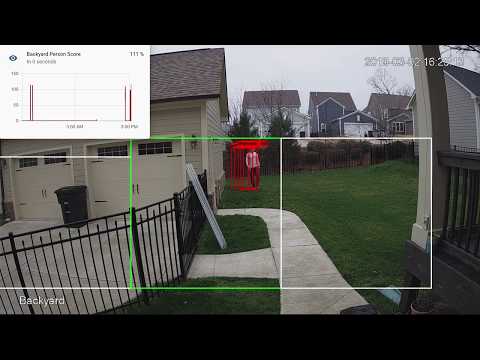](http://www.youtube.com/watch?v=nqHbCtyo4dY "Frigate")
|
||||
|
||||
## Documentation
|
||||
- [Camera Specific Docs](docs/CAMERAS.md)
|
||||
- [Hardware Acceleration](docs/HWACCEL.md)
|
||||
|
||||
View the documentation at https://docs.frigate.video
|
||||
## Getting Started
|
||||
Run the container with
|
||||
```bash
|
||||
docker run --rm \
|
||||
--name frigate \
|
||||
--privileged \
|
||||
--shm-size=100m \ # only needed with large numbers of high res cameras
|
||||
-v /dev/bus/usb:/dev/bus/usb \
|
||||
-v <path_to_config_dir>:/config:ro \
|
||||
-v /etc/localtime:/etc/localtime:ro \
|
||||
-p 5000:5000 \
|
||||
-e FRIGATE_RTSP_PASSWORD='password' \
|
||||
blakeblackshear/frigate:stable
|
||||
```
|
||||
|
||||
## Donations
|
||||
Example docker-compose:
|
||||
```yaml
|
||||
frigate:
|
||||
container_name: frigate
|
||||
restart: unless-stopped
|
||||
privileged: true
|
||||
shm_size: '100m' # only needed with large numbers of high res cameras
|
||||
image: blakeblackshear/frigate:stable
|
||||
volumes:
|
||||
- /dev/bus/usb:/dev/bus/usb
|
||||
- /etc/localtime:/etc/localtime:ro
|
||||
- <path_to_config>:/config
|
||||
- <path_to_directory_for_clips>:/clips
|
||||
ports:
|
||||
- "5000:5000"
|
||||
environment:
|
||||
FRIGATE_RTSP_PASSWORD: "password"
|
||||
healthcheck:
|
||||
test: ["CMD", "wget" , "-q", "-O-", "http://localhost:5000"]
|
||||
interval: 30s
|
||||
timeout: 10s
|
||||
retries: 5
|
||||
start_period: 3m
|
||||
```
|
||||
|
||||
If you would like to make a donation to support development, please use [Github Sponsors](https://github.com/sponsors/blakeblackshear).
|
||||
A `config.yml` file must exist in the `config` directory. See example [here](config/config.example.yml) and camera specific info can be found [here](docs/CAMERAS.md).
|
||||
|
||||
## Screenshots
|
||||
### Calculating shm-size
|
||||
The default shm-size of 64m should be fine for most setups. If you start seeing segfault errors, it could be because you have too many high resolution cameras and you need to specify a higher shm size.
|
||||
|
||||
Integration into Home Assistant
|
||||
You can calculate the necessary shm-size for each camera with the following formula:
|
||||
```
|
||||
(width * height * 3 + 270480)/1048576 = <shm size in mb>
|
||||
```
|
||||
|
||||
<div>
|
||||
<a href="docs/static/img/media_browser.png"><img src="docs/static/img/media_browser.png" height=400></a>
|
||||
<a href="docs/static/img/notification.png"><img src="docs/static/img/notification.png" height=400></a>
|
||||
</div>
|
||||
## Recommended Hardware
|
||||
|Name|Inference Speed|Notes|
|
||||
|----|---------------|-----|
|
||||
|Atomic Pi|16ms|Best option for a dedicated low power board with a small number of cameras.|
|
||||
|Intel NUC NUC7i3BNK|8-10ms|Best possible performance. Can handle 7+ cameras at 5fps depending on typical amounts of motion.|
|
||||
|BMAX B2 Plus|10-12ms|Good balance of performance and cost. Also capable of running many other services at the same time as frigate.|
|
||||
|Minisforum GK41|9-10ms|Great alternative to a NUC. Easily handiles 4 1080p cameras.|
|
||||
|Raspberry Pi 3B (32bit)|60ms|Can handle a small number of cameras, but the detection speeds are slow|
|
||||
|Raspberry Pi 4 (32bit)|15-20ms|Can handle a small number of cameras. The 2GB version runs fine.|
|
||||
|Raspberry Pi 4 (64bit)|10-15ms|Can handle a small number of cameras. The 2GB version runs fine.|
|
||||
|
||||
Also comes with a builtin UI:
|
||||
Users have reported varying success in getting frigate to run in a VM. In some cases, the virtualization layer introduces a significant delay in communication with the Coral. If running virtualized in Proxmox, pass the USB card/interface to the virtual machine not the USB ID for faster inference speed.
|
||||
|
||||
<div>
|
||||
<a href="docs/static/img/home-ui.png"><img src="docs/static/img/home-ui.png" height=400></a>
|
||||
<a href="docs/static/img/camera-ui.png"><img src="docs/static/img/camera-ui.png" height=400></a>
|
||||
</div>
|
||||
## Integration with HomeAssistant
|
||||
|
||||
Setup a camera, binary_sensor, sensor and optionally automation as shown for each camera you define in frigate. Replace <camera_name> with the camera name as defined in the frigate `config.yml` (The `frigate_coral_fps` and `frigate_coral_inference` sensors only need to be defined once)
|
||||
|
||||
```
|
||||
camera:
|
||||
- name: <camera_name> Last Person
|
||||
platform: mqtt
|
||||
topic: frigate/<camera_name>/person/snapshot
|
||||
- name: <camera_name> Last Car
|
||||
platform: mqtt
|
||||
topic: frigate/<camera_name>/car/snapshot
|
||||
|
||||
binary_sensor:
|
||||
- name: <camera_name> Person
|
||||
platform: mqtt
|
||||
state_topic: "frigate/<camera_name>/person"
|
||||
device_class: motion
|
||||
availability_topic: "frigate/available"
|
||||
|
||||
sensor:
|
||||
- platform: rest
|
||||
name: Frigate Debug
|
||||
resource: http://localhost:5000/debug/stats
|
||||
scan_interval: 5
|
||||
json_attributes:
|
||||
- <camera_name>
|
||||
- detection_fps
|
||||
- detectors
|
||||
value_template: 'OK'
|
||||
- platform: template
|
||||
sensors:
|
||||
<camera_name>_fps:
|
||||
value_template: '{{ states.sensor.frigate_debug.attributes["<camera_name>"]["fps"] }}'
|
||||
unit_of_measurement: 'FPS'
|
||||
<camera_name>_skipped_fps:
|
||||
value_template: '{{ states.sensor.frigate_debug.attributes["<camera_name>"]["skipped_fps"] }}'
|
||||
unit_of_measurement: 'FPS'
|
||||
<camera_name>_detection_fps:
|
||||
value_template: '{{ states.sensor.frigate_debug.attributes["<camera_name>"]["detection_fps"] }}'
|
||||
unit_of_measurement: 'FPS'
|
||||
frigate_detection_fps:
|
||||
value_template: '{{ states.sensor.frigate_debug.attributes["detection_fps"] }}'
|
||||
unit_of_measurement: 'FPS'
|
||||
frigate_coral_inference:
|
||||
value_template: '{{ states.sensor.frigate_debug.attributes["detectors"]["coral"]["inference_speed"] }}'
|
||||
unit_of_measurement: 'ms'
|
||||
|
||||
automation:
|
||||
- alias: Alert me if a person is detected while armed away
|
||||
trigger:
|
||||
platform: state
|
||||
entity_id: binary_sensor.camera_person
|
||||
from: 'off'
|
||||
to: 'on'
|
||||
condition:
|
||||
- condition: state
|
||||
entity_id: alarm_control_panel.home_alarm
|
||||
state: armed_away
|
||||
action:
|
||||
- service: notify.user_telegram
|
||||
data:
|
||||
message: "A person was detected."
|
||||
data:
|
||||
photo:
|
||||
- url: http://<ip>:5000/<camera_name>/person/best.jpg
|
||||
caption: A person was detected.
|
||||
```
|
||||
## HTTP Endpoints
|
||||
A web server is available on port 5000 with the following endpoints.
|
||||
|
||||
### `/<camera_name>`
|
||||
An mjpeg stream for debugging. Keep in mind the mjpeg endpoint is for debugging only and will put additional load on the system when in use.
|
||||
|
||||
You can access a higher resolution mjpeg stream by appending `h=height-in-pixels` to the endpoint. For example `http://localhost:5000/back?h=1080`. You can also increase the FPS by appending `fps=frame-rate` to the URL such as `http://localhost:5000/back?fps=10` or both with `?fps=10&h=1000`
|
||||
|
||||
### `/<camera_name>/<object_name>/best.jpg[?h=300&crop=1]`
|
||||
The best snapshot for any object type. It is a full resolution image by default.
|
||||
|
||||
Example parameters:
|
||||
- `h=300`: resizes the image to 300 pixes tall
|
||||
- `crop=1`: crops the image to the region of the detection rather than returning the entire image
|
||||
|
||||
### `/<camera_name>/latest.jpg[?h=300]`
|
||||
The most recent frame that frigate has finished processing. It is a full resolution image by default.
|
||||
|
||||
Example parameters:
|
||||
- `h=300`: resizes the image to 300 pixes tall
|
||||
|
||||
### `/debug/stats`
|
||||
Contains some granular debug info that can be used for sensors in HomeAssistant. See details below.
|
||||
|
||||
## MQTT Messages
|
||||
These are the MQTT messages generated by Frigate. The default topic_prefix is `frigate`, but can be changed in the config file.
|
||||
|
||||
### frigate/available
|
||||
Designed to be used as an availability topic with HomeAssistant. Possible message are:
|
||||
"online": published when frigate is running (on startup)
|
||||
"offline": published right before frigate stops
|
||||
|
||||
### frigate/<camera_name>/<object_name>
|
||||
Publishes `ON` or `OFF` and is designed to be used a as a binary sensor in HomeAssistant for whether or not that object type is detected.
|
||||
|
||||
### frigate/<camera_name>/<object_name>/snapshot
|
||||
Publishes a jpeg encoded frame of the detected object type. When the object is no longer detected, the highest confidence image is published or the original image
|
||||
is published again.
|
||||
|
||||
The height and crop of snapshots can be configured as shown in the example config.
|
||||
|
||||
### frigate/<camera_name>/events/start
|
||||
Message published at the start of any tracked object. JSON looks as follows:
|
||||
```json
|
||||
{
|
||||
"label": "person",
|
||||
"score": 0.87890625,
|
||||
"box": [
|
||||
95,
|
||||
155,
|
||||
581,
|
||||
1182
|
||||
],
|
||||
"area": 499122,
|
||||
"region": [
|
||||
0,
|
||||
132,
|
||||
1080,
|
||||
1212
|
||||
],
|
||||
"frame_time": 1600208805.60284,
|
||||
"centroid": [
|
||||
338,
|
||||
668
|
||||
],
|
||||
"id": "1600208805.60284-k1l43p",
|
||||
"start_time": 1600208805.60284,
|
||||
"top_score": 0.87890625,
|
||||
"zones": [],
|
||||
"score_history": [
|
||||
0.87890625
|
||||
],
|
||||
"computed_score": 0.0,
|
||||
"false_positive": true
|
||||
}
|
||||
```
|
||||
|
||||
### frigate/<camera_name>/events/end
|
||||
Same as `frigate/<camera_name>/events/start`, but with an `end_time` property as well.
|
||||
|
||||
### frigate/<zone_name>/<object_name>
|
||||
Publishes `ON` or `OFF` and is designed to be used a as a binary sensor in HomeAssistant for whether or not that object type is detected in the zone.
|
||||
|
||||
## Understanding min_score and threshold filters
|
||||
`min_score` defines the minimum score for Frigate to begin tracking a detected object. Any single detection below `min_score` will be ignored as a false positive. `threshold` is based on the median of the history of scores for a tracked object. Consider the following frames when `min_score` is set to 0.6 and threshold is set to 0.85:
|
||||
|
||||
| Frame | Current Score | Score History | Computed Score | Detected Object |
|
||||
| --- | --- | --- | --- | --- |
|
||||
| 1 | 0.7 | 0.0, 0, 0.7 | 0.0 | No
|
||||
| 2 | 0.55 | 0.0, 0.7, 0.0 | 0.0 | No
|
||||
| 3 | 0.85 | 0.7, 0.0, 0.85 | 0.7 | No
|
||||
| 4 | 0.90 | 0.7, 0.85, 0.95, 0.90 | 0.875 | Yes
|
||||
| 5 | 0.88 | 0.7, 0.85, 0.95, 0.90, 0.88 | 0.88 | Yes
|
||||
| 6 | 0.95 | 0.7, 0.85, 0.95, 0.90, 0.88, 0.95 | 0.89 | Yes
|
||||
|
||||
In frame 2, the score is below the `min_score` value, so frigate ignores it and it becomes a 0.0. The computed score is the median of the score history (padding to at least 3 values), and only when that computed score crosses the `threshold` is the object marked as a true positive. That happens in frame 4 in the example.
|
||||
|
||||
## Using a custom model or labels
|
||||
Models for both CPU and EdgeTPU (Coral) are bundled in the image. You can use your own models with volume mounts:
|
||||
- CPU Model: `/cpu_model.tflite`
|
||||
- EdgeTPU Model: `/edgetpu_model.tflite`
|
||||
- Labels: `/labelmap.txt`
|
||||
|
||||
### Customizing the Labelmap
|
||||
The labelmap can be customized to your needs. A common reason to do this is to combine multiple object types that are easily confused when you don't need to be as granular such as car/truck. You must retain the same number of labels, but you can change the names. To change:
|
||||
|
||||
- Download the [COCO labelmap](https://dl.google.com/coral/canned_models/coco_labels.txt)
|
||||
- Modify the label names as desired. For example, change `7 truck` to `7 car`
|
||||
- Mount the new file at `/labelmap.txt` in the container with an additional volume
|
||||
```
|
||||
-v ./config/labelmap.txt:/labelmap.txt
|
||||
```
|
||||
|
||||
## Recording Clips
|
||||
**Note**: Previous versions of frigate included `-vsync drop` in input parameters. This is not compatible with FFmpeg's segment feature and must be removed from your input parameters if you have overrides set.
|
||||
|
||||
Frigate can save video clips without any CPU overhead for encoding by simply copying the stream directly with FFmpeg. It leverages FFmpeg's segment functionality to maintain a cache of 90 seconds of video for each camera. The cache files are written to disk at /cache and do not introduce memory overhead. When an object is being tracked, it will extend the cache to ensure it can assemble a clip when the event ends. Once the event ends, it again uses FFmpeg to assemble a clip by combining the video clips without any encoding by the CPU. Assembled clips are are saved to the /clips directory along with a json file containing the current information about the tracked object.
|
||||
|
||||
### Global Configuration Options
|
||||
- `max_seconds`: This limits the size of the cache when an object is being tracked. If an object is stationary and being tracked for a long time, the cache files will expire and this value will be the maximum clip length for the *end* of the event. For example, if this is set to 300 seconds and an object is being tracked for 600 seconds, the clip will end up being the last 300 seconds. Defaults to 300 seconds.
|
||||
|
||||
### Per-camera Configuration Options
|
||||
- `pre_capture`: Defines how much time should be included in the clip prior to the beginning of the event. Defaults to 30 seconds.
|
||||
- `objects`: List of object types to save clips for. Object types here must be listed for tracking at the camera or global configuration. Defaults to all tracked objects.
|
||||
|
||||
## Detectors Configuration
|
||||
Frigate attempts to detect your Coral device automatically. If you have multiple Coral devices or a version that is not detected automatically, you can specify using the `detectors` config option as shown in the example config.
|
||||
|
||||
## Masks and limiting detection to a certain area
|
||||
The mask works by looking at the bottom center of any bounding box (first image, red dot below) and comparing that to your mask. If that red dot falls on an area of your mask that is black, the detection (and motion) will be ignored. The mask in the second image would limit detection on this camera to only objects that are in the front yard and not the street.
|
||||
|
||||
<a href="docs/example-mask-check-point.png"><img src="docs/example-mask-check-point.png" height="300"></a>
|
||||
<a href="docs/example-mask.bmp"><img src="docs/example-mask.bmp" height="300"></a>
|
||||
<a href="docs/example-mask-overlay.png"><img src="docs/example-mask-overlay.png" height="300"></a>
|
||||
|
||||
The following types of masks are supported:
|
||||
- `base64`: Base64 encoded image file
|
||||
- `poly`: List of x,y points like zone configuration
|
||||
- `image`: Path to an image file in the config directory
|
||||
|
||||
`base64` and `image` masks must be the same aspect ratio as your camera.
|
||||
|
||||
## Zones
|
||||
Zones allow you to define a specific area of the frame and apply additional filters for object types so you can determine whether or not an object is within a particular area. Zones cannot have the same name as a camera. If desired, a single zone can include multiple cameras if you have multiple cameras covering the same area. See the sample config for details on how to configure.
|
||||
|
||||
During testing, `draw_zones` can be set in the config to tell frigate to draw the zone on the frames so you can adjust as needed. The zone line will increase in thickness when any object enters the zone.
|
||||
|
||||

|
||||
|
||||
## Debug Info
|
||||
```jsonc
|
||||
{
|
||||
/* Per Camera Stats */
|
||||
"back": {
|
||||
/***************
|
||||
* Frames per second being consumed from your camera. If this is higher
|
||||
* than it is supposed to be, you should set -r FPS in your input_args.
|
||||
* camera_fps = process_fps + skipped_fps
|
||||
***************/
|
||||
"camera_fps": 5.0,
|
||||
/***************
|
||||
* Number of times detection is run per second. This can be higher than
|
||||
* your camera FPS because frigate often looks at the same frame multiple times
|
||||
* or in multiple locations
|
||||
***************/
|
||||
"detection_fps": 1.5,
|
||||
/***************
|
||||
* PID for the ffmpeg process that consumes this camera
|
||||
***************/
|
||||
"ffmpeg_pid": 27,
|
||||
/***************
|
||||
* Timestamps of frames in various parts of processing
|
||||
***************/
|
||||
"frame_info": {
|
||||
/***************
|
||||
* Timestamp of the frame frigate is running object detection on.
|
||||
***************/
|
||||
"detect": 1596994991.91426,
|
||||
/***************
|
||||
* Timestamp of the frame frigate is processing detected objects on.
|
||||
* This is where MQTT messages are sent, zones are checked, etc.
|
||||
***************/
|
||||
"process": 1596994991.91426,
|
||||
/***************
|
||||
* Timestamp of the frame frigate last read from ffmpeg.
|
||||
***************/
|
||||
"read": 1596994991.91426
|
||||
},
|
||||
/***************
|
||||
* PID for the process that runs detection for this camera
|
||||
***************/
|
||||
"pid": 34,
|
||||
/***************
|
||||
* Frames per second being processed by frigate.
|
||||
***************/
|
||||
"process_fps": 5.1,
|
||||
/***************
|
||||
* Timestamp when the detection process started looking for a frame. If this value stays constant
|
||||
* for a long time, that means there aren't any frames in the frame queue.
|
||||
***************/
|
||||
"read_start": 1596994991.943814,
|
||||
/***************
|
||||
* Frames per second skip for processing by frigate.
|
||||
***************/
|
||||
"skipped_fps": 0.0
|
||||
},
|
||||
/***************
|
||||
* Sum of detection_fps across all cameras and detectors.
|
||||
* This should be the sum of all detection_fps values from cameras.
|
||||
***************/
|
||||
"detection_fps": 5.0,
|
||||
/* Detectors Stats */
|
||||
"detectors": {
|
||||
"coral": {
|
||||
/***************
|
||||
* Timestamp when object detection started. If this value stays non-zero and constant
|
||||
* for a long time, that means the detection process is stuck.
|
||||
***************/
|
||||
"detection_start": 0.0,
|
||||
/***************
|
||||
* Time spent running object detection in milliseconds.
|
||||
***************/
|
||||
"inference_speed": 10.48,
|
||||
/***************
|
||||
* PID for the shared process that runs object detection on the Coral.
|
||||
***************/
|
||||
"pid": 25321
|
||||
}
|
||||
}
|
||||
}
|
||||
```
|
||||
|
||||
## Tips
|
||||
- Lower the framerate of the video feed on the camera to reduce the CPU usage for capturing the feed. Not as effective, but you can also modify the `take_frame` [configuration](config/config.example.yml) for each camera to only analyze every other frame, or every third frame, etc.
|
||||
- Hard code the resolution of each camera in your config if you are having difficulty starting frigate or if the initial ffprobe for camerea resolution fails or returns incorrect info. Example:
|
||||
```
|
||||
cameras:
|
||||
back:
|
||||
ffmpeg:
|
||||
input: rtsp://<camera>
|
||||
height: 1080
|
||||
width: 1920
|
||||
```
|
||||
- Additional logging is available in the docker container - You can view the logs by running `docker logs -t frigate`
|
||||
- Object configuration - Tracked objects types, sizes and thresholds can be defined globally and/or on a per camera basis. The global and camera object configuration is *merged*. For example, if you defined tracking person, car, and truck globally but modified your backyard camera to only track person, the global config would merge making the effective list for the backyard camera still contain person, car and truck. If you want precise object tracking per camera, best practice to put a minimal list of objects at the global level and expand objects on a per camera basis. Object threshold and area configuration will be used first from the camera object config (if defined) and then from the global config. See the [example config](config/config.example.yml) for more information.
|
||||
|
||||
## Troubleshooting
|
||||
|
||||
### "ffmpeg didnt return a frame. something is wrong"
|
||||
Turn on logging for the camera by overriding the global_args and setting the log level to `info`:
|
||||
```yaml
|
||||
ffmpeg:
|
||||
global_args:
|
||||
- -hide_banner
|
||||
- -loglevel
|
||||
- info
|
||||
```
|
||||
|
||||

|
||||
|
||||
65
benchmark.py
65
benchmark.py
@@ -3,16 +3,10 @@ from statistics import mean
|
||||
import multiprocessing as mp
|
||||
import numpy as np
|
||||
import datetime
|
||||
from frigate.config import DetectorTypeEnum
|
||||
from frigate.object_detection import (
|
||||
LocalObjectDetector,
|
||||
ObjectDetectProcess,
|
||||
RemoteObjectDetector,
|
||||
load_labels,
|
||||
)
|
||||
from frigate.edgetpu import LocalObjectDetector, EdgeTPUProcess, RemoteObjectDetector, load_labels
|
||||
|
||||
my_frame = np.expand_dims(np.full((300, 300, 3), 1, np.uint8), axis=0)
|
||||
labels = load_labels("/labelmap.txt")
|
||||
my_frame = np.expand_dims(np.full((300,300,3), 1, np.uint8), axis=0)
|
||||
labels = load_labels('/labelmap.txt')
|
||||
|
||||
######
|
||||
# Minimal same process runner
|
||||
@@ -45,23 +39,20 @@ labels = load_labels("/labelmap.txt")
|
||||
|
||||
|
||||
def start(id, num_detections, detection_queue, event):
|
||||
object_detector = RemoteObjectDetector(
|
||||
str(id), "/labelmap.txt", detection_queue, event
|
||||
)
|
||||
start = datetime.datetime.now().timestamp()
|
||||
object_detector = RemoteObjectDetector(str(id), '/labelmap.txt', detection_queue, event)
|
||||
start = datetime.datetime.now().timestamp()
|
||||
|
||||
frame_times = []
|
||||
for x in range(0, num_detections):
|
||||
start_frame = datetime.datetime.now().timestamp()
|
||||
detections = object_detector.detect(my_frame)
|
||||
frame_times.append(datetime.datetime.now().timestamp() - start_frame)
|
||||
|
||||
duration = datetime.datetime.now().timestamp() - start
|
||||
object_detector.cleanup()
|
||||
print(f"{id} - Processed for {duration:.2f} seconds.")
|
||||
print(f"{id} - FPS: {object_detector.fps.eps():.2f}")
|
||||
print(f"{id} - Average frame processing time: {mean(frame_times)*1000:.2f}ms")
|
||||
frame_times = []
|
||||
for x in range(0, num_detections):
|
||||
start_frame = datetime.datetime.now().timestamp()
|
||||
detections = object_detector.detect(my_frame)
|
||||
frame_times.append(datetime.datetime.now().timestamp()-start_frame)
|
||||
|
||||
duration = datetime.datetime.now().timestamp()-start
|
||||
object_detector.cleanup()
|
||||
print(f"{id} - Processed for {duration:.2f} seconds.")
|
||||
print(f"{id} - FPS: {object_detector.fps.eps():.2f}")
|
||||
print(f"{id} - Average frame processing time: {mean(frame_times)*1000:.2f}ms")
|
||||
|
||||
######
|
||||
# Separate process runner
|
||||
@@ -80,29 +71,23 @@ camera_processes = []
|
||||
|
||||
events = {}
|
||||
for x in range(0, 10):
|
||||
events[str(x)] = mp.Event()
|
||||
events[str(x)] = mp.Event()
|
||||
detection_queue = mp.Queue()
|
||||
edgetpu_process_1 = ObjectDetectProcess(
|
||||
detection_queue, events, DetectorTypeEnum.edgetpu, "usb:0"
|
||||
)
|
||||
edgetpu_process_2 = ObjectDetectProcess(
|
||||
detection_queue, events, DetectorTypeEnum.edgetpu, "usb:1"
|
||||
)
|
||||
edgetpu_process_1 = EdgeTPUProcess(detection_queue, events, 'usb:0')
|
||||
edgetpu_process_2 = EdgeTPUProcess(detection_queue, events, 'usb:1')
|
||||
|
||||
for x in range(0, 10):
|
||||
camera_process = mp.Process(
|
||||
target=start, args=(x, 300, detection_queue, events[str(x)])
|
||||
)
|
||||
camera_process.daemon = True
|
||||
camera_processes.append(camera_process)
|
||||
camera_process = mp.Process(target=start, args=(x, 300, detection_queue, events[str(x)]))
|
||||
camera_process.daemon = True
|
||||
camera_processes.append(camera_process)
|
||||
|
||||
start_time = datetime.datetime.now().timestamp()
|
||||
|
||||
for p in camera_processes:
|
||||
p.start()
|
||||
p.start()
|
||||
|
||||
for p in camera_processes:
|
||||
p.join()
|
||||
p.join()
|
||||
|
||||
duration = datetime.datetime.now().timestamp() - start_time
|
||||
print(f"Total - Processed for {duration:.2f} seconds.")
|
||||
duration = datetime.datetime.now().timestamp()-start_time
|
||||
print(f"Total - Processed for {duration:.2f} seconds.")
|
||||
BIN
config/back-mask.bmp
Normal file
BIN
config/back-mask.bmp
Normal file

Binary file not shown.
|
After Width: | Height: | Size: 1.8 MiB |
232
config/config.example.yml
Normal file
232
config/config.example.yml
Normal file
@@ -0,0 +1,232 @@
|
||||
web_port: 5000
|
||||
|
||||
################
|
||||
## List of detectors.
|
||||
## Currently supported types: cpu, edgetpu
|
||||
## EdgeTPU requires device as defined here: https://coral.ai/docs/edgetpu/multiple-edgetpu/#using-the-tensorflow-lite-python-api
|
||||
################
|
||||
detectors:
|
||||
coral:
|
||||
type: edgetpu
|
||||
device: usb
|
||||
|
||||
mqtt:
|
||||
host: mqtt.server.com
|
||||
topic_prefix: frigate
|
||||
# client_id: frigate # Optional -- set to override default client id of 'frigate' if running multiple instances
|
||||
# user: username # Optional
|
||||
#################
|
||||
## Environment variables that begin with 'FRIGATE_' may be referenced in {}.
|
||||
## password: '{FRIGATE_MQTT_PASSWORD}'
|
||||
#################
|
||||
# password: password # Optional
|
||||
|
||||
################
|
||||
# Global configuration for saving clips
|
||||
################
|
||||
save_clips:
|
||||
###########
|
||||
# Maximum length of time to retain video during long events.
|
||||
# If an object is being tracked for longer than this amount of time, the cache
|
||||
# will begin to expire and the resulting clip will be the last x seconds of the event.
|
||||
###########
|
||||
max_seconds: 300
|
||||
|
||||
#################
|
||||
# Default ffmpeg args. Optional and can be overwritten per camera.
|
||||
# Should work with most RTSP cameras that send h264 video
|
||||
# Built from the properties below with:
|
||||
# "ffmpeg" + global_args + input_args + "-i" + input + output_args
|
||||
#################
|
||||
# ffmpeg:
|
||||
# global_args:
|
||||
# - -hide_banner
|
||||
# - -loglevel
|
||||
# - panic
|
||||
# hwaccel_args: []
|
||||
# input_args:
|
||||
# - -avoid_negative_ts
|
||||
# - make_zero
|
||||
# - -fflags
|
||||
# - nobuffer
|
||||
# - -flags
|
||||
# - low_delay
|
||||
# - -strict
|
||||
# - experimental
|
||||
# - -fflags
|
||||
# - +genpts+discardcorrupt
|
||||
# - -vsync
|
||||
# - drop
|
||||
# - -rtsp_transport
|
||||
# - tcp
|
||||
# - -stimeout
|
||||
# - '5000000'
|
||||
# - -use_wallclock_as_timestamps
|
||||
# - '1'
|
||||
# output_args:
|
||||
# - -f
|
||||
# - rawvideo
|
||||
# - -pix_fmt
|
||||
# - yuv420p
|
||||
|
||||
####################
|
||||
# Global object configuration. Applies to all cameras
|
||||
# unless overridden at the camera levels.
|
||||
# Keys must be valid labels. By default, the model uses coco (https://dl.google.com/coral/canned_models/coco_labels.txt).
|
||||
# All labels from the model are reported over MQTT. These values are used to filter out false positives.
|
||||
# min_area (optional): minimum width*height of the bounding box for the detected object
|
||||
# max_area (optional): maximum width*height of the bounding box for the detected object
|
||||
# min_score (optional): minimum score for the object to initiate tracking
|
||||
# threshold (optional): The minimum decimal percentage for tracked object's computed score to considered a true positive
|
||||
####################
|
||||
objects:
|
||||
track:
|
||||
- person
|
||||
filters:
|
||||
person:
|
||||
min_area: 5000
|
||||
max_area: 100000
|
||||
min_score: 0.5
|
||||
threshold: 0.85
|
||||
|
||||
cameras:
|
||||
back:
|
||||
ffmpeg:
|
||||
################
|
||||
# Source passed to ffmpeg after the -i parameter. Supports anything compatible with OpenCV and FFmpeg.
|
||||
# Environment variables that begin with 'FRIGATE_' may be referenced in {}
|
||||
################
|
||||
input: rtsp://viewer:{FRIGATE_RTSP_PASSWORD}@10.0.10.10:554/cam/realmonitor?channel=1&subtype=2
|
||||
#################
|
||||
# These values will override default values for just this camera
|
||||
#################
|
||||
# global_args: []
|
||||
# hwaccel_args: []
|
||||
# input_args: []
|
||||
# output_args: []
|
||||
|
||||
################
|
||||
## Optionally specify the resolution of the video feed. Frigate will try to auto detect if not specified
|
||||
################
|
||||
# height: 1280
|
||||
# width: 720
|
||||
|
||||
################
|
||||
## Specify the framerate of your camera
|
||||
##
|
||||
## NOTE: This should only be set in the event ffmpeg is unable to determine your camera's framerate
|
||||
## on its own and the reported framerate for your camera in frigate is well over what is expected.
|
||||
################
|
||||
# fps: 5
|
||||
|
||||
################
|
||||
## Optional mask. Must be the same aspect ratio as your video feed. Value is any of the following:
|
||||
## - name of a file in the config directory
|
||||
## - base64 encoded image prefixed with 'base64,' eg. 'base64,asfasdfasdf....'
|
||||
## - polygon of x,y coordinates prefixed with 'poly,' eg. 'poly,0,900,1080,900,1080,1920,0,1920'
|
||||
##
|
||||
## The mask works by looking at the bottom center of the bounding box for the detected
|
||||
## person in the image. If that pixel in the mask is a black pixel, it ignores it as a
|
||||
## false positive. In my mask, the grass and driveway visible from my backdoor camera
|
||||
## are white. The garage doors, sky, and trees (anywhere it would be impossible for a
|
||||
## person to stand) are black.
|
||||
##
|
||||
## Masked areas are also ignored for motion detection.
|
||||
################
|
||||
# mask: back-mask.bmp
|
||||
|
||||
################
|
||||
# Allows you to limit the framerate within frigate for cameras that do not support
|
||||
# custom framerates. A value of 1 tells frigate to look at every frame, 2 every 2nd frame,
|
||||
# 3 every 3rd frame, etc.
|
||||
################
|
||||
take_frame: 1
|
||||
|
||||
################
|
||||
# The number of seconds to retain the highest scoring image for the best.jpg endpoint before allowing it
|
||||
# to be replaced by a newer image. Defaults to 60 seconds.
|
||||
################
|
||||
best_image_timeout: 60
|
||||
|
||||
################
|
||||
# MQTT settings
|
||||
################
|
||||
# mqtt:
|
||||
# crop_to_region: True
|
||||
# snapshot_height: 300
|
||||
|
||||
################
|
||||
# Zones
|
||||
################
|
||||
zones:
|
||||
#################
|
||||
# Name of the zone
|
||||
################
|
||||
front_steps:
|
||||
####################
|
||||
# A list of x,y coordinates to define the polygon of the zone. The top
|
||||
# left corner is 0,0. Can also be a comma separated string of all x,y coordinates combined.
|
||||
# The same zone name can exist across multiple cameras if they have overlapping FOVs.
|
||||
# An object is determined to be in the zone based on whether or not the bottom center
|
||||
# of it's bounding box is within the polygon. The polygon must have at least 3 points.
|
||||
# Coordinates can be generated at https://www.image-map.net/
|
||||
####################
|
||||
coordinates:
|
||||
- 545,1077
|
||||
- 747,939
|
||||
- 788,805
|
||||
################
|
||||
# Zone level object filters. These are applied in addition to the global and camera filters
|
||||
# and should be more restrictive than the global and camera filters. The global and camera
|
||||
# filters are applied upstream.
|
||||
################
|
||||
filters:
|
||||
person:
|
||||
min_area: 5000
|
||||
max_area: 100000
|
||||
threshold: 0.8
|
||||
|
||||
################
|
||||
# This will save a clip for each tracked object by frigate along with a json file that contains
|
||||
# data related to the tracked object. This works by telling ffmpeg to write video segments to /cache
|
||||
# from the video stream without re-encoding. Clips are then created by using ffmpeg to merge segments
|
||||
# without re-encoding. The segments saved are unaltered from what frigate receives to avoid re-encoding.
|
||||
# They do not contain bounding boxes. These are optimized to capture "false_positive" examples for improving frigate.
|
||||
#
|
||||
# NOTE: This feature does not work if you have "-vsync drop" configured in your input params.
|
||||
# This will only work for camera feeds that can be copied into the mp4 container format without
|
||||
# encoding such as h264. It may not work for some types of streams.
|
||||
################
|
||||
save_clips:
|
||||
enabled: False
|
||||
#########
|
||||
# Number of seconds before the event to include in the clips
|
||||
#########
|
||||
pre_capture: 30
|
||||
#########
|
||||
# Objects to save clips for. Defaults to all tracked object types.
|
||||
#########
|
||||
# objects:
|
||||
# - person
|
||||
|
||||
################
|
||||
# Configuration for the snapshots in the debug view and mqtt
|
||||
################
|
||||
snapshots:
|
||||
show_timestamp: True
|
||||
draw_zones: False
|
||||
draw_bounding_boxes: True
|
||||
|
||||
################
|
||||
# Camera level object config. If defined, this is used instead of the global config.
|
||||
################
|
||||
objects:
|
||||
track:
|
||||
- person
|
||||
- car
|
||||
filters:
|
||||
person:
|
||||
min_area: 5000
|
||||
max_area: 100000
|
||||
min_score: 0.5
|
||||
threshold: 0.85
|
||||
@@ -1,16 +0,0 @@
|
||||
mqtt:
|
||||
host: mqtt
|
||||
|
||||
cameras:
|
||||
test:
|
||||
ffmpeg:
|
||||
inputs:
|
||||
- path: /media/frigate/car-stopping.mp4
|
||||
input_args: -re -stream_loop -1 -fflags +genpts
|
||||
roles:
|
||||
- detect
|
||||
- rtmp
|
||||
detect:
|
||||
height: 1080
|
||||
width: 1920
|
||||
fps: 5
|
||||
465
detect_objects.py
Normal file
465
detect_objects.py
Normal file
@@ -0,0 +1,465 @@
|
||||
import faulthandler; faulthandler.enable()
|
||||
import os
|
||||
import signal
|
||||
import sys
|
||||
import traceback
|
||||
import signal
|
||||
import cv2
|
||||
import time
|
||||
import datetime
|
||||
import queue
|
||||
import yaml
|
||||
import threading
|
||||
import multiprocessing as mp
|
||||
import subprocess as sp
|
||||
import numpy as np
|
||||
import logging
|
||||
from flask import Flask, Response, make_response, jsonify, request
|
||||
import paho.mqtt.client as mqtt
|
||||
|
||||
from frigate.video import track_camera, get_ffmpeg_input, get_frame_shape, CameraCapture, start_or_restart_ffmpeg
|
||||
from frigate.object_processing import TrackedObjectProcessor
|
||||
from frigate.events import EventProcessor
|
||||
from frigate.util import EventsPerSecond
|
||||
from frigate.edgetpu import EdgeTPUProcess
|
||||
|
||||
FRIGATE_VARS = {k: v for k, v in os.environ.items() if k.startswith('FRIGATE_')}
|
||||
|
||||
with open('/config/config.yml') as f:
|
||||
CONFIG = yaml.safe_load(f)
|
||||
|
||||
MQTT_HOST = CONFIG['mqtt']['host']
|
||||
MQTT_PORT = CONFIG.get('mqtt', {}).get('port', 1883)
|
||||
MQTT_TOPIC_PREFIX = CONFIG.get('mqtt', {}).get('topic_prefix', 'frigate')
|
||||
MQTT_USER = CONFIG.get('mqtt', {}).get('user')
|
||||
MQTT_PASS = CONFIG.get('mqtt', {}).get('password')
|
||||
if not MQTT_PASS is None:
|
||||
MQTT_PASS = MQTT_PASS.format(**FRIGATE_VARS)
|
||||
MQTT_CLIENT_ID = CONFIG.get('mqtt', {}).get('client_id', 'frigate')
|
||||
|
||||
# Set the default FFmpeg config
|
||||
FFMPEG_CONFIG = CONFIG.get('ffmpeg', {})
|
||||
FFMPEG_DEFAULT_CONFIG = {
|
||||
'global_args': FFMPEG_CONFIG.get('global_args',
|
||||
['-hide_banner','-loglevel','panic']),
|
||||
'hwaccel_args': FFMPEG_CONFIG.get('hwaccel_args',
|
||||
[]),
|
||||
'input_args': FFMPEG_CONFIG.get('input_args',
|
||||
['-avoid_negative_ts', 'make_zero',
|
||||
'-fflags', 'nobuffer',
|
||||
'-flags', 'low_delay',
|
||||
'-strict', 'experimental',
|
||||
'-fflags', '+genpts+discardcorrupt',
|
||||
'-rtsp_transport', 'tcp',
|
||||
'-stimeout', '5000000',
|
||||
'-use_wallclock_as_timestamps', '1']),
|
||||
'output_args': FFMPEG_CONFIG.get('output_args',
|
||||
['-f', 'rawvideo',
|
||||
'-pix_fmt', 'yuv420p'])
|
||||
}
|
||||
|
||||
GLOBAL_OBJECT_CONFIG = CONFIG.get('objects', {})
|
||||
|
||||
WEB_PORT = CONFIG.get('web_port', 5000)
|
||||
DETECTORS = CONFIG.get('detectors', {'coral': {'type': 'edgetpu', 'device': 'usb'}})
|
||||
|
||||
class CameraWatchdog(threading.Thread):
|
||||
def __init__(self, camera_processes, config, detectors, detection_queue, tracked_objects_queue, stop_event):
|
||||
threading.Thread.__init__(self)
|
||||
self.camera_processes = camera_processes
|
||||
self.config = config
|
||||
self.detectors = detectors
|
||||
self.detection_queue = detection_queue
|
||||
self.tracked_objects_queue = tracked_objects_queue
|
||||
self.stop_event = stop_event
|
||||
|
||||
def run(self):
|
||||
time.sleep(10)
|
||||
while True:
|
||||
# wait a bit before checking
|
||||
time.sleep(10)
|
||||
|
||||
if self.stop_event.is_set():
|
||||
print(f"Exiting watchdog...")
|
||||
break
|
||||
|
||||
now = datetime.datetime.now().timestamp()
|
||||
|
||||
# check the detection processes
|
||||
for detector in self.detectors.values():
|
||||
detection_start = detector.detection_start.value
|
||||
if (detection_start > 0.0 and
|
||||
now - detection_start > 10):
|
||||
print("Detection appears to be stuck. Restarting detection process")
|
||||
detector.start_or_restart()
|
||||
elif not detector.detect_process.is_alive():
|
||||
print("Detection appears to have stopped. Restarting detection process")
|
||||
detector.start_or_restart()
|
||||
|
||||
# check the camera processes
|
||||
for name, camera_process in self.camera_processes.items():
|
||||
process = camera_process['process']
|
||||
if not process.is_alive():
|
||||
print(f"Track process for {name} is not alive. Starting again...")
|
||||
camera_process['process_fps'].value = 0.0
|
||||
camera_process['detection_fps'].value = 0.0
|
||||
camera_process['read_start'].value = 0.0
|
||||
process = mp.Process(target=track_camera, args=(name, self.config[name], camera_process['frame_queue'],
|
||||
camera_process['frame_shape'], self.detection_queue, self.tracked_objects_queue,
|
||||
camera_process['process_fps'], camera_process['detection_fps'],
|
||||
camera_process['read_start'], self.stop_event))
|
||||
process.daemon = True
|
||||
camera_process['process'] = process
|
||||
process.start()
|
||||
print(f"Track process started for {name}: {process.pid}")
|
||||
|
||||
if not camera_process['capture_thread'].is_alive():
|
||||
frame_shape = camera_process['frame_shape']
|
||||
frame_size = frame_shape[0] * frame_shape[1] * frame_shape[2]
|
||||
ffmpeg_process = start_or_restart_ffmpeg(camera_process['ffmpeg_cmd'], frame_size)
|
||||
camera_capture = CameraCapture(name, ffmpeg_process, frame_shape, camera_process['frame_queue'],
|
||||
camera_process['take_frame'], camera_process['camera_fps'], self.stop_event)
|
||||
camera_capture.start()
|
||||
camera_process['ffmpeg_process'] = ffmpeg_process
|
||||
camera_process['capture_thread'] = camera_capture
|
||||
elif now - camera_process['capture_thread'].current_frame.value > 5:
|
||||
print(f"No frames received from {name} in 5 seconds. Exiting ffmpeg...")
|
||||
ffmpeg_process = camera_process['ffmpeg_process']
|
||||
ffmpeg_process.terminate()
|
||||
try:
|
||||
print("Waiting for ffmpeg to exit gracefully...")
|
||||
ffmpeg_process.communicate(timeout=30)
|
||||
except sp.TimeoutExpired:
|
||||
print("FFmpeg didnt exit. Force killing...")
|
||||
ffmpeg_process.kill()
|
||||
ffmpeg_process.communicate()
|
||||
|
||||
def main():
|
||||
stop_event = threading.Event()
|
||||
# connect to mqtt and setup last will
|
||||
def on_connect(client, userdata, flags, rc):
|
||||
print("On connect called")
|
||||
if rc != 0:
|
||||
if rc == 3:
|
||||
print ("MQTT Server unavailable")
|
||||
elif rc == 4:
|
||||
print ("MQTT Bad username or password")
|
||||
elif rc == 5:
|
||||
print ("MQTT Not authorized")
|
||||
else:
|
||||
print ("Unable to connect to MQTT: Connection refused. Error code: " + str(rc))
|
||||
# publish a message to signal that the service is running
|
||||
client.publish(MQTT_TOPIC_PREFIX+'/available', 'online', retain=True)
|
||||
client = mqtt.Client(client_id=MQTT_CLIENT_ID)
|
||||
client.on_connect = on_connect
|
||||
client.will_set(MQTT_TOPIC_PREFIX+'/available', payload='offline', qos=1, retain=True)
|
||||
if not MQTT_USER is None:
|
||||
client.username_pw_set(MQTT_USER, password=MQTT_PASS)
|
||||
client.connect(MQTT_HOST, MQTT_PORT, 60)
|
||||
client.loop_start()
|
||||
|
||||
##
|
||||
# Setup config defaults for cameras
|
||||
##
|
||||
for name, config in CONFIG['cameras'].items():
|
||||
config['snapshots'] = {
|
||||
'show_timestamp': config.get('snapshots', {}).get('show_timestamp', True),
|
||||
'draw_zones': config.get('snapshots', {}).get('draw_zones', False),
|
||||
'draw_bounding_boxes': config.get('snapshots', {}).get('draw_bounding_boxes', True)
|
||||
}
|
||||
config['zones'] = config.get('zones', {})
|
||||
|
||||
# Queue for cameras to push tracked objects to
|
||||
tracked_objects_queue = mp.Queue()
|
||||
|
||||
# Queue for clip processing
|
||||
event_queue = mp.Queue()
|
||||
|
||||
# create the detection pipes and shms
|
||||
out_events = {}
|
||||
camera_shms = []
|
||||
for name in CONFIG['cameras'].keys():
|
||||
out_events[name] = mp.Event()
|
||||
shm_in = mp.shared_memory.SharedMemory(name=name, create=True, size=300*300*3)
|
||||
shm_out = mp.shared_memory.SharedMemory(name=f"out-{name}", create=True, size=20*6*4)
|
||||
camera_shms.append(shm_in)
|
||||
camera_shms.append(shm_out)
|
||||
|
||||
detection_queue = mp.Queue()
|
||||
|
||||
detectors = {}
|
||||
for name, detector in DETECTORS.items():
|
||||
if detector['type'] == 'cpu':
|
||||
detectors[name] = EdgeTPUProcess(detection_queue, out_events=out_events, tf_device='cpu')
|
||||
if detector['type'] == 'edgetpu':
|
||||
detectors[name] = EdgeTPUProcess(detection_queue, out_events=out_events, tf_device=detector['device'])
|
||||
|
||||
# create the camera processes
|
||||
camera_processes = {}
|
||||
for name, config in CONFIG['cameras'].items():
|
||||
# Merge the ffmpeg config with the global config
|
||||
ffmpeg = config.get('ffmpeg', {})
|
||||
ffmpeg_input = get_ffmpeg_input(ffmpeg['input'])
|
||||
ffmpeg_global_args = ffmpeg.get('global_args', FFMPEG_DEFAULT_CONFIG['global_args'])
|
||||
ffmpeg_hwaccel_args = ffmpeg.get('hwaccel_args', FFMPEG_DEFAULT_CONFIG['hwaccel_args'])
|
||||
ffmpeg_input_args = ffmpeg.get('input_args', FFMPEG_DEFAULT_CONFIG['input_args'])
|
||||
ffmpeg_output_args = ffmpeg.get('output_args', FFMPEG_DEFAULT_CONFIG['output_args'])
|
||||
if not config.get('fps') is None:
|
||||
ffmpeg_output_args = ["-r", str(config.get('fps'))] + ffmpeg_output_args
|
||||
if config.get('save_clips', {}).get('enabled', False):
|
||||
ffmpeg_output_args = [
|
||||
"-f",
|
||||
"segment",
|
||||
"-segment_time",
|
||||
"10",
|
||||
"-segment_format",
|
||||
"mp4",
|
||||
"-reset_timestamps",
|
||||
"1",
|
||||
"-strftime",
|
||||
"1",
|
||||
"-c",
|
||||
"copy",
|
||||
"-an",
|
||||
"-map",
|
||||
"0",
|
||||
f"/cache/{name}-%Y%m%d%H%M%S.mp4"
|
||||
] + ffmpeg_output_args
|
||||
ffmpeg_cmd = (['ffmpeg'] +
|
||||
ffmpeg_global_args +
|
||||
ffmpeg_hwaccel_args +
|
||||
ffmpeg_input_args +
|
||||
['-i', ffmpeg_input] +
|
||||
ffmpeg_output_args +
|
||||
['pipe:'])
|
||||
|
||||
if 'width' in config and 'height' in config:
|
||||
frame_shape = (config['height'], config['width'], 3)
|
||||
else:
|
||||
frame_shape = get_frame_shape(ffmpeg_input)
|
||||
|
||||
config['frame_shape'] = frame_shape
|
||||
|
||||
frame_size = frame_shape[0] * frame_shape[1] * frame_shape[2]
|
||||
take_frame = config.get('take_frame', 1)
|
||||
|
||||
detection_frame = mp.Value('d', 0.0)
|
||||
|
||||
ffmpeg_process = start_or_restart_ffmpeg(ffmpeg_cmd, frame_size)
|
||||
frame_queue = mp.Queue(maxsize=2)
|
||||
camera_fps = EventsPerSecond()
|
||||
camera_fps.start()
|
||||
camera_capture = CameraCapture(name, ffmpeg_process, frame_shape, frame_queue, take_frame, camera_fps, stop_event)
|
||||
camera_capture.start()
|
||||
|
||||
camera_processes[name] = {
|
||||
'camera_fps': camera_fps,
|
||||
'take_frame': take_frame,
|
||||
'process_fps': mp.Value('d', 0.0),
|
||||
'detection_fps': mp.Value('d', 0.0),
|
||||
'detection_frame': detection_frame,
|
||||
'read_start': mp.Value('d', 0.0),
|
||||
'ffmpeg_process': ffmpeg_process,
|
||||
'ffmpeg_cmd': ffmpeg_cmd,
|
||||
'frame_queue': frame_queue,
|
||||
'frame_shape': frame_shape,
|
||||
'capture_thread': camera_capture
|
||||
}
|
||||
|
||||
# merge global object config into camera object config
|
||||
camera_objects_config = config.get('objects', {})
|
||||
# get objects to track for camera
|
||||
objects_to_track = camera_objects_config.get('track', GLOBAL_OBJECT_CONFIG.get('track', ['person']))
|
||||
# get object filters
|
||||
object_filters = camera_objects_config.get('filters', GLOBAL_OBJECT_CONFIG.get('filters', {}))
|
||||
config['objects'] = {
|
||||
'track': objects_to_track,
|
||||
'filters': object_filters
|
||||
}
|
||||
|
||||
camera_process = mp.Process(target=track_camera, args=(name, config, frame_queue, frame_shape,
|
||||
detection_queue, out_events[name], tracked_objects_queue, camera_processes[name]['process_fps'],
|
||||
camera_processes[name]['detection_fps'],
|
||||
camera_processes[name]['read_start'], camera_processes[name]['detection_frame'], stop_event))
|
||||
camera_process.daemon = True
|
||||
camera_processes[name]['process'] = camera_process
|
||||
|
||||
# start the camera_processes
|
||||
for name, camera_process in camera_processes.items():
|
||||
camera_process['process'].start()
|
||||
print(f"Camera_process started for {name}: {camera_process['process'].pid}")
|
||||
|
||||
event_processor = EventProcessor(CONFIG, camera_processes, '/cache', '/clips', event_queue, stop_event)
|
||||
event_processor.start()
|
||||
|
||||
object_processor = TrackedObjectProcessor(CONFIG['cameras'], client, MQTT_TOPIC_PREFIX, tracked_objects_queue, event_queue, stop_event)
|
||||
object_processor.start()
|
||||
|
||||
camera_watchdog = CameraWatchdog(camera_processes, CONFIG['cameras'], detectors, detection_queue, tracked_objects_queue, stop_event)
|
||||
camera_watchdog.start()
|
||||
|
||||
def receiveSignal(signalNumber, frame):
|
||||
print('Received:', signalNumber)
|
||||
stop_event.set()
|
||||
event_processor.join()
|
||||
object_processor.join()
|
||||
camera_watchdog.join()
|
||||
for camera_name, camera_process in camera_processes.items():
|
||||
camera_process['capture_thread'].join()
|
||||
# cleanup the frame queue
|
||||
while not camera_process['frame_queue'].empty():
|
||||
frame_time = camera_process['frame_queue'].get()
|
||||
shm = mp.shared_memory.SharedMemory(name=f"{camera_name}{frame_time}")
|
||||
shm.close()
|
||||
shm.unlink()
|
||||
|
||||
for detector in detectors.values():
|
||||
detector.stop()
|
||||
for shm in camera_shms:
|
||||
shm.close()
|
||||
shm.unlink()
|
||||
sys.exit()
|
||||
|
||||
signal.signal(signal.SIGTERM, receiveSignal)
|
||||
signal.signal(signal.SIGINT, receiveSignal)
|
||||
|
||||
# create a flask app that encodes frames a mjpeg on demand
|
||||
app = Flask(__name__)
|
||||
log = logging.getLogger('werkzeug')
|
||||
log.setLevel(logging.ERROR)
|
||||
|
||||
@app.route('/')
|
||||
def ishealthy():
|
||||
# return a healh
|
||||
return "Frigate is running. Alive and healthy!"
|
||||
|
||||
@app.route('/debug/stack')
|
||||
def processor_stack():
|
||||
frame = sys._current_frames().get(object_processor.ident, None)
|
||||
if frame:
|
||||
return "<br>".join(traceback.format_stack(frame)), 200
|
||||
else:
|
||||
return "no frame found", 200
|
||||
|
||||
@app.route('/debug/print_stack')
|
||||
def print_stack():
|
||||
pid = int(request.args.get('pid', 0))
|
||||
if pid == 0:
|
||||
return "missing pid", 200
|
||||
else:
|
||||
os.kill(pid, signal.SIGUSR1)
|
||||
return "check logs", 200
|
||||
|
||||
@app.route('/debug/stats')
|
||||
def stats():
|
||||
stats = {}
|
||||
|
||||
total_detection_fps = 0
|
||||
|
||||
for name, camera_stats in camera_processes.items():
|
||||
total_detection_fps += camera_stats['detection_fps'].value
|
||||
capture_thread = camera_stats['capture_thread']
|
||||
stats[name] = {
|
||||
'camera_fps': round(capture_thread.fps.eps(), 2),
|
||||
'process_fps': round(camera_stats['process_fps'].value, 2),
|
||||
'skipped_fps': round(capture_thread.skipped_fps.eps(), 2),
|
||||
'detection_fps': round(camera_stats['detection_fps'].value, 2),
|
||||
'read_start': camera_stats['read_start'].value,
|
||||
'pid': camera_stats['process'].pid,
|
||||
'ffmpeg_pid': camera_stats['ffmpeg_process'].pid,
|
||||
'frame_info': {
|
||||
'read': capture_thread.current_frame.value,
|
||||
'detect': camera_stats['detection_frame'].value,
|
||||
'process': object_processor.camera_data[name]['current_frame_time']
|
||||
}
|
||||
}
|
||||
|
||||
stats['detectors'] = {}
|
||||
for name, detector in detectors.items():
|
||||
stats['detectors'][name] = {
|
||||
'inference_speed': round(detector.avg_inference_speed.value*1000, 2),
|
||||
'detection_start': detector.detection_start.value,
|
||||
'pid': detector.detect_process.pid
|
||||
}
|
||||
stats['detection_fps'] = round(total_detection_fps, 2)
|
||||
|
||||
return jsonify(stats)
|
||||
|
||||
@app.route('/<camera_name>/<label>/best.jpg')
|
||||
def best(camera_name, label):
|
||||
if camera_name in CONFIG['cameras']:
|
||||
best_object = object_processor.get_best(camera_name, label)
|
||||
best_frame = best_object.get('frame')
|
||||
if best_frame is None:
|
||||
best_frame = np.zeros((720,1280,3), np.uint8)
|
||||
else:
|
||||
best_frame = cv2.cvtColor(best_frame, cv2.COLOR_YUV2BGR_I420)
|
||||
|
||||
crop = bool(request.args.get('crop', 0, type=int))
|
||||
if crop:
|
||||
region = best_object.get('region', [0,0,300,300])
|
||||
best_frame = best_frame[region[1]:region[3], region[0]:region[2]]
|
||||
|
||||
height = int(request.args.get('h', str(best_frame.shape[0])))
|
||||
width = int(height*best_frame.shape[1]/best_frame.shape[0])
|
||||
|
||||
best_frame = cv2.resize(best_frame, dsize=(width, height), interpolation=cv2.INTER_AREA)
|
||||
ret, jpg = cv2.imencode('.jpg', best_frame)
|
||||
response = make_response(jpg.tobytes())
|
||||
response.headers['Content-Type'] = 'image/jpg'
|
||||
return response
|
||||
else:
|
||||
return "Camera named {} not found".format(camera_name), 404
|
||||
|
||||
@app.route('/<camera_name>')
|
||||
def mjpeg_feed(camera_name):
|
||||
fps = int(request.args.get('fps', '3'))
|
||||
height = int(request.args.get('h', '360'))
|
||||
if camera_name in CONFIG['cameras']:
|
||||
# return a multipart response
|
||||
return Response(imagestream(camera_name, fps, height),
|
||||
mimetype='multipart/x-mixed-replace; boundary=frame')
|
||||
else:
|
||||
return "Camera named {} not found".format(camera_name), 404
|
||||
|
||||
@app.route('/<camera_name>/latest.jpg')
|
||||
def latest_frame(camera_name):
|
||||
if camera_name in CONFIG['cameras']:
|
||||
# max out at specified FPS
|
||||
frame = object_processor.get_current_frame(camera_name)
|
||||
if frame is None:
|
||||
frame = np.zeros((720,1280,3), np.uint8)
|
||||
|
||||
height = int(request.args.get('h', str(frame.shape[0])))
|
||||
width = int(height*frame.shape[1]/frame.shape[0])
|
||||
|
||||
frame = cv2.resize(frame, dsize=(width, height), interpolation=cv2.INTER_AREA)
|
||||
|
||||
ret, jpg = cv2.imencode('.jpg', frame)
|
||||
response = make_response(jpg.tobytes())
|
||||
response.headers['Content-Type'] = 'image/jpg'
|
||||
return response
|
||||
else:
|
||||
return "Camera named {} not found".format(camera_name), 404
|
||||
|
||||
def imagestream(camera_name, fps, height):
|
||||
while True:
|
||||
# max out at specified FPS
|
||||
time.sleep(1/fps)
|
||||
frame = object_processor.get_current_frame(camera_name, draw=True)
|
||||
if frame is None:
|
||||
frame = np.zeros((height,int(height*16/9),3), np.uint8)
|
||||
|
||||
width = int(height*frame.shape[1]/frame.shape[0])
|
||||
frame = cv2.resize(frame, dsize=(width, height), interpolation=cv2.INTER_LINEAR)
|
||||
|
||||
ret, jpg = cv2.imencode('.jpg', frame)
|
||||
yield (b'--frame\r\n'
|
||||
b'Content-Type: image/jpeg\r\n\r\n' + jpg.tobytes() + b'\r\n\r\n')
|
||||
|
||||
app.run(host='0.0.0.0', port=WEB_PORT, debug=False)
|
||||
|
||||
object_processor.join()
|
||||
|
||||
if __name__ == '__main__':
|
||||
main()
|
||||

|
Before Width: | Height: | Size: 132 KiB After Width: | Height: | Size: 132 KiB |
@@ -1,39 +0,0 @@
|
||||
version: "3"
|
||||
services:
|
||||
devcontainer:
|
||||
container_name: frigate-devcontainer
|
||||
# add groups from host for render, plugdev, video
|
||||
group_add:
|
||||
- "109" # render
|
||||
- "110" # render
|
||||
- "44" # video
|
||||
- "46" # plugdev
|
||||
shm_size: "256mb"
|
||||
build:
|
||||
context: .
|
||||
# Use target devcontainer-trt for TensorRT dev
|
||||
target: devcontainer
|
||||
deploy:
|
||||
resources:
|
||||
reservations:
|
||||
devices:
|
||||
- driver: nvidia
|
||||
count: 1
|
||||
capabilities: [gpu]
|
||||
devices:
|
||||
- /dev/bus/usb:/dev/bus/usb
|
||||
# - /dev/dri:/dev/dri # for intel hwaccel, needs to be updated for your hardware
|
||||
volumes:
|
||||
- .:/workspace/frigate:cached
|
||||
- ./web/dist:/opt/frigate/web:cached
|
||||
- /etc/localtime:/etc/localtime:ro
|
||||
- ./config/config.yml:/config/config.yml:ro
|
||||
- ./debug:/media/frigate
|
||||
# Create the trt-models folder using the documented method of generating TRT models
|
||||
# - ./debug/trt-models:/trt-models
|
||||
- /dev/bus/usb:/dev/bus/usb
|
||||
mqtt:
|
||||
container_name: mqtt
|
||||
image: eclipse-mosquitto:1.6
|
||||
ports:
|
||||
- "1883:1883"
|
||||
16
docker/Dockerfile.amd64
Normal file
16
docker/Dockerfile.amd64
Normal file
@@ -0,0 +1,16 @@
|
||||
FROM frigate-base
|
||||
LABEL maintainer "blakeb@blakeshome.com"
|
||||
|
||||
# Install packages for apt repo
|
||||
RUN apt-get -qq update \
|
||||
&& apt-get -qq install --no-install-recommends -y \
|
||||
# ffmpeg dependencies
|
||||
libgomp1 \
|
||||
# VAAPI drivers for Intel hardware accel
|
||||
libva-drm2 libva2 i965-va-driver vainfo \
|
||||
## Tensorflow lite
|
||||
&& wget -q https://dl.google.com/coral/python/tflite_runtime-2.1.0.post1-cp38-cp38-linux_x86_64.whl \
|
||||
&& python3.8 -m pip install tflite_runtime-2.1.0.post1-cp38-cp38-linux_x86_64.whl \
|
||||
&& rm tflite_runtime-2.1.0.post1-cp38-cp38-linux_x86_64.whl \
|
||||
&& rm -rf /var/lib/apt/lists/* \
|
||||
&& (apt-get autoremove -y; apt-get autoclean -y)
|
||||
22
docker/Dockerfile.arm64
Normal file
22
docker/Dockerfile.arm64
Normal file
@@ -0,0 +1,22 @@
|
||||
FROM frigate-base
|
||||
LABEL maintainer "blakeb@blakeshome.com"
|
||||
|
||||
ENV DEBIAN_FRONTEND=noninteractive
|
||||
# Install packages for apt repo
|
||||
RUN apt-get -qq update \
|
||||
&& apt-get -qq install --no-install-recommends -y \
|
||||
# ffmpeg runtime dependencies
|
||||
libgomp1 \
|
||||
# runtime dependencies
|
||||
libopenexr24 \
|
||||
libgstreamer1.0-0 \
|
||||
libgstreamer-plugins-base1.0-0 \
|
||||
libopenblas-base \
|
||||
libjpeg-turbo8 \
|
||||
libpng16-16 \
|
||||
libtiff5 \
|
||||
libdc1394-22 \
|
||||
## Tensorflow lite
|
||||
&& pip3 install https://dl.google.com/coral/python/tflite_runtime-2.1.0.post1-cp38-cp38-linux_aarch64.whl \
|
||||
&& rm -rf /var/lib/apt/lists/* \
|
||||
&& (apt-get autoremove -y; apt-get autoclean -y)
|
||||
24
docker/Dockerfile.armv7hf
Normal file
24
docker/Dockerfile.armv7hf
Normal file
@@ -0,0 +1,24 @@
|
||||
FROM frigate-base
|
||||
LABEL maintainer "blakeb@blakeshome.com"
|
||||
|
||||
ENV DEBIAN_FRONTEND=noninteractive
|
||||
# Install packages for apt repo
|
||||
RUN apt-get -qq update \
|
||||
&& apt-get -qq install --no-install-recommends -y \
|
||||
# ffmpeg runtime dependencies
|
||||
libgomp1 \
|
||||
# runtime dependencies
|
||||
libopenexr24 \
|
||||
libgstreamer1.0-0 \
|
||||
libgstreamer-plugins-base1.0-0 \
|
||||
libopenblas-base \
|
||||
libjpeg-turbo8 \
|
||||
libpng16-16 \
|
||||
libtiff5 \
|
||||
libdc1394-22 \
|
||||
libaom0 \
|
||||
libx265-179 \
|
||||
## Tensorflow lite
|
||||
&& pip3 install https://dl.google.com/coral/python/tflite_runtime-2.1.0.post1-cp38-cp38-linux_armv7l.whl \
|
||||
&& rm -rf /var/lib/apt/lists/* \
|
||||
&& (apt-get autoremove -y; apt-get autoclean -y)
|
||||
41
docker/Dockerfile.base
Normal file
41
docker/Dockerfile.base
Normal file
@@ -0,0 +1,41 @@
|
||||
ARG ARCH=amd64
|
||||
FROM blakeblackshear/frigate-wheels:${ARCH} as wheels
|
||||
FROM blakeblackshear/frigate-ffmpeg:${ARCH} as ffmpeg
|
||||
|
||||
FROM ubuntu:20.04
|
||||
LABEL maintainer "blakeb@blakeshome.com"
|
||||
|
||||
COPY --from=ffmpeg /usr/local /usr/local/
|
||||
|
||||
COPY --from=wheels /wheels/. /wheels/
|
||||
|
||||
ENV DEBIAN_FRONTEND=noninteractive
|
||||
# Install packages for apt repo
|
||||
RUN apt-get -qq update && apt-get -qq install --no-install-recommends -y \
|
||||
gnupg wget unzip tzdata \
|
||||
&& apt-get -qq install --no-install-recommends -y \
|
||||
python3-pip \
|
||||
&& pip3 install -U /wheels/*.whl \
|
||||
&& APT_KEY_DONT_WARN_ON_DANGEROUS_USAGE=DontWarn apt-key adv --fetch-keys https://packages.cloud.google.com/apt/doc/apt-key.gpg \
|
||||
&& echo "deb https://packages.cloud.google.com/apt coral-edgetpu-stable main" > /etc/apt/sources.list.d/coral-edgetpu.list \
|
||||
&& echo "libedgetpu1-max libedgetpu/accepted-eula select true" | debconf-set-selections \
|
||||
&& apt-get -qq update && apt-get -qq install --no-install-recommends -y \
|
||||
libedgetpu1-max \
|
||||
&& rm -rf /var/lib/apt/lists/* /wheels \
|
||||
&& (apt-get autoremove -y; apt-get autoclean -y)
|
||||
|
||||
# get model and labels
|
||||
ARG MODEL_REFS=7064b94dd5b996189242320359dbab8b52c94a84
|
||||
COPY labelmap.txt /labelmap.txt
|
||||
RUN wget -q https://github.com/google-coral/edgetpu/raw/$MODEL_REFS/test_data/ssd_mobilenet_v2_coco_quant_postprocess_edgetpu.tflite -O /edgetpu_model.tflite
|
||||
RUN wget -q https://github.com/google-coral/edgetpu/raw/$MODEL_REFS/test_data/ssd_mobilenet_v2_coco_quant_postprocess.tflite -O /cpu_model.tflite
|
||||
|
||||
RUN mkdir /cache /clips
|
||||
|
||||
WORKDIR /opt/frigate/
|
||||
ADD frigate frigate/
|
||||
COPY detect_objects.py .
|
||||
COPY benchmark.py .
|
||||
COPY process_clip.py .
|
||||
|
||||
CMD ["python3", "-u", "detect_objects.py"]
|
||||
526
docker/Dockerfile.ffmpeg.amd64
Normal file
526
docker/Dockerfile.ffmpeg.amd64
Normal file
@@ -0,0 +1,526 @@
|
||||
# inspired by:
|
||||
# https://github.com/collelog/ffmpeg/blob/master/4.3.1-alpine-rpi4-arm64v8.Dockerfile
|
||||
# https://github.com/jrottenberg/ffmpeg/pull/158/files
|
||||
# https://github.com/jrottenberg/ffmpeg/pull/239
|
||||
FROM ubuntu:20.04 AS base
|
||||
|
||||
WORKDIR /tmp/workdir
|
||||
|
||||
ENV DEBIAN_FRONTEND=noninteractive
|
||||
RUN apt-get -yqq update && \
|
||||
apt-get install -yq --no-install-recommends ca-certificates expat libgomp1 && \
|
||||
apt-get autoremove -y && \
|
||||
apt-get clean -y
|
||||
|
||||
FROM base as build
|
||||
|
||||
ENV FFMPEG_VERSION=4.3.1 \
|
||||
AOM_VERSION=v1.0.0 \
|
||||
FDKAAC_VERSION=0.1.5 \
|
||||
FONTCONFIG_VERSION=2.12.4 \
|
||||
FREETYPE_VERSION=2.5.5 \
|
||||
FRIBIDI_VERSION=0.19.7 \
|
||||
KVAZAAR_VERSION=1.2.0 \
|
||||
LAME_VERSION=3.100 \
|
||||
LIBASS_VERSION=0.13.7 \
|
||||
LIBPTHREAD_STUBS_VERSION=0.4 \
|
||||
LIBVIDSTAB_VERSION=1.1.0 \
|
||||
LIBXCB_VERSION=1.13.1 \
|
||||
XCBPROTO_VERSION=1.13 \
|
||||
OGG_VERSION=1.3.2 \
|
||||
OPENCOREAMR_VERSION=0.1.5 \
|
||||
OPUS_VERSION=1.2 \
|
||||
OPENJPEG_VERSION=2.1.2 \
|
||||
THEORA_VERSION=1.1.1 \
|
||||
VORBIS_VERSION=1.3.5 \
|
||||
VPX_VERSION=1.8.0 \
|
||||
WEBP_VERSION=1.0.2 \
|
||||
X264_VERSION=20170226-2245-stable \
|
||||
X265_VERSION=3.1.1 \
|
||||
XAU_VERSION=1.0.9 \
|
||||
XORG_MACROS_VERSION=1.19.2 \
|
||||
XPROTO_VERSION=7.0.31 \
|
||||
XVID_VERSION=1.3.4 \
|
||||
LIBXML2_VERSION=2.9.10 \
|
||||
LIBBLURAY_VERSION=1.1.2 \
|
||||
LIBZMQ_VERSION=4.3.2 \
|
||||
SRC=/usr/local
|
||||
|
||||
ARG FREETYPE_SHA256SUM="5d03dd76c2171a7601e9ce10551d52d4471cf92cd205948e60289251daddffa8 freetype-2.5.5.tar.gz"
|
||||
ARG FRIBIDI_SHA256SUM="3fc96fa9473bd31dcb5500bdf1aa78b337ba13eb8c301e7c28923fea982453a8 0.19.7.tar.gz"
|
||||
ARG LIBASS_SHA256SUM="8fadf294bf701300d4605e6f1d92929304187fca4b8d8a47889315526adbafd7 0.13.7.tar.gz"
|
||||
ARG LIBVIDSTAB_SHA256SUM="14d2a053e56edad4f397be0cb3ef8eb1ec3150404ce99a426c4eb641861dc0bb v1.1.0.tar.gz"
|
||||
ARG OGG_SHA256SUM="e19ee34711d7af328cb26287f4137e70630e7261b17cbe3cd41011d73a654692 libogg-1.3.2.tar.gz"
|
||||
ARG OPUS_SHA256SUM="77db45a87b51578fbc49555ef1b10926179861d854eb2613207dc79d9ec0a9a9 opus-1.2.tar.gz"
|
||||
ARG THEORA_SHA256SUM="40952956c47811928d1e7922cda3bc1f427eb75680c3c37249c91e949054916b libtheora-1.1.1.tar.gz"
|
||||
ARG VORBIS_SHA256SUM="6efbcecdd3e5dfbf090341b485da9d176eb250d893e3eb378c428a2db38301ce libvorbis-1.3.5.tar.gz"
|
||||
ARG XVID_SHA256SUM="4e9fd62728885855bc5007fe1be58df42e5e274497591fec37249e1052ae316f xvidcore-1.3.4.tar.gz"
|
||||
ARG LIBXML2_SHA256SUM="f07dab13bf42d2b8db80620cce7419b3b87827cc937c8bb20fe13b8571ee9501 libxml2-v2.9.10.tar.gz"
|
||||
ARG LIBBLURAY_SHA256SUM="a3dd452239b100dc9da0d01b30e1692693e2a332a7d29917bf84bb10ea7c0b42 libbluray-1.1.2.tar.bz2"
|
||||
ARG LIBZMQ_SHA256SUM="02ecc88466ae38cf2c8d79f09cfd2675ba299a439680b64ade733e26a349edeb v4.3.2.tar.gz"
|
||||
|
||||
|
||||
ARG LD_LIBRARY_PATH=/opt/ffmpeg/lib
|
||||
ARG MAKEFLAGS="-j2"
|
||||
ARG PKG_CONFIG_PATH="/opt/ffmpeg/share/pkgconfig:/opt/ffmpeg/lib/pkgconfig:/opt/ffmpeg/lib64/pkgconfig"
|
||||
ARG PREFIX=/opt/ffmpeg
|
||||
ARG LD_LIBRARY_PATH="/opt/ffmpeg/lib:/opt/ffmpeg/lib64:/usr/lib64:/usr/lib:/lib64:/lib"
|
||||
|
||||
|
||||
RUN buildDeps="autoconf \
|
||||
automake \
|
||||
cmake \
|
||||
curl \
|
||||
bzip2 \
|
||||
libexpat1-dev \
|
||||
g++ \
|
||||
gcc \
|
||||
git \
|
||||
gperf \
|
||||
libtool \
|
||||
make \
|
||||
nasm \
|
||||
perl \
|
||||
pkg-config \
|
||||
python \
|
||||
libssl-dev \
|
||||
yasm \
|
||||
libva-dev \
|
||||
zlib1g-dev" && \
|
||||
apt-get -yqq update && \
|
||||
apt-get install -yq --no-install-recommends ${buildDeps}
|
||||
## opencore-amr https://sourceforge.net/projects/opencore-amr/
|
||||
RUN \
|
||||
DIR=/tmp/opencore-amr && \
|
||||
mkdir -p ${DIR} && \
|
||||
cd ${DIR} && \
|
||||
curl -sL https://versaweb.dl.sourceforge.net/project/opencore-amr/opencore-amr/opencore-amr-${OPENCOREAMR_VERSION}.tar.gz | \
|
||||
tar -zx --strip-components=1 && \
|
||||
./configure --prefix="${PREFIX}" --enable-shared && \
|
||||
make && \
|
||||
make install && \
|
||||
rm -rf ${DIR}
|
||||
## x264 http://www.videolan.org/developers/x264.html
|
||||
RUN \
|
||||
DIR=/tmp/x264 && \
|
||||
mkdir -p ${DIR} && \
|
||||
cd ${DIR} && \
|
||||
curl -sL https://download.videolan.org/pub/videolan/x264/snapshots/x264-snapshot-${X264_VERSION}.tar.bz2 | \
|
||||
tar -jx --strip-components=1 && \
|
||||
./configure --prefix="${PREFIX}" --enable-shared --enable-pic --disable-cli && \
|
||||
make && \
|
||||
make install && \
|
||||
rm -rf ${DIR}
|
||||
### x265 http://x265.org/
|
||||
RUN \
|
||||
DIR=/tmp/x265 && \
|
||||
mkdir -p ${DIR} && \
|
||||
cd ${DIR} && \
|
||||
curl -sL https://download.videolan.org/pub/videolan/x265/x265_${X265_VERSION}.tar.gz | \
|
||||
tar -zx && \
|
||||
cd x265_${X265_VERSION}/build/linux && \
|
||||
sed -i "/-DEXTRA_LIB/ s/$/ -DCMAKE_INSTALL_PREFIX=\${PREFIX}/" multilib.sh && \
|
||||
sed -i "/^cmake/ s/$/ -DENABLE_CLI=OFF/" multilib.sh && \
|
||||
./multilib.sh && \
|
||||
make -C 8bit install && \
|
||||
rm -rf ${DIR}
|
||||
### libogg https://www.xiph.org/ogg/
|
||||
RUN \
|
||||
DIR=/tmp/ogg && \
|
||||
mkdir -p ${DIR} && \
|
||||
cd ${DIR} && \
|
||||
curl -sLO http://downloads.xiph.org/releases/ogg/libogg-${OGG_VERSION}.tar.gz && \
|
||||
echo ${OGG_SHA256SUM} | sha256sum --check && \
|
||||
tar -zx --strip-components=1 -f libogg-${OGG_VERSION}.tar.gz && \
|
||||
./configure --prefix="${PREFIX}" --enable-shared && \
|
||||
make && \
|
||||
make install && \
|
||||
rm -rf ${DIR}
|
||||
### libopus https://www.opus-codec.org/
|
||||
RUN \
|
||||
DIR=/tmp/opus && \
|
||||
mkdir -p ${DIR} && \
|
||||
cd ${DIR} && \
|
||||
curl -sLO https://archive.mozilla.org/pub/opus/opus-${OPUS_VERSION}.tar.gz && \
|
||||
echo ${OPUS_SHA256SUM} | sha256sum --check && \
|
||||
tar -zx --strip-components=1 -f opus-${OPUS_VERSION}.tar.gz && \
|
||||
autoreconf -fiv && \
|
||||
./configure --prefix="${PREFIX}" --enable-shared && \
|
||||
make && \
|
||||
make install && \
|
||||
rm -rf ${DIR}
|
||||
### libvorbis https://xiph.org/vorbis/
|
||||
RUN \
|
||||
DIR=/tmp/vorbis && \
|
||||
mkdir -p ${DIR} && \
|
||||
cd ${DIR} && \
|
||||
curl -sLO http://downloads.xiph.org/releases/vorbis/libvorbis-${VORBIS_VERSION}.tar.gz && \
|
||||
echo ${VORBIS_SHA256SUM} | sha256sum --check && \
|
||||
tar -zx --strip-components=1 -f libvorbis-${VORBIS_VERSION}.tar.gz && \
|
||||
./configure --prefix="${PREFIX}" --with-ogg="${PREFIX}" --enable-shared && \
|
||||
make && \
|
||||
make install && \
|
||||
rm -rf ${DIR}
|
||||
### libtheora http://www.theora.org/
|
||||
RUN \
|
||||
DIR=/tmp/theora && \
|
||||
mkdir -p ${DIR} && \
|
||||
cd ${DIR} && \
|
||||
curl -sLO http://downloads.xiph.org/releases/theora/libtheora-${THEORA_VERSION}.tar.gz && \
|
||||
echo ${THEORA_SHA256SUM} | sha256sum --check && \
|
||||
tar -zx --strip-components=1 -f libtheora-${THEORA_VERSION}.tar.gz && \
|
||||
./configure --prefix="${PREFIX}" --with-ogg="${PREFIX}" --enable-shared && \
|
||||
make && \
|
||||
make install && \
|
||||
rm -rf ${DIR}
|
||||
### libvpx https://www.webmproject.org/code/
|
||||
RUN \
|
||||
DIR=/tmp/vpx && \
|
||||
mkdir -p ${DIR} && \
|
||||
cd ${DIR} && \
|
||||
curl -sL https://codeload.github.com/webmproject/libvpx/tar.gz/v${VPX_VERSION} | \
|
||||
tar -zx --strip-components=1 && \
|
||||
./configure --prefix="${PREFIX}" --enable-vp8 --enable-vp9 --enable-vp9-highbitdepth --enable-pic --enable-shared \
|
||||
--disable-debug --disable-examples --disable-docs --disable-install-bins && \
|
||||
make && \
|
||||
make install && \
|
||||
rm -rf ${DIR}
|
||||
### libwebp https://developers.google.com/speed/webp/
|
||||
RUN \
|
||||
DIR=/tmp/vebp && \
|
||||
mkdir -p ${DIR} && \
|
||||
cd ${DIR} && \
|
||||
curl -sL https://storage.googleapis.com/downloads.webmproject.org/releases/webp/libwebp-${WEBP_VERSION}.tar.gz | \
|
||||
tar -zx --strip-components=1 && \
|
||||
./configure --prefix="${PREFIX}" --enable-shared && \
|
||||
make && \
|
||||
make install && \
|
||||
rm -rf ${DIR}
|
||||
### libmp3lame http://lame.sourceforge.net/
|
||||
RUN \
|
||||
DIR=/tmp/lame && \
|
||||
mkdir -p ${DIR} && \
|
||||
cd ${DIR} && \
|
||||
curl -sL https://versaweb.dl.sourceforge.net/project/lame/lame/$(echo ${LAME_VERSION} | sed -e 's/[^0-9]*\([0-9]*\)[.]\([0-9]*\)[.]\([0-9]*\)\([0-9A-Za-z-]*\)/\1.\2/')/lame-${LAME_VERSION}.tar.gz | \
|
||||
tar -zx --strip-components=1 && \
|
||||
./configure --prefix="${PREFIX}" --bindir="${PREFIX}/bin" --enable-shared --enable-nasm --disable-frontend && \
|
||||
make && \
|
||||
make install && \
|
||||
rm -rf ${DIR}
|
||||
### xvid https://www.xvid.com/
|
||||
RUN \
|
||||
DIR=/tmp/xvid && \
|
||||
mkdir -p ${DIR} && \
|
||||
cd ${DIR} && \
|
||||
curl -sLO http://downloads.xvid.org/downloads/xvidcore-${XVID_VERSION}.tar.gz && \
|
||||
echo ${XVID_SHA256SUM} | sha256sum --check && \
|
||||
tar -zx -f xvidcore-${XVID_VERSION}.tar.gz && \
|
||||
cd xvidcore/build/generic && \
|
||||
./configure --prefix="${PREFIX}" --bindir="${PREFIX}/bin" && \
|
||||
make && \
|
||||
make install && \
|
||||
rm -rf ${DIR}
|
||||
### fdk-aac https://github.com/mstorsjo/fdk-aac
|
||||
RUN \
|
||||
DIR=/tmp/fdk-aac && \
|
||||
mkdir -p ${DIR} && \
|
||||
cd ${DIR} && \
|
||||
curl -sL https://github.com/mstorsjo/fdk-aac/archive/v${FDKAAC_VERSION}.tar.gz | \
|
||||
tar -zx --strip-components=1 && \
|
||||
autoreconf -fiv && \
|
||||
./configure --prefix="${PREFIX}" --enable-shared --datadir="${DIR}" && \
|
||||
make && \
|
||||
make install && \
|
||||
rm -rf ${DIR}
|
||||
## openjpeg https://github.com/uclouvain/openjpeg
|
||||
RUN \
|
||||
DIR=/tmp/openjpeg && \
|
||||
mkdir -p ${DIR} && \
|
||||
cd ${DIR} && \
|
||||
curl -sL https://github.com/uclouvain/openjpeg/archive/v${OPENJPEG_VERSION}.tar.gz | \
|
||||
tar -zx --strip-components=1 && \
|
||||
cmake -DBUILD_THIRDPARTY:BOOL=ON -DCMAKE_INSTALL_PREFIX="${PREFIX}" . && \
|
||||
make && \
|
||||
make install && \
|
||||
rm -rf ${DIR}
|
||||
## freetype https://www.freetype.org/
|
||||
RUN \
|
||||
DIR=/tmp/freetype && \
|
||||
mkdir -p ${DIR} && \
|
||||
cd ${DIR} && \
|
||||
curl -sLO https://download.savannah.gnu.org/releases/freetype/freetype-${FREETYPE_VERSION}.tar.gz && \
|
||||
echo ${FREETYPE_SHA256SUM} | sha256sum --check && \
|
||||
tar -zx --strip-components=1 -f freetype-${FREETYPE_VERSION}.tar.gz && \
|
||||
./configure --prefix="${PREFIX}" --disable-static --enable-shared && \
|
||||
make && \
|
||||
make install && \
|
||||
rm -rf ${DIR}
|
||||
## libvstab https://github.com/georgmartius/vid.stab
|
||||
RUN \
|
||||
DIR=/tmp/vid.stab && \
|
||||
mkdir -p ${DIR} && \
|
||||
cd ${DIR} && \
|
||||
curl -sLO https://github.com/georgmartius/vid.stab/archive/v${LIBVIDSTAB_VERSION}.tar.gz && \
|
||||
echo ${LIBVIDSTAB_SHA256SUM} | sha256sum --check && \
|
||||
tar -zx --strip-components=1 -f v${LIBVIDSTAB_VERSION}.tar.gz && \
|
||||
cmake -DCMAKE_INSTALL_PREFIX="${PREFIX}" . && \
|
||||
make && \
|
||||
make install && \
|
||||
rm -rf ${DIR}
|
||||
## fridibi https://www.fribidi.org/
|
||||
RUN \
|
||||
DIR=/tmp/fribidi && \
|
||||
mkdir -p ${DIR} && \
|
||||
cd ${DIR} && \
|
||||
curl -sLO https://github.com/fribidi/fribidi/archive/${FRIBIDI_VERSION}.tar.gz && \
|
||||
echo ${FRIBIDI_SHA256SUM} | sha256sum --check && \
|
||||
tar -zx --strip-components=1 -f ${FRIBIDI_VERSION}.tar.gz && \
|
||||
sed -i 's/^SUBDIRS =.*/SUBDIRS=gen.tab charset lib bin/' Makefile.am && \
|
||||
./bootstrap --no-config --auto && \
|
||||
./configure --prefix="${PREFIX}" --disable-static --enable-shared && \
|
||||
make -j1 && \
|
||||
make install && \
|
||||
rm -rf ${DIR}
|
||||
## fontconfig https://www.freedesktop.org/wiki/Software/fontconfig/
|
||||
RUN \
|
||||
DIR=/tmp/fontconfig && \
|
||||
mkdir -p ${DIR} && \
|
||||
cd ${DIR} && \
|
||||
curl -sLO https://www.freedesktop.org/software/fontconfig/release/fontconfig-${FONTCONFIG_VERSION}.tar.bz2 && \
|
||||
tar -jx --strip-components=1 -f fontconfig-${FONTCONFIG_VERSION}.tar.bz2 && \
|
||||
./configure --prefix="${PREFIX}" --disable-static --enable-shared && \
|
||||
make && \
|
||||
make install && \
|
||||
rm -rf ${DIR}
|
||||
## libass https://github.com/libass/libass
|
||||
RUN \
|
||||
DIR=/tmp/libass && \
|
||||
mkdir -p ${DIR} && \
|
||||
cd ${DIR} && \
|
||||
curl -sLO https://github.com/libass/libass/archive/${LIBASS_VERSION}.tar.gz && \
|
||||
echo ${LIBASS_SHA256SUM} | sha256sum --check && \
|
||||
tar -zx --strip-components=1 -f ${LIBASS_VERSION}.tar.gz && \
|
||||
./autogen.sh && \
|
||||
./configure --prefix="${PREFIX}" --disable-static --enable-shared && \
|
||||
make && \
|
||||
make install && \
|
||||
rm -rf ${DIR}
|
||||
## kvazaar https://github.com/ultravideo/kvazaar
|
||||
RUN \
|
||||
DIR=/tmp/kvazaar && \
|
||||
mkdir -p ${DIR} && \
|
||||
cd ${DIR} && \
|
||||
curl -sLO https://github.com/ultravideo/kvazaar/archive/v${KVAZAAR_VERSION}.tar.gz && \
|
||||
tar -zx --strip-components=1 -f v${KVAZAAR_VERSION}.tar.gz && \
|
||||
./autogen.sh && \
|
||||
./configure --prefix="${PREFIX}" --disable-static --enable-shared && \
|
||||
make && \
|
||||
make install && \
|
||||
rm -rf ${DIR}
|
||||
|
||||
RUN \
|
||||
DIR=/tmp/aom && \
|
||||
git clone --branch ${AOM_VERSION} --depth 1 https://aomedia.googlesource.com/aom ${DIR} ; \
|
||||
cd ${DIR} ; \
|
||||
rm -rf CMakeCache.txt CMakeFiles ; \
|
||||
mkdir -p ./aom_build ; \
|
||||
cd ./aom_build ; \
|
||||
cmake -DCMAKE_INSTALL_PREFIX="${PREFIX}" -DBUILD_SHARED_LIBS=1 ..; \
|
||||
make ; \
|
||||
make install ; \
|
||||
rm -rf ${DIR}
|
||||
|
||||
## libxcb (and supporting libraries) for screen capture https://xcb.freedesktop.org/
|
||||
RUN \
|
||||
DIR=/tmp/xorg-macros && \
|
||||
mkdir -p ${DIR} && \
|
||||
cd ${DIR} && \
|
||||
curl -sLO https://www.x.org/archive//individual/util/util-macros-${XORG_MACROS_VERSION}.tar.gz && \
|
||||
tar -zx --strip-components=1 -f util-macros-${XORG_MACROS_VERSION}.tar.gz && \
|
||||
./configure --srcdir=${DIR} --prefix="${PREFIX}" && \
|
||||
make && \
|
||||
make install && \
|
||||
rm -rf ${DIR}
|
||||
|
||||
RUN \
|
||||
DIR=/tmp/xproto && \
|
||||
mkdir -p ${DIR} && \
|
||||
cd ${DIR} && \
|
||||
curl -sLO https://www.x.org/archive/individual/proto/xproto-${XPROTO_VERSION}.tar.gz && \
|
||||
tar -zx --strip-components=1 -f xproto-${XPROTO_VERSION}.tar.gz && \
|
||||
./configure --srcdir=${DIR} --prefix="${PREFIX}" && \
|
||||
make && \
|
||||
make install && \
|
||||
rm -rf ${DIR}
|
||||
|
||||
RUN \
|
||||
DIR=/tmp/libXau && \
|
||||
mkdir -p ${DIR} && \
|
||||
cd ${DIR} && \
|
||||
curl -sLO https://www.x.org/archive/individual/lib/libXau-${XAU_VERSION}.tar.gz && \
|
||||
tar -zx --strip-components=1 -f libXau-${XAU_VERSION}.tar.gz && \
|
||||
./configure --srcdir=${DIR} --prefix="${PREFIX}" && \
|
||||
make && \
|
||||
make install && \
|
||||
rm -rf ${DIR}
|
||||
|
||||
RUN \
|
||||
DIR=/tmp/libpthread-stubs && \
|
||||
mkdir -p ${DIR} && \
|
||||
cd ${DIR} && \
|
||||
curl -sLO https://xcb.freedesktop.org/dist/libpthread-stubs-${LIBPTHREAD_STUBS_VERSION}.tar.gz && \
|
||||
tar -zx --strip-components=1 -f libpthread-stubs-${LIBPTHREAD_STUBS_VERSION}.tar.gz && \
|
||||
./configure --prefix="${PREFIX}" && \
|
||||
make && \
|
||||
make install && \
|
||||
rm -rf ${DIR}
|
||||
|
||||
RUN \
|
||||
DIR=/tmp/libxcb-proto && \
|
||||
mkdir -p ${DIR} && \
|
||||
cd ${DIR} && \
|
||||
curl -sLO https://xcb.freedesktop.org/dist/xcb-proto-${XCBPROTO_VERSION}.tar.gz && \
|
||||
tar -zx --strip-components=1 -f xcb-proto-${XCBPROTO_VERSION}.tar.gz && \
|
||||
ACLOCAL_PATH="${PREFIX}/share/aclocal" ./autogen.sh && \
|
||||
./configure --prefix="${PREFIX}" && \
|
||||
make && \
|
||||
make install && \
|
||||
rm -rf ${DIR}
|
||||
|
||||
RUN \
|
||||
DIR=/tmp/libxcb && \
|
||||
mkdir -p ${DIR} && \
|
||||
cd ${DIR} && \
|
||||
curl -sLO https://xcb.freedesktop.org/dist/libxcb-${LIBXCB_VERSION}.tar.gz && \
|
||||
tar -zx --strip-components=1 -f libxcb-${LIBXCB_VERSION}.tar.gz && \
|
||||
ACLOCAL_PATH="${PREFIX}/share/aclocal" ./autogen.sh && \
|
||||
./configure --prefix="${PREFIX}" --disable-static --enable-shared && \
|
||||
make && \
|
||||
make install && \
|
||||
rm -rf ${DIR}
|
||||
|
||||
## libxml2 - for libbluray
|
||||
RUN \
|
||||
DIR=/tmp/libxml2 && \
|
||||
mkdir -p ${DIR} && \
|
||||
cd ${DIR} && \
|
||||
curl -sLO https://gitlab.gnome.org/GNOME/libxml2/-/archive/v${LIBXML2_VERSION}/libxml2-v${LIBXML2_VERSION}.tar.gz && \
|
||||
echo ${LIBXML2_SHA256SUM} | sha256sum --check && \
|
||||
tar -xz --strip-components=1 -f libxml2-v${LIBXML2_VERSION}.tar.gz && \
|
||||
./autogen.sh --prefix="${PREFIX}" --with-ftp=no --with-http=no --with-python=no && \
|
||||
make && \
|
||||
make install && \
|
||||
rm -rf ${DIR}
|
||||
|
||||
## libbluray - Requires libxml, freetype, and fontconfig
|
||||
RUN \
|
||||
DIR=/tmp/libbluray && \
|
||||
mkdir -p ${DIR} && \
|
||||
cd ${DIR} && \
|
||||
curl -sLO https://download.videolan.org/pub/videolan/libbluray/${LIBBLURAY_VERSION}/libbluray-${LIBBLURAY_VERSION}.tar.bz2 && \
|
||||
echo ${LIBBLURAY_SHA256SUM} | sha256sum --check && \
|
||||
tar -jx --strip-components=1 -f libbluray-${LIBBLURAY_VERSION}.tar.bz2 && \
|
||||
./configure --prefix="${PREFIX}" --disable-examples --disable-bdjava-jar --disable-static --enable-shared && \
|
||||
make && \
|
||||
make install && \
|
||||
rm -rf ${DIR}
|
||||
|
||||
## libzmq https://github.com/zeromq/libzmq/
|
||||
RUN \
|
||||
DIR=/tmp/libzmq && \
|
||||
mkdir -p ${DIR} && \
|
||||
cd ${DIR} && \
|
||||
curl -sLO https://github.com/zeromq/libzmq/archive/v${LIBZMQ_VERSION}.tar.gz && \
|
||||
echo ${LIBZMQ_SHA256SUM} | sha256sum --check && \
|
||||
tar -xz --strip-components=1 -f v${LIBZMQ_VERSION}.tar.gz && \
|
||||
./autogen.sh && \
|
||||
./configure --prefix="${PREFIX}" && \
|
||||
make && \
|
||||
make check && \
|
||||
make install && \
|
||||
rm -rf ${DIR}
|
||||
|
||||
## ffmpeg https://ffmpeg.org/
|
||||
RUN \
|
||||
DIR=/tmp/ffmpeg && mkdir -p ${DIR} && cd ${DIR} && \
|
||||
curl -sLO https://ffmpeg.org/releases/ffmpeg-${FFMPEG_VERSION}.tar.bz2 && \
|
||||
tar -jx --strip-components=1 -f ffmpeg-${FFMPEG_VERSION}.tar.bz2
|
||||
|
||||
|
||||
|
||||
RUN \
|
||||
DIR=/tmp/ffmpeg && mkdir -p ${DIR} && cd ${DIR} && \
|
||||
./configure \
|
||||
--disable-debug \
|
||||
--disable-doc \
|
||||
--disable-ffplay \
|
||||
--enable-shared \
|
||||
--enable-avresample \
|
||||
--enable-libopencore-amrnb \
|
||||
--enable-libopencore-amrwb \
|
||||
--enable-gpl \
|
||||
--enable-libass \
|
||||
--enable-fontconfig \
|
||||
--enable-libfreetype \
|
||||
--enable-libvidstab \
|
||||
--enable-libmp3lame \
|
||||
--enable-libopus \
|
||||
--enable-libtheora \
|
||||
--enable-libvorbis \
|
||||
--enable-libvpx \
|
||||
--enable-libwebp \
|
||||
--enable-libxcb \
|
||||
--enable-libx265 \
|
||||
--enable-libxvid \
|
||||
--enable-libx264 \
|
||||
--enable-nonfree \
|
||||
--enable-openssl \
|
||||
--enable-libfdk_aac \
|
||||
--enable-postproc \
|
||||
--enable-small \
|
||||
--enable-version3 \
|
||||
--enable-libbluray \
|
||||
--enable-libzmq \
|
||||
--extra-libs=-ldl \
|
||||
--prefix="${PREFIX}" \
|
||||
--enable-libopenjpeg \
|
||||
--enable-libkvazaar \
|
||||
--enable-libaom \
|
||||
--extra-libs=-lpthread \
|
||||
--enable-vaapi \
|
||||
--extra-cflags="-I${PREFIX}/include" \
|
||||
--extra-ldflags="-L${PREFIX}/lib" && \
|
||||
make && \
|
||||
make install && \
|
||||
make tools/zmqsend && cp tools/zmqsend ${PREFIX}/bin/ && \
|
||||
make distclean && \
|
||||
hash -r && \
|
||||
cd tools && \
|
||||
make qt-faststart && cp qt-faststart ${PREFIX}/bin/
|
||||
|
||||
## cleanup
|
||||
RUN \
|
||||
ldd ${PREFIX}/bin/ffmpeg | grep opt/ffmpeg | cut -d ' ' -f 3 | xargs -i cp {} /usr/local/lib/ && \
|
||||
for lib in /usr/local/lib/*.so.*; do ln -s "${lib##*/}" "${lib%%.so.*}".so; done && \
|
||||
cp ${PREFIX}/bin/* /usr/local/bin/ && \
|
||||
cp -r ${PREFIX}/share/ffmpeg /usr/local/share/ && \
|
||||
LD_LIBRARY_PATH=/usr/local/lib ffmpeg -buildconf && \
|
||||
cp -r ${PREFIX}/include/libav* ${PREFIX}/include/libpostproc ${PREFIX}/include/libsw* /usr/local/include && \
|
||||
mkdir -p /usr/local/lib/pkgconfig && \
|
||||
for pc in ${PREFIX}/lib/pkgconfig/libav*.pc ${PREFIX}/lib/pkgconfig/libpostproc.pc ${PREFIX}/lib/pkgconfig/libsw*.pc; do \
|
||||
sed "s:${PREFIX}:/usr/local:g" <"$pc" >/usr/local/lib/pkgconfig/"${pc##*/}"; \
|
||||
done
|
||||
|
||||
FROM base AS release
|
||||
|
||||
ENV LD_LIBRARY_PATH=/usr/local/lib:/usr/local/lib64:/usr/lib:/usr/lib64:/lib:/lib64
|
||||
|
||||
CMD ["--help"]
|
||||
ENTRYPOINT ["ffmpeg"]
|
||||
|
||||
COPY --from=build /usr/local /usr/local/
|
||||
|
||||
RUN \
|
||||
apt-get update -y && \
|
||||
apt-get install -y --no-install-recommends libva-drm2 libva2 i965-va-driver && \
|
||||
rm -rf /var/lib/apt/lists/*
|
||||
533
docker/Dockerfile.ffmpeg.arm64
Normal file
533
docker/Dockerfile.ffmpeg.arm64
Normal file
@@ -0,0 +1,533 @@
|
||||
# inspired by:
|
||||
# https://github.com/collelog/ffmpeg/blob/master/4.3.1-alpine-rpi4-arm64v8.Dockerfile
|
||||
# https://github.com/mmastrac/ffmpeg-omx-rpi-docker/blob/master/Dockerfile
|
||||
# https://github.com/jrottenberg/ffmpeg/pull/158/files
|
||||
# https://github.com/jrottenberg/ffmpeg/pull/239
|
||||
FROM ubuntu:20.04 AS base
|
||||
|
||||
WORKDIR /tmp/workdir
|
||||
|
||||
ENV DEBIAN_FRONTEND=noninteractive
|
||||
RUN apt-get -yqq update && \
|
||||
apt-get install -yq --no-install-recommends ca-certificates expat libgomp1 && \
|
||||
apt-get autoremove -y && \
|
||||
apt-get clean -y
|
||||
|
||||
FROM base as build
|
||||
|
||||
ENV FFMPEG_VERSION=4.3.1 \
|
||||
AOM_VERSION=v1.0.0 \
|
||||
FDKAAC_VERSION=0.1.5 \
|
||||
FONTCONFIG_VERSION=2.12.4 \
|
||||
FREETYPE_VERSION=2.5.5 \
|
||||
FRIBIDI_VERSION=0.19.7 \
|
||||
KVAZAAR_VERSION=1.2.0 \
|
||||
LAME_VERSION=3.100 \
|
||||
LIBASS_VERSION=0.13.7 \
|
||||
LIBPTHREAD_STUBS_VERSION=0.4 \
|
||||
LIBVIDSTAB_VERSION=1.1.0 \
|
||||
LIBXCB_VERSION=1.13.1 \
|
||||
XCBPROTO_VERSION=1.13 \
|
||||
OGG_VERSION=1.3.2 \
|
||||
OPENCOREAMR_VERSION=0.1.5 \
|
||||
OPUS_VERSION=1.2 \
|
||||
OPENJPEG_VERSION=2.1.2 \
|
||||
THEORA_VERSION=1.1.1 \
|
||||
VORBIS_VERSION=1.3.5 \
|
||||
VPX_VERSION=1.8.0 \
|
||||
WEBP_VERSION=1.0.2 \
|
||||
X264_VERSION=20170226-2245-stable \
|
||||
X265_VERSION=3.1.1 \
|
||||
XAU_VERSION=1.0.9 \
|
||||
XORG_MACROS_VERSION=1.19.2 \
|
||||
XPROTO_VERSION=7.0.31 \
|
||||
XVID_VERSION=1.3.4 \
|
||||
LIBXML2_VERSION=2.9.10 \
|
||||
LIBBLURAY_VERSION=1.1.2 \
|
||||
LIBZMQ_VERSION=4.3.2 \
|
||||
SRC=/usr/local
|
||||
|
||||
ARG FREETYPE_SHA256SUM="5d03dd76c2171a7601e9ce10551d52d4471cf92cd205948e60289251daddffa8 freetype-2.5.5.tar.gz"
|
||||
ARG FRIBIDI_SHA256SUM="3fc96fa9473bd31dcb5500bdf1aa78b337ba13eb8c301e7c28923fea982453a8 0.19.7.tar.gz"
|
||||
ARG LIBASS_SHA256SUM="8fadf294bf701300d4605e6f1d92929304187fca4b8d8a47889315526adbafd7 0.13.7.tar.gz"
|
||||
ARG LIBVIDSTAB_SHA256SUM="14d2a053e56edad4f397be0cb3ef8eb1ec3150404ce99a426c4eb641861dc0bb v1.1.0.tar.gz"
|
||||
ARG OGG_SHA256SUM="e19ee34711d7af328cb26287f4137e70630e7261b17cbe3cd41011d73a654692 libogg-1.3.2.tar.gz"
|
||||
ARG OPUS_SHA256SUM="77db45a87b51578fbc49555ef1b10926179861d854eb2613207dc79d9ec0a9a9 opus-1.2.tar.gz"
|
||||
ARG THEORA_SHA256SUM="40952956c47811928d1e7922cda3bc1f427eb75680c3c37249c91e949054916b libtheora-1.1.1.tar.gz"
|
||||
ARG VORBIS_SHA256SUM="6efbcecdd3e5dfbf090341b485da9d176eb250d893e3eb378c428a2db38301ce libvorbis-1.3.5.tar.gz"
|
||||
ARG XVID_SHA256SUM="4e9fd62728885855bc5007fe1be58df42e5e274497591fec37249e1052ae316f xvidcore-1.3.4.tar.gz"
|
||||
ARG LIBXML2_SHA256SUM="f07dab13bf42d2b8db80620cce7419b3b87827cc937c8bb20fe13b8571ee9501 libxml2-v2.9.10.tar.gz"
|
||||
ARG LIBBLURAY_SHA256SUM="a3dd452239b100dc9da0d01b30e1692693e2a332a7d29917bf84bb10ea7c0b42 libbluray-1.1.2.tar.bz2"
|
||||
ARG LIBZMQ_SHA256SUM="02ecc88466ae38cf2c8d79f09cfd2675ba299a439680b64ade733e26a349edeb v4.3.2.tar.gz"
|
||||
|
||||
|
||||
ARG LD_LIBRARY_PATH=/opt/ffmpeg/lib
|
||||
ARG MAKEFLAGS="-j2"
|
||||
ARG PKG_CONFIG_PATH="/opt/ffmpeg/share/pkgconfig:/opt/ffmpeg/lib/pkgconfig:/opt/ffmpeg/lib64/pkgconfig"
|
||||
ARG PREFIX=/opt/ffmpeg
|
||||
ARG LD_LIBRARY_PATH="/opt/ffmpeg/lib:/opt/ffmpeg/lib64:/usr/lib64:/usr/lib:/lib64:/lib"
|
||||
|
||||
|
||||
RUN buildDeps="autoconf \
|
||||
automake \
|
||||
cmake \
|
||||
curl \
|
||||
bzip2 \
|
||||
libexpat1-dev \
|
||||
g++ \
|
||||
gcc \
|
||||
git \
|
||||
gperf \
|
||||
libtool \
|
||||
make \
|
||||
nasm \
|
||||
perl \
|
||||
pkg-config \
|
||||
python \
|
||||
libssl-dev \
|
||||
yasm \
|
||||
linux-headers-raspi2 \
|
||||
libomxil-bellagio-dev \
|
||||
zlib1g-dev" && \
|
||||
apt-get -yqq update && \
|
||||
apt-get install -yq --no-install-recommends ${buildDeps}
|
||||
## opencore-amr https://sourceforge.net/projects/opencore-amr/
|
||||
RUN \
|
||||
DIR=/tmp/opencore-amr && \
|
||||
mkdir -p ${DIR} && \
|
||||
cd ${DIR} && \
|
||||
curl -sL https://versaweb.dl.sourceforge.net/project/opencore-amr/opencore-amr/opencore-amr-${OPENCOREAMR_VERSION}.tar.gz | \
|
||||
tar -zx --strip-components=1 && \
|
||||
./configure --prefix="${PREFIX}" --enable-shared && \
|
||||
make -j $(nproc) && \
|
||||
make -j $(nproc) install && \
|
||||
rm -rf ${DIR}
|
||||
## x264 http://www.videolan.org/developers/x264.html
|
||||
RUN \
|
||||
DIR=/tmp/x264 && \
|
||||
mkdir -p ${DIR} && \
|
||||
cd ${DIR} && \
|
||||
curl -sL https://download.videolan.org/pub/videolan/x264/snapshots/x264-snapshot-${X264_VERSION}.tar.bz2 | \
|
||||
tar -jx --strip-components=1 && \
|
||||
./configure --prefix="${PREFIX}" --enable-shared --enable-pic --disable-cli && \
|
||||
make -j $(nproc) && \
|
||||
make -j $(nproc) install && \
|
||||
rm -rf ${DIR}
|
||||
### x265 http://x265.org/
|
||||
RUN \
|
||||
DIR=/tmp/x265 && \
|
||||
mkdir -p ${DIR} && \
|
||||
cd ${DIR} && \
|
||||
curl -sL https://download.videolan.org/pub/videolan/x265/x265_${X265_VERSION}.tar.gz | \
|
||||
tar -zx && \
|
||||
cd x265_${X265_VERSION}/build/linux && \
|
||||
sed -i "/-DEXTRA_LIB/ s/$/ -DCMAKE_INSTALL_PREFIX=\${PREFIX}/" multilib.sh && \
|
||||
sed -i "/^cmake/ s/$/ -DENABLE_CLI=OFF/" multilib.sh && \
|
||||
export CXXFLAGS="${CXXFLAGS} -fPIC" && \
|
||||
./multilib.sh && \
|
||||
make -C 8bit install && \
|
||||
rm -rf ${DIR}
|
||||
### libogg https://www.xiph.org/ogg/
|
||||
RUN \
|
||||
DIR=/tmp/ogg && \
|
||||
mkdir -p ${DIR} && \
|
||||
cd ${DIR} && \
|
||||
curl -sLO http://downloads.xiph.org/releases/ogg/libogg-${OGG_VERSION}.tar.gz && \
|
||||
echo ${OGG_SHA256SUM} | sha256sum --check && \
|
||||
tar -zx --strip-components=1 -f libogg-${OGG_VERSION}.tar.gz && \
|
||||
./configure --prefix="${PREFIX}" --enable-shared && \
|
||||
make -j $(nproc) && \
|
||||
make -j $(nproc) install && \
|
||||
rm -rf ${DIR}
|
||||
### libopus https://www.opus-codec.org/
|
||||
RUN \
|
||||
DIR=/tmp/opus && \
|
||||
mkdir -p ${DIR} && \
|
||||
cd ${DIR} && \
|
||||
curl -sLO https://archive.mozilla.org/pub/opus/opus-${OPUS_VERSION}.tar.gz && \
|
||||
echo ${OPUS_SHA256SUM} | sha256sum --check && \
|
||||
tar -zx --strip-components=1 -f opus-${OPUS_VERSION}.tar.gz && \
|
||||
autoreconf -fiv && \
|
||||
./configure --prefix="${PREFIX}" --enable-shared && \
|
||||
make -j $(nproc) && \
|
||||
make -j $(nproc) install && \
|
||||
rm -rf ${DIR}
|
||||
### libvorbis https://xiph.org/vorbis/
|
||||
RUN \
|
||||
DIR=/tmp/vorbis && \
|
||||
mkdir -p ${DIR} && \
|
||||
cd ${DIR} && \
|
||||
curl -sLO http://downloads.xiph.org/releases/vorbis/libvorbis-${VORBIS_VERSION}.tar.gz && \
|
||||
echo ${VORBIS_SHA256SUM} | sha256sum --check && \
|
||||
tar -zx --strip-components=1 -f libvorbis-${VORBIS_VERSION}.tar.gz && \
|
||||
./configure --prefix="${PREFIX}" --with-ogg="${PREFIX}" --enable-shared && \
|
||||
make -j $(nproc) && \
|
||||
make -j $(nproc) install && \
|
||||
rm -rf ${DIR}
|
||||
### libtheora http://www.theora.org/
|
||||
RUN \
|
||||
DIR=/tmp/theora && \
|
||||
mkdir -p ${DIR} && \
|
||||
cd ${DIR} && \
|
||||
curl -sLO http://downloads.xiph.org/releases/theora/libtheora-${THEORA_VERSION}.tar.gz && \
|
||||
echo ${THEORA_SHA256SUM} | sha256sum --check && \
|
||||
tar -zx --strip-components=1 -f libtheora-${THEORA_VERSION}.tar.gz && \
|
||||
curl -sL 'http://git.savannah.gnu.org/gitweb/?p=config.git;a=blob_plain;f=config.guess;hb=HEAD' -o config.guess && \
|
||||
curl -sL 'http://git.savannah.gnu.org/gitweb/?p=config.git;a=blob_plain;f=config.sub;hb=HEAD' -o config.sub && \
|
||||
./configure --prefix="${PREFIX}" --with-ogg="${PREFIX}" --enable-shared && \
|
||||
make -j $(nproc) && \
|
||||
make -j $(nproc) install && \
|
||||
rm -rf ${DIR}
|
||||
### libvpx https://www.webmproject.org/code/
|
||||
RUN \
|
||||
DIR=/tmp/vpx && \
|
||||
mkdir -p ${DIR} && \
|
||||
cd ${DIR} && \
|
||||
curl -sL https://codeload.github.com/webmproject/libvpx/tar.gz/v${VPX_VERSION} | \
|
||||
tar -zx --strip-components=1 && \
|
||||
./configure --prefix="${PREFIX}" --enable-vp8 --enable-vp9 --enable-vp9-highbitdepth --enable-pic --enable-shared \
|
||||
--disable-debug --disable-examples --disable-docs --disable-install-bins && \
|
||||
make -j $(nproc) && \
|
||||
make -j $(nproc) install && \
|
||||
rm -rf ${DIR}
|
||||
### libwebp https://developers.google.com/speed/webp/
|
||||
RUN \
|
||||
DIR=/tmp/vebp && \
|
||||
mkdir -p ${DIR} && \
|
||||
cd ${DIR} && \
|
||||
curl -sL https://storage.googleapis.com/downloads.webmproject.org/releases/webp/libwebp-${WEBP_VERSION}.tar.gz | \
|
||||
tar -zx --strip-components=1 && \
|
||||
./configure --prefix="${PREFIX}" --enable-shared && \
|
||||
make -j $(nproc) && \
|
||||
make -j $(nproc) install && \
|
||||
rm -rf ${DIR}
|
||||
### libmp3lame http://lame.sourceforge.net/
|
||||
RUN \
|
||||
DIR=/tmp/lame && \
|
||||
mkdir -p ${DIR} && \
|
||||
cd ${DIR} && \
|
||||
curl -sL https://versaweb.dl.sourceforge.net/project/lame/lame/$(echo ${LAME_VERSION} | sed -e 's/[^0-9]*\([0-9]*\)[.]\([0-9]*\)[.]\([0-9]*\)\([0-9A-Za-z-]*\)/\1.\2/')/lame-${LAME_VERSION}.tar.gz | \
|
||||
tar -zx --strip-components=1 && \
|
||||
./configure --prefix="${PREFIX}" --bindir="${PREFIX}/bin" --enable-shared --enable-nasm --disable-frontend && \
|
||||
make -j $(nproc) && \
|
||||
make -j $(nproc) install && \
|
||||
rm -rf ${DIR}
|
||||
### xvid https://www.xvid.com/
|
||||
RUN \
|
||||
DIR=/tmp/xvid && \
|
||||
mkdir -p ${DIR} && \
|
||||
cd ${DIR} && \
|
||||
curl -sLO http://downloads.xvid.org/downloads/xvidcore-${XVID_VERSION}.tar.gz && \
|
||||
echo ${XVID_SHA256SUM} | sha256sum --check && \
|
||||
tar -zx -f xvidcore-${XVID_VERSION}.tar.gz && \
|
||||
cd xvidcore/build/generic && \
|
||||
./configure --prefix="${PREFIX}" --bindir="${PREFIX}/bin" && \
|
||||
make -j $(nproc) && \
|
||||
make -j $(nproc) install && \
|
||||
rm -rf ${DIR}
|
||||
### fdk-aac https://github.com/mstorsjo/fdk-aac
|
||||
RUN \
|
||||
DIR=/tmp/fdk-aac && \
|
||||
mkdir -p ${DIR} && \
|
||||
cd ${DIR} && \
|
||||
curl -sL https://github.com/mstorsjo/fdk-aac/archive/v${FDKAAC_VERSION}.tar.gz | \
|
||||
tar -zx --strip-components=1 && \
|
||||
autoreconf -fiv && \
|
||||
./configure --prefix="${PREFIX}" --enable-shared --datadir="${DIR}" && \
|
||||
make -j $(nproc) && \
|
||||
make -j $(nproc) install && \
|
||||
rm -rf ${DIR}
|
||||
## openjpeg https://github.com/uclouvain/openjpeg
|
||||
RUN \
|
||||
DIR=/tmp/openjpeg && \
|
||||
mkdir -p ${DIR} && \
|
||||
cd ${DIR} && \
|
||||
curl -sL https://github.com/uclouvain/openjpeg/archive/v${OPENJPEG_VERSION}.tar.gz | \
|
||||
tar -zx --strip-components=1 && \
|
||||
export CFLAGS="${CFLAGS} -DPNG_ARM_NEON_OPT=0" && \
|
||||
cmake -DBUILD_THIRDPARTY:BOOL=ON -DCMAKE_INSTALL_PREFIX="${PREFIX}" . && \
|
||||
make -j $(nproc) && \
|
||||
make -j $(nproc) install && \
|
||||
rm -rf ${DIR}
|
||||
## freetype https://www.freetype.org/
|
||||
RUN \
|
||||
DIR=/tmp/freetype && \
|
||||
mkdir -p ${DIR} && \
|
||||
cd ${DIR} && \
|
||||
curl -sLO https://download.savannah.gnu.org/releases/freetype/freetype-${FREETYPE_VERSION}.tar.gz && \
|
||||
echo ${FREETYPE_SHA256SUM} | sha256sum --check && \
|
||||
tar -zx --strip-components=1 -f freetype-${FREETYPE_VERSION}.tar.gz && \
|
||||
./configure --prefix="${PREFIX}" --disable-static --enable-shared && \
|
||||
make -j $(nproc) && \
|
||||
make -j $(nproc) install && \
|
||||
rm -rf ${DIR}
|
||||
## libvstab https://github.com/georgmartius/vid.stab
|
||||
RUN \
|
||||
DIR=/tmp/vid.stab && \
|
||||
mkdir -p ${DIR} && \
|
||||
cd ${DIR} && \
|
||||
curl -sLO https://github.com/georgmartius/vid.stab/archive/v${LIBVIDSTAB_VERSION}.tar.gz && \
|
||||
echo ${LIBVIDSTAB_SHA256SUM} | sha256sum --check && \
|
||||
tar -zx --strip-components=1 -f v${LIBVIDSTAB_VERSION}.tar.gz && \
|
||||
cmake -DCMAKE_INSTALL_PREFIX="${PREFIX}" . && \
|
||||
make -j $(nproc) && \
|
||||
make -j $(nproc) install && \
|
||||
rm -rf ${DIR}
|
||||
## fridibi https://www.fribidi.org/
|
||||
RUN \
|
||||
DIR=/tmp/fribidi && \
|
||||
mkdir -p ${DIR} && \
|
||||
cd ${DIR} && \
|
||||
curl -sLO https://github.com/fribidi/fribidi/archive/${FRIBIDI_VERSION}.tar.gz && \
|
||||
echo ${FRIBIDI_SHA256SUM} | sha256sum --check && \
|
||||
tar -zx --strip-components=1 -f ${FRIBIDI_VERSION}.tar.gz && \
|
||||
sed -i 's/^SUBDIRS =.*/SUBDIRS=gen.tab charset lib bin/' Makefile.am && \
|
||||
./bootstrap --no-config --auto && \
|
||||
./configure --prefix="${PREFIX}" --disable-static --enable-shared && \
|
||||
make -j1 && \
|
||||
make -j $(nproc) install && \
|
||||
rm -rf ${DIR}
|
||||
## fontconfig https://www.freedesktop.org/wiki/Software/fontconfig/
|
||||
RUN \
|
||||
DIR=/tmp/fontconfig && \
|
||||
mkdir -p ${DIR} && \
|
||||
cd ${DIR} && \
|
||||
curl -sLO https://www.freedesktop.org/software/fontconfig/release/fontconfig-${FONTCONFIG_VERSION}.tar.bz2 && \
|
||||
tar -jx --strip-components=1 -f fontconfig-${FONTCONFIG_VERSION}.tar.bz2 && \
|
||||
./configure --prefix="${PREFIX}" --disable-static --enable-shared && \
|
||||
make -j $(nproc) && \
|
||||
make -j $(nproc) install && \
|
||||
rm -rf ${DIR}
|
||||
## libass https://github.com/libass/libass
|
||||
RUN \
|
||||
DIR=/tmp/libass && \
|
||||
mkdir -p ${DIR} && \
|
||||
cd ${DIR} && \
|
||||
curl -sLO https://github.com/libass/libass/archive/${LIBASS_VERSION}.tar.gz && \
|
||||
echo ${LIBASS_SHA256SUM} | sha256sum --check && \
|
||||
tar -zx --strip-components=1 -f ${LIBASS_VERSION}.tar.gz && \
|
||||
./autogen.sh && \
|
||||
./configure --prefix="${PREFIX}" --disable-static --enable-shared && \
|
||||
make -j $(nproc) && \
|
||||
make -j $(nproc) install && \
|
||||
rm -rf ${DIR}
|
||||
## kvazaar https://github.com/ultravideo/kvazaar
|
||||
RUN \
|
||||
DIR=/tmp/kvazaar && \
|
||||
mkdir -p ${DIR} && \
|
||||
cd ${DIR} && \
|
||||
curl -sLO https://github.com/ultravideo/kvazaar/archive/v${KVAZAAR_VERSION}.tar.gz && \
|
||||
tar -zx --strip-components=1 -f v${KVAZAAR_VERSION}.tar.gz && \
|
||||
./autogen.sh && \
|
||||
./configure --prefix="${PREFIX}" --disable-static --enable-shared && \
|
||||
make -j $(nproc) && \
|
||||
make -j $(nproc) install && \
|
||||
rm -rf ${DIR}
|
||||
|
||||
RUN \
|
||||
DIR=/tmp/aom && \
|
||||
git clone --branch ${AOM_VERSION} --depth 1 https://aomedia.googlesource.com/aom ${DIR} ; \
|
||||
cd ${DIR} ; \
|
||||
rm -rf CMakeCache.txt CMakeFiles ; \
|
||||
mkdir -p ./aom_build ; \
|
||||
cd ./aom_build ; \
|
||||
cmake -DCMAKE_INSTALL_PREFIX="${PREFIX}" -DBUILD_SHARED_LIBS=1 ..; \
|
||||
make ; \
|
||||
make install ; \
|
||||
rm -rf ${DIR}
|
||||
|
||||
## libxcb (and supporting libraries) for screen capture https://xcb.freedesktop.org/
|
||||
RUN \
|
||||
DIR=/tmp/xorg-macros && \
|
||||
mkdir -p ${DIR} && \
|
||||
cd ${DIR} && \
|
||||
curl -sLO https://www.x.org/archive//individual/util/util-macros-${XORG_MACROS_VERSION}.tar.gz && \
|
||||
tar -zx --strip-components=1 -f util-macros-${XORG_MACROS_VERSION}.tar.gz && \
|
||||
./configure --srcdir=${DIR} --prefix="${PREFIX}" && \
|
||||
make -j $(nproc) && \
|
||||
make -j $(nproc) install && \
|
||||
rm -rf ${DIR}
|
||||
|
||||
RUN \
|
||||
DIR=/tmp/xproto && \
|
||||
mkdir -p ${DIR} && \
|
||||
cd ${DIR} && \
|
||||
curl -sLO https://www.x.org/archive/individual/proto/xproto-${XPROTO_VERSION}.tar.gz && \
|
||||
tar -zx --strip-components=1 -f xproto-${XPROTO_VERSION}.tar.gz && \
|
||||
curl -sL 'http://git.savannah.gnu.org/gitweb/?p=config.git;a=blob_plain;f=config.guess;hb=HEAD' -o config.guess && \
|
||||
curl -sL 'http://git.savannah.gnu.org/gitweb/?p=config.git;a=blob_plain;f=config.sub;hb=HEAD' -o config.sub && \
|
||||
./configure --srcdir=${DIR} --prefix="${PREFIX}" && \
|
||||
make -j $(nproc) && \
|
||||
make -j $(nproc) install && \
|
||||
rm -rf ${DIR}
|
||||
|
||||
RUN \
|
||||
DIR=/tmp/libXau && \
|
||||
mkdir -p ${DIR} && \
|
||||
cd ${DIR} && \
|
||||
curl -sLO https://www.x.org/archive/individual/lib/libXau-${XAU_VERSION}.tar.gz && \
|
||||
tar -zx --strip-components=1 -f libXau-${XAU_VERSION}.tar.gz && \
|
||||
./configure --srcdir=${DIR} --prefix="${PREFIX}" && \
|
||||
make -j $(nproc) && \
|
||||
make -j $(nproc) install && \
|
||||
rm -rf ${DIR}
|
||||
|
||||
RUN \
|
||||
DIR=/tmp/libpthread-stubs && \
|
||||
mkdir -p ${DIR} && \
|
||||
cd ${DIR} && \
|
||||
curl -sLO https://xcb.freedesktop.org/dist/libpthread-stubs-${LIBPTHREAD_STUBS_VERSION}.tar.gz && \
|
||||
tar -zx --strip-components=1 -f libpthread-stubs-${LIBPTHREAD_STUBS_VERSION}.tar.gz && \
|
||||
./configure --prefix="${PREFIX}" && \
|
||||
make -j $(nproc) && \
|
||||
make -j $(nproc) install && \
|
||||
rm -rf ${DIR}
|
||||
|
||||
RUN \
|
||||
DIR=/tmp/libxcb-proto && \
|
||||
mkdir -p ${DIR} && \
|
||||
cd ${DIR} && \
|
||||
curl -sLO https://xcb.freedesktop.org/dist/xcb-proto-${XCBPROTO_VERSION}.tar.gz && \
|
||||
tar -zx --strip-components=1 -f xcb-proto-${XCBPROTO_VERSION}.tar.gz && \
|
||||
ACLOCAL_PATH="${PREFIX}/share/aclocal" ./autogen.sh && \
|
||||
./configure --prefix="${PREFIX}" && \
|
||||
make -j $(nproc) && \
|
||||
make -j $(nproc) install && \
|
||||
rm -rf ${DIR}
|
||||
|
||||
RUN \
|
||||
DIR=/tmp/libxcb && \
|
||||
mkdir -p ${DIR} && \
|
||||
cd ${DIR} && \
|
||||
curl -sLO https://xcb.freedesktop.org/dist/libxcb-${LIBXCB_VERSION}.tar.gz && \
|
||||
tar -zx --strip-components=1 -f libxcb-${LIBXCB_VERSION}.tar.gz && \
|
||||
ACLOCAL_PATH="${PREFIX}/share/aclocal" ./autogen.sh && \
|
||||
./configure --prefix="${PREFIX}" --disable-static --enable-shared && \
|
||||
make -j $(nproc) && \
|
||||
make -j $(nproc) install && \
|
||||
rm -rf ${DIR}
|
||||
|
||||
## libxml2 - for libbluray
|
||||
RUN \
|
||||
DIR=/tmp/libxml2 && \
|
||||
mkdir -p ${DIR} && \
|
||||
cd ${DIR} && \
|
||||
curl -sLO https://gitlab.gnome.org/GNOME/libxml2/-/archive/v${LIBXML2_VERSION}/libxml2-v${LIBXML2_VERSION}.tar.gz && \
|
||||
echo ${LIBXML2_SHA256SUM} | sha256sum --check && \
|
||||
tar -xz --strip-components=1 -f libxml2-v${LIBXML2_VERSION}.tar.gz && \
|
||||
./autogen.sh --prefix="${PREFIX}" --with-ftp=no --with-http=no --with-python=no && \
|
||||
make -j $(nproc) && \
|
||||
make -j $(nproc) install && \
|
||||
rm -rf ${DIR}
|
||||
|
||||
## libbluray - Requires libxml, freetype, and fontconfig
|
||||
RUN \
|
||||
DIR=/tmp/libbluray && \
|
||||
mkdir -p ${DIR} && \
|
||||
cd ${DIR} && \
|
||||
curl -sLO https://download.videolan.org/pub/videolan/libbluray/${LIBBLURAY_VERSION}/libbluray-${LIBBLURAY_VERSION}.tar.bz2 && \
|
||||
echo ${LIBBLURAY_SHA256SUM} | sha256sum --check && \
|
||||
tar -jx --strip-components=1 -f libbluray-${LIBBLURAY_VERSION}.tar.bz2 && \
|
||||
./configure --prefix="${PREFIX}" --disable-examples --disable-bdjava-jar --disable-static --enable-shared && \
|
||||
make -j $(nproc) && \
|
||||
make -j $(nproc) install && \
|
||||
rm -rf ${DIR}
|
||||
|
||||
## libzmq https://github.com/zeromq/libzmq/
|
||||
RUN \
|
||||
DIR=/tmp/libzmq && \
|
||||
mkdir -p ${DIR} && \
|
||||
cd ${DIR} && \
|
||||
curl -sLO https://github.com/zeromq/libzmq/archive/v${LIBZMQ_VERSION}.tar.gz && \
|
||||
echo ${LIBZMQ_SHA256SUM} | sha256sum --check && \
|
||||
tar -xz --strip-components=1 -f v${LIBZMQ_VERSION}.tar.gz && \
|
||||
./autogen.sh && \
|
||||
./configure --prefix="${PREFIX}" && \
|
||||
make -j $(nproc) && \
|
||||
make check && \
|
||||
make -j $(nproc) install && \
|
||||
rm -rf ${DIR}
|
||||
|
||||
## ffmpeg https://ffmpeg.org/
|
||||
RUN \
|
||||
DIR=/tmp/ffmpeg && mkdir -p ${DIR} && cd ${DIR} && \
|
||||
curl -sLO https://ffmpeg.org/releases/ffmpeg-${FFMPEG_VERSION}.tar.bz2 && \
|
||||
tar -jx --strip-components=1 -f ffmpeg-${FFMPEG_VERSION}.tar.bz2
|
||||
|
||||
RUN \
|
||||
DIR=/tmp/ffmpeg && mkdir -p ${DIR} && cd ${DIR} && \
|
||||
./configure \
|
||||
--disable-debug \
|
||||
--disable-doc \
|
||||
--disable-ffplay \
|
||||
--enable-shared \
|
||||
--enable-avresample \
|
||||
--enable-libopencore-amrnb \
|
||||
--enable-libopencore-amrwb \
|
||||
--enable-gpl \
|
||||
--enable-libass \
|
||||
--enable-fontconfig \
|
||||
--enable-libfreetype \
|
||||
--enable-libvidstab \
|
||||
--enable-libmp3lame \
|
||||
--enable-libopus \
|
||||
--enable-libtheora \
|
||||
--enable-libvorbis \
|
||||
--enable-libvpx \
|
||||
--enable-libwebp \
|
||||
--enable-libxcb \
|
||||
--enable-libx265 \
|
||||
--enable-libxvid \
|
||||
--enable-libx264 \
|
||||
--enable-nonfree \
|
||||
--enable-openssl \
|
||||
--enable-libfdk_aac \
|
||||
--enable-postproc \
|
||||
--enable-small \
|
||||
--enable-version3 \
|
||||
--enable-libbluray \
|
||||
--enable-libzmq \
|
||||
--extra-libs=-ldl \
|
||||
--prefix="${PREFIX}" \
|
||||
--enable-libopenjpeg \
|
||||
--enable-libkvazaar \
|
||||
--enable-libaom \
|
||||
--extra-libs=-lpthread \
|
||||
# --enable-omx \
|
||||
# --enable-omx-rpi \
|
||||
# --enable-mmal \
|
||||
--enable-v4l2_m2m \
|
||||
--enable-neon \
|
||||
--extra-cflags="-I${PREFIX}/include" \
|
||||
--extra-ldflags="-L${PREFIX}/lib" && \
|
||||
make -j $(nproc) && \
|
||||
make -j $(nproc) install && \
|
||||
make tools/zmqsend && cp tools/zmqsend ${PREFIX}/bin/ && \
|
||||
make distclean && \
|
||||
hash -r && \
|
||||
cd tools && \
|
||||
make qt-faststart && cp qt-faststart ${PREFIX}/bin/
|
||||
|
||||
## cleanup
|
||||
RUN \
|
||||
ldd ${PREFIX}/bin/ffmpeg | grep opt/ffmpeg | cut -d ' ' -f 3 | xargs -i cp {} /usr/local/lib/ && \
|
||||
for lib in /usr/local/lib/*.so.*; do ln -s "${lib##*/}" "${lib%%.so.*}".so; done && \
|
||||
cp ${PREFIX}/bin/* /usr/local/bin/ && \
|
||||
cp -r ${PREFIX}/share/ffmpeg /usr/local/share/ && \
|
||||
LD_LIBRARY_PATH=/usr/local/lib ffmpeg -buildconf && \
|
||||
cp -r ${PREFIX}/include/libav* ${PREFIX}/include/libpostproc ${PREFIX}/include/libsw* /usr/local/include && \
|
||||
mkdir -p /usr/local/lib/pkgconfig && \
|
||||
for pc in ${PREFIX}/lib/pkgconfig/libav*.pc ${PREFIX}/lib/pkgconfig/libpostproc.pc ${PREFIX}/lib/pkgconfig/libsw*.pc; do \
|
||||
sed "s:${PREFIX}:/usr/local:g" <"$pc" >/usr/local/lib/pkgconfig/"${pc##*/}"; \
|
||||
done
|
||||
|
||||
FROM base AS release
|
||||
|
||||
ENV LD_LIBRARY_PATH=/usr/local/lib:/usr/local/lib64:/usr/lib:/usr/lib64:/lib:/lib64
|
||||
|
||||
CMD ["--help"]
|
||||
ENTRYPOINT ["ffmpeg"]
|
||||
|
||||
COPY --from=build /usr/local /usr/local/
|
||||
|
||||
# Run ffmpeg with -c:v h264_v4l2m2m to enable HW accell for decoding on raspberry pi4 64-bit
|
||||
549
docker/Dockerfile.ffmpeg.armv7hf
Normal file
549
docker/Dockerfile.ffmpeg.armv7hf
Normal file
@@ -0,0 +1,549 @@
|
||||
# inspired by:
|
||||
# https://github.com/collelog/ffmpeg/blob/master/4.3.1-alpine-rpi4-arm64v8.Dockerfile
|
||||
# https://github.com/mmastrac/ffmpeg-omx-rpi-docker/blob/master/Dockerfile
|
||||
# https://github.com/jrottenberg/ffmpeg/pull/158/files
|
||||
# https://github.com/jrottenberg/ffmpeg/pull/239
|
||||
FROM ubuntu:20.04 AS base
|
||||
|
||||
WORKDIR /tmp/workdir
|
||||
|
||||
ENV DEBIAN_FRONTEND=noninteractive
|
||||
RUN apt-get -yqq update && \
|
||||
apt-get install -yq --no-install-recommends ca-certificates expat libgomp1 && \
|
||||
apt-get autoremove -y && \
|
||||
apt-get clean -y
|
||||
|
||||
FROM base as build
|
||||
|
||||
ENV FFMPEG_VERSION=4.3.1 \
|
||||
AOM_VERSION=v1.0.0 \
|
||||
FDKAAC_VERSION=0.1.5 \
|
||||
FONTCONFIG_VERSION=2.12.4 \
|
||||
FREETYPE_VERSION=2.5.5 \
|
||||
FRIBIDI_VERSION=0.19.7 \
|
||||
KVAZAAR_VERSION=1.2.0 \
|
||||
LAME_VERSION=3.100 \
|
||||
LIBASS_VERSION=0.13.7 \
|
||||
LIBPTHREAD_STUBS_VERSION=0.4 \
|
||||
LIBVIDSTAB_VERSION=1.1.0 \
|
||||
LIBXCB_VERSION=1.13.1 \
|
||||
XCBPROTO_VERSION=1.13 \
|
||||
OGG_VERSION=1.3.2 \
|
||||
OPENCOREAMR_VERSION=0.1.5 \
|
||||
OPUS_VERSION=1.2 \
|
||||
OPENJPEG_VERSION=2.1.2 \
|
||||
THEORA_VERSION=1.1.1 \
|
||||
VORBIS_VERSION=1.3.5 \
|
||||
VPX_VERSION=1.8.0 \
|
||||
WEBP_VERSION=1.0.2 \
|
||||
X264_VERSION=20170226-2245-stable \
|
||||
X265_VERSION=3.1.1 \
|
||||
XAU_VERSION=1.0.9 \
|
||||
XORG_MACROS_VERSION=1.19.2 \
|
||||
XPROTO_VERSION=7.0.31 \
|
||||
XVID_VERSION=1.3.4 \
|
||||
LIBXML2_VERSION=2.9.10 \
|
||||
LIBBLURAY_VERSION=1.1.2 \
|
||||
LIBZMQ_VERSION=4.3.3 \
|
||||
SRC=/usr/local
|
||||
|
||||
ARG FREETYPE_SHA256SUM="5d03dd76c2171a7601e9ce10551d52d4471cf92cd205948e60289251daddffa8 freetype-2.5.5.tar.gz"
|
||||
ARG FRIBIDI_SHA256SUM="3fc96fa9473bd31dcb5500bdf1aa78b337ba13eb8c301e7c28923fea982453a8 0.19.7.tar.gz"
|
||||
ARG LIBASS_SHA256SUM="8fadf294bf701300d4605e6f1d92929304187fca4b8d8a47889315526adbafd7 0.13.7.tar.gz"
|
||||
ARG LIBVIDSTAB_SHA256SUM="14d2a053e56edad4f397be0cb3ef8eb1ec3150404ce99a426c4eb641861dc0bb v1.1.0.tar.gz"
|
||||
ARG OGG_SHA256SUM="e19ee34711d7af328cb26287f4137e70630e7261b17cbe3cd41011d73a654692 libogg-1.3.2.tar.gz"
|
||||
ARG OPUS_SHA256SUM="77db45a87b51578fbc49555ef1b10926179861d854eb2613207dc79d9ec0a9a9 opus-1.2.tar.gz"
|
||||
ARG THEORA_SHA256SUM="40952956c47811928d1e7922cda3bc1f427eb75680c3c37249c91e949054916b libtheora-1.1.1.tar.gz"
|
||||
ARG VORBIS_SHA256SUM="6efbcecdd3e5dfbf090341b485da9d176eb250d893e3eb378c428a2db38301ce libvorbis-1.3.5.tar.gz"
|
||||
ARG XVID_SHA256SUM="4e9fd62728885855bc5007fe1be58df42e5e274497591fec37249e1052ae316f xvidcore-1.3.4.tar.gz"
|
||||
ARG LIBXML2_SHA256SUM="f07dab13bf42d2b8db80620cce7419b3b87827cc937c8bb20fe13b8571ee9501 libxml2-v2.9.10.tar.gz"
|
||||
ARG LIBBLURAY_SHA256SUM="a3dd452239b100dc9da0d01b30e1692693e2a332a7d29917bf84bb10ea7c0b42 libbluray-1.1.2.tar.bz2"
|
||||
|
||||
|
||||
ARG LD_LIBRARY_PATH=/opt/ffmpeg/lib
|
||||
ARG MAKEFLAGS="-j2"
|
||||
ARG PKG_CONFIG_PATH="/opt/ffmpeg/share/pkgconfig:/opt/ffmpeg/lib/pkgconfig:/opt/ffmpeg/lib64/pkgconfig:/opt/vc/lib/pkgconfig"
|
||||
ARG PREFIX=/opt/ffmpeg
|
||||
ARG LD_LIBRARY_PATH="/opt/ffmpeg/lib:/opt/ffmpeg/lib64:/usr/lib64:/usr/lib:/lib64:/lib:/opt/vc/lib"
|
||||
|
||||
|
||||
RUN buildDeps="autoconf \
|
||||
automake \
|
||||
cmake \
|
||||
curl \
|
||||
bzip2 \
|
||||
libexpat1-dev \
|
||||
g++ \
|
||||
gcc \
|
||||
git \
|
||||
gperf \
|
||||
libtool \
|
||||
make \
|
||||
nasm \
|
||||
perl \
|
||||
pkg-config \
|
||||
python \
|
||||
sudo \
|
||||
libssl-dev \
|
||||
yasm \
|
||||
linux-headers-raspi2 \
|
||||
libomxil-bellagio-dev \
|
||||
libx265-dev \
|
||||
libaom-dev \
|
||||
zlib1g-dev" && \
|
||||
apt-get -yqq update && \
|
||||
apt-get install -yq --no-install-recommends ${buildDeps}
|
||||
## opencore-amr https://sourceforge.net/projects/opencore-amr/
|
||||
RUN \
|
||||
DIR=/tmp/opencore-amr && \
|
||||
mkdir -p ${DIR} && \
|
||||
cd ${DIR} && \
|
||||
curl -sL https://versaweb.dl.sourceforge.net/project/opencore-amr/opencore-amr/opencore-amr-${OPENCOREAMR_VERSION}.tar.gz | \
|
||||
tar -zx --strip-components=1 && \
|
||||
./configure --prefix="${PREFIX}" --enable-shared && \
|
||||
make -j $(nproc) && \
|
||||
make -j $(nproc) install && \
|
||||
rm -rf ${DIR}
|
||||
## x264 http://www.videolan.org/developers/x264.html
|
||||
RUN \
|
||||
DIR=/tmp/x264 && \
|
||||
mkdir -p ${DIR} && \
|
||||
cd ${DIR} && \
|
||||
curl -sL https://download.videolan.org/pub/videolan/x264/snapshots/x264-snapshot-${X264_VERSION}.tar.bz2 | \
|
||||
tar -jx --strip-components=1 && \
|
||||
./configure --prefix="${PREFIX}" --enable-shared --enable-pic --disable-cli && \
|
||||
make -j $(nproc) && \
|
||||
make -j $(nproc) install && \
|
||||
rm -rf ${DIR}
|
||||
# ### x265 http://x265.org/
|
||||
# RUN \
|
||||
# DIR=/tmp/x265 && \
|
||||
# mkdir -p ${DIR} && \
|
||||
# cd ${DIR} && \
|
||||
# curl -sL https://download.videolan.org/pub/videolan/x265/x265_${X265_VERSION}.tar.gz | \
|
||||
# tar -zx && \
|
||||
# cd x265_${X265_VERSION}/build/linux && \
|
||||
# sed -i "/-DEXTRA_LIB/ s/$/ -DCMAKE_INSTALL_PREFIX=\${PREFIX}/" multilib.sh && \
|
||||
# sed -i "/^cmake/ s/$/ -DENABLE_CLI=OFF/" multilib.sh && \
|
||||
# # export CXXFLAGS="${CXXFLAGS} -fPIC" && \
|
||||
# ./multilib.sh && \
|
||||
# make -C 8bit install && \
|
||||
# rm -rf ${DIR}
|
||||
### libogg https://www.xiph.org/ogg/
|
||||
RUN \
|
||||
DIR=/tmp/ogg && \
|
||||
mkdir -p ${DIR} && \
|
||||
cd ${DIR} && \
|
||||
curl -sLO http://downloads.xiph.org/releases/ogg/libogg-${OGG_VERSION}.tar.gz && \
|
||||
echo ${OGG_SHA256SUM} | sha256sum --check && \
|
||||
tar -zx --strip-components=1 -f libogg-${OGG_VERSION}.tar.gz && \
|
||||
./configure --prefix="${PREFIX}" --enable-shared && \
|
||||
make -j $(nproc) && \
|
||||
make -j $(nproc) install && \
|
||||
rm -rf ${DIR}
|
||||
### libopus https://www.opus-codec.org/
|
||||
RUN \
|
||||
DIR=/tmp/opus && \
|
||||
mkdir -p ${DIR} && \
|
||||
cd ${DIR} && \
|
||||
curl -sLO https://archive.mozilla.org/pub/opus/opus-${OPUS_VERSION}.tar.gz && \
|
||||
echo ${OPUS_SHA256SUM} | sha256sum --check && \
|
||||
tar -zx --strip-components=1 -f opus-${OPUS_VERSION}.tar.gz && \
|
||||
autoreconf -fiv && \
|
||||
./configure --prefix="${PREFIX}" --enable-shared && \
|
||||
make -j $(nproc) && \
|
||||
make -j $(nproc) install && \
|
||||
rm -rf ${DIR}
|
||||
### libvorbis https://xiph.org/vorbis/
|
||||
RUN \
|
||||
DIR=/tmp/vorbis && \
|
||||
mkdir -p ${DIR} && \
|
||||
cd ${DIR} && \
|
||||
curl -sLO http://downloads.xiph.org/releases/vorbis/libvorbis-${VORBIS_VERSION}.tar.gz && \
|
||||
echo ${VORBIS_SHA256SUM} | sha256sum --check && \
|
||||
tar -zx --strip-components=1 -f libvorbis-${VORBIS_VERSION}.tar.gz && \
|
||||
./configure --prefix="${PREFIX}" --with-ogg="${PREFIX}" --enable-shared && \
|
||||
make -j $(nproc) && \
|
||||
make -j $(nproc) install && \
|
||||
rm -rf ${DIR}
|
||||
### libtheora http://www.theora.org/
|
||||
RUN \
|
||||
DIR=/tmp/theora && \
|
||||
mkdir -p ${DIR} && \
|
||||
cd ${DIR} && \
|
||||
curl -sLO http://downloads.xiph.org/releases/theora/libtheora-${THEORA_VERSION}.tar.gz && \
|
||||
echo ${THEORA_SHA256SUM} | sha256sum --check && \
|
||||
tar -zx --strip-components=1 -f libtheora-${THEORA_VERSION}.tar.gz && \
|
||||
curl -sL 'http://git.savannah.gnu.org/gitweb/?p=config.git;a=blob_plain;f=config.guess;hb=HEAD' -o config.guess && \
|
||||
curl -sL 'http://git.savannah.gnu.org/gitweb/?p=config.git;a=blob_plain;f=config.sub;hb=HEAD' -o config.sub && \
|
||||
./configure --prefix="${PREFIX}" --with-ogg="${PREFIX}" --enable-shared && \
|
||||
make -j $(nproc) && \
|
||||
make -j $(nproc) install && \
|
||||
rm -rf ${DIR}
|
||||
### libvpx https://www.webmproject.org/code/
|
||||
RUN \
|
||||
DIR=/tmp/vpx && \
|
||||
mkdir -p ${DIR} && \
|
||||
cd ${DIR} && \
|
||||
curl -sL https://codeload.github.com/webmproject/libvpx/tar.gz/v${VPX_VERSION} | \
|
||||
tar -zx --strip-components=1 && \
|
||||
./configure --prefix="${PREFIX}" --enable-vp8 --enable-vp9 --enable-vp9-highbitdepth --enable-pic --enable-shared \
|
||||
--disable-debug --disable-examples --disable-docs --disable-install-bins && \
|
||||
make -j $(nproc) && \
|
||||
make -j $(nproc) install && \
|
||||
rm -rf ${DIR}
|
||||
### libwebp https://developers.google.com/speed/webp/
|
||||
RUN \
|
||||
DIR=/tmp/vebp && \
|
||||
mkdir -p ${DIR} && \
|
||||
cd ${DIR} && \
|
||||
curl -sL https://storage.googleapis.com/downloads.webmproject.org/releases/webp/libwebp-${WEBP_VERSION}.tar.gz | \
|
||||
tar -zx --strip-components=1 && \
|
||||
./configure --prefix="${PREFIX}" --enable-shared && \
|
||||
make -j $(nproc) && \
|
||||
make -j $(nproc) install && \
|
||||
rm -rf ${DIR}
|
||||
### libmp3lame http://lame.sourceforge.net/
|
||||
RUN \
|
||||
DIR=/tmp/lame && \
|
||||
mkdir -p ${DIR} && \
|
||||
cd ${DIR} && \
|
||||
curl -sL https://versaweb.dl.sourceforge.net/project/lame/lame/$(echo ${LAME_VERSION} | sed -e 's/[^0-9]*\([0-9]*\)[.]\([0-9]*\)[.]\([0-9]*\)\([0-9A-Za-z-]*\)/\1.\2/')/lame-${LAME_VERSION}.tar.gz | \
|
||||
tar -zx --strip-components=1 && \
|
||||
./configure --prefix="${PREFIX}" --bindir="${PREFIX}/bin" --enable-shared --enable-nasm --disable-frontend && \
|
||||
make -j $(nproc) && \
|
||||
make -j $(nproc) install && \
|
||||
rm -rf ${DIR}
|
||||
### xvid https://www.xvid.com/
|
||||
RUN \
|
||||
DIR=/tmp/xvid && \
|
||||
mkdir -p ${DIR} && \
|
||||
cd ${DIR} && \
|
||||
curl -sLO http://downloads.xvid.org/downloads/xvidcore-${XVID_VERSION}.tar.gz && \
|
||||
echo ${XVID_SHA256SUM} | sha256sum --check && \
|
||||
tar -zx -f xvidcore-${XVID_VERSION}.tar.gz && \
|
||||
cd xvidcore/build/generic && \
|
||||
./configure --prefix="${PREFIX}" --bindir="${PREFIX}/bin" && \
|
||||
make -j $(nproc) && \
|
||||
make -j $(nproc) install && \
|
||||
rm -rf ${DIR}
|
||||
### fdk-aac https://github.com/mstorsjo/fdk-aac
|
||||
RUN \
|
||||
DIR=/tmp/fdk-aac && \
|
||||
mkdir -p ${DIR} && \
|
||||
cd ${DIR} && \
|
||||
curl -sL https://github.com/mstorsjo/fdk-aac/archive/v${FDKAAC_VERSION}.tar.gz | \
|
||||
tar -zx --strip-components=1 && \
|
||||
autoreconf -fiv && \
|
||||
./configure --prefix="${PREFIX}" --enable-shared --datadir="${DIR}" && \
|
||||
make -j $(nproc) && \
|
||||
make -j $(nproc) install && \
|
||||
rm -rf ${DIR}
|
||||
## openjpeg https://github.com/uclouvain/openjpeg
|
||||
RUN \
|
||||
DIR=/tmp/openjpeg && \
|
||||
mkdir -p ${DIR} && \
|
||||
cd ${DIR} && \
|
||||
curl -sL https://github.com/uclouvain/openjpeg/archive/v${OPENJPEG_VERSION}.tar.gz | \
|
||||
tar -zx --strip-components=1 && \
|
||||
export CFLAGS="${CFLAGS} -DPNG_ARM_NEON_OPT=0" && \
|
||||
cmake -DBUILD_THIRDPARTY:BOOL=ON -DCMAKE_INSTALL_PREFIX="${PREFIX}" . && \
|
||||
make -j $(nproc) && \
|
||||
make -j $(nproc) install && \
|
||||
rm -rf ${DIR}
|
||||
## freetype https://www.freetype.org/
|
||||
RUN \
|
||||
DIR=/tmp/freetype && \
|
||||
mkdir -p ${DIR} && \
|
||||
cd ${DIR} && \
|
||||
curl -sLO https://download.savannah.gnu.org/releases/freetype/freetype-${FREETYPE_VERSION}.tar.gz && \
|
||||
echo ${FREETYPE_SHA256SUM} | sha256sum --check && \
|
||||
tar -zx --strip-components=1 -f freetype-${FREETYPE_VERSION}.tar.gz && \
|
||||
./configure --prefix="${PREFIX}" --disable-static --enable-shared && \
|
||||
make -j $(nproc) && \
|
||||
make -j $(nproc) install && \
|
||||
rm -rf ${DIR}
|
||||
## libvstab https://github.com/georgmartius/vid.stab
|
||||
RUN \
|
||||
DIR=/tmp/vid.stab && \
|
||||
mkdir -p ${DIR} && \
|
||||
cd ${DIR} && \
|
||||
curl -sLO https://github.com/georgmartius/vid.stab/archive/v${LIBVIDSTAB_VERSION}.tar.gz && \
|
||||
echo ${LIBVIDSTAB_SHA256SUM} | sha256sum --check && \
|
||||
tar -zx --strip-components=1 -f v${LIBVIDSTAB_VERSION}.tar.gz && \
|
||||
cmake -DCMAKE_INSTALL_PREFIX="${PREFIX}" . && \
|
||||
make -j $(nproc) && \
|
||||
make -j $(nproc) install && \
|
||||
rm -rf ${DIR}
|
||||
## fridibi https://www.fribidi.org/
|
||||
RUN \
|
||||
DIR=/tmp/fribidi && \
|
||||
mkdir -p ${DIR} && \
|
||||
cd ${DIR} && \
|
||||
curl -sLO https://github.com/fribidi/fribidi/archive/${FRIBIDI_VERSION}.tar.gz && \
|
||||
echo ${FRIBIDI_SHA256SUM} | sha256sum --check && \
|
||||
tar -zx --strip-components=1 -f ${FRIBIDI_VERSION}.tar.gz && \
|
||||
sed -i 's/^SUBDIRS =.*/SUBDIRS=gen.tab charset lib bin/' Makefile.am && \
|
||||
./bootstrap --no-config --auto && \
|
||||
./configure --prefix="${PREFIX}" --disable-static --enable-shared && \
|
||||
make -j1 && \
|
||||
make -j $(nproc) install && \
|
||||
rm -rf ${DIR}
|
||||
## fontconfig https://www.freedesktop.org/wiki/Software/fontconfig/
|
||||
RUN \
|
||||
DIR=/tmp/fontconfig && \
|
||||
mkdir -p ${DIR} && \
|
||||
cd ${DIR} && \
|
||||
curl -sLO https://www.freedesktop.org/software/fontconfig/release/fontconfig-${FONTCONFIG_VERSION}.tar.bz2 && \
|
||||
tar -jx --strip-components=1 -f fontconfig-${FONTCONFIG_VERSION}.tar.bz2 && \
|
||||
./configure --prefix="${PREFIX}" --disable-static --enable-shared && \
|
||||
make -j $(nproc) && \
|
||||
make -j $(nproc) install && \
|
||||
rm -rf ${DIR}
|
||||
## libass https://github.com/libass/libass
|
||||
RUN \
|
||||
DIR=/tmp/libass && \
|
||||
mkdir -p ${DIR} && \
|
||||
cd ${DIR} && \
|
||||
curl -sLO https://github.com/libass/libass/archive/${LIBASS_VERSION}.tar.gz && \
|
||||
echo ${LIBASS_SHA256SUM} | sha256sum --check && \
|
||||
tar -zx --strip-components=1 -f ${LIBASS_VERSION}.tar.gz && \
|
||||
./autogen.sh && \
|
||||
./configure --prefix="${PREFIX}" --disable-static --enable-shared && \
|
||||
make -j $(nproc) && \
|
||||
make -j $(nproc) install && \
|
||||
rm -rf ${DIR}
|
||||
## kvazaar https://github.com/ultravideo/kvazaar
|
||||
RUN \
|
||||
DIR=/tmp/kvazaar && \
|
||||
mkdir -p ${DIR} && \
|
||||
cd ${DIR} && \
|
||||
curl -sLO https://github.com/ultravideo/kvazaar/archive/v${KVAZAAR_VERSION}.tar.gz && \
|
||||
tar -zx --strip-components=1 -f v${KVAZAAR_VERSION}.tar.gz && \
|
||||
./autogen.sh && \
|
||||
./configure --prefix="${PREFIX}" --disable-static --enable-shared && \
|
||||
make -j $(nproc) && \
|
||||
make -j $(nproc) install && \
|
||||
rm -rf ${DIR}
|
||||
|
||||
# RUN \
|
||||
# DIR=/tmp/aom && \
|
||||
# git clone --branch ${AOM_VERSION} --depth 1 https://aomedia.googlesource.com/aom ${DIR} ; \
|
||||
# cd ${DIR} ; \
|
||||
# rm -rf CMakeCache.txt CMakeFiles ; \
|
||||
# mkdir -p ./aom_build ; \
|
||||
# cd ./aom_build ; \
|
||||
# cmake -DCMAKE_INSTALL_PREFIX="${PREFIX}" -DBUILD_SHARED_LIBS=1 ..; \
|
||||
# make ; \
|
||||
# make install ; \
|
||||
# rm -rf ${DIR}
|
||||
|
||||
## libxcb (and supporting libraries) for screen capture https://xcb.freedesktop.org/
|
||||
RUN \
|
||||
DIR=/tmp/xorg-macros && \
|
||||
mkdir -p ${DIR} && \
|
||||
cd ${DIR} && \
|
||||
curl -sLO https://www.x.org/archive//individual/util/util-macros-${XORG_MACROS_VERSION}.tar.gz && \
|
||||
tar -zx --strip-components=1 -f util-macros-${XORG_MACROS_VERSION}.tar.gz && \
|
||||
./configure --srcdir=${DIR} --prefix="${PREFIX}" && \
|
||||
make -j $(nproc) && \
|
||||
make -j $(nproc) install && \
|
||||
rm -rf ${DIR}
|
||||
|
||||
RUN \
|
||||
DIR=/tmp/xproto && \
|
||||
mkdir -p ${DIR} && \
|
||||
cd ${DIR} && \
|
||||
curl -sLO https://www.x.org/archive/individual/proto/xproto-${XPROTO_VERSION}.tar.gz && \
|
||||
tar -zx --strip-components=1 -f xproto-${XPROTO_VERSION}.tar.gz && \
|
||||
curl -sL 'http://git.savannah.gnu.org/gitweb/?p=config.git;a=blob_plain;f=config.guess;hb=HEAD' -o config.guess && \
|
||||
curl -sL 'http://git.savannah.gnu.org/gitweb/?p=config.git;a=blob_plain;f=config.sub;hb=HEAD' -o config.sub && \
|
||||
./configure --srcdir=${DIR} --prefix="${PREFIX}" && \
|
||||
make -j $(nproc) && \
|
||||
make -j $(nproc) install && \
|
||||
rm -rf ${DIR}
|
||||
|
||||
RUN \
|
||||
DIR=/tmp/libXau && \
|
||||
mkdir -p ${DIR} && \
|
||||
cd ${DIR} && \
|
||||
curl -sLO https://www.x.org/archive/individual/lib/libXau-${XAU_VERSION}.tar.gz && \
|
||||
tar -zx --strip-components=1 -f libXau-${XAU_VERSION}.tar.gz && \
|
||||
./configure --srcdir=${DIR} --prefix="${PREFIX}" && \
|
||||
make -j $(nproc) && \
|
||||
make -j $(nproc) install && \
|
||||
rm -rf ${DIR}
|
||||
|
||||
RUN \
|
||||
DIR=/tmp/libpthread-stubs && \
|
||||
mkdir -p ${DIR} && \
|
||||
cd ${DIR} && \
|
||||
curl -sLO https://xcb.freedesktop.org/dist/libpthread-stubs-${LIBPTHREAD_STUBS_VERSION}.tar.gz && \
|
||||
tar -zx --strip-components=1 -f libpthread-stubs-${LIBPTHREAD_STUBS_VERSION}.tar.gz && \
|
||||
./configure --prefix="${PREFIX}" && \
|
||||
make -j $(nproc) && \
|
||||
make -j $(nproc) install && \
|
||||
rm -rf ${DIR}
|
||||
|
||||
RUN \
|
||||
DIR=/tmp/libxcb-proto && \
|
||||
mkdir -p ${DIR} && \
|
||||
cd ${DIR} && \
|
||||
curl -sLO https://xcb.freedesktop.org/dist/xcb-proto-${XCBPROTO_VERSION}.tar.gz && \
|
||||
tar -zx --strip-components=1 -f xcb-proto-${XCBPROTO_VERSION}.tar.gz && \
|
||||
ACLOCAL_PATH="${PREFIX}/share/aclocal" ./autogen.sh && \
|
||||
./configure --prefix="${PREFIX}" && \
|
||||
make -j $(nproc) && \
|
||||
make -j $(nproc) install && \
|
||||
rm -rf ${DIR}
|
||||
|
||||
RUN \
|
||||
DIR=/tmp/libxcb && \
|
||||
mkdir -p ${DIR} && \
|
||||
cd ${DIR} && \
|
||||
curl -sLO https://xcb.freedesktop.org/dist/libxcb-${LIBXCB_VERSION}.tar.gz && \
|
||||
tar -zx --strip-components=1 -f libxcb-${LIBXCB_VERSION}.tar.gz && \
|
||||
ACLOCAL_PATH="${PREFIX}/share/aclocal" ./autogen.sh && \
|
||||
./configure --prefix="${PREFIX}" --disable-static --enable-shared && \
|
||||
make -j $(nproc) && \
|
||||
make -j $(nproc) install && \
|
||||
rm -rf ${DIR}
|
||||
|
||||
## libxml2 - for libbluray
|
||||
RUN \
|
||||
DIR=/tmp/libxml2 && \
|
||||
mkdir -p ${DIR} && \
|
||||
cd ${DIR} && \
|
||||
curl -sLO https://gitlab.gnome.org/GNOME/libxml2/-/archive/v${LIBXML2_VERSION}/libxml2-v${LIBXML2_VERSION}.tar.gz && \
|
||||
echo ${LIBXML2_SHA256SUM} | sha256sum --check && \
|
||||
tar -xz --strip-components=1 -f libxml2-v${LIBXML2_VERSION}.tar.gz && \
|
||||
./autogen.sh --prefix="${PREFIX}" --with-ftp=no --with-http=no --with-python=no && \
|
||||
make -j $(nproc) && \
|
||||
make -j $(nproc) install && \
|
||||
rm -rf ${DIR}
|
||||
|
||||
## libbluray - Requires libxml, freetype, and fontconfig
|
||||
RUN \
|
||||
DIR=/tmp/libbluray && \
|
||||
mkdir -p ${DIR} && \
|
||||
cd ${DIR} && \
|
||||
curl -sLO https://download.videolan.org/pub/videolan/libbluray/${LIBBLURAY_VERSION}/libbluray-${LIBBLURAY_VERSION}.tar.bz2 && \
|
||||
echo ${LIBBLURAY_SHA256SUM} | sha256sum --check && \
|
||||
tar -jx --strip-components=1 -f libbluray-${LIBBLURAY_VERSION}.tar.bz2 && \
|
||||
./configure --prefix="${PREFIX}" --disable-examples --disable-bdjava-jar --disable-static --enable-shared && \
|
||||
make -j $(nproc) && \
|
||||
make -j $(nproc) install && \
|
||||
rm -rf ${DIR}
|
||||
|
||||
## libzmq https://github.com/zeromq/libzmq/
|
||||
RUN \
|
||||
DIR=/tmp/libzmq && \
|
||||
mkdir -p ${DIR} && \
|
||||
cd ${DIR} && \
|
||||
curl -sLO https://github.com/zeromq/libzmq/archive/v${LIBZMQ_VERSION}.tar.gz && \
|
||||
tar -xz --strip-components=1 -f v${LIBZMQ_VERSION}.tar.gz && \
|
||||
./autogen.sh && \
|
||||
./configure --prefix="${PREFIX}" && \
|
||||
make -j $(nproc) && \
|
||||
# make check && \
|
||||
make -j $(nproc) install && \
|
||||
rm -rf ${DIR}
|
||||
|
||||
## userland https://github.com/raspberrypi/userland
|
||||
RUN \
|
||||
DIR=/tmp/userland && \
|
||||
mkdir -p ${DIR} && \
|
||||
cd ${DIR} && \
|
||||
git clone --depth 1 https://github.com/raspberrypi/userland.git . && \
|
||||
./buildme && \
|
||||
rm -rf ${DIR}
|
||||
|
||||
## ffmpeg https://ffmpeg.org/
|
||||
RUN \
|
||||
DIR=/tmp/ffmpeg && mkdir -p ${DIR} && cd ${DIR} && \
|
||||
curl -sLO https://ffmpeg.org/releases/ffmpeg-${FFMPEG_VERSION}.tar.bz2 && \
|
||||
tar -jx --strip-components=1 -f ffmpeg-${FFMPEG_VERSION}.tar.bz2
|
||||
|
||||
RUN \
|
||||
DIR=/tmp/ffmpeg && mkdir -p ${DIR} && cd ${DIR} && \
|
||||
./configure \
|
||||
--disable-debug \
|
||||
--disable-doc \
|
||||
--disable-ffplay \
|
||||
--enable-shared \
|
||||
--enable-avresample \
|
||||
--enable-libopencore-amrnb \
|
||||
--enable-libopencore-amrwb \
|
||||
--enable-gpl \
|
||||
--enable-libass \
|
||||
--enable-fontconfig \
|
||||
--enable-libfreetype \
|
||||
--enable-libvidstab \
|
||||
--enable-libmp3lame \
|
||||
--enable-libopus \
|
||||
--enable-libtheora \
|
||||
--enable-libvorbis \
|
||||
--enable-libvpx \
|
||||
--enable-libwebp \
|
||||
--enable-libxcb \
|
||||
--enable-libx265 \
|
||||
--enable-libxvid \
|
||||
--enable-libx264 \
|
||||
--enable-nonfree \
|
||||
--enable-openssl \
|
||||
--enable-libfdk_aac \
|
||||
--enable-postproc \
|
||||
--enable-small \
|
||||
--enable-version3 \
|
||||
--enable-libbluray \
|
||||
--enable-libzmq \
|
||||
--extra-libs=-ldl \
|
||||
--prefix="${PREFIX}" \
|
||||
--enable-libopenjpeg \
|
||||
--enable-libkvazaar \
|
||||
--enable-libaom \
|
||||
--extra-libs=-lpthread \
|
||||
--enable-omx \
|
||||
--enable-omx-rpi \
|
||||
--enable-mmal \
|
||||
--enable-v4l2_m2m \
|
||||
--enable-neon \
|
||||
--extra-cflags="-I${PREFIX}/include" \
|
||||
--extra-ldflags="-L${PREFIX}/lib" && \
|
||||
make -j $(nproc) && \
|
||||
make -j $(nproc) install && \
|
||||
make tools/zmqsend && cp tools/zmqsend ${PREFIX}/bin/ && \
|
||||
make distclean && \
|
||||
hash -r && \
|
||||
cd tools && \
|
||||
make qt-faststart && cp qt-faststart ${PREFIX}/bin/
|
||||
|
||||
## cleanup
|
||||
RUN \
|
||||
ldd ${PREFIX}/bin/ffmpeg | grep opt/ffmpeg | cut -d ' ' -f 3 | xargs -i cp {} /usr/local/lib/ && \
|
||||
# copy userland lib too
|
||||
ldd ${PREFIX}/bin/ffmpeg | grep opt/vc | cut -d ' ' -f 3 | xargs -i cp {} /usr/local/lib/ && \
|
||||
for lib in /usr/local/lib/*.so.*; do ln -s "${lib##*/}" "${lib%%.so.*}".so; done && \
|
||||
cp ${PREFIX}/bin/* /usr/local/bin/ && \
|
||||
cp -r ${PREFIX}/share/ffmpeg /usr/local/share/ && \
|
||||
LD_LIBRARY_PATH=/usr/local/lib ffmpeg -buildconf && \
|
||||
cp -r ${PREFIX}/include/libav* ${PREFIX}/include/libpostproc ${PREFIX}/include/libsw* /usr/local/include && \
|
||||
mkdir -p /usr/local/lib/pkgconfig && \
|
||||
for pc in ${PREFIX}/lib/pkgconfig/libav*.pc ${PREFIX}/lib/pkgconfig/libpostproc.pc ${PREFIX}/lib/pkgconfig/libsw*.pc; do \
|
||||
sed "s:${PREFIX}:/usr/local:g" <"$pc" >/usr/local/lib/pkgconfig/"${pc##*/}"; \
|
||||
done
|
||||
|
||||
FROM base AS release
|
||||
|
||||
ENV LD_LIBRARY_PATH=/usr/local/lib:/usr/local/lib64:/usr/lib:/usr/lib64:/lib:/lib64
|
||||
|
||||
RUN \
|
||||
apt-get -yqq update && \
|
||||
apt-get install -yq --no-install-recommends libx265-dev libaom-dev && \
|
||||
apt-get autoremove -y && \
|
||||
apt-get clean -y
|
||||
|
||||
CMD ["--help"]
|
||||
ENTRYPOINT ["ffmpeg"]
|
||||
|
||||
COPY --from=build /usr/local /usr/local/
|
||||
39
docker/Dockerfile.wheels
Normal file
39
docker/Dockerfile.wheels
Normal file
@@ -0,0 +1,39 @@
|
||||
FROM ubuntu:20.04 as build
|
||||
|
||||
ENV DEBIAN_FRONTEND=noninteractive
|
||||
|
||||
RUN apt-get -qq update \
|
||||
&& apt-get -qq install -y \
|
||||
python3 \
|
||||
python3-dev \
|
||||
wget \
|
||||
# opencv dependencies
|
||||
build-essential cmake git pkg-config libgtk-3-dev \
|
||||
libavcodec-dev libavformat-dev libswscale-dev libv4l-dev \
|
||||
libxvidcore-dev libx264-dev libjpeg-dev libpng-dev libtiff-dev \
|
||||
gfortran openexr libatlas-base-dev libssl-dev\
|
||||
libtbb2 libtbb-dev libdc1394-22-dev libopenexr-dev \
|
||||
libgstreamer-plugins-base1.0-dev libgstreamer1.0-dev \
|
||||
# scipy dependencies
|
||||
gcc gfortran libopenblas-dev liblapack-dev cython
|
||||
|
||||
RUN wget -q https://bootstrap.pypa.io/get-pip.py -O get-pip.py \
|
||||
&& python3 get-pip.py
|
||||
|
||||
RUN pip3 install scikit-build
|
||||
|
||||
RUN pip3 wheel --wheel-dir=/wheels \
|
||||
opencv-python-headless \
|
||||
numpy \
|
||||
imutils \
|
||||
scipy \
|
||||
psutil \
|
||||
Flask \
|
||||
paho-mqtt \
|
||||
PyYAML \
|
||||
matplotlib \
|
||||
click
|
||||
|
||||
FROM scratch
|
||||
|
||||
COPY --from=build /wheels /wheels
|
||||
49
docker/Dockerfile.wheels.arm64
Normal file
49
docker/Dockerfile.wheels.arm64
Normal file
@@ -0,0 +1,49 @@
|
||||
FROM ubuntu:20.04 as build
|
||||
|
||||
ENV DEBIAN_FRONTEND=noninteractive
|
||||
|
||||
RUN apt-get -qq update \
|
||||
&& apt-get -qq install -y \
|
||||
python3 \
|
||||
python3-dev \
|
||||
wget \
|
||||
# opencv dependencies
|
||||
build-essential cmake git pkg-config libgtk-3-dev \
|
||||
libavcodec-dev libavformat-dev libswscale-dev libv4l-dev \
|
||||
libxvidcore-dev libx264-dev libjpeg-dev libpng-dev libtiff-dev \
|
||||
gfortran openexr libatlas-base-dev libssl-dev\
|
||||
libtbb2 libtbb-dev libdc1394-22-dev libopenexr-dev \
|
||||
libgstreamer-plugins-base1.0-dev libgstreamer1.0-dev \
|
||||
# scipy dependencies
|
||||
gcc gfortran libopenblas-dev liblapack-dev cython
|
||||
|
||||
RUN wget -q https://bootstrap.pypa.io/get-pip.py -O get-pip.py \
|
||||
&& python3 get-pip.py
|
||||
|
||||
# need to build cmake from source because binary distribution is broken for arm64
|
||||
# https://github.com/scikit-build/cmake-python-distributions/issues/115
|
||||
# https://github.com/skvark/opencv-python/issues/366
|
||||
# https://github.com/scikit-build/cmake-python-distributions/issues/96#issuecomment-663062358
|
||||
RUN pip3 install scikit-build
|
||||
|
||||
RUN git clone https://github.com/scikit-build/cmake-python-distributions.git \
|
||||
&& cd cmake-python-distributions/ \
|
||||
&& python3 setup.py bdist_wheel
|
||||
|
||||
RUN pip3 install cmake-python-distributions/dist/*.whl
|
||||
|
||||
RUN pip3 wheel --wheel-dir=/wheels \
|
||||
opencv-python-headless \
|
||||
numpy \
|
||||
imutils \
|
||||
scipy \
|
||||
psutil \
|
||||
Flask \
|
||||
paho-mqtt \
|
||||
PyYAML \
|
||||
matplotlib \
|
||||
click
|
||||
|
||||
FROM scratch
|
||||
|
||||
COPY --from=build /wheels /wheels
|
||||
@@ -1,66 +0,0 @@
|
||||
#!/bin/bash
|
||||
|
||||
set -euxo pipefail
|
||||
|
||||
NGINX_VERSION="1.22.1"
|
||||
VOD_MODULE_VERSION="1.30"
|
||||
SECURE_TOKEN_MODULE_VERSION="1.4"
|
||||
RTMP_MODULE_VERSION="1.2.1"
|
||||
|
||||
cp /etc/apt/sources.list /etc/apt/sources.list.d/sources-src.list
|
||||
sed -i 's|deb http|deb-src http|g' /etc/apt/sources.list.d/sources-src.list
|
||||
apt-get update
|
||||
|
||||
apt-get -yqq build-dep nginx
|
||||
|
||||
apt-get -yqq install --no-install-recommends ca-certificates wget
|
||||
update-ca-certificates -f
|
||||
mkdir /tmp/nginx
|
||||
wget -nv https://nginx.org/download/nginx-${NGINX_VERSION}.tar.gz
|
||||
tar -zxf nginx-${NGINX_VERSION}.tar.gz -C /tmp/nginx --strip-components=1
|
||||
rm nginx-${NGINX_VERSION}.tar.gz
|
||||
mkdir /tmp/nginx-vod-module
|
||||
wget -nv https://github.com/kaltura/nginx-vod-module/archive/refs/tags/${VOD_MODULE_VERSION}.tar.gz
|
||||
tar -zxf ${VOD_MODULE_VERSION}.tar.gz -C /tmp/nginx-vod-module --strip-components=1
|
||||
rm ${VOD_MODULE_VERSION}.tar.gz
|
||||
# Patch MAX_CLIPS to allow more clips to be added than the default 128
|
||||
sed -i 's/MAX_CLIPS (128)/MAX_CLIPS (1080)/g' /tmp/nginx-vod-module/vod/media_set.h
|
||||
patch -d /tmp/nginx-vod-module/ -p1 << 'EOF'
|
||||
--- a/vod/avc_hevc_parser.c 2022-06-27 11:38:10.000000000 +0000
|
||||
+++ b/vod/avc_hevc_parser.c 2023-01-16 11:25:10.900521298 +0000
|
||||
@@ -3,6 +3,9 @@
|
||||
bool_t
|
||||
avc_hevc_parser_rbsp_trailing_bits(bit_reader_state_t* reader)
|
||||
{
|
||||
+ // https://github.com/blakeblackshear/frigate/issues/4572
|
||||
+ return TRUE;
|
||||
+
|
||||
uint32_t one_bit;
|
||||
|
||||
if (reader->stream.eof_reached)
|
||||
EOF
|
||||
|
||||
|
||||
mkdir /tmp/nginx-secure-token-module
|
||||
wget https://github.com/kaltura/nginx-secure-token-module/archive/refs/tags/${SECURE_TOKEN_MODULE_VERSION}.tar.gz
|
||||
tar -zxf ${SECURE_TOKEN_MODULE_VERSION}.tar.gz -C /tmp/nginx-secure-token-module --strip-components=1
|
||||
rm ${SECURE_TOKEN_MODULE_VERSION}.tar.gz
|
||||
mkdir /tmp/nginx-rtmp-module
|
||||
wget -nv https://github.com/arut/nginx-rtmp-module/archive/refs/tags/v${RTMP_MODULE_VERSION}.tar.gz
|
||||
tar -zxf v${RTMP_MODULE_VERSION}.tar.gz -C /tmp/nginx-rtmp-module --strip-components=1
|
||||
rm v${RTMP_MODULE_VERSION}.tar.gz
|
||||
|
||||
cd /tmp/nginx
|
||||
|
||||
./configure --prefix=/usr/local/nginx \
|
||||
--with-file-aio \
|
||||
--with-http_sub_module \
|
||||
--with-http_ssl_module \
|
||||
--with-threads \
|
||||
--add-module=../nginx-vod-module \
|
||||
--add-module=../nginx-secure-token-module \
|
||||
--add-module=../nginx-rtmp-module \
|
||||
--with-cc-opt="-O3 -Wno-error=implicit-fallthrough"
|
||||
|
||||
make -j$(nproc) && make install
|
||||
rm -rf /usr/local/nginx/html /usr/local/nginx/conf/*.default
|
||||
@@ -1,13 +0,0 @@
|
||||
#!/command/with-contenv bash
|
||||
# shellcheck shell=bash
|
||||
# Start the fake Frigate service
|
||||
|
||||
set -o errexit -o nounset -o pipefail
|
||||
|
||||
# Tell S6-Overlay not to restart this service
|
||||
s6-svc -O .
|
||||
|
||||
while true; do
|
||||
echo "[INFO] The fake Frigate service is running..."
|
||||
sleep 5s
|
||||
done
|
||||
@@ -1,88 +0,0 @@
|
||||
#!/bin/bash
|
||||
|
||||
set -euxo pipefail
|
||||
|
||||
apt-get -qq update
|
||||
|
||||
apt-get -qq install --no-install-recommends -y \
|
||||
apt-transport-https \
|
||||
gnupg \
|
||||
wget \
|
||||
procps vainfo \
|
||||
unzip locales tzdata libxml2 xz-utils \
|
||||
python3-pip \
|
||||
curl \
|
||||
jq
|
||||
|
||||
mkdir -p -m 600 /root/.gnupg
|
||||
|
||||
# add coral repo
|
||||
wget --quiet -O /usr/share/keyrings/google-edgetpu.gpg https://packages.cloud.google.com/apt/doc/apt-key.gpg
|
||||
echo "deb [signed-by=/usr/share/keyrings/google-edgetpu.gpg] https://packages.cloud.google.com/apt coral-edgetpu-stable main" | tee /etc/apt/sources.list.d/coral-edgetpu.list
|
||||
echo "libedgetpu1-max libedgetpu/accepted-eula select true" | debconf-set-selections
|
||||
|
||||
# enable non-free repo
|
||||
sed -i -e's/ main/ main contrib non-free/g' /etc/apt/sources.list
|
||||
|
||||
# coral drivers
|
||||
apt-get -qq update
|
||||
apt-get -qq install --no-install-recommends --no-install-suggests -y \
|
||||
libedgetpu1-max python3-tflite-runtime python3-pycoral
|
||||
|
||||
# btbn-ffmpeg -> amd64
|
||||
if [[ "${TARGETARCH}" == "amd64" ]]; then
|
||||
mkdir -p /usr/lib/btbn-ffmpeg
|
||||
wget -qO btbn-ffmpeg.tar.xz "https://github.com/BtbN/FFmpeg-Builds/releases/download/autobuild-2022-07-31-12-37/ffmpeg-n5.1-2-g915ef932a3-linux64-gpl-5.1.tar.xz"
|
||||
tar -xf btbn-ffmpeg.tar.xz -C /usr/lib/btbn-ffmpeg --strip-components 1
|
||||
rm -rf btbn-ffmpeg.tar.xz /usr/lib/btbn-ffmpeg/doc /usr/lib/btbn-ffmpeg/bin/ffplay
|
||||
fi
|
||||
|
||||
# ffmpeg -> arm32
|
||||
if [[ "${TARGETARCH}" == "arm" ]]; then
|
||||
# add raspberry pi repo
|
||||
gpg --no-default-keyring --keyring /usr/share/keyrings/raspbian.gpg --keyserver keyserver.ubuntu.com --recv-keys 9165938D90FDDD2E
|
||||
echo "deb [signed-by=/usr/share/keyrings/raspbian.gpg] http://raspbian.raspberrypi.org/raspbian/ bullseye main contrib non-free rpi" | tee /etc/apt/sources.list.d/raspi.list
|
||||
apt-get -qq update
|
||||
apt-get -qq install --no-install-recommends --no-install-suggests -y ffmpeg
|
||||
fi
|
||||
|
||||
# ffmpeg -> arm64
|
||||
if [[ "${TARGETARCH}" == "arm64" ]]; then
|
||||
# add raspberry pi repo
|
||||
gpg --no-default-keyring --keyring /usr/share/keyrings/raspbian.gpg --keyserver keyserver.ubuntu.com --recv-keys 82B129927FA3303E
|
||||
echo "deb [signed-by=/usr/share/keyrings/raspbian.gpg] https://archive.raspberrypi.org/debian/ bullseye main" | tee /etc/apt/sources.list.d/raspi.list
|
||||
apt-get -qq update
|
||||
apt-get -qq install --no-install-recommends --no-install-suggests -y ffmpeg
|
||||
fi
|
||||
|
||||
# arch specific packages
|
||||
if [[ "${TARGETARCH}" == "amd64" ]]; then
|
||||
# Use debian testing repo only for hwaccel packages
|
||||
echo 'deb http://deb.debian.org/debian testing main non-free' >/etc/apt/sources.list.d/debian-testing.list
|
||||
apt-get -qq update
|
||||
# intel-opencl-icd specifically for GPU support in OpenVino
|
||||
apt-get -qq install --no-install-recommends --no-install-suggests -y \
|
||||
intel-opencl-icd \
|
||||
mesa-va-drivers libva-drm2 intel-media-va-driver-non-free i965-va-driver libmfx1 radeontop intel-gpu-tools
|
||||
rm -f /etc/apt/sources.list.d/debian-testing.list
|
||||
fi
|
||||
|
||||
if [[ "${TARGETARCH}" == "arm64" ]]; then
|
||||
apt-get -qq install --no-install-recommends --no-install-suggests -y \
|
||||
libva-drm2 mesa-va-drivers
|
||||
fi
|
||||
|
||||
# not sure why 32bit arm requires all these
|
||||
if [[ "${TARGETARCH}" == "arm" ]]; then
|
||||
apt-get -qq install --no-install-recommends --no-install-suggests -y \
|
||||
libgtk-3-dev \
|
||||
libavcodec-dev libavformat-dev libswscale-dev libv4l-dev \
|
||||
libxvidcore-dev libx264-dev libjpeg-dev libpng-dev libtiff-dev \
|
||||
gfortran openexr libatlas-base-dev libtbb-dev libdc1394-22-dev libopenexr-dev \
|
||||
libgstreamer-plugins-base1.0-dev libgstreamer1.0-dev
|
||||
fi
|
||||
|
||||
apt-get purge gnupg apt-transport-https wget xz-utils -y
|
||||
apt-get clean autoclean -y
|
||||
apt-get autoremove --purge -y
|
||||
rm -rf /var/lib/apt/lists/*
|
||||
@@ -1,21 +0,0 @@
|
||||
#!/bin/bash
|
||||
|
||||
set -euxo pipefail
|
||||
|
||||
s6_version="3.1.3.0"
|
||||
|
||||
if [[ "${TARGETARCH}" == "amd64" ]]; then
|
||||
s6_arch="x86_64"
|
||||
elif [[ "${TARGETARCH}" == "arm" ]]; then
|
||||
s6_arch="armhf"
|
||||
elif [[ "${TARGETARCH}" == "arm64" ]]; then
|
||||
s6_arch="aarch64"
|
||||
fi
|
||||
|
||||
mkdir -p /rootfs/
|
||||
|
||||
wget -qO- "https://github.com/just-containers/s6-overlay/releases/download/v${s6_version}/s6-overlay-noarch.tar.xz" |
|
||||
tar -C /rootfs/ -Jxpf -
|
||||
|
||||
wget -qO- "https://github.com/just-containers/s6-overlay/releases/download/v${s6_version}/s6-overlay-${s6_arch}.tar.xz" |
|
||||
tar -C /rootfs/ -Jxpf -
|
||||
@@ -1,5 +0,0 @@
|
||||
/usr/local/lib/python3.9/dist-packages/nvidia/cudnn/lib
|
||||
/usr/local/lib/python3.9/dist-packages/nvidia/cuda_runtime/lib
|
||||
/usr/local/lib/python3.9/dist-packages/nvidia/cublas/lib
|
||||
/usr/local/lib/python3.9/dist-packages/nvidia/cuda_nvrtc/lib
|
||||
/usr/local/lib/python3.9/dist-packages/tensorrt
|
||||
@@ -1 +0,0 @@
|
||||
frigate
|
||||
@@ -1 +0,0 @@
|
||||
frigate-pipeline
|
||||
@@ -1,4 +0,0 @@
|
||||
#!/command/with-contenv bash
|
||||
# shellcheck shell=bash
|
||||
|
||||
exec logutil-service /dev/shm/logs/frigate
|
||||
@@ -1 +0,0 @@
|
||||
longrun
|
||||
@@ -1,30 +0,0 @@
|
||||
#!/command/with-contenv bash
|
||||
# shellcheck shell=bash
|
||||
# Take down the S6 supervision tree when the service exits
|
||||
|
||||
set -o errexit -o nounset -o pipefail
|
||||
|
||||
declare exit_code_container
|
||||
exit_code_container=$(cat /run/s6-linux-init-container-results/exitcode)
|
||||
readonly exit_code_container
|
||||
readonly exit_code_service="${1}"
|
||||
readonly exit_code_signal="${2}"
|
||||
readonly service="Frigate"
|
||||
|
||||
echo "Service ${service} exited with code ${exit_code_service} (by signal ${exit_code_signal})" >&2
|
||||
|
||||
if [[ "${exit_code_service}" -eq 256 ]]; then
|
||||
if [[ "${exit_code_container}" -eq 0 ]]; then
|
||||
echo $((128 + exit_code_signal)) > /run/s6-linux-init-container-results/exitcode
|
||||
fi
|
||||
elif [[ "${exit_code_service}" -ne 0 ]]; then
|
||||
if [[ "${exit_code_container}" -eq 0 ]]; then
|
||||
echo "${exit_code_service}" > /run/s6-linux-init-container-results/exitcode
|
||||
fi
|
||||
else
|
||||
# Exit code 0 is expected when Frigate is restarted by the user. In this case,
|
||||
# we create a signal for the go2rtc finish script to tolerate the restart.
|
||||
touch /dev/shm/restarting-frigate
|
||||
fi
|
||||
|
||||
exec /run/s6/basedir/bin/halt
|
||||
@@ -1 +0,0 @@
|
||||
frigate-log
|
||||
@@ -1,16 +0,0 @@
|
||||
#!/command/with-contenv bash
|
||||
# shellcheck shell=bash
|
||||
# Start the Frigate service
|
||||
|
||||
set -o errexit -o nounset -o pipefail
|
||||
|
||||
# Tell S6-Overlay not to restart this service
|
||||
s6-svc -O .
|
||||
|
||||
echo "[INFO] Starting Frigate..." >&2
|
||||
|
||||
cd /opt/frigate || echo "[ERROR] Failed to change working directory to /opt/frigate" >&2
|
||||
|
||||
# Replace the bash process with the Frigate process, redirecting stderr to stdout
|
||||
exec 2>&1
|
||||
exec python3 -u -m frigate
|
||||
@@ -1 +0,0 @@
|
||||
120000
|
||||
@@ -1 +0,0 @@
|
||||
longrun
|
||||
@@ -1 +0,0 @@
|
||||
go2rtc
|
||||
@@ -1 +0,0 @@
|
||||
go2rtc-pipeline
|
||||
@@ -1,4 +0,0 @@
|
||||
#!/command/with-contenv bash
|
||||
# shellcheck shell=bash
|
||||
|
||||
exec logutil-service /dev/shm/logs/go2rtc
|
||||
@@ -1 +0,0 @@
|
||||
longrun
|
||||
@@ -1,32 +0,0 @@
|
||||
#!/command/with-contenv bash
|
||||
# shellcheck shell=bash
|
||||
# Take down the S6 supervision tree when the service exits
|
||||
|
||||
set -o errexit -o nounset -o pipefail
|
||||
|
||||
declare exit_code_container
|
||||
exit_code_container=$(cat /run/s6-linux-init-container-results/exitcode)
|
||||
readonly exit_code_container
|
||||
readonly exit_code_service="${1}"
|
||||
readonly exit_code_signal="${2}"
|
||||
readonly service="go2rtc"
|
||||
|
||||
echo "Service ${service} exited with code ${exit_code_service} (by signal ${exit_code_signal})" >&2
|
||||
|
||||
if [[ "${exit_code_service}" -eq 256 ]]; then
|
||||
if [[ "${exit_code_container}" -eq 0 ]]; then
|
||||
echo $((128 + exit_code_signal)) > /run/s6-linux-init-container-results/exitcode
|
||||
fi
|
||||
elif [[ "${exit_code_service}" -ne 0 ]]; then
|
||||
if [[ "${exit_code_container}" -eq 0 ]]; then
|
||||
echo "${exit_code_service}" > /run/s6-linux-init-container-results/exitcode
|
||||
fi
|
||||
else
|
||||
# go2rtc is not supposed to exit, so even when it exits with 0 we make the
|
||||
# container with 1. We only tolerate it when Frigate is restarting.
|
||||
if [[ "${exit_code_container}" -eq 0 && ! -f /dev/shm/restarting-frigate ]]; then
|
||||
echo "1" > /run/s6-linux-init-container-results/exitcode
|
||||
fi
|
||||
fi
|
||||
|
||||
exec /run/s6/basedir/bin/halt
|
||||
@@ -1 +0,0 @@
|
||||
go2rtc-log
|
||||
@@ -1,60 +0,0 @@
|
||||
#!/command/with-contenv bash
|
||||
# shellcheck shell=bash
|
||||
# Start the go2rtc service
|
||||
|
||||
set -o errexit -o nounset -o pipefail
|
||||
|
||||
# Tell S6-Overlay not to restart this service
|
||||
s6-svc -O .
|
||||
|
||||
function get_ip_and_port_from_supervisor() {
|
||||
local ip_address
|
||||
# Example: 192.168.1.10/24
|
||||
local ip_regex='^([0-9]{1,3}\.[0-9]{1,3}\.[0-9]{1,3}\.[0-9]{1,3})/[0-9]{1,2}$'
|
||||
if ip_address=$(
|
||||
curl -fsSL \
|
||||
-H "Authorization: Bearer ${SUPERVISOR_TOKEN}" \
|
||||
-H "Content-Type: application/json" \
|
||||
http://supervisor/network/interface/default/info |
|
||||
jq --exit-status --raw-output '.data.ipv4.address[0]'
|
||||
) && [[ "${ip_address}" =~ ${ip_regex} ]]; then
|
||||
ip_address="${BASH_REMATCH[1]}"
|
||||
echo "[INFO] Got IP address from supervisor: ${ip_address}" >&2
|
||||
else
|
||||
echo "[WARN] Failed to get IP address from supervisor" >&2
|
||||
return 0
|
||||
fi
|
||||
|
||||
local webrtc_port
|
||||
local port_regex='^([0-9]{1,5})$'
|
||||
if webrtc_port=$(
|
||||
curl -fsSL \
|
||||
-H "Authorization: Bearer ${SUPERVISOR_TOKEN}" \
|
||||
-H "Content-Type: application/json" \
|
||||
http://supervisor/addons/self/info |
|
||||
jq --exit-status --raw-output '.data.network["8555/tcp"]'
|
||||
) && [[ "${webrtc_port}" =~ ${port_regex} ]]; then
|
||||
webrtc_port="${BASH_REMATCH[1]}"
|
||||
echo "[INFO] Got WebRTC port from supervisor: ${ip_address}" >&2
|
||||
else
|
||||
echo "[WARN] Failed to get WebRTC port from supervisor" >&2
|
||||
return 0
|
||||
fi
|
||||
|
||||
export FRIGATE_GO2RTC_WEBRTC_CANDIDATE_INTERNAL="${ip_address}:${webrtc_port}"
|
||||
}
|
||||
|
||||
echo "[INFO] Preparing go2rtc config..." >&2
|
||||
|
||||
if [[ -n "${SUPERVISOR_TOKEN:-}" ]]; then
|
||||
# Running as a Home Assistant add-on, infer the IP address and port
|
||||
get_ip_and_port_from_supervisor
|
||||
fi
|
||||
|
||||
raw_config=$(python3 /usr/local/go2rtc/create_config.py)
|
||||
|
||||
echo "[INFO] Starting go2rtc..." >&2
|
||||
|
||||
# Replace the bash process with the go2rtc process, redirecting stderr to stdout
|
||||
exec 2>&1
|
||||
exec go2rtc -config="${raw_config}"
|
||||
@@ -1 +0,0 @@
|
||||
30000
|
||||
@@ -1 +0,0 @@
|
||||
longrun
|
||||
@@ -1,11 +0,0 @@
|
||||
#!/command/with-contenv bash
|
||||
# shellcheck shell=bash
|
||||
# Prepare the logs folder for s6-log
|
||||
|
||||
set -o errexit -o nounset -o pipefail
|
||||
|
||||
dirs=(/dev/shm/logs/frigate /dev/shm/logs/go2rtc /dev/shm/logs/nginx)
|
||||
|
||||
mkdir -p "${dirs[@]}"
|
||||
chown nobody:nogroup "${dirs[@]}"
|
||||
chmod 02755 "${dirs[@]}"
|
||||
@@ -1 +0,0 @@
|
||||
oneshot
|
||||
@@ -1 +0,0 @@
|
||||
/etc/s6-overlay/s6-rc.d/log-prepare/run
|
||||
@@ -1 +0,0 @@
|
||||
nginx
|
||||
@@ -1 +0,0 @@
|
||||
nginx-pipeline
|
||||
@@ -1,4 +0,0 @@
|
||||
#!/command/with-contenv bash
|
||||
# shellcheck shell=bash
|
||||
|
||||
exec logutil-service /dev/shm/logs/nginx
|
||||
@@ -1 +0,0 @@
|
||||
longrun
|
||||
@@ -1,28 +0,0 @@
|
||||
#!/command/with-contenv bash
|
||||
# shellcheck shell=bash
|
||||
# Take down the S6 supervision tree when the service fails
|
||||
|
||||
set -o errexit -o nounset -o pipefail
|
||||
|
||||
declare exit_code_container
|
||||
exit_code_container=$(cat /run/s6-linux-init-container-results/exitcode)
|
||||
readonly exit_code_container
|
||||
readonly exit_code_service="${1}"
|
||||
readonly exit_code_signal="${2}"
|
||||
readonly service="NGINX"
|
||||
|
||||
echo "Service ${service} exited with code ${exit_code_service} (by signal ${exit_code_signal})" >&2
|
||||
|
||||
if [[ "${exit_code_service}" -eq 256 ]]; then
|
||||
if [[ "${exit_code_container}" -eq 0 ]]; then
|
||||
echo $((128 + exit_code_signal)) > /run/s6-linux-init-container-results/exitcode
|
||||
fi
|
||||
if [[ "${exit_code_signal}" -eq 15 ]]; then
|
||||
exec /run/s6/basedir/bin/halt
|
||||
fi
|
||||
elif [[ "${exit_code_service}" -ne 0 ]]; then
|
||||
if [[ "${exit_code_container}" -eq 0 ]]; then
|
||||
echo "${exit_code_service}" > /run/s6-linux-init-container-results/exitcode
|
||||
fi
|
||||
exec /run/s6/basedir/bin/halt
|
||||
fi
|
||||
@@ -1 +0,0 @@
|
||||
nginx-log
|
||||
@@ -1,11 +0,0 @@
|
||||
#!/command/with-contenv bash
|
||||
# shellcheck shell=bash
|
||||
# Start the NGINX service
|
||||
|
||||
set -o errexit -o nounset -o pipefail
|
||||
|
||||
echo "[INFO] Starting NGINX..." >&2
|
||||
|
||||
# Replace the bash process with the NGINX process, redirecting stderr to stdout
|
||||
exec 2>&1
|
||||
exec nginx
|
||||
@@ -1 +0,0 @@
|
||||
30000
|
||||
@@ -1 +0,0 @@
|
||||
longrun
|
||||
@@ -1,5 +0,0 @@
|
||||
#!/command/with-contenv bash
|
||||
# shellcheck shell=bash
|
||||
|
||||
exec 2>&1
|
||||
exec python3 -u -m frigate "${@}"
|
||||
@@ -1,67 +0,0 @@
|
||||
"""Creates a go2rtc config file."""
|
||||
|
||||
import json
|
||||
import os
|
||||
import sys
|
||||
import yaml
|
||||
|
||||
|
||||
BTBN_PATH = "/usr/lib/btbn-ffmpeg"
|
||||
FRIGATE_ENV_VARS = {k: v for k, v in os.environ.items() if k.startswith("FRIGATE_")}
|
||||
config_file = os.environ.get("CONFIG_FILE", "/config/config.yml")
|
||||
|
||||
# Check if we can use .yaml instead of .yml
|
||||
config_file_yaml = config_file.replace(".yml", ".yaml")
|
||||
if os.path.isfile(config_file_yaml):
|
||||
config_file = config_file_yaml
|
||||
|
||||
with open(config_file) as f:
|
||||
raw_config = f.read()
|
||||
|
||||
if config_file.endswith((".yaml", ".yml")):
|
||||
config = yaml.safe_load(raw_config)
|
||||
elif config_file.endswith(".json"):
|
||||
config = json.loads(raw_config)
|
||||
|
||||
go2rtc_config: dict[str, any] = config.get("go2rtc", {})
|
||||
|
||||
# we want to ensure that logs are easy to read
|
||||
if go2rtc_config.get("log") is None:
|
||||
go2rtc_config["log"] = {"format": "text"}
|
||||
elif go2rtc_config["log"].get("format") is None:
|
||||
go2rtc_config["log"]["format"] = "text"
|
||||
|
||||
if not go2rtc_config.get("webrtc", {}).get("candidates", []):
|
||||
default_candidates = []
|
||||
# use internal candidate if it was discovered when running through the add-on
|
||||
internal_candidate = os.environ.get("FRIGATE_GO2RTC_WEBRTC_CANDIDATE_INTERNAL", None)
|
||||
if internal_candidate is not None:
|
||||
default_candidates.append(internal_candidate)
|
||||
# should set default stun server so webrtc can work
|
||||
default_candidates.append("stun:8555")
|
||||
|
||||
go2rtc_config["webrtc"] = {"candidates": default_candidates}
|
||||
else:
|
||||
print("[INFO] Not injecting WebRTC candidates into go2rtc config as it has been set manually", file=sys.stderr)
|
||||
|
||||
# need to replace ffmpeg command when using ffmpeg4
|
||||
if not os.path.exists(BTBN_PATH):
|
||||
if go2rtc_config.get("ffmpeg") is None:
|
||||
go2rtc_config["ffmpeg"] = {
|
||||
"rtsp": "-fflags nobuffer -flags low_delay -stimeout 5000000 -user_agent go2rtc/ffmpeg -rtsp_transport tcp -i {input}"
|
||||
}
|
||||
elif go2rtc_config["ffmpeg"].get("rtsp") is None:
|
||||
go2rtc_config["ffmpeg"][
|
||||
"rtsp"
|
||||
] = "-fflags nobuffer -flags low_delay -stimeout 5000000 -user_agent go2rtc/ffmpeg -rtsp_transport tcp -i {input}"
|
||||
|
||||
for name in go2rtc_config.get("streams", {}):
|
||||
stream = go2rtc_config["streams"][name]
|
||||
|
||||
if isinstance(stream, str):
|
||||
go2rtc_config["streams"][name] = go2rtc_config["streams"][name].format(**FRIGATE_ENV_VARS)
|
||||
elif isinstance(stream, list):
|
||||
for i, stream in enumerate(stream):
|
||||
go2rtc_config["streams"][name][i] = stream.format(**FRIGATE_ENV_VARS)
|
||||
|
||||
print(json.dumps(go2rtc_config))
|
||||
@@ -1,271 +0,0 @@
|
||||
daemon off;
|
||||
user root;
|
||||
worker_processes auto;
|
||||
|
||||
error_log /dev/stdout warn;
|
||||
pid /var/run/nginx.pid;
|
||||
|
||||
events {
|
||||
worker_connections 1024;
|
||||
}
|
||||
|
||||
http {
|
||||
include mime.types;
|
||||
default_type application/octet-stream;
|
||||
|
||||
log_format main '$remote_addr - $remote_user [$time_local] "$request" '
|
||||
'$status $body_bytes_sent "$http_referer" '
|
||||
'"$http_user_agent" "$http_x_forwarded_for"';
|
||||
|
||||
access_log /dev/stdout main;
|
||||
|
||||
# send headers in one piece, it is better than sending them one by one
|
||||
tcp_nopush on;
|
||||
|
||||
sendfile on;
|
||||
|
||||
keepalive_timeout 65;
|
||||
|
||||
gzip on;
|
||||
gzip_comp_level 6;
|
||||
gzip_types text/plain text/css application/json application/x-javascript application/javascript text/javascript image/svg+xml image/x-icon image/bmp image/png image/gif image/jpeg image/jpg;
|
||||
gzip_proxied no-cache no-store private expired auth;
|
||||
gzip_vary on;
|
||||
|
||||
upstream frigate_api {
|
||||
server 127.0.0.1:5001;
|
||||
keepalive 1024;
|
||||
}
|
||||
|
||||
upstream mqtt_ws {
|
||||
server 127.0.0.1:5002;
|
||||
keepalive 1024;
|
||||
}
|
||||
|
||||
upstream jsmpeg {
|
||||
server 127.0.0.1:8082;
|
||||
keepalive 1024;
|
||||
}
|
||||
|
||||
upstream go2rtc {
|
||||
server 127.0.0.1:1984;
|
||||
keepalive 1024;
|
||||
}
|
||||
|
||||
server {
|
||||
listen 5000;
|
||||
|
||||
# vod settings
|
||||
vod_base_url '';
|
||||
vod_segments_base_url '';
|
||||
vod_mode mapped;
|
||||
vod_max_mapping_response_size 1m;
|
||||
vod_upstream_location /api;
|
||||
vod_align_segments_to_key_frames on;
|
||||
vod_manifest_segment_durations_mode accurate;
|
||||
vod_ignore_edit_list on;
|
||||
vod_segment_duration 10000;
|
||||
vod_hls_mpegts_align_frames off;
|
||||
vod_hls_mpegts_interleave_frames on;
|
||||
|
||||
# file handle caching / aio
|
||||
open_file_cache max=1000 inactive=5m;
|
||||
open_file_cache_valid 2m;
|
||||
open_file_cache_min_uses 1;
|
||||
open_file_cache_errors on;
|
||||
aio on;
|
||||
|
||||
# https://github.com/kaltura/nginx-vod-module#vod_open_file_thread_pool
|
||||
vod_open_file_thread_pool default;
|
||||
|
||||
# vod caches
|
||||
vod_metadata_cache metadata_cache 512m;
|
||||
vod_mapping_cache mapping_cache 5m 10m;
|
||||
|
||||
# gzip manifests
|
||||
gzip on;
|
||||
gzip_types application/vnd.apple.mpegurl;
|
||||
|
||||
location /vod/ {
|
||||
aio threads;
|
||||
vod hls;
|
||||
|
||||
secure_token $args;
|
||||
secure_token_types application/vnd.apple.mpegurl;
|
||||
|
||||
add_header Access-Control-Allow-Headers '*';
|
||||
add_header Access-Control-Expose-Headers 'Server,range,Content-Length,Content-Range';
|
||||
add_header Access-Control-Allow-Methods 'GET, HEAD, OPTIONS';
|
||||
add_header Access-Control-Allow-Origin '*';
|
||||
add_header Cache-Control "no-store";
|
||||
expires off;
|
||||
}
|
||||
|
||||
location /stream/ {
|
||||
add_header Cache-Control "no-store";
|
||||
expires off;
|
||||
add_header 'Access-Control-Allow-Origin' "$http_origin" always;
|
||||
add_header 'Access-Control-Allow-Credentials' 'true';
|
||||
add_header 'Access-Control-Expose-Headers' 'Content-Length';
|
||||
if ($request_method = 'OPTIONS') {
|
||||
add_header 'Access-Control-Allow-Origin' "$http_origin";
|
||||
add_header 'Access-Control-Max-Age' 1728000;
|
||||
add_header 'Content-Type' 'text/plain charset=UTF-8';
|
||||
add_header 'Content-Length' 0;
|
||||
return 204;
|
||||
}
|
||||
|
||||
types {
|
||||
application/dash+xml mpd;
|
||||
application/vnd.apple.mpegurl m3u8;
|
||||
video/mp2t ts;
|
||||
image/jpeg jpg;
|
||||
}
|
||||
|
||||
root /tmp;
|
||||
}
|
||||
|
||||
location /clips/ {
|
||||
add_header 'Access-Control-Allow-Origin' "$http_origin" always;
|
||||
add_header 'Access-Control-Allow-Credentials' 'true';
|
||||
add_header 'Access-Control-Expose-Headers' 'Content-Length';
|
||||
if ($request_method = 'OPTIONS') {
|
||||
add_header 'Access-Control-Allow-Origin' "$http_origin";
|
||||
add_header 'Access-Control-Max-Age' 1728000;
|
||||
add_header 'Content-Type' 'text/plain charset=UTF-8';
|
||||
add_header 'Content-Length' 0;
|
||||
return 204;
|
||||
}
|
||||
|
||||
types {
|
||||
video/mp4 mp4;
|
||||
image/jpeg jpg;
|
||||
}
|
||||
|
||||
autoindex on;
|
||||
root /media/frigate;
|
||||
}
|
||||
|
||||
location /cache/ {
|
||||
internal; # This tells nginx it's not accessible from the outside
|
||||
alias /tmp/cache/;
|
||||
}
|
||||
|
||||
location /recordings/ {
|
||||
add_header 'Access-Control-Allow-Origin' "$http_origin" always;
|
||||
add_header 'Access-Control-Allow-Credentials' 'true';
|
||||
add_header 'Access-Control-Expose-Headers' 'Content-Length';
|
||||
if ($request_method = 'OPTIONS') {
|
||||
add_header 'Access-Control-Allow-Origin' "$http_origin";
|
||||
add_header 'Access-Control-Max-Age' 1728000;
|
||||
add_header 'Content-Type' 'text/plain charset=UTF-8';
|
||||
add_header 'Content-Length' 0;
|
||||
return 204;
|
||||
}
|
||||
|
||||
types {
|
||||
video/mp4 mp4;
|
||||
}
|
||||
|
||||
autoindex on;
|
||||
autoindex_format json;
|
||||
root /media/frigate;
|
||||
}
|
||||
|
||||
location /ws {
|
||||
proxy_pass http://mqtt_ws/;
|
||||
proxy_http_version 1.1;
|
||||
proxy_set_header Upgrade $http_upgrade;
|
||||
proxy_set_header Connection "Upgrade";
|
||||
proxy_set_header Host $host;
|
||||
}
|
||||
|
||||
location /live/jsmpeg/ {
|
||||
proxy_pass http://jsmpeg/;
|
||||
proxy_http_version 1.1;
|
||||
proxy_set_header Upgrade $http_upgrade;
|
||||
proxy_set_header Connection "Upgrade";
|
||||
proxy_set_header Host $host;
|
||||
}
|
||||
|
||||
location /live/mse/ {
|
||||
proxy_pass http://go2rtc/;
|
||||
proxy_http_version 1.1;
|
||||
proxy_set_header Upgrade $http_upgrade;
|
||||
proxy_set_header Connection "Upgrade";
|
||||
proxy_set_header Host $host;
|
||||
}
|
||||
|
||||
location /live/webrtc/ {
|
||||
proxy_pass http://go2rtc/;
|
||||
proxy_http_version 1.1;
|
||||
proxy_set_header Upgrade $http_upgrade;
|
||||
proxy_set_header Connection "Upgrade";
|
||||
proxy_set_header Host $host;
|
||||
}
|
||||
|
||||
location ~* /api/.*\.(jpg|jpeg|png)$ {
|
||||
add_header 'Access-Control-Allow-Origin' '*';
|
||||
add_header 'Access-Control-Allow-Methods' 'GET, POST, PUT, DELETE, OPTIONS';
|
||||
rewrite ^/api/(.*)$ $1 break;
|
||||
proxy_pass http://frigate_api;
|
||||
proxy_pass_request_headers on;
|
||||
proxy_set_header Host $host;
|
||||
proxy_set_header X-Forwarded-For $proxy_add_x_forwarded_for;
|
||||
proxy_set_header X-Forwarded-Proto $scheme;
|
||||
}
|
||||
|
||||
location /api/ {
|
||||
add_header Cache-Control "no-store";
|
||||
expires off;
|
||||
|
||||
add_header 'Access-Control-Allow-Origin' '*';
|
||||
add_header 'Access-Control-Allow-Methods' 'GET, POST, PUT, DELETE, OPTIONS';
|
||||
proxy_pass http://frigate_api/;
|
||||
proxy_pass_request_headers on;
|
||||
proxy_set_header Host $host;
|
||||
proxy_set_header X-Forwarded-For $proxy_add_x_forwarded_for;
|
||||
proxy_set_header X-Forwarded-Proto $scheme;
|
||||
}
|
||||
|
||||
location / {
|
||||
add_header Cache-Control "no-store";
|
||||
expires off;
|
||||
|
||||
location /assets/ {
|
||||
access_log off;
|
||||
expires 1y;
|
||||
add_header Cache-Control "public";
|
||||
}
|
||||
|
||||
sub_filter 'href="/BASE_PATH/' 'href="$http_x_ingress_path/';
|
||||
sub_filter 'url(/BASE_PATH/' 'url($http_x_ingress_path/';
|
||||
sub_filter '"/BASE_PATH/dist/' '"$http_x_ingress_path/dist/';
|
||||
sub_filter '"/BASE_PATH/js/' '"$http_x_ingress_path/js/';
|
||||
sub_filter '"/BASE_PATH/assets/' '"$http_x_ingress_path/assets/';
|
||||
sub_filter '"/BASE_PATH/monacoeditorwork/' '"$http_x_ingress_path/assets/';
|
||||
sub_filter 'return"/BASE_PATH/"' 'return window.baseUrl';
|
||||
sub_filter '<body>' '<body><script>window.baseUrl="$http_x_ingress_path/";</script>';
|
||||
sub_filter_types text/css application/javascript;
|
||||
sub_filter_once off;
|
||||
|
||||
root /opt/frigate/web;
|
||||
try_files $uri $uri/ /index.html;
|
||||
}
|
||||
}
|
||||
}
|
||||
|
||||
rtmp {
|
||||
server {
|
||||
listen 1935;
|
||||
chunk_size 4096;
|
||||
allow publish 127.0.0.1;
|
||||
deny publish all;
|
||||
allow play all;
|
||||
application live {
|
||||
live on;
|
||||
record off;
|
||||
meta copy;
|
||||
}
|
||||
}
|
||||
}
|
||||
@@ -1,34 +0,0 @@
|
||||
#!/bin/bash
|
||||
|
||||
set -euxo pipefail
|
||||
|
||||
CUDA_HOME=/usr/local/cuda
|
||||
LD_LIBRARY_PATH=${LD_LIBRARY_PATH}:/usr/local/cuda/lib64:/usr/local/cuda/extras/CUPTI/lib64
|
||||
OUTPUT_FOLDER=/tensorrt_models
|
||||
echo "Generating the following TRT Models: ${YOLO_MODELS:="yolov4-tiny-288,yolov4-tiny-416,yolov7-tiny-416"}"
|
||||
|
||||
# Create output folder
|
||||
mkdir -p ${OUTPUT_FOLDER}
|
||||
|
||||
# Install packages
|
||||
pip install --upgrade pip && pip install onnx==1.9.0 protobuf==3.20.3
|
||||
|
||||
# Clone tensorrt_demos repo
|
||||
git clone --depth 1 https://github.com/yeahme49/tensorrt_demos.git /tensorrt_demos
|
||||
|
||||
# Build libyolo
|
||||
cd /tensorrt_demos/plugins && make all
|
||||
cp libyolo_layer.so ${OUTPUT_FOLDER}/libyolo_layer.so
|
||||
|
||||
# Download yolo weights
|
||||
cd /tensorrt_demos/yolo && ./download_yolo.sh
|
||||
|
||||
# Build trt engine
|
||||
cd /tensorrt_demos/yolo
|
||||
|
||||
for model in ${YOLO_MODELS//,/ }
|
||||
do
|
||||
python3 yolo_to_onnx.py -m ${model}
|
||||
python3 onnx_to_tensorrt.py -m ${model}
|
||||
cp /tensorrt_demos/yolo/${model}.trt ${OUTPUT_FOLDER}/${model}.trt;
|
||||
done
|
||||
20
docs/.gitignore
vendored
20
docs/.gitignore
vendored
@@ -1,20 +0,0 @@
|
||||
# Dependencies
|
||||
/node_modules
|
||||
|
||||
# Production
|
||||
/build
|
||||
|
||||
# Generated files
|
||||
.docusaurus
|
||||
.cache-loader
|
||||
|
||||
# Misc
|
||||
.DS_Store
|
||||
.env.local
|
||||
.env.development.local
|
||||
.env.test.local
|
||||
.env.production.local
|
||||
|
||||
npm-debug.log*
|
||||
yarn-debug.log*
|
||||
yarn-error.log*
|
||||
23
docs/CAMERAS.md
Normal file
23
docs/CAMERAS.md
Normal file
@@ -0,0 +1,23 @@
|
||||
# Camera Specific Configuration
|
||||
Frigate should work with most RTSP cameras and h264 feeds such as Dahua.
|
||||
|
||||
## RTMP Cameras
|
||||
The input parameters need to be adjusted for RTMP cameras
|
||||
```yaml
|
||||
ffmpeg:
|
||||
input_args:
|
||||
- -avoid_negative_ts
|
||||
- make_zero
|
||||
- -fflags
|
||||
- nobuffer
|
||||
- -flags
|
||||
- low_delay
|
||||
- -strict
|
||||
- experimental
|
||||
- -fflags
|
||||
- +genpts+discardcorrupt
|
||||
- -vsync
|
||||
- drop
|
||||
- -use_wallclock_as_timestamps
|
||||
- '1'
|
||||
```
|
||||
32
docs/HWACCEL.md
Normal file
32
docs/HWACCEL.md
Normal file
@@ -0,0 +1,32 @@
|
||||
# Hardware Acceleration for Decoding Video
|
||||
|
||||
FFmpeg is compiled to support hardware accelerated decoding of video streams.
|
||||
|
||||
## Intel-based CPUs via Quicksync (https://trac.ffmpeg.org/wiki/Hardware/QuickSync)
|
||||
```yaml
|
||||
ffmpeg:
|
||||
hwaccel_args:
|
||||
- -hwaccel
|
||||
- vaapi
|
||||
- -hwaccel_device
|
||||
- /dev/dri/renderD128
|
||||
- -hwaccel_output_format
|
||||
- yuv420p
|
||||
```
|
||||
|
||||
## Raspberry Pi 3b and 4 (32bit OS)
|
||||
Ensure you increase the allocated RAM for your GPU to at least 128 (raspi-config > Advanced Options > Memory Split)
|
||||
```yaml
|
||||
ffmpeg:
|
||||
hwaccel_args:
|
||||
- -c:v
|
||||
- h264_mmal
|
||||
```
|
||||
|
||||
## Raspberry Pi 4 (64bit OS)
|
||||
```yaml
|
||||
ffmpeg:
|
||||
hwaccel_args:
|
||||
- -c:v
|
||||
- h264_v4l2m2m
|
||||
```
|
||||
@@ -1,5 +0,0 @@
|
||||
# Website
|
||||
|
||||
This website is built using [Docusaurus 2](https://v2.docusaurus.io/), a modern static website generator.
|
||||
|
||||
For installation and contributing instructions, please follow the [Contributing Docs](https://blakeblackshear.github.io/frigate/contributing).
|
||||
@@ -1,3 +0,0 @@
|
||||
module.exports = {
|
||||
presets: [require.resolve('@docusaurus/core/lib/babel/preset')],
|
||||
};
|
||||
@@ -1,110 +0,0 @@
|
||||
---
|
||||
id: advanced
|
||||
title: Advanced Options
|
||||
sidebar_label: Advanced Options
|
||||
---
|
||||
|
||||
### `logger`
|
||||
|
||||
Change the default log level for troubleshooting purposes.
|
||||
|
||||
```yaml
|
||||
logger:
|
||||
# Optional: default log level (default: shown below)
|
||||
default: info
|
||||
# Optional: module by module log level configuration
|
||||
logs:
|
||||
frigate.mqtt: error
|
||||
```
|
||||
|
||||
Available log levels are: `debug`, `info`, `warning`, `error`, `critical`
|
||||
|
||||
Examples of available modules are:
|
||||
|
||||
- `frigate.app`
|
||||
- `frigate.mqtt`
|
||||
- `frigate.object_detection`
|
||||
- `frigate.zeroconf`
|
||||
- `detector.<detector_name>`
|
||||
- `watchdog.<camera_name>`
|
||||
- `ffmpeg.<camera_name>.<sorted_roles>` NOTE: All FFmpeg logs are sent as `error` level.
|
||||
|
||||
### `environment_vars`
|
||||
|
||||
This section can be used to set environment variables for those unable to modify the environment of the container (ie. within HassOS)
|
||||
|
||||
Example:
|
||||
|
||||
```yaml
|
||||
environment_vars:
|
||||
VARIABLE_NAME: variable_value
|
||||
```
|
||||
|
||||
### `database`
|
||||
|
||||
Event and recording information is managed in a sqlite database at `/media/frigate/frigate.db`. If that database is deleted, recordings will be orphaned and will need to be cleaned up manually. They also won't show up in the Media Browser within Home Assistant.
|
||||
|
||||
If you are storing your database on a network share (SMB, NFS, etc), you may get a `database is locked` error message on startup. You can customize the location of the database in the config if necessary.
|
||||
|
||||
This may need to be in a custom location if network storage is used for the media folder.
|
||||
|
||||
```yaml
|
||||
database:
|
||||
path: /path/to/frigate.db
|
||||
```
|
||||
|
||||
### `model`
|
||||
|
||||
If using a custom model, the width and height will need to be specified.
|
||||
|
||||
Custom models may also require different input tensor formats. The colorspace conversion supports RGB, BGR, or YUV frames to be sent to the object detector. The input tensor shape parameter is an enumeration to match what specified by the model.
|
||||
|
||||
| Tensor Dimension | Description |
|
||||
| :--------------: | -------------- |
|
||||
| N | Batch Size |
|
||||
| H | Model Height |
|
||||
| W | Model Width |
|
||||
| C | Color Channels |
|
||||
|
||||
| Available Input Tensor Shapes |
|
||||
| :---------------------------: |
|
||||
| "nhwc" |
|
||||
| "nchw" |
|
||||
|
||||
```yaml
|
||||
# Optional: model config
|
||||
model:
|
||||
path: /path/to/model
|
||||
width: 320
|
||||
height: 320
|
||||
input_tensor: "nhwc"
|
||||
input_pixel_format: "bgr"
|
||||
```
|
||||
|
||||
The labelmap can be customized to your needs. A common reason to do this is to combine multiple object types that are easily confused when you don't need to be as granular such as car/truck. By default, truck is renamed to car because they are often confused. You cannot add new object types, but you can change the names of existing objects in the model.
|
||||
|
||||
```yaml
|
||||
model:
|
||||
labelmap:
|
||||
2: vehicle
|
||||
3: vehicle
|
||||
5: vehicle
|
||||
7: vehicle
|
||||
15: animal
|
||||
16: animal
|
||||
17: animal
|
||||
```
|
||||
|
||||
Note that if you rename objects in the labelmap, you will also need to update your `objects -> track` list as well.
|
||||
|
||||
## Custom ffmpeg build
|
||||
|
||||
Included with Frigate is a build of ffmpeg that works for the vast majority of users. However, there exists some hardware setups which have incompatibilities with the included build. In this case, a docker volume mapping can be used to overwrite the included ffmpeg build with an ffmpeg build that works for your specific hardware setup.
|
||||
|
||||
To do this:
|
||||
|
||||
1. Download your ffmpeg build and uncompress to a folder on the host (let's use `/home/appdata/frigate/custom-ffmpeg` for this example).
|
||||
2. Update your docker-compose or docker CLI to include `'/home/appdata/frigate/custom-ffmpeg':'/usr/lib/btbn-ffmpeg':'ro'` in the volume mappings.
|
||||
3. Restart Frigate and the custom version will be used if the mapping was done correctly.
|
||||
|
||||
NOTE: The folder that is mapped from the host needs to be the folder that contains `/bin`. So if the full structure is `/home/appdata/frigate/custom-ffmpeg/bin/ffmpeg` then `/home/appdata/frigate/custom-ffmpeg` needs to be mapped to `/usr/lib/btbn-ffmpeg`.
|
||||
@@ -1,35 +0,0 @@
|
||||
# Birdseye
|
||||
|
||||
Birdseye allows a heads-up view of your cameras to see what is going on around your property / space without having to watch all cameras that may have nothing happening. Birdseye allows specific modes that intelligently show and disappear based on what you care about.
|
||||
|
||||
### Birdseye Modes
|
||||
|
||||
Birdseye offers different modes to customize which cameras show under which circumstances.
|
||||
- **continuous:** All cameras are always included
|
||||
- **motion:** Cameras that have detected motion within the last 30 seconds are included
|
||||
- **objects:** Cameras that have tracked an active object within the last 30 seconds are included
|
||||
|
||||
### Custom Birdseye Icon
|
||||
|
||||
A custom icon can be added to the birdseye background by providing a 180x180 image named `custom.png` inside of the Frigate `media` folder. The file must be a png with the icon as transparent, any non-transparent pixels will be white when displayed in the birdseye view.
|
||||
|
||||
### Birdseye view override at camera level
|
||||
|
||||
If you want to include a camera in Birdseye view only for specific circumstances, or just don't include it at all, the Birdseye setting can be set at the camera level.
|
||||
|
||||
```yaml
|
||||
# Include all cameras by default in Birdseye view
|
||||
birdseye:
|
||||
enabled: True
|
||||
mode: continuous
|
||||
|
||||
cameras:
|
||||
front:
|
||||
# Only include the "front" camera in Birdseye view when objects are detected
|
||||
birdseye:
|
||||
mode: objects
|
||||
back:
|
||||
# Exclude the "back" camera from Birdseye view
|
||||
birdseye:
|
||||
enabled: False
|
||||
```
|
||||
@@ -1,144 +0,0 @@
|
||||
---
|
||||
id: camera_specific
|
||||
title: Camera Specific Configurations
|
||||
---
|
||||
|
||||
:::note
|
||||
|
||||
This page makes use of presets of FFmpeg args. For more information on presets, see the [FFmpeg Presets](/configuration/ffmpeg_presets) page.
|
||||
|
||||
:::
|
||||
|
||||
## MJPEG Cameras
|
||||
|
||||
Note that mjpeg cameras require encoding the video into h264 for recording, and restream roles. This will use significantly more CPU than if the cameras supported h264 feeds directly. It is recommended to use the restream role to create an h264 restream and then use that as the source for ffmpeg.
|
||||
|
||||
```yaml
|
||||
go2rtc:
|
||||
streams:
|
||||
mjpeg_cam: ffmpeg:{your_mjpeg_stream_url}#video=h264#hardware # <- use hardware acceleration to create an h264 stream usable for other components.
|
||||
|
||||
cameras:
|
||||
...
|
||||
mjpeg_cam:
|
||||
ffmpeg:
|
||||
inputs:
|
||||
- path: rtsp://127.0.0.1:8554/mjpeg_cam
|
||||
roles:
|
||||
- detect
|
||||
- record
|
||||
```
|
||||
|
||||
## JPEG Stream Cameras
|
||||
|
||||
Cameras using a live changing jpeg image will need input parameters as below
|
||||
|
||||
```yaml
|
||||
input_args: preset-http-jpeg-generic
|
||||
```
|
||||
|
||||
Outputting the stream will have the same args and caveats as per [MJPEG Cameras](#mjpeg-cameras)
|
||||
|
||||
## RTMP Cameras
|
||||
|
||||
The input parameters need to be adjusted for RTMP cameras
|
||||
|
||||
```yaml
|
||||
ffmpeg:
|
||||
input_args: preset-rtmp-generic
|
||||
```
|
||||
|
||||
## UDP Only Cameras
|
||||
|
||||
If your cameras do not support TCP connections for RTSP, you can use UDP.
|
||||
|
||||
```yaml
|
||||
ffmpeg:
|
||||
input_args: preset-rtsp-udp
|
||||
```
|
||||
|
||||
## Model/vendor specific setup
|
||||
|
||||
### Annke C800
|
||||
|
||||
This camera is H.265 only. To be able to play clips on some devices (like MacOs or iPhone) the H.265 stream has to be repackaged and the audio stream has to be converted to aac. Unfortunately direct playback of in the browser is not working (yet), but the downloaded clip can be played locally.
|
||||
|
||||
```yaml
|
||||
cameras:
|
||||
annkec800: # <------ Name the camera
|
||||
ffmpeg:
|
||||
output_args:
|
||||
record: -f segment -segment_time 10 -segment_format mp4 -reset_timestamps 1 -strftime 1 -c:v copy -tag:v hvc1 -bsf:v hevc_mp4toannexb -c:a aac
|
||||
rtmp: -c:v copy -c:a aac -f flv
|
||||
|
||||
inputs:
|
||||
- path: rtsp://user:password@camera-ip:554/H264/ch1/main/av_stream # <----- Update for your camera
|
||||
roles:
|
||||
- detect
|
||||
- record
|
||||
- rtmp
|
||||
rtmp:
|
||||
enabled: False # <-- RTMP should be disabled if your stream is not H264
|
||||
detect:
|
||||
width: # <---- update for your camera's resolution
|
||||
height: # <---- update for your camera's resolution
|
||||
```
|
||||
|
||||
### Blue Iris RTSP Cameras
|
||||
|
||||
You will need to remove `nobuffer` flag for Blue Iris RTSP cameras
|
||||
|
||||
```yaml
|
||||
ffmpeg:
|
||||
input_args: preset-rtsp-blue-iris
|
||||
```
|
||||
|
||||
### Reolink Cameras
|
||||
|
||||
Reolink has older cameras (ex: 410 & 520) as well as newer camera (ex: 520a & 511wa) which support different subsets of options. In both cases using the http stream is recommended.
|
||||
Frigate works much better with newer reolink cameras that are setup with the below options:
|
||||
|
||||
If available, recommended settings are:
|
||||
|
||||
- `On, fluency first` this sets the camera to CBR (constant bit rate)
|
||||
- `Interframe Space 1x` this sets the iframe interval to the same as the frame rate
|
||||
|
||||
According to [this discussion](https://github.com/blakeblackshear/frigate/issues/3235#issuecomment-1135876973), the http video streams seem to be the most reliable for Reolink.
|
||||
|
||||
```yaml
|
||||
go2rtc:
|
||||
streams:
|
||||
reolink:
|
||||
- http://reolink_ip/flv?port=1935&app=bcs&stream=channel0_main.bcs&user=username&password=password
|
||||
- ffmpeg:reolink#audio=opus
|
||||
reolink_sub:
|
||||
- http://reolink_ip/flv?port=1935&app=bcs&stream=channel0_ext.bcs&user=username&password=password
|
||||
|
||||
cameras:
|
||||
reolink:
|
||||
ffmpeg:
|
||||
inputs:
|
||||
- path: rtsp://127.0.0.1:8554/reolink?video=copy&audio=aac
|
||||
input_args: preset-rtsp-restream
|
||||
roles:
|
||||
- record
|
||||
- path: rtsp://127.0.0.1:8554/reolink_sub?video=copy
|
||||
input_args: preset-rtsp-restream
|
||||
roles:
|
||||
- detect
|
||||
detect:
|
||||
width: 896
|
||||
height: 672
|
||||
fps: 7
|
||||
```
|
||||
|
||||
### Unifi Protect Cameras
|
||||
|
||||
In the Unifi 2.0 update Unifi Protect Cameras had a change in audio sample rate which causes issues for ffmpeg. The input rate needs to be set for record and rtmp.
|
||||
|
||||
```yaml
|
||||
ffmpeg:
|
||||
output_args:
|
||||
record: preset-record-ubiquiti
|
||||
rtmp: preset-rtmp-ubiquiti
|
||||
```
|
||||
@@ -1,50 +0,0 @@
|
||||
---
|
||||
id: cameras
|
||||
title: Cameras
|
||||
---
|
||||
|
||||
## Setting Up Camera Inputs
|
||||
|
||||
Several inputs can be configured for each camera and the role of each input can be mixed and matched based on your needs. This allows you to use a lower resolution stream for object detection, but create recordings from a higher resolution stream, or vice versa.
|
||||
|
||||
A camera is enabled by default but can be temporarily disabled by using `enabled: False`. Existing events and recordings can still be accessed. Live streams, recording and detecting are not working. Camera specific configurations will be used.
|
||||
|
||||
Each role can only be assigned to one input per camera. The options for roles are as follows:
|
||||
|
||||
| Role | Description |
|
||||
| ---------- | ---------------------------------------------------------------------------------------- |
|
||||
| `detect` | Main feed for object detection |
|
||||
| `record` | Saves segments of the video feed based on configuration settings. [docs](record.md) |
|
||||
| `rtmp` | Deprecated: Broadcast as an RTMP feed for other services to consume. [docs](restream.md) |
|
||||
|
||||
```yaml
|
||||
mqtt:
|
||||
host: mqtt.server.com
|
||||
cameras:
|
||||
back:
|
||||
enabled: True
|
||||
ffmpeg:
|
||||
inputs:
|
||||
- path: rtsp://viewer:{FRIGATE_RTSP_PASSWORD}@10.0.10.10:554/cam/realmonitor?channel=1&subtype=2
|
||||
roles:
|
||||
- detect
|
||||
- rtmp # <- deprecated, recommend using restream instead
|
||||
- path: rtsp://viewer:{FRIGATE_RTSP_PASSWORD}@10.0.10.10:554/live
|
||||
roles:
|
||||
- record
|
||||
detect:
|
||||
width: 1280
|
||||
height: 720
|
||||
```
|
||||
|
||||
Additional cameras are simply added to the config under the `cameras` entry.
|
||||
|
||||
```yaml
|
||||
mqtt: ...
|
||||
cameras:
|
||||
back: ...
|
||||
front: ...
|
||||
side: ...
|
||||
```
|
||||
|
||||
For camera model specific settings check the [camera specific](camera_specific.md) infos.
|
||||
@@ -1,235 +0,0 @@
|
||||
---
|
||||
id: detectors
|
||||
title: Detectors
|
||||
---
|
||||
|
||||
Frigate provides the following builtin detector types: `cpu`, `edgetpu`, `openvino`, and `tensorrt`. By default, Frigate will use a single CPU detector. Other detectors may require additional configuration as described below. When using multiple detectors they will run in dedicated processes, but pull from a common queue of detection requests from across all cameras.
|
||||
|
||||
## CPU Detector (not recommended)
|
||||
|
||||
The CPU detector type runs a TensorFlow Lite model utilizing the CPU without hardware acceleration. It is recommended to use a hardware accelerated detector type instead for better performance. To configure a CPU based detector, set the `"type"` attribute to `"cpu"`.
|
||||
|
||||
The number of threads used by the interpreter can be specified using the `"num_threads"` attribute, and defaults to `3.`
|
||||
|
||||
A TensorFlow Lite model is provided in the container at `/cpu_model.tflite` and is used by this detector type by default. To provide your own model, bind mount the file into the container and provide the path with `model.path`.
|
||||
|
||||
```yaml
|
||||
detectors:
|
||||
cpu1:
|
||||
type: cpu
|
||||
num_threads: 3
|
||||
model:
|
||||
path: "/custom_model.tflite"
|
||||
cpu2:
|
||||
type: cpu
|
||||
num_threads: 3
|
||||
```
|
||||
|
||||
When using CPU detectors, you can add one CPU detector per camera. Adding more detectors than the number of cameras should not improve performance.
|
||||
|
||||
## Edge-TPU Detector
|
||||
|
||||
The EdgeTPU detector type runs a TensorFlow Lite model utilizing the Google Coral delegate for hardware acceleration. To configure an EdgeTPU detector, set the `"type"` attribute to `"edgetpu"`.
|
||||
|
||||
The EdgeTPU device can be specified using the `"device"` attribute according to the [Documentation for the TensorFlow Lite Python API](https://coral.ai/docs/edgetpu/multiple-edgetpu/#using-the-tensorflow-lite-python-api). If not set, the delegate will use the first device it finds.
|
||||
|
||||
A TensorFlow Lite model is provided in the container at `/edgetpu_model.tflite` and is used by this detector type by default. To provide your own model, bind mount the file into the container and provide the path with `model.path`.
|
||||
|
||||
### Single USB Coral
|
||||
|
||||
```yaml
|
||||
detectors:
|
||||
coral:
|
||||
type: edgetpu
|
||||
device: usb
|
||||
model:
|
||||
path: "/custom_model.tflite"
|
||||
```
|
||||
|
||||
### Multiple USB Corals
|
||||
|
||||
```yaml
|
||||
detectors:
|
||||
coral1:
|
||||
type: edgetpu
|
||||
device: usb:0
|
||||
coral2:
|
||||
type: edgetpu
|
||||
device: usb:1
|
||||
```
|
||||
|
||||
### Native Coral (Dev Board)
|
||||
|
||||
_warning: may have [compatibility issues](https://github.com/blakeblackshear/frigate/issues/1706) after `v0.9.x`_
|
||||
|
||||
```yaml
|
||||
detectors:
|
||||
coral:
|
||||
type: edgetpu
|
||||
device: ""
|
||||
```
|
||||
|
||||
### Multiple PCIE/M.2 Corals
|
||||
|
||||
```yaml
|
||||
detectors:
|
||||
coral1:
|
||||
type: edgetpu
|
||||
device: pci:0
|
||||
coral2:
|
||||
type: edgetpu
|
||||
device: pci:1
|
||||
```
|
||||
|
||||
### Mixing Corals
|
||||
|
||||
```yaml
|
||||
detectors:
|
||||
coral_usb:
|
||||
type: edgetpu
|
||||
device: usb
|
||||
coral_pci:
|
||||
type: edgetpu
|
||||
device: pci
|
||||
```
|
||||
|
||||
## OpenVINO Detector
|
||||
|
||||
The OpenVINO detector type runs an OpenVINO IR model on Intel CPU, GPU and VPU hardware. To configure an OpenVINO detector, set the `"type"` attribute to `"openvino"`.
|
||||
|
||||
The OpenVINO device to be used is specified using the `"device"` attribute according to the naming conventions in the [Device Documentation](https://docs.openvino.ai/latest/openvino_docs_OV_UG_Working_with_devices.html). Other supported devices could be `AUTO`, `CPU`, `GPU`, `MYRIAD`, etc. If not specified, the default OpenVINO device will be selected by the `AUTO` plugin.
|
||||
|
||||
OpenVINO is supported on 6th Gen Intel platforms (Skylake) and newer. A supported Intel platform is required to use the `GPU` device with OpenVINO. The `MYRIAD` device may be run on any platform, including Arm devices. For detailed system requirements, see [OpenVINO System Requirements](https://www.intel.com/content/www/us/en/developer/tools/openvino-toolkit/system-requirements.html)
|
||||
|
||||
An OpenVINO model is provided in the container at `/openvino-model/ssdlite_mobilenet_v2.xml` and is used by this detector type by default. The model comes from Intel's Open Model Zoo [SSDLite MobileNet V2](https://github.com/openvinotoolkit/open_model_zoo/tree/master/models/public/ssdlite_mobilenet_v2) and is converted to an FP16 precision IR model. Use the model configuration shown below when using the OpenVINO detector.
|
||||
|
||||
```yaml
|
||||
detectors:
|
||||
ov:
|
||||
type: openvino
|
||||
device: AUTO
|
||||
model:
|
||||
path: /openvino-model/ssdlite_mobilenet_v2.xml
|
||||
|
||||
model:
|
||||
width: 300
|
||||
height: 300
|
||||
input_tensor: nhwc
|
||||
input_pixel_format: bgr
|
||||
labelmap_path: /openvino-model/coco_91cl_bkgr.txt
|
||||
```
|
||||
|
||||
### Intel NCS2 VPU and Myriad X Setup
|
||||
|
||||
Intel produces a neural net inference accelleration chip called Myriad X. This chip was sold in their Neural Compute Stick 2 (NCS2) which has been discontinued. If intending to use the MYRIAD device for accelleration, additional setup is required to pass through the USB device. The host needs a udev rule installed to handle the NCS2 device.
|
||||
|
||||
```bash
|
||||
sudo usermod -a -G users "$(whoami)"
|
||||
cat <<EOF > 97-myriad-usbboot.rules
|
||||
SUBSYSTEM=="usb", ATTRS{idProduct}=="2485", ATTRS{idVendor}=="03e7", GROUP="users", MODE="0666", ENV{ID_MM_DEVICE_IGNORE}="1"
|
||||
SUBSYSTEM=="usb", ATTRS{idProduct}=="f63b", ATTRS{idVendor}=="03e7", GROUP="users", MODE="0666", ENV{ID_MM_DEVICE_IGNORE}="1"
|
||||
EOF
|
||||
sudo cp 97-myriad-usbboot.rules /etc/udev/rules.d/
|
||||
sudo udevadm control --reload-rules
|
||||
sudo udevadm trigger
|
||||
```
|
||||
|
||||
Additionally, the Frigate docker container needs to run with the following configuration:
|
||||
|
||||
```bash
|
||||
--device-cgroup-rule='c 189:\* rmw' -v /dev/bus/usb:/dev/bus/usb
|
||||
```
|
||||
|
||||
or in your compose file:
|
||||
|
||||
```yml
|
||||
device_cgroup_rules:
|
||||
- "c 189:* rmw"
|
||||
volumes:
|
||||
- /dev/bus/usb:/dev/bus/usb
|
||||
```
|
||||
|
||||
## NVidia TensorRT Detector
|
||||
|
||||
NVidia GPUs may be used for object detection using the TensorRT libraries. Due to the size of the additional libraries, this detector is only provided in images with the `-tensorrt` tag suffix. This detector is designed to work with Yolo models for object detection.
|
||||
|
||||
### Minimum Hardware Support
|
||||
|
||||
The TensorRT detector uses the 11.x series of CUDA libraries which have minor version compatibility. The minimum driver version on the host system must be `>=450.80.02`. Also the GPU must support a Compute Capability of `5.0` or greater. This generally correlates to a Maxwell-era GPU or newer, check the NVIDIA GPU Compute Capability table linked below.
|
||||
|
||||
> **TODO:** NVidia claims support on compute 3.5 and 3.7, but marks it as deprecated. This would have some, but not all, Kepler GPUs as possibly working. This needs testing before making any claims of support.
|
||||
|
||||
To use the TensorRT detector, make sure your host system has the [nvidia-container-runtime](https://docs.docker.com/config/containers/resource_constraints/#access-an-nvidia-gpu) installed to pass through the GPU to the container and the host system has a compatible driver installed for your GPU.
|
||||
|
||||
There are improved capabilities in newer GPU architectures that TensorRT can benefit from, such as INT8 operations and Tensor cores. The features compatible with your hardware will be optimized when the model is converted to a trt file. Currently the script provided for generating the model provides a switch to enable/disable FP16 operations. If you wish to use newer features such as INT8 optimization, more work is required.
|
||||
|
||||
#### Compatibility References:
|
||||
|
||||
[NVIDIA TensorRT Support Matrix](https://docs.nvidia.com/deeplearning/tensorrt/archives/tensorrt-841/support-matrix/index.html)
|
||||
|
||||
[NVIDIA CUDA Compatibility](https://docs.nvidia.com/deploy/cuda-compatibility/index.html)
|
||||
|
||||
[NVIDIA GPU Compute Capability](https://developer.nvidia.com/cuda-gpus)
|
||||
|
||||
### Generate Models
|
||||
|
||||
The model used for TensorRT must be preprocessed on the same hardware platform that they will run on. This means that each user must run additional setup to generate a model file for the TensorRT library. A script is provided that will build several common models.
|
||||
|
||||
To generate model files, create a new folder to save the models, download the script, and launch a docker container that will run the script.
|
||||
|
||||
```bash
|
||||
mkdir trt-models
|
||||
wget https://raw.githubusercontent.com/blakeblackshear/frigate/docker/tensorrt_models.sh
|
||||
chmod +x tensorrt_models.sh
|
||||
docker run --gpus=all --rm -it -v `pwd`/trt-models:/tensorrt_models -v `pwd`/tensorrt_models.sh:/tensorrt_models.sh nvcr.io/nvidia/tensorrt:22.07-py3 /tensorrt_models.sh
|
||||
```
|
||||
|
||||
The `trt-models` folder can then be mapped into your Frigate container as `trt-models` and the models referenced from the config.
|
||||
|
||||
If your GPU does not support FP16 operations, you can pass the environment variable `-e USE_FP16=False` to the `docker run` command to disable it.
|
||||
|
||||
Specific models can be selected by passing an environment variable to the `docker run` command. Use the form `-e YOLO_MODELS=yolov4-416,yolov4-tiny-416` to select one or more model names. The models available are shown below.
|
||||
|
||||
```
|
||||
yolov3-288
|
||||
yolov3-416
|
||||
yolov3-608
|
||||
yolov3-spp-288
|
||||
yolov3-spp-416
|
||||
yolov3-spp-608
|
||||
yolov3-tiny-288
|
||||
yolov3-tiny-416
|
||||
yolov4-288
|
||||
yolov4-416
|
||||
yolov4-608
|
||||
yolov4-csp-256
|
||||
yolov4-csp-512
|
||||
yolov4-p5-448
|
||||
yolov4-p5-896
|
||||
yolov4-tiny-288
|
||||
yolov4-tiny-416
|
||||
yolov4x-mish-320
|
||||
yolov4x-mish-640
|
||||
yolov7-tiny-288
|
||||
yolov7-tiny-416
|
||||
```
|
||||
|
||||
### Configuration Parameters
|
||||
|
||||
The TensorRT detector can be selected by specifying `tensorrt` as the model type. The GPU will need to be passed through to the docker container using the same methods described in the [Hardware Acceleration](hardware_acceleration.md#nvidia-gpu) section. If you pass through multiple GPUs, you can select which GPU is used for a detector with the `device` configuration parameter. The `device` parameter is an integer value of the GPU index, as shown by `nvidia-smi` within the container.
|
||||
|
||||
The TensorRT detector uses `.trt` model files that are located in `/trt-models/` by default. These model file path and dimensions used will depend on which model you have generated.
|
||||
|
||||
```yaml
|
||||
detectors:
|
||||
tensorrt:
|
||||
type: tensorrt
|
||||
device: 0 #This is the default, select the first GPU
|
||||
|
||||
model:
|
||||
path: /trt-models/yolov7-tiny-416.trt
|
||||
input_tensor: nchw
|
||||
input_pixel_format: rgb
|
||||
width: 416
|
||||
height: 416
|
||||
```
|
||||
@@ -1,77 +0,0 @@
|
||||
---
|
||||
id: ffmpeg_presets
|
||||
title: FFmpeg presets
|
||||
---
|
||||
|
||||
Some presets of FFmpeg args are provided by default to make the configuration easier. All presets can be seen in [this file](https://github.com/blakeblackshear/frigate/blob/master/frigate/ffmpeg_presets.py).
|
||||
|
||||
### Hwaccel Presets
|
||||
|
||||
It is highly recommended to use hwaccel presets in the config. These presets not only replace the longer args, but they also give Frigate hints of what hardware is available and allows Frigate to make other optimizations using the GPU such as when encoding the birdseye restream or when scaling a stream that has a size different than the native stream size.
|
||||
|
||||
See [the hwaccel docs](/configuration/hardware_acceleration.md) for more info on how to setup hwaccel for your GPU / iGPU.
|
||||
|
||||
| Preset | Usage | Other Notes |
|
||||
| --------------------- | ---------------------------- | ----------------------------------------------------- |
|
||||
| preset-rpi-32-h264 | 32 bit Rpi with h264 stream | |
|
||||
| preset-rpi-64-h264 | 64 bit Rpi with h264 stream | |
|
||||
| preset-vaapi | Intel & AMD VAAPI | Check hwaccel docs to ensure correct driver is chosen |
|
||||
| preset-intel-qsv-h264 | Intel QSV with h264 stream | If issues occur recommend using vaapi preset instead |
|
||||
| preset-intel-qsv-h265 | Intel QSV with h265 stream | If issues occur recommend using vaapi preset instead |
|
||||
| preset-nvidia-h264 | Nvidia GPU with h264 stream | |
|
||||
| preset-nvidia-h265 | Nvidia GPU with h265 stream | |
|
||||
| preset-nvidia-mjpeg | Nvidia GPU with mjpeg stream | Recommend restreaming mjpeg and using nvidia-h264 |
|
||||
|
||||
### Input Args Presets
|
||||
|
||||
Input args presets help make the config more readable and handle use cases for different types of streams to ensure maximum compatibility.
|
||||
|
||||
See [the camera specific docs](/configuration/camera_specific.md) for more info on non-standard cameras and recommendations for using them in Frigate.
|
||||
|
||||
| Preset | Usage | Other Notes |
|
||||
| ------------------------- | ------------------------- | --------------------------------------------------- |
|
||||
| preset-http-jpeg-generic | HTTP Live Jpeg | Recommend restreaming live jpeg instead |
|
||||
| preset-http-mjpeg-generic | HTTP Mjpeg Stream | Recommend restreaming mjpeg stream instead |
|
||||
| preset-http-reolink | Reolink HTTP-FLV Stream | Only for reolink http, not when restreaming as rtsp |
|
||||
| preset-rtmp-generic | RTMP Stream | |
|
||||
| preset-rtsp-generic | RTSP Stream | This is the default when nothing is specified |
|
||||
| preset-rtsp-restream | RTSP Stream from restream | Use when using rtsp restream as source |
|
||||
| preset-rtsp-udp | RTSP Stream via UDP | Use when camera is UDP only |
|
||||
| preset-rtsp-blue-iris | Blue Iris RTSP Stream | Use when consuming a stream from Blue Iris |
|
||||
|
||||
:::caution
|
||||
|
||||
It is important to be mindful of input args when using restream because you can have a mix of protocols. `http` and `rtmp` presets cannot be used with `rtsp` streams. For example, when using a reolink cam with the rtsp restream as a source for record the preset-http-reolink will cause a crash. In this case presets will need to be set at the stream level. See the example below.
|
||||
|
||||
:::
|
||||
|
||||
```yaml
|
||||
cameras:
|
||||
reolink_cam:
|
||||
ffmpeg:
|
||||
inputs:
|
||||
- path: http://192.168.0.139/flv?port=1935&app=bcs&stream=channel0_ext.bcs&user=admin&password={FRIGATE_CAM_PASSWORD}
|
||||
input_args: preset-http-reolink
|
||||
roles:
|
||||
- detect
|
||||
- path: rtsp://192.168.0.10:8554/garage
|
||||
input_args: preset-rtsp-generic
|
||||
roles:
|
||||
- record
|
||||
- path: http://192.168.0.139/flv?port=1935&app=bcs&stream=channel0_main.bcs&user=admin&password={FRIGATE_CAM_PASSWORD}
|
||||
roles:
|
||||
- restream
|
||||
```
|
||||
|
||||
### Output Args Presets
|
||||
|
||||
Output args presets help make the config more readable and handle use cases for different types of streams to ensure consistent recordings.
|
||||
|
||||
| Preset | Usage | Other Notes |
|
||||
| -------------------------------- | --------------------------------- | --------------------------------------------- |
|
||||
| preset-record-generic | Record WITHOUT audio | This is the default when nothing is specified |
|
||||
| preset-record-generic-audio-aac | Record WITH aac audio | Use this to enable audio in recordings |
|
||||
| preset-record-generic-audio-copy | Record WITH original audio | Use this to enable audio in recordings |
|
||||
| preset-record-mjpeg | Record an mjpeg stream | Recommend restreaming mjpeg stream instead |
|
||||
| preset-record-jpeg | Record live jpeg | Recommend restreaming live jpeg instead |
|
||||
| preset-record-ubiquiti | Record ubiquiti stream with audio | Recordings with ubiquiti non-standard audio |
|
||||
Some files were not shown because too many files have changed in this diff Show More
Reference in New Issue
Block a user