Compare commits
20 Commits
v0.10.0-be
...
v0.5.0-rc1
| Author | SHA1 | Date | |
|---|---|---|---|

|
128be72e28 | ||
|
|
aaddedc95c | ||
|
|
ba919fb439 | ||
|
|
b1d563f3c4 | ||
|
|
204d8af5df | ||
|
|
b507a73d79 | ||
|
|
66eeb8b5cb | ||
|
|
efa67067c6 | ||
|
|
aeb036f1a4 | ||
|
|
74c528f9dc | ||
|
|
f2d54bec43 | ||
|
|
f07d57741e | ||
|
|
2c1ec19f98 | ||
|
|
6a9027c002 | ||
|
|
60c15e4419 | ||
|
|
03dbf600aa | ||
|
|
fbbb79b31b | ||
|
|
496c6bc6c4 | ||
|
|
869a81c944 | ||
|
|
5b1884cfb3 |
@@ -1,27 +0,0 @@
|
||||
{
|
||||
"name": "Frigate Dev",
|
||||
"dockerComposeFile": "../docker-compose.yml",
|
||||
"service": "dev",
|
||||
"workspaceFolder": "/lab/frigate",
|
||||
"extensions": [
|
||||
"ms-python.python",
|
||||
"visualstudioexptteam.vscodeintellicode",
|
||||
"mhutchie.git-graph",
|
||||
"ms-azuretools.vscode-docker",
|
||||
"streetsidesoftware.code-spell-checker",
|
||||
"eamodio.gitlens",
|
||||
"esbenp.prettier-vscode",
|
||||
"ms-python.vscode-pylance"
|
||||
],
|
||||
"settings": {
|
||||
"python.pythonPath": "/usr/bin/python3",
|
||||
"python.linting.pylintEnabled": true,
|
||||
"python.linting.enabled": true,
|
||||
"python.formatting.provider": "black",
|
||||
"editor.formatOnPaste": false,
|
||||
"editor.formatOnSave": true,
|
||||
"editor.formatOnType": true,
|
||||
"files.trimTrailingWhitespace": true,
|
||||
"terminal.integrated.shell.linux": "/bin/bash"
|
||||
}
|
||||
}
|
||||
@@ -1,11 +1,6 @@
|
||||
README.md
|
||||
docs/
|
||||
diagram.png
|
||||
.gitignore
|
||||
debug
|
||||
config/
|
||||
*.pyc
|
||||
.git
|
||||
core
|
||||
*.mp4
|
||||
*.db
|
||||
*.ts
|
||||
*.pyc
|
||||
4
.github/FUNDING.yml
vendored
@@ -1,3 +1 @@
|
||||
github:
|
||||
- blakeblackshear
|
||||
- paularmstrong
|
||||
github: blakeblackshear
|
||||
|
||||
1
.github/ISSUE_TEMPLATE/config.yml
vendored
@@ -1 +0,0 @@
|
||||
blank_issues_enabled: false
|
||||
20
.github/ISSUE_TEMPLATE/feature_request.md
vendored
@@ -1,20 +0,0 @@
|
||||
---
|
||||
name: Feature request
|
||||
about: Suggest an idea for this project
|
||||
title: ''
|
||||
labels: enhancement
|
||||
assignees: ''
|
||||
|
||||
---
|
||||
|
||||
**Describe what you are trying to accomplish and why in non technical terms**
|
||||
I want to be able to ... so that I can ...
|
||||
|
||||
**Describe the solution you'd like**
|
||||
A clear and concise description of what you want to happen.
|
||||
|
||||
**Describe alternatives you've considered**
|
||||
A clear and concise description of any alternative solutions or features you've considered.
|
||||
|
||||
**Additional context**
|
||||
Add any other context or screenshots about the feature request here.
|
||||
107
.github/ISSUE_TEMPLATE/support_request.yml
vendored
@@ -1,107 +0,0 @@
|
||||
name: Support Request
|
||||
description: Support for Frigate setup or configuration
|
||||
title: "[Support]: "
|
||||
labels: ["support", "triage"]
|
||||
assignees: []
|
||||
body:
|
||||
- type: textarea
|
||||
id: description
|
||||
attributes:
|
||||
label: Describe the problem you are having
|
||||
validations:
|
||||
required: true
|
||||
- type: input
|
||||
id: version
|
||||
attributes:
|
||||
label: Version
|
||||
description: Visible on the Debug page in the Web UI
|
||||
validations:
|
||||
required: true
|
||||
- type: textarea
|
||||
id: config
|
||||
attributes:
|
||||
label: Frigate config file
|
||||
description: This will be automatically formatted into code, so no need for backticks.
|
||||
render: yaml
|
||||
validations:
|
||||
required: true
|
||||
- type: textarea
|
||||
id: logs
|
||||
attributes:
|
||||
label: Relevant log output
|
||||
description: Please copy and paste any relevant log output. This will be automatically formatted into code, so no need for backticks.
|
||||
render: shell
|
||||
validations:
|
||||
required: true
|
||||
- type: textarea
|
||||
id: ffprobe
|
||||
attributes:
|
||||
label: FFprobe output from your camera
|
||||
description: Run `ffprobe <camera_url>` and provide output below
|
||||
render: shell
|
||||
validations:
|
||||
required: true
|
||||
- type: textarea
|
||||
id: stats
|
||||
attributes:
|
||||
label: Frigate stats
|
||||
description: Output from frigate's /api/stats endpoint
|
||||
render: json
|
||||
- type: dropdown
|
||||
id: os
|
||||
attributes:
|
||||
label: Operating system
|
||||
options:
|
||||
- HassOS
|
||||
- Debian
|
||||
- Other Linux
|
||||
- Proxmox
|
||||
- UNRAID
|
||||
- Windows
|
||||
- Other
|
||||
validations:
|
||||
required: true
|
||||
- type: dropdown
|
||||
id: install-method
|
||||
attributes:
|
||||
label: Install method
|
||||
options:
|
||||
- HassOS Addon
|
||||
- Docker Compose
|
||||
- Docker CLI
|
||||
validations:
|
||||
required: true
|
||||
- type: dropdown
|
||||
id: coral
|
||||
attributes:
|
||||
label: Coral version
|
||||
options:
|
||||
- USB
|
||||
- PCIe
|
||||
- M.2
|
||||
- Dev Board
|
||||
- Other
|
||||
- CPU (no coral)
|
||||
validations:
|
||||
required: true
|
||||
- type: dropdown
|
||||
id: network
|
||||
attributes:
|
||||
label: Network connection
|
||||
options:
|
||||
- Wired
|
||||
- Wireless
|
||||
- Mixed
|
||||
validations:
|
||||
required: true
|
||||
- type: input
|
||||
id: camera
|
||||
attributes:
|
||||
label: Camera make and model
|
||||
description: Dahua, hikvision, amcrest, reolink, etc and model number
|
||||
validations:
|
||||
required: true
|
||||
- type: textarea
|
||||
id: other
|
||||
attributes:
|
||||
label: Any other information that may be helpful
|
||||
17
.github/stale.yml
vendored
@@ -1,17 +0,0 @@
|
||||
# Number of days of inactivity before an issue becomes stale
|
||||
daysUntilStale: 30
|
||||
# Number of days of inactivity before a stale issue is closed
|
||||
daysUntilClose: 3
|
||||
# Issues with these labels will never be considered stale
|
||||
exemptLabels:
|
||||
- pinned
|
||||
- security
|
||||
# Label to use when marking an issue as stale
|
||||
staleLabel: stale
|
||||
# Comment to post when marking an issue as stale. Set to `false` to disable
|
||||
markComment: >
|
||||
This issue has been automatically marked as stale because it has not had
|
||||
recent activity. It will be closed if no further activity occurs. Thank you
|
||||
for your contributions.
|
||||
# Comment to post when closing a stale issue. Set to `false` to disable
|
||||
closeComment: false
|
||||
46
.github/workflows/pull_request.yml
vendored
@@ -1,46 +0,0 @@
|
||||
name: On pull request
|
||||
|
||||
on: pull_request
|
||||
|
||||
jobs:
|
||||
web_lint:
|
||||
name: Web - Lint
|
||||
runs-on: ubuntu-latest
|
||||
steps:
|
||||
- uses: actions/checkout@master
|
||||
- uses: actions/setup-node@master
|
||||
with:
|
||||
node-version: 14.x
|
||||
- run: npm install
|
||||
working-directory: ./web
|
||||
- name: Lint
|
||||
run: npm run lint:cmd
|
||||
working-directory: ./web
|
||||
|
||||
web_build:
|
||||
name: Web - Build
|
||||
runs-on: ubuntu-latest
|
||||
steps:
|
||||
- uses: actions/checkout@master
|
||||
- uses: actions/setup-node@master
|
||||
with:
|
||||
node-version: 14.x
|
||||
- run: npm install
|
||||
working-directory: ./web
|
||||
- name: Build
|
||||
run: npm run build
|
||||
working-directory: ./web
|
||||
|
||||
web_test:
|
||||
name: Web - Test
|
||||
runs-on: ubuntu-latest
|
||||
steps:
|
||||
- uses: actions/checkout@master
|
||||
- uses: actions/setup-node@master
|
||||
with:
|
||||
node-version: 14.x
|
||||
- run: npm install
|
||||
working-directory: ./web
|
||||
- name: Test
|
||||
run: npm run test
|
||||
working-directory: ./web
|
||||
16
.gitignore
vendored
@@ -1,16 +1,4 @@
|
||||
.DS_Store
|
||||
*.pyc
|
||||
*.swp
|
||||
*.pyc
|
||||
debug
|
||||
.vscode
|
||||
config/config.yml
|
||||
models
|
||||
*.mp4
|
||||
*.ts
|
||||
*.db
|
||||
*.csv
|
||||
frigate/version.py
|
||||
web/build
|
||||
web/node_modules
|
||||
web/coverage
|
||||
core
|
||||
config/config.yml
|
||||
588
.pylintrc
@@ -1,588 +0,0 @@
|
||||
[MASTER]
|
||||
|
||||
# A comma-separated list of package or module names from where C extensions may
|
||||
# be loaded. Extensions are loading into the active Python interpreter and may
|
||||
# run arbitrary code.
|
||||
extension-pkg-whitelist=
|
||||
|
||||
# Specify a score threshold to be exceeded before program exits with error.
|
||||
fail-under=10.0
|
||||
|
||||
# Add files or directories to the blacklist. They should be base names, not
|
||||
# paths.
|
||||
ignore=CVS
|
||||
|
||||
# Add files or directories matching the regex patterns to the blacklist. The
|
||||
# regex matches against base names, not paths.
|
||||
ignore-patterns=
|
||||
|
||||
# Python code to execute, usually for sys.path manipulation such as
|
||||
# pygtk.require().
|
||||
#init-hook=
|
||||
|
||||
# Use multiple processes to speed up Pylint. Specifying 0 will auto-detect the
|
||||
# number of processors available to use.
|
||||
jobs=1
|
||||
|
||||
# Control the amount of potential inferred values when inferring a single
|
||||
# object. This can help the performance when dealing with large functions or
|
||||
# complex, nested conditions.
|
||||
limit-inference-results=100
|
||||
|
||||
# List of plugins (as comma separated values of python module names) to load,
|
||||
# usually to register additional checkers.
|
||||
load-plugins=
|
||||
|
||||
# Pickle collected data for later comparisons.
|
||||
persistent=yes
|
||||
|
||||
# When enabled, pylint would attempt to guess common misconfiguration and emit
|
||||
# user-friendly hints instead of false-positive error messages.
|
||||
suggestion-mode=yes
|
||||
|
||||
# Allow loading of arbitrary C extensions. Extensions are imported into the
|
||||
# active Python interpreter and may run arbitrary code.
|
||||
unsafe-load-any-extension=no
|
||||
|
||||
|
||||
[MESSAGES CONTROL]
|
||||
|
||||
# Only show warnings with the listed confidence levels. Leave empty to show
|
||||
# all. Valid levels: HIGH, INFERENCE, INFERENCE_FAILURE, UNDEFINED.
|
||||
confidence=
|
||||
|
||||
# Disable the message, report, category or checker with the given id(s). You
|
||||
# can either give multiple identifiers separated by comma (,) or put this
|
||||
# option multiple times (only on the command line, not in the configuration
|
||||
# file where it should appear only once). You can also use "--disable=all" to
|
||||
# disable everything first and then reenable specific checks. For example, if
|
||||
# you want to run only the similarities checker, you can use "--disable=all
|
||||
# --enable=similarities". If you want to run only the classes checker, but have
|
||||
# no Warning level messages displayed, use "--disable=all --enable=classes
|
||||
# --disable=W".
|
||||
disable=print-statement,
|
||||
parameter-unpacking,
|
||||
unpacking-in-except,
|
||||
old-raise-syntax,
|
||||
backtick,
|
||||
long-suffix,
|
||||
old-ne-operator,
|
||||
old-octal-literal,
|
||||
import-star-module-level,
|
||||
non-ascii-bytes-literal,
|
||||
raw-checker-failed,
|
||||
bad-inline-option,
|
||||
locally-disabled,
|
||||
file-ignored,
|
||||
suppressed-message,
|
||||
useless-suppression,
|
||||
deprecated-pragma,
|
||||
use-symbolic-message-instead,
|
||||
apply-builtin,
|
||||
basestring-builtin,
|
||||
buffer-builtin,
|
||||
cmp-builtin,
|
||||
coerce-builtin,
|
||||
execfile-builtin,
|
||||
file-builtin,
|
||||
long-builtin,
|
||||
raw_input-builtin,
|
||||
reduce-builtin,
|
||||
standarderror-builtin,
|
||||
unicode-builtin,
|
||||
xrange-builtin,
|
||||
coerce-method,
|
||||
delslice-method,
|
||||
getslice-method,
|
||||
setslice-method,
|
||||
no-absolute-import,
|
||||
old-division,
|
||||
dict-iter-method,
|
||||
dict-view-method,
|
||||
next-method-called,
|
||||
metaclass-assignment,
|
||||
indexing-exception,
|
||||
raising-string,
|
||||
reload-builtin,
|
||||
oct-method,
|
||||
hex-method,
|
||||
nonzero-method,
|
||||
cmp-method,
|
||||
input-builtin,
|
||||
round-builtin,
|
||||
intern-builtin,
|
||||
unichr-builtin,
|
||||
map-builtin-not-iterating,
|
||||
zip-builtin-not-iterating,
|
||||
range-builtin-not-iterating,
|
||||
filter-builtin-not-iterating,
|
||||
using-cmp-argument,
|
||||
eq-without-hash,
|
||||
div-method,
|
||||
idiv-method,
|
||||
rdiv-method,
|
||||
exception-message-attribute,
|
||||
invalid-str-codec,
|
||||
sys-max-int,
|
||||
bad-python3-import,
|
||||
deprecated-string-function,
|
||||
deprecated-str-translate-call,
|
||||
deprecated-itertools-function,
|
||||
deprecated-types-field,
|
||||
next-method-defined,
|
||||
dict-items-not-iterating,
|
||||
dict-keys-not-iterating,
|
||||
dict-values-not-iterating,
|
||||
deprecated-operator-function,
|
||||
deprecated-urllib-function,
|
||||
xreadlines-attribute,
|
||||
deprecated-sys-function,
|
||||
exception-escape,
|
||||
comprehension-escape
|
||||
|
||||
# Enable the message, report, category or checker with the given id(s). You can
|
||||
# either give multiple identifier separated by comma (,) or put this option
|
||||
# multiple time (only on the command line, not in the configuration file where
|
||||
# it should appear only once). See also the "--disable" option for examples.
|
||||
enable=c-extension-no-member
|
||||
|
||||
|
||||
[REPORTS]
|
||||
|
||||
# Python expression which should return a score less than or equal to 10. You
|
||||
# have access to the variables 'error', 'warning', 'refactor', and 'convention'
|
||||
# which contain the number of messages in each category, as well as 'statement'
|
||||
# which is the total number of statements analyzed. This score is used by the
|
||||
# global evaluation report (RP0004).
|
||||
evaluation=10.0 - ((float(5 * error + warning + refactor + convention) / statement) * 10)
|
||||
|
||||
# Template used to display messages. This is a python new-style format string
|
||||
# used to format the message information. See doc for all details.
|
||||
#msg-template=
|
||||
|
||||
# Set the output format. Available formats are text, parseable, colorized, json
|
||||
# and msvs (visual studio). You can also give a reporter class, e.g.
|
||||
# mypackage.mymodule.MyReporterClass.
|
||||
output-format=text
|
||||
|
||||
# Tells whether to display a full report or only the messages.
|
||||
reports=no
|
||||
|
||||
# Activate the evaluation score.
|
||||
score=yes
|
||||
|
||||
|
||||
[REFACTORING]
|
||||
|
||||
# Maximum number of nested blocks for function / method body
|
||||
max-nested-blocks=5
|
||||
|
||||
# Complete name of functions that never returns. When checking for
|
||||
# inconsistent-return-statements if a never returning function is called then
|
||||
# it will be considered as an explicit return statement and no message will be
|
||||
# printed.
|
||||
never-returning-functions=sys.exit
|
||||
|
||||
|
||||
[SPELLING]
|
||||
|
||||
# Limits count of emitted suggestions for spelling mistakes.
|
||||
max-spelling-suggestions=4
|
||||
|
||||
# Spelling dictionary name. Available dictionaries: none. To make it work,
|
||||
# install the python-enchant package.
|
||||
spelling-dict=
|
||||
|
||||
# List of comma separated words that should not be checked.
|
||||
spelling-ignore-words=
|
||||
|
||||
# A path to a file that contains the private dictionary; one word per line.
|
||||
spelling-private-dict-file=
|
||||
|
||||
# Tells whether to store unknown words to the private dictionary (see the
|
||||
# --spelling-private-dict-file option) instead of raising a message.
|
||||
spelling-store-unknown-words=no
|
||||
|
||||
|
||||
[TYPECHECK]
|
||||
|
||||
# List of decorators that produce context managers, such as
|
||||
# contextlib.contextmanager. Add to this list to register other decorators that
|
||||
# produce valid context managers.
|
||||
contextmanager-decorators=contextlib.contextmanager
|
||||
|
||||
# List of members which are set dynamically and missed by pylint inference
|
||||
# system, and so shouldn't trigger E1101 when accessed. Python regular
|
||||
# expressions are accepted.
|
||||
generated-members=
|
||||
|
||||
# Tells whether missing members accessed in mixin class should be ignored. A
|
||||
# mixin class is detected if its name ends with "mixin" (case insensitive).
|
||||
ignore-mixin-members=yes
|
||||
|
||||
# Tells whether to warn about missing members when the owner of the attribute
|
||||
# is inferred to be None.
|
||||
ignore-none=yes
|
||||
|
||||
# This flag controls whether pylint should warn about no-member and similar
|
||||
# checks whenever an opaque object is returned when inferring. The inference
|
||||
# can return multiple potential results while evaluating a Python object, but
|
||||
# some branches might not be evaluated, which results in partial inference. In
|
||||
# that case, it might be useful to still emit no-member and other checks for
|
||||
# the rest of the inferred objects.
|
||||
ignore-on-opaque-inference=yes
|
||||
|
||||
# List of class names for which member attributes should not be checked (useful
|
||||
# for classes with dynamically set attributes). This supports the use of
|
||||
# qualified names.
|
||||
ignored-classes=optparse.Values,thread._local,_thread._local
|
||||
|
||||
# List of module names for which member attributes should not be checked
|
||||
# (useful for modules/projects where namespaces are manipulated during runtime
|
||||
# and thus existing member attributes cannot be deduced by static analysis). It
|
||||
# supports qualified module names, as well as Unix pattern matching.
|
||||
ignored-modules=
|
||||
|
||||
# Show a hint with possible names when a member name was not found. The aspect
|
||||
# of finding the hint is based on edit distance.
|
||||
missing-member-hint=yes
|
||||
|
||||
# The minimum edit distance a name should have in order to be considered a
|
||||
# similar match for a missing member name.
|
||||
missing-member-hint-distance=1
|
||||
|
||||
# The total number of similar names that should be taken in consideration when
|
||||
# showing a hint for a missing member.
|
||||
missing-member-max-choices=1
|
||||
|
||||
# List of decorators that change the signature of a decorated function.
|
||||
signature-mutators=
|
||||
|
||||
|
||||
[STRING]
|
||||
|
||||
# This flag controls whether inconsistent-quotes generates a warning when the
|
||||
# character used as a quote delimiter is used inconsistently within a module.
|
||||
check-quote-consistency=no
|
||||
|
||||
# This flag controls whether the implicit-str-concat should generate a warning
|
||||
# on implicit string concatenation in sequences defined over several lines.
|
||||
check-str-concat-over-line-jumps=no
|
||||
|
||||
|
||||
[FORMAT]
|
||||
|
||||
# Expected format of line ending, e.g. empty (any line ending), LF or CRLF.
|
||||
expected-line-ending-format=
|
||||
|
||||
# Regexp for a line that is allowed to be longer than the limit.
|
||||
ignore-long-lines=^\s*(# )?<?https?://\S+>?$
|
||||
|
||||
# Number of spaces of indent required inside a hanging or continued line.
|
||||
indent-after-paren=4
|
||||
|
||||
# String used as indentation unit. This is usually " " (4 spaces) or "\t" (1
|
||||
# tab).
|
||||
indent-string=' '
|
||||
|
||||
# Maximum number of characters on a single line.
|
||||
max-line-length=100
|
||||
|
||||
# Maximum number of lines in a module.
|
||||
max-module-lines=1000
|
||||
|
||||
# Allow the body of a class to be on the same line as the declaration if body
|
||||
# contains single statement.
|
||||
single-line-class-stmt=no
|
||||
|
||||
# Allow the body of an if to be on the same line as the test if there is no
|
||||
# else.
|
||||
single-line-if-stmt=no
|
||||
|
||||
|
||||
[SIMILARITIES]
|
||||
|
||||
# Ignore comments when computing similarities.
|
||||
ignore-comments=yes
|
||||
|
||||
# Ignore docstrings when computing similarities.
|
||||
ignore-docstrings=yes
|
||||
|
||||
# Ignore imports when computing similarities.
|
||||
ignore-imports=no
|
||||
|
||||
# Minimum lines number of a similarity.
|
||||
min-similarity-lines=4
|
||||
|
||||
|
||||
[MISCELLANEOUS]
|
||||
|
||||
# List of note tags to take in consideration, separated by a comma.
|
||||
notes=FIXME,
|
||||
XXX,
|
||||
TODO
|
||||
|
||||
# Regular expression of note tags to take in consideration.
|
||||
#notes-rgx=
|
||||
|
||||
|
||||
[BASIC]
|
||||
|
||||
# Naming style matching correct argument names.
|
||||
argument-naming-style=snake_case
|
||||
|
||||
# Regular expression matching correct argument names. Overrides argument-
|
||||
# naming-style.
|
||||
#argument-rgx=
|
||||
|
||||
# Naming style matching correct attribute names.
|
||||
attr-naming-style=snake_case
|
||||
|
||||
# Regular expression matching correct attribute names. Overrides attr-naming-
|
||||
# style.
|
||||
#attr-rgx=
|
||||
|
||||
# Bad variable names which should always be refused, separated by a comma.
|
||||
bad-names=foo,
|
||||
bar,
|
||||
baz,
|
||||
toto,
|
||||
tutu,
|
||||
tata
|
||||
|
||||
# Bad variable names regexes, separated by a comma. If names match any regex,
|
||||
# they will always be refused
|
||||
bad-names-rgxs=
|
||||
|
||||
# Naming style matching correct class attribute names.
|
||||
class-attribute-naming-style=any
|
||||
|
||||
# Regular expression matching correct class attribute names. Overrides class-
|
||||
# attribute-naming-style.
|
||||
#class-attribute-rgx=
|
||||
|
||||
# Naming style matching correct class names.
|
||||
class-naming-style=PascalCase
|
||||
|
||||
# Regular expression matching correct class names. Overrides class-naming-
|
||||
# style.
|
||||
#class-rgx=
|
||||
|
||||
# Naming style matching correct constant names.
|
||||
const-naming-style=UPPER_CASE
|
||||
|
||||
# Regular expression matching correct constant names. Overrides const-naming-
|
||||
# style.
|
||||
#const-rgx=
|
||||
|
||||
# Minimum line length for functions/classes that require docstrings, shorter
|
||||
# ones are exempt.
|
||||
docstring-min-length=-1
|
||||
|
||||
# Naming style matching correct function names.
|
||||
function-naming-style=snake_case
|
||||
|
||||
# Regular expression matching correct function names. Overrides function-
|
||||
# naming-style.
|
||||
#function-rgx=
|
||||
|
||||
# Good variable names which should always be accepted, separated by a comma.
|
||||
good-names=i,
|
||||
j,
|
||||
k,
|
||||
ex,
|
||||
Run,
|
||||
_
|
||||
|
||||
# Good variable names regexes, separated by a comma. If names match any regex,
|
||||
# they will always be accepted
|
||||
good-names-rgxs=
|
||||
|
||||
# Include a hint for the correct naming format with invalid-name.
|
||||
include-naming-hint=no
|
||||
|
||||
# Naming style matching correct inline iteration names.
|
||||
inlinevar-naming-style=any
|
||||
|
||||
# Regular expression matching correct inline iteration names. Overrides
|
||||
# inlinevar-naming-style.
|
||||
#inlinevar-rgx=
|
||||
|
||||
# Naming style matching correct method names.
|
||||
method-naming-style=snake_case
|
||||
|
||||
# Regular expression matching correct method names. Overrides method-naming-
|
||||
# style.
|
||||
#method-rgx=
|
||||
|
||||
# Naming style matching correct module names.
|
||||
module-naming-style=snake_case
|
||||
|
||||
# Regular expression matching correct module names. Overrides module-naming-
|
||||
# style.
|
||||
#module-rgx=
|
||||
|
||||
# Colon-delimited sets of names that determine each other's naming style when
|
||||
# the name regexes allow several styles.
|
||||
name-group=
|
||||
|
||||
# Regular expression which should only match function or class names that do
|
||||
# not require a docstring.
|
||||
no-docstring-rgx=^_
|
||||
|
||||
# List of decorators that produce properties, such as abc.abstractproperty. Add
|
||||
# to this list to register other decorators that produce valid properties.
|
||||
# These decorators are taken in consideration only for invalid-name.
|
||||
property-classes=abc.abstractproperty
|
||||
|
||||
# Naming style matching correct variable names.
|
||||
variable-naming-style=snake_case
|
||||
|
||||
# Regular expression matching correct variable names. Overrides variable-
|
||||
# naming-style.
|
||||
#variable-rgx=
|
||||
|
||||
|
||||
[VARIABLES]
|
||||
|
||||
# List of additional names supposed to be defined in builtins. Remember that
|
||||
# you should avoid defining new builtins when possible.
|
||||
additional-builtins=
|
||||
|
||||
# Tells whether unused global variables should be treated as a violation.
|
||||
allow-global-unused-variables=yes
|
||||
|
||||
# List of strings which can identify a callback function by name. A callback
|
||||
# name must start or end with one of those strings.
|
||||
callbacks=cb_,
|
||||
_cb
|
||||
|
||||
# A regular expression matching the name of dummy variables (i.e. expected to
|
||||
# not be used).
|
||||
dummy-variables-rgx=_+$|(_[a-zA-Z0-9_]*[a-zA-Z0-9]+?$)|dummy|^ignored_|^unused_
|
||||
|
||||
# Argument names that match this expression will be ignored. Default to name
|
||||
# with leading underscore.
|
||||
ignored-argument-names=_.*|^ignored_|^unused_
|
||||
|
||||
# Tells whether we should check for unused import in __init__ files.
|
||||
init-import=no
|
||||
|
||||
# List of qualified module names which can have objects that can redefine
|
||||
# builtins.
|
||||
redefining-builtins-modules=six.moves,past.builtins,future.builtins,builtins,io
|
||||
|
||||
|
||||
[LOGGING]
|
||||
|
||||
# The type of string formatting that logging methods do. `old` means using %
|
||||
# formatting, `new` is for `{}` formatting.
|
||||
logging-format-style=fstr
|
||||
|
||||
# Logging modules to check that the string format arguments are in logging
|
||||
# function parameter format.
|
||||
logging-modules=logging
|
||||
|
||||
|
||||
[DESIGN]
|
||||
|
||||
# Maximum number of arguments for function / method.
|
||||
max-args=5
|
||||
|
||||
# Maximum number of attributes for a class (see R0902).
|
||||
max-attributes=7
|
||||
|
||||
# Maximum number of boolean expressions in an if statement (see R0916).
|
||||
max-bool-expr=5
|
||||
|
||||
# Maximum number of branch for function / method body.
|
||||
max-branches=12
|
||||
|
||||
# Maximum number of locals for function / method body.
|
||||
max-locals=15
|
||||
|
||||
# Maximum number of parents for a class (see R0901).
|
||||
max-parents=7
|
||||
|
||||
# Maximum number of public methods for a class (see R0904).
|
||||
max-public-methods=20
|
||||
|
||||
# Maximum number of return / yield for function / method body.
|
||||
max-returns=6
|
||||
|
||||
# Maximum number of statements in function / method body.
|
||||
max-statements=50
|
||||
|
||||
# Minimum number of public methods for a class (see R0903).
|
||||
min-public-methods=2
|
||||
|
||||
|
||||
[CLASSES]
|
||||
|
||||
# List of method names used to declare (i.e. assign) instance attributes.
|
||||
defining-attr-methods=__init__,
|
||||
__new__,
|
||||
setUp,
|
||||
__post_init__
|
||||
|
||||
# List of member names, which should be excluded from the protected access
|
||||
# warning.
|
||||
exclude-protected=_asdict,
|
||||
_fields,
|
||||
_replace,
|
||||
_source,
|
||||
_make
|
||||
|
||||
# List of valid names for the first argument in a class method.
|
||||
valid-classmethod-first-arg=cls
|
||||
|
||||
# List of valid names for the first argument in a metaclass class method.
|
||||
valid-metaclass-classmethod-first-arg=cls
|
||||
|
||||
|
||||
[IMPORTS]
|
||||
|
||||
# List of modules that can be imported at any level, not just the top level
|
||||
# one.
|
||||
allow-any-import-level=
|
||||
|
||||
# Allow wildcard imports from modules that define __all__.
|
||||
allow-wildcard-with-all=no
|
||||
|
||||
# Analyse import fallback blocks. This can be used to support both Python 2 and
|
||||
# 3 compatible code, which means that the block might have code that exists
|
||||
# only in one or another interpreter, leading to false positives when analysed.
|
||||
analyse-fallback-blocks=no
|
||||
|
||||
# Deprecated modules which should not be used, separated by a comma.
|
||||
deprecated-modules=optparse,tkinter.tix
|
||||
|
||||
# Create a graph of external dependencies in the given file (report RP0402 must
|
||||
# not be disabled).
|
||||
ext-import-graph=
|
||||
|
||||
# Create a graph of every (i.e. internal and external) dependencies in the
|
||||
# given file (report RP0402 must not be disabled).
|
||||
import-graph=
|
||||
|
||||
# Create a graph of internal dependencies in the given file (report RP0402 must
|
||||
# not be disabled).
|
||||
int-import-graph=
|
||||
|
||||
# Force import order to recognize a module as part of the standard
|
||||
# compatibility libraries.
|
||||
known-standard-library=
|
||||
|
||||
# Force import order to recognize a module as part of a third party library.
|
||||
known-third-party=enchant
|
||||
|
||||
# Couples of modules and preferred modules, separated by a comma.
|
||||
preferred-modules=
|
||||
|
||||
|
||||
[EXCEPTIONS]
|
||||
|
||||
# Exceptions that will emit a warning when being caught. Defaults to
|
||||
# "BaseException, Exception".
|
||||
overgeneral-exceptions=BaseException,
|
||||
Exception
|
||||
60
Dockerfile
Executable file
@@ -0,0 +1,60 @@
|
||||
FROM ubuntu:18.04
|
||||
LABEL maintainer "blakeb@blakeshome.com"
|
||||
|
||||
ENV DEBIAN_FRONTEND=noninteractive
|
||||
# Install packages for apt repo
|
||||
RUN apt -qq update && apt -qq install --no-install-recommends -y \
|
||||
software-properties-common \
|
||||
# apt-transport-https ca-certificates \
|
||||
build-essential \
|
||||
gnupg wget unzip \
|
||||
# libcap-dev \
|
||||
&& add-apt-repository ppa:deadsnakes/ppa -y \
|
||||
&& apt -qq install --no-install-recommends -y \
|
||||
python3.7 \
|
||||
python3.7-dev \
|
||||
python3-pip \
|
||||
ffmpeg \
|
||||
# VAAPI drivers for Intel hardware accel
|
||||
libva-drm2 libva2 i965-va-driver vainfo \
|
||||
&& python3.7 -m pip install -U wheel setuptools \
|
||||
&& python3.7 -m pip install -U \
|
||||
opencv-python-headless \
|
||||
# python-prctl \
|
||||
numpy \
|
||||
imutils \
|
||||
scipy \
|
||||
&& python3.7 -m pip install -U \
|
||||
SharedArray \
|
||||
Flask \
|
||||
paho-mqtt \
|
||||
PyYAML \
|
||||
matplotlib \
|
||||
pyarrow \
|
||||
&& echo "deb https://packages.cloud.google.com/apt coral-edgetpu-stable main" > /etc/apt/sources.list.d/coral-edgetpu.list \
|
||||
&& wget -q -O - https://packages.cloud.google.com/apt/doc/apt-key.gpg | apt-key add - \
|
||||
&& apt -qq update \
|
||||
&& echo "libedgetpu1-max libedgetpu/accepted-eula boolean true" | debconf-set-selections \
|
||||
&& apt -qq install --no-install-recommends -y \
|
||||
libedgetpu1-max \
|
||||
## Tensorflow lite (python 3.7 only)
|
||||
&& wget -q https://dl.google.com/coral/python/tflite_runtime-2.1.0-cp37-cp37m-linux_x86_64.whl \
|
||||
&& python3.7 -m pip install tflite_runtime-2.1.0-cp37-cp37m-linux_x86_64.whl \
|
||||
&& rm tflite_runtime-2.1.0-cp37-cp37m-linux_x86_64.whl \
|
||||
&& rm -rf /var/lib/apt/lists/* \
|
||||
&& (apt-get autoremove -y; apt-get autoclean -y)
|
||||
|
||||
# get model and labels
|
||||
RUN wget -q https://github.com/google-coral/edgetpu/raw/master/test_data/mobilenet_ssd_v2_coco_quant_postprocess_edgetpu.tflite -O /edgetpu_model.tflite --trust-server-names
|
||||
RUN wget -q https://dl.google.com/coral/canned_models/coco_labels.txt -O /labelmap.txt --trust-server-names
|
||||
RUN wget -q https://storage.googleapis.com/download.tensorflow.org/models/tflite/coco_ssd_mobilenet_v1_1.0_quant_2018_06_29.zip -O /cpu_model.zip && \
|
||||
unzip /cpu_model.zip detect.tflite -d / && \
|
||||
mv /detect.tflite /cpu_model.tflite && \
|
||||
rm /cpu_model.zip
|
||||
|
||||
WORKDIR /opt/frigate/
|
||||
ADD frigate frigate/
|
||||
COPY detect_objects.py .
|
||||
COPY benchmark.py .
|
||||
|
||||
CMD ["python3.7", "-u", "detect_objects.py"]
|
||||
674
LICENSE
@@ -1,21 +1,661 @@
|
||||
The MIT License
|
||||
GNU AFFERO GENERAL PUBLIC LICENSE
|
||||
Version 3, 19 November 2007
|
||||
|
||||
Copyright (c) 2020 Blake Blackshear
|
||||
Copyright (C) 2007 Free Software Foundation, Inc. <https://fsf.org/>
|
||||
Everyone is permitted to copy and distribute verbatim copies
|
||||
of this license document, but changing it is not allowed.
|
||||
|
||||
Permission is hereby granted, free of charge, to any person obtaining a copy
|
||||
of this software and associated documentation files (the "Software"), to deal
|
||||
in the Software without restriction, including without limitation the rights
|
||||
to use, copy, modify, merge, publish, distribute, sublicense, and/or sell
|
||||
copies of the Software, and to permit persons to whom the Software is
|
||||
furnished to do so, subject to the following conditions:
|
||||
Preamble
|
||||
|
||||
The above copyright notice and this permission notice shall be included in all
|
||||
copies or substantial portions of the Software.
|
||||
The GNU Affero General Public License is a free, copyleft license for
|
||||
software and other kinds of works, specifically designed to ensure
|
||||
cooperation with the community in the case of network server software.
|
||||
|
||||
THE SOFTWARE IS PROVIDED "AS IS", WITHOUT WARRANTY OF ANY KIND, EXPRESS OR
|
||||
IMPLIED, INCLUDING BUT NOT LIMITED TO THE WARRANTIES OF MERCHANTABILITY,
|
||||
FITNESS FOR A PARTICULAR PURPOSE AND NONINFRINGEMENT. IN NO EVENT SHALL THE
|
||||
AUTHORS OR COPYRIGHT HOLDERS BE LIABLE FOR ANY CLAIM, DAMAGES OR OTHER
|
||||
LIABILITY, WHETHER IN AN ACTION OF CONTRACT, TORT OR OTHERWISE, ARISING FROM,
|
||||
OUT OF OR IN CONNECTION WITH THE SOFTWARE OR THE USE OR OTHER DEALINGS IN THE
|
||||
SOFTWARE.
|
||||
The licenses for most software and other practical works are designed
|
||||
to take away your freedom to share and change the works. By contrast,
|
||||
our General Public Licenses are intended to guarantee your freedom to
|
||||
share and change all versions of a program--to make sure it remains free
|
||||
software for all its users.
|
||||
|
||||
When we speak of free software, we are referring to freedom, not
|
||||
price. Our General Public Licenses are designed to make sure that you
|
||||
have the freedom to distribute copies of free software (and charge for
|
||||
them if you wish), that you receive source code or can get it if you
|
||||
want it, that you can change the software or use pieces of it in new
|
||||
free programs, and that you know you can do these things.
|
||||
|
||||
Developers that use our General Public Licenses protect your rights
|
||||
with two steps: (1) assert copyright on the software, and (2) offer
|
||||
you this License which gives you legal permission to copy, distribute
|
||||
and/or modify the software.
|
||||
|
||||
A secondary benefit of defending all users' freedom is that
|
||||
improvements made in alternate versions of the program, if they
|
||||
receive widespread use, become available for other developers to
|
||||
incorporate. Many developers of free software are heartened and
|
||||
encouraged by the resulting cooperation. However, in the case of
|
||||
software used on network servers, this result may fail to come about.
|
||||
The GNU General Public License permits making a modified version and
|
||||
letting the public access it on a server without ever releasing its
|
||||
source code to the public.
|
||||
|
||||
The GNU Affero General Public License is designed specifically to
|
||||
ensure that, in such cases, the modified source code becomes available
|
||||
to the community. It requires the operator of a network server to
|
||||
provide the source code of the modified version running there to the
|
||||
users of that server. Therefore, public use of a modified version, on
|
||||
a publicly accessible server, gives the public access to the source
|
||||
code of the modified version.
|
||||
|
||||
An older license, called the Affero General Public License and
|
||||
published by Affero, was designed to accomplish similar goals. This is
|
||||
a different license, not a version of the Affero GPL, but Affero has
|
||||
released a new version of the Affero GPL which permits relicensing under
|
||||
this license.
|
||||
|
||||
The precise terms and conditions for copying, distribution and
|
||||
modification follow.
|
||||
|
||||
TERMS AND CONDITIONS
|
||||
|
||||
0. Definitions.
|
||||
|
||||
"This License" refers to version 3 of the GNU Affero General Public License.
|
||||
|
||||
"Copyright" also means copyright-like laws that apply to other kinds of
|
||||
works, such as semiconductor masks.
|
||||
|
||||
"The Program" refers to any copyrightable work licensed under this
|
||||
License. Each licensee is addressed as "you". "Licensees" and
|
||||
"recipients" may be individuals or organizations.
|
||||
|
||||
To "modify" a work means to copy from or adapt all or part of the work
|
||||
in a fashion requiring copyright permission, other than the making of an
|
||||
exact copy. The resulting work is called a "modified version" of the
|
||||
earlier work or a work "based on" the earlier work.
|
||||
|
||||
A "covered work" means either the unmodified Program or a work based
|
||||
on the Program.
|
||||
|
||||
To "propagate" a work means to do anything with it that, without
|
||||
permission, would make you directly or secondarily liable for
|
||||
infringement under applicable copyright law, except executing it on a
|
||||
computer or modifying a private copy. Propagation includes copying,
|
||||
distribution (with or without modification), making available to the
|
||||
public, and in some countries other activities as well.
|
||||
|
||||
To "convey" a work means any kind of propagation that enables other
|
||||
parties to make or receive copies. Mere interaction with a user through
|
||||
a computer network, with no transfer of a copy, is not conveying.
|
||||
|
||||
An interactive user interface displays "Appropriate Legal Notices"
|
||||
to the extent that it includes a convenient and prominently visible
|
||||
feature that (1) displays an appropriate copyright notice, and (2)
|
||||
tells the user that there is no warranty for the work (except to the
|
||||
extent that warranties are provided), that licensees may convey the
|
||||
work under this License, and how to view a copy of this License. If
|
||||
the interface presents a list of user commands or options, such as a
|
||||
menu, a prominent item in the list meets this criterion.
|
||||
|
||||
1. Source Code.
|
||||
|
||||
The "source code" for a work means the preferred form of the work
|
||||
for making modifications to it. "Object code" means any non-source
|
||||
form of a work.
|
||||
|
||||
A "Standard Interface" means an interface that either is an official
|
||||
standard defined by a recognized standards body, or, in the case of
|
||||
interfaces specified for a particular programming language, one that
|
||||
is widely used among developers working in that language.
|
||||
|
||||
The "System Libraries" of an executable work include anything, other
|
||||
than the work as a whole, that (a) is included in the normal form of
|
||||
packaging a Major Component, but which is not part of that Major
|
||||
Component, and (b) serves only to enable use of the work with that
|
||||
Major Component, or to implement a Standard Interface for which an
|
||||
implementation is available to the public in source code form. A
|
||||
"Major Component", in this context, means a major essential component
|
||||
(kernel, window system, and so on) of the specific operating system
|
||||
(if any) on which the executable work runs, or a compiler used to
|
||||
produce the work, or an object code interpreter used to run it.
|
||||
|
||||
The "Corresponding Source" for a work in object code form means all
|
||||
the source code needed to generate, install, and (for an executable
|
||||
work) run the object code and to modify the work, including scripts to
|
||||
control those activities. However, it does not include the work's
|
||||
System Libraries, or general-purpose tools or generally available free
|
||||
programs which are used unmodified in performing those activities but
|
||||
which are not part of the work. For example, Corresponding Source
|
||||
includes interface definition files associated with source files for
|
||||
the work, and the source code for shared libraries and dynamically
|
||||
linked subprograms that the work is specifically designed to require,
|
||||
such as by intimate data communication or control flow between those
|
||||
subprograms and other parts of the work.
|
||||
|
||||
The Corresponding Source need not include anything that users
|
||||
can regenerate automatically from other parts of the Corresponding
|
||||
Source.
|
||||
|
||||
The Corresponding Source for a work in source code form is that
|
||||
same work.
|
||||
|
||||
2. Basic Permissions.
|
||||
|
||||
All rights granted under this License are granted for the term of
|
||||
copyright on the Program, and are irrevocable provided the stated
|
||||
conditions are met. This License explicitly affirms your unlimited
|
||||
permission to run the unmodified Program. The output from running a
|
||||
covered work is covered by this License only if the output, given its
|
||||
content, constitutes a covered work. This License acknowledges your
|
||||
rights of fair use or other equivalent, as provided by copyright law.
|
||||
|
||||
You may make, run and propagate covered works that you do not
|
||||
convey, without conditions so long as your license otherwise remains
|
||||
in force. You may convey covered works to others for the sole purpose
|
||||
of having them make modifications exclusively for you, or provide you
|
||||
with facilities for running those works, provided that you comply with
|
||||
the terms of this License in conveying all material for which you do
|
||||
not control copyright. Those thus making or running the covered works
|
||||
for you must do so exclusively on your behalf, under your direction
|
||||
and control, on terms that prohibit them from making any copies of
|
||||
your copyrighted material outside their relationship with you.
|
||||
|
||||
Conveying under any other circumstances is permitted solely under
|
||||
the conditions stated below. Sublicensing is not allowed; section 10
|
||||
makes it unnecessary.
|
||||
|
||||
3. Protecting Users' Legal Rights From Anti-Circumvention Law.
|
||||
|
||||
No covered work shall be deemed part of an effective technological
|
||||
measure under any applicable law fulfilling obligations under article
|
||||
11 of the WIPO copyright treaty adopted on 20 December 1996, or
|
||||
similar laws prohibiting or restricting circumvention of such
|
||||
measures.
|
||||
|
||||
When you convey a covered work, you waive any legal power to forbid
|
||||
circumvention of technological measures to the extent such circumvention
|
||||
is effected by exercising rights under this License with respect to
|
||||
the covered work, and you disclaim any intention to limit operation or
|
||||
modification of the work as a means of enforcing, against the work's
|
||||
users, your or third parties' legal rights to forbid circumvention of
|
||||
technological measures.
|
||||
|
||||
4. Conveying Verbatim Copies.
|
||||
|
||||
You may convey verbatim copies of the Program's source code as you
|
||||
receive it, in any medium, provided that you conspicuously and
|
||||
appropriately publish on each copy an appropriate copyright notice;
|
||||
keep intact all notices stating that this License and any
|
||||
non-permissive terms added in accord with section 7 apply to the code;
|
||||
keep intact all notices of the absence of any warranty; and give all
|
||||
recipients a copy of this License along with the Program.
|
||||
|
||||
You may charge any price or no price for each copy that you convey,
|
||||
and you may offer support or warranty protection for a fee.
|
||||
|
||||
5. Conveying Modified Source Versions.
|
||||
|
||||
You may convey a work based on the Program, or the modifications to
|
||||
produce it from the Program, in the form of source code under the
|
||||
terms of section 4, provided that you also meet all of these conditions:
|
||||
|
||||
a) The work must carry prominent notices stating that you modified
|
||||
it, and giving a relevant date.
|
||||
|
||||
b) The work must carry prominent notices stating that it is
|
||||
released under this License and any conditions added under section
|
||||
7. This requirement modifies the requirement in section 4 to
|
||||
"keep intact all notices".
|
||||
|
||||
c) You must license the entire work, as a whole, under this
|
||||
License to anyone who comes into possession of a copy. This
|
||||
License will therefore apply, along with any applicable section 7
|
||||
additional terms, to the whole of the work, and all its parts,
|
||||
regardless of how they are packaged. This License gives no
|
||||
permission to license the work in any other way, but it does not
|
||||
invalidate such permission if you have separately received it.
|
||||
|
||||
d) If the work has interactive user interfaces, each must display
|
||||
Appropriate Legal Notices; however, if the Program has interactive
|
||||
interfaces that do not display Appropriate Legal Notices, your
|
||||
work need not make them do so.
|
||||
|
||||
A compilation of a covered work with other separate and independent
|
||||
works, which are not by their nature extensions of the covered work,
|
||||
and which are not combined with it such as to form a larger program,
|
||||
in or on a volume of a storage or distribution medium, is called an
|
||||
"aggregate" if the compilation and its resulting copyright are not
|
||||
used to limit the access or legal rights of the compilation's users
|
||||
beyond what the individual works permit. Inclusion of a covered work
|
||||
in an aggregate does not cause this License to apply to the other
|
||||
parts of the aggregate.
|
||||
|
||||
6. Conveying Non-Source Forms.
|
||||
|
||||
You may convey a covered work in object code form under the terms
|
||||
of sections 4 and 5, provided that you also convey the
|
||||
machine-readable Corresponding Source under the terms of this License,
|
||||
in one of these ways:
|
||||
|
||||
a) Convey the object code in, or embodied in, a physical product
|
||||
(including a physical distribution medium), accompanied by the
|
||||
Corresponding Source fixed on a durable physical medium
|
||||
customarily used for software interchange.
|
||||
|
||||
b) Convey the object code in, or embodied in, a physical product
|
||||
(including a physical distribution medium), accompanied by a
|
||||
written offer, valid for at least three years and valid for as
|
||||
long as you offer spare parts or customer support for that product
|
||||
model, to give anyone who possesses the object code either (1) a
|
||||
copy of the Corresponding Source for all the software in the
|
||||
product that is covered by this License, on a durable physical
|
||||
medium customarily used for software interchange, for a price no
|
||||
more than your reasonable cost of physically performing this
|
||||
conveying of source, or (2) access to copy the
|
||||
Corresponding Source from a network server at no charge.
|
||||
|
||||
c) Convey individual copies of the object code with a copy of the
|
||||
written offer to provide the Corresponding Source. This
|
||||
alternative is allowed only occasionally and noncommercially, and
|
||||
only if you received the object code with such an offer, in accord
|
||||
with subsection 6b.
|
||||
|
||||
d) Convey the object code by offering access from a designated
|
||||
place (gratis or for a charge), and offer equivalent access to the
|
||||
Corresponding Source in the same way through the same place at no
|
||||
further charge. You need not require recipients to copy the
|
||||
Corresponding Source along with the object code. If the place to
|
||||
copy the object code is a network server, the Corresponding Source
|
||||
may be on a different server (operated by you or a third party)
|
||||
that supports equivalent copying facilities, provided you maintain
|
||||
clear directions next to the object code saying where to find the
|
||||
Corresponding Source. Regardless of what server hosts the
|
||||
Corresponding Source, you remain obligated to ensure that it is
|
||||
available for as long as needed to satisfy these requirements.
|
||||
|
||||
e) Convey the object code using peer-to-peer transmission, provided
|
||||
you inform other peers where the object code and Corresponding
|
||||
Source of the work are being offered to the general public at no
|
||||
charge under subsection 6d.
|
||||
|
||||
A separable portion of the object code, whose source code is excluded
|
||||
from the Corresponding Source as a System Library, need not be
|
||||
included in conveying the object code work.
|
||||
|
||||
A "User Product" is either (1) a "consumer product", which means any
|
||||
tangible personal property which is normally used for personal, family,
|
||||
or household purposes, or (2) anything designed or sold for incorporation
|
||||
into a dwelling. In determining whether a product is a consumer product,
|
||||
doubtful cases shall be resolved in favor of coverage. For a particular
|
||||
product received by a particular user, "normally used" refers to a
|
||||
typical or common use of that class of product, regardless of the status
|
||||
of the particular user or of the way in which the particular user
|
||||
actually uses, or expects or is expected to use, the product. A product
|
||||
is a consumer product regardless of whether the product has substantial
|
||||
commercial, industrial or non-consumer uses, unless such uses represent
|
||||
the only significant mode of use of the product.
|
||||
|
||||
"Installation Information" for a User Product means any methods,
|
||||
procedures, authorization keys, or other information required to install
|
||||
and execute modified versions of a covered work in that User Product from
|
||||
a modified version of its Corresponding Source. The information must
|
||||
suffice to ensure that the continued functioning of the modified object
|
||||
code is in no case prevented or interfered with solely because
|
||||
modification has been made.
|
||||
|
||||
If you convey an object code work under this section in, or with, or
|
||||
specifically for use in, a User Product, and the conveying occurs as
|
||||
part of a transaction in which the right of possession and use of the
|
||||
User Product is transferred to the recipient in perpetuity or for a
|
||||
fixed term (regardless of how the transaction is characterized), the
|
||||
Corresponding Source conveyed under this section must be accompanied
|
||||
by the Installation Information. But this requirement does not apply
|
||||
if neither you nor any third party retains the ability to install
|
||||
modified object code on the User Product (for example, the work has
|
||||
been installed in ROM).
|
||||
|
||||
The requirement to provide Installation Information does not include a
|
||||
requirement to continue to provide support service, warranty, or updates
|
||||
for a work that has been modified or installed by the recipient, or for
|
||||
the User Product in which it has been modified or installed. Access to a
|
||||
network may be denied when the modification itself materially and
|
||||
adversely affects the operation of the network or violates the rules and
|
||||
protocols for communication across the network.
|
||||
|
||||
Corresponding Source conveyed, and Installation Information provided,
|
||||
in accord with this section must be in a format that is publicly
|
||||
documented (and with an implementation available to the public in
|
||||
source code form), and must require no special password or key for
|
||||
unpacking, reading or copying.
|
||||
|
||||
7. Additional Terms.
|
||||
|
||||
"Additional permissions" are terms that supplement the terms of this
|
||||
License by making exceptions from one or more of its conditions.
|
||||
Additional permissions that are applicable to the entire Program shall
|
||||
be treated as though they were included in this License, to the extent
|
||||
that they are valid under applicable law. If additional permissions
|
||||
apply only to part of the Program, that part may be used separately
|
||||
under those permissions, but the entire Program remains governed by
|
||||
this License without regard to the additional permissions.
|
||||
|
||||
When you convey a copy of a covered work, you may at your option
|
||||
remove any additional permissions from that copy, or from any part of
|
||||
it. (Additional permissions may be written to require their own
|
||||
removal in certain cases when you modify the work.) You may place
|
||||
additional permissions on material, added by you to a covered work,
|
||||
for which you have or can give appropriate copyright permission.
|
||||
|
||||
Notwithstanding any other provision of this License, for material you
|
||||
add to a covered work, you may (if authorized by the copyright holders of
|
||||
that material) supplement the terms of this License with terms:
|
||||
|
||||
a) Disclaiming warranty or limiting liability differently from the
|
||||
terms of sections 15 and 16 of this License; or
|
||||
|
||||
b) Requiring preservation of specified reasonable legal notices or
|
||||
author attributions in that material or in the Appropriate Legal
|
||||
Notices displayed by works containing it; or
|
||||
|
||||
c) Prohibiting misrepresentation of the origin of that material, or
|
||||
requiring that modified versions of such material be marked in
|
||||
reasonable ways as different from the original version; or
|
||||
|
||||
d) Limiting the use for publicity purposes of names of licensors or
|
||||
authors of the material; or
|
||||
|
||||
e) Declining to grant rights under trademark law for use of some
|
||||
trade names, trademarks, or service marks; or
|
||||
|
||||
f) Requiring indemnification of licensors and authors of that
|
||||
material by anyone who conveys the material (or modified versions of
|
||||
it) with contractual assumptions of liability to the recipient, for
|
||||
any liability that these contractual assumptions directly impose on
|
||||
those licensors and authors.
|
||||
|
||||
All other non-permissive additional terms are considered "further
|
||||
restrictions" within the meaning of section 10. If the Program as you
|
||||
received it, or any part of it, contains a notice stating that it is
|
||||
governed by this License along with a term that is a further
|
||||
restriction, you may remove that term. If a license document contains
|
||||
a further restriction but permits relicensing or conveying under this
|
||||
License, you may add to a covered work material governed by the terms
|
||||
of that license document, provided that the further restriction does
|
||||
not survive such relicensing or conveying.
|
||||
|
||||
If you add terms to a covered work in accord with this section, you
|
||||
must place, in the relevant source files, a statement of the
|
||||
additional terms that apply to those files, or a notice indicating
|
||||
where to find the applicable terms.
|
||||
|
||||
Additional terms, permissive or non-permissive, may be stated in the
|
||||
form of a separately written license, or stated as exceptions;
|
||||
the above requirements apply either way.
|
||||
|
||||
8. Termination.
|
||||
|
||||
You may not propagate or modify a covered work except as expressly
|
||||
provided under this License. Any attempt otherwise to propagate or
|
||||
modify it is void, and will automatically terminate your rights under
|
||||
this License (including any patent licenses granted under the third
|
||||
paragraph of section 11).
|
||||
|
||||
However, if you cease all violation of this License, then your
|
||||
license from a particular copyright holder is reinstated (a)
|
||||
provisionally, unless and until the copyright holder explicitly and
|
||||
finally terminates your license, and (b) permanently, if the copyright
|
||||
holder fails to notify you of the violation by some reasonable means
|
||||
prior to 60 days after the cessation.
|
||||
|
||||
Moreover, your license from a particular copyright holder is
|
||||
reinstated permanently if the copyright holder notifies you of the
|
||||
violation by some reasonable means, this is the first time you have
|
||||
received notice of violation of this License (for any work) from that
|
||||
copyright holder, and you cure the violation prior to 30 days after
|
||||
your receipt of the notice.
|
||||
|
||||
Termination of your rights under this section does not terminate the
|
||||
licenses of parties who have received copies or rights from you under
|
||||
this License. If your rights have been terminated and not permanently
|
||||
reinstated, you do not qualify to receive new licenses for the same
|
||||
material under section 10.
|
||||
|
||||
9. Acceptance Not Required for Having Copies.
|
||||
|
||||
You are not required to accept this License in order to receive or
|
||||
run a copy of the Program. Ancillary propagation of a covered work
|
||||
occurring solely as a consequence of using peer-to-peer transmission
|
||||
to receive a copy likewise does not require acceptance. However,
|
||||
nothing other than this License grants you permission to propagate or
|
||||
modify any covered work. These actions infringe copyright if you do
|
||||
not accept this License. Therefore, by modifying or propagating a
|
||||
covered work, you indicate your acceptance of this License to do so.
|
||||
|
||||
10. Automatic Licensing of Downstream Recipients.
|
||||
|
||||
Each time you convey a covered work, the recipient automatically
|
||||
receives a license from the original licensors, to run, modify and
|
||||
propagate that work, subject to this License. You are not responsible
|
||||
for enforcing compliance by third parties with this License.
|
||||
|
||||
An "entity transaction" is a transaction transferring control of an
|
||||
organization, or substantially all assets of one, or subdividing an
|
||||
organization, or merging organizations. If propagation of a covered
|
||||
work results from an entity transaction, each party to that
|
||||
transaction who receives a copy of the work also receives whatever
|
||||
licenses to the work the party's predecessor in interest had or could
|
||||
give under the previous paragraph, plus a right to possession of the
|
||||
Corresponding Source of the work from the predecessor in interest, if
|
||||
the predecessor has it or can get it with reasonable efforts.
|
||||
|
||||
You may not impose any further restrictions on the exercise of the
|
||||
rights granted or affirmed under this License. For example, you may
|
||||
not impose a license fee, royalty, or other charge for exercise of
|
||||
rights granted under this License, and you may not initiate litigation
|
||||
(including a cross-claim or counterclaim in a lawsuit) alleging that
|
||||
any patent claim is infringed by making, using, selling, offering for
|
||||
sale, or importing the Program or any portion of it.
|
||||
|
||||
11. Patents.
|
||||
|
||||
A "contributor" is a copyright holder who authorizes use under this
|
||||
License of the Program or a work on which the Program is based. The
|
||||
work thus licensed is called the contributor's "contributor version".
|
||||
|
||||
A contributor's "essential patent claims" are all patent claims
|
||||
owned or controlled by the contributor, whether already acquired or
|
||||
hereafter acquired, that would be infringed by some manner, permitted
|
||||
by this License, of making, using, or selling its contributor version,
|
||||
but do not include claims that would be infringed only as a
|
||||
consequence of further modification of the contributor version. For
|
||||
purposes of this definition, "control" includes the right to grant
|
||||
patent sublicenses in a manner consistent with the requirements of
|
||||
this License.
|
||||
|
||||
Each contributor grants you a non-exclusive, worldwide, royalty-free
|
||||
patent license under the contributor's essential patent claims, to
|
||||
make, use, sell, offer for sale, import and otherwise run, modify and
|
||||
propagate the contents of its contributor version.
|
||||
|
||||
In the following three paragraphs, a "patent license" is any express
|
||||
agreement or commitment, however denominated, not to enforce a patent
|
||||
(such as an express permission to practice a patent or covenant not to
|
||||
sue for patent infringement). To "grant" such a patent license to a
|
||||
party means to make such an agreement or commitment not to enforce a
|
||||
patent against the party.
|
||||
|
||||
If you convey a covered work, knowingly relying on a patent license,
|
||||
and the Corresponding Source of the work is not available for anyone
|
||||
to copy, free of charge and under the terms of this License, through a
|
||||
publicly available network server or other readily accessible means,
|
||||
then you must either (1) cause the Corresponding Source to be so
|
||||
available, or (2) arrange to deprive yourself of the benefit of the
|
||||
patent license for this particular work, or (3) arrange, in a manner
|
||||
consistent with the requirements of this License, to extend the patent
|
||||
license to downstream recipients. "Knowingly relying" means you have
|
||||
actual knowledge that, but for the patent license, your conveying the
|
||||
covered work in a country, or your recipient's use of the covered work
|
||||
in a country, would infringe one or more identifiable patents in that
|
||||
country that you have reason to believe are valid.
|
||||
|
||||
If, pursuant to or in connection with a single transaction or
|
||||
arrangement, you convey, or propagate by procuring conveyance of, a
|
||||
covered work, and grant a patent license to some of the parties
|
||||
receiving the covered work authorizing them to use, propagate, modify
|
||||
or convey a specific copy of the covered work, then the patent license
|
||||
you grant is automatically extended to all recipients of the covered
|
||||
work and works based on it.
|
||||
|
||||
A patent license is "discriminatory" if it does not include within
|
||||
the scope of its coverage, prohibits the exercise of, or is
|
||||
conditioned on the non-exercise of one or more of the rights that are
|
||||
specifically granted under this License. You may not convey a covered
|
||||
work if you are a party to an arrangement with a third party that is
|
||||
in the business of distributing software, under which you make payment
|
||||
to the third party based on the extent of your activity of conveying
|
||||
the work, and under which the third party grants, to any of the
|
||||
parties who would receive the covered work from you, a discriminatory
|
||||
patent license (a) in connection with copies of the covered work
|
||||
conveyed by you (or copies made from those copies), or (b) primarily
|
||||
for and in connection with specific products or compilations that
|
||||
contain the covered work, unless you entered into that arrangement,
|
||||
or that patent license was granted, prior to 28 March 2007.
|
||||
|
||||
Nothing in this License shall be construed as excluding or limiting
|
||||
any implied license or other defenses to infringement that may
|
||||
otherwise be available to you under applicable patent law.
|
||||
|
||||
12. No Surrender of Others' Freedom.
|
||||
|
||||
If conditions are imposed on you (whether by court order, agreement or
|
||||
otherwise) that contradict the conditions of this License, they do not
|
||||
excuse you from the conditions of this License. If you cannot convey a
|
||||
covered work so as to satisfy simultaneously your obligations under this
|
||||
License and any other pertinent obligations, then as a consequence you may
|
||||
not convey it at all. For example, if you agree to terms that obligate you
|
||||
to collect a royalty for further conveying from those to whom you convey
|
||||
the Program, the only way you could satisfy both those terms and this
|
||||
License would be to refrain entirely from conveying the Program.
|
||||
|
||||
13. Remote Network Interaction; Use with the GNU General Public License.
|
||||
|
||||
Notwithstanding any other provision of this License, if you modify the
|
||||
Program, your modified version must prominently offer all users
|
||||
interacting with it remotely through a computer network (if your version
|
||||
supports such interaction) an opportunity to receive the Corresponding
|
||||
Source of your version by providing access to the Corresponding Source
|
||||
from a network server at no charge, through some standard or customary
|
||||
means of facilitating copying of software. This Corresponding Source
|
||||
shall include the Corresponding Source for any work covered by version 3
|
||||
of the GNU General Public License that is incorporated pursuant to the
|
||||
following paragraph.
|
||||
|
||||
Notwithstanding any other provision of this License, you have
|
||||
permission to link or combine any covered work with a work licensed
|
||||
under version 3 of the GNU General Public License into a single
|
||||
combined work, and to convey the resulting work. The terms of this
|
||||
License will continue to apply to the part which is the covered work,
|
||||
but the work with which it is combined will remain governed by version
|
||||
3 of the GNU General Public License.
|
||||
|
||||
14. Revised Versions of this License.
|
||||
|
||||
The Free Software Foundation may publish revised and/or new versions of
|
||||
the GNU Affero General Public License from time to time. Such new versions
|
||||
will be similar in spirit to the present version, but may differ in detail to
|
||||
address new problems or concerns.
|
||||
|
||||
Each version is given a distinguishing version number. If the
|
||||
Program specifies that a certain numbered version of the GNU Affero General
|
||||
Public License "or any later version" applies to it, you have the
|
||||
option of following the terms and conditions either of that numbered
|
||||
version or of any later version published by the Free Software
|
||||
Foundation. If the Program does not specify a version number of the
|
||||
GNU Affero General Public License, you may choose any version ever published
|
||||
by the Free Software Foundation.
|
||||
|
||||
If the Program specifies that a proxy can decide which future
|
||||
versions of the GNU Affero General Public License can be used, that proxy's
|
||||
public statement of acceptance of a version permanently authorizes you
|
||||
to choose that version for the Program.
|
||||
|
||||
Later license versions may give you additional or different
|
||||
permissions. However, no additional obligations are imposed on any
|
||||
author or copyright holder as a result of your choosing to follow a
|
||||
later version.
|
||||
|
||||
15. Disclaimer of Warranty.
|
||||
|
||||
THERE IS NO WARRANTY FOR THE PROGRAM, TO THE EXTENT PERMITTED BY
|
||||
APPLICABLE LAW. EXCEPT WHEN OTHERWISE STATED IN WRITING THE COPYRIGHT
|
||||
HOLDERS AND/OR OTHER PARTIES PROVIDE THE PROGRAM "AS IS" WITHOUT WARRANTY
|
||||
OF ANY KIND, EITHER EXPRESSED OR IMPLIED, INCLUDING, BUT NOT LIMITED TO,
|
||||
THE IMPLIED WARRANTIES OF MERCHANTABILITY AND FITNESS FOR A PARTICULAR
|
||||
PURPOSE. THE ENTIRE RISK AS TO THE QUALITY AND PERFORMANCE OF THE PROGRAM
|
||||
IS WITH YOU. SHOULD THE PROGRAM PROVE DEFECTIVE, YOU ASSUME THE COST OF
|
||||
ALL NECESSARY SERVICING, REPAIR OR CORRECTION.
|
||||
|
||||
16. Limitation of Liability.
|
||||
|
||||
IN NO EVENT UNLESS REQUIRED BY APPLICABLE LAW OR AGREED TO IN WRITING
|
||||
WILL ANY COPYRIGHT HOLDER, OR ANY OTHER PARTY WHO MODIFIES AND/OR CONVEYS
|
||||
THE PROGRAM AS PERMITTED ABOVE, BE LIABLE TO YOU FOR DAMAGES, INCLUDING ANY
|
||||
GENERAL, SPECIAL, INCIDENTAL OR CONSEQUENTIAL DAMAGES ARISING OUT OF THE
|
||||
USE OR INABILITY TO USE THE PROGRAM (INCLUDING BUT NOT LIMITED TO LOSS OF
|
||||
DATA OR DATA BEING RENDERED INACCURATE OR LOSSES SUSTAINED BY YOU OR THIRD
|
||||
PARTIES OR A FAILURE OF THE PROGRAM TO OPERATE WITH ANY OTHER PROGRAMS),
|
||||
EVEN IF SUCH HOLDER OR OTHER PARTY HAS BEEN ADVISED OF THE POSSIBILITY OF
|
||||
SUCH DAMAGES.
|
||||
|
||||
17. Interpretation of Sections 15 and 16.
|
||||
|
||||
If the disclaimer of warranty and limitation of liability provided
|
||||
above cannot be given local legal effect according to their terms,
|
||||
reviewing courts shall apply local law that most closely approximates
|
||||
an absolute waiver of all civil liability in connection with the
|
||||
Program, unless a warranty or assumption of liability accompanies a
|
||||
copy of the Program in return for a fee.
|
||||
|
||||
END OF TERMS AND CONDITIONS
|
||||
|
||||
How to Apply These Terms to Your New Programs
|
||||
|
||||
If you develop a new program, and you want it to be of the greatest
|
||||
possible use to the public, the best way to achieve this is to make it
|
||||
free software which everyone can redistribute and change under these terms.
|
||||
|
||||
To do so, attach the following notices to the program. It is safest
|
||||
to attach them to the start of each source file to most effectively
|
||||
state the exclusion of warranty; and each file should have at least
|
||||
the "copyright" line and a pointer to where the full notice is found.
|
||||
|
||||
<one line to give the program's name and a brief idea of what it does.>
|
||||
Copyright (C) <year> <name of author>
|
||||
|
||||
This program is free software: you can redistribute it and/or modify
|
||||
it under the terms of the GNU Affero General Public License as published
|
||||
by the Free Software Foundation, either version 3 of the License, or
|
||||
(at your option) any later version.
|
||||
|
||||
This program is distributed in the hope that it will be useful,
|
||||
but WITHOUT ANY WARRANTY; without even the implied warranty of
|
||||
MERCHANTABILITY or FITNESS FOR A PARTICULAR PURPOSE. See the
|
||||
GNU Affero General Public License for more details.
|
||||
|
||||
You should have received a copy of the GNU Affero General Public License
|
||||
along with this program. If not, see <https://www.gnu.org/licenses/>.
|
||||
|
||||
Also add information on how to contact you by electronic and paper mail.
|
||||
|
||||
If your software can interact with users remotely through a computer
|
||||
network, you should also make sure that it provides a way for users to
|
||||
get its source. For example, if your program is a web application, its
|
||||
interface could display a "Source" link that leads users to an archive
|
||||
of the code. There are many ways you could offer source, and different
|
||||
solutions will be better for different programs; see section 13 for the
|
||||
specific requirements.
|
||||
|
||||
You should also get your employer (if you work as a programmer) or school,
|
||||
if any, to sign a "copyright disclaimer" for the program, if necessary.
|
||||
For more information on this, and how to apply and follow the GNU AGPL, see
|
||||
<https://www.gnu.org/licenses/>.
|
||||
|
||||
62
Makefile
@@ -1,62 +0,0 @@
|
||||
default_target: amd64_frigate
|
||||
|
||||
COMMIT_HASH := $(shell git log -1 --pretty=format:"%h"|tail -1)
|
||||
|
||||
version:
|
||||
echo "VERSION='0.10.0-$(COMMIT_HASH)'" > frigate/version.py
|
||||
|
||||
web:
|
||||
docker build --tag frigate-web --file docker/Dockerfile.web web/
|
||||
|
||||
amd64_wheels:
|
||||
docker build --tag blakeblackshear/frigate-wheels:1.0.3-amd64 --file docker/Dockerfile.wheels .
|
||||
|
||||
amd64_ffmpeg:
|
||||
docker build --no-cache --pull --tag blakeblackshear/frigate-ffmpeg:1.2.0-amd64 --file docker/Dockerfile.ffmpeg.amd64 .
|
||||
|
||||
nginx_frigate:
|
||||
docker buildx build --push --platform linux/arm/v7,linux/arm64/v8,linux/amd64 --tag blakeblackshear/frigate-nginx:1.0.2 --file docker/Dockerfile.nginx .
|
||||
|
||||
amd64_frigate: version web
|
||||
docker build --no-cache --tag frigate-base --build-arg ARCH=amd64 --build-arg FFMPEG_VERSION=1.1.0 --build-arg WHEELS_VERSION=1.0.3 --build-arg NGINX_VERSION=1.0.2 --file docker/Dockerfile.base .
|
||||
docker build --no-cache --tag frigate --file docker/Dockerfile.amd64 .
|
||||
|
||||
amd64_all: amd64_wheels amd64_ffmpeg amd64_frigate
|
||||
|
||||
amd64nvidia_wheels:
|
||||
docker build --tag blakeblackshear/frigate-wheels:1.0.3-amd64nvidia --file docker/Dockerfile.wheels .
|
||||
|
||||
amd64nvidia_ffmpeg:
|
||||
docker build --no-cache --pull --tag blakeblackshear/frigate-ffmpeg:1.2.0-amd64nvidia --file docker/Dockerfile.ffmpeg.amd64nvidia .
|
||||
|
||||
amd64nvidia_frigate: version web
|
||||
docker build --no-cache --tag frigate-base --build-arg ARCH=amd64nvidia --build-arg FFMPEG_VERSION=1.0.0 --build-arg WHEELS_VERSION=1.0.3 --build-arg NGINX_VERSION=1.0.2 --file docker/Dockerfile.base .
|
||||
docker build --no-cache --tag frigate --file docker/Dockerfile.amd64nvidia .
|
||||
|
||||
amd64nvidia_all: amd64nvidia_wheels amd64nvidia_ffmpeg amd64nvidia_frigate
|
||||
|
||||
aarch64_wheels:
|
||||
docker build --tag blakeblackshear/frigate-wheels:1.0.3-aarch64 --file docker/Dockerfile.wheels .
|
||||
|
||||
aarch64_ffmpeg:
|
||||
docker build --no-cache --pull --tag blakeblackshear/frigate-ffmpeg:1.3.0-aarch64 --file docker/Dockerfile.ffmpeg.aarch64 .
|
||||
|
||||
aarch64_frigate: version web
|
||||
docker build --no-cache --tag frigate-base --build-arg ARCH=aarch64 --build-arg FFMPEG_VERSION=1.0.0 --build-arg WHEELS_VERSION=1.0.3 --build-arg NGINX_VERSION=1.0.2 --file docker/Dockerfile.base .
|
||||
docker build --no-cache --tag frigate --file docker/Dockerfile.aarch64 .
|
||||
|
||||
aarch64_all: aarch64_wheels aarch64_ffmpeg aarch64_frigate
|
||||
|
||||
armv7_wheels:
|
||||
docker build --tag blakeblackshear/frigate-wheels:1.0.3-armv7 --file docker/Dockerfile.wheels .
|
||||
|
||||
armv7_ffmpeg:
|
||||
docker build --no-cache --pull --tag blakeblackshear/frigate-ffmpeg:1.2.0-armv7 --file docker/Dockerfile.ffmpeg.armv7 .
|
||||
|
||||
armv7_frigate: version web
|
||||
docker build --no-cache --tag frigate-base --build-arg ARCH=armv7 --build-arg FFMPEG_VERSION=1.0.0 --build-arg WHEELS_VERSION=1.0.3 --build-arg NGINX_VERSION=1.0.2 --file docker/Dockerfile.base .
|
||||
docker build --no-cache --tag frigate --file docker/Dockerfile.armv7 .
|
||||
|
||||
armv7_all: armv7_wheels armv7_ffmpeg armv7_frigate
|
||||
|
||||
.PHONY: web
|
||||
149
README.md
@@ -1,45 +1,132 @@
|
||||
<p align="center">
|
||||
<img align="center" alt="logo" src="docs/static/img/frigate.png">
|
||||
</p>
|
||||
# Frigate - Realtime Object Detection for IP Cameras
|
||||
Uses OpenCV and Tensorflow to perform realtime object detection locally for IP cameras. Designed for integration with HomeAssistant or others via MQTT.
|
||||
|
||||
# Frigate - NVR With Realtime Object Detection for IP Cameras
|
||||
Use of a [Google Coral USB Accelerator](https://coral.withgoogle.com/products/accelerator/) is optional, but highly recommended. On my Intel i7 processor, I can process 2-3 FPS with the CPU. The Coral can process 100+ FPS with very low CPU load.
|
||||
|
||||
A complete and local NVR designed for [Home Assistant](https://www.home-assistant.io) with AI object detection. Uses OpenCV and Tensorflow to perform realtime object detection locally for IP cameras.
|
||||
|
||||
Use of a [Google Coral Accelerator](https://coral.ai/products/) is optional, but highly recommended. The Coral will outperform even the best CPUs and can process 100+ FPS with very little overhead.
|
||||
|
||||
- Tight integration with Home Assistant via a [custom component](https://github.com/blakeblackshear/frigate-hass-integration)
|
||||
- Designed to minimize resource use and maximize performance by only looking for objects when and where it is necessary
|
||||
- Leverages multiprocessing heavily with an emphasis on realtime over processing every frame
|
||||
- Uses a very low overhead motion detection to determine where to run object detection
|
||||
- Object detection with TensorFlow runs in separate processes for maximum FPS
|
||||
- Communicates over MQTT for easy integration into other systems
|
||||
- Records video with retention settings based on detected objects
|
||||
- 24/7 recording
|
||||
- Re-streaming via RTMP to reduce the number of connections to your camera
|
||||
- Object detection with Tensorflow runs in a separate process
|
||||
- Object info is published over MQTT for integration into HomeAssistant as a binary sensor
|
||||
- An endpoint is available to view an MJPEG stream for debugging, but should not be used continuously
|
||||
|
||||
## Documentation
|
||||

|
||||
|
||||
View the documentation at https://docs.frigate.video
|
||||
## Example video (from older version)
|
||||
You see multiple bounding boxes because it draws bounding boxes from all frames in the past 1 second where a person was detected. Not all of the bounding boxes were from the current frame.
|
||||
[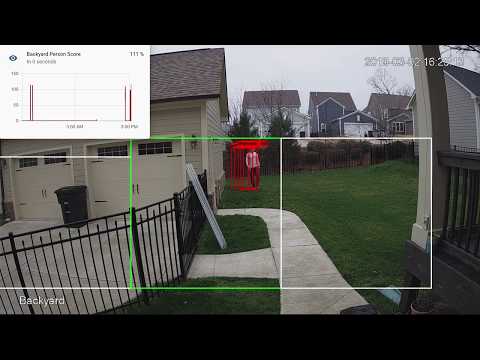](http://www.youtube.com/watch?v=nqHbCtyo4dY "Frigate")
|
||||
|
||||
## Donations
|
||||
## Getting Started
|
||||
Build the container with
|
||||
```
|
||||
docker build -t frigate .
|
||||
```
|
||||
|
||||
If you would like to make a donation to support development, please use [Github Sponsors](https://github.com/sponsors/blakeblackshear).
|
||||
Models for both CPU and EdgeTPU (Coral) are bundled in the image. You can use your own models with volume mounts:
|
||||
- CPU Model: `/cpu_model.tflite`
|
||||
- EdgeTPU Model: `/edgetpu_model.tflite`
|
||||
- Labels: `/labelmap.txt`
|
||||
|
||||
## Screenshots
|
||||
Run the container with
|
||||
```bash
|
||||
docker run --rm \
|
||||
--privileged \
|
||||
--shm-size=512m \ # should work for a 2-3 cameras
|
||||
-v /dev/bus/usb:/dev/bus/usb \
|
||||
-v <path_to_config_dir>:/config:ro \
|
||||
-v /etc/localtime:/etc/localtime:ro \
|
||||
-p 5000:5000 \
|
||||
-e FRIGATE_RTSP_PASSWORD='password' \
|
||||
frigate:latest
|
||||
```
|
||||
|
||||
Integration into Home Assistant
|
||||
Example docker-compose:
|
||||
```yaml
|
||||
frigate:
|
||||
container_name: frigate
|
||||
restart: unless-stopped
|
||||
privileged: true
|
||||
shm_size: '1g' # should work for 5-7 cameras
|
||||
image: frigate:latest
|
||||
volumes:
|
||||
- /dev/bus/usb:/dev/bus/usb
|
||||
- /etc/localtime:/etc/localtime:ro
|
||||
- <path_to_config>:/config
|
||||
ports:
|
||||
- "5000:5000"
|
||||
environment:
|
||||
FRIGATE_RTSP_PASSWORD: "password"
|
||||
```
|
||||
|
||||
<div>
|
||||
<a href="docs/static/img/media_browser.png"><img src="docs/static/img/media_browser.png" height=400></a>
|
||||
<a href="docs/static/img/notification.png"><img src="docs/static/img/notification.png" height=400></a>
|
||||
</div>
|
||||
A `config.yml` file must exist in the `config` directory. See example [here](config/config.example.yml) and device specific info can be found [here](docs/DEVICES.md).
|
||||
|
||||
Also comes with a builtin UI:
|
||||
Access the mjpeg stream at `http://localhost:5000/<camera_name>` and the best snapshot for any object type with at `http://localhost:5000/<camera_name>/<object_name>/best.jpg`
|
||||
|
||||
<div>
|
||||
<a href="docs/static/img/home-ui.png"><img src="docs/static/img/home-ui.png" height=400></a>
|
||||
<a href="docs/static/img/camera-ui.png"><img src="docs/static/img/camera-ui.png" height=400></a>
|
||||
</div>
|
||||
Debug info is available at `http://localhost:5000/debug/stats`
|
||||
|
||||

|
||||
## Integration with HomeAssistant
|
||||
```
|
||||
camera:
|
||||
- name: Camera Last Person
|
||||
platform: mqtt
|
||||
topic: frigate/<camera_name>/person/snapshot
|
||||
- name: Camera Last Car
|
||||
platform: mqtt
|
||||
topic: frigate/<camera_name>/car/snapshot
|
||||
|
||||
binary_sensor:
|
||||
- name: Camera Person
|
||||
platform: mqtt
|
||||
state_topic: "frigate/<camera_name>/person"
|
||||
device_class: motion
|
||||
availability_topic: "frigate/available"
|
||||
|
||||
automation:
|
||||
- alias: Alert me if a person is detected while armed away
|
||||
trigger:
|
||||
platform: state
|
||||
entity_id: binary_sensor.camera_person
|
||||
from: 'off'
|
||||
to: 'on'
|
||||
condition:
|
||||
- condition: state
|
||||
entity_id: alarm_control_panel.home_alarm
|
||||
state: armed_away
|
||||
action:
|
||||
- service: notify.user_telegram
|
||||
data:
|
||||
message: "A person was detected."
|
||||
data:
|
||||
photo:
|
||||
- url: http://<ip>:5000/<camera_name>/person/best.jpg
|
||||
caption: A person was detected.
|
||||
|
||||
sensor:
|
||||
- platform: rest
|
||||
name: Frigate Debug
|
||||
resource: http://localhost:5000/debug/stats
|
||||
scan_interval: 5
|
||||
json_attributes:
|
||||
- back
|
||||
- coral
|
||||
value_template: 'OK'
|
||||
- platform: template
|
||||
sensors:
|
||||
back_fps:
|
||||
value_template: '{{ states.sensor.frigate_debug.attributes["back"]["fps"] }}'
|
||||
unit_of_measurement: 'FPS'
|
||||
back_skipped_fps:
|
||||
value_template: '{{ states.sensor.frigate_debug.attributes["back"]["skipped_fps"] }}'
|
||||
unit_of_measurement: 'FPS'
|
||||
back_detection_fps:
|
||||
value_template: '{{ states.sensor.frigate_debug.attributes["back"]["detection_fps"] }}'
|
||||
unit_of_measurement: 'FPS'
|
||||
frigate_coral_fps:
|
||||
value_template: '{{ states.sensor.frigate_debug.attributes["coral"]["fps"] }}'
|
||||
unit_of_measurement: 'FPS'
|
||||
frigate_coral_inference:
|
||||
value_template: '{{ states.sensor.frigate_debug.attributes["coral"]["inference_speed"] }}'
|
||||
unit_of_measurement: 'ms'
|
||||
```
|
||||
|
||||
## Tips
|
||||
- Lower the framerate of the video feed on the camera to reduce the CPU usage for capturing the feed
|
||||
|
||||
99
benchmark.py
@@ -1,93 +1,18 @@
|
||||
import os
|
||||
from statistics import mean
|
||||
import multiprocessing as mp
|
||||
import statistics
|
||||
import numpy as np
|
||||
import datetime
|
||||
from frigate.edgetpu import LocalObjectDetector, EdgeTPUProcess, RemoteObjectDetector, load_labels
|
||||
import time
|
||||
from frigate.edgetpu import ObjectDetector
|
||||
|
||||
my_frame = np.expand_dims(np.full((300,300,3), 1, np.uint8), axis=0)
|
||||
labels = load_labels('/labelmap.txt')
|
||||
object_detector = ObjectDetector()
|
||||
|
||||
######
|
||||
# Minimal same process runner
|
||||
######
|
||||
# object_detector = LocalObjectDetector()
|
||||
# tensor_input = np.expand_dims(np.full((300,300,3), 0, np.uint8), axis=0)
|
||||
frame = np.zeros((300,300,3), np.uint8)
|
||||
input_frame = np.expand_dims(frame, axis=0)
|
||||
|
||||
# start = datetime.datetime.now().timestamp()
|
||||
detection_times = []
|
||||
|
||||
# frame_times = []
|
||||
# for x in range(0, 1000):
|
||||
# start_frame = datetime.datetime.now().timestamp()
|
||||
for x in range(0, 100):
|
||||
start = time.monotonic()
|
||||
object_detector.detect_raw(input_frame)
|
||||
detection_times.append(time.monotonic()-start)
|
||||
|
||||
# tensor_input[:] = my_frame
|
||||
# detections = object_detector.detect_raw(tensor_input)
|
||||
# parsed_detections = []
|
||||
# for d in detections:
|
||||
# if d[1] < 0.4:
|
||||
# break
|
||||
# parsed_detections.append((
|
||||
# labels[int(d[0])],
|
||||
# float(d[1]),
|
||||
# (d[2], d[3], d[4], d[5])
|
||||
# ))
|
||||
# frame_times.append(datetime.datetime.now().timestamp()-start_frame)
|
||||
|
||||
# duration = datetime.datetime.now().timestamp()-start
|
||||
# print(f"Processed for {duration:.2f} seconds.")
|
||||
# print(f"Average frame processing time: {mean(frame_times)*1000:.2f}ms")
|
||||
|
||||
|
||||
def start(id, num_detections, detection_queue, event):
|
||||
object_detector = RemoteObjectDetector(str(id), '/labelmap.txt', detection_queue, event)
|
||||
start = datetime.datetime.now().timestamp()
|
||||
|
||||
frame_times = []
|
||||
for x in range(0, num_detections):
|
||||
start_frame = datetime.datetime.now().timestamp()
|
||||
detections = object_detector.detect(my_frame)
|
||||
frame_times.append(datetime.datetime.now().timestamp()-start_frame)
|
||||
|
||||
duration = datetime.datetime.now().timestamp()-start
|
||||
object_detector.cleanup()
|
||||
print(f"{id} - Processed for {duration:.2f} seconds.")
|
||||
print(f"{id} - FPS: {object_detector.fps.eps():.2f}")
|
||||
print(f"{id} - Average frame processing time: {mean(frame_times)*1000:.2f}ms")
|
||||
|
||||
######
|
||||
# Separate process runner
|
||||
######
|
||||
# event = mp.Event()
|
||||
# detection_queue = mp.Queue()
|
||||
# edgetpu_process = EdgeTPUProcess(detection_queue, {'1': event}, 'usb:0')
|
||||
|
||||
# start(1, 1000, edgetpu_process.detection_queue, event)
|
||||
# print(f"Average raw inference speed: {edgetpu_process.avg_inference_speed.value*1000:.2f}ms")
|
||||
|
||||
####
|
||||
# Multiple camera processes
|
||||
####
|
||||
camera_processes = []
|
||||
|
||||
events = {}
|
||||
for x in range(0, 10):
|
||||
events[str(x)] = mp.Event()
|
||||
detection_queue = mp.Queue()
|
||||
edgetpu_process_1 = EdgeTPUProcess(detection_queue, events, 'usb:0')
|
||||
edgetpu_process_2 = EdgeTPUProcess(detection_queue, events, 'usb:1')
|
||||
|
||||
for x in range(0, 10):
|
||||
camera_process = mp.Process(target=start, args=(x, 300, detection_queue, events[str(x)]))
|
||||
camera_process.daemon = True
|
||||
camera_processes.append(camera_process)
|
||||
|
||||
start_time = datetime.datetime.now().timestamp()
|
||||
|
||||
for p in camera_processes:
|
||||
p.start()
|
||||
|
||||
for p in camera_processes:
|
||||
p.join()
|
||||
|
||||
duration = datetime.datetime.now().timestamp()-start_time
|
||||
print(f"Total - Processed for {duration:.2f} seconds.")
|
||||
print(f"Average inference time: {statistics.mean(detection_times)*1000:.2f}ms")
|
||||
BIN
config/back-mask.bmp
Normal file

|
After Width: | Height: | Size: 1.8 MiB |
132
config/config.example.yml
Normal file
@@ -0,0 +1,132 @@
|
||||
web_port: 5000
|
||||
|
||||
mqtt:
|
||||
host: mqtt.server.com
|
||||
topic_prefix: frigate
|
||||
# client_id: frigate # Optional -- set to override default client id of 'frigate' if running multiple instances
|
||||
# user: username # Optional -- Uncomment for use
|
||||
# password: password # Optional -- Uncomment for use
|
||||
|
||||
#################
|
||||
# Default ffmpeg args. Optional and can be overwritten per camera.
|
||||
# Should work with most RTSP cameras that send h264 video
|
||||
# Built from the properties below with:
|
||||
# "ffmpeg" + global_args + input_args + "-i" + input + output_args
|
||||
#################
|
||||
# ffmpeg:
|
||||
# global_args:
|
||||
# - -hide_banner
|
||||
# - -loglevel
|
||||
# - panic
|
||||
# hwaccel_args: []
|
||||
# input_args:
|
||||
# - -avoid_negative_ts
|
||||
# - make_zero
|
||||
# - -fflags
|
||||
# - nobuffer
|
||||
# - -flags
|
||||
# - low_delay
|
||||
# - -strict
|
||||
# - experimental
|
||||
# - -fflags
|
||||
# - +genpts+discardcorrupt
|
||||
# - -vsync
|
||||
# - drop
|
||||
# - -rtsp_transport
|
||||
# - tcp
|
||||
# - -stimeout
|
||||
# - '5000000'
|
||||
# - -use_wallclock_as_timestamps
|
||||
# - '1'
|
||||
# output_args:
|
||||
# - -f
|
||||
# - rawvideo
|
||||
# - -pix_fmt
|
||||
# - rgb24
|
||||
|
||||
####################
|
||||
# Global object configuration. Applies to all cameras
|
||||
# unless overridden at the camera levels.
|
||||
# Keys must be valid labels. By default, the model uses coco (https://dl.google.com/coral/canned_models/coco_labels.txt).
|
||||
# All labels from the model are reported over MQTT. These values are used to filter out false positives.
|
||||
# min_area (optional): minimum width*height of the bounding box for the detected person
|
||||
# max_area (optional): maximum width*height of the bounding box for the detected person
|
||||
# threshold (optional): The minimum decimal percentage (50% hit = 0.5) for the confidence from tensorflow
|
||||
####################
|
||||
objects:
|
||||
track:
|
||||
- person
|
||||
- car
|
||||
- truck
|
||||
filters:
|
||||
person:
|
||||
min_area: 5000
|
||||
max_area: 100000
|
||||
threshold: 0.5
|
||||
|
||||
cameras:
|
||||
back:
|
||||
ffmpeg:
|
||||
################
|
||||
# Source passed to ffmpeg after the -i parameter. Supports anything compatible with OpenCV and FFmpeg.
|
||||
# Environment variables that begin with 'FRIGATE_' may be referenced in {}
|
||||
################
|
||||
input: rtsp://viewer:{FRIGATE_RTSP_PASSWORD}@10.0.10.10:554/cam/realmonitor?channel=1&subtype=2
|
||||
#################
|
||||
# These values will override default values for just this camera
|
||||
#################
|
||||
# global_args: []
|
||||
# hwaccel_args: []
|
||||
# input_args: []
|
||||
# output_args: []
|
||||
|
||||
################
|
||||
## Optionally specify the resolution of the video feed. Frigate will try to auto detect if not specified
|
||||
################
|
||||
# height: 1280
|
||||
# width: 720
|
||||
|
||||
################
|
||||
## Optional mask. Must be the same aspect ratio as your video feed.
|
||||
##
|
||||
## The mask works by looking at the bottom center of the bounding box for the detected
|
||||
## person in the image. If that pixel in the mask is a black pixel, it ignores it as a
|
||||
## false positive. In my mask, the grass and driveway visible from my backdoor camera
|
||||
## are white. The garage doors, sky, and trees (anywhere it would be impossible for a
|
||||
## person to stand) are black.
|
||||
##
|
||||
## Masked areas are also ignored for motion detection.
|
||||
################
|
||||
# mask: back-mask.bmp
|
||||
|
||||
################
|
||||
# Allows you to limit the framerate within frigate for cameras that do not support
|
||||
# custom framerates. A value of 1 tells frigate to look at every frame, 2 every 2nd frame,
|
||||
# 3 every 3rd frame, etc.
|
||||
################
|
||||
take_frame: 1
|
||||
|
||||
################
|
||||
# The expected framerate for the camera. Frigate will try and ensure it maintains this framerate
|
||||
# by dropping frames as necessary. Setting this lower than the actual framerate will allow frigate
|
||||
# to process every frame at the expense of realtime processing.
|
||||
################
|
||||
fps: 5
|
||||
|
||||
################
|
||||
# Configuration for the snapshots in the debug view and mqtt
|
||||
################
|
||||
snapshots:
|
||||
show_timestamp: True
|
||||
|
||||
################
|
||||
# Camera level object config. This config is merged with the global config above.
|
||||
################
|
||||
objects:
|
||||
track:
|
||||
- person
|
||||
filters:
|
||||
person:
|
||||
min_area: 5000
|
||||
max_area: 100000
|
||||
threshold: 0.5
|
||||
239
detect_objects.py
Normal file
@@ -0,0 +1,239 @@
|
||||
import cv2
|
||||
import time
|
||||
import datetime
|
||||
import queue
|
||||
import yaml
|
||||
import threading
|
||||
import multiprocessing as mp
|
||||
import subprocess as sp
|
||||
import numpy as np
|
||||
import logging
|
||||
from flask import Flask, Response, make_response, jsonify
|
||||
import paho.mqtt.client as mqtt
|
||||
|
||||
from frigate.video import track_camera
|
||||
from frigate.object_processing import TrackedObjectProcessor
|
||||
from frigate.util import EventsPerSecond
|
||||
from frigate.edgetpu import EdgeTPUProcess
|
||||
|
||||
with open('/config/config.yml') as f:
|
||||
CONFIG = yaml.safe_load(f)
|
||||
|
||||
MQTT_HOST = CONFIG['mqtt']['host']
|
||||
MQTT_PORT = CONFIG.get('mqtt', {}).get('port', 1883)
|
||||
MQTT_TOPIC_PREFIX = CONFIG.get('mqtt', {}).get('topic_prefix', 'frigate')
|
||||
MQTT_USER = CONFIG.get('mqtt', {}).get('user')
|
||||
MQTT_PASS = CONFIG.get('mqtt', {}).get('password')
|
||||
MQTT_CLIENT_ID = CONFIG.get('mqtt', {}).get('client_id', 'frigate')
|
||||
|
||||
# Set the default FFmpeg config
|
||||
FFMPEG_CONFIG = CONFIG.get('ffmpeg', {})
|
||||
FFMPEG_DEFAULT_CONFIG = {
|
||||
'global_args': FFMPEG_CONFIG.get('global_args',
|
||||
['-hide_banner','-loglevel','panic']),
|
||||
'hwaccel_args': FFMPEG_CONFIG.get('hwaccel_args',
|
||||
[]),
|
||||
'input_args': FFMPEG_CONFIG.get('input_args',
|
||||
['-avoid_negative_ts', 'make_zero',
|
||||
'-fflags', 'nobuffer',
|
||||
'-flags', 'low_delay',
|
||||
'-strict', 'experimental',
|
||||
'-fflags', '+genpts+discardcorrupt',
|
||||
'-vsync', 'drop',
|
||||
'-rtsp_transport', 'tcp',
|
||||
'-stimeout', '5000000',
|
||||
'-use_wallclock_as_timestamps', '1']),
|
||||
'output_args': FFMPEG_CONFIG.get('output_args',
|
||||
['-f', 'rawvideo',
|
||||
'-pix_fmt', 'rgb24'])
|
||||
}
|
||||
|
||||
GLOBAL_OBJECT_CONFIG = CONFIG.get('objects', {})
|
||||
|
||||
WEB_PORT = CONFIG.get('web_port', 5000)
|
||||
DEBUG = (CONFIG.get('debug', '0') == '1')
|
||||
|
||||
class CameraWatchdog(threading.Thread):
|
||||
def __init__(self, camera_processes, config, tflite_process, tracked_objects_queue, object_processor):
|
||||
threading.Thread.__init__(self)
|
||||
self.camera_processes = camera_processes
|
||||
self.config = config
|
||||
self.tflite_process = tflite_process
|
||||
self.tracked_objects_queue = tracked_objects_queue
|
||||
self.object_processor = object_processor
|
||||
|
||||
def run(self):
|
||||
time.sleep(10)
|
||||
while True:
|
||||
# wait a bit before checking
|
||||
time.sleep(10)
|
||||
|
||||
for name, camera_process in self.camera_processes.items():
|
||||
process = camera_process['process']
|
||||
if (datetime.datetime.now().timestamp() - self.object_processor.get_current_frame_time(name)) > 30:
|
||||
print(f"Last frame for {name} is more than 30 seconds old...")
|
||||
if process.is_alive():
|
||||
process.terminate()
|
||||
print("Waiting for process to exit gracefully...")
|
||||
process.join(timeout=30)
|
||||
if process.exitcode is None:
|
||||
print("Process didnt exit. Force killing...")
|
||||
process.kill()
|
||||
process.join()
|
||||
if not process.is_alive():
|
||||
print(f"Process for {name} is not alive. Starting again...")
|
||||
camera_process['fps'].value = float(self.config[name]['fps'])
|
||||
camera_process['skipped_fps'].value = 0.0
|
||||
process = mp.Process(target=track_camera, args=(name, self.config[name], FFMPEG_DEFAULT_CONFIG, GLOBAL_OBJECT_CONFIG,
|
||||
self.tflite_process.detect_lock, self.tflite_process.detect_ready, self.tflite_process.frame_ready, self.tracked_objects_queue,
|
||||
camera_process['fps'], camera_process['skipped_fps'], camera_process['detection_fps']))
|
||||
process.daemon = True
|
||||
camera_process['process'] = process
|
||||
process.start()
|
||||
print(f"Camera_process started for {name}: {process.pid}")
|
||||
|
||||
def main():
|
||||
# connect to mqtt and setup last will
|
||||
def on_connect(client, userdata, flags, rc):
|
||||
print("On connect called")
|
||||
if rc != 0:
|
||||
if rc == 3:
|
||||
print ("MQTT Server unavailable")
|
||||
elif rc == 4:
|
||||
print ("MQTT Bad username or password")
|
||||
elif rc == 5:
|
||||
print ("MQTT Not authorized")
|
||||
else:
|
||||
print ("Unable to connect to MQTT: Connection refused. Error code: " + str(rc))
|
||||
# publish a message to signal that the service is running
|
||||
client.publish(MQTT_TOPIC_PREFIX+'/available', 'online', retain=True)
|
||||
client = mqtt.Client(client_id=MQTT_CLIENT_ID)
|
||||
client.on_connect = on_connect
|
||||
client.will_set(MQTT_TOPIC_PREFIX+'/available', payload='offline', qos=1, retain=True)
|
||||
if not MQTT_USER is None:
|
||||
client.username_pw_set(MQTT_USER, password=MQTT_PASS)
|
||||
client.connect(MQTT_HOST, MQTT_PORT, 60)
|
||||
client.loop_start()
|
||||
|
||||
# start plasma store
|
||||
plasma_cmd = ['plasma_store', '-m', '400000000', '-s', '/tmp/plasma']
|
||||
plasma_process = sp.Popen(plasma_cmd, stdout=sp.DEVNULL, stderr=sp.DEVNULL)
|
||||
time.sleep(1)
|
||||
rc = plasma_process.poll()
|
||||
if rc is not None:
|
||||
raise RuntimeError("plasma_store exited unexpectedly with "
|
||||
"code %d" % (rc,))
|
||||
|
||||
##
|
||||
# Setup config defaults for cameras
|
||||
##
|
||||
for name, config in CONFIG['cameras'].items():
|
||||
config['snapshots'] = {
|
||||
'show_timestamp': config.get('snapshots', {}).get('show_timestamp', True)
|
||||
}
|
||||
|
||||
# Queue for cameras to push tracked objects to
|
||||
tracked_objects_queue = mp.Queue()
|
||||
|
||||
# Start the shared tflite process
|
||||
tflite_process = EdgeTPUProcess()
|
||||
|
||||
# start the camera processes
|
||||
camera_processes = {}
|
||||
for name, config in CONFIG['cameras'].items():
|
||||
camera_processes[name] = {
|
||||
'fps': mp.Value('d', float(config['fps'])),
|
||||
'skipped_fps': mp.Value('d', 0.0),
|
||||
'detection_fps': mp.Value('d', 0.0),
|
||||
'last_frame': datetime.datetime.now().timestamp()
|
||||
}
|
||||
camera_process = mp.Process(target=track_camera, args=(name, config, FFMPEG_DEFAULT_CONFIG, GLOBAL_OBJECT_CONFIG,
|
||||
tflite_process.detect_lock, tflite_process.detect_ready, tflite_process.frame_ready, tracked_objects_queue,
|
||||
camera_processes[name]['fps'], camera_processes[name]['skipped_fps'], camera_processes[name]['detection_fps']))
|
||||
camera_process.daemon = True
|
||||
camera_processes[name]['process'] = camera_process
|
||||
|
||||
for name, camera_process in camera_processes.items():
|
||||
camera_process['process'].start()
|
||||
print(f"Camera_process started for {name}: {camera_process['process'].pid}")
|
||||
|
||||
object_processor = TrackedObjectProcessor(CONFIG['cameras'], client, MQTT_TOPIC_PREFIX, tracked_objects_queue)
|
||||
object_processor.start()
|
||||
|
||||
camera_watchdog = CameraWatchdog(camera_processes, CONFIG['cameras'], tflite_process, tracked_objects_queue, object_processor)
|
||||
camera_watchdog.start()
|
||||
|
||||
# create a flask app that encodes frames a mjpeg on demand
|
||||
app = Flask(__name__)
|
||||
log = logging.getLogger('werkzeug')
|
||||
log.setLevel(logging.ERROR)
|
||||
|
||||
@app.route('/')
|
||||
def ishealthy():
|
||||
# return a healh
|
||||
return "Frigate is running. Alive and healthy!"
|
||||
|
||||
@app.route('/debug/stats')
|
||||
def stats():
|
||||
stats = {}
|
||||
|
||||
total_detection_fps = 0
|
||||
|
||||
for name, camera_stats in camera_processes.items():
|
||||
total_detection_fps += camera_stats['detection_fps'].value
|
||||
stats[name] = {
|
||||
'fps': camera_stats['fps'].value,
|
||||
'skipped_fps': camera_stats['skipped_fps'].value,
|
||||
'detection_fps': camera_stats['detection_fps'].value
|
||||
}
|
||||
|
||||
stats['coral'] = {
|
||||
'fps': total_detection_fps,
|
||||
'inference_speed': round(tflite_process.avg_inference_speed.value*1000, 2)
|
||||
}
|
||||
|
||||
return jsonify(stats)
|
||||
|
||||
@app.route('/<camera_name>/<label>/best.jpg')
|
||||
def best(camera_name, label):
|
||||
if camera_name in CONFIG['cameras']:
|
||||
best_frame = object_processor.get_best(camera_name, label)
|
||||
if best_frame is None:
|
||||
best_frame = np.zeros((720,1280,3), np.uint8)
|
||||
best_frame = cv2.cvtColor(best_frame, cv2.COLOR_RGB2BGR)
|
||||
ret, jpg = cv2.imencode('.jpg', best_frame)
|
||||
response = make_response(jpg.tobytes())
|
||||
response.headers['Content-Type'] = 'image/jpg'
|
||||
return response
|
||||
else:
|
||||
return "Camera named {} not found".format(camera_name), 404
|
||||
|
||||
@app.route('/<camera_name>')
|
||||
def mjpeg_feed(camera_name):
|
||||
if camera_name in CONFIG['cameras']:
|
||||
# return a multipart response
|
||||
return Response(imagestream(camera_name),
|
||||
mimetype='multipart/x-mixed-replace; boundary=frame')
|
||||
else:
|
||||
return "Camera named {} not found".format(camera_name), 404
|
||||
|
||||
def imagestream(camera_name):
|
||||
while True:
|
||||
# max out at 1 FPS
|
||||
time.sleep(1)
|
||||
frame = object_processor.get_current_frame(camera_name)
|
||||
if frame is None:
|
||||
frame = np.zeros((720,1280,3), np.uint8)
|
||||
frame = cv2.cvtColor(frame, cv2.COLOR_RGB2BGR)
|
||||
ret, jpg = cv2.imencode('.jpg', frame)
|
||||
yield (b'--frame\r\n'
|
||||
b'Content-Type: image/jpeg\r\n\r\n' + jpg.tobytes() + b'\r\n\r\n')
|
||||
|
||||
app.run(host='0.0.0.0', port=WEB_PORT, debug=False)
|
||||
|
||||
camera_watchdog.join()
|
||||
|
||||
plasma_process.terminate()
|
||||
|
||||
if __name__ == '__main__':
|
||||
main()
|
||||

|
Before Width: | Height: | Size: 132 KiB After Width: | Height: | Size: 132 KiB |
@@ -1,29 +0,0 @@
|
||||
version: "3"
|
||||
services:
|
||||
dev:
|
||||
container_name: frigate-dev
|
||||
user: vscode
|
||||
privileged: true
|
||||
shm_size: "256mb"
|
||||
build:
|
||||
context: .
|
||||
dockerfile: docker/Dockerfile.dev
|
||||
volumes:
|
||||
- /etc/localtime:/etc/localtime:ro
|
||||
- .:/lab/frigate:cached
|
||||
- ./config/config.yml:/config/config.yml:ro
|
||||
- ./debug:/media/frigate
|
||||
- /dev/bus/usb:/dev/bus/usb
|
||||
- /dev/dri:/dev/dri # for intel hwaccel, needs to be updated for your hardware
|
||||
ports:
|
||||
- "1935:1935"
|
||||
- "5000:5000"
|
||||
- "5001:5001"
|
||||
- "8080:8080"
|
||||
entrypoint: ["sudo", "/init"]
|
||||
command: /bin/sh -c "while sleep 1000; do :; done"
|
||||
mqtt:
|
||||
container_name: mqtt
|
||||
image: eclipse-mosquitto:1.6
|
||||
ports:
|
||||
- "1883:1883"
|
||||
@@ -1,28 +0,0 @@
|
||||
FROM frigate-base
|
||||
LABEL maintainer "blakeb@blakeshome.com"
|
||||
|
||||
ENV DEBIAN_FRONTEND=noninteractive
|
||||
# Install packages for apt repo
|
||||
RUN apt-get -qq update \
|
||||
&& apt-get -qq install --no-install-recommends -y \
|
||||
# ffmpeg runtime dependencies
|
||||
libgomp1 \
|
||||
# runtime dependencies
|
||||
libopenexr24 \
|
||||
libgstreamer1.0-0 \
|
||||
libgstreamer-plugins-base1.0-0 \
|
||||
libopenblas-base \
|
||||
libjpeg-turbo8 \
|
||||
libpng16-16 \
|
||||
libtiff5 \
|
||||
libdc1394-22 \
|
||||
&& rm -rf /var/lib/apt/lists/* \
|
||||
&& (apt-get autoremove -y; apt-get autoclean -y)
|
||||
|
||||
# s6-overlay
|
||||
ADD https://github.com/just-containers/s6-overlay/releases/download/v2.2.0.3/s6-overlay-aarch64-installer /tmp/
|
||||
RUN chmod +x /tmp/s6-overlay-aarch64-installer && /tmp/s6-overlay-aarch64-installer /
|
||||
|
||||
ENTRYPOINT ["/init"]
|
||||
|
||||
CMD ["python3", "-u", "-m", "frigate"]
|
||||
@@ -1,28 +0,0 @@
|
||||
FROM frigate-base
|
||||
LABEL maintainer "blakeb@blakeshome.com"
|
||||
|
||||
# By default, use the i965 driver
|
||||
ENV LIBVA_DRIVER_NAME=i965
|
||||
# Install packages for apt repo
|
||||
|
||||
RUN wget -qO - https://repositories.intel.com/graphics/intel-graphics.key | apt-key add - \
|
||||
&& echo 'deb [arch=amd64] https://repositories.intel.com/graphics/ubuntu focal main' > /etc/apt/sources.list.d/intel-graphics.list \
|
||||
&& apt-key adv --keyserver keyserver.ubuntu.com --recv-keys F63F0F2B90935439 \
|
||||
&& echo 'deb http://ppa.launchpad.net/kisak/kisak-mesa/ubuntu focal main' > /etc/apt/sources.list.d/kisak-mesa-focal.list
|
||||
|
||||
RUN apt-get -qq update \
|
||||
&& apt-get -qq install --no-install-recommends -y \
|
||||
# ffmpeg dependencies
|
||||
libgomp1 \
|
||||
# VAAPI drivers for Intel hardware accel
|
||||
libva-drm2 libva2 libmfx1 i965-va-driver vainfo intel-media-va-driver-non-free mesa-vdpau-drivers mesa-va-drivers mesa-vdpau-drivers libdrm-radeon1 \
|
||||
&& rm -rf /var/lib/apt/lists/* \
|
||||
&& (apt-get autoremove -y; apt-get autoclean -y)
|
||||
|
||||
# s6-overlay
|
||||
ADD https://github.com/just-containers/s6-overlay/releases/download/v2.2.0.3/s6-overlay-amd64-installer /tmp/
|
||||
RUN chmod +x /tmp/s6-overlay-amd64-installer && /tmp/s6-overlay-amd64-installer /
|
||||
|
||||
ENTRYPOINT ["/init"]
|
||||
|
||||
CMD ["python3", "-u", "-m", "frigate"]
|
||||
@@ -1,51 +0,0 @@
|
||||
FROM frigate-base
|
||||
LABEL maintainer "blakeb@blakeshome.com"
|
||||
|
||||
# Install packages for apt repo
|
||||
RUN apt-get -qq update \
|
||||
&& apt-get -qq install --no-install-recommends -y \
|
||||
# ffmpeg dependencies
|
||||
libgomp1 \
|
||||
&& rm -rf /var/lib/apt/lists/* \
|
||||
&& (apt-get autoremove -y; apt-get autoclean -y)
|
||||
|
||||
|
||||
# nvidia layer (see https://gitlab.com/nvidia/container-images/cuda/blob/master/dist/11.1/ubuntu20.04-x86_64/base/Dockerfile)
|
||||
ENV NVIDIA_DRIVER_CAPABILITIES compute,utility,video
|
||||
|
||||
RUN apt-get update && apt-get install -y --no-install-recommends \
|
||||
gnupg2 curl ca-certificates && \
|
||||
curl -fsSL https://developer.download.nvidia.com/compute/cuda/repos/ubuntu2004/x86_64/7fa2af80.pub | apt-key add - && \
|
||||
echo "deb https://developer.download.nvidia.com/compute/cuda/repos/ubuntu2004/x86_64 /" > /etc/apt/sources.list.d/cuda.list && \
|
||||
echo "deb https://developer.download.nvidia.com/compute/machine-learning/repos/ubuntu2004/x86_64 /" > /etc/apt/sources.list.d/nvidia-ml.list && \
|
||||
apt-get purge --autoremove -y curl \
|
||||
&& rm -rf /var/lib/apt/lists/*
|
||||
|
||||
ENV CUDA_VERSION 11.1.1
|
||||
|
||||
# For libraries in the cuda-compat-* package: https://docs.nvidia.com/cuda/eula/index.html#attachment-a
|
||||
RUN apt-get update && apt-get install -y --no-install-recommends \
|
||||
cuda-cudart-11-1=11.1.74-1 \
|
||||
cuda-compat-11-1 \
|
||||
&& ln -s cuda-11.1 /usr/local/cuda && \
|
||||
rm -rf /var/lib/apt/lists/*
|
||||
|
||||
# Required for nvidia-docker v1
|
||||
RUN echo "/usr/local/nvidia/lib" >> /etc/ld.so.conf.d/nvidia.conf && \
|
||||
echo "/usr/local/nvidia/lib64" >> /etc/ld.so.conf.d/nvidia.conf
|
||||
|
||||
ENV PATH /usr/local/nvidia/bin:/usr/local/cuda/bin:${PATH}
|
||||
ENV LD_LIBRARY_PATH /usr/local/nvidia/lib:/usr/local/nvidia/lib64
|
||||
|
||||
# nvidia-container-runtime
|
||||
ENV NVIDIA_VISIBLE_DEVICES all
|
||||
ENV NVIDIA_DRIVER_CAPABILITIES compute,utility,video
|
||||
ENV NVIDIA_REQUIRE_CUDA "cuda>=11.1 brand=tesla,driver>=418,driver<419 brand=tesla,driver>=440,driver<441 brand=tesla,driver>=450,driver<451"
|
||||
|
||||
# s6-overlay
|
||||
ADD https://github.com/just-containers/s6-overlay/releases/download/v2.2.0.3/s6-overlay-amd64-installer /tmp/
|
||||
RUN chmod +x /tmp/s6-overlay-amd64-installer && /tmp/s6-overlay-amd64-installer /
|
||||
|
||||
ENTRYPOINT ["/init"]
|
||||
|
||||
CMD ["python3", "-u", "-m", "frigate"]
|
||||
@@ -1,30 +0,0 @@
|
||||
FROM frigate-base
|
||||
LABEL maintainer "blakeb@blakeshome.com"
|
||||
|
||||
ENV DEBIAN_FRONTEND=noninteractive
|
||||
# Install packages for apt repo
|
||||
RUN apt-get -qq update \
|
||||
&& apt-get -qq install --no-install-recommends -y \
|
||||
# ffmpeg runtime dependencies
|
||||
libgomp1 \
|
||||
# runtime dependencies
|
||||
libopenexr24 \
|
||||
libgstreamer1.0-0 \
|
||||
libgstreamer-plugins-base1.0-0 \
|
||||
libopenblas-base \
|
||||
libjpeg-turbo8 \
|
||||
libpng16-16 \
|
||||
libtiff5 \
|
||||
libdc1394-22 \
|
||||
libaom0 \
|
||||
libx265-179 \
|
||||
&& rm -rf /var/lib/apt/lists/* \
|
||||
&& (apt-get autoremove -y; apt-get autoclean -y)
|
||||
|
||||
# s6-overlay
|
||||
ADD https://github.com/just-containers/s6-overlay/releases/download/v2.2.0.3/s6-overlay-armhf-installer /tmp/
|
||||
RUN chmod +x /tmp/s6-overlay-armhf-installer && /tmp/s6-overlay-armhf-installer /
|
||||
|
||||
ENTRYPOINT ["/init"]
|
||||
|
||||
CMD ["python3", "-u", "-m", "frigate"]
|
||||
@@ -1,55 +0,0 @@
|
||||
ARG ARCH=amd64
|
||||
ARG WHEELS_VERSION
|
||||
ARG FFMPEG_VERSION
|
||||
ARG NGINX_VERSION
|
||||
FROM blakeblackshear/frigate-wheels:${WHEELS_VERSION}-${ARCH} as wheels
|
||||
FROM blakeblackshear/frigate-ffmpeg:${FFMPEG_VERSION}-${ARCH} as ffmpeg
|
||||
FROM blakeblackshear/frigate-nginx:${NGINX_VERSION} as nginx
|
||||
FROM frigate-web as web
|
||||
|
||||
FROM ubuntu:20.04
|
||||
LABEL maintainer "blakeb@blakeshome.com"
|
||||
|
||||
COPY --from=ffmpeg /usr/local /usr/local/
|
||||
|
||||
COPY --from=wheels /wheels/. /wheels/
|
||||
|
||||
ENV FLASK_ENV=development
|
||||
# ENV FONTCONFIG_PATH=/etc/fonts
|
||||
ENV DEBIAN_FRONTEND=noninteractive
|
||||
# Install packages for apt repo
|
||||
RUN apt-get -qq update \
|
||||
&& apt-get upgrade -y \
|
||||
&& apt-get -qq install --no-install-recommends -y gnupg wget unzip tzdata libxml2 \
|
||||
&& apt-get -qq install --no-install-recommends -y python3-pip \
|
||||
&& pip3 install -U /wheels/*.whl \
|
||||
&& APT_KEY_DONT_WARN_ON_DANGEROUS_USAGE=DontWarn apt-key adv --fetch-keys https://packages.cloud.google.com/apt/doc/apt-key.gpg \
|
||||
&& echo "deb https://packages.cloud.google.com/apt coral-edgetpu-stable main" > /etc/apt/sources.list.d/coral-edgetpu.list \
|
||||
&& echo "libedgetpu1-max libedgetpu/accepted-eula select true" | debconf-set-selections \
|
||||
&& apt-get -qq update && apt-get -qq install --no-install-recommends -y libedgetpu1-max python3-tflite-runtime python3-pycoral \
|
||||
&& rm -rf /var/lib/apt/lists/* /wheels \
|
||||
&& (apt-get autoremove -y; apt-get autoclean -y)
|
||||
|
||||
RUN pip3 install \
|
||||
peewee_migrate \
|
||||
pydantic \
|
||||
zeroconf \
|
||||
ws4py
|
||||
|
||||
COPY --from=nginx /usr/local/nginx/ /usr/local/nginx/
|
||||
|
||||
# get model and labels
|
||||
COPY labelmap.txt /labelmap.txt
|
||||
RUN wget -q https://github.com/google-coral/test_data/raw/release-frogfish/ssdlite_mobiledet_coco_qat_postprocess_edgetpu.tflite -O /edgetpu_model.tflite
|
||||
RUN wget -q https://github.com/google-coral/test_data/raw/release-frogfish/ssdlite_mobiledet_coco_qat_postprocess.tflite -O /cpu_model.tflite
|
||||
|
||||
WORKDIR /opt/frigate/
|
||||
ADD frigate frigate/
|
||||
ADD migrations migrations/
|
||||
|
||||
COPY --from=web /opt/frigate/build web/
|
||||
|
||||
COPY docker/rootfs/ /
|
||||
|
||||
EXPOSE 5000
|
||||
EXPOSE 1935
|
||||
@@ -1,24 +0,0 @@
|
||||
FROM frigate:latest
|
||||
|
||||
ARG USERNAME=vscode
|
||||
ARG USER_UID=1000
|
||||
ARG USER_GID=$USER_UID
|
||||
|
||||
# Create the user
|
||||
RUN groupadd --gid $USER_GID $USERNAME \
|
||||
&& useradd --uid $USER_UID --gid $USER_GID -m $USERNAME \
|
||||
#
|
||||
# [Optional] Add sudo support. Omit if you don't need to install software after connecting.
|
||||
&& apt-get update \
|
||||
&& apt-get install -y sudo \
|
||||
&& echo $USERNAME ALL=\(root\) NOPASSWD:ALL > /etc/sudoers.d/$USERNAME \
|
||||
&& chmod 0440 /etc/sudoers.d/$USERNAME
|
||||
|
||||
RUN apt-get update \
|
||||
&& apt-get install -y git curl vim htop
|
||||
|
||||
RUN pip3 install pylint black
|
||||
|
||||
# Install Node 14
|
||||
RUN curl -sL https://deb.nodesource.com/setup_14.x | bash - \
|
||||
&& apt-get install -y nodejs
|
||||
@@ -1,486 +0,0 @@
|
||||
# inspired by:
|
||||
# https://github.com/collelog/ffmpeg/blob/master/4.3.1-alpine-rpi4-arm64v8.Dockerfile
|
||||
# https://github.com/mmastrac/ffmpeg-omx-rpi-docker/blob/master/Dockerfile
|
||||
# https://github.com/jrottenberg/ffmpeg/pull/158/files
|
||||
# https://github.com/jrottenberg/ffmpeg/pull/239
|
||||
FROM ubuntu:20.04 AS base
|
||||
|
||||
WORKDIR /tmp/workdir
|
||||
|
||||
ENV DEBIAN_FRONTEND=noninteractive
|
||||
RUN apt-get -yqq update && \
|
||||
apt-get install -yq --no-install-recommends ca-certificates expat libgomp1 xutils-dev && \
|
||||
apt-get autoremove -y && \
|
||||
apt-get clean -y
|
||||
|
||||
FROM base as build
|
||||
|
||||
ENV FFMPEG_VERSION=4.3.2 \
|
||||
AOM_VERSION=v1.0.0 \
|
||||
FDKAAC_VERSION=0.1.5 \
|
||||
FREETYPE_VERSION=2.11.0 \
|
||||
FRIBIDI_VERSION=0.19.7 \
|
||||
KVAZAAR_VERSION=1.2.0 \
|
||||
LAME_VERSION=3.100 \
|
||||
LIBPTHREAD_STUBS_VERSION=0.4 \
|
||||
LIBVIDSTAB_VERSION=1.1.0 \
|
||||
LIBXCB_VERSION=1.13.1 \
|
||||
XCBPROTO_VERSION=1.13 \
|
||||
OGG_VERSION=1.3.2 \
|
||||
OPENCOREAMR_VERSION=0.1.5 \
|
||||
OPUS_VERSION=1.2 \
|
||||
OPENJPEG_VERSION=2.1.2 \
|
||||
THEORA_VERSION=1.1.1 \
|
||||
VORBIS_VERSION=1.3.5 \
|
||||
VPX_VERSION=1.8.0 \
|
||||
WEBP_VERSION=1.0.2 \
|
||||
X264_VERSION=20170226-2245-stable \
|
||||
X265_VERSION=3.1.1 \
|
||||
XAU_VERSION=1.0.9 \
|
||||
XORG_MACROS_VERSION=1.19.2 \
|
||||
XPROTO_VERSION=7.0.31 \
|
||||
XVID_VERSION=1.3.4 \
|
||||
LIBZMQ_VERSION=4.3.2 \
|
||||
SRC=/usr/local
|
||||
|
||||
ARG FREETYPE_SHA256SUM="a45c6b403413abd5706f3582f04c8339d26397c4304b78fa552f2215df64101f freetype-2.11.0.tar.gz"
|
||||
ARG FRIBIDI_SHA256SUM="3fc96fa9473bd31dcb5500bdf1aa78b337ba13eb8c301e7c28923fea982453a8 0.19.7.tar.gz"
|
||||
ARG LIBVIDSTAB_SHA256SUM="14d2a053e56edad4f397be0cb3ef8eb1ec3150404ce99a426c4eb641861dc0bb v1.1.0.tar.gz"
|
||||
ARG OGG_SHA256SUM="e19ee34711d7af328cb26287f4137e70630e7261b17cbe3cd41011d73a654692 libogg-1.3.2.tar.gz"
|
||||
ARG OPUS_SHA256SUM="77db45a87b51578fbc49555ef1b10926179861d854eb2613207dc79d9ec0a9a9 opus-1.2.tar.gz"
|
||||
ARG THEORA_SHA256SUM="40952956c47811928d1e7922cda3bc1f427eb75680c3c37249c91e949054916b libtheora-1.1.1.tar.gz"
|
||||
ARG VORBIS_SHA256SUM="6efbcecdd3e5dfbf090341b485da9d176eb250d893e3eb378c428a2db38301ce libvorbis-1.3.5.tar.gz"
|
||||
ARG XVID_SHA256SUM="4e9fd62728885855bc5007fe1be58df42e5e274497591fec37249e1052ae316f xvidcore-1.3.4.tar.gz"
|
||||
ARG LIBZMQ_SHA256SUM="02ecc88466ae38cf2c8d79f09cfd2675ba299a439680b64ade733e26a349edeb v4.3.2.tar.gz"
|
||||
|
||||
|
||||
ARG LD_LIBRARY_PATH=/opt/ffmpeg/lib
|
||||
ARG MAKEFLAGS="-j2"
|
||||
ARG PKG_CONFIG_PATH="/opt/ffmpeg/share/pkgconfig:/opt/ffmpeg/lib/pkgconfig:/opt/ffmpeg/lib64/pkgconfig"
|
||||
ARG PREFIX=/opt/ffmpeg
|
||||
ARG LD_LIBRARY_PATH="/opt/ffmpeg/lib:/opt/ffmpeg/lib64:/usr/lib64:/usr/lib:/lib64:/lib"
|
||||
|
||||
|
||||
RUN buildDeps="autoconf \
|
||||
automake \
|
||||
cmake \
|
||||
curl \
|
||||
bzip2 \
|
||||
libexpat1-dev \
|
||||
g++ \
|
||||
gcc \
|
||||
git \
|
||||
gperf \
|
||||
libtool \
|
||||
make \
|
||||
nasm \
|
||||
perl \
|
||||
pkg-config \
|
||||
python \
|
||||
libssl-dev \
|
||||
yasm \
|
||||
linux-headers-raspi2 \
|
||||
libomxil-bellagio-dev \
|
||||
zlib1g-dev" && \
|
||||
apt-get -yqq update && \
|
||||
apt-get install -yq --no-install-recommends ${buildDeps}
|
||||
## opencore-amr https://sourceforge.net/projects/opencore-amr/
|
||||
RUN \
|
||||
DIR=/tmp/opencore-amr && \
|
||||
mkdir -p ${DIR} && \
|
||||
cd ${DIR} && \
|
||||
curl -sL https://versaweb.dl.sourceforge.net/project/opencore-amr/opencore-amr/opencore-amr-${OPENCOREAMR_VERSION}.tar.gz | \
|
||||
tar -zx --strip-components=1 && \
|
||||
./configure --prefix="${PREFIX}" --enable-shared && \
|
||||
make -j $(nproc) && \
|
||||
make -j $(nproc) install && \
|
||||
rm -rf ${DIR}
|
||||
## x264 http://www.videolan.org/developers/x264.html
|
||||
RUN \
|
||||
DIR=/tmp/x264 && \
|
||||
mkdir -p ${DIR} && \
|
||||
cd ${DIR} && \
|
||||
curl -sL https://download.videolan.org/pub/videolan/x264/snapshots/x264-snapshot-${X264_VERSION}.tar.bz2 | \
|
||||
tar -jx --strip-components=1 && \
|
||||
./configure --prefix="${PREFIX}" --enable-shared --enable-pic --disable-cli && \
|
||||
make -j $(nproc) && \
|
||||
make -j $(nproc) install && \
|
||||
rm -rf ${DIR}
|
||||
### x265 http://x265.org/
|
||||
RUN \
|
||||
DIR=/tmp/x265 && \
|
||||
mkdir -p ${DIR} && \
|
||||
cd ${DIR} && \
|
||||
curl -sL https://download.videolan.org/pub/videolan/x265/x265_${X265_VERSION}.tar.gz | \
|
||||
tar -zx && \
|
||||
cd x265_${X265_VERSION}/build/linux && \
|
||||
sed -i "/-DEXTRA_LIB/ s/$/ -DCMAKE_INSTALL_PREFIX=\${PREFIX}/" multilib.sh && \
|
||||
sed -i "/^cmake/ s/$/ -DENABLE_CLI=OFF/" multilib.sh && \
|
||||
export CXXFLAGS="${CXXFLAGS} -fPIC" && \
|
||||
./multilib.sh && \
|
||||
make -C 8bit install && \
|
||||
rm -rf ${DIR}
|
||||
### libogg https://www.xiph.org/ogg/
|
||||
RUN \
|
||||
DIR=/tmp/ogg && \
|
||||
mkdir -p ${DIR} && \
|
||||
cd ${DIR} && \
|
||||
curl -sLO http://downloads.xiph.org/releases/ogg/libogg-${OGG_VERSION}.tar.gz && \
|
||||
echo ${OGG_SHA256SUM} | sha256sum --check && \
|
||||
tar -zx --strip-components=1 -f libogg-${OGG_VERSION}.tar.gz && \
|
||||
./configure --prefix="${PREFIX}" --enable-shared && \
|
||||
make -j $(nproc) && \
|
||||
make -j $(nproc) install && \
|
||||
rm -rf ${DIR}
|
||||
### libopus https://www.opus-codec.org/
|
||||
RUN \
|
||||
DIR=/tmp/opus && \
|
||||
mkdir -p ${DIR} && \
|
||||
cd ${DIR} && \
|
||||
curl -sLO https://archive.mozilla.org/pub/opus/opus-${OPUS_VERSION}.tar.gz && \
|
||||
echo ${OPUS_SHA256SUM} | sha256sum --check && \
|
||||
tar -zx --strip-components=1 -f opus-${OPUS_VERSION}.tar.gz && \
|
||||
autoreconf -fiv && \
|
||||
./configure --prefix="${PREFIX}" --enable-shared && \
|
||||
make -j $(nproc) && \
|
||||
make -j $(nproc) install && \
|
||||
rm -rf ${DIR}
|
||||
### libvorbis https://xiph.org/vorbis/
|
||||
RUN \
|
||||
DIR=/tmp/vorbis && \
|
||||
mkdir -p ${DIR} && \
|
||||
cd ${DIR} && \
|
||||
curl -sLO http://downloads.xiph.org/releases/vorbis/libvorbis-${VORBIS_VERSION}.tar.gz && \
|
||||
echo ${VORBIS_SHA256SUM} | sha256sum --check && \
|
||||
tar -zx --strip-components=1 -f libvorbis-${VORBIS_VERSION}.tar.gz && \
|
||||
./configure --prefix="${PREFIX}" --with-ogg="${PREFIX}" --enable-shared && \
|
||||
make -j $(nproc) && \
|
||||
make -j $(nproc) install && \
|
||||
rm -rf ${DIR}
|
||||
### libtheora http://www.theora.org/
|
||||
RUN \
|
||||
DIR=/tmp/theora && \
|
||||
mkdir -p ${DIR} && \
|
||||
cd ${DIR} && \
|
||||
curl -sLO http://downloads.xiph.org/releases/theora/libtheora-${THEORA_VERSION}.tar.gz && \
|
||||
echo ${THEORA_SHA256SUM} | sha256sum --check && \
|
||||
tar -zx --strip-components=1 -f libtheora-${THEORA_VERSION}.tar.gz && \
|
||||
curl -sL 'http://git.savannah.gnu.org/gitweb/?p=config.git;a=blob_plain;f=config.guess;hb=HEAD' -o config.guess && \
|
||||
curl -sL 'http://git.savannah.gnu.org/gitweb/?p=config.git;a=blob_plain;f=config.sub;hb=HEAD' -o config.sub && \
|
||||
./configure --prefix="${PREFIX}" --with-ogg="${PREFIX}" --enable-shared && \
|
||||
make -j $(nproc) && \
|
||||
make -j $(nproc) install && \
|
||||
rm -rf ${DIR}
|
||||
### libvpx https://www.webmproject.org/code/
|
||||
RUN \
|
||||
DIR=/tmp/vpx && \
|
||||
mkdir -p ${DIR} && \
|
||||
cd ${DIR} && \
|
||||
curl -sL https://codeload.github.com/webmproject/libvpx/tar.gz/v${VPX_VERSION} | \
|
||||
tar -zx --strip-components=1 && \
|
||||
./configure --prefix="${PREFIX}" --enable-vp8 --enable-vp9 --enable-vp9-highbitdepth --enable-pic --enable-shared \
|
||||
--disable-debug --disable-examples --disable-docs --disable-install-bins && \
|
||||
make -j $(nproc) && \
|
||||
make -j $(nproc) install && \
|
||||
rm -rf ${DIR}
|
||||
### libwebp https://developers.google.com/speed/webp/
|
||||
RUN \
|
||||
DIR=/tmp/vebp && \
|
||||
mkdir -p ${DIR} && \
|
||||
cd ${DIR} && \
|
||||
curl -sL https://storage.googleapis.com/downloads.webmproject.org/releases/webp/libwebp-${WEBP_VERSION}.tar.gz | \
|
||||
tar -zx --strip-components=1 && \
|
||||
./configure --prefix="${PREFIX}" --enable-shared && \
|
||||
make -j $(nproc) && \
|
||||
make -j $(nproc) install && \
|
||||
rm -rf ${DIR}
|
||||
### libmp3lame http://lame.sourceforge.net/
|
||||
RUN \
|
||||
DIR=/tmp/lame && \
|
||||
mkdir -p ${DIR} && \
|
||||
cd ${DIR} && \
|
||||
curl -sL https://versaweb.dl.sourceforge.net/project/lame/lame/$(echo ${LAME_VERSION} | sed -e 's/[^0-9]*\([0-9]*\)[.]\([0-9]*\)[.]\([0-9]*\)\([0-9A-Za-z-]*\)/\1.\2/')/lame-${LAME_VERSION}.tar.gz | \
|
||||
tar -zx --strip-components=1 && \
|
||||
./configure --prefix="${PREFIX}" --bindir="${PREFIX}/bin" --enable-shared --enable-nasm --disable-frontend && \
|
||||
make -j $(nproc) && \
|
||||
make -j $(nproc) install && \
|
||||
rm -rf ${DIR}
|
||||
### xvid https://www.xvid.com/
|
||||
RUN \
|
||||
DIR=/tmp/xvid && \
|
||||
mkdir -p ${DIR} && \
|
||||
cd ${DIR} && \
|
||||
curl -sLO http://downloads.xvid.org/downloads/xvidcore-${XVID_VERSION}.tar.gz && \
|
||||
echo ${XVID_SHA256SUM} | sha256sum --check && \
|
||||
tar -zx -f xvidcore-${XVID_VERSION}.tar.gz && \
|
||||
cd xvidcore/build/generic && \
|
||||
./configure --prefix="${PREFIX}" --bindir="${PREFIX}/bin" && \
|
||||
make -j $(nproc) && \
|
||||
make -j $(nproc) install && \
|
||||
rm -rf ${DIR}
|
||||
### fdk-aac https://github.com/mstorsjo/fdk-aac
|
||||
RUN \
|
||||
DIR=/tmp/fdk-aac && \
|
||||
mkdir -p ${DIR} && \
|
||||
cd ${DIR} && \
|
||||
curl -sL https://github.com/mstorsjo/fdk-aac/archive/v${FDKAAC_VERSION}.tar.gz | \
|
||||
tar -zx --strip-components=1 && \
|
||||
autoreconf -fiv && \
|
||||
./configure --prefix="${PREFIX}" --enable-shared --datadir="${DIR}" && \
|
||||
make -j $(nproc) && \
|
||||
make -j $(nproc) install && \
|
||||
rm -rf ${DIR}
|
||||
## openjpeg https://github.com/uclouvain/openjpeg
|
||||
RUN \
|
||||
DIR=/tmp/openjpeg && \
|
||||
mkdir -p ${DIR} && \
|
||||
cd ${DIR} && \
|
||||
curl -sL https://github.com/uclouvain/openjpeg/archive/v${OPENJPEG_VERSION}.tar.gz | \
|
||||
tar -zx --strip-components=1 && \
|
||||
export CFLAGS="${CFLAGS} -DPNG_ARM_NEON_OPT=0" && \
|
||||
cmake -DBUILD_THIRDPARTY:BOOL=ON -DCMAKE_INSTALL_PREFIX="${PREFIX}" . && \
|
||||
make -j $(nproc) && \
|
||||
make -j $(nproc) install && \
|
||||
rm -rf ${DIR}
|
||||
## freetype https://www.freetype.org/
|
||||
RUN \
|
||||
DIR=/tmp/freetype && \
|
||||
mkdir -p ${DIR} && \
|
||||
cd ${DIR} && \
|
||||
curl -sLO https://download.savannah.gnu.org/releases/freetype/freetype-${FREETYPE_VERSION}.tar.gz && \
|
||||
echo ${FREETYPE_SHA256SUM} | sha256sum --check && \
|
||||
tar -zx --strip-components=1 -f freetype-${FREETYPE_VERSION}.tar.gz && \
|
||||
./configure --prefix="${PREFIX}" --disable-static --enable-shared && \
|
||||
make -j $(nproc) && \
|
||||
make -j $(nproc) install && \
|
||||
rm -rf ${DIR}
|
||||
## libvstab https://github.com/georgmartius/vid.stab
|
||||
RUN \
|
||||
DIR=/tmp/vid.stab && \
|
||||
mkdir -p ${DIR} && \
|
||||
cd ${DIR} && \
|
||||
curl -sLO https://github.com/georgmartius/vid.stab/archive/v${LIBVIDSTAB_VERSION}.tar.gz && \
|
||||
echo ${LIBVIDSTAB_SHA256SUM} | sha256sum --check && \
|
||||
tar -zx --strip-components=1 -f v${LIBVIDSTAB_VERSION}.tar.gz && \
|
||||
cmake -DCMAKE_INSTALL_PREFIX="${PREFIX}" . && \
|
||||
make -j $(nproc) && \
|
||||
make -j $(nproc) install && \
|
||||
rm -rf ${DIR}
|
||||
## fridibi https://www.fribidi.org/
|
||||
RUN \
|
||||
DIR=/tmp/fribidi && \
|
||||
mkdir -p ${DIR} && \
|
||||
cd ${DIR} && \
|
||||
curl -sLO https://github.com/fribidi/fribidi/archive/${FRIBIDI_VERSION}.tar.gz && \
|
||||
echo ${FRIBIDI_SHA256SUM} | sha256sum --check && \
|
||||
tar -zx --strip-components=1 -f ${FRIBIDI_VERSION}.tar.gz && \
|
||||
sed -i 's/^SUBDIRS =.*/SUBDIRS=gen.tab charset lib bin/' Makefile.am && \
|
||||
./bootstrap --no-config --auto && \
|
||||
./configure --prefix="${PREFIX}" --disable-static --enable-shared && \
|
||||
make -j1 && \
|
||||
make -j $(nproc) install && \
|
||||
rm -rf ${DIR}
|
||||
|
||||
## kvazaar https://github.com/ultravideo/kvazaar
|
||||
RUN \
|
||||
DIR=/tmp/kvazaar && \
|
||||
mkdir -p ${DIR} && \
|
||||
cd ${DIR} && \
|
||||
curl -sLO https://github.com/ultravideo/kvazaar/archive/v${KVAZAAR_VERSION}.tar.gz && \
|
||||
tar -zx --strip-components=1 -f v${KVAZAAR_VERSION}.tar.gz && \
|
||||
./autogen.sh && \
|
||||
./configure --prefix="${PREFIX}" --disable-static --enable-shared && \
|
||||
make -j $(nproc) && \
|
||||
make -j $(nproc) install && \
|
||||
rm -rf ${DIR}
|
||||
|
||||
RUN \
|
||||
DIR=/tmp/aom && \
|
||||
git clone --branch ${AOM_VERSION} --depth 1 https://aomedia.googlesource.com/aom ${DIR} ; \
|
||||
cd ${DIR} ; \
|
||||
rm -rf CMakeCache.txt CMakeFiles ; \
|
||||
mkdir -p ./aom_build ; \
|
||||
cd ./aom_build ; \
|
||||
cmake -DCMAKE_INSTALL_PREFIX="${PREFIX}" -DBUILD_SHARED_LIBS=1 ..; \
|
||||
make ; \
|
||||
make install ; \
|
||||
rm -rf ${DIR}
|
||||
|
||||
## libxcb (and supporting libraries) for screen capture https://xcb.freedesktop.org/
|
||||
RUN \
|
||||
DIR=/tmp/xorg-macros && \
|
||||
mkdir -p ${DIR} && \
|
||||
cd ${DIR} && \
|
||||
curl -sLO https://www.x.org/archive//individual/util/util-macros-${XORG_MACROS_VERSION}.tar.gz && \
|
||||
tar -zx --strip-components=1 -f util-macros-${XORG_MACROS_VERSION}.tar.gz && \
|
||||
./configure --srcdir=${DIR} --prefix="${PREFIX}" && \
|
||||
make -j $(nproc) && \
|
||||
make -j $(nproc) install && \
|
||||
rm -rf ${DIR}
|
||||
|
||||
RUN \
|
||||
DIR=/tmp/xproto && \
|
||||
mkdir -p ${DIR} && \
|
||||
cd ${DIR} && \
|
||||
curl -sLO https://www.x.org/archive/individual/proto/xproto-${XPROTO_VERSION}.tar.gz && \
|
||||
tar -zx --strip-components=1 -f xproto-${XPROTO_VERSION}.tar.gz && \
|
||||
curl -sL 'http://git.savannah.gnu.org/gitweb/?p=config.git;a=blob_plain;f=config.guess;hb=HEAD' -o config.guess && \
|
||||
curl -sL 'http://git.savannah.gnu.org/gitweb/?p=config.git;a=blob_plain;f=config.sub;hb=HEAD' -o config.sub && \
|
||||
./configure --srcdir=${DIR} --prefix="${PREFIX}" && \
|
||||
make -j $(nproc) && \
|
||||
make -j $(nproc) install && \
|
||||
rm -rf ${DIR}
|
||||
|
||||
RUN \
|
||||
DIR=/tmp/libXau && \
|
||||
mkdir -p ${DIR} && \
|
||||
cd ${DIR} && \
|
||||
curl -sLO https://www.x.org/archive/individual/lib/libXau-${XAU_VERSION}.tar.gz && \
|
||||
tar -zx --strip-components=1 -f libXau-${XAU_VERSION}.tar.gz && \
|
||||
./configure --srcdir=${DIR} --prefix="${PREFIX}" && \
|
||||
make -j $(nproc) && \
|
||||
make -j $(nproc) install && \
|
||||
rm -rf ${DIR}
|
||||
|
||||
RUN \
|
||||
DIR=/tmp/libpthread-stubs && \
|
||||
mkdir -p ${DIR} && \
|
||||
cd ${DIR} && \
|
||||
curl -sLO https://xcb.freedesktop.org/dist/libpthread-stubs-${LIBPTHREAD_STUBS_VERSION}.tar.gz && \
|
||||
tar -zx --strip-components=1 -f libpthread-stubs-${LIBPTHREAD_STUBS_VERSION}.tar.gz && \
|
||||
./configure --prefix="${PREFIX}" && \
|
||||
make -j $(nproc) && \
|
||||
make -j $(nproc) install && \
|
||||
rm -rf ${DIR}
|
||||
|
||||
RUN \
|
||||
DIR=/tmp/libxcb-proto && \
|
||||
mkdir -p ${DIR} && \
|
||||
cd ${DIR} && \
|
||||
curl -sLO https://xcb.freedesktop.org/dist/xcb-proto-${XCBPROTO_VERSION}.tar.gz && \
|
||||
tar -zx --strip-components=1 -f xcb-proto-${XCBPROTO_VERSION}.tar.gz && \
|
||||
ACLOCAL_PATH="${PREFIX}/share/aclocal" ./autogen.sh && \
|
||||
./configure --prefix="${PREFIX}" && \
|
||||
make -j $(nproc) && \
|
||||
make -j $(nproc) install && \
|
||||
rm -rf ${DIR}
|
||||
|
||||
RUN \
|
||||
DIR=/tmp/libxcb && \
|
||||
mkdir -p ${DIR} && \
|
||||
cd ${DIR} && \
|
||||
curl -sLO https://xcb.freedesktop.org/dist/libxcb-${LIBXCB_VERSION}.tar.gz && \
|
||||
tar -zx --strip-components=1 -f libxcb-${LIBXCB_VERSION}.tar.gz && \
|
||||
ACLOCAL_PATH="${PREFIX}/share/aclocal" ./autogen.sh && \
|
||||
./configure --prefix="${PREFIX}" --disable-static --enable-shared && \
|
||||
make -j $(nproc) && \
|
||||
make -j $(nproc) install && \
|
||||
rm -rf ${DIR}
|
||||
|
||||
## libzmq https://github.com/zeromq/libzmq/
|
||||
RUN \
|
||||
DIR=/tmp/libzmq && \
|
||||
mkdir -p ${DIR} && \
|
||||
cd ${DIR} && \
|
||||
curl -sLO https://github.com/zeromq/libzmq/archive/v${LIBZMQ_VERSION}.tar.gz && \
|
||||
echo ${LIBZMQ_SHA256SUM} | sha256sum --check && \
|
||||
tar -xz --strip-components=1 -f v${LIBZMQ_VERSION}.tar.gz && \
|
||||
./autogen.sh && \
|
||||
./configure --prefix="${PREFIX}" && \
|
||||
make -j $(nproc) && \
|
||||
make check && \
|
||||
make -j $(nproc) install && \
|
||||
rm -rf ${DIR}
|
||||
|
||||
|
||||
RUN \
|
||||
DIR=/tmp/rkmpp && \
|
||||
mkdir -p ${DIR} && \
|
||||
cd ${DIR} && \
|
||||
git clone https://github.com/rockchip-linux/libdrm-rockchip && git clone https://github.com/rockchip-linux/mpp && \
|
||||
cd libdrm-rockchip && bash autogen.sh && ./configure && make && make install && \
|
||||
cd ../mpp && cmake -DRKPLATFORM=ON -DHAVE_DRM=ON && make -j6 && make install && \
|
||||
rm -rf ${DIR}
|
||||
|
||||
## ffmpeg https://ffmpeg.org/
|
||||
RUN \
|
||||
DIR=/tmp/ffmpeg && mkdir -p ${DIR} && cd ${DIR} && \
|
||||
curl -sLO https://ffmpeg.org/releases/ffmpeg-${FFMPEG_VERSION}.tar.bz2 && \
|
||||
tar -jx --strip-components=1 -f ffmpeg-${FFMPEG_VERSION}.tar.bz2
|
||||
|
||||
RUN \
|
||||
DIR=/tmp/ffmpeg && mkdir -p ${DIR} && cd ${DIR} && \
|
||||
./configure \
|
||||
--disable-debug \
|
||||
--disable-doc \
|
||||
--disable-ffplay \
|
||||
--enable-shared \
|
||||
--enable-avresample \
|
||||
--enable-libopencore-amrnb \
|
||||
--enable-libopencore-amrwb \
|
||||
--enable-gpl \
|
||||
--enable-libfreetype \
|
||||
--enable-libvidstab \
|
||||
--enable-libmp3lame \
|
||||
--enable-libopus \
|
||||
--enable-libtheora \
|
||||
--enable-libvorbis \
|
||||
--enable-libvpx \
|
||||
--enable-libwebp \
|
||||
--enable-libxcb \
|
||||
--enable-libx265 \
|
||||
--enable-libxvid \
|
||||
--enable-libx264 \
|
||||
--enable-nonfree \
|
||||
--enable-openssl \
|
||||
--enable-libfdk_aac \
|
||||
--enable-postproc \
|
||||
--enable-small \
|
||||
--enable-version3 \
|
||||
--enable-libzmq \
|
||||
--extra-libs=-ldl \
|
||||
--prefix="${PREFIX}" \
|
||||
--enable-libopenjpeg \
|
||||
--enable-libkvazaar \
|
||||
--enable-libaom \
|
||||
--extra-libs=-lpthread \
|
||||
--enable-rkmpp \
|
||||
--enable-libdrm \
|
||||
# --enable-omx \
|
||||
# --enable-omx-rpi \
|
||||
# --enable-mmal \
|
||||
--enable-v4l2_m2m \
|
||||
--enable-neon \
|
||||
--extra-cflags="-I${PREFIX}/include" \
|
||||
--extra-ldflags="-L${PREFIX}/lib" && \
|
||||
make -j $(nproc) && \
|
||||
make -j $(nproc) install && \
|
||||
make tools/zmqsend && cp tools/zmqsend ${PREFIX}/bin/ && \
|
||||
make distclean && \
|
||||
hash -r && \
|
||||
cd tools && \
|
||||
make qt-faststart && cp qt-faststart ${PREFIX}/bin/
|
||||
|
||||
## cleanup
|
||||
RUN \
|
||||
ldd ${PREFIX}/bin/ffmpeg | grep opt/ffmpeg | cut -d ' ' -f 3 | xargs -i cp {} /usr/local/lib/ && \
|
||||
for lib in /usr/local/lib/*.so.*; do ln -s "${lib##*/}" "${lib%%.so.*}".so; done && \
|
||||
cp ${PREFIX}/bin/* /usr/local/bin/ && \
|
||||
cp -r ${PREFIX}/share/ffmpeg /usr/local/share/ && \
|
||||
LD_LIBRARY_PATH=/usr/local/lib ffmpeg -buildconf && \
|
||||
cp -r ${PREFIX}/include/libav* ${PREFIX}/include/libpostproc ${PREFIX}/include/libsw* /usr/local/include && \
|
||||
mkdir -p /usr/local/lib/pkgconfig && \
|
||||
for pc in ${PREFIX}/lib/pkgconfig/libav*.pc ${PREFIX}/lib/pkgconfig/libpostproc.pc ${PREFIX}/lib/pkgconfig/libsw*.pc; do \
|
||||
sed "s:${PREFIX}:/usr/local:g" <"$pc" >/usr/local/lib/pkgconfig/"${pc##*/}"; \
|
||||
done
|
||||
|
||||
FROM base AS release
|
||||
|
||||
ENV LD_LIBRARY_PATH=/usr/local/lib:/usr/local/lib64:/usr/lib:/usr/lib64:/lib:/lib64
|
||||
|
||||
CMD ["--help"]
|
||||
ENTRYPOINT ["ffmpeg"]
|
||||
|
||||
COPY --from=build /usr/local /usr/local/
|
||||
|
||||
# Run ffmpeg with -c:v h264_v4l2m2m to enable HW accell for decoding on raspberry pi4 64-bit
|
||||
@@ -1,468 +0,0 @@
|
||||
# inspired by:
|
||||
# https://github.com/collelog/ffmpeg/blob/master/4.3.1-alpine-rpi4-arm64v8.Dockerfile
|
||||
# https://github.com/jrottenberg/ffmpeg/pull/158/files
|
||||
# https://github.com/jrottenberg/ffmpeg/pull/239
|
||||
FROM ubuntu:20.04 AS base
|
||||
|
||||
WORKDIR /tmp/workdir
|
||||
|
||||
ENV DEBIAN_FRONTEND=noninteractive
|
||||
RUN apt-get -yqq update && \
|
||||
apt-get install -yq --no-install-recommends ca-certificates expat libgomp1 && \
|
||||
apt-get autoremove -y && \
|
||||
apt-get clean -y
|
||||
|
||||
FROM base as build
|
||||
|
||||
ENV FFMPEG_VERSION=4.3.2 \
|
||||
AOM_VERSION=v1.0.0 \
|
||||
FDKAAC_VERSION=0.1.5 \
|
||||
FREETYPE_VERSION=2.5.5 \
|
||||
FRIBIDI_VERSION=0.19.7 \
|
||||
KVAZAAR_VERSION=1.2.0 \
|
||||
LAME_VERSION=3.100 \
|
||||
LIBPTHREAD_STUBS_VERSION=0.4 \
|
||||
LIBVIDSTAB_VERSION=1.1.0 \
|
||||
LIBXCB_VERSION=1.13.1 \
|
||||
XCBPROTO_VERSION=1.13 \
|
||||
OGG_VERSION=1.3.2 \
|
||||
OPENCOREAMR_VERSION=0.1.5 \
|
||||
OPUS_VERSION=1.2 \
|
||||
OPENJPEG_VERSION=2.1.2 \
|
||||
THEORA_VERSION=1.1.1 \
|
||||
VORBIS_VERSION=1.3.5 \
|
||||
VPX_VERSION=1.8.0 \
|
||||
WEBP_VERSION=1.0.2 \
|
||||
X264_VERSION=20170226-2245-stable \
|
||||
X265_VERSION=3.1.1 \
|
||||
XAU_VERSION=1.0.9 \
|
||||
XORG_MACROS_VERSION=1.19.2 \
|
||||
XPROTO_VERSION=7.0.31 \
|
||||
XVID_VERSION=1.3.4 \
|
||||
LIBZMQ_VERSION=4.3.2 \
|
||||
SRC=/usr/local
|
||||
|
||||
ARG FREETYPE_SHA256SUM="5d03dd76c2171a7601e9ce10551d52d4471cf92cd205948e60289251daddffa8 freetype-2.5.5.tar.gz"
|
||||
ARG FRIBIDI_SHA256SUM="3fc96fa9473bd31dcb5500bdf1aa78b337ba13eb8c301e7c28923fea982453a8 0.19.7.tar.gz"
|
||||
ARG LIBVIDSTAB_SHA256SUM="14d2a053e56edad4f397be0cb3ef8eb1ec3150404ce99a426c4eb641861dc0bb v1.1.0.tar.gz"
|
||||
ARG OGG_SHA256SUM="e19ee34711d7af328cb26287f4137e70630e7261b17cbe3cd41011d73a654692 libogg-1.3.2.tar.gz"
|
||||
ARG OPUS_SHA256SUM="77db45a87b51578fbc49555ef1b10926179861d854eb2613207dc79d9ec0a9a9 opus-1.2.tar.gz"
|
||||
ARG THEORA_SHA256SUM="40952956c47811928d1e7922cda3bc1f427eb75680c3c37249c91e949054916b libtheora-1.1.1.tar.gz"
|
||||
ARG VORBIS_SHA256SUM="6efbcecdd3e5dfbf090341b485da9d176eb250d893e3eb378c428a2db38301ce libvorbis-1.3.5.tar.gz"
|
||||
ARG XVID_SHA256SUM="4e9fd62728885855bc5007fe1be58df42e5e274497591fec37249e1052ae316f xvidcore-1.3.4.tar.gz"
|
||||
ARG LIBZMQ_SHA256SUM="02ecc88466ae38cf2c8d79f09cfd2675ba299a439680b64ade733e26a349edeb v4.3.2.tar.gz"
|
||||
|
||||
|
||||
ARG LD_LIBRARY_PATH=/opt/ffmpeg/lib
|
||||
ARG MAKEFLAGS="-j2"
|
||||
ARG PKG_CONFIG_PATH="/opt/ffmpeg/share/pkgconfig:/opt/ffmpeg/lib/pkgconfig:/opt/ffmpeg/lib64/pkgconfig"
|
||||
ARG PREFIX=/opt/ffmpeg
|
||||
ARG LD_LIBRARY_PATH="/opt/ffmpeg/lib:/opt/ffmpeg/lib64:/usr/lib64:/usr/lib:/lib64:/lib"
|
||||
|
||||
|
||||
RUN buildDeps="autoconf \
|
||||
automake \
|
||||
cmake \
|
||||
curl \
|
||||
bzip2 \
|
||||
libexpat1-dev \
|
||||
g++ \
|
||||
gcc \
|
||||
git \
|
||||
gperf \
|
||||
libtool \
|
||||
make \
|
||||
nasm \
|
||||
perl \
|
||||
pkg-config \
|
||||
python \
|
||||
libssl-dev \
|
||||
yasm \
|
||||
libva-dev \
|
||||
libmfx-dev \
|
||||
zlib1g-dev" && \
|
||||
apt-get -yqq update && \
|
||||
apt-get install -yq --no-install-recommends ${buildDeps}
|
||||
## opencore-amr https://sourceforge.net/projects/opencore-amr/
|
||||
RUN \
|
||||
DIR=/tmp/opencore-amr && \
|
||||
mkdir -p ${DIR} && \
|
||||
cd ${DIR} && \
|
||||
curl -sL https://versaweb.dl.sourceforge.net/project/opencore-amr/opencore-amr/opencore-amr-${OPENCOREAMR_VERSION}.tar.gz | \
|
||||
tar -zx --strip-components=1 && \
|
||||
./configure --prefix="${PREFIX}" --enable-shared && \
|
||||
make && \
|
||||
make install && \
|
||||
rm -rf ${DIR}
|
||||
## x264 http://www.videolan.org/developers/x264.html
|
||||
RUN \
|
||||
DIR=/tmp/x264 && \
|
||||
mkdir -p ${DIR} && \
|
||||
cd ${DIR} && \
|
||||
curl -sL https://download.videolan.org/pub/videolan/x264/snapshots/x264-snapshot-${X264_VERSION}.tar.bz2 | \
|
||||
tar -jx --strip-components=1 && \
|
||||
./configure --prefix="${PREFIX}" --enable-shared --enable-pic --disable-cli && \
|
||||
make && \
|
||||
make install && \
|
||||
rm -rf ${DIR}
|
||||
### x265 http://x265.org/
|
||||
RUN \
|
||||
DIR=/tmp/x265 && \
|
||||
mkdir -p ${DIR} && \
|
||||
cd ${DIR} && \
|
||||
curl -sL https://download.videolan.org/pub/videolan/x265/x265_${X265_VERSION}.tar.gz | \
|
||||
tar -zx && \
|
||||
cd x265_${X265_VERSION}/build/linux && \
|
||||
sed -i "/-DEXTRA_LIB/ s/$/ -DCMAKE_INSTALL_PREFIX=\${PREFIX}/" multilib.sh && \
|
||||
sed -i "/^cmake/ s/$/ -DENABLE_CLI=OFF/" multilib.sh && \
|
||||
./multilib.sh && \
|
||||
make -C 8bit install && \
|
||||
rm -rf ${DIR}
|
||||
### libogg https://www.xiph.org/ogg/
|
||||
RUN \
|
||||
DIR=/tmp/ogg && \
|
||||
mkdir -p ${DIR} && \
|
||||
cd ${DIR} && \
|
||||
curl -sLO http://downloads.xiph.org/releases/ogg/libogg-${OGG_VERSION}.tar.gz && \
|
||||
echo ${OGG_SHA256SUM} | sha256sum --check && \
|
||||
tar -zx --strip-components=1 -f libogg-${OGG_VERSION}.tar.gz && \
|
||||
./configure --prefix="${PREFIX}" --enable-shared && \
|
||||
make && \
|
||||
make install && \
|
||||
rm -rf ${DIR}
|
||||
### libopus https://www.opus-codec.org/
|
||||
RUN \
|
||||
DIR=/tmp/opus && \
|
||||
mkdir -p ${DIR} && \
|
||||
cd ${DIR} && \
|
||||
curl -sLO https://archive.mozilla.org/pub/opus/opus-${OPUS_VERSION}.tar.gz && \
|
||||
echo ${OPUS_SHA256SUM} | sha256sum --check && \
|
||||
tar -zx --strip-components=1 -f opus-${OPUS_VERSION}.tar.gz && \
|
||||
autoreconf -fiv && \
|
||||
./configure --prefix="${PREFIX}" --enable-shared && \
|
||||
make && \
|
||||
make install && \
|
||||
rm -rf ${DIR}
|
||||
### libvorbis https://xiph.org/vorbis/
|
||||
RUN \
|
||||
DIR=/tmp/vorbis && \
|
||||
mkdir -p ${DIR} && \
|
||||
cd ${DIR} && \
|
||||
curl -sLO http://downloads.xiph.org/releases/vorbis/libvorbis-${VORBIS_VERSION}.tar.gz && \
|
||||
echo ${VORBIS_SHA256SUM} | sha256sum --check && \
|
||||
tar -zx --strip-components=1 -f libvorbis-${VORBIS_VERSION}.tar.gz && \
|
||||
./configure --prefix="${PREFIX}" --with-ogg="${PREFIX}" --enable-shared && \
|
||||
make && \
|
||||
make install && \
|
||||
rm -rf ${DIR}
|
||||
### libtheora http://www.theora.org/
|
||||
RUN \
|
||||
DIR=/tmp/theora && \
|
||||
mkdir -p ${DIR} && \
|
||||
cd ${DIR} && \
|
||||
curl -sLO http://downloads.xiph.org/releases/theora/libtheora-${THEORA_VERSION}.tar.gz && \
|
||||
echo ${THEORA_SHA256SUM} | sha256sum --check && \
|
||||
tar -zx --strip-components=1 -f libtheora-${THEORA_VERSION}.tar.gz && \
|
||||
./configure --prefix="${PREFIX}" --with-ogg="${PREFIX}" --enable-shared && \
|
||||
make && \
|
||||
make install && \
|
||||
rm -rf ${DIR}
|
||||
### libvpx https://www.webmproject.org/code/
|
||||
RUN \
|
||||
DIR=/tmp/vpx && \
|
||||
mkdir -p ${DIR} && \
|
||||
cd ${DIR} && \
|
||||
curl -sL https://codeload.github.com/webmproject/libvpx/tar.gz/v${VPX_VERSION} | \
|
||||
tar -zx --strip-components=1 && \
|
||||
./configure --prefix="${PREFIX}" --enable-vp8 --enable-vp9 --enable-vp9-highbitdepth --enable-pic --enable-shared \
|
||||
--disable-debug --disable-examples --disable-docs --disable-install-bins && \
|
||||
make && \
|
||||
make install && \
|
||||
rm -rf ${DIR}
|
||||
### libwebp https://developers.google.com/speed/webp/
|
||||
RUN \
|
||||
DIR=/tmp/vebp && \
|
||||
mkdir -p ${DIR} && \
|
||||
cd ${DIR} && \
|
||||
curl -sL https://storage.googleapis.com/downloads.webmproject.org/releases/webp/libwebp-${WEBP_VERSION}.tar.gz | \
|
||||
tar -zx --strip-components=1 && \
|
||||
./configure --prefix="${PREFIX}" --enable-shared && \
|
||||
make && \
|
||||
make install && \
|
||||
rm -rf ${DIR}
|
||||
### libmp3lame http://lame.sourceforge.net/
|
||||
RUN \
|
||||
DIR=/tmp/lame && \
|
||||
mkdir -p ${DIR} && \
|
||||
cd ${DIR} && \
|
||||
curl -sL https://versaweb.dl.sourceforge.net/project/lame/lame/$(echo ${LAME_VERSION} | sed -e 's/[^0-9]*\([0-9]*\)[.]\([0-9]*\)[.]\([0-9]*\)\([0-9A-Za-z-]*\)/\1.\2/')/lame-${LAME_VERSION}.tar.gz | \
|
||||
tar -zx --strip-components=1 && \
|
||||
./configure --prefix="${PREFIX}" --bindir="${PREFIX}/bin" --enable-shared --enable-nasm --disable-frontend && \
|
||||
make && \
|
||||
make install && \
|
||||
rm -rf ${DIR}
|
||||
### xvid https://www.xvid.com/
|
||||
RUN \
|
||||
DIR=/tmp/xvid && \
|
||||
mkdir -p ${DIR} && \
|
||||
cd ${DIR} && \
|
||||
curl -sLO http://downloads.xvid.org/downloads/xvidcore-${XVID_VERSION}.tar.gz && \
|
||||
echo ${XVID_SHA256SUM} | sha256sum --check && \
|
||||
tar -zx -f xvidcore-${XVID_VERSION}.tar.gz && \
|
||||
cd xvidcore/build/generic && \
|
||||
./configure --prefix="${PREFIX}" --bindir="${PREFIX}/bin" && \
|
||||
make && \
|
||||
make install && \
|
||||
rm -rf ${DIR}
|
||||
### fdk-aac https://github.com/mstorsjo/fdk-aac
|
||||
RUN \
|
||||
DIR=/tmp/fdk-aac && \
|
||||
mkdir -p ${DIR} && \
|
||||
cd ${DIR} && \
|
||||
curl -sL https://github.com/mstorsjo/fdk-aac/archive/v${FDKAAC_VERSION}.tar.gz | \
|
||||
tar -zx --strip-components=1 && \
|
||||
autoreconf -fiv && \
|
||||
./configure --prefix="${PREFIX}" --enable-shared --datadir="${DIR}" && \
|
||||
make && \
|
||||
make install && \
|
||||
rm -rf ${DIR}
|
||||
## openjpeg https://github.com/uclouvain/openjpeg
|
||||
RUN \
|
||||
DIR=/tmp/openjpeg && \
|
||||
mkdir -p ${DIR} && \
|
||||
cd ${DIR} && \
|
||||
curl -sL https://github.com/uclouvain/openjpeg/archive/v${OPENJPEG_VERSION}.tar.gz | \
|
||||
tar -zx --strip-components=1 && \
|
||||
cmake -DBUILD_THIRDPARTY:BOOL=ON -DCMAKE_INSTALL_PREFIX="${PREFIX}" . && \
|
||||
make && \
|
||||
make install && \
|
||||
rm -rf ${DIR}
|
||||
## freetype https://www.freetype.org/
|
||||
RUN \
|
||||
DIR=/tmp/freetype && \
|
||||
mkdir -p ${DIR} && \
|
||||
cd ${DIR} && \
|
||||
curl -sLO https://download.savannah.gnu.org/releases/freetype/freetype-${FREETYPE_VERSION}.tar.gz && \
|
||||
echo ${FREETYPE_SHA256SUM} | sha256sum --check && \
|
||||
tar -zx --strip-components=1 -f freetype-${FREETYPE_VERSION}.tar.gz && \
|
||||
./configure --prefix="${PREFIX}" --disable-static --enable-shared && \
|
||||
make && \
|
||||
make install && \
|
||||
rm -rf ${DIR}
|
||||
## libvstab https://github.com/georgmartius/vid.stab
|
||||
RUN \
|
||||
DIR=/tmp/vid.stab && \
|
||||
mkdir -p ${DIR} && \
|
||||
cd ${DIR} && \
|
||||
curl -sLO https://github.com/georgmartius/vid.stab/archive/v${LIBVIDSTAB_VERSION}.tar.gz && \
|
||||
echo ${LIBVIDSTAB_SHA256SUM} | sha256sum --check && \
|
||||
tar -zx --strip-components=1 -f v${LIBVIDSTAB_VERSION}.tar.gz && \
|
||||
cmake -DCMAKE_INSTALL_PREFIX="${PREFIX}" . && \
|
||||
make && \
|
||||
make install && \
|
||||
rm -rf ${DIR}
|
||||
## fridibi https://www.fribidi.org/
|
||||
RUN \
|
||||
DIR=/tmp/fribidi && \
|
||||
mkdir -p ${DIR} && \
|
||||
cd ${DIR} && \
|
||||
curl -sLO https://github.com/fribidi/fribidi/archive/${FRIBIDI_VERSION}.tar.gz && \
|
||||
echo ${FRIBIDI_SHA256SUM} | sha256sum --check && \
|
||||
tar -zx --strip-components=1 -f ${FRIBIDI_VERSION}.tar.gz && \
|
||||
sed -i 's/^SUBDIRS =.*/SUBDIRS=gen.tab charset lib bin/' Makefile.am && \
|
||||
./bootstrap --no-config --auto && \
|
||||
./configure --prefix="${PREFIX}" --disable-static --enable-shared && \
|
||||
make -j1 && \
|
||||
make install && \
|
||||
rm -rf ${DIR}
|
||||
## kvazaar https://github.com/ultravideo/kvazaar
|
||||
RUN \
|
||||
DIR=/tmp/kvazaar && \
|
||||
mkdir -p ${DIR} && \
|
||||
cd ${DIR} && \
|
||||
curl -sLO https://github.com/ultravideo/kvazaar/archive/v${KVAZAAR_VERSION}.tar.gz && \
|
||||
tar -zx --strip-components=1 -f v${KVAZAAR_VERSION}.tar.gz && \
|
||||
./autogen.sh && \
|
||||
./configure --prefix="${PREFIX}" --disable-static --enable-shared && \
|
||||
make && \
|
||||
make install && \
|
||||
rm -rf ${DIR}
|
||||
|
||||
RUN \
|
||||
DIR=/tmp/aom && \
|
||||
git clone --branch ${AOM_VERSION} --depth 1 https://aomedia.googlesource.com/aom ${DIR} ; \
|
||||
cd ${DIR} ; \
|
||||
rm -rf CMakeCache.txt CMakeFiles ; \
|
||||
mkdir -p ./aom_build ; \
|
||||
cd ./aom_build ; \
|
||||
cmake -DCMAKE_INSTALL_PREFIX="${PREFIX}" -DBUILD_SHARED_LIBS=1 ..; \
|
||||
make ; \
|
||||
make install ; \
|
||||
rm -rf ${DIR}
|
||||
|
||||
## libxcb (and supporting libraries) for screen capture https://xcb.freedesktop.org/
|
||||
RUN \
|
||||
DIR=/tmp/xorg-macros && \
|
||||
mkdir -p ${DIR} && \
|
||||
cd ${DIR} && \
|
||||
curl -sLO https://www.x.org/archive//individual/util/util-macros-${XORG_MACROS_VERSION}.tar.gz && \
|
||||
tar -zx --strip-components=1 -f util-macros-${XORG_MACROS_VERSION}.tar.gz && \
|
||||
./configure --srcdir=${DIR} --prefix="${PREFIX}" && \
|
||||
make && \
|
||||
make install && \
|
||||
rm -rf ${DIR}
|
||||
|
||||
RUN \
|
||||
DIR=/tmp/xproto && \
|
||||
mkdir -p ${DIR} && \
|
||||
cd ${DIR} && \
|
||||
curl -sLO https://www.x.org/archive/individual/proto/xproto-${XPROTO_VERSION}.tar.gz && \
|
||||
tar -zx --strip-components=1 -f xproto-${XPROTO_VERSION}.tar.gz && \
|
||||
./configure --srcdir=${DIR} --prefix="${PREFIX}" && \
|
||||
make && \
|
||||
make install && \
|
||||
rm -rf ${DIR}
|
||||
|
||||
RUN \
|
||||
DIR=/tmp/libXau && \
|
||||
mkdir -p ${DIR} && \
|
||||
cd ${DIR} && \
|
||||
curl -sLO https://www.x.org/archive/individual/lib/libXau-${XAU_VERSION}.tar.gz && \
|
||||
tar -zx --strip-components=1 -f libXau-${XAU_VERSION}.tar.gz && \
|
||||
./configure --srcdir=${DIR} --prefix="${PREFIX}" && \
|
||||
make && \
|
||||
make install && \
|
||||
rm -rf ${DIR}
|
||||
|
||||
RUN \
|
||||
DIR=/tmp/libpthread-stubs && \
|
||||
mkdir -p ${DIR} && \
|
||||
cd ${DIR} && \
|
||||
curl -sLO https://xcb.freedesktop.org/dist/libpthread-stubs-${LIBPTHREAD_STUBS_VERSION}.tar.gz && \
|
||||
tar -zx --strip-components=1 -f libpthread-stubs-${LIBPTHREAD_STUBS_VERSION}.tar.gz && \
|
||||
./configure --prefix="${PREFIX}" && \
|
||||
make && \
|
||||
make install && \
|
||||
rm -rf ${DIR}
|
||||
|
||||
RUN \
|
||||
DIR=/tmp/libxcb-proto && \
|
||||
mkdir -p ${DIR} && \
|
||||
cd ${DIR} && \
|
||||
curl -sLO https://xcb.freedesktop.org/dist/xcb-proto-${XCBPROTO_VERSION}.tar.gz && \
|
||||
tar -zx --strip-components=1 -f xcb-proto-${XCBPROTO_VERSION}.tar.gz && \
|
||||
ACLOCAL_PATH="${PREFIX}/share/aclocal" ./autogen.sh && \
|
||||
./configure --prefix="${PREFIX}" && \
|
||||
make && \
|
||||
make install && \
|
||||
rm -rf ${DIR}
|
||||
|
||||
RUN \
|
||||
DIR=/tmp/libxcb && \
|
||||
mkdir -p ${DIR} && \
|
||||
cd ${DIR} && \
|
||||
curl -sLO https://xcb.freedesktop.org/dist/libxcb-${LIBXCB_VERSION}.tar.gz && \
|
||||
tar -zx --strip-components=1 -f libxcb-${LIBXCB_VERSION}.tar.gz && \
|
||||
ACLOCAL_PATH="${PREFIX}/share/aclocal" ./autogen.sh && \
|
||||
./configure --prefix="${PREFIX}" --disable-static --enable-shared && \
|
||||
make && \
|
||||
make install && \
|
||||
rm -rf ${DIR}
|
||||
|
||||
## libzmq https://github.com/zeromq/libzmq/
|
||||
RUN \
|
||||
DIR=/tmp/libzmq && \
|
||||
mkdir -p ${DIR} && \
|
||||
cd ${DIR} && \
|
||||
curl -sLO https://github.com/zeromq/libzmq/archive/v${LIBZMQ_VERSION}.tar.gz && \
|
||||
echo ${LIBZMQ_SHA256SUM} | sha256sum --check && \
|
||||
tar -xz --strip-components=1 -f v${LIBZMQ_VERSION}.tar.gz && \
|
||||
./autogen.sh && \
|
||||
./configure --prefix="${PREFIX}" && \
|
||||
make && \
|
||||
make check && \
|
||||
make install && \
|
||||
rm -rf ${DIR}
|
||||
|
||||
## ffmpeg https://ffmpeg.org/
|
||||
RUN \
|
||||
DIR=/tmp/ffmpeg && mkdir -p ${DIR} && cd ${DIR} && \
|
||||
curl -sLO https://ffmpeg.org/releases/ffmpeg-${FFMPEG_VERSION}.tar.bz2 && \
|
||||
tar -jx --strip-components=1 -f ffmpeg-${FFMPEG_VERSION}.tar.bz2
|
||||
|
||||
|
||||
|
||||
RUN \
|
||||
DIR=/tmp/ffmpeg && mkdir -p ${DIR} && cd ${DIR} && \
|
||||
./configure \
|
||||
--disable-debug \
|
||||
--disable-doc \
|
||||
--disable-ffplay \
|
||||
--enable-shared \
|
||||
--enable-avresample \
|
||||
--enable-libopencore-amrnb \
|
||||
--enable-libopencore-amrwb \
|
||||
--enable-gpl \
|
||||
--enable-libfreetype \
|
||||
--enable-libvidstab \
|
||||
--enable-libmfx \
|
||||
--enable-libmp3lame \
|
||||
--enable-libopus \
|
||||
--enable-libtheora \
|
||||
--enable-libvorbis \
|
||||
--enable-libvpx \
|
||||
--enable-libwebp \
|
||||
--enable-libxcb \
|
||||
--enable-libx265 \
|
||||
--enable-libxvid \
|
||||
--enable-libx264 \
|
||||
--enable-nonfree \
|
||||
--enable-openssl \
|
||||
--enable-libfdk_aac \
|
||||
--enable-postproc \
|
||||
--enable-small \
|
||||
--enable-version3 \
|
||||
--enable-libzmq \
|
||||
--extra-libs=-ldl \
|
||||
--prefix="${PREFIX}" \
|
||||
--enable-libopenjpeg \
|
||||
--enable-libkvazaar \
|
||||
--enable-libaom \
|
||||
--extra-libs=-lpthread \
|
||||
--enable-vaapi \
|
||||
--extra-cflags="-I${PREFIX}/include" \
|
||||
--extra-ldflags="-L${PREFIX}/lib" && \
|
||||
make && \
|
||||
make install && \
|
||||
make tools/zmqsend && cp tools/zmqsend ${PREFIX}/bin/ && \
|
||||
make distclean && \
|
||||
hash -r && \
|
||||
cd tools && \
|
||||
make qt-faststart && cp qt-faststart ${PREFIX}/bin/
|
||||
|
||||
## cleanup
|
||||
RUN \
|
||||
ldd ${PREFIX}/bin/ffmpeg | grep opt/ffmpeg | cut -d ' ' -f 3 | xargs -i cp {} /usr/local/lib/ && \
|
||||
for lib in /usr/local/lib/*.so.*; do ln -s "${lib##*/}" "${lib%%.so.*}".so; done && \
|
||||
cp ${PREFIX}/bin/* /usr/local/bin/ && \
|
||||
cp -r ${PREFIX}/share/ffmpeg /usr/local/share/ && \
|
||||
LD_LIBRARY_PATH=/usr/local/lib ffmpeg -buildconf && \
|
||||
cp -r ${PREFIX}/include/libav* ${PREFIX}/include/libpostproc ${PREFIX}/include/libsw* /usr/local/include && \
|
||||
mkdir -p /usr/local/lib/pkgconfig && \
|
||||
for pc in ${PREFIX}/lib/pkgconfig/libav*.pc ${PREFIX}/lib/pkgconfig/libpostproc.pc ${PREFIX}/lib/pkgconfig/libsw*.pc; do \
|
||||
sed "s:${PREFIX}:/usr/local:g" <"$pc" >/usr/local/lib/pkgconfig/"${pc##*/}"; \
|
||||
done
|
||||
|
||||
FROM base AS release
|
||||
|
||||
ENV LD_LIBRARY_PATH=/usr/local/lib:/usr/local/lib64:/usr/lib:/usr/lib64:/lib:/lib64
|
||||
|
||||
CMD ["--help"]
|
||||
ENTRYPOINT ["ffmpeg"]
|
||||
|
||||
COPY --from=build /usr/local /usr/local/
|
||||
|
||||
RUN \
|
||||
apt-get update -y && \
|
||||
apt-get install -y --no-install-recommends libva-drm2 libva2 i965-va-driver mesa-va-drivers && \
|
||||
rm -rf /var/lib/apt/lists/*
|
||||
@@ -1,549 +0,0 @@
|
||||
# inspired by https://github.com/jrottenberg/ffmpeg/blob/master/docker-images/4.3/ubuntu1804/Dockerfile
|
||||
|
||||
# ffmpeg - http://ffmpeg.org/download.html
|
||||
#
|
||||
# From https://trac.ffmpeg.org/wiki/CompilationGuide/Ubuntu
|
||||
#
|
||||
# https://hub.docker.com/r/jrottenberg/ffmpeg/
|
||||
#
|
||||
#
|
||||
|
||||
FROM nvidia/cuda:11.1-devel-ubuntu20.04 AS devel-base
|
||||
|
||||
ENV NVIDIA_DRIVER_CAPABILITIES compute,utility,video
|
||||
ENV DEBIAN_FRONTEND=noninteractive
|
||||
|
||||
WORKDIR /tmp/workdir
|
||||
|
||||
RUN apt-get -yqq update && \
|
||||
apt-get install -yq --no-install-recommends ca-certificates expat libgomp1 && \
|
||||
apt-get autoremove -y && \
|
||||
apt-get clean -y
|
||||
|
||||
FROM nvidia/cuda:11.1-runtime-ubuntu20.04 AS runtime-base
|
||||
|
||||
ENV NVIDIA_DRIVER_CAPABILITIES compute,utility,video
|
||||
ENV DEBIAN_FRONTEND=noninteractive
|
||||
|
||||
WORKDIR /tmp/workdir
|
||||
|
||||
RUN apt-get -yqq update && \
|
||||
apt-get install -yq --no-install-recommends ca-certificates expat libgomp1 libxcb-shape0-dev && \
|
||||
apt-get autoremove -y && \
|
||||
apt-get clean -y
|
||||
|
||||
|
||||
FROM devel-base as build
|
||||
|
||||
ENV NVIDIA_HEADERS_VERSION=9.1.23.1
|
||||
|
||||
ENV FFMPEG_VERSION=4.3.2 \
|
||||
AOM_VERSION=v1.0.0 \
|
||||
FDKAAC_VERSION=0.1.5 \
|
||||
FREETYPE_VERSION=2.5.5 \
|
||||
FRIBIDI_VERSION=0.19.7 \
|
||||
KVAZAAR_VERSION=1.2.0 \
|
||||
LAME_VERSION=3.100 \
|
||||
LIBPTHREAD_STUBS_VERSION=0.4 \
|
||||
LIBVIDSTAB_VERSION=1.1.0 \
|
||||
LIBXCB_VERSION=1.13.1 \
|
||||
XCBPROTO_VERSION=1.13 \
|
||||
OGG_VERSION=1.3.2 \
|
||||
OPENCOREAMR_VERSION=0.1.5 \
|
||||
OPUS_VERSION=1.2 \
|
||||
OPENJPEG_VERSION=2.1.2 \
|
||||
THEORA_VERSION=1.1.1 \
|
||||
VORBIS_VERSION=1.3.5 \
|
||||
VPX_VERSION=1.8.0 \
|
||||
WEBP_VERSION=1.0.2 \
|
||||
X264_VERSION=20170226-2245-stable \
|
||||
X265_VERSION=3.1.1 \
|
||||
XAU_VERSION=1.0.9 \
|
||||
XORG_MACROS_VERSION=1.19.2 \
|
||||
XPROTO_VERSION=7.0.31 \
|
||||
XVID_VERSION=1.3.4 \
|
||||
LIBZMQ_VERSION=4.3.2 \
|
||||
LIBSRT_VERSION=1.4.1 \
|
||||
LIBARIBB24_VERSION=1.0.3 \
|
||||
LIBPNG_VERSION=1.6.9 \
|
||||
SRC=/usr/local
|
||||
|
||||
ARG FREETYPE_SHA256SUM="5d03dd76c2171a7601e9ce10551d52d4471cf92cd205948e60289251daddffa8 freetype-2.5.5.tar.gz"
|
||||
ARG FRIBIDI_SHA256SUM="3fc96fa9473bd31dcb5500bdf1aa78b337ba13eb8c301e7c28923fea982453a8 0.19.7.tar.gz"
|
||||
ARG LIBVIDSTAB_SHA256SUM="14d2a053e56edad4f397be0cb3ef8eb1ec3150404ce99a426c4eb641861dc0bb v1.1.0.tar.gz"
|
||||
ARG OGG_SHA256SUM="e19ee34711d7af328cb26287f4137e70630e7261b17cbe3cd41011d73a654692 libogg-1.3.2.tar.gz"
|
||||
ARG OPUS_SHA256SUM="77db45a87b51578fbc49555ef1b10926179861d854eb2613207dc79d9ec0a9a9 opus-1.2.tar.gz"
|
||||
ARG THEORA_SHA256SUM="40952956c47811928d1e7922cda3bc1f427eb75680c3c37249c91e949054916b libtheora-1.1.1.tar.gz"
|
||||
ARG VORBIS_SHA256SUM="6efbcecdd3e5dfbf090341b485da9d176eb250d893e3eb378c428a2db38301ce libvorbis-1.3.5.tar.gz"
|
||||
ARG XVID_SHA256SUM="4e9fd62728885855bc5007fe1be58df42e5e274497591fec37249e1052ae316f xvidcore-1.3.4.tar.gz"
|
||||
ARG LIBZMQ_SHA256SUM="02ecc88466ae38cf2c8d79f09cfd2675ba299a439680b64ade733e26a349edeb v4.3.2.tar.gz"
|
||||
ARG LIBARIBB24_SHA256SUM="f61560738926e57f9173510389634d8c06cabedfa857db4b28fb7704707ff128 v1.0.3.tar.gz"
|
||||
|
||||
|
||||
ARG LD_LIBRARY_PATH=/opt/ffmpeg/lib
|
||||
ARG MAKEFLAGS="-j2"
|
||||
ARG PKG_CONFIG_PATH="/opt/ffmpeg/share/pkgconfig:/opt/ffmpeg/lib/pkgconfig:/opt/ffmpeg/lib64/pkgconfig"
|
||||
ARG PREFIX=/opt/ffmpeg
|
||||
ARG LD_LIBRARY_PATH="/opt/ffmpeg/lib:/opt/ffmpeg/lib64"
|
||||
|
||||
|
||||
RUN buildDeps="autoconf \
|
||||
automake \
|
||||
cmake \
|
||||
curl \
|
||||
bzip2 \
|
||||
libexpat1-dev \
|
||||
g++ \
|
||||
gcc \
|
||||
git \
|
||||
gperf \
|
||||
libtool \
|
||||
make \
|
||||
nasm \
|
||||
perl \
|
||||
pkg-config \
|
||||
python \
|
||||
libssl-dev \
|
||||
yasm \
|
||||
zlib1g-dev" && \
|
||||
apt-get -yqq update && \
|
||||
apt-get install -yq --no-install-recommends ${buildDeps}
|
||||
|
||||
RUN \
|
||||
DIR=/tmp/nv-codec-headers && \
|
||||
git clone https://github.com/FFmpeg/nv-codec-headers ${DIR} && \
|
||||
cd ${DIR} && \
|
||||
git checkout n${NVIDIA_HEADERS_VERSION} && \
|
||||
make PREFIX="${PREFIX}" && \
|
||||
make install PREFIX="${PREFIX}" && \
|
||||
rm -rf ${DIR}
|
||||
|
||||
## opencore-amr https://sourceforge.net/projects/opencore-amr/
|
||||
RUN \
|
||||
DIR=/tmp/opencore-amr && \
|
||||
mkdir -p ${DIR} && \
|
||||
cd ${DIR} && \
|
||||
curl -sL https://versaweb.dl.sourceforge.net/project/opencore-amr/opencore-amr/opencore-amr-${OPENCOREAMR_VERSION}.tar.gz | \
|
||||
tar -zx --strip-components=1 && \
|
||||
./configure --prefix="${PREFIX}" --enable-shared && \
|
||||
make && \
|
||||
make install && \
|
||||
rm -rf ${DIR}
|
||||
## x264 http://www.videolan.org/developers/x264.html
|
||||
RUN \
|
||||
DIR=/tmp/x264 && \
|
||||
mkdir -p ${DIR} && \
|
||||
cd ${DIR} && \
|
||||
curl -sL https://download.videolan.org/pub/videolan/x264/snapshots/x264-snapshot-${X264_VERSION}.tar.bz2 | \
|
||||
tar -jx --strip-components=1 && \
|
||||
./configure --prefix="${PREFIX}" --enable-shared --enable-pic --disable-cli && \
|
||||
make && \
|
||||
make install && \
|
||||
rm -rf ${DIR}
|
||||
### x265 http://x265.org/
|
||||
RUN \
|
||||
DIR=/tmp/x265 && \
|
||||
mkdir -p ${DIR} && \
|
||||
cd ${DIR} && \
|
||||
curl -sL https://download.videolan.org/pub/videolan/x265/x265_${X265_VERSION}.tar.gz | \
|
||||
tar -zx && \
|
||||
cd x265_${X265_VERSION}/build/linux && \
|
||||
sed -i "/-DEXTRA_LIB/ s/$/ -DCMAKE_INSTALL_PREFIX=\${PREFIX}/" multilib.sh && \
|
||||
sed -i "/^cmake/ s/$/ -DENABLE_CLI=OFF/" multilib.sh && \
|
||||
./multilib.sh && \
|
||||
make -C 8bit install && \
|
||||
rm -rf ${DIR}
|
||||
### libogg https://www.xiph.org/ogg/
|
||||
RUN \
|
||||
DIR=/tmp/ogg && \
|
||||
mkdir -p ${DIR} && \
|
||||
cd ${DIR} && \
|
||||
curl -sLO http://downloads.xiph.org/releases/ogg/libogg-${OGG_VERSION}.tar.gz && \
|
||||
echo ${OGG_SHA256SUM} | sha256sum --check && \
|
||||
tar -zx --strip-components=1 -f libogg-${OGG_VERSION}.tar.gz && \
|
||||
./configure --prefix="${PREFIX}" --enable-shared && \
|
||||
make && \
|
||||
make install && \
|
||||
rm -rf ${DIR}
|
||||
### libopus https://www.opus-codec.org/
|
||||
RUN \
|
||||
DIR=/tmp/opus && \
|
||||
mkdir -p ${DIR} && \
|
||||
cd ${DIR} && \
|
||||
curl -sLO https://archive.mozilla.org/pub/opus/opus-${OPUS_VERSION}.tar.gz && \
|
||||
echo ${OPUS_SHA256SUM} | sha256sum --check && \
|
||||
tar -zx --strip-components=1 -f opus-${OPUS_VERSION}.tar.gz && \
|
||||
autoreconf -fiv && \
|
||||
./configure --prefix="${PREFIX}" --enable-shared && \
|
||||
make && \
|
||||
make install && \
|
||||
rm -rf ${DIR}
|
||||
### libvorbis https://xiph.org/vorbis/
|
||||
RUN \
|
||||
DIR=/tmp/vorbis && \
|
||||
mkdir -p ${DIR} && \
|
||||
cd ${DIR} && \
|
||||
curl -sLO http://downloads.xiph.org/releases/vorbis/libvorbis-${VORBIS_VERSION}.tar.gz && \
|
||||
echo ${VORBIS_SHA256SUM} | sha256sum --check && \
|
||||
tar -zx --strip-components=1 -f libvorbis-${VORBIS_VERSION}.tar.gz && \
|
||||
./configure --prefix="${PREFIX}" --with-ogg="${PREFIX}" --enable-shared && \
|
||||
make && \
|
||||
make install && \
|
||||
rm -rf ${DIR}
|
||||
### libtheora http://www.theora.org/
|
||||
RUN \
|
||||
DIR=/tmp/theora && \
|
||||
mkdir -p ${DIR} && \
|
||||
cd ${DIR} && \
|
||||
curl -sLO http://downloads.xiph.org/releases/theora/libtheora-${THEORA_VERSION}.tar.gz && \
|
||||
echo ${THEORA_SHA256SUM} | sha256sum --check && \
|
||||
tar -zx --strip-components=1 -f libtheora-${THEORA_VERSION}.tar.gz && \
|
||||
./configure --prefix="${PREFIX}" --with-ogg="${PREFIX}" --enable-shared && \
|
||||
make && \
|
||||
make install && \
|
||||
rm -rf ${DIR}
|
||||
### libvpx https://www.webmproject.org/code/
|
||||
RUN \
|
||||
DIR=/tmp/vpx && \
|
||||
mkdir -p ${DIR} && \
|
||||
cd ${DIR} && \
|
||||
curl -sL https://codeload.github.com/webmproject/libvpx/tar.gz/v${VPX_VERSION} | \
|
||||
tar -zx --strip-components=1 && \
|
||||
./configure --prefix="${PREFIX}" --enable-vp8 --enable-vp9 --enable-vp9-highbitdepth --enable-pic --enable-shared \
|
||||
--disable-debug --disable-examples --disable-docs --disable-install-bins && \
|
||||
make && \
|
||||
make install && \
|
||||
rm -rf ${DIR}
|
||||
### libwebp https://developers.google.com/speed/webp/
|
||||
RUN \
|
||||
DIR=/tmp/vebp && \
|
||||
mkdir -p ${DIR} && \
|
||||
cd ${DIR} && \
|
||||
curl -sL https://storage.googleapis.com/downloads.webmproject.org/releases/webp/libwebp-${WEBP_VERSION}.tar.gz | \
|
||||
tar -zx --strip-components=1 && \
|
||||
./configure --prefix="${PREFIX}" --enable-shared && \
|
||||
make && \
|
||||
make install && \
|
||||
rm -rf ${DIR}
|
||||
### libmp3lame http://lame.sourceforge.net/
|
||||
RUN \
|
||||
DIR=/tmp/lame && \
|
||||
mkdir -p ${DIR} && \
|
||||
cd ${DIR} && \
|
||||
curl -sL https://versaweb.dl.sourceforge.net/project/lame/lame/$(echo ${LAME_VERSION} | sed -e 's/[^0-9]*\([0-9]*\)[.]\([0-9]*\)[.]\([0-9]*\)\([0-9A-Za-z-]*\)/\1.\2/')/lame-${LAME_VERSION}.tar.gz | \
|
||||
tar -zx --strip-components=1 && \
|
||||
./configure --prefix="${PREFIX}" --bindir="${PREFIX}/bin" --enable-shared --enable-nasm --disable-frontend && \
|
||||
make && \
|
||||
make install && \
|
||||
rm -rf ${DIR}
|
||||
### xvid https://www.xvid.com/
|
||||
RUN \
|
||||
DIR=/tmp/xvid && \
|
||||
mkdir -p ${DIR} && \
|
||||
cd ${DIR} && \
|
||||
curl -sLO http://downloads.xvid.org/downloads/xvidcore-${XVID_VERSION}.tar.gz && \
|
||||
echo ${XVID_SHA256SUM} | sha256sum --check && \
|
||||
tar -zx -f xvidcore-${XVID_VERSION}.tar.gz && \
|
||||
cd xvidcore/build/generic && \
|
||||
./configure --prefix="${PREFIX}" --bindir="${PREFIX}/bin" && \
|
||||
make && \
|
||||
make install && \
|
||||
rm -rf ${DIR}
|
||||
### fdk-aac https://github.com/mstorsjo/fdk-aac
|
||||
RUN \
|
||||
DIR=/tmp/fdk-aac && \
|
||||
mkdir -p ${DIR} && \
|
||||
cd ${DIR} && \
|
||||
curl -sL https://github.com/mstorsjo/fdk-aac/archive/v${FDKAAC_VERSION}.tar.gz | \
|
||||
tar -zx --strip-components=1 && \
|
||||
autoreconf -fiv && \
|
||||
./configure --prefix="${PREFIX}" --enable-shared --datadir="${DIR}" && \
|
||||
make && \
|
||||
make install && \
|
||||
rm -rf ${DIR}
|
||||
## openjpeg https://github.com/uclouvain/openjpeg
|
||||
RUN \
|
||||
DIR=/tmp/openjpeg && \
|
||||
mkdir -p ${DIR} && \
|
||||
cd ${DIR} && \
|
||||
curl -sL https://github.com/uclouvain/openjpeg/archive/v${OPENJPEG_VERSION}.tar.gz | \
|
||||
tar -zx --strip-components=1 && \
|
||||
cmake -DBUILD_THIRDPARTY:BOOL=ON -DCMAKE_INSTALL_PREFIX="${PREFIX}" . && \
|
||||
make && \
|
||||
make install && \
|
||||
rm -rf ${DIR}
|
||||
## freetype https://www.freetype.org/
|
||||
RUN \
|
||||
DIR=/tmp/freetype && \
|
||||
mkdir -p ${DIR} && \
|
||||
cd ${DIR} && \
|
||||
curl -sLO https://download.savannah.gnu.org/releases/freetype/freetype-${FREETYPE_VERSION}.tar.gz && \
|
||||
echo ${FREETYPE_SHA256SUM} | sha256sum --check && \
|
||||
tar -zx --strip-components=1 -f freetype-${FREETYPE_VERSION}.tar.gz && \
|
||||
./configure --prefix="${PREFIX}" --disable-static --enable-shared && \
|
||||
make && \
|
||||
make install && \
|
||||
rm -rf ${DIR}
|
||||
## libvstab https://github.com/georgmartius/vid.stab
|
||||
RUN \
|
||||
DIR=/tmp/vid.stab && \
|
||||
mkdir -p ${DIR} && \
|
||||
cd ${DIR} && \
|
||||
curl -sLO https://github.com/georgmartius/vid.stab/archive/v${LIBVIDSTAB_VERSION}.tar.gz && \
|
||||
echo ${LIBVIDSTAB_SHA256SUM} | sha256sum --check && \
|
||||
tar -zx --strip-components=1 -f v${LIBVIDSTAB_VERSION}.tar.gz && \
|
||||
cmake -DCMAKE_INSTALL_PREFIX="${PREFIX}" . && \
|
||||
make && \
|
||||
make install && \
|
||||
rm -rf ${DIR}
|
||||
## fridibi https://www.fribidi.org/
|
||||
RUN \
|
||||
DIR=/tmp/fribidi && \
|
||||
mkdir -p ${DIR} && \
|
||||
cd ${DIR} && \
|
||||
curl -sLO https://github.com/fribidi/fribidi/archive/${FRIBIDI_VERSION}.tar.gz && \
|
||||
echo ${FRIBIDI_SHA256SUM} | sha256sum --check && \
|
||||
tar -zx --strip-components=1 -f ${FRIBIDI_VERSION}.tar.gz && \
|
||||
sed -i 's/^SUBDIRS =.*/SUBDIRS=gen.tab charset lib bin/' Makefile.am && \
|
||||
./bootstrap --no-config --auto && \
|
||||
./configure --prefix="${PREFIX}" --disable-static --enable-shared && \
|
||||
make -j1 && \
|
||||
make install && \
|
||||
rm -rf ${DIR}
|
||||
## kvazaar https://github.com/ultravideo/kvazaar
|
||||
RUN \
|
||||
DIR=/tmp/kvazaar && \
|
||||
mkdir -p ${DIR} && \
|
||||
cd ${DIR} && \
|
||||
curl -sLO https://github.com/ultravideo/kvazaar/archive/v${KVAZAAR_VERSION}.tar.gz && \
|
||||
tar -zx --strip-components=1 -f v${KVAZAAR_VERSION}.tar.gz && \
|
||||
./autogen.sh && \
|
||||
./configure --prefix="${PREFIX}" --disable-static --enable-shared && \
|
||||
make && \
|
||||
make install && \
|
||||
rm -rf ${DIR}
|
||||
|
||||
RUN \
|
||||
DIR=/tmp/aom && \
|
||||
git clone --branch ${AOM_VERSION} --depth 1 https://aomedia.googlesource.com/aom ${DIR} ; \
|
||||
cd ${DIR} ; \
|
||||
rm -rf CMakeCache.txt CMakeFiles ; \
|
||||
mkdir -p ./aom_build ; \
|
||||
cd ./aom_build ; \
|
||||
cmake -DCMAKE_INSTALL_PREFIX="${PREFIX}" -DBUILD_SHARED_LIBS=1 ..; \
|
||||
make ; \
|
||||
make install ; \
|
||||
rm -rf ${DIR}
|
||||
|
||||
## libxcb (and supporting libraries) for screen capture https://xcb.freedesktop.org/
|
||||
RUN \
|
||||
DIR=/tmp/xorg-macros && \
|
||||
mkdir -p ${DIR} && \
|
||||
cd ${DIR} && \
|
||||
curl -sLO https://www.x.org/archive//individual/util/util-macros-${XORG_MACROS_VERSION}.tar.gz && \
|
||||
tar -zx --strip-components=1 -f util-macros-${XORG_MACROS_VERSION}.tar.gz && \
|
||||
./configure --srcdir=${DIR} --prefix="${PREFIX}" && \
|
||||
make && \
|
||||
make install && \
|
||||
rm -rf ${DIR}
|
||||
|
||||
RUN \
|
||||
DIR=/tmp/xproto && \
|
||||
mkdir -p ${DIR} && \
|
||||
cd ${DIR} && \
|
||||
curl -sLO https://www.x.org/archive/individual/proto/xproto-${XPROTO_VERSION}.tar.gz && \
|
||||
tar -zx --strip-components=1 -f xproto-${XPROTO_VERSION}.tar.gz && \
|
||||
./configure --srcdir=${DIR} --prefix="${PREFIX}" && \
|
||||
make && \
|
||||
make install && \
|
||||
rm -rf ${DIR}
|
||||
|
||||
RUN \
|
||||
DIR=/tmp/libXau && \
|
||||
mkdir -p ${DIR} && \
|
||||
cd ${DIR} && \
|
||||
curl -sLO https://www.x.org/archive/individual/lib/libXau-${XAU_VERSION}.tar.gz && \
|
||||
tar -zx --strip-components=1 -f libXau-${XAU_VERSION}.tar.gz && \
|
||||
./configure --srcdir=${DIR} --prefix="${PREFIX}" && \
|
||||
make && \
|
||||
make install && \
|
||||
rm -rf ${DIR}
|
||||
|
||||
RUN \
|
||||
DIR=/tmp/libpthread-stubs && \
|
||||
mkdir -p ${DIR} && \
|
||||
cd ${DIR} && \
|
||||
curl -sLO https://xcb.freedesktop.org/dist/libpthread-stubs-${LIBPTHREAD_STUBS_VERSION}.tar.gz && \
|
||||
tar -zx --strip-components=1 -f libpthread-stubs-${LIBPTHREAD_STUBS_VERSION}.tar.gz && \
|
||||
./configure --prefix="${PREFIX}" && \
|
||||
make && \
|
||||
make install && \
|
||||
rm -rf ${DIR}
|
||||
|
||||
RUN \
|
||||
DIR=/tmp/libxcb-proto && \
|
||||
mkdir -p ${DIR} && \
|
||||
cd ${DIR} && \
|
||||
curl -sLO https://xcb.freedesktop.org/dist/xcb-proto-${XCBPROTO_VERSION}.tar.gz && \
|
||||
tar -zx --strip-components=1 -f xcb-proto-${XCBPROTO_VERSION}.tar.gz && \
|
||||
ACLOCAL_PATH="${PREFIX}/share/aclocal" ./autogen.sh && \
|
||||
./configure --prefix="${PREFIX}" && \
|
||||
make && \
|
||||
make install && \
|
||||
rm -rf ${DIR}
|
||||
|
||||
RUN \
|
||||
DIR=/tmp/libxcb && \
|
||||
mkdir -p ${DIR} && \
|
||||
cd ${DIR} && \
|
||||
curl -sLO https://xcb.freedesktop.org/dist/libxcb-${LIBXCB_VERSION}.tar.gz && \
|
||||
tar -zx --strip-components=1 -f libxcb-${LIBXCB_VERSION}.tar.gz && \
|
||||
ACLOCAL_PATH="${PREFIX}/share/aclocal" ./autogen.sh && \
|
||||
./configure --prefix="${PREFIX}" --disable-static --enable-shared && \
|
||||
make && \
|
||||
make install && \
|
||||
rm -rf ${DIR}
|
||||
|
||||
## libzmq https://github.com/zeromq/libzmq/
|
||||
RUN \
|
||||
DIR=/tmp/libzmq && \
|
||||
mkdir -p ${DIR} && \
|
||||
cd ${DIR} && \
|
||||
curl -sLO https://github.com/zeromq/libzmq/archive/v${LIBZMQ_VERSION}.tar.gz && \
|
||||
echo ${LIBZMQ_SHA256SUM} | sha256sum --check && \
|
||||
tar -xz --strip-components=1 -f v${LIBZMQ_VERSION}.tar.gz && \
|
||||
./autogen.sh && \
|
||||
./configure --prefix="${PREFIX}" && \
|
||||
make && \
|
||||
make check && \
|
||||
make install && \
|
||||
rm -rf ${DIR}
|
||||
|
||||
## libsrt https://github.com/Haivision/srt
|
||||
RUN \
|
||||
DIR=/tmp/srt && \
|
||||
mkdir -p ${DIR} && \
|
||||
cd ${DIR} && \
|
||||
curl -sLO https://github.com/Haivision/srt/archive/v${LIBSRT_VERSION}.tar.gz && \
|
||||
tar -xz --strip-components=1 -f v${LIBSRT_VERSION}.tar.gz && \
|
||||
cmake -DCMAKE_INSTALL_PREFIX="${PREFIX}" . && \
|
||||
make && \
|
||||
make install && \
|
||||
rm -rf ${DIR}
|
||||
|
||||
## libpng
|
||||
RUN \
|
||||
DIR=/tmp/png && \
|
||||
mkdir -p ${DIR} && \
|
||||
cd ${DIR} && \
|
||||
git clone https://git.code.sf.net/p/libpng/code ${DIR} -b v${LIBPNG_VERSION} --depth 1 && \
|
||||
./autogen.sh && \
|
||||
./configure --prefix="${PREFIX}" && \
|
||||
make check && \
|
||||
make install && \
|
||||
rm -rf ${DIR}
|
||||
|
||||
## libaribb24
|
||||
RUN \
|
||||
DIR=/tmp/b24 && \
|
||||
mkdir -p ${DIR} && \
|
||||
cd ${DIR} && \
|
||||
curl -sLO https://github.com/nkoriyama/aribb24/archive/v${LIBARIBB24_VERSION}.tar.gz && \
|
||||
echo ${LIBARIBB24_SHA256SUM} | sha256sum --check && \
|
||||
tar -xz --strip-components=1 -f v${LIBARIBB24_VERSION}.tar.gz && \
|
||||
autoreconf -fiv && \
|
||||
./configure CFLAGS="-I${PREFIX}/include -fPIC" --prefix="${PREFIX}" && \
|
||||
make && \
|
||||
make install && \
|
||||
rm -rf ${DIR}
|
||||
|
||||
## ffmpeg https://ffmpeg.org/
|
||||
RUN \
|
||||
DIR=/tmp/ffmpeg && mkdir -p ${DIR} && cd ${DIR} && \
|
||||
curl -sLO https://ffmpeg.org/releases/ffmpeg-${FFMPEG_VERSION}.tar.bz2 && \
|
||||
tar -jx --strip-components=1 -f ffmpeg-${FFMPEG_VERSION}.tar.bz2
|
||||
|
||||
|
||||
|
||||
RUN \
|
||||
DIR=/tmp/ffmpeg && mkdir -p ${DIR} && cd ${DIR} && \
|
||||
./configure \
|
||||
--disable-debug \
|
||||
--disable-doc \
|
||||
--disable-ffplay \
|
||||
--enable-shared \
|
||||
--enable-avresample \
|
||||
--enable-libopencore-amrnb \
|
||||
--enable-libopencore-amrwb \
|
||||
--enable-gpl \
|
||||
--enable-libfreetype \
|
||||
--enable-libvidstab \
|
||||
--enable-libmp3lame \
|
||||
--enable-libopus \
|
||||
--enable-libtheora \
|
||||
--enable-libvorbis \
|
||||
--enable-libvpx \
|
||||
--enable-libwebp \
|
||||
--enable-libxcb \
|
||||
--enable-libx265 \
|
||||
--enable-libxvid \
|
||||
--enable-libx264 \
|
||||
--enable-nonfree \
|
||||
--enable-openssl \
|
||||
--enable-libfdk_aac \
|
||||
--enable-postproc \
|
||||
--enable-small \
|
||||
--enable-version3 \
|
||||
--enable-libzmq \
|
||||
--extra-libs=-ldl \
|
||||
--prefix="${PREFIX}" \
|
||||
--enable-libopenjpeg \
|
||||
--enable-libkvazaar \
|
||||
--enable-libaom \
|
||||
--extra-libs=-lpthread \
|
||||
--enable-libsrt \
|
||||
--enable-libaribb24 \
|
||||
--enable-nvenc \
|
||||
--enable-cuda \
|
||||
--enable-cuvid \
|
||||
--enable-libnpp \
|
||||
--extra-cflags="-I${PREFIX}/include -I${PREFIX}/include/ffnvcodec -I/usr/local/cuda/include/" \
|
||||
--extra-ldflags="-L${PREFIX}/lib -L/usr/local/cuda/lib64 -L/usr/local/cuda/lib32/" && \
|
||||
make && \
|
||||
make install && \
|
||||
make tools/zmqsend && cp tools/zmqsend ${PREFIX}/bin/ && \
|
||||
make distclean && \
|
||||
hash -r && \
|
||||
cd tools && \
|
||||
make qt-faststart && cp qt-faststart ${PREFIX}/bin/
|
||||
|
||||
## cleanup
|
||||
RUN \
|
||||
LD_LIBRARY_PATH="${PREFIX}/lib:${PREFIX}/lib64:${LD_LIBRARY_PATH}" ldd ${PREFIX}/bin/ffmpeg | grep opt/ffmpeg | cut -d ' ' -f 3 | xargs -i cp {} /usr/local/lib/ && \
|
||||
for lib in /usr/local/lib/*.so.*; do ln -s "${lib##*/}" "${lib%%.so.*}".so; done && \
|
||||
cp ${PREFIX}/bin/* /usr/local/bin/ && \
|
||||
cp -r ${PREFIX}/share/* /usr/local/share/ && \
|
||||
LD_LIBRARY_PATH=/usr/local/lib ffmpeg -buildconf && \
|
||||
cp -r ${PREFIX}/include/libav* ${PREFIX}/include/libpostproc ${PREFIX}/include/libsw* /usr/local/include && \
|
||||
mkdir -p /usr/local/lib/pkgconfig && \
|
||||
for pc in ${PREFIX}/lib/pkgconfig/libav*.pc ${PREFIX}/lib/pkgconfig/libpostproc.pc ${PREFIX}/lib/pkgconfig/libsw*.pc; do \
|
||||
sed "s:${PREFIX}:/usr/local:g; s:/lib64:/lib:g" <"$pc" >/usr/local/lib/pkgconfig/"${pc##*/}"; \
|
||||
done
|
||||
|
||||
|
||||
|
||||
FROM runtime-base AS release
|
||||
|
||||
ENV LD_LIBRARY_PATH=/usr/local/lib:/usr/local/lib64
|
||||
|
||||
CMD ["--help"]
|
||||
ENTRYPOINT ["ffmpeg"]
|
||||
|
||||
# copy only needed files, without copying nvidia dev files
|
||||
COPY --from=build /usr/local/bin /usr/local/bin/
|
||||
COPY --from=build /usr/local/share /usr/local/share/
|
||||
COPY --from=build /usr/local/lib /usr/local/lib/
|
||||
COPY --from=build /usr/local/include /usr/local/include/
|
||||
|
||||
# Let's make sure the app built correctly
|
||||
# Convenient to verify on https://hub.docker.com/r/jrottenberg/ffmpeg/builds/ console output
|
||||
@@ -1,490 +0,0 @@
|
||||
# inspired by:
|
||||
# https://github.com/collelog/ffmpeg/blob/master/4.3.1-alpine-rpi4-arm64v8.Dockerfile
|
||||
# https://github.com/mmastrac/ffmpeg-omx-rpi-docker/blob/master/Dockerfile
|
||||
# https://github.com/jrottenberg/ffmpeg/pull/158/files
|
||||
# https://github.com/jrottenberg/ffmpeg/pull/239
|
||||
FROM ubuntu:20.04 AS base
|
||||
|
||||
WORKDIR /tmp/workdir
|
||||
|
||||
ENV DEBIAN_FRONTEND=noninteractive
|
||||
RUN apt-get -yqq update && \
|
||||
apt-get install -yq --no-install-recommends ca-certificates expat libgomp1 && \
|
||||
apt-get autoremove -y && \
|
||||
apt-get clean -y
|
||||
|
||||
FROM base as build
|
||||
|
||||
ENV FFMPEG_VERSION=4.3.2 \
|
||||
AOM_VERSION=v1.0.0 \
|
||||
FDKAAC_VERSION=0.1.5 \
|
||||
FREETYPE_VERSION=2.5.5 \
|
||||
FRIBIDI_VERSION=0.19.7 \
|
||||
KVAZAAR_VERSION=1.2.0 \
|
||||
LAME_VERSION=3.100 \
|
||||
LIBPTHREAD_STUBS_VERSION=0.4 \
|
||||
LIBVIDSTAB_VERSION=1.1.0 \
|
||||
LIBXCB_VERSION=1.13.1 \
|
||||
XCBPROTO_VERSION=1.13 \
|
||||
OGG_VERSION=1.3.2 \
|
||||
OPENCOREAMR_VERSION=0.1.5 \
|
||||
OPUS_VERSION=1.2 \
|
||||
OPENJPEG_VERSION=2.1.2 \
|
||||
THEORA_VERSION=1.1.1 \
|
||||
VORBIS_VERSION=1.3.5 \
|
||||
VPX_VERSION=1.8.0 \
|
||||
WEBP_VERSION=1.0.2 \
|
||||
X264_VERSION=20170226-2245-stable \
|
||||
X265_VERSION=3.1.1 \
|
||||
XAU_VERSION=1.0.9 \
|
||||
XORG_MACROS_VERSION=1.19.2 \
|
||||
XPROTO_VERSION=7.0.31 \
|
||||
XVID_VERSION=1.3.4 \
|
||||
LIBZMQ_VERSION=4.3.3 \
|
||||
SRC=/usr/local
|
||||
|
||||
ARG FREETYPE_SHA256SUM="5d03dd76c2171a7601e9ce10551d52d4471cf92cd205948e60289251daddffa8 freetype-2.5.5.tar.gz"
|
||||
ARG FRIBIDI_SHA256SUM="3fc96fa9473bd31dcb5500bdf1aa78b337ba13eb8c301e7c28923fea982453a8 0.19.7.tar.gz"
|
||||
ARG LIBVIDSTAB_SHA256SUM="14d2a053e56edad4f397be0cb3ef8eb1ec3150404ce99a426c4eb641861dc0bb v1.1.0.tar.gz"
|
||||
ARG OGG_SHA256SUM="e19ee34711d7af328cb26287f4137e70630e7261b17cbe3cd41011d73a654692 libogg-1.3.2.tar.gz"
|
||||
ARG OPUS_SHA256SUM="77db45a87b51578fbc49555ef1b10926179861d854eb2613207dc79d9ec0a9a9 opus-1.2.tar.gz"
|
||||
ARG THEORA_SHA256SUM="40952956c47811928d1e7922cda3bc1f427eb75680c3c37249c91e949054916b libtheora-1.1.1.tar.gz"
|
||||
ARG VORBIS_SHA256SUM="6efbcecdd3e5dfbf090341b485da9d176eb250d893e3eb378c428a2db38301ce libvorbis-1.3.5.tar.gz"
|
||||
ARG XVID_SHA256SUM="4e9fd62728885855bc5007fe1be58df42e5e274497591fec37249e1052ae316f xvidcore-1.3.4.tar.gz"
|
||||
|
||||
|
||||
ARG LD_LIBRARY_PATH=/opt/ffmpeg/lib
|
||||
ARG MAKEFLAGS="-j2"
|
||||
ARG PKG_CONFIG_PATH="/opt/ffmpeg/share/pkgconfig:/opt/ffmpeg/lib/pkgconfig:/opt/ffmpeg/lib64/pkgconfig:/opt/vc/lib/pkgconfig"
|
||||
ARG PREFIX=/opt/ffmpeg
|
||||
ARG LD_LIBRARY_PATH="/opt/ffmpeg/lib:/opt/ffmpeg/lib64:/usr/lib64:/usr/lib:/lib64:/lib:/opt/vc/lib"
|
||||
|
||||
|
||||
RUN buildDeps="autoconf \
|
||||
automake \
|
||||
cmake \
|
||||
curl \
|
||||
bzip2 \
|
||||
libexpat1-dev \
|
||||
g++ \
|
||||
gcc \
|
||||
git \
|
||||
gperf \
|
||||
libtool \
|
||||
make \
|
||||
nasm \
|
||||
perl \
|
||||
pkg-config \
|
||||
python \
|
||||
sudo \
|
||||
libssl-dev \
|
||||
yasm \
|
||||
linux-headers-raspi2 \
|
||||
libomxil-bellagio-dev \
|
||||
libx265-dev \
|
||||
libaom-dev \
|
||||
zlib1g-dev" && \
|
||||
apt-get -yqq update && \
|
||||
apt-get install -yq --no-install-recommends ${buildDeps}
|
||||
## opencore-amr https://sourceforge.net/projects/opencore-amr/
|
||||
RUN \
|
||||
DIR=/tmp/opencore-amr && \
|
||||
mkdir -p ${DIR} && \
|
||||
cd ${DIR} && \
|
||||
curl -sL https://versaweb.dl.sourceforge.net/project/opencore-amr/opencore-amr/opencore-amr-${OPENCOREAMR_VERSION}.tar.gz | \
|
||||
tar -zx --strip-components=1 && \
|
||||
./configure --prefix="${PREFIX}" --enable-shared && \
|
||||
make -j $(nproc) && \
|
||||
make -j $(nproc) install && \
|
||||
rm -rf ${DIR}
|
||||
## x264 http://www.videolan.org/developers/x264.html
|
||||
RUN \
|
||||
DIR=/tmp/x264 && \
|
||||
mkdir -p ${DIR} && \
|
||||
cd ${DIR} && \
|
||||
curl -sL https://download.videolan.org/pub/videolan/x264/snapshots/x264-snapshot-${X264_VERSION}.tar.bz2 | \
|
||||
tar -jx --strip-components=1 && \
|
||||
./configure --prefix="${PREFIX}" --enable-shared --enable-pic --disable-cli && \
|
||||
make -j $(nproc) && \
|
||||
make -j $(nproc) install && \
|
||||
rm -rf ${DIR}
|
||||
# ### x265 http://x265.org/
|
||||
# RUN \
|
||||
# DIR=/tmp/x265 && \
|
||||
# mkdir -p ${DIR} && \
|
||||
# cd ${DIR} && \
|
||||
# curl -sL https://download.videolan.org/pub/videolan/x265/x265_${X265_VERSION}.tar.gz | \
|
||||
# tar -zx && \
|
||||
# cd x265_${X265_VERSION}/build/linux && \
|
||||
# sed -i "/-DEXTRA_LIB/ s/$/ -DCMAKE_INSTALL_PREFIX=\${PREFIX}/" multilib.sh && \
|
||||
# sed -i "/^cmake/ s/$/ -DENABLE_CLI=OFF/" multilib.sh && \
|
||||
# # export CXXFLAGS="${CXXFLAGS} -fPIC" && \
|
||||
# ./multilib.sh && \
|
||||
# make -C 8bit install && \
|
||||
# rm -rf ${DIR}
|
||||
### libogg https://www.xiph.org/ogg/
|
||||
RUN \
|
||||
DIR=/tmp/ogg && \
|
||||
mkdir -p ${DIR} && \
|
||||
cd ${DIR} && \
|
||||
curl -sLO http://downloads.xiph.org/releases/ogg/libogg-${OGG_VERSION}.tar.gz && \
|
||||
echo ${OGG_SHA256SUM} | sha256sum --check && \
|
||||
tar -zx --strip-components=1 -f libogg-${OGG_VERSION}.tar.gz && \
|
||||
./configure --prefix="${PREFIX}" --enable-shared && \
|
||||
make -j $(nproc) && \
|
||||
make -j $(nproc) install && \
|
||||
rm -rf ${DIR}
|
||||
### libopus https://www.opus-codec.org/
|
||||
RUN \
|
||||
DIR=/tmp/opus && \
|
||||
mkdir -p ${DIR} && \
|
||||
cd ${DIR} && \
|
||||
curl -sLO https://archive.mozilla.org/pub/opus/opus-${OPUS_VERSION}.tar.gz && \
|
||||
echo ${OPUS_SHA256SUM} | sha256sum --check && \
|
||||
tar -zx --strip-components=1 -f opus-${OPUS_VERSION}.tar.gz && \
|
||||
autoreconf -fiv && \
|
||||
./configure --prefix="${PREFIX}" --enable-shared && \
|
||||
make -j $(nproc) && \
|
||||
make -j $(nproc) install && \
|
||||
rm -rf ${DIR}
|
||||
### libvorbis https://xiph.org/vorbis/
|
||||
RUN \
|
||||
DIR=/tmp/vorbis && \
|
||||
mkdir -p ${DIR} && \
|
||||
cd ${DIR} && \
|
||||
curl -sLO http://downloads.xiph.org/releases/vorbis/libvorbis-${VORBIS_VERSION}.tar.gz && \
|
||||
echo ${VORBIS_SHA256SUM} | sha256sum --check && \
|
||||
tar -zx --strip-components=1 -f libvorbis-${VORBIS_VERSION}.tar.gz && \
|
||||
./configure --prefix="${PREFIX}" --with-ogg="${PREFIX}" --enable-shared && \
|
||||
make -j $(nproc) && \
|
||||
make -j $(nproc) install && \
|
||||
rm -rf ${DIR}
|
||||
### libtheora http://www.theora.org/
|
||||
RUN \
|
||||
DIR=/tmp/theora && \
|
||||
mkdir -p ${DIR} && \
|
||||
cd ${DIR} && \
|
||||
curl -sLO http://downloads.xiph.org/releases/theora/libtheora-${THEORA_VERSION}.tar.gz && \
|
||||
echo ${THEORA_SHA256SUM} | sha256sum --check && \
|
||||
tar -zx --strip-components=1 -f libtheora-${THEORA_VERSION}.tar.gz && \
|
||||
curl -sL 'http://git.savannah.gnu.org/gitweb/?p=config.git;a=blob_plain;f=config.guess;hb=HEAD' -o config.guess && \
|
||||
curl -sL 'http://git.savannah.gnu.org/gitweb/?p=config.git;a=blob_plain;f=config.sub;hb=HEAD' -o config.sub && \
|
||||
./configure --prefix="${PREFIX}" --with-ogg="${PREFIX}" --enable-shared && \
|
||||
make -j $(nproc) && \
|
||||
make -j $(nproc) install && \
|
||||
rm -rf ${DIR}
|
||||
### libvpx https://www.webmproject.org/code/
|
||||
RUN \
|
||||
DIR=/tmp/vpx && \
|
||||
mkdir -p ${DIR} && \
|
||||
cd ${DIR} && \
|
||||
curl -sL https://codeload.github.com/webmproject/libvpx/tar.gz/v${VPX_VERSION} | \
|
||||
tar -zx --strip-components=1 && \
|
||||
./configure --prefix="${PREFIX}" --enable-vp8 --enable-vp9 --enable-vp9-highbitdepth --enable-pic --enable-shared \
|
||||
--disable-debug --disable-examples --disable-docs --disable-install-bins && \
|
||||
make -j $(nproc) && \
|
||||
make -j $(nproc) install && \
|
||||
rm -rf ${DIR}
|
||||
### libwebp https://developers.google.com/speed/webp/
|
||||
RUN \
|
||||
DIR=/tmp/vebp && \
|
||||
mkdir -p ${DIR} && \
|
||||
cd ${DIR} && \
|
||||
curl -sL https://storage.googleapis.com/downloads.webmproject.org/releases/webp/libwebp-${WEBP_VERSION}.tar.gz | \
|
||||
tar -zx --strip-components=1 && \
|
||||
./configure --prefix="${PREFIX}" --enable-shared && \
|
||||
make -j $(nproc) && \
|
||||
make -j $(nproc) install && \
|
||||
rm -rf ${DIR}
|
||||
### libmp3lame http://lame.sourceforge.net/
|
||||
RUN \
|
||||
DIR=/tmp/lame && \
|
||||
mkdir -p ${DIR} && \
|
||||
cd ${DIR} && \
|
||||
curl -sL https://versaweb.dl.sourceforge.net/project/lame/lame/$(echo ${LAME_VERSION} | sed -e 's/[^0-9]*\([0-9]*\)[.]\([0-9]*\)[.]\([0-9]*\)\([0-9A-Za-z-]*\)/\1.\2/')/lame-${LAME_VERSION}.tar.gz | \
|
||||
tar -zx --strip-components=1 && \
|
||||
./configure --prefix="${PREFIX}" --bindir="${PREFIX}/bin" --enable-shared --enable-nasm --disable-frontend && \
|
||||
make -j $(nproc) && \
|
||||
make -j $(nproc) install && \
|
||||
rm -rf ${DIR}
|
||||
### xvid https://www.xvid.com/
|
||||
RUN \
|
||||
DIR=/tmp/xvid && \
|
||||
mkdir -p ${DIR} && \
|
||||
cd ${DIR} && \
|
||||
curl -sLO http://downloads.xvid.org/downloads/xvidcore-${XVID_VERSION}.tar.gz && \
|
||||
echo ${XVID_SHA256SUM} | sha256sum --check && \
|
||||
tar -zx -f xvidcore-${XVID_VERSION}.tar.gz && \
|
||||
cd xvidcore/build/generic && \
|
||||
./configure --prefix="${PREFIX}" --bindir="${PREFIX}/bin" && \
|
||||
make -j $(nproc) && \
|
||||
make -j $(nproc) install && \
|
||||
rm -rf ${DIR}
|
||||
### fdk-aac https://github.com/mstorsjo/fdk-aac
|
||||
RUN \
|
||||
DIR=/tmp/fdk-aac && \
|
||||
mkdir -p ${DIR} && \
|
||||
cd ${DIR} && \
|
||||
curl -sL https://github.com/mstorsjo/fdk-aac/archive/v${FDKAAC_VERSION}.tar.gz | \
|
||||
tar -zx --strip-components=1 && \
|
||||
autoreconf -fiv && \
|
||||
./configure --prefix="${PREFIX}" --enable-shared --datadir="${DIR}" && \
|
||||
make -j $(nproc) && \
|
||||
make -j $(nproc) install && \
|
||||
rm -rf ${DIR}
|
||||
## openjpeg https://github.com/uclouvain/openjpeg
|
||||
RUN \
|
||||
DIR=/tmp/openjpeg && \
|
||||
mkdir -p ${DIR} && \
|
||||
cd ${DIR} && \
|
||||
curl -sL https://github.com/uclouvain/openjpeg/archive/v${OPENJPEG_VERSION}.tar.gz | \
|
||||
tar -zx --strip-components=1 && \
|
||||
export CFLAGS="${CFLAGS} -DPNG_ARM_NEON_OPT=0" && \
|
||||
cmake -DBUILD_THIRDPARTY:BOOL=ON -DCMAKE_INSTALL_PREFIX="${PREFIX}" . && \
|
||||
make -j $(nproc) && \
|
||||
make -j $(nproc) install && \
|
||||
rm -rf ${DIR}
|
||||
## freetype https://www.freetype.org/
|
||||
RUN \
|
||||
DIR=/tmp/freetype && \
|
||||
mkdir -p ${DIR} && \
|
||||
cd ${DIR} && \
|
||||
curl -sLO https://download.savannah.gnu.org/releases/freetype/freetype-${FREETYPE_VERSION}.tar.gz && \
|
||||
echo ${FREETYPE_SHA256SUM} | sha256sum --check && \
|
||||
tar -zx --strip-components=1 -f freetype-${FREETYPE_VERSION}.tar.gz && \
|
||||
./configure --prefix="${PREFIX}" --disable-static --enable-shared && \
|
||||
make -j $(nproc) && \
|
||||
make -j $(nproc) install && \
|
||||
rm -rf ${DIR}
|
||||
## libvstab https://github.com/georgmartius/vid.stab
|
||||
RUN \
|
||||
DIR=/tmp/vid.stab && \
|
||||
mkdir -p ${DIR} && \
|
||||
cd ${DIR} && \
|
||||
curl -sLO https://github.com/georgmartius/vid.stab/archive/v${LIBVIDSTAB_VERSION}.tar.gz && \
|
||||
echo ${LIBVIDSTAB_SHA256SUM} | sha256sum --check && \
|
||||
tar -zx --strip-components=1 -f v${LIBVIDSTAB_VERSION}.tar.gz && \
|
||||
cmake -DCMAKE_INSTALL_PREFIX="${PREFIX}" . && \
|
||||
make -j $(nproc) && \
|
||||
make -j $(nproc) install && \
|
||||
rm -rf ${DIR}
|
||||
## fridibi https://www.fribidi.org/
|
||||
RUN \
|
||||
DIR=/tmp/fribidi && \
|
||||
mkdir -p ${DIR} && \
|
||||
cd ${DIR} && \
|
||||
curl -sLO https://github.com/fribidi/fribidi/archive/${FRIBIDI_VERSION}.tar.gz && \
|
||||
echo ${FRIBIDI_SHA256SUM} | sha256sum --check && \
|
||||
tar -zx --strip-components=1 -f ${FRIBIDI_VERSION}.tar.gz && \
|
||||
sed -i 's/^SUBDIRS =.*/SUBDIRS=gen.tab charset lib bin/' Makefile.am && \
|
||||
./bootstrap --no-config --auto && \
|
||||
./configure --prefix="${PREFIX}" --disable-static --enable-shared && \
|
||||
make -j1 && \
|
||||
make -j $(nproc) install && \
|
||||
rm -rf ${DIR}
|
||||
|
||||
## kvazaar https://github.com/ultravideo/kvazaar
|
||||
RUN \
|
||||
DIR=/tmp/kvazaar && \
|
||||
mkdir -p ${DIR} && \
|
||||
cd ${DIR} && \
|
||||
curl -sLO https://github.com/ultravideo/kvazaar/archive/v${KVAZAAR_VERSION}.tar.gz && \
|
||||
tar -zx --strip-components=1 -f v${KVAZAAR_VERSION}.tar.gz && \
|
||||
./autogen.sh && \
|
||||
./configure --prefix="${PREFIX}" --disable-static --enable-shared && \
|
||||
make -j $(nproc) && \
|
||||
make -j $(nproc) install && \
|
||||
rm -rf ${DIR}
|
||||
|
||||
# RUN \
|
||||
# DIR=/tmp/aom && \
|
||||
# git clone --branch ${AOM_VERSION} --depth 1 https://aomedia.googlesource.com/aom ${DIR} ; \
|
||||
# cd ${DIR} ; \
|
||||
# rm -rf CMakeCache.txt CMakeFiles ; \
|
||||
# mkdir -p ./aom_build ; \
|
||||
# cd ./aom_build ; \
|
||||
# cmake -DCMAKE_INSTALL_PREFIX="${PREFIX}" -DBUILD_SHARED_LIBS=1 ..; \
|
||||
# make ; \
|
||||
# make install ; \
|
||||
# rm -rf ${DIR}
|
||||
|
||||
## libxcb (and supporting libraries) for screen capture https://xcb.freedesktop.org/
|
||||
RUN \
|
||||
DIR=/tmp/xorg-macros && \
|
||||
mkdir -p ${DIR} && \
|
||||
cd ${DIR} && \
|
||||
curl -sLO https://www.x.org/archive//individual/util/util-macros-${XORG_MACROS_VERSION}.tar.gz && \
|
||||
tar -zx --strip-components=1 -f util-macros-${XORG_MACROS_VERSION}.tar.gz && \
|
||||
./configure --srcdir=${DIR} --prefix="${PREFIX}" && \
|
||||
make -j $(nproc) && \
|
||||
make -j $(nproc) install && \
|
||||
rm -rf ${DIR}
|
||||
|
||||
RUN \
|
||||
DIR=/tmp/xproto && \
|
||||
mkdir -p ${DIR} && \
|
||||
cd ${DIR} && \
|
||||
curl -sLO https://www.x.org/archive/individual/proto/xproto-${XPROTO_VERSION}.tar.gz && \
|
||||
tar -zx --strip-components=1 -f xproto-${XPROTO_VERSION}.tar.gz && \
|
||||
curl -sL 'http://git.savannah.gnu.org/gitweb/?p=config.git;a=blob_plain;f=config.guess;hb=HEAD' -o config.guess && \
|
||||
curl -sL 'http://git.savannah.gnu.org/gitweb/?p=config.git;a=blob_plain;f=config.sub;hb=HEAD' -o config.sub && \
|
||||
./configure --srcdir=${DIR} --prefix="${PREFIX}" && \
|
||||
make -j $(nproc) && \
|
||||
make -j $(nproc) install && \
|
||||
rm -rf ${DIR}
|
||||
|
||||
RUN \
|
||||
DIR=/tmp/libXau && \
|
||||
mkdir -p ${DIR} && \
|
||||
cd ${DIR} && \
|
||||
curl -sLO https://www.x.org/archive/individual/lib/libXau-${XAU_VERSION}.tar.gz && \
|
||||
tar -zx --strip-components=1 -f libXau-${XAU_VERSION}.tar.gz && \
|
||||
./configure --srcdir=${DIR} --prefix="${PREFIX}" && \
|
||||
make -j $(nproc) && \
|
||||
make -j $(nproc) install && \
|
||||
rm -rf ${DIR}
|
||||
|
||||
RUN \
|
||||
DIR=/tmp/libpthread-stubs && \
|
||||
mkdir -p ${DIR} && \
|
||||
cd ${DIR} && \
|
||||
curl -sLO https://xcb.freedesktop.org/dist/libpthread-stubs-${LIBPTHREAD_STUBS_VERSION}.tar.gz && \
|
||||
tar -zx --strip-components=1 -f libpthread-stubs-${LIBPTHREAD_STUBS_VERSION}.tar.gz && \
|
||||
./configure --prefix="${PREFIX}" && \
|
||||
make -j $(nproc) && \
|
||||
make -j $(nproc) install && \
|
||||
rm -rf ${DIR}
|
||||
|
||||
RUN \
|
||||
DIR=/tmp/libxcb-proto && \
|
||||
mkdir -p ${DIR} && \
|
||||
cd ${DIR} && \
|
||||
curl -sLO https://xcb.freedesktop.org/dist/xcb-proto-${XCBPROTO_VERSION}.tar.gz && \
|
||||
tar -zx --strip-components=1 -f xcb-proto-${XCBPROTO_VERSION}.tar.gz && \
|
||||
ACLOCAL_PATH="${PREFIX}/share/aclocal" ./autogen.sh && \
|
||||
./configure --prefix="${PREFIX}" && \
|
||||
make -j $(nproc) && \
|
||||
make -j $(nproc) install && \
|
||||
rm -rf ${DIR}
|
||||
|
||||
RUN \
|
||||
DIR=/tmp/libxcb && \
|
||||
mkdir -p ${DIR} && \
|
||||
cd ${DIR} && \
|
||||
curl -sLO https://xcb.freedesktop.org/dist/libxcb-${LIBXCB_VERSION}.tar.gz && \
|
||||
tar -zx --strip-components=1 -f libxcb-${LIBXCB_VERSION}.tar.gz && \
|
||||
ACLOCAL_PATH="${PREFIX}/share/aclocal" ./autogen.sh && \
|
||||
./configure --prefix="${PREFIX}" --disable-static --enable-shared && \
|
||||
make -j $(nproc) && \
|
||||
make -j $(nproc) install && \
|
||||
rm -rf ${DIR}
|
||||
|
||||
## libzmq https://github.com/zeromq/libzmq/
|
||||
RUN \
|
||||
DIR=/tmp/libzmq && \
|
||||
mkdir -p ${DIR} && \
|
||||
cd ${DIR} && \
|
||||
curl -sLO https://github.com/zeromq/libzmq/archive/v${LIBZMQ_VERSION}.tar.gz && \
|
||||
tar -xz --strip-components=1 -f v${LIBZMQ_VERSION}.tar.gz && \
|
||||
./autogen.sh && \
|
||||
./configure --prefix="${PREFIX}" && \
|
||||
make -j $(nproc) && \
|
||||
# make check && \
|
||||
make -j $(nproc) install && \
|
||||
rm -rf ${DIR}
|
||||
|
||||
## userland https://github.com/raspberrypi/userland
|
||||
RUN \
|
||||
DIR=/tmp/userland && \
|
||||
mkdir -p ${DIR} && \
|
||||
cd ${DIR} && \
|
||||
git clone --depth 1 https://github.com/raspberrypi/userland.git . && \
|
||||
./buildme && \
|
||||
rm -rf ${DIR}
|
||||
|
||||
## ffmpeg https://ffmpeg.org/
|
||||
RUN \
|
||||
DIR=/tmp/ffmpeg && mkdir -p ${DIR} && cd ${DIR} && \
|
||||
curl -sLO https://ffmpeg.org/releases/ffmpeg-${FFMPEG_VERSION}.tar.bz2 && \
|
||||
tar -jx --strip-components=1 -f ffmpeg-${FFMPEG_VERSION}.tar.bz2
|
||||
|
||||
RUN \
|
||||
DIR=/tmp/ffmpeg && mkdir -p ${DIR} && cd ${DIR} && \
|
||||
./configure \
|
||||
--disable-debug \
|
||||
--disable-doc \
|
||||
--disable-ffplay \
|
||||
--enable-shared \
|
||||
--enable-avresample \
|
||||
--enable-libopencore-amrnb \
|
||||
--enable-libopencore-amrwb \
|
||||
--enable-gpl \
|
||||
--enable-libfreetype \
|
||||
--enable-libvidstab \
|
||||
--enable-libmp3lame \
|
||||
--enable-libopus \
|
||||
--enable-libtheora \
|
||||
--enable-libvorbis \
|
||||
--enable-libvpx \
|
||||
--enable-libwebp \
|
||||
--enable-libxcb \
|
||||
--enable-libx265 \
|
||||
--enable-libxvid \
|
||||
--enable-libx264 \
|
||||
--enable-nonfree \
|
||||
--enable-openssl \
|
||||
--enable-libfdk_aac \
|
||||
--enable-postproc \
|
||||
--enable-small \
|
||||
--enable-version3 \
|
||||
--enable-libzmq \
|
||||
--extra-libs=-ldl \
|
||||
--prefix="${PREFIX}" \
|
||||
--enable-libopenjpeg \
|
||||
--enable-libkvazaar \
|
||||
--enable-libaom \
|
||||
--extra-libs=-lpthread \
|
||||
--enable-omx \
|
||||
--enable-omx-rpi \
|
||||
--enable-mmal \
|
||||
--enable-v4l2_m2m \
|
||||
--enable-neon \
|
||||
--extra-cflags="-I${PREFIX}/include" \
|
||||
--extra-ldflags="-L${PREFIX}/lib" && \
|
||||
make -j $(nproc) && \
|
||||
make -j $(nproc) install && \
|
||||
make tools/zmqsend && cp tools/zmqsend ${PREFIX}/bin/ && \
|
||||
make distclean && \
|
||||
hash -r && \
|
||||
cd tools && \
|
||||
make qt-faststart && cp qt-faststart ${PREFIX}/bin/
|
||||
|
||||
## cleanup
|
||||
RUN \
|
||||
ldd ${PREFIX}/bin/ffmpeg | grep opt/ffmpeg | cut -d ' ' -f 3 | xargs -i cp {} /usr/local/lib/ && \
|
||||
# copy userland lib too
|
||||
ldd ${PREFIX}/bin/ffmpeg | grep opt/vc | cut -d ' ' -f 3 | xargs -i cp {} /usr/local/lib/ && \
|
||||
for lib in /usr/local/lib/*.so.*; do ln -s "${lib##*/}" "${lib%%.so.*}".so; done && \
|
||||
cp ${PREFIX}/bin/* /usr/local/bin/ && \
|
||||
cp -r ${PREFIX}/share/ffmpeg /usr/local/share/ && \
|
||||
LD_LIBRARY_PATH=/usr/local/lib ffmpeg -buildconf && \
|
||||
cp -r ${PREFIX}/include/libav* ${PREFIX}/include/libpostproc ${PREFIX}/include/libsw* /usr/local/include && \
|
||||
mkdir -p /usr/local/lib/pkgconfig && \
|
||||
for pc in ${PREFIX}/lib/pkgconfig/libav*.pc ${PREFIX}/lib/pkgconfig/libpostproc.pc ${PREFIX}/lib/pkgconfig/libsw*.pc; do \
|
||||
sed "s:${PREFIX}:/usr/local:g" <"$pc" >/usr/local/lib/pkgconfig/"${pc##*/}"; \
|
||||
done
|
||||
|
||||
FROM base AS release
|
||||
|
||||
ENV LD_LIBRARY_PATH=/usr/local/lib:/usr/local/lib64:/usr/lib:/usr/lib64:/lib:/lib64
|
||||
|
||||
RUN \
|
||||
apt-get -yqq update && \
|
||||
apt-get install -yq --no-install-recommends libx265-dev libaom-dev && \
|
||||
apt-get autoremove -y && \
|
||||
apt-get clean -y
|
||||
|
||||
CMD ["--help"]
|
||||
ENTRYPOINT ["ffmpeg"]
|
||||
|
||||
COPY --from=build /usr/local /usr/local/
|
||||
@@ -1,52 +0,0 @@
|
||||
FROM ubuntu:20.04 AS base
|
||||
|
||||
ENV DEBIAN_FRONTEND=noninteractive
|
||||
RUN apt-get -yqq update && \
|
||||
apt-get install -yq --no-install-recommends ca-certificates expat libgomp1 && \
|
||||
apt-get autoremove -y && \
|
||||
apt-get clean -y
|
||||
|
||||
FROM base as build
|
||||
|
||||
ARG NGINX_VERSION=1.18.0
|
||||
ARG VOD_MODULE_VERSION=1.28
|
||||
ARG SECURE_TOKEN_MODULE_VERSION=1.4
|
||||
ARG RTMP_MODULE_VERSION=1.2.1
|
||||
|
||||
RUN cp /etc/apt/sources.list /etc/apt/sources.list~ \
|
||||
&& sed -Ei 's/^# deb-src /deb-src /' /etc/apt/sources.list \
|
||||
&& apt-get update
|
||||
|
||||
RUN apt-get -yqq build-dep nginx
|
||||
|
||||
RUN apt-get -yqq install --no-install-recommends curl \
|
||||
&& mkdir /tmp/nginx \
|
||||
&& curl -sL https://nginx.org/download/nginx-${NGINX_VERSION}.tar.gz | tar -C /tmp/nginx -zx --strip-components=1 \
|
||||
&& mkdir /tmp/nginx-vod-module \
|
||||
&& curl -sL https://github.com/kaltura/nginx-vod-module/archive/refs/tags/${VOD_MODULE_VERSION}.tar.gz | tar -C /tmp/nginx-vod-module -zx --strip-components=1 \
|
||||
# Patch MAX_CLIPS to allow more clips to be added than the default 128
|
||||
&& sed -i 's/MAX_CLIPS (128)/MAX_CLIPS (1080)/g' /tmp/nginx-vod-module/vod/media_set.h \
|
||||
&& mkdir /tmp/nginx-secure-token-module \
|
||||
&& curl -sL https://github.com/kaltura/nginx-secure-token-module/archive/refs/tags/${SECURE_TOKEN_MODULE_VERSION}.tar.gz | tar -C /tmp/nginx-secure-token-module -zx --strip-components=1 \
|
||||
&& mkdir /tmp/nginx-rtmp-module \
|
||||
&& curl -sL https://github.com/arut/nginx-rtmp-module/archive/refs/tags/v${RTMP_MODULE_VERSION}.tar.gz | tar -C /tmp/nginx-rtmp-module -zx --strip-components=1
|
||||
|
||||
WORKDIR /tmp/nginx
|
||||
|
||||
RUN ./configure --prefix=/usr/local/nginx \
|
||||
--with-file-aio \
|
||||
--with-http_sub_module \
|
||||
--with-http_ssl_module \
|
||||
--with-threads \
|
||||
--add-module=../nginx-vod-module \
|
||||
--add-module=../nginx-secure-token-module \
|
||||
--add-module=../nginx-rtmp-module \
|
||||
--with-cc-opt="-O3 -Wno-error=implicit-fallthrough"
|
||||
|
||||
RUN make && make install
|
||||
RUN rm -rf /usr/local/nginx/html /usr/local/nginx/conf/*.default
|
||||
|
||||
FROM base
|
||||
COPY --from=build /usr/local/nginx /usr/local/nginx
|
||||
ENTRYPOINT ["/usr/local/nginx/sbin/nginx"]
|
||||
CMD ["-g", "daemon off;"]
|
||||
@@ -1,9 +0,0 @@
|
||||
ARG NODE_VERSION=14.0
|
||||
|
||||
FROM node:${NODE_VERSION}
|
||||
|
||||
WORKDIR /opt/frigate
|
||||
|
||||
COPY . .
|
||||
|
||||
RUN npm install && npm run build
|
||||
@@ -1,41 +0,0 @@
|
||||
FROM ubuntu:20.04 as build
|
||||
|
||||
ENV DEBIAN_FRONTEND=noninteractive
|
||||
|
||||
RUN apt-get -qq update \
|
||||
&& apt-get -qq install -y \
|
||||
python3 \
|
||||
python3-dev \
|
||||
wget \
|
||||
# opencv dependencies
|
||||
build-essential cmake git pkg-config libgtk-3-dev \
|
||||
libavcodec-dev libavformat-dev libswscale-dev libv4l-dev \
|
||||
libxvidcore-dev libx264-dev libjpeg-dev libpng-dev libtiff-dev \
|
||||
gfortran openexr libatlas-base-dev libssl-dev\
|
||||
libtbb2 libtbb-dev libdc1394-22-dev libopenexr-dev \
|
||||
libgstreamer-plugins-base1.0-dev libgstreamer1.0-dev \
|
||||
# scipy dependencies
|
||||
gcc gfortran libopenblas-dev liblapack-dev cython
|
||||
|
||||
RUN wget -q https://bootstrap.pypa.io/get-pip.py -O get-pip.py \
|
||||
&& python3 get-pip.py "pip==20.2.4"
|
||||
|
||||
RUN pip3 install scikit-build
|
||||
|
||||
RUN pip3 wheel --wheel-dir=/wheels \
|
||||
opencv-python-headless \
|
||||
numpy \
|
||||
imutils \
|
||||
scipy \
|
||||
psutil \
|
||||
Flask \
|
||||
paho-mqtt \
|
||||
PyYAML \
|
||||
matplotlib \
|
||||
click \
|
||||
setproctitle \
|
||||
peewee
|
||||
|
||||
FROM scratch
|
||||
|
||||
COPY --from=build /wheels /wheels
|
||||
@@ -1,5 +0,0 @@
|
||||
#!/usr/bin/execlineb -S1
|
||||
if { s6-test ${1} -ne 0 }
|
||||
if { s6-test ${1} -ne 256 }
|
||||
|
||||
s6-svscanctl -t /var/run/s6/services
|
||||
@@ -1,2 +0,0 @@
|
||||
#!/usr/bin/execlineb -P
|
||||
/usr/local/nginx/sbin/nginx
|
||||
@@ -1,221 +0,0 @@
|
||||
daemon off;
|
||||
user root;
|
||||
worker_processes 1;
|
||||
|
||||
error_log /usr/local/nginx/logs/error.log warn;
|
||||
pid /var/run/nginx.pid;
|
||||
|
||||
events {
|
||||
worker_connections 1024;
|
||||
}
|
||||
|
||||
http {
|
||||
include mime.types;
|
||||
default_type application/octet-stream;
|
||||
|
||||
log_format main '$remote_addr - $remote_user [$time_local] "$request" '
|
||||
'$status $body_bytes_sent "$http_referer" '
|
||||
'"$http_user_agent" "$http_x_forwarded_for"';
|
||||
|
||||
access_log /usr/local/nginx/logs/access.log main;
|
||||
|
||||
sendfile on;
|
||||
|
||||
keepalive_timeout 65;
|
||||
|
||||
gzip on;
|
||||
gzip_comp_level 6;
|
||||
gzip_types text/plain text/css application/json application/x-javascript application/javascript text/javascript image/svg+xml image/x-icon image/bmp image/png image/gif image/jpeg image/jpg;
|
||||
gzip_proxied no-cache no-store private expired auth;
|
||||
gzip_vary on;
|
||||
|
||||
upstream frigate_api {
|
||||
server localhost:5001;
|
||||
keepalive 1024;
|
||||
}
|
||||
|
||||
upstream mqtt_ws {
|
||||
server localhost:5002;
|
||||
keepalive 1024;
|
||||
}
|
||||
|
||||
upstream jsmpeg {
|
||||
server localhost:8082;
|
||||
keepalive 1024;
|
||||
}
|
||||
|
||||
server {
|
||||
listen 5000;
|
||||
|
||||
# vod settings
|
||||
vod_base_url '';
|
||||
vod_segments_base_url '';
|
||||
vod_mode mapped;
|
||||
vod_max_mapping_response_size 1m;
|
||||
vod_upstream_location /api;
|
||||
vod_align_segments_to_key_frames on;
|
||||
vod_manifest_segment_durations_mode accurate;
|
||||
|
||||
# vod caches
|
||||
vod_metadata_cache metadata_cache 512m;
|
||||
vod_mapping_cache mapping_cache 5m;
|
||||
|
||||
# gzip manifests
|
||||
gzip on;
|
||||
gzip_types application/vnd.apple.mpegurl;
|
||||
|
||||
# file handle caching / aio
|
||||
open_file_cache max=1000 inactive=5m;
|
||||
open_file_cache_valid 2m;
|
||||
open_file_cache_min_uses 1;
|
||||
open_file_cache_errors on;
|
||||
aio on;
|
||||
|
||||
location /vod/ {
|
||||
vod hls;
|
||||
|
||||
secure_token $args;
|
||||
secure_token_types application/vnd.apple.mpegurl;
|
||||
|
||||
add_header Access-Control-Allow-Headers '*';
|
||||
add_header Access-Control-Expose-Headers 'Server,range,Content-Length,Content-Range';
|
||||
add_header Access-Control-Allow-Methods 'GET, HEAD, OPTIONS';
|
||||
add_header Access-Control-Allow-Origin '*';
|
||||
expires -1;
|
||||
}
|
||||
|
||||
location /stream/ {
|
||||
add_header 'Cache-Control' 'no-cache';
|
||||
add_header 'Access-Control-Allow-Origin' "$http_origin" always;
|
||||
add_header 'Access-Control-Allow-Credentials' 'true';
|
||||
add_header 'Access-Control-Expose-Headers' 'Content-Length';
|
||||
if ($request_method = 'OPTIONS') {
|
||||
add_header 'Access-Control-Allow-Origin' "$http_origin";
|
||||
add_header 'Access-Control-Max-Age' 1728000;
|
||||
add_header 'Content-Type' 'text/plain charset=UTF-8';
|
||||
add_header 'Content-Length' 0;
|
||||
return 204;
|
||||
}
|
||||
|
||||
types {
|
||||
application/dash+xml mpd;
|
||||
application/vnd.apple.mpegurl m3u8;
|
||||
video/mp2t ts;
|
||||
image/jpeg jpg;
|
||||
}
|
||||
|
||||
root /tmp;
|
||||
}
|
||||
|
||||
location /clips/ {
|
||||
add_header 'Access-Control-Allow-Origin' "$http_origin" always;
|
||||
add_header 'Access-Control-Allow-Credentials' 'true';
|
||||
add_header 'Access-Control-Expose-Headers' 'Content-Length';
|
||||
if ($request_method = 'OPTIONS') {
|
||||
add_header 'Access-Control-Allow-Origin' "$http_origin";
|
||||
add_header 'Access-Control-Max-Age' 1728000;
|
||||
add_header 'Content-Type' 'text/plain charset=UTF-8';
|
||||
add_header 'Content-Length' 0;
|
||||
return 204;
|
||||
}
|
||||
|
||||
types {
|
||||
video/mp4 mp4;
|
||||
image/jpeg jpg;
|
||||
}
|
||||
|
||||
autoindex on;
|
||||
root /media/frigate;
|
||||
}
|
||||
|
||||
location /cache/ {
|
||||
internal; # This tells nginx it's not accessible from the outside
|
||||
alias /tmp/cache/;
|
||||
}
|
||||
|
||||
location /recordings/ {
|
||||
add_header 'Access-Control-Allow-Origin' "$http_origin" always;
|
||||
add_header 'Access-Control-Allow-Credentials' 'true';
|
||||
add_header 'Access-Control-Expose-Headers' 'Content-Length';
|
||||
if ($request_method = 'OPTIONS') {
|
||||
add_header 'Access-Control-Allow-Origin' "$http_origin";
|
||||
add_header 'Access-Control-Max-Age' 1728000;
|
||||
add_header 'Content-Type' 'text/plain charset=UTF-8';
|
||||
add_header 'Content-Length' 0;
|
||||
return 204;
|
||||
}
|
||||
|
||||
types {
|
||||
video/mp4 mp4;
|
||||
}
|
||||
|
||||
autoindex on;
|
||||
autoindex_format json;
|
||||
root /media/frigate;
|
||||
}
|
||||
|
||||
location /ws {
|
||||
proxy_pass http://mqtt_ws/;
|
||||
proxy_http_version 1.1;
|
||||
proxy_set_header Upgrade $http_upgrade;
|
||||
proxy_set_header Connection "Upgrade";
|
||||
proxy_set_header Host $host;
|
||||
}
|
||||
|
||||
location /live/ {
|
||||
proxy_pass http://jsmpeg/;
|
||||
proxy_http_version 1.1;
|
||||
proxy_set_header Upgrade $http_upgrade;
|
||||
proxy_set_header Connection "Upgrade";
|
||||
proxy_set_header Host $host;
|
||||
}
|
||||
|
||||
location /api/ {
|
||||
add_header 'Access-Control-Allow-Origin' '*';
|
||||
add_header 'Access-Control-Allow-Methods' 'GET, POST, PUT, DELETE, OPTIONS';
|
||||
add_header Cache-Control "no-store";
|
||||
proxy_pass http://frigate_api/;
|
||||
proxy_pass_request_headers on;
|
||||
proxy_set_header Host $host;
|
||||
proxy_set_header X-Forwarded-For $proxy_add_x_forwarded_for;
|
||||
proxy_set_header X-Forwarded-Proto $scheme;
|
||||
}
|
||||
|
||||
|
||||
location / {
|
||||
add_header Cache-Control "no-cache";
|
||||
|
||||
location ~* \.(?:js|css|svg|ico|png)$ {
|
||||
access_log off;
|
||||
expires 1y;
|
||||
add_header Cache-Control "public";
|
||||
}
|
||||
|
||||
sub_filter 'href="/' 'href="$http_x_ingress_path/';
|
||||
sub_filter 'url(/' 'url($http_x_ingress_path/';
|
||||
sub_filter '"/dist/' '"$http_x_ingress_path/dist/';
|
||||
sub_filter '"/js/' '"$http_x_ingress_path/js/';
|
||||
sub_filter '<body>' '<body><script>window.baseUrl="$http_x_ingress_path";</script>';
|
||||
sub_filter_types text/css application/javascript;
|
||||
sub_filter_once off;
|
||||
|
||||
root /opt/frigate/web;
|
||||
try_files $uri $uri/ /index.html;
|
||||
}
|
||||
}
|
||||
}
|
||||
|
||||
rtmp {
|
||||
server {
|
||||
listen 1935;
|
||||
chunk_size 4096;
|
||||
allow publish 127.0.0.1;
|
||||
deny publish all;
|
||||
allow play all;
|
||||
application live {
|
||||
live on;
|
||||
record off;
|
||||
meta copy;
|
||||
}
|
||||
}
|
||||
}
|
||||
20
docs/.gitignore
vendored
@@ -1,20 +0,0 @@
|
||||
# Dependencies
|
||||
/node_modules
|
||||
|
||||
# Production
|
||||
/build
|
||||
|
||||
# Generated files
|
||||
.docusaurus
|
||||
.cache-loader
|
||||
|
||||
# Misc
|
||||
.DS_Store
|
||||
.env.local
|
||||
.env.development.local
|
||||
.env.test.local
|
||||
.env.production.local
|
||||
|
||||
npm-debug.log*
|
||||
yarn-debug.log*
|
||||
yarn-error.log*
|
||||
74
docs/DEVICES.md
Normal file
@@ -0,0 +1,74 @@
|
||||
# Configuration Examples
|
||||
|
||||
### Default (most RTSP cameras)
|
||||
This is the default ffmpeg command and should work with most RTSP cameras that send h264 video
|
||||
```yaml
|
||||
ffmpeg:
|
||||
global_args:
|
||||
- -hide_banner
|
||||
- -loglevel
|
||||
- panic
|
||||
hwaccel_args: []
|
||||
input_args:
|
||||
- -avoid_negative_ts
|
||||
- make_zero
|
||||
- -fflags
|
||||
- nobuffer
|
||||
- -flags
|
||||
- low_delay
|
||||
- -strict
|
||||
- experimental
|
||||
- -fflags
|
||||
- +genpts+discardcorrupt
|
||||
- -vsync
|
||||
- drop
|
||||
- -rtsp_transport
|
||||
- tcp
|
||||
- -stimeout
|
||||
- '5000000'
|
||||
- -use_wallclock_as_timestamps
|
||||
- '1'
|
||||
output_args:
|
||||
- -vf
|
||||
- mpdecimate
|
||||
- -f
|
||||
- rawvideo
|
||||
- -pix_fmt
|
||||
- rgb24
|
||||
```
|
||||
|
||||
### RTMP Cameras
|
||||
The input parameters need to be adjusted for RTMP cameras
|
||||
```yaml
|
||||
ffmpeg:
|
||||
input_args:
|
||||
- -avoid_negative_ts
|
||||
- make_zero
|
||||
- -fflags
|
||||
- nobuffer
|
||||
- -flags
|
||||
- low_delay
|
||||
- -strict
|
||||
- experimental
|
||||
- -fflags
|
||||
- +genpts+discardcorrupt
|
||||
- -vsync
|
||||
- drop
|
||||
- -use_wallclock_as_timestamps
|
||||
- '1'
|
||||
```
|
||||
|
||||
|
||||
### Hardware Acceleration
|
||||
|
||||
Intel Quicksync
|
||||
```yaml
|
||||
ffmpeg:
|
||||
hwaccel_args:
|
||||
- -hwaccel
|
||||
- vaapi
|
||||
- -hwaccel_device
|
||||
- /dev/dri/renderD128
|
||||
- -hwaccel_output_format
|
||||
- yuv420p
|
||||
```
|
||||
@@ -1,5 +0,0 @@
|
||||
# Website
|
||||
|
||||
This website is built using [Docusaurus 2](https://v2.docusaurus.io/), a modern static website generator.
|
||||
|
||||
For installation and contributing instructions, please follow the [Contributing Docs](https://blakeblackshear.github.io/frigate/contributing).
|
||||
@@ -1,3 +0,0 @@
|
||||
module.exports = {
|
||||
presets: [require.resolve('@docusaurus/core/lib/babel/preset')],
|
||||
};
|
||||
@@ -1,64 +0,0 @@
|
||||
---
|
||||
id: advanced
|
||||
title: Advanced Options
|
||||
sidebar_label: Advanced Options
|
||||
---
|
||||
|
||||
## Advanced configuration
|
||||
|
||||
### `logger`
|
||||
|
||||
Change the default log level for troubleshooting purposes.
|
||||
|
||||
```yaml
|
||||
logger:
|
||||
# Optional: default log level (default: shown below)
|
||||
default: info
|
||||
# Optional: module by module log level configuration
|
||||
logs:
|
||||
frigate.mqtt: error
|
||||
```
|
||||
|
||||
Available log levels are: `debug`, `info`, `warning`, `error`, `critical`
|
||||
|
||||
Examples of available modules are:
|
||||
|
||||
- `frigate.app`
|
||||
- `frigate.mqtt`
|
||||
- `frigate.edgetpu`
|
||||
- `frigate.zeroconf`
|
||||
- `detector.<detector_name>`
|
||||
- `watchdog.<camera_name>`
|
||||
- `ffmpeg.<camera_name>.<sorted_roles>` NOTE: All FFmpeg logs are sent as `error` level.
|
||||
|
||||
### `environment_vars`
|
||||
|
||||
This section can be used to set environment variables for those unable to modify the environment of the container (ie. within HassOS)
|
||||
|
||||
### `database`
|
||||
|
||||
Event and recording information is managed in a sqlite database at `/media/frigate/frigate.db`. If that database is deleted, recordings will be orphaned and will need to be cleaned up manually. They also won't show up in the Media Browser within Home Assistant.
|
||||
|
||||
If you are storing your database on a network share (SMB, NFS, etc), you may get a `database is locked` error message on startup. You can customize the location of the database in the config if necessary.
|
||||
|
||||
This may need to be in a custom location if network storage is used for the media folder.
|
||||
|
||||
### `model`
|
||||
|
||||
If using a custom model, the width and height will need to be specified.
|
||||
|
||||
The labelmap can be customized to your needs. A common reason to do this is to combine multiple object types that are easily confused when you don't need to be as granular such as car/truck. By default, truck is renamed to car because they are often confused. You cannot add new object types, but you can change the names of existing objects in the model.
|
||||
|
||||
```yaml
|
||||
model:
|
||||
labelmap:
|
||||
2: vehicle
|
||||
3: vehicle
|
||||
5: vehicle
|
||||
7: vehicle
|
||||
15: animal
|
||||
16: animal
|
||||
17: animal
|
||||
```
|
||||
|
||||
Note that if you rename objects in the labelmap, you will also need to update your `objects -> track` list as well.
|
||||
@@ -1,87 +0,0 @@
|
||||
---
|
||||
id: camera_specific
|
||||
title: Camera Specific Configurations
|
||||
---
|
||||
|
||||
### MJPEG Cameras
|
||||
|
||||
The input and output parameters need to be adjusted for MJPEG cameras
|
||||
|
||||
```yaml
|
||||
input_args: -avoid_negative_ts make_zero -fflags nobuffer -flags low_delay -strict experimental -fflags +genpts+discardcorrupt -use_wallclock_as_timestamps 1
|
||||
```
|
||||
|
||||
Note that mjpeg cameras require encoding the video into h264 for recording, and rtmp roles. This will use significantly more CPU than if the cameras supported h264 feeds directly.
|
||||
|
||||
```yaml
|
||||
output_args:
|
||||
record: -f segment -segment_time 10 -segment_format mp4 -reset_timestamps 1 -strftime 1 -c:v libx264 -an
|
||||
rtmp: -c:v libx264 -an -f flv
|
||||
```
|
||||
|
||||
### RTMP Cameras
|
||||
|
||||
The input parameters need to be adjusted for RTMP cameras
|
||||
|
||||
```yaml
|
||||
ffmpeg:
|
||||
input_args: -avoid_negative_ts make_zero -fflags nobuffer -flags low_delay -strict experimental -fflags +genpts+discardcorrupt -rw_timeout 5000000 -use_wallclock_as_timestamps 1 -f live_flv
|
||||
```
|
||||
|
||||
### Reolink 410/520 (possibly others)
|
||||
|
||||
According to [this discussion](https://github.com/blakeblackshear/frigate/issues/1713#issuecomment-932976305), the http video streams seem to be the most reliable for Reolink.
|
||||
|
||||
```yaml
|
||||
cameras:
|
||||
reolink:
|
||||
ffmpeg:
|
||||
hwaccel_args:
|
||||
input_args:
|
||||
- -avoid_negative_ts
|
||||
- make_zero
|
||||
- -fflags
|
||||
- nobuffer+genpts+discardcorrupt
|
||||
- -flags
|
||||
- low_delay
|
||||
- -strict
|
||||
- experimental
|
||||
- -analyzeduration
|
||||
- 1000M
|
||||
- -probesize
|
||||
- 1000M
|
||||
- -rw_timeout
|
||||
- "5000000"
|
||||
inputs:
|
||||
- path: http://reolink_ip/flv?port=1935&app=bcs&stream=channel0_main.bcs&user=username&password=password
|
||||
roles:
|
||||
- record
|
||||
- rtmp
|
||||
- path: http://reolink_ip/flv?port=1935&app=bcs&stream=channel0_ext.bcs&user=username&password=password
|
||||
roles:
|
||||
- detect
|
||||
detect:
|
||||
width: 640
|
||||
height: 480
|
||||
fps: 7
|
||||
```
|
||||
|
||||

|
||||
|
||||
### Blue Iris RTSP Cameras
|
||||
|
||||
You will need to remove `nobuffer` flag for Blue Iris RTSP cameras
|
||||
|
||||
```yaml
|
||||
ffmpeg:
|
||||
input_args: -avoid_negative_ts make_zero -flags low_delay -strict experimental -fflags +genpts+discardcorrupt -rtsp_transport tcp -stimeout 5000000 -use_wallclock_as_timestamps 1
|
||||
```
|
||||
|
||||
### UDP Only Cameras
|
||||
|
||||
If your cameras do not support TCP connections for RTSP, you can use UDP.
|
||||
|
||||
```yaml
|
||||
ffmpeg:
|
||||
input_args: -avoid_negative_ts make_zero -fflags +genpts+discardcorrupt -rtsp_transport udp -stimeout 5000000 -use_wallclock_as_timestamps 1
|
||||
```
|
||||
@@ -1,45 +0,0 @@
|
||||
---
|
||||
id: cameras
|
||||
title: Cameras
|
||||
---
|
||||
|
||||
## Setting Up Camera Inputs
|
||||
|
||||
Several inputs can be configured for each camera and the role of each input can be mixed and matched based on your needs. This allows you to use a lower resolution stream for object detection, but create recordings from a higher resolution stream, or vice versa.
|
||||
|
||||
Each role can only be assigned to one input per camera. The options for roles are as follows:
|
||||
|
||||
| Role | Description |
|
||||
| -------- | ----------------------------------------------------------------------------------------------- |
|
||||
| `detect` | Main feed for object detection |
|
||||
| `record` | Saves segments of the video feed based on configuration settings. [docs](/configuration/record) |
|
||||
| `rtmp` | Broadcast as an RTMP feed for other services to consume. [docs](/configuration/rtmp) |
|
||||
|
||||
```yaml
|
||||
mqtt:
|
||||
host: mqtt.server.com
|
||||
cameras:
|
||||
back:
|
||||
ffmpeg:
|
||||
inputs:
|
||||
- path: rtsp://viewer:{FRIGATE_RTSP_PASSWORD}@10.0.10.10:554/cam/realmonitor?channel=1&subtype=2
|
||||
roles:
|
||||
- detect
|
||||
- rtmp
|
||||
- path: rtsp://viewer:{FRIGATE_RTSP_PASSWORD}@10.0.10.10:554/live
|
||||
roles:
|
||||
- record
|
||||
detect:
|
||||
width: 1280
|
||||
height: 720
|
||||
```
|
||||
|
||||
Additional cameras are simply added to the config under the `cameras` entry.
|
||||
|
||||
```yaml
|
||||
mqtt: ...
|
||||
cameras:
|
||||
back: ...
|
||||
front: ...
|
||||
side: ...
|
||||
```
|
||||
@@ -1,79 +0,0 @@
|
||||
---
|
||||
id: detectors
|
||||
title: Detectors
|
||||
---
|
||||
|
||||
By default, Frigate will use a single CPU detector. If you have a Coral, you will need to configure your detector devices in the config file. When using multiple detectors, they run in dedicated processes, but pull from a common queue of requested detections across all cameras.
|
||||
|
||||
Frigate supports `edgetpu` and `cpu` as detector types. The device value should be specified according to the [Documentation for the TensorFlow Lite Python API](https://coral.ai/docs/edgetpu/multiple-edgetpu/#using-the-tensorflow-lite-python-api).
|
||||
|
||||
**Note**: There is no support for Nvidia GPUs to perform object detection with tensorflow. It can be used for ffmpeg decoding, but not object detection.
|
||||
|
||||
### Single USB Coral
|
||||
|
||||
```yaml
|
||||
detectors:
|
||||
coral:
|
||||
type: edgetpu
|
||||
device: usb
|
||||
```
|
||||
|
||||
### Multiple USB Corals
|
||||
|
||||
```yaml
|
||||
detectors:
|
||||
coral1:
|
||||
type: edgetpu
|
||||
device: usb:0
|
||||
coral2:
|
||||
type: edgetpu
|
||||
device: usb:1
|
||||
```
|
||||
|
||||
### Native Coral (Dev Board)
|
||||
_warning: may have [compatibility issues](https://github.com/blakeblackshear/frigate/issues/1706) after `v0.9.x`_
|
||||
|
||||
```yaml
|
||||
detectors:
|
||||
coral:
|
||||
type: edgetpu
|
||||
device: ""
|
||||
```
|
||||
|
||||
### Multiple PCIE/M.2 Corals
|
||||
|
||||
```yaml
|
||||
detectors:
|
||||
coral1:
|
||||
type: edgetpu
|
||||
device: pci:0
|
||||
coral2:
|
||||
type: edgetpu
|
||||
device: pci:1
|
||||
```
|
||||
|
||||
### Mixing Corals
|
||||
|
||||
```yaml
|
||||
detectors:
|
||||
coral_usb:
|
||||
type: edgetpu
|
||||
device: usb
|
||||
coral_pci:
|
||||
type: edgetpu
|
||||
device: pci
|
||||
```
|
||||
|
||||
### CPU Detectors (not recommended)
|
||||
|
||||
```yaml
|
||||
detectors:
|
||||
cpu1:
|
||||
type: cpu
|
||||
num_threads: 3
|
||||
cpu2:
|
||||
type: cpu
|
||||
num_threads: 3
|
||||
```
|
||||
|
||||
When using CPU detectors, you can add a CPU detector per camera. Adding more detectors than the number of cameras should not improve performance.
|
||||
@@ -1,70 +0,0 @@
|
||||
---
|
||||
id: hardware_acceleration
|
||||
title: Hardware Acceleration
|
||||
---
|
||||
|
||||
It is recommended to update your configuration to enable hardware accelerated decoding in ffmpeg. Depending on your system, these parameters may not be compatible. More information on hardware accelerated decoding for ffmpeg can be found here: https://trac.ffmpeg.org/wiki/HWAccelIntro
|
||||
|
||||
### Raspberry Pi 3/4 (32-bit OS)
|
||||
|
||||
Ensure you increase the allocated RAM for your GPU to at least 128 (raspi-config > Performance Options > GPU Memory).
|
||||
**NOTICE**: If you are using the addon, you may need to turn off `Protection mode` for hardware acceleration.
|
||||
|
||||
```yaml
|
||||
ffmpeg:
|
||||
hwaccel_args:
|
||||
- -c:v
|
||||
- h264_mmal
|
||||
```
|
||||
|
||||
### Raspberry Pi 3/4 (64-bit OS)
|
||||
|
||||
**NOTICE**: If you are using the addon, you may need to turn off `Protection mode` for hardware acceleration.
|
||||
|
||||
```yaml
|
||||
ffmpeg:
|
||||
hwaccel_args:
|
||||
- -c:v
|
||||
- h264_v4l2m2m
|
||||
```
|
||||
|
||||
### Intel-based CPUs (<10th Generation) via Quicksync
|
||||
|
||||
```yaml
|
||||
ffmpeg:
|
||||
hwaccel_args:
|
||||
- -hwaccel
|
||||
- vaapi
|
||||
- -hwaccel_device
|
||||
- /dev/dri/renderD128
|
||||
- -hwaccel_output_format
|
||||
- yuv420p
|
||||
```
|
||||
|
||||
### Intel-based CPUs (>=10th Generation) via Quicksync
|
||||
|
||||
```yaml
|
||||
ffmpeg:
|
||||
hwaccel_args:
|
||||
- -hwaccel
|
||||
- qsv
|
||||
- -qsv_device
|
||||
- /dev/dri/renderD128
|
||||
```
|
||||
|
||||
### AMD/ATI GPUs (Radeon HD 2000 and newer GPUs) via libva-mesa-driver
|
||||
|
||||
**Note:** You also need to set `LIBVA_DRIVER_NAME=radeonsi` as an environment variable on the container.
|
||||
|
||||
```yaml
|
||||
ffmpeg:
|
||||
hwaccel_args:
|
||||
- -hwaccel
|
||||
- vaapi
|
||||
- -hwaccel_device
|
||||
- /dev/dri/renderD128
|
||||
```
|
||||
|
||||
### NVIDIA GPU
|
||||
|
||||
NVIDIA GPU based decoding via NVDEC is supported, but requires special configuration. See the [NVIDIA NVDEC documentation](/configuration/nvdec) for more details.
|
||||
@@ -1,393 +0,0 @@
|
||||
---
|
||||
id: index
|
||||
title: Configuration File
|
||||
---
|
||||
|
||||
For Home Assistant Addon installations, the config file needs to be in the root of your Home Assistant config directory (same location as `configuration.yaml`) and named `frigate.yml`.
|
||||
|
||||
For all other installation types, the config file should be mapped to `/config/config.yml` inside the container.
|
||||
|
||||
It is recommended to start with a minimal configuration and add to it as described in [this guide](/guides/getting_started):
|
||||
|
||||
```yaml
|
||||
mqtt:
|
||||
host: mqtt.server.com
|
||||
cameras:
|
||||
back:
|
||||
ffmpeg:
|
||||
inputs:
|
||||
- path: rtsp://viewer:{FRIGATE_RTSP_PASSWORD}@10.0.10.10:554/cam/realmonitor?channel=1&subtype=2
|
||||
roles:
|
||||
- detect
|
||||
- rtmp
|
||||
detect:
|
||||
width: 1280
|
||||
height: 720
|
||||
```
|
||||
|
||||
### Full configuration reference:
|
||||
|
||||
:::caution
|
||||
|
||||
It is not recommended to copy this full configuration file. Only specify values that are different from the defaults. Configuration options and default values may change in future versions.
|
||||
|
||||
:::
|
||||
|
||||
```yaml
|
||||
mqtt:
|
||||
# Required: host name
|
||||
host: mqtt.server.com
|
||||
# Optional: port (default: shown below)
|
||||
port: 1883
|
||||
# Optional: topic prefix (default: shown below)
|
||||
# NOTE: must be unique if you are running multiple instances
|
||||
topic_prefix: frigate
|
||||
# Optional: client id (default: shown below)
|
||||
# NOTE: must be unique if you are running multiple instances
|
||||
client_id: frigate
|
||||
# Optional: user
|
||||
user: mqtt_user
|
||||
# Optional: password
|
||||
# NOTE: MQTT password can be specified with an environment variables that must begin with 'FRIGATE_'.
|
||||
# e.g. password: '{FRIGATE_MQTT_PASSWORD}'
|
||||
password: password
|
||||
# Optional: tls_ca_certs for enabling TLS using self-signed certs (default: None)
|
||||
tls_ca_certs: /path/to/ca.crt
|
||||
# Optional: tls_client_cert and tls_client key in order to use self-signed client
|
||||
# certificates (default: None)
|
||||
# NOTE: certificate must not be password-protected
|
||||
# do not set user and password when using a client certificate
|
||||
tls_client_cert: /path/to/client.crt
|
||||
tls_client_key: /path/to/client.key
|
||||
# Optional: tls_insecure (true/false) for enabling TLS verification of
|
||||
# the server hostname in the server certificate (default: None)
|
||||
tls_insecure: false
|
||||
# Optional: interval in seconds for publishing stats (default: shown below)
|
||||
stats_interval: 60
|
||||
|
||||
# Optional: Detectors configuration. Defaults to a single CPU detector
|
||||
detectors:
|
||||
# Required: name of the detector
|
||||
coral:
|
||||
# Required: type of the detector
|
||||
# Valid values are 'edgetpu' (requires device property below) and 'cpu'.
|
||||
type: edgetpu
|
||||
# Optional: device name as defined here: https://coral.ai/docs/edgetpu/multiple-edgetpu/#using-the-tensorflow-lite-python-api
|
||||
device: usb
|
||||
# Optional: num_threads value passed to the tflite.Interpreter (default: shown below)
|
||||
# This value is only used for CPU types
|
||||
num_threads: 3
|
||||
|
||||
# Optional: Database configuration
|
||||
database:
|
||||
# The path to store the SQLite DB (default: shown below)
|
||||
path: /media/frigate/frigate.db
|
||||
|
||||
# Optional: model modifications
|
||||
model:
|
||||
# Optional: path to the model (default: automatic based on detector)
|
||||
path: /edgetpu_model.tflite
|
||||
# Optional: path to the labelmap (default: shown below)
|
||||
labelmap_path: /labelmap.txt
|
||||
# Required: Object detection model input width (default: shown below)
|
||||
width: 320
|
||||
# Required: Object detection model input height (default: shown below)
|
||||
height: 320
|
||||
# Optional: Label name modifications. These are merged into the standard labelmap.
|
||||
labelmap:
|
||||
2: vehicle
|
||||
|
||||
# Optional: logger verbosity settings
|
||||
logger:
|
||||
# Optional: Default log verbosity (default: shown below)
|
||||
default: info
|
||||
# Optional: Component specific logger overrides
|
||||
logs:
|
||||
frigate.event: debug
|
||||
|
||||
# Optional: set environment variables
|
||||
environment_vars:
|
||||
EXAMPLE_VAR: value
|
||||
|
||||
# Optional: birdseye configuration
|
||||
birdseye:
|
||||
# Optional: Enable birdseye view (default: shown below)
|
||||
enabled: True
|
||||
# Optional: Width of the output resolution (default: shown below)
|
||||
width: 1280
|
||||
# Optional: Height of the output resolution (default: shown below)
|
||||
height: 720
|
||||
# Optional: Encoding quality of the mpeg1 feed (default: shown below)
|
||||
# 1 is the highest quality, and 31 is the lowest. Lower quality feeds utilize less CPU resources.
|
||||
quality: 8
|
||||
# Optional: Mode of the view. Available options are: objects, motion, and continuous
|
||||
# objects - cameras are included if they have had a tracked object within the last 30 seconds
|
||||
# motion - cameras are included if motion was detected in the last 30 seconds
|
||||
# continuous - all cameras are included always
|
||||
mode: objects
|
||||
|
||||
# Optional: ffmpeg configuration
|
||||
ffmpeg:
|
||||
# Optional: global ffmpeg args (default: shown below)
|
||||
global_args: -hide_banner -loglevel warning
|
||||
# Optional: global hwaccel args (default: shown below)
|
||||
# NOTE: See hardware acceleration docs for your specific device
|
||||
hwaccel_args: []
|
||||
# Optional: global input args (default: shown below)
|
||||
input_args: -avoid_negative_ts make_zero -fflags +genpts+discardcorrupt -rtsp_transport tcp -stimeout 5000000 -use_wallclock_as_timestamps 1
|
||||
# Optional: global output args
|
||||
output_args:
|
||||
# Optional: output args for detect streams (default: shown below)
|
||||
detect: -f rawvideo -pix_fmt yuv420p
|
||||
# Optional: output args for record streams (default: shown below)
|
||||
record: -f segment -segment_time 10 -segment_format mp4 -reset_timestamps 1 -strftime 1 -c copy -an
|
||||
# Optional: output args for rtmp streams (default: shown below)
|
||||
rtmp: -c copy -f flv
|
||||
|
||||
# Optional: Detect configuration
|
||||
# NOTE: Can be overridden at the camera level
|
||||
detect:
|
||||
# Optional: width of the frame for the input with the detect role (default: shown below)
|
||||
width: 1280
|
||||
# Optional: height of the frame for the input with the detect role (default: shown below)
|
||||
height: 720
|
||||
# Optional: desired fps for your camera for the input with the detect role (default: shown below)
|
||||
# NOTE: Recommended value of 5. Ideally, try and reduce your FPS on the camera.
|
||||
fps: 5
|
||||
# Optional: enables detection for the camera (default: True)
|
||||
# This value can be set via MQTT and will be updated in startup based on retained value
|
||||
enabled: True
|
||||
# Optional: Number of frames without a detection before frigate considers an object to be gone. (default: 5x the frame rate)
|
||||
max_disappeared: 25
|
||||
# Optional: Frequency for running detection on stationary objects (default: 10x the frame rate)
|
||||
stationary_interval: 50
|
||||
|
||||
# Optional: Object configuration
|
||||
# NOTE: Can be overridden at the camera level
|
||||
objects:
|
||||
# Optional: list of objects to track from labelmap.txt (default: shown below)
|
||||
track:
|
||||
- person
|
||||
# Optional: mask to prevent all object types from being detected in certain areas (default: no mask)
|
||||
# Checks based on the bottom center of the bounding box of the object.
|
||||
# NOTE: This mask is COMBINED with the object type specific mask below
|
||||
mask: 0,0,1000,0,1000,200,0,200
|
||||
# Optional: filters to reduce false positives for specific object types
|
||||
filters:
|
||||
person:
|
||||
# Optional: minimum width*height of the bounding box for the detected object (default: 0)
|
||||
min_area: 5000
|
||||
# Optional: maximum width*height of the bounding box for the detected object (default: 24000000)
|
||||
max_area: 100000
|
||||
# Optional: minimum score for the object to initiate tracking (default: shown below)
|
||||
min_score: 0.5
|
||||
# Optional: minimum decimal percentage for tracked object's computed score to be considered a true positive (default: shown below)
|
||||
threshold: 0.7
|
||||
# Optional: mask to prevent this object type from being detected in certain areas (default: no mask)
|
||||
# Checks based on the bottom center of the bounding box of the object
|
||||
mask: 0,0,1000,0,1000,200,0,200
|
||||
|
||||
# Optional: Motion configuration
|
||||
# NOTE: Can be overridden at the camera level
|
||||
motion:
|
||||
# Optional: The threshold passed to cv2.threshold to determine if a pixel is different enough to be counted as motion. (default: shown below)
|
||||
# Increasing this value will make motion detection less sensitive and decreasing it will make motion detection more sensitive.
|
||||
# The value should be between 1 and 255.
|
||||
threshold: 25
|
||||
# Optional: Minimum size in pixels in the resized motion image that counts as motion (default: 30)
|
||||
# Increasing this value will prevent smaller areas of motion from being detected. Decreasing will
|
||||
# make motion detection more sensitive to smaller moving objects.
|
||||
# As a rule of thumb:
|
||||
# - 15 - high sensitivity
|
||||
# - 30 - medium sensitivity
|
||||
# - 50 - low sensitivity
|
||||
contour_area: 30
|
||||
# Optional: Alpha value passed to cv2.accumulateWeighted when averaging the motion delta across multiple frames (default: shown below)
|
||||
# Higher values mean the current frame impacts the delta a lot, and a single raindrop may register as motion.
|
||||
# Too low and a fast moving person wont be detected as motion.
|
||||
delta_alpha: 0.2
|
||||
# Optional: Alpha value passed to cv2.accumulateWeighted when averaging frames to determine the background (default: shown below)
|
||||
# Higher values mean the current frame impacts the average a lot, and a new object will be averaged into the background faster.
|
||||
# Low values will cause things like moving shadows to be detected as motion for longer.
|
||||
# https://www.geeksforgeeks.org/background-subtraction-in-an-image-using-concept-of-running-average/
|
||||
frame_alpha: 0.2
|
||||
# Optional: Height of the resized motion frame (default: 50)
|
||||
# This operates as an efficient blur alternative. Higher values will result in more granular motion detection at the expense
|
||||
# of higher CPU usage. Lower values result in less CPU, but small changes may not register as motion.
|
||||
frame_height: 50
|
||||
# Optional: motion mask
|
||||
# NOTE: see docs for more detailed info on creating masks
|
||||
mask: 0,900,1080,900,1080,1920,0,1920
|
||||
|
||||
# Optional: Record configuration
|
||||
# NOTE: Can be overridden at the camera level
|
||||
record:
|
||||
# Optional: Enable recording (default: shown below)
|
||||
enabled: False
|
||||
# Optional: Number of days to retain recordings regardless of events (default: shown below)
|
||||
# NOTE: This should be set to 0 and retention should be defined in events section below
|
||||
# if you only want to retain recordings of events.
|
||||
retain_days: 0
|
||||
# Optional: Event recording settings
|
||||
events:
|
||||
# Optional: Maximum length of time to retain video during long events. (default: shown below)
|
||||
# NOTE: If an object is being tracked for longer than this amount of time, the retained recordings
|
||||
# will be the last x seconds of the event unless retain_days under record is > 0.
|
||||
max_seconds: 300
|
||||
# Optional: Number of seconds before the event to include (default: shown below)
|
||||
pre_capture: 5
|
||||
# Optional: Number of seconds after the event to include (default: shown below)
|
||||
post_capture: 5
|
||||
# Optional: Objects to save recordings for. (default: all tracked objects)
|
||||
objects:
|
||||
- person
|
||||
# Optional: Restrict recordings to objects that entered any of the listed zones (default: no required zones)
|
||||
required_zones: []
|
||||
# Optional: Retention settings for recordings of events
|
||||
retain:
|
||||
# Required: Default retention days (default: shown below)
|
||||
default: 10
|
||||
# Optional: Per object retention days
|
||||
objects:
|
||||
person: 15
|
||||
|
||||
# Optional: Configuration for the jpg snapshots written to the clips directory for each event
|
||||
# NOTE: Can be overridden at the camera level
|
||||
snapshots:
|
||||
# Optional: Enable writing jpg snapshot to /media/frigate/clips (default: shown below)
|
||||
# This value can be set via MQTT and will be updated in startup based on retained value
|
||||
enabled: False
|
||||
# Optional: print a timestamp on the snapshots (default: shown below)
|
||||
timestamp: False
|
||||
# Optional: draw bounding box on the snapshots (default: shown below)
|
||||
bounding_box: False
|
||||
# Optional: crop the snapshot (default: shown below)
|
||||
crop: False
|
||||
# Optional: height to resize the snapshot to (default: original size)
|
||||
height: 175
|
||||
# Optional: Restrict snapshots to objects that entered any of the listed zones (default: no required zones)
|
||||
required_zones: []
|
||||
# Optional: Camera override for retention settings (default: global values)
|
||||
retain:
|
||||
# Required: Default retention days (default: shown below)
|
||||
default: 10
|
||||
# Optional: Per object retention days
|
||||
objects:
|
||||
person: 15
|
||||
|
||||
# Optional: RTMP configuration
|
||||
# NOTE: Can be overridden at the camera level
|
||||
rtmp:
|
||||
# Optional: Enable the RTMP stream (default: True)
|
||||
enabled: True
|
||||
|
||||
# Optional: Live stream configuration for WebUI
|
||||
# NOTE: Can be overridden at the camera level
|
||||
live:
|
||||
# Optional: Set the height of the live stream. (default: 720)
|
||||
# This must be less than or equal to the height of the detect stream. Lower resolutions
|
||||
# reduce bandwidth required for viewing the live stream. Width is computed to match known aspect ratio.
|
||||
height: 720
|
||||
# Optional: Set the encode quality of the live stream (default: shown below)
|
||||
# 1 is the highest quality, and 31 is the lowest. Lower quality feeds utilize less CPU resources.
|
||||
quality: 8
|
||||
|
||||
# Optional: in-feed timestamp style configuration
|
||||
# NOTE: Can be overridden at the camera level
|
||||
timestamp_style:
|
||||
# Optional: Position of the timestamp (default: shown below)
|
||||
# "tl" (top left), "tr" (top right), "bl" (bottom left), "br" (bottom right)
|
||||
position: "tl"
|
||||
# Optional: Format specifier conform to the Python package "datetime" (default: shown below)
|
||||
# Additional Examples:
|
||||
# german: "%d.%m.%Y %H:%M:%S"
|
||||
format: "%m/%d/%Y %H:%M:%S"
|
||||
# Optional: Color of font
|
||||
color:
|
||||
# All Required when color is specified (default: shown below)
|
||||
red: 255
|
||||
green: 255
|
||||
blue: 255
|
||||
# Optional: Line thickness of font (default: shown below)
|
||||
thickness: 2
|
||||
# Optional: Effect of lettering (default: shown below)
|
||||
# None (No effect),
|
||||
# "solid" (solid background in inverse color of font)
|
||||
# "shadow" (shadow for font)
|
||||
effect: None
|
||||
|
||||
# Required
|
||||
cameras:
|
||||
# Required: name of the camera
|
||||
back:
|
||||
# Required: ffmpeg settings for the camera
|
||||
ffmpeg:
|
||||
# Required: A list of input streams for the camera. See documentation for more information.
|
||||
inputs:
|
||||
# Required: the path to the stream
|
||||
# NOTE: path may include environment variables, which must begin with 'FRIGATE_' and be referenced in {}
|
||||
- path: rtsp://viewer:{FRIGATE_RTSP_PASSWORD}@10.0.10.10:554/cam/realmonitor?channel=1&subtype=2
|
||||
# Required: list of roles for this stream. valid values are: detect,record,rtmp
|
||||
# NOTICE: In addition to assigning the record, and rtmp roles,
|
||||
# they must also be enabled in the camera config.
|
||||
roles:
|
||||
- detect
|
||||
- rtmp
|
||||
# Optional: stream specific global args (default: inherit)
|
||||
# global_args:
|
||||
# Optional: stream specific hwaccel args (default: inherit)
|
||||
# hwaccel_args:
|
||||
# Optional: stream specific input args (default: inherit)
|
||||
# input_args:
|
||||
# Optional: camera specific global args (default: inherit)
|
||||
# global_args:
|
||||
# Optional: camera specific hwaccel args (default: inherit)
|
||||
# hwaccel_args:
|
||||
# Optional: camera specific input args (default: inherit)
|
||||
# input_args:
|
||||
# Optional: camera specific output args (default: inherit)
|
||||
# output_args:
|
||||
|
||||
# Optional: timeout for highest scoring image before allowing it
|
||||
# to be replaced by a newer image. (default: shown below)
|
||||
best_image_timeout: 60
|
||||
|
||||
# Optional: zones for this camera
|
||||
zones:
|
||||
# Required: name of the zone
|
||||
# NOTE: This must be different than any camera names, but can match with another zone on another
|
||||
# camera.
|
||||
front_steps:
|
||||
# Required: List of x,y coordinates to define the polygon of the zone.
|
||||
# NOTE: Coordinates can be generated at https://www.image-map.net/
|
||||
coordinates: 545,1077,747,939,788,805
|
||||
# Optional: List of objects that can trigger this zone (default: all tracked objects)
|
||||
objects:
|
||||
- person
|
||||
# Optional: Zone level object filters.
|
||||
# NOTE: The global and camera filters are applied upstream.
|
||||
filters:
|
||||
person:
|
||||
min_area: 5000
|
||||
max_area: 100000
|
||||
threshold: 0.7
|
||||
|
||||
# Optional: Configuration for the jpg snapshots published via MQTT
|
||||
mqtt:
|
||||
# Optional: Enable publishing snapshot via mqtt for camera (default: shown below)
|
||||
# NOTE: Only applies to publishing image data to MQTT via 'frigate/<camera_name>/<object_name>/snapshot'.
|
||||
# All other messages will still be published.
|
||||
enabled: True
|
||||
# Optional: print a timestamp on the snapshots (default: shown below)
|
||||
timestamp: True
|
||||
# Optional: draw bounding box on the snapshots (default: shown below)
|
||||
bounding_box: True
|
||||
# Optional: crop the snapshot (default: shown below)
|
||||
crop: True
|
||||
# Optional: height to resize the snapshot to (default: shown below)
|
||||
height: 270
|
||||
# Optional: jpeg encode quality (default: shown below)
|
||||
quality: 70
|
||||
# Optional: Restrict mqtt messages to objects that entered any of the listed zones (default: no required zones)
|
||||
required_zones: []
|
||||
```
|
||||
@@ -1,77 +0,0 @@
|
||||
---
|
||||
id: masks
|
||||
title: Masks
|
||||
---
|
||||
|
||||
There are two types of masks available:
|
||||
|
||||
**Motion masks**: Motion masks are used to prevent unwanted types of motion from triggering detection. Try watching the debug feed with `Motion Boxes` enabled to see what may be regularly detected as motion. For example, you want to mask out your timestamp, the sky, rooftops, etc. Keep in mind that this mask only prevents motion from being detected and does not prevent objects from being detected if object detection was started due to motion in unmasked areas. Motion is also used during object tracking to refine the object detection area in the next frame. Over masking will make it more difficult for objects to be tracked. To see this effect, create a mask, and then watch the video feed with `Motion Boxes` enabled again.
|
||||
|
||||
**Object filter masks**: Object filter masks are used to filter out false positives for a given object type based on location. These should be used to filter any areas where it is not possible for an object of that type to be. The bottom center of the detected object's bounding box is evaluated against the mask. If it is in a masked area, it is assumed to be a false positive. For example, you may want to mask out rooftops, walls, the sky, treetops for people. For cars, masking locations other than the street or your driveway will tell frigate that anything in your yard is a false positive.
|
||||
|
||||
To create a poly mask:
|
||||
|
||||
1. Visit the Web UI
|
||||
1. Click the camera you wish to create a mask for
|
||||
1. Select "Debug" at the top
|
||||
1. Expand the "Options" below the video feed
|
||||
1. Click "Mask & Zone creator"
|
||||
1. Click "Add" on the type of mask or zone you would like to create
|
||||
1. Click on the camera's latest image to create a masked area. The yaml representation will be updated in real-time
|
||||
1. When you've finished creating your mask, click "Copy" and paste the contents into your config file and restart Frigate
|
||||
|
||||
Example of a finished row corresponding to the below example image:
|
||||
|
||||
```yaml
|
||||
motion:
|
||||
mask: "0,461,3,0,1919,0,1919,843,1699,492,1344,458,1346,336,973,317,869,375,866,432"
|
||||
```
|
||||
|
||||
Multiple masks can be listed.
|
||||
|
||||
```yaml
|
||||
motion:
|
||||
mask:
|
||||
- 458,1346,336,973,317,869,375,866,432
|
||||
- 0,461,3,0,1919,0,1919,843,1699,492,1344
|
||||
```
|
||||
|
||||

|
||||
|
||||
### Further Clarification
|
||||
|
||||
This is a response to a [question posed on reddit](https://www.reddit.com/r/homeautomation/comments/ppxdve/replacing_my_doorbell_with_a_security_camera_a_6/hd876w4?utm_source=share&utm_medium=web2x&context=3):
|
||||
|
||||
It is helpful to understand a bit about how Frigate uses motion detection and object detection together.
|
||||
|
||||
First, Frigate uses motion detection as a first line check to see if there is anything happening in the frame worth checking with object detection.
|
||||
|
||||
Once motion is detected, it tries to group up nearby areas of motion together in hopes of identifying a rectangle in the image that will capture the area worth inspecting. These are the red "motion boxes" you see in the debug viewer.
|
||||
|
||||
After the area with motion is identified, Frigate creates a "region" (the green boxes in the debug viewer) to run object detection on. The models are trained on square images, so these regions are always squares. It adds a margin around the motion area in hopes of capturing a cropped view of the object moving that fills most of the image passed to object detection, but doesn't cut anything off. It also takes into consideration the location of the bounding box from the previous frame if it is tracking an object.
|
||||
|
||||
After object detection runs, if there are detected objects that seem to be cut off, Frigate reframes the region and runs object detection again on the same frame to get a better look.
|
||||
|
||||
All of this happens for each area of motion and tracked object.
|
||||
|
||||
> Are you simply saying that INITIAL triggering of any kind of detection will only happen in un-masked areas, but that once this triggering happens, the masks become irrelevant and object detection takes precedence?
|
||||
|
||||
Essentially, yes. I wouldn't describe it as object detection taking precedence though. The motion masks just prevent those areas from being counted as motion. Those masks do not modify the regions passed to object detection in any way, so you can absolutely detect objects in areas masked for motion.
|
||||
|
||||
> If so, this is completely expected and intuitive behavior for me. Because obviously if a "foot" starts motion detection the camera should be able to check if it's an entire person before it fully crosses into the zone. The docs imply this is the behavior, so I also don't understand why this would be detrimental to object detection on the whole.
|
||||
|
||||
When just a foot is triggering motion, Frigate will zoom in and look only at the foot. If that even qualifies as a person, it will determine the object is being cut off and look again and again until it zooms back out enough to find the whole person.
|
||||
|
||||
It is also detrimental to how Frigate tracks a moving object. Motion nearby the bounding box from the previous frame is used to intelligently determine where the region should be in the next frame. With too much masking, tracking is hampered and if an object walks from an unmasked area into a fully masked area, they essentially disappear and will be picked up as a "new" object if they leave the masked area. This is important because Frigate uses the history of scores while tracking an object to determine if it is a false positive or not. It takes a minimum of 3 frames for Frigate to determine is the object type it thinks it is, and the median score must be greater than the threshold. If a person meets this threshold while on the sidewalk before they walk into your stoop, you will get an alert the instant they step a single foot into a zone.
|
||||
|
||||
> I thought the main point of this feature was to cut down on CPU use when motion is happening in unnecessary areas.
|
||||
|
||||
It is, but the definition of "unnecessary" varies. I want to ignore areas of motion that I know are definitely not being triggered by objects of interest. Timestamps, trees, sky, rooftops. I don't want to ignore motion from objects that I want to track and know where they go.
|
||||
|
||||
> For me, giving my masks ANY padding results in a lot of people detection I'm not interested in. I live in the city and catch a lot of the sidewalk on my camera. People walk by my front door all the time and the margin between the sidewalk and actually walking onto my stoop is very thin, so I basically have everything but the exact contours of my stoop masked out. This results in very tidy detections but this info keeps throwing me off. Am I just overthinking it?
|
||||
|
||||
This is what `required_zones` are for. You should define a zone (remember this is evaluated based on the bottom center of the bounding box) and make it required to save snapshots and clips (now events in 0.9.0). You can also use this in your conditions for a notification.
|
||||
|
||||
> Maybe my specific situation just warrants this. I've just been having a hard time understanding the relevance of this information - it seems to be that it's exactly what would be expected when "masking out" an area of ANY image.
|
||||
|
||||
That may be the case for you. Frigate will definitely work harder tracking people on the sidewalk to make sure it doesn't miss anyone who steps foot on your stoop. The trade off with the way you have it now is slower recognition of objects and potential misses. That may be acceptable based on your needs. Also, if your resolution is low enough on the detect stream, your regions may already be so big that they grab the entire object anyway.
|
||||
@@ -1,111 +0,0 @@
|
||||
---
|
||||
id: nvdec
|
||||
title: NVIDIA hardware decoder
|
||||
---
|
||||
|
||||
Certain nvidia cards include a hardware decoder, which can greatly improve the
|
||||
performance of video decoding. In order to use NVDEC, a special build of
|
||||
ffmpeg with NVDEC support is required. The special docker architecture 'amd64nvidia'
|
||||
includes this support for amd64 platforms. An aarch64 for the Jetson, which
|
||||
also includes NVDEC may be added in the future.
|
||||
|
||||
Some more detailed setup instructions are also available in [this issue](https://github.com/blakeblackshear/frigate/issues/1847#issuecomment-932076731).
|
||||
|
||||
## Docker setup
|
||||
|
||||
### Requirements
|
||||
|
||||
[nVidia closed source driver](https://www.nvidia.com/en-us/drivers/unix/) required to access NVDEC.
|
||||
[nvidia-docker](https://github.com/NVIDIA/nvidia-docker) required to pass NVDEC to docker.
|
||||
|
||||
### Setting up docker-compose
|
||||
|
||||
In order to pass NVDEC, the docker engine must be set to `nvidia` and the environment variables
|
||||
`NVIDIA_VISIBLE_DEVICES=all` and `NVIDIA_DRIVER_CAPABILITIES=compute,utility,video` must be set.
|
||||
|
||||
In a docker compose file, these lines need to be set:
|
||||
|
||||
```yaml
|
||||
services:
|
||||
frigate:
|
||||
...
|
||||
image: blakeblackshear/frigate:stable-amd64nvidia
|
||||
runtime: nvidia
|
||||
environment:
|
||||
- NVIDIA_VISIBLE_DEVICES=all
|
||||
- NVIDIA_DRIVER_CAPABILITIES=compute,utility,video
|
||||
```
|
||||
|
||||
### Setting up the configuration file
|
||||
|
||||
In your frigate config.yml, you'll need to set ffmpeg to use the hardware decoder.
|
||||
The decoder you choose will depend on the input video.
|
||||
|
||||
A list of supported codecs (you can use `ffmpeg -decoders | grep cuvid` in the container to get a list)
|
||||
|
||||
```shell
|
||||
V..... h263_cuvid Nvidia CUVID H263 decoder (codec h263)
|
||||
V..... h264_cuvid Nvidia CUVID H264 decoder (codec h264)
|
||||
V..... hevc_cuvid Nvidia CUVID HEVC decoder (codec hevc)
|
||||
V..... mjpeg_cuvid Nvidia CUVID MJPEG decoder (codec mjpeg)
|
||||
V..... mpeg1_cuvid Nvidia CUVID MPEG1VIDEO decoder (codec mpeg1video)
|
||||
V..... mpeg2_cuvid Nvidia CUVID MPEG2VIDEO decoder (codec mpeg2video)
|
||||
V..... mpeg4_cuvid Nvidia CUVID MPEG4 decoder (codec mpeg4)
|
||||
V..... vc1_cuvid Nvidia CUVID VC1 decoder (codec vc1)
|
||||
V..... vp8_cuvid Nvidia CUVID VP8 decoder (codec vp8)
|
||||
V..... vp9_cuvid Nvidia CUVID VP9 decoder (codec vp9)
|
||||
```
|
||||
|
||||
For example, for H265 video (hevc), you'll select `hevc_cuvid`. Add
|
||||
`-c:v hevc_cuvid` to your ffmpeg input arguments:
|
||||
|
||||
```yaml
|
||||
ffmpeg:
|
||||
input_args: ...
|
||||
- -c:v
|
||||
- hevc_cuvid
|
||||
```
|
||||
|
||||
If everything is working correctly, you should see a significant improvement in performance.
|
||||
Verify that hardware decoding is working by running `nvidia-smi`, which should show the ffmpeg
|
||||
processes:
|
||||
|
||||
```
|
||||
+-----------------------------------------------------------------------------+
|
||||
| NVIDIA-SMI 455.38 Driver Version: 455.38 CUDA Version: 11.1 |
|
||||
|-------------------------------+----------------------+----------------------+
|
||||
| GPU Name Persistence-M| Bus-Id Disp.A | Volatile Uncorr. ECC |
|
||||
| Fan Temp Perf Pwr:Usage/Cap| Memory-Usage | GPU-Util Compute M. |
|
||||
| | | MIG M. |
|
||||
|===============================+======================+======================|
|
||||
| 0 GeForce GTX 166... Off | 00000000:03:00.0 Off | N/A |
|
||||
| 38% 41C P2 36W / 125W | 2082MiB / 5942MiB | 5% Default |
|
||||
| | | N/A |
|
||||
+-------------------------------+----------------------+----------------------+
|
||||
|
||||
+-----------------------------------------------------------------------------+
|
||||
| Processes: |
|
||||
| GPU GI CI PID Type Process name GPU Memory |
|
||||
| ID ID Usage |
|
||||
|=============================================================================|
|
||||
| 0 N/A N/A 12737 C ffmpeg 249MiB |
|
||||
| 0 N/A N/A 12751 C ffmpeg 249MiB |
|
||||
| 0 N/A N/A 12772 C ffmpeg 249MiB |
|
||||
| 0 N/A N/A 12775 C ffmpeg 249MiB |
|
||||
| 0 N/A N/A 12800 C ffmpeg 249MiB |
|
||||
| 0 N/A N/A 12811 C ffmpeg 417MiB |
|
||||
| 0 N/A N/A 12827 C ffmpeg 417MiB |
|
||||
+-----------------------------------------------------------------------------+
|
||||
```
|
||||
|
||||
To further improve performance, you can set ffmpeg to skip frames in the output,
|
||||
using the fps filter:
|
||||
|
||||
```yaml
|
||||
output_args:
|
||||
- -filter:v
|
||||
- fps=fps=5
|
||||
```
|
||||
|
||||
This setting, for example, allows Frigate to consume my 10-15fps camera streams on
|
||||
my relatively low powered Haswell machine with relatively low cpu usage.
|
||||
@@ -1,24 +0,0 @@
|
||||
---
|
||||
id: objects
|
||||
title: Objects
|
||||
---
|
||||
|
||||
import labels from "../../../labelmap.txt";
|
||||
|
||||
By default, Frigate includes the following object models from the Google Coral test data. Note that `car` is listed twice because `truck` has been renamed to `car` by default. These object types are frequently confused.
|
||||
|
||||
<ul>
|
||||
{labels.split("\n").map((label) => (
|
||||
<li>{label.replace(/^\d+\s+/, "")}</li>
|
||||
))}
|
||||
</ul>
|
||||
|
||||
## Custom Models
|
||||
|
||||
Models for both CPU and EdgeTPU (Coral) are bundled in the image. You can use your own models with volume mounts:
|
||||
|
||||
- CPU Model: `/cpu_model.tflite`
|
||||
- EdgeTPU Model: `/edgetpu_model.tflite`
|
||||
- Labels: `/labelmap.txt`
|
||||
|
||||
You also need to update the [model config](/configuration/advanced#model) if they differ from the defaults.
|
||||
@@ -1,25 +0,0 @@
|
||||
---
|
||||
id: record
|
||||
title: Recording
|
||||
---
|
||||
|
||||
Recordings can be enabled and are stored at `/media/frigate/recordings`. The folder structure for the recordings is `YYYY-MM/DD/HH/<camera_name>/MM.SS.mp4`. These recordings are written directly from your camera stream without re-encoding. Each camera supports a configurable retention policy in the config. Frigate chooses the largest matching retention value between the recording retention and the event retention when determining if a recording should be removed.
|
||||
|
||||
H265 recordings can be viewed in Edge and Safari only. All other browsers require recordings to be encoded with H264.
|
||||
|
||||
## What if I don't want 24/7 recordings?
|
||||
|
||||
If you only used clips in previous versions with recordings disabled, you can use the following config to get the same behavior. This is also the default behavior when recordings are enabled.
|
||||
|
||||
```yaml
|
||||
record:
|
||||
enabled: True
|
||||
retain_days: 0
|
||||
events:
|
||||
retain:
|
||||
default: 10
|
||||
```
|
||||
|
||||
This configuration will retain recording segments that overlap with events for 10 days. Because multiple events can reference the same recording segments, this avoids storing duplicate footage for overlapping events and reduces overall storage needs.
|
||||
|
||||
When `retain_days` is set to `0`, segments will be deleted from the cache if no events are in progress
|
||||
@@ -1,8 +0,0 @@
|
||||
---
|
||||
id: rtmp
|
||||
title: RTMP
|
||||
---
|
||||
|
||||
Frigate can re-stream your video feed as a RTMP feed for other applications such as Home Assistant to utilize it at `rtmp://<frigate_host>/live/<camera_name>`. Port 1935 must be open. This allows you to use a video feed for detection in frigate and Home Assistant live view at the same time without having to make two separate connections to the camera. The video feed is copied from the original video feed directly to avoid re-encoding. This feed does not include any annotation by Frigate.
|
||||
|
||||
Some video feeds are not compatible with RTMP. If you are experiencing issues, check to make sure your camera feed is h264 with AAC audio. If your camera doesn't support a compatible format for RTMP, you can use the ffmpeg args to re-encode it on the fly at the expense of increased CPU utilization.
|
||||
@@ -1,6 +0,0 @@
|
||||
---
|
||||
id: snapshots
|
||||
title: Snapshots
|
||||
---
|
||||
|
||||
Frigate can save a snapshot image to `/media/frigate/clips` for each event named as `<camera>-<id>.jpg`.
|
||||
@@ -1,38 +0,0 @@
|
||||
---
|
||||
id: zones
|
||||
title: Zones
|
||||
---
|
||||
|
||||
Zones allow you to define a specific area of the frame and apply additional filters for object types so you can determine whether or not an object is within a particular area. Zones cannot have the same name as a camera. If desired, a single zone can include multiple cameras if you have multiple cameras covering the same area by configuring zones with the same name for each camera.
|
||||
|
||||
During testing, enable the Zones option for the debug feed so you can adjust as needed. The zone line will increase in thickness when any object enters the zone.
|
||||
|
||||
To create a zone, follow [the steps for a "Motion mask"](/configuration/masks), but use the section of the web UI for creating a zone instead.
|
||||
|
||||
### Restricting zones to specific objects
|
||||
|
||||
Sometimes you want to limit a zone to specific object types to have more granular control of when events/snapshots are saved. The following example will limit one zone to person objects and the other to cars.
|
||||
|
||||
```yaml
|
||||
camera:
|
||||
record:
|
||||
events:
|
||||
required_zones:
|
||||
- entire_yard
|
||||
- front_yard_street
|
||||
snapshots:
|
||||
required_zones:
|
||||
- entire_yard
|
||||
- front_yard_street
|
||||
zones:
|
||||
entire_yard:
|
||||
coordinates: ... (everywhere you want a person)
|
||||
objects:
|
||||
- person
|
||||
front_yard_street:
|
||||
coordinates: ... (just the street)
|
||||
objects:
|
||||
- car
|
||||
```
|
||||
|
||||
Only car objects can trigger the `front_yard_street` zone and only person can trigger the `entire_yard`. You will get events for person objects that enter anywhere in the yard, and events for cars only if they enter the street.
|
||||
@@ -1,184 +0,0 @@
|
||||
---
|
||||
id: contributing
|
||||
title: Contributing
|
||||
---
|
||||
|
||||
## Getting the source
|
||||
|
||||
### Core, Web, Docker, and Documentation
|
||||
|
||||
This repository holds the main Frigate application and all of its dependencies.
|
||||
|
||||
Fork [blakeblackshear/frigate](https://github.com/blakeblackshear/frigate.git) to your own GitHub profile, then clone the forked repo to your local machine.
|
||||
|
||||
From here, follow the guides for:
|
||||
|
||||
- [Core](#core)
|
||||
- [Web Interface](#web-interface)
|
||||
- [Documentation](#documentation)
|
||||
|
||||
### Frigate Home Assistant Addon
|
||||
|
||||
This repository holds the Home Assistant Addon, for use with Home Assistant OS and compatible installations. It is the piece that allows you to run Frigate from your Home Assistant Supervisor tab.
|
||||
|
||||
Fork [blakeblackshear/frigate-hass-addons](https://github.com/blakeblackshear/frigate-hass-addons) to your own Github profile, then clone the forked repo to your local machine.
|
||||
|
||||
### Frigate Home Assistant Integration
|
||||
|
||||
This repository holds the custom integration that allows your Home Assistant installation to automatically create entities for your Frigate instance, whether you run that with the [addon](#frigate-home-assistant-addon) or in a separate Docker instance.
|
||||
|
||||
Fork [blakeblackshear/frigate-hass-integration](https://github.com/blakeblackshear/frigate-hass-integration) to your own GitHub profile, then clone the forked repo to your local machine.
|
||||
|
||||
## Core
|
||||
|
||||
### Prerequisites
|
||||
|
||||
- [Frigate source code](#frigate-core-web-and-docs)
|
||||
- GNU make
|
||||
- Docker
|
||||
- Extra Coral device (optional, but very helpful to simulate real world performance)
|
||||
|
||||
### Setup
|
||||
|
||||
#### 1. Build the docker container locally with the appropriate make command
|
||||
|
||||
For x86 machines, use `make amd64_frigate`
|
||||
|
||||
#### 2. Create a local config file for testing
|
||||
|
||||
Place the file at `config/config.yml` in the root of the repo.
|
||||
|
||||
Here is an example, but modify for your needs:
|
||||
|
||||
```yaml
|
||||
mqtt:
|
||||
host: mqtt
|
||||
|
||||
cameras:
|
||||
test:
|
||||
ffmpeg:
|
||||
inputs:
|
||||
- path: /media/frigate/car-stopping.mp4
|
||||
input_args: -re -stream_loop -1 -fflags +genpts
|
||||
roles:
|
||||
- detect
|
||||
- rtmp
|
||||
detect:
|
||||
height: 1080
|
||||
width: 1920
|
||||
fps: 5
|
||||
```
|
||||
|
||||
These input args tell ffmpeg to read the mp4 file in an infinite loop. You can use any valid ffmpeg input here.
|
||||
|
||||
#### 3. Gather some mp4 files for testing
|
||||
|
||||
Create and place these files in a `debug` folder in the root of the repo. This is also where recordings will be created if you enable them in your test config. Update your config from step 2 above to point at the right file. You can check the `docker-compose.yml` file in the repo to see how the volumes are mapped.
|
||||
|
||||
#### 4. Open the repo with Visual Studio Code
|
||||
|
||||
Upon opening, you should be prompted to open the project in a remote container. This will build a container on top of the base frigate container with all the development dependencies installed. This ensures everyone uses a consistent development environment without the need to install any dependencies on your host machine.
|
||||
|
||||
#### 5. Run frigate from the command line
|
||||
|
||||
VSCode will start the docker compose file for you and open a terminal window connected to `frigate-dev`.
|
||||
|
||||
- Run `python3 -m frigate` to start the backend.
|
||||
- In a separate terminal window inside VS Code, change into the `web` directory and run `npm install && npm start` to start the frontend.
|
||||
|
||||
#### 6. Teardown
|
||||
|
||||
After closing VSCode, you may still have containers running. To close everything down, just run `docker-compose down -v` to cleanup all containers.
|
||||
|
||||
## Web Interface
|
||||
|
||||
### Prerequisites
|
||||
|
||||
- [Frigate source code](#frigate-core-web-and-docs)
|
||||
- All [core](#core) prerequisites _or_ another running Frigate instance locally available
|
||||
- Node.js 14
|
||||
|
||||
### Making changes
|
||||
|
||||
#### 1. Set up a Frigate instance
|
||||
|
||||
The Web UI requires an instance of Frigate to interact with for all of its data. You can either run an instance locally (recommended) or attach to a separate instance accessible on your network.
|
||||
|
||||
To run the local instance, follow the [core](#core) development instructions.
|
||||
|
||||
If you won't be making any changes to the Frigate HTTP API, you can attach the web development server to any Frigate instance on your network. Skip this step and go to [3a](#3a-run-the-development-server-against-a-non-local-instance).
|
||||
|
||||
#### 2. Install dependencies
|
||||
|
||||
```console
|
||||
cd web && npm install
|
||||
```
|
||||
|
||||
#### 3. Run the development server
|
||||
|
||||
```console
|
||||
cd web && npm run start
|
||||
```
|
||||
|
||||
#### 3a. Run the development server against a non-local instance
|
||||
|
||||
To run the development server against a non-local instance, you will need to provide an environment variable, `SNOWPACK_PUBLIC_API_HOST` that tells the web application how to connect to the Frigate API:
|
||||
|
||||
```console
|
||||
cd web && SNOWPACK_PUBLIC_API_HOST=http://<ip-address-to-your-frigate-instance>:5000 npm run start
|
||||
```
|
||||
|
||||
#### 4. Making changes
|
||||
|
||||
The Web UI is built using [Snowpack](https://www.snowpack.dev/), [Preact](https://preactjs.com), and [Tailwind CSS](https://tailwindcss.com).
|
||||
|
||||
Light guidelines and advice:
|
||||
|
||||
- Avoid adding more dependencies. The web UI intends to be lightweight and fast to load.
|
||||
- Do not make large sweeping changes. [Open a discussion on GitHub](https://github.com/blakeblackshear/frigate/discussions/new) for any large or architectural ideas.
|
||||
- Ensure `lint` passes. This command will ensure basic conformance to styles, applying as many automatic fixes as possible, including Prettier formatting.
|
||||
|
||||
```console
|
||||
npm run lint
|
||||
```
|
||||
|
||||
- Add to unit tests and ensure they pass. As much as possible, you should strive to _increase_ test coverage whenever making changes. This will help ensure features do not accidentally become broken in the future.
|
||||
|
||||
```console
|
||||
npm run test
|
||||
```
|
||||
|
||||
- Test in different browsers. Firefox, Chrome, and Safari all have different quirks that make them unique targets to interact with.
|
||||
|
||||
## Documentation
|
||||
|
||||
### Prerequisites
|
||||
|
||||
- [Frigate source code](#frigate-core-web-and-docs)
|
||||
- Node.js 14
|
||||
|
||||
### Making changes
|
||||
|
||||
#### 1. Installation
|
||||
|
||||
```console
|
||||
npm install
|
||||
```
|
||||
|
||||
#### 2. Local Development
|
||||
|
||||
```console
|
||||
npm run start
|
||||
```
|
||||
|
||||
This command starts a local development server and open up a browser window. Most changes are reflected live without having to restart the server.
|
||||
|
||||
The docs are built using [Docusaurus v2](https://v2.docusaurus.io). Please refer to the Docusaurus docs for more information on how to modify Frigate's documentation.
|
||||
|
||||
#### 3. Build (optional)
|
||||
|
||||
```console
|
||||
npm run build
|
||||
```
|
||||
|
||||
This command generates static content into the `build` directory and can be served using any static contents hosting service.
|
||||
@@ -1,34 +0,0 @@
|
||||
---
|
||||
id: faqs
|
||||
title: Frequently Asked Questions
|
||||
---
|
||||
|
||||
### Fatal Python error: Bus error
|
||||
|
||||
This error message is due to a shm-size that is too small. Try updating your shm-size according to [this guide](/installation#calculating-required-shm-size).
|
||||
|
||||
### I am seeing a solid green image for my camera.
|
||||
|
||||
A solid green image means that frigate has not received any frames from ffmpeg. Check the logs to see why ffmpeg is exiting and adjust your ffmpeg args accordingly.
|
||||
|
||||
### How can I get sound or audio in my recordings?
|
||||
|
||||
By default, Frigate removes audio from recordings to reduce the likelihood of failing for invalid data. If you would like to include audio, you need to override the output args to remove `-an` for where you want to include audio. The recommended audio codec is `aac`. Not all audio codecs are supported by RTMP, so you may need to re-encode your audio with `-c:a aac`. The default ffmpeg args are shown [here](configuration/index#full-configuration-reference).
|
||||
|
||||
### My mjpeg stream or snapshots look green and crazy
|
||||
|
||||
This almost always means that the width/height defined for your camera are not correct. Double check the resolution with vlc or another player. Also make sure you don't have the width and height values backwards.
|
||||
|
||||

|
||||
|
||||
### I can't view events or recordings in the Web UI.
|
||||
|
||||
Ensure your cameras send h264 encoded video
|
||||
|
||||
### "[mov,mp4,m4a,3gp,3g2,mj2 @ 0x5639eeb6e140] moov atom not found"
|
||||
|
||||
These messages in the logs are expected in certain situations. Frigate checks the integrity of the recordings before storing. Occasionally these cached files will be invalid and cleaned up automatically.
|
||||
|
||||
### "On connect called"
|
||||
|
||||
If you see repeated "On connect called" messages in your config, check for another instance of frigate. This happens when multiple frigate containers are trying to connect to mqtt with the same client_id.
|
||||
@@ -1,47 +0,0 @@
|
||||
---
|
||||
id: camera_setup
|
||||
title: Camera setup
|
||||
---
|
||||
|
||||
Cameras configured to output H.264 video and AAC audio will offer the most compatibility with all features of Frigate and Home Assistant. H.265 has better compression, but far less compatibility. Safari and Edge are the only browsers able to play H.265. Ideally, cameras should be configured directly for the desired resolutions and frame rates you want to use in Frigate. Reducing frame rates within Frigate will waste CPU resources decoding extra frames that are discarded. There are three different goals that you want to tune your stream configurations around.
|
||||
|
||||
- **Detection**: This is the only stream that Frigate will decode for processing. Also, this is the stream where snapshots will be generated from. The resolution for detection should be tuned for the size of the objects you want to detect. See [Choosing a detect resolution](#choosing-a-detect-resolution) for more details. The recommended frame rate is 5fps, but may need to be higher for very fast moving objects. Higher resolutions and frame rates will drive higher CPU usage on your server.
|
||||
|
||||
- **Recording**: This stream should be the resolution you wish to store for reference. Typically, this will be the highest resolution your camera supports. I recommend setting this feed to 15 fps.
|
||||
|
||||
- **Stream Viewing**: This stream will be rebroadcast as is to Home Assistant for viewing with the stream component. Setting this resolution too high will use significant bandwidth when viewing streams in Home Assistant, and they may not load reliably over slower connections.
|
||||
|
||||
### Choosing a detect resolution
|
||||
|
||||
The ideal resolution for detection is one where the objects you want to detect fit inside the dimensions of the model used by Frigate (320x320). Frigate does not pass the entire camera frame to object detection. It will crop an area of motion from the full frame and look in that portion of the frame. If the area being inspected is larger than 320x320, Frigate must resize it before running object detection. Higher resolutions do not improve the detection accuracy because the additional detail is lost in the resize. Below you can see a reference for how large a 320x320 area is against common resolutions.
|
||||
|
||||
Larger resolutions **do** improve performance if the objects are very small in the frame.
|
||||
|
||||

|
||||
|
||||
### Example Camera Configuration
|
||||
|
||||
For the Dahua/Loryta 5442 camera, I use the following settings:
|
||||
|
||||
**Main Stream (Recording)**
|
||||
|
||||
- Encode Mode: H.264
|
||||
- Resolution: 2688\*1520
|
||||
- Frame Rate(FPS): 15
|
||||
- I Frame Interval: 30
|
||||
|
||||
**Sub Stream 1 (RTMP)**
|
||||
|
||||
- Enable: Sub Stream 1
|
||||
- Encode Mode: H.264
|
||||
- Resolution: 720\*576
|
||||
- Frame Rate: 10
|
||||
- I Frame Interval: 10
|
||||
|
||||
**Sub Stream 2 (Detection)**
|
||||
|
||||
- Enable: Sub Stream 2
|
||||
- Encode Mode: H.264
|
||||
- Resolution: 1280\*720
|
||||
- Frame Rate: 5
|
||||
- I Frame Interval: 5
|
||||
@@ -1,19 +0,0 @@
|
||||
---
|
||||
id: false_positives
|
||||
title: Reducing false positives
|
||||
---
|
||||
|
||||
Tune your object filters to adjust false positives: `min_area`, `max_area`, `min_score`, `threshold`.
|
||||
|
||||
For object filters in your configuration, any single detection below `min_score` will be ignored as a false positive. `threshold` is based on the median of the history of scores (padded to 3 values) for a tracked object. Consider the following frames when `min_score` is set to 0.6 and threshold is set to 0.85:
|
||||
|
||||
| Frame | Current Score | Score History | Computed Score | Detected Object |
|
||||
| ----- | ------------- | --------------------------------- | -------------- | --------------- |
|
||||
| 1 | 0.7 | 0.0, 0, 0.7 | 0.0 | No |
|
||||
| 2 | 0.55 | 0.0, 0.7, 0.0 | 0.0 | No |
|
||||
| 3 | 0.85 | 0.7, 0.0, 0.85 | 0.7 | No |
|
||||
| 4 | 0.90 | 0.7, 0.85, 0.95, 0.90 | 0.875 | Yes |
|
||||
| 5 | 0.88 | 0.7, 0.85, 0.95, 0.90, 0.88 | 0.88 | Yes |
|
||||
| 6 | 0.95 | 0.7, 0.85, 0.95, 0.90, 0.88, 0.95 | 0.89 | Yes |
|
||||
|
||||
In frame 2, the score is below the `min_score` value, so frigate ignores it and it becomes a 0.0. The computed score is the median of the score history (padding to at least 3 values), and only when that computed score crosses the `threshold` is the object marked as a true positive. That happens in frame 4 in the example.
|
||||
@@ -1,193 +0,0 @@
|
||||
---
|
||||
id: getting_started
|
||||
title: Creating a config file
|
||||
---
|
||||
|
||||
This guide walks through the steps to build a configuration file for Frigate. It assumes that you already have an environment setup as described in [Installation](/installation). You should also configure your cameras according to the [camera setup guide](/guides/camera_setup)
|
||||
|
||||
### Step 1: Configure the MQTT server
|
||||
|
||||
Frigate requires a functioning MQTT server. Start by adding the mqtt section at the top level in your config:
|
||||
|
||||
```yaml
|
||||
mqtt:
|
||||
host: <ip of your mqtt server>
|
||||
```
|
||||
|
||||
If using the Mosquitto Addon in Home Assistant, a username and password is required. For example:
|
||||
|
||||
```yaml
|
||||
mqtt:
|
||||
host: <ip of your mqtt server>
|
||||
user: <username>
|
||||
password: <password>
|
||||
```
|
||||
|
||||
Frigate supports many configuration options for mqtt. See the [configuration reference](/configuration/index#full-configuration-reference) for more info.
|
||||
|
||||
### Step 2: Configure detectors
|
||||
|
||||
By default, Frigate will use a single CPU detector. If you have a USB Coral, you will need to add a detectors section to your config.
|
||||
|
||||
```yaml
|
||||
mqtt:
|
||||
host: <ip of your mqtt server>
|
||||
|
||||
detectors:
|
||||
coral:
|
||||
type: edgetpu
|
||||
device: usb
|
||||
```
|
||||
|
||||
More details on available detectors can be found [here](/configuration/detectors).
|
||||
|
||||
### Step 3: Add a minimal camera configuration
|
||||
|
||||
Now let's add the first camera:
|
||||
|
||||
```yaml
|
||||
mqtt:
|
||||
host: <ip of your mqtt server>
|
||||
|
||||
detectors:
|
||||
coral:
|
||||
type: edgetpu
|
||||
device: usb
|
||||
|
||||
cameras:
|
||||
camera_1: # <------ Name the camera
|
||||
ffmpeg:
|
||||
inputs:
|
||||
- path: rtsp://10.0.10.10:554/rtsp # <----- Update for your camera
|
||||
roles:
|
||||
- detect
|
||||
- rtmp
|
||||
detect:
|
||||
width: 1280 # <---- update for your camera's resolution
|
||||
height: 720 # <---- update for your camera's resolution
|
||||
```
|
||||
|
||||
### Step 4: Start Frigate
|
||||
|
||||
At this point you should be able to start Frigate and see the the video feed in the UI.
|
||||
|
||||
If you get a green image from the camera, this means ffmpeg was not able to get the video feed from your camera. Check the logs for error messages from ffmpeg. The default ffmpeg arguments are designed to work with RTSP cameras that support TCP connections. FFmpeg arguments for other types of cameras can be found [here](/configuration/camera_specific).
|
||||
|
||||
### Step 5: Configure hardware acceleration (optional)
|
||||
|
||||
Now that you have a working camera configuration, you want to setup hardware acceleration to minimize the CPU required to decode your video streams. See the [hardware acceleration](/configuration/hardware_acceleration) config reference for examples applicable to your hardware.
|
||||
|
||||
In order to best evaluate the performance impact of hardware acceleration, it is recommended to temporarily disable detection.
|
||||
|
||||
```yaml
|
||||
mqtt: ...
|
||||
|
||||
detectors: ...
|
||||
|
||||
cameras:
|
||||
camera_1:
|
||||
ffmpeg: ...
|
||||
detect:
|
||||
enabled: False
|
||||
...
|
||||
```
|
||||
|
||||
Here is an example configuration with hardware acceleration configured:
|
||||
|
||||
```yaml
|
||||
mqtt: ...
|
||||
|
||||
detectors: ...
|
||||
|
||||
cameras:
|
||||
camera_1:
|
||||
ffmpeg:
|
||||
inputs: ...
|
||||
hwaccel_args: -c:v h264_v4l2m2m
|
||||
detect: ...
|
||||
```
|
||||
|
||||
### Step 6: Setup motion masks
|
||||
|
||||
Now that you have optimized your configuration for decoding the video stream, you will want to check to see where to implement motion masks. To do this, navigate to the camera in the UI, select "Debug" at the top, and enable "Motion boxes" in the options below the video feed. Watch for areas that continuously trigger unwanted motion to be detected. Common areas to mask include camera timestamps and trees that frequently blow in the wind. The goal is to avoid wasting object detection cycles looking at these areas.
|
||||
|
||||
Now that you know where you need to mask, use the "Mask & Zone creator" in the options pane to generate the coordinates needed for your config file. More information about masks can be found [here](/configuration/masks).
|
||||
|
||||
:::caution
|
||||
|
||||
Note that motion masks should not be used to mark out areas where you do not want objects to be detected or to reduce false positives. They do not alter the image sent to object detection, so you can still get events and detections in areas with motion masks. These only prevent motion in these areas from initiating object detection.
|
||||
|
||||
:::
|
||||
|
||||
Your configuration should look similar to this now.
|
||||
|
||||
```yaml
|
||||
mqtt:
|
||||
host: mqtt.local
|
||||
|
||||
detectors:
|
||||
coral:
|
||||
type: edgetpu
|
||||
device: usb
|
||||
|
||||
cameras:
|
||||
camera_1:
|
||||
ffmpeg:
|
||||
inputs:
|
||||
- path: rtsp://10.0.10.10:554/rtsp
|
||||
roles:
|
||||
- detect
|
||||
- rtmp
|
||||
detect:
|
||||
width: 1280
|
||||
height: 720
|
||||
motion:
|
||||
mask:
|
||||
- 0,461,3,0,1919,0,1919,843,1699,492,1344,458,1346,336,973,317,869,375,866,432
|
||||
```
|
||||
|
||||
### Step 7: Enable recording (optional)
|
||||
|
||||
To enable recording video, add the `record` role to a stream and enable it in the config.
|
||||
|
||||
```yaml
|
||||
mqtt: ...
|
||||
|
||||
detectors: ...
|
||||
|
||||
cameras:
|
||||
camera_1:
|
||||
ffmpeg:
|
||||
inputs:
|
||||
- path: rtsp://10.0.10.10:554/rtsp
|
||||
roles:
|
||||
- detect
|
||||
- rtmp
|
||||
- record # <----- Add role
|
||||
detect: ...
|
||||
record: # <----- Enable recording
|
||||
enabled: True
|
||||
motion: ...
|
||||
```
|
||||
|
||||
By default, Frigate will retain video of all events for 10 days. The full set of options for recording can be found [here](/configuration/index#full-configuration-reference).
|
||||
|
||||
### Step 8: Enable snapshots (optional)
|
||||
|
||||
To enable snapshots of your events, just enable it in the config.
|
||||
|
||||
```yaml
|
||||
mqtt: ...
|
||||
|
||||
detectors: ...
|
||||
|
||||
cameras:
|
||||
camera_1: ...
|
||||
detect: ...
|
||||
record: ...
|
||||
snapshots: # <----- Enable snapshots
|
||||
enabled: True
|
||||
motion: ...
|
||||
```
|
||||
|
||||
By default, Frigate will retain snapshots of all events for 10 days. The full set of options for snapshots can be found [here](/configuration/index#full-configuration-reference).
|
||||
@@ -1,56 +0,0 @@
|
||||
---
|
||||
id: ha_notifications
|
||||
title: Home Assistant notifications
|
||||
---
|
||||
|
||||
The best way to get started with notifications for Frigate is to use the [Blueprint](https://community.home-assistant.io/t/frigate-mobile-app-notifications/311091). You can use the yaml generated from the Blueprint as a starting point and customize from there.
|
||||
|
||||
It is generally recommended to trigger notifications based on the `frigate/events` mqtt topic. This provides the event_id needed to fetch [thumbnails/snapshots/clips](/integrations/home-assistant#notification-api) and other useful information to customize when and where you want to receive alerts. The data is published in the form of a change feed, which means you can reference the "previous state" of the object in the `before` section and the "current state" of the object in the `after` section. You can see an example [here](/integrations/mqtt#frigateevents).
|
||||
|
||||
Here is a simple example of a notification automation of events which will update the existing notification for each change. This means the image you see in the notification will update as frigate finds a "better" image.
|
||||
|
||||
```yaml
|
||||
automation:
|
||||
- alias: Notify of events
|
||||
trigger:
|
||||
platform: mqtt
|
||||
topic: frigate/events
|
||||
action:
|
||||
- service: notify.mobile_app_pixel_3
|
||||
data_template:
|
||||
message: 'A {{trigger.payload_json["after"]["label"]}} was detected.'
|
||||
data:
|
||||
image: 'https://your.public.hass.address.com/api/frigate/notifications/{{trigger.payload_json["after"]["id"]}}/thumbnail.jpg?format=android'
|
||||
tag: '{{trigger.payload_json["after"]["id"]}}'
|
||||
when: '{{trigger.payload_json["after"]["start_time"]|int}}'
|
||||
```
|
||||
|
||||
## Conditions
|
||||
|
||||
Conditions with the `before` and `after` values allow a high degree of customization for automations.
|
||||
|
||||
When a person enters a zone named yard
|
||||
|
||||
```yaml
|
||||
condition:
|
||||
- "{{ trigger.payload_json['after']['label'] == 'person' }}"
|
||||
- "{{ 'yard' in trigger.payload_json['after']['entered_zones'] }}"
|
||||
```
|
||||
|
||||
When a person leaves a zone named yard
|
||||
|
||||
```yaml
|
||||
condition:
|
||||
- "{{ trigger.payload_json['after']['label'] == 'person' }}"
|
||||
- "{{ 'yard' in trigger.payload_json['before']['current_zones'] }}"
|
||||
- "{{ not 'yard' in trigger.payload_json['after']['current_zones'] }}"
|
||||
```
|
||||
|
||||
Notify for dogs in the front with a high top score
|
||||
|
||||
```yaml
|
||||
condition:
|
||||
- "{{ trigger.payload_json['after']['label'] == 'dog' }}"
|
||||
- "{{ trigger.payload_json['after']['camera'] == 'front' }}"
|
||||
- "{{ trigger.payload_json['after']['top_score'] > 0.98 }}"
|
||||
```
|
||||
@@ -1,37 +0,0 @@
|
||||
---
|
||||
id: stationary_objects
|
||||
title: Avoiding stationary objects
|
||||
---
|
||||
|
||||
Many people use Frigate to detect cars entering their driveway, and they often run into an issue with repeated events of a parked car being repeatedly detected. This is because object tracking stops when motion ends and the event ends. Motion detection works by determining if a sufficient number of pixels have changed between frames. Shadows or other lighting changes will be detected as motion. This will often cause a new event for a parked car.
|
||||
|
||||
You can use zones to restrict events and notifications to objects that have entered specific areas.
|
||||
|
||||
:::caution
|
||||
|
||||
It is not recommended to use masks to try and eliminate parked cars in your driveway. Masks are designed to prevent motion from triggering object detection and/or to indicate areas that are guaranteed false positives.
|
||||
|
||||
Frigate is designed to track objects as they move and over-masking can prevent it from knowing that an object in the current frame is the same as the previous frame. You want Frigate to detect objects everywhere and configure your events and alerts to be based on the location of the object with zones.
|
||||
|
||||
:::
|
||||
|
||||
To only be notified of cars that enter your driveway from the street, you could create multiple zones that cover your driveway. For cars, you would only notify if `entered_zones` from the events MQTT topic has more than 1 zone.
|
||||
|
||||
See [this example](/configuration/zones#restricting-zones-to-specific-objects) from the Zones documentation to see how to restrict zones to certain object types.
|
||||
|
||||

|
||||
|
||||
To limit snapshots and events, you can list the zone for the entrance of your driveway under `required_zones` in your configuration file. Example below.
|
||||
|
||||
```yaml
|
||||
camera:
|
||||
record:
|
||||
events:
|
||||
required_zones:
|
||||
- zone_2
|
||||
zones:
|
||||
zone_1:
|
||||
coordinates: ... (parking area)
|
||||
zone_2:
|
||||
coordinates: ... (entrance to driveway)
|
||||
```
|
||||
@@ -1,68 +0,0 @@
|
||||
---
|
||||
id: hardware
|
||||
title: Recommended hardware
|
||||
---
|
||||
|
||||
## Cameras
|
||||
|
||||
Cameras that output H.264 video and AAC audio will offer the most compatibility with all features of Frigate and Home Assistant. It is also helpful if your camera supports multiple substreams to allow different resolutions to be used for detection, streaming, and recordings without re-encoding.
|
||||
|
||||
I recommend Dahua, Hikvision, and Amcrest in that order. Dahua edges out Hikvision because they are easier to find and order, not because they are better cameras. I personally use Dahua cameras because they are easier to purchase directly. In my experience Dahua and Hikvision both have multiple streams with configurable resolutions and frame rates and rock solid streams. They also both have models with large sensors well known for excellent image quality at night. Not all the models are equal. Larger sensors are better than higher resolutions; especially at night. Amcrest is the fallback recommendation because they are rebranded Dahuas. They are rebranding the lower end models with smaller sensors or less configuration options.
|
||||
|
||||
Many users have reported various issues with Reolink cameras, so I do not recommend them. If you are using Reolink, I suggest the [Reolink specific configuration](configuration/camera_specific#reolink-410520-possibly-others). Wifi cameras are also not recommended. Their streams are less reliable and cause connection loss and/or lost video data.
|
||||
|
||||
Here are some of the camera's I recommend:
|
||||
|
||||
- <a href="https://amzn.to/3uFLtxB" target="_blank" rel="nofollow noopener sponsored">Loryta(Dahua) T5442TM-AS-LED</a> (affiliate link)
|
||||
- <a href="https://amzn.to/3isJ3gU" target="_blank" rel="nofollow noopener sponsored">Loryta(Dahua) IPC-T5442TM-AS</a> (affiliate link)
|
||||
- <a href="https://amzn.to/2ZWNWIA" target="_blank" rel="nofollow noopener sponsored">Amcrest IP5M-T1179EW-28MM</a> (affiliate link)
|
||||
|
||||
I may earn a small commission for my endorsement, recommendation, testimonial, or link to any products or services from this website.
|
||||
|
||||
## Server
|
||||
|
||||
My current favorite is the Odyssey X86 Blue J4125 because the Coral M.2 compatibility and dual NICs that allow you to setup a dedicated private network for your cameras where they can be blocked from accessing the internet. I may earn a small commission for my endorsement, recommendation, testimonial, or link to any products or services from this website.
|
||||
|
||||
| Name | Inference Speed | Coral Compatibility | Notes |
|
||||
| -------------------------------------------------------------------------------------------------------------------------------- | --------------- | ------------------- | ----------------------------------------------------------------------------------------------------------------------------- |
|
||||
| <a href="https://amzn.to/3oH4BKi" target="_blank" rel="nofollow noopener sponsored">Odyssey X86 Blue J4125</a> (affiliate link) | 9-10ms | M.2 B+M | Dual gigabit NICs for easy isolated camera network. Easily handles several 1080p cameras. |
|
||||
| <a href="https://amzn.to/3oxEC8m" target="_blank" rel="nofollow noopener sponsored">Minisforum GK41</a> (affiliate link) | 9-10ms | USB | Great alternative to a NUC. Easily handles several 1080p cameras. |
|
||||
| <a href="https://amzn.to/3ixJFlb" target="_blank" rel="nofollow noopener sponsored">Minisforum GK50</a> (affiliate link) | 9-10ms | USB | Dual gigabit NICs for easy isolated camera network. Easily handles several 1080p cameras. |
|
||||
| <a href="https://amzn.to/3l7vCEI" target="_blank" rel="nofollow noopener sponsored">Intel NUC</a> (affiliate link) | 8-10ms | USB | Overkill for most, but great performance. Can handle many cameras at 5fps depending on typical amounts of motion. |
|
||||
| <a href="https://amzn.to/3a6TBh8" target="_blank" rel="nofollow noopener sponsored">BMAX B2 Plus</a> (affiliate link) | 10-12ms | USB | Good balance of performance and cost. Also capable of running many other services at the same time as frigate. |
|
||||
| <a href="https://amzn.to/2YjpY9m" target="_blank" rel="nofollow noopener sponsored">Atomic Pi</a> (affiliate link) | 16ms | USB | Good option for a dedicated low power board with a small number of cameras. Can leverage Intel QuickSync for stream decoding. |
|
||||
| <a href="https://amzn.to/2WIpwRU" target="_blank" rel="nofollow noopener sponsored">Raspberry Pi 3B (32bit)</a> (affiliate link) | 60ms | USB | Can handle a small number of cameras, but the detection speeds are slow due to USB 2.0. |
|
||||
| <a href="https://amzn.to/2YhSGHH" target="_blank" rel="nofollow noopener sponsored">Raspberry Pi 4 (32bit)</a> (affiliate link) | 15-20ms | USB | Can handle a small number of cameras. The 2GB version runs fine. |
|
||||
| <a href="https://amzn.to/2YhSGHH" target="_blank" rel="nofollow noopener sponsored">Raspberry Pi 4 (64bit)</a> (affiliate link) | 10-15ms | USB | Can handle a small number of cameras. The 2GB version runs fine. |
|
||||
|
||||
## Google Coral TPU
|
||||
|
||||
It is strongly recommended to use a Google Coral. Frigate is designed around the expectation that a Coral is used to achieve very low inference speeds. Offloading TensorFlow to the Google Coral is an order of magnitude faster and will reduce your CPU load dramatically. A $60 device will outperform $2000 CPU. Frigate should work with any supported Coral device from https://coral.ai
|
||||
|
||||
The USB version is compatible with the widest variety of hardware and does not require a driver on the host machine. However, it does lack the automatic throttling features of the other versions.
|
||||
|
||||
The PCIe and M.2 versions require installation of a driver on the host. Follow the instructions for your version from https://coral.ai
|
||||
|
||||
A single Coral can handle many cameras and will be sufficient for the majority of users. You can calculate the maximum performance of your Coral based on the inference speed reported by Frigate. With an inference speed of 10, your Coral will top out at `1000/10=100`, or 100 frames per second. If your detection fps is regularly getting close to that, you should first consider tuning motion masks. If those are already properly configured, a second Coral may be needed.
|
||||
|
||||
### What does Frigate use the CPU for and what does it use the Coral for? (ELI5 Version)
|
||||
|
||||
This is taken from a [user question on reddit](https://www.reddit.com/r/homeassistant/comments/q8mgau/comment/hgqbxh5/?utm_source=share&utm_medium=web2x&context=3). Modified slightly for clarity.
|
||||
|
||||
CPU Usage: I am a CPU, Mendel is a Google Coral
|
||||
|
||||
My buddy Mendel and I have been tasked with keeping the neighbor's red footed booby off my parent's yard. Now I'm really bad at identifying birds. It takes me forever, but my buddy Mendel is incredible at it.
|
||||
|
||||
Mendel however, struggles at pretty much anything else. So we make an agreement. I wait till I see something that moves, and snap a picture of it for Mendel. I then show him the picture and he tells me what it is. Most of the time it isn't anything. But eventually I see some movement and Mendel tells me it is the Booby. Score!
|
||||
|
||||
_What happens when I increase the resolution of my camera?_
|
||||
|
||||
However we realize that there is a problem. There is still booby poop all over the yard. How could we miss that! I've been watching all day! My parents check the window and realize its dirty and a bit small to see the entire yard so they clean it and put a bigger one in there. Now there is so much more to see! However I now have a much bigger area to scan for movement and have to work a lot harder! Even my buddy Mendel has to work harder, as now the pictures have a lot more detail in them that he has to look at to see if it is our sneaky booby.
|
||||
|
||||
Basically - When you increase the resolution and/or the frame rate of the stream there is now significantly more data for the CPU to parse. That takes additional computing power. The Google Coral is really good at doing object detection, but it doesn't have time to look everywhere all the time (especially when there are many windows to check). To balance it, Frigate uses the CPU to look for movement, then sends those frames to the Coral to do object detection. This allows the Coral to be available to a large number of cameras and not overload it.
|
||||
|
||||
### Do hwaccel args help if I am using a Coral?
|
||||
|
||||
YES! The Coral does not help with decoding video streams.
|
||||
|
||||
Decompressing video streams takes a significant amount of CPU power. Video compression uses key frames (also known as I-frames) to send a full frame in the video stream. The following frames only include the difference from the key frame, and the CPU has to compile each frame by merging the differences with the key frame. [More detailed explanation](https://blog.video.ibm.com/streaming-video-tips/keyframes-interframe-video-compression/). Higher resolutions and frame rates mean more processing power is needed to decode the video stream, so try and set them on the camera to avoid unnecessary decoding work.
|
||||
@@ -1,25 +0,0 @@
|
||||
---
|
||||
id: index
|
||||
title: Introduction
|
||||
slug: /
|
||||
---
|
||||
|
||||
A complete and local NVR designed for Home Assistant with AI object detection. Uses OpenCV and Tensorflow to perform realtime object detection locally for IP cameras.
|
||||
|
||||
Use of a [Google Coral Accelerator](https://coral.ai/products/) is optional, but strongly recommended. CPU detection should only be used for testing purposes. The Coral will outperform even the best CPUs and can process 100+ FPS with very little overhead.
|
||||
|
||||
- Tight integration with Home Assistant via a [custom component](https://github.com/blakeblackshear/frigate-hass-integration)
|
||||
- Designed to minimize resource use and maximize performance by only looking for objects when and where it is necessary
|
||||
- Leverages multiprocessing heavily with an emphasis on realtime over processing every frame
|
||||
- Uses a very low overhead motion detection to determine where to run object detection
|
||||
- Object detection with TensorFlow runs in separate processes for maximum FPS
|
||||
- Communicates over MQTT for easy integration into other systems
|
||||
- Recording with retention based on detected objects
|
||||
- Re-streaming via RTMP to reduce the number of connections to your camera
|
||||
- A dynamic combined camera view of all tracked cameras.
|
||||
|
||||
## Screenshots
|
||||
|
||||

|
||||
|
||||

|
||||
@@ -1,214 +0,0 @@
|
||||
---
|
||||
id: installation
|
||||
title: Installation
|
||||
---
|
||||
|
||||
Frigate is a Docker container that can be run on any Docker host including as a [HassOS Addon](https://www.home-assistant.io/addons/). Note that a Home Assistant Addon is **not** the same thing as the integration. The [integration](integrations/home-assistant) is required to integrate Frigate into Home Assistant.
|
||||
|
||||
## Dependencies
|
||||
|
||||
**MQTT broker** - Frigate requires an MQTT broker. If using Home Assistant, Frigate and Home Assistant must be connected to the same MQTT broker.
|
||||
|
||||
## Preparing your hardware
|
||||
|
||||
### Operating System
|
||||
|
||||
Frigate runs best with docker installed on bare metal debian-based distributions. For ideal performance, Frigate needs access to underlying hardware for the Coral and GPU devices. Running Frigate in a VM on top of Proxmox, ESXi, Virtualbox, etc. is not recommended. The virtualization layer often introduces a sizable amount of overhead for communication with Coral devices, but [not in all circumstances](https://github.com/blakeblackshear/frigate/discussions/1837).
|
||||
|
||||
Windows is not officially supported, but some users have had success getting it to run under WSL or Virtualbox. Getting the GPU and/or Coral devices properly passed to Frigate may be difficult or impossible. Search previous discussions or issues for help.
|
||||
|
||||
### Storage
|
||||
|
||||
Frigate uses the following locations for read/write operations in the container. Docker volume mappings can be used to map these to any location on your host machine.
|
||||
|
||||
- `/media/frigate/clips`: Used for snapshot storage. In the future, it will likely be renamed from `clips` to `snapshots`. The file structure here cannot be modified and isn't intended to be browsed or managed manually.
|
||||
- `/media/frigate/recordings`: Internal system storage for recording segments. The file structure here cannot be modified and isn't intended to be browsed or managed manually.
|
||||
- `/media/frigate/frigate.db`: Default location for the sqlite database. You will also see several files alongside this file while frigate is running. If moving the database location (often needed when using a network drive at `/media/frigate`), it is recommended to mount a volume with docker at `/db` and change the storage location of the database to `/db/frigate.db` in the config file.
|
||||
- `/tmp/cache`: Cache location for recording segments. Initial recordings are written here before being checked and converted to mp4 and moved to the recordings folder.
|
||||
- `/dev/shm`: It is not recommended to modify this directory or map it with docker. This is the location for raw decoded frames in shared memory and it's size is impacted by the `shm-size` calculations below.
|
||||
- `/config/config.yml`: Default location of the config file.
|
||||
|
||||
#### Common docker compose storage configurations
|
||||
|
||||
Writing to a local disk or external USB drive:
|
||||
|
||||
```yaml
|
||||
version: "3.9"
|
||||
services:
|
||||
frigate:
|
||||
...
|
||||
volumes:
|
||||
- /path/to/your/config.yml:/config/config.yml:ro
|
||||
- /path/to/your/storage:/media/frigate
|
||||
- type: tmpfs # Optional: 1GB of memory, reduces SSD/SD Card wear
|
||||
target: /tmp/cache
|
||||
tmpfs:
|
||||
size: 1000000000
|
||||
...
|
||||
```
|
||||
|
||||
Writing to a network drive with database on a local drive:
|
||||
|
||||
```yaml
|
||||
version: "3.9"
|
||||
services:
|
||||
frigate:
|
||||
...
|
||||
volumes:
|
||||
- /path/to/your/config.yml:/config/config.yml:ro
|
||||
- /path/to/network/storage:/media/frigate
|
||||
- /path/to/local/disk:/db
|
||||
- type: tmpfs # Optional: 1GB of memory, reduces SSD/SD Card wear
|
||||
target: /tmp/cache
|
||||
tmpfs:
|
||||
size: 1000000000
|
||||
...
|
||||
```
|
||||
|
||||
frigate.yml
|
||||
|
||||
```yaml
|
||||
database:
|
||||
path: /db/frigate.db
|
||||
```
|
||||
|
||||
### Calculating required shm-size
|
||||
|
||||
Frigate utilizes shared memory to store frames during processing. The default `shm-size` provided by Docker is 64m.
|
||||
|
||||
The default shm-size of 64m is fine for setups with 2 or less 1080p cameras. If frigate is exiting with "Bus error" messages, it is likely because you have too many high resolution cameras and you need to specify a higher shm size.
|
||||
|
||||
You can calculate the necessary shm-size for each camera with the following formula using the resolution specified for detect:
|
||||
|
||||
```
|
||||
(width * height * 1.5 * 9 + 270480)/1048576 = <shm size in mb>
|
||||
```
|
||||
|
||||
The shm size cannot be set per container for Home Assistant Addons. You must set `default-shm-size` in `/etc/docker/daemon.json` to increase the default shm size. This will increase the shm size for all of your docker containers. This may or may not cause issues with your setup. https://docs.docker.com/engine/reference/commandline/dockerd/#daemon-configuration-file
|
||||
|
||||
### Raspberry Pi 3/4
|
||||
|
||||
By default, the Raspberry Pi limits the amount of memory available to the GPU. In order to use ffmpeg hardware acceleration, you must increase the available memory by setting `gpu_mem` to the maximum recommended value in `config.txt` as described in the [official docs](https://www.raspberrypi.org/documentation/computers/config_txt.html#memory-options).
|
||||
|
||||
Additionally, the USB Coral draws a considerable amount of power. If using any other USB devices such as an SSD, you will experience instability due to the Pi not providing enough power to USB devices. You will need to purchase an external USB hub with it's own power supply. Some have reported success with <a href="https://amzn.to/3a2mH0P" target="_blank" rel="nofollow noopener sponsored">this</a> (affiliate link).
|
||||
|
||||
## Docker
|
||||
|
||||
Running in Docker directly is the recommended install method.
|
||||
|
||||
Make sure you choose the right image for your architecture:
|
||||
|
||||
| Arch | Image Name |
|
||||
| ----------- | ------------------------------------------ |
|
||||
| amd64 | blakeblackshear/frigate:stable-amd64 |
|
||||
| amd64nvidia | blakeblackshear/frigate:stable-amd64nvidia |
|
||||
| armv7 | blakeblackshear/frigate:stable-armv7 |
|
||||
| aarch64 | blakeblackshear/frigate:stable-aarch64 |
|
||||
|
||||
It is recommended to run with docker-compose:
|
||||
|
||||
```yaml
|
||||
version: "3.9"
|
||||
services:
|
||||
frigate:
|
||||
container_name: frigate
|
||||
privileged: true # this may not be necessary for all setups
|
||||
restart: unless-stopped
|
||||
image: blakeblackshear/frigate:<specify_version_tag>
|
||||
shm_size: "64mb" # update for your cameras based on calculation above
|
||||
devices:
|
||||
- /dev/bus/usb:/dev/bus/usb # passes the USB Coral, needs to be modified for other versions
|
||||
- /dev/dri/renderD128 # for intel hwaccel, needs to be updated for your hardware
|
||||
volumes:
|
||||
- /etc/localtime:/etc/localtime:ro
|
||||
- /path/to/your/config.yml:/config/config.yml:ro
|
||||
- /path/to/your/storage:/media/frigate
|
||||
- type: tmpfs # Optional: 1GB of memory, reduces SSD/SD Card wear
|
||||
target: /tmp/cache
|
||||
tmpfs:
|
||||
size: 1000000000
|
||||
ports:
|
||||
- "5000:5000"
|
||||
- "1935:1935" # RTMP feeds
|
||||
environment:
|
||||
FRIGATE_RTSP_PASSWORD: "password"
|
||||
```
|
||||
|
||||
If you can't use docker compose, you can run the container with something similar to this:
|
||||
|
||||
```bash
|
||||
docker run -d \
|
||||
--name frigate \
|
||||
--restart=unless-stopped \
|
||||
--mount type=tmpfs,target=/tmp/cache,tmpfs-size=1000000000 \
|
||||
--device /dev/bus/usb:/dev/bus/usb \
|
||||
--device /dev/dri/renderD128 \
|
||||
--shm-size=64m \
|
||||
-v /path/to/your/storage:/media/frigate \
|
||||
-v /path/to/your/config.yml:/config/config.yml:ro \
|
||||
-v /etc/localtime:/etc/localtime:ro \
|
||||
-e FRIGATE_RTSP_PASSWORD='password' \
|
||||
-p 5000:5000 \
|
||||
-p 1935:1935 \
|
||||
blakeblackshear/frigate:<specify_version_tag>
|
||||
```
|
||||
|
||||
## Home Assistant Operating System (HassOS)
|
||||
|
||||
:::caution
|
||||
|
||||
Due to limitations in Home Assistant Operating System, utilizing external storage for recordings or snapshots requires [modifying udev rules manually](https://community.home-assistant.io/t/solved-mount-usb-drive-in-hassio-to-be-used-on-the-media-folder-with-udev-customization/258406/46).
|
||||
|
||||
:::
|
||||
|
||||
:::tip
|
||||
|
||||
If possible, it is recommended to run Frigate standalone in Docker and use [Frigate's Proxy Addon](https://github.com/blakeblackshear/frigate-hass-addons/blob/main/frigate_proxy/README.md).
|
||||
|
||||
:::
|
||||
|
||||
HassOS users can install via the addon repository.
|
||||
|
||||
1. Navigate to Supervisor > Add-on Store > Repositories
|
||||
2. Add https://github.com/blakeblackshear/frigate-hass-addons
|
||||
3. Install your desired Frigate NVR Addon and navigate to it's page
|
||||
4. Setup your network configuration in the `Configuration` tab
|
||||
5. (not for proxy addon) Create the file `frigate.yml` in your `config` directory with your detailed Frigate configuration
|
||||
6. Start the addon container
|
||||
7. (not for proxy addon) If you are using hardware acceleration for ffmpeg, you may need to disable "Protection mode"
|
||||
|
||||
## Home Assistant Supervised
|
||||
|
||||
:::tip
|
||||
|
||||
If possible, it is recommended to run Frigate standalone in Docker and use [Frigate's Proxy Addon](https://github.com/blakeblackshear/frigate-hass-addons/blob/main/frigate_proxy/README.md).
|
||||
|
||||
:::
|
||||
|
||||
When running Home Assistant with the [Supervised install method](https://github.com/home-assistant/supervised-installer), you can get the benefit of running the Addon along with the ability to customize the storage used by Frigate.
|
||||
|
||||
In order to customize the storage location for Frigate, simply use `fstab` to mount the drive you want at `/usr/share/hassio/media`. Here is an example fstab entry:
|
||||
|
||||
```shell
|
||||
UUID=1a65fec6-c25f-404a-b3d2-1f2fcf6095c8 /media/data ext4 defaults 0 0
|
||||
/media/data/homeassistant/media /usr/share/hassio/media none bind 0 0
|
||||
```
|
||||
|
||||
Then follow the instructions listed for [Home Assistant Operating System](#home-assistant-operating-system-hassos).
|
||||
|
||||
## Kubernetes
|
||||
|
||||
Use the [helm chart](https://github.com/blakeblackshear/blakeshome-charts/tree/master/charts/frigate).
|
||||
|
||||
## Unraid
|
||||
|
||||
Many people have powerful enough NAS devices or home servers to also run docker. There is a Unraid Community App.
|
||||
To install make sure you have the [community app plugin here](https://forums.unraid.net/topic/38582-plug-in-community-applications/). Then search for "Frigate" in the apps section within Unraid - you can see the online store [here](https://unraid.net/community/apps?q=frigate#r)
|
||||
|
||||
## Proxmox
|
||||
|
||||
It is recommended to run Frigate in LXC for maximum performance. See [this discussion](https://github.com/blakeblackshear/frigate/discussions/1111) for more information.
|
||||
|
||||
## ESX
|
||||
|
||||
For details on running Frigate under ESX, see details [here](https://github.com/blakeblackshear/frigate/issues/305).
|
||||
@@ -1,231 +0,0 @@
|
||||
---
|
||||
id: api
|
||||
title: HTTP API
|
||||
---
|
||||
|
||||
A web server is available on port 5000 with the following endpoints.
|
||||
|
||||
### `GET /api/<camera_name>`
|
||||
|
||||
An mjpeg stream for debugging. Keep in mind the mjpeg endpoint is for debugging only and will put additional load on the system when in use.
|
||||
|
||||
Accepts the following query string parameters:
|
||||
|
||||
| param | Type | Description |
|
||||
| ----------- | ---- | ------------------------------------------------------------------ |
|
||||
| `fps` | int | Frame rate |
|
||||
| `h` | int | Height in pixels |
|
||||
| `bbox` | int | Show bounding boxes for detected objects (0 or 1) |
|
||||
| `timestamp` | int | Print the timestamp in the upper left (0 or 1) |
|
||||
| `zones` | int | Draw the zones on the image (0 or 1) |
|
||||
| `mask` | int | Overlay the mask on the image (0 or 1) |
|
||||
| `motion` | int | Draw blue boxes for areas with detected motion (0 or 1) |
|
||||
| `regions` | int | Draw green boxes for areas where object detection was run (0 or 1) |
|
||||
|
||||
You can access a higher resolution mjpeg stream by appending `h=height-in-pixels` to the endpoint. For example `http://localhost:5000/api/back?h=1080`. You can also increase the FPS by appending `fps=frame-rate` to the URL such as `http://localhost:5000/api/back?fps=10` or both with `?fps=10&h=1000`.
|
||||
|
||||
### `GET /api/<camera_name>/<object_name>/best.jpg[?h=300&crop=1&quality=70]`
|
||||
|
||||
The best snapshot for any object type. It is a full resolution image by default.
|
||||
|
||||
Example parameters:
|
||||
|
||||
- `h=300`: resizes the image to 300 pixes tall
|
||||
- `crop=1`: crops the image to the region of the detection rather than returning the entire image
|
||||
- `quality=70`: sets the jpeg encoding quality (0-100)
|
||||
|
||||
### `GET /api/<camera_name>/latest.jpg[?h=300]`
|
||||
|
||||
The most recent frame that frigate has finished processing. It is a full resolution image by default.
|
||||
|
||||
Accepts the following query string parameters:
|
||||
|
||||
| param | Type | Description |
|
||||
| ----------- | ---- | ------------------------------------------------------------------ |
|
||||
| `h` | int | Height in pixels |
|
||||
| `bbox` | int | Show bounding boxes for detected objects (0 or 1) |
|
||||
| `timestamp` | int | Print the timestamp in the upper left (0 or 1) |
|
||||
| `zones` | int | Draw the zones on the image (0 or 1) |
|
||||
| `mask` | int | Overlay the mask on the image (0 or 1) |
|
||||
| `motion` | int | Draw blue boxes for areas with detected motion (0 or 1) |
|
||||
| `regions` | int | Draw green boxes for areas where object detection was run (0 or 1) |
|
||||
| `quality` | int | Jpeg encoding quality (0-100). Defaults to 70. |
|
||||
|
||||
Example parameters:
|
||||
|
||||
- `h=300`: resizes the image to 300 pixes tall
|
||||
|
||||
### `GET /api/stats`
|
||||
|
||||
Contains some granular debug info that can be used for sensors in Home Assistant.
|
||||
|
||||
Sample response:
|
||||
|
||||
```json
|
||||
{
|
||||
/* Per Camera Stats */
|
||||
"back": {
|
||||
/***************
|
||||
* Frames per second being consumed from your camera. If this is higher
|
||||
* than it is supposed to be, you should set -r FPS in your input_args.
|
||||
* camera_fps = process_fps + skipped_fps
|
||||
***************/
|
||||
"camera_fps": 5.0,
|
||||
/***************
|
||||
* Number of times detection is run per second. This can be higher than
|
||||
* your camera FPS because frigate often looks at the same frame multiple times
|
||||
* or in multiple locations
|
||||
***************/
|
||||
"detection_fps": 1.5,
|
||||
/***************
|
||||
* PID for the ffmpeg process that consumes this camera
|
||||
***************/
|
||||
"capture_pid": 27,
|
||||
/***************
|
||||
* PID for the process that runs detection for this camera
|
||||
***************/
|
||||
"pid": 34,
|
||||
/***************
|
||||
* Frames per second being processed by frigate.
|
||||
***************/
|
||||
"process_fps": 5.1,
|
||||
/***************
|
||||
* Frames per second skip for processing by frigate.
|
||||
***************/
|
||||
"skipped_fps": 0.0
|
||||
},
|
||||
/***************
|
||||
* Sum of detection_fps across all cameras and detectors.
|
||||
* This should be the sum of all detection_fps values from cameras.
|
||||
***************/
|
||||
"detection_fps": 5.0,
|
||||
/* Detectors Stats */
|
||||
"detectors": {
|
||||
"coral": {
|
||||
/***************
|
||||
* Timestamp when object detection started. If this value stays non-zero and constant
|
||||
* for a long time, that means the detection process is stuck.
|
||||
***************/
|
||||
"detection_start": 0.0,
|
||||
/***************
|
||||
* Time spent running object detection in milliseconds.
|
||||
***************/
|
||||
"inference_speed": 10.48,
|
||||
/***************
|
||||
* PID for the shared process that runs object detection on the Coral.
|
||||
***************/
|
||||
"pid": 25321
|
||||
}
|
||||
},
|
||||
"service": {
|
||||
/* Uptime in seconds */
|
||||
"uptime": 10,
|
||||
"version": "0.8.0-8883709",
|
||||
/* Storage data in MB for important locations */
|
||||
"storage": {
|
||||
"/media/frigate/clips": {
|
||||
"total": 1000,
|
||||
"used": 700,
|
||||
"free": 300,
|
||||
"mnt_type": "ext4"
|
||||
},
|
||||
"/media/frigate/recordings": {
|
||||
"total": 1000,
|
||||
"used": 700,
|
||||
"free": 300,
|
||||
"mnt_type": "ext4"
|
||||
},
|
||||
"/tmp/cache": {
|
||||
"total": 256,
|
||||
"used": 100,
|
||||
"free": 156,
|
||||
"mnt_type": "tmpfs"
|
||||
},
|
||||
"/dev/shm": {
|
||||
"total": 256,
|
||||
"used": 100,
|
||||
"free": 156,
|
||||
"mnt_type": "tmpfs"
|
||||
}
|
||||
}
|
||||
}
|
||||
}
|
||||
```
|
||||
|
||||
### `GET /api/config`
|
||||
|
||||
A json representation of your configuration
|
||||
|
||||
### `GET /api/version`
|
||||
|
||||
Version info
|
||||
|
||||
### `GET /api/events`
|
||||
|
||||
Events from the database. Accepts the following query string parameters:
|
||||
|
||||
| param | Type | Description |
|
||||
| -------------------- | ---- | --------------------------------------------- |
|
||||
| `before` | int | Epoch time |
|
||||
| `after` | int | Epoch time |
|
||||
| `camera` | str | Camera name |
|
||||
| `label` | str | Label name |
|
||||
| `zone` | str | Zone name |
|
||||
| `limit` | int | Limit the number of events returned |
|
||||
| `has_snapshot` | int | Filter to events that have snapshots (0 or 1) |
|
||||
| `has_clip` | int | Filter to events that have clips (0 or 1) |
|
||||
| `include_thumbnails` | int | Include thumbnails in the response (0 or 1) |
|
||||
|
||||
### `GET /api/events/summary`
|
||||
|
||||
Returns summary data for events in the database. Used by the Home Assistant integration.
|
||||
|
||||
### `GET /api/events/<id>`
|
||||
|
||||
Returns data for a single event.
|
||||
|
||||
### `DELETE /api/events/<id>`
|
||||
|
||||
Permanently deletes the event along with any clips/snapshots.
|
||||
|
||||
### `GET /api/events/<id>/thumbnail.jpg`
|
||||
|
||||
Returns a thumbnail for the event id optimized for notifications. Works while the event is in progress and after completion. Passing `?format=android` will convert the thumbnail to 2:1 aspect ratio.
|
||||
|
||||
### `GET /api/events/<id>/clip.mp4`
|
||||
|
||||
Returns the clip for the event id. Works after the event has ended.
|
||||
|
||||
### `GET /api/events/<id>/snapshot.jpg`
|
||||
|
||||
Returns the snapshot image for the event id. Works while the event is in progress and after completion.
|
||||
|
||||
Accepts the following query string parameters, but they are only applied when an event is in progress. After the event is completed, the saved snapshot is returned from disk without modification:
|
||||
|
||||
| param | Type | Description |
|
||||
| ----------- | ---- | ------------------------------------------------- |
|
||||
| `h` | int | Height in pixels |
|
||||
| `bbox` | int | Show bounding boxes for detected objects (0 or 1) |
|
||||
| `timestamp` | int | Print the timestamp in the upper left (0 or 1) |
|
||||
| `crop` | int | Crop the snapshot to the (0 or 1) |
|
||||
| `quality` | int | Jpeg encoding quality (0-100). Defaults to 70. |
|
||||
|
||||
### `GET /clips/<camera>-<id>.jpg`
|
||||
|
||||
JPG snapshot for the given camera and event id.
|
||||
|
||||
### `GET /vod/<year>-<month>/<day>/<hour>/<camera>/master.m3u8`
|
||||
|
||||
HTTP Live Streaming Video on Demand URL for the specified hour and camera. Can be viewed in an application like VLC.
|
||||
|
||||
### `GET /vod/event/<event-id>/index.m3u8`
|
||||
|
||||
HTTP Live Streaming Video on Demand URL for the specified event. Can be viewed in an application like VLC.
|
||||
|
||||
### `GET /vod/event/<event-id>/index.m3u8`
|
||||
|
||||
HTTP Live Streaming Video on Demand URL for the specified event. Can be viewed in an application like VLC.
|
||||
|
||||
### `GET /vod/<camera>/start/<start-timestamp>/end/<end-timestamp>/index.m3u8`
|
||||
|
||||
HTTP Live Streaming Video on Demand URL for the camera with the specified time range. Can be viewed in an application like VLC.
|
||||
@@ -1,189 +0,0 @@
|
||||
---
|
||||
id: home-assistant
|
||||
title: Home Assistant Integration
|
||||
---
|
||||
|
||||
The best way to integrate with Home Assistant is to use the [official integration](https://github.com/blakeblackshear/frigate-hass-integration).
|
||||
|
||||
## Installation
|
||||
|
||||
### Preparation
|
||||
|
||||
The Frigate integration requires the `mqtt` integration to be installed and
|
||||
manually configured first.
|
||||
|
||||
See the [MQTT integration
|
||||
documentation](https://www.home-assistant.io/integrations/mqtt/) for more
|
||||
details.
|
||||
|
||||
### Integration installation
|
||||
|
||||
Available via HACS as a default repository. To install:
|
||||
|
||||
- Use [HACS](https://hacs.xyz/) to install the integration:
|
||||
|
||||
```
|
||||
Home Assistant > HACS > Integrations > "Explore & Add Integrations" > Frigate
|
||||
```
|
||||
|
||||
- Restart Home Assistant.
|
||||
- Then add/configure the integration:
|
||||
|
||||
```
|
||||
Home Assistant > Configuration > Integrations > Add Integration > Frigate
|
||||
```
|
||||
|
||||
Note: You will also need
|
||||
[media_source](https://www.home-assistant.io/integrations/media_source/) enabled
|
||||
in your Home Assistant configuration for the Media Browser to appear.
|
||||
|
||||
### (Optional) Lovelace Card Installation
|
||||
|
||||
To install the optional companion Lovelace card, please see the [separate
|
||||
installation instructions](https://github.com/dermotduffy/frigate-hass-card) for
|
||||
that card.
|
||||
|
||||
## Configuration
|
||||
|
||||
When configuring the integration, you will be asked for the following parameters:
|
||||
|
||||
| Variable | Description |
|
||||
| -------- | -------------------------------------------------------------------------------------------------------------------------------------------------------------------------------------------------------------------------------------------------------------------------------------------------------------------------------------------------------------------------------- |
|
||||
| URL | The `URL` of your frigate instance, the URL you use to access Frigate in the browser. This may look like `http://<host>:5000/`. If you are using HassOS with the addon, the URL should be `http://ccab4aaf-frigate:5000` (or `http://ccab4aaf-frigate-beta:5000` if your are using the beta version of the addon). Live streams required port 1935, see [RTMP streams](#streams) |
|
||||
|
||||
<a name="options"></a>
|
||||
|
||||
## Options
|
||||
|
||||
```
|
||||
Home Assistant > Configuration > Integrations > Frigate > Options
|
||||
```
|
||||
|
||||
| Option | Description |
|
||||
| ----------------- | ------------------------------------------------------------------------------------------------------------------------------------------------------------------------------------------------------------------------------------------------------------------------------------------------------------------------------------ |
|
||||
| RTMP URL Template | A [jinja2](https://jinja.palletsprojects.com/) template that is used to override the standard RTMP stream URL (e.g. for use with reverse proxies). This option is only shown to users who have [advanced mode](https://www.home-assistant.io/blog/2019/07/17/release-96/#advanced-mode) enabled. See [RTMP streams](#streams) below. |
|
||||
|
||||
## Entities Provided
|
||||
|
||||
| Platform | Description |
|
||||
| --------------- | --------------------------------------------------------------------------------- |
|
||||
| `camera` | Live camera stream (requires RTMP), camera for image of the last detected object. |
|
||||
| `sensor` | States to monitor Frigate performance, object counts for all zones and cameras. |
|
||||
| `switch` | Switch entities to toggle detection, recordings and snapshots. |
|
||||
| `binary_sensor` | A "motion" binary sensor entity per camera/zone/object. |
|
||||
|
||||
## Media Browser Support
|
||||
|
||||
The integration provides:
|
||||
|
||||
- Browsing event recordings with thumbnails
|
||||
- Browsing snapshots
|
||||
- Browsing recordings by month, day, camera, time
|
||||
|
||||
This is accessible via "Media Browser" on the left menu panel in Home Assistant.
|
||||
|
||||
<a name="api"></a>
|
||||
|
||||
## Notification API
|
||||
|
||||
Many people do not want to expose Frigate to the web, so the integration creates some public API endpoints that can be used for notifications.
|
||||
|
||||
To load a thumbnail for an event:
|
||||
|
||||
```
|
||||
https://HA_URL/api/frigate/notifications/<event-id>/thumbnail.jpg
|
||||
```
|
||||
|
||||
To load a snapshot for an event:
|
||||
|
||||
```
|
||||
https://HA_URL/api/frigate/notifications/<event-id>/snapshot.jpg
|
||||
```
|
||||
|
||||
To load a video clip of an event:
|
||||
|
||||
```
|
||||
https://HA_URL/api/frigate/notifications/<event-id>/clip.mp4
|
||||
```
|
||||
|
||||
<a name="streams"></a>
|
||||
|
||||
## RTMP stream
|
||||
|
||||
In order for the live streams to function they need to be accessible on the RTMP
|
||||
port (default: `1935`) at `<frigatehost>:1935`. Home Assistant will directly
|
||||
connect to that streaming port when the live camera is viewed.
|
||||
|
||||
#### RTMP URL Template
|
||||
|
||||
For advanced usecases, this behavior can be changed with the [RTMP URL
|
||||
template](#options) option. When set, this string will override the default stream
|
||||
address that is derived from the default behavior described above. This option supports
|
||||
[jinja2 templates](https://jinja.palletsprojects.com/) and has the `camera` dict
|
||||
variables from [Frigate API](https://blakeblackshear.github.io/frigate/usage/api#apiconfig)
|
||||
available for the template. Note that no Home Assistant state is available to the
|
||||
template, only the camera dict from Frigate.
|
||||
|
||||
This is potentially useful when Frigate is behind a reverse proxy, and/or when
|
||||
the default stream port is otherwise not accessible to Home Assistant (e.g.
|
||||
firewall rules).
|
||||
|
||||
###### RTMP URL Template Examples
|
||||
|
||||
Use a different port number:
|
||||
|
||||
```
|
||||
rtmp://<frigate_host>:2000/live/front_door
|
||||
```
|
||||
|
||||
Use the camera name in the stream URL:
|
||||
|
||||
```
|
||||
rtmp://<frigate_host>:2000/live/{{ name }}
|
||||
```
|
||||
|
||||
Use the camera name in the stream URL, converting it to lowercase first:
|
||||
|
||||
```
|
||||
rtmp://<frigate_host>:2000/live/{{ name|lower }}
|
||||
```
|
||||
|
||||
## Multiple Instance Support
|
||||
|
||||
The Frigate integration seamlessly supports the use of multiple Frigate servers.
|
||||
|
||||
### Requirements for Multiple Instances
|
||||
|
||||
In order for multiple Frigate instances to function correctly, the
|
||||
`topic_prefix` and `client_id` parameters must be set differently per server.
|
||||
See [MQTT
|
||||
configuration](https://blakeblackshear.github.io/frigate/configuration/index#mqtt)
|
||||
for how to set these.
|
||||
|
||||
#### API URLs
|
||||
|
||||
When multiple Frigate instances are configured, [API](#api) URLs should include an
|
||||
identifier to tell Home Assistant which Frigate instance to refer to. The
|
||||
identifier used is the MQTT `client_id` paremeter included in the configuration,
|
||||
and is used like so:
|
||||
|
||||
```
|
||||
https://HA_URL/api/frigate/<client-id>/notifications/<event-id>/thumbnail.jpg
|
||||
```
|
||||
|
||||
```
|
||||
https://HA_URL/api/frigate/<client-id>/clips/front_door-1624599978.427826-976jaa.mp4
|
||||
```
|
||||
|
||||
#### Default Treatment
|
||||
|
||||
When a single Frigate instance is configured, the `client-id` parameter need not
|
||||
be specified in URLs/identifiers -- that single instance is assumed. When
|
||||
multiple Frigate instances are configured, the user **must** explicitly specify
|
||||
which server they are referring to.
|
||||
|
||||
## FAQ
|
||||
|
||||
#### If I am detecting multiple objects, how do I assign the correct `binary_sensor` to the camera in HomeKit?
|
||||
|
||||
The [HomeKit integration](https://www.home-assistant.io/integrations/homekit/) randomly links one of the binary sensors (motion sensor entities) grouped with the camera device in Home Assistant. You can specify a `linked_motion_sensor` in the Home Assistant [HomeKit configuration](https://www.home-assistant.io/integrations/homekit/#linked_motion_sensor) for each camera.
|
||||
@@ -1,109 +0,0 @@
|
||||
---
|
||||
id: mqtt
|
||||
title: MQTT
|
||||
---
|
||||
|
||||
These are the MQTT messages generated by Frigate. The default topic_prefix is `frigate`, but can be changed in the config file.
|
||||
|
||||
### `frigate/available`
|
||||
|
||||
Designed to be used as an availability topic with Home Assistant. Possible message are:
|
||||
"online": published when frigate is running (on startup)
|
||||
"offline": published right before frigate stops
|
||||
|
||||
### `frigate/restart`
|
||||
|
||||
Causes frigate to exit. Docker should be configured to automatically restart the container on exit.
|
||||
|
||||
### `frigate/<camera_name>/<object_name>`
|
||||
|
||||
Publishes the count of objects for the camera for use as a sensor in Home Assistant.
|
||||
|
||||
### `frigate/<zone_name>/<object_name>`
|
||||
|
||||
Publishes the count of objects for the zone for use as a sensor in Home Assistant.
|
||||
|
||||
### `frigate/<camera_name>/<object_name>/snapshot`
|
||||
|
||||
Publishes a jpeg encoded frame of the detected object type. When the object is no longer detected, the highest confidence image is published or the original image
|
||||
is published again.
|
||||
|
||||
The height and crop of snapshots can be configured in the config.
|
||||
|
||||
### `frigate/events`
|
||||
|
||||
Message published for each changed event. The first message is published when the tracked object is no longer marked as a false_positive. When frigate finds a better snapshot of the tracked object or when a zone change occurs, it will publish a message with the same id. When the event ends, a final message is published with `end_time` set.
|
||||
|
||||
```json
|
||||
{
|
||||
"type": "update", // new, update, end
|
||||
"before": {
|
||||
"id": "1607123955.475377-mxklsc",
|
||||
"camera": "front_door",
|
||||
"frame_time": 1607123961.837752,
|
||||
"snapshot_time": 1607123961.837752,
|
||||
"label": "person",
|
||||
"top_score": 0.958984375,
|
||||
"false_positive": false,
|
||||
"start_time": 1607123955.475377,
|
||||
"end_time": null,
|
||||
"score": 0.7890625,
|
||||
"box": [424, 500, 536, 712],
|
||||
"area": 23744,
|
||||
"region": [264, 450, 667, 853],
|
||||
"current_zones": ["driveway"],
|
||||
"entered_zones": ["yard", "driveway"],
|
||||
"thumbnail": null,
|
||||
"has_snapshot": false,
|
||||
"has_clip": false
|
||||
},
|
||||
"after": {
|
||||
"id": "1607123955.475377-mxklsc",
|
||||
"camera": "front_door",
|
||||
"frame_time": 1607123962.082975,
|
||||
"snapshot_time": 1607123961.837752,
|
||||
"label": "person",
|
||||
"top_score": 0.958984375,
|
||||
"false_positive": false,
|
||||
"start_time": 1607123955.475377,
|
||||
"end_time": null,
|
||||
"score": 0.87890625,
|
||||
"box": [432, 496, 544, 854],
|
||||
"area": 40096,
|
||||
"region": [218, 440, 693, 915],
|
||||
"current_zones": ["yard", "driveway"],
|
||||
"entered_zones": ["yard", "driveway"],
|
||||
"thumbnail": null,
|
||||
"has_snapshot": false,
|
||||
"has_clip": false
|
||||
}
|
||||
}
|
||||
```
|
||||
|
||||
### `frigate/stats`
|
||||
|
||||
Same data available at `/api/stats` published at a configurable interval.
|
||||
|
||||
### `frigate/<camera_name>/detect/set`
|
||||
|
||||
Topic to turn detection for a camera on and off. Expected values are `ON` and `OFF`.
|
||||
|
||||
### `frigate/<camera_name>/detect/state`
|
||||
|
||||
Topic with current state of detection for a camera. Published values are `ON` and `OFF`.
|
||||
|
||||
### `frigate/<camera_name>/recordings/set`
|
||||
|
||||
Topic to turn recordings for a camera on and off. Expected values are `ON` and `OFF`.
|
||||
|
||||
### `frigate/<camera_name>/recordings/state`
|
||||
|
||||
Topic with current state of recordings for a camera. Published values are `ON` and `OFF`.
|
||||
|
||||
### `frigate/<camera_name>/snapshots/set`
|
||||
|
||||
Topic to turn snapshots for a camera on and off. Expected values are `ON` and `OFF`.
|
||||
|
||||
### `frigate/<camera_name>/snapshots/state`
|
||||
|
||||
Topic with current state of snapshots for a camera. Published values are `ON` and `OFF`.
|
||||
@@ -1,17 +0,0 @@
|
||||
---
|
||||
id: mdx
|
||||
title: Powered by MDX
|
||||
---
|
||||
|
||||
You can write JSX and use React components within your Markdown thanks to [MDX](https://mdxjs.com/).
|
||||
|
||||
export const Highlight = ({children, color}) => ( <span style={{
|
||||
backgroundColor: color,
|
||||
borderRadius: '2px',
|
||||
color: '#fff',
|
||||
padding: '0.2rem',
|
||||
}}>{children}</span> );
|
||||
|
||||
<Highlight color="#25c2a0">Docusaurus green</Highlight> and <Highlight color="#1877F2">Facebook blue</Highlight> are my favorite colors.
|
||||
|
||||
I can write **Markdown** alongside my _JSX_!
|
||||
@@ -1,89 +0,0 @@
|
||||
const path = require('path');
|
||||
|
||||
module.exports = {
|
||||
title: 'Frigate',
|
||||
tagline: 'NVR With Realtime Object Detection for IP Cameras',
|
||||
url: 'https://docs.frigate.video',
|
||||
baseUrl: '/',
|
||||
onBrokenLinks: 'throw',
|
||||
onBrokenMarkdownLinks: 'warn',
|
||||
favicon: 'img/favicon.ico',
|
||||
organizationName: 'blakeblackshear',
|
||||
projectName: 'frigate',
|
||||
themeConfig: {
|
||||
algolia: {
|
||||
apiKey: '81ec882db78f7fed05c51daf973f0362',
|
||||
indexName: 'frigate',
|
||||
},
|
||||
navbar: {
|
||||
title: 'Frigate',
|
||||
logo: {
|
||||
alt: 'Frigate',
|
||||
src: 'img/logo.svg',
|
||||
srcDark: 'img/logo-dark.svg',
|
||||
},
|
||||
items: [
|
||||
{
|
||||
to: '/',
|
||||
activeBasePath: 'docs',
|
||||
label: 'Docs',
|
||||
position: 'left',
|
||||
},
|
||||
{
|
||||
href: 'https://frigate.video',
|
||||
label: 'Website',
|
||||
position: 'right',
|
||||
},
|
||||
{
|
||||
href: 'https://demo.frigate.video',
|
||||
label: 'Demo',
|
||||
position: 'right',
|
||||
},
|
||||
{
|
||||
href: 'https://github.com/blakeblackshear/frigate',
|
||||
label: 'GitHub',
|
||||
position: 'right',
|
||||
},
|
||||
],
|
||||
},
|
||||
sidebarCollapsible: false,
|
||||
hideableSidebar: true,
|
||||
footer: {
|
||||
style: 'dark',
|
||||
links: [
|
||||
{
|
||||
title: 'Community',
|
||||
items: [
|
||||
{
|
||||
label: 'GitHub',
|
||||
href: 'https://github.com/blakeblackshear/frigate',
|
||||
},
|
||||
{
|
||||
label: 'Discussions',
|
||||
href: 'https://github.com/blakeblackshear/frigate/discussions',
|
||||
},
|
||||
],
|
||||
},
|
||||
],
|
||||
copyright: `Copyright © ${new Date().getFullYear()} Blake Blackshear`,
|
||||
},
|
||||
},
|
||||
plugins: [path.resolve(__dirname, 'plugins', 'raw-loader')],
|
||||
presets: [
|
||||
[
|
||||
'@docusaurus/preset-classic',
|
||||
{
|
||||
docs: {
|
||||
routeBasePath: '/',
|
||||
sidebarPath: require.resolve('./sidebars.js'),
|
||||
// Please change this to your repo.
|
||||
editUrl: 'https://github.com/blakeblackshear/frigate/edit/master/docs/',
|
||||
},
|
||||
|
||||
theme: {
|
||||
customCss: require.resolve('./src/css/custom.css'),
|
||||
},
|
||||
},
|
||||
],
|
||||
],
|
||||
};
|
||||
10815
docs/package-lock.json
generated
@@ -1,35 +0,0 @@
|
||||
{
|
||||
"name": "docs",
|
||||
"version": "0.0.0",
|
||||
"private": true,
|
||||
"scripts": {
|
||||
"docusaurus": "docusaurus",
|
||||
"start": "docusaurus start",
|
||||
"build": "docusaurus build",
|
||||
"swizzle": "docusaurus swizzle",
|
||||
"deploy": "docusaurus deploy",
|
||||
"serve": "docusaurus serve",
|
||||
"clear": "docusaurus clear"
|
||||
},
|
||||
"dependencies": {
|
||||
"@docusaurus/core": "^2.0.0-beta.6",
|
||||
"@docusaurus/preset-classic": "^2.0.0-beta.6",
|
||||
"@mdx-js/react": "^1.6.21",
|
||||
"clsx": "^1.1.1",
|
||||
"raw-loader": "^4.0.2",
|
||||
"react": "^16.8.4",
|
||||
"react-dom": "^16.8.4"
|
||||
},
|
||||
"browserslist": {
|
||||
"production": [
|
||||
">0.5%",
|
||||
"not dead",
|
||||
"not op_mini all"
|
||||
],
|
||||
"development": [
|
||||
"last 1 chrome version",
|
||||
"last 1 firefox version",
|
||||
"last 1 safari version"
|
||||
]
|
||||
}
|
||||
}
|
||||
@@ -1,12 +0,0 @@
|
||||
module.exports = function (context, options) {
|
||||
return {
|
||||
name: 'labelmap',
|
||||
configureWebpack(config, isServer, utils) {
|
||||
return {
|
||||
module: {
|
||||
rules: [{ test: /\.txt$/, use: 'raw-loader' }],
|
||||
},
|
||||
};
|
||||
},
|
||||
};
|
||||
};
|
||||
@@ -1,34 +0,0 @@
|
||||
module.exports = {
|
||||
docs: {
|
||||
Frigate: [
|
||||
'index',
|
||||
'hardware',
|
||||
'installation',
|
||||
],
|
||||
Guides: [
|
||||
'guides/camera_setup',
|
||||
'guides/getting_started',
|
||||
'guides/false_positives',
|
||||
'guides/ha_notifications',
|
||||
'guides/stationary_objects',
|
||||
],
|
||||
Configuration: [
|
||||
'configuration/index',
|
||||
'configuration/detectors',
|
||||
'configuration/cameras',
|
||||
'configuration/masks',
|
||||
'configuration/record',
|
||||
'configuration/snapshots',
|
||||
'configuration/objects',
|
||||
'configuration/rtmp',
|
||||
'configuration/zones',
|
||||
'configuration/advanced',
|
||||
'configuration/hardware_acceleration',
|
||||
'configuration/nvdec',
|
||||
'configuration/camera_specific',
|
||||
],
|
||||
Integrations: ['integrations/home-assistant', 'integrations/api', 'integrations/mqtt'],
|
||||
Troubleshooting: ['faqs'],
|
||||
Development: ['contributing'],
|
||||
},
|
||||
};
|
||||
@@ -1,25 +0,0 @@
|
||||
/* stylelint-disable docusaurus/copyright-header */
|
||||
/**
|
||||
* Any CSS included here will be global. The classic template
|
||||
* bundles Infima by default. Infima is a CSS framework designed to
|
||||
* work well for content-centric websites.
|
||||
*/
|
||||
|
||||
/* You can override the default Infima variables here. */
|
||||
:root {
|
||||
--ifm-color-primary: #3b82f7;
|
||||
--ifm-color-primary-dark: #1d4ed8;
|
||||
--ifm-color-primary-darker: #1e40af;
|
||||
--ifm-color-primary-darkest: #1e3a8a;
|
||||
--ifm-color-primary-light: #60a5fa;
|
||||
--ifm-color-primary-lighter: #93c5fd;
|
||||
--ifm-color-primary-lightest: #dbeafe;
|
||||
--ifm-code-font-size: 95%;
|
||||
}
|
||||
|
||||
.docusaurus-highlight-code-line {
|
||||
background-color: rgb(72, 77, 91);
|
||||
display: block;
|
||||
margin: 0 calc(-1 * var(--ifm-pre-padding));
|
||||
padding: 0 var(--ifm-pre-padding);
|
||||
}
|
||||
0
docs/static/.nojekyll
vendored
BIN
docs/static/img/camera-ui.png
vendored

|
Before Width: | Height: | Size: 944 KiB |
BIN
docs/static/img/driveway_zones-min.png
vendored

|
Before Width: | Height: | Size: 195 KiB |
BIN
docs/static/img/driveway_zones.png
vendored

|
Before Width: | Height: | Size: 1.6 MiB |
BIN
docs/static/img/events-ui.png
vendored

|
Before Width: | Height: | Size: 132 KiB |
BIN
docs/static/img/example-mask-poly-min.png
vendored

|
Before Width: | Height: | Size: 113 KiB |
BIN
docs/static/img/example-mask-poly.png
vendored

|
Before Width: | Height: | Size: 1.1 MiB |
BIN
docs/static/img/favicon.ico
vendored
|
Before Width: | Height: | Size: 15 KiB |
BIN
docs/static/img/frigate.png
vendored

|
Before Width: | Height: | Size: 12 KiB |
BIN
docs/static/img/home-ui.png
vendored

|
Before Width: | Height: | Size: 2.2 MiB |
3
docs/static/img/logo-dark.svg
vendored

@@ -1,3 +0,0 @@
|
||||
<svg width="512" height="512" viewBox="0 0 512 512" fill="none" xmlns="http://www.w3.org/2000/svg">
|
||||
<path d="M130 446.5C131.6 459.3 145 468 137 470C129 472 94 406.5 86 378.5C78 350.5 73.5 319 75.4999 301C77.4999 283 181 255 181 247.5C181 240 147.5 247 146 241C144.5 235 171.3 238.6 178.5 229C189.75 214 204 216.5 213 208.5C222 200.5 233 170 235 157C237 144 215 129 209 119C203 109 222 102 268 83C314 64 460 22 462 27C464 32 414 53 379 66C344 79 287 104 287 111C287 118 290 123.5 288 139.5C286 155.5 285.76 162.971 282 173.5C279.5 180.5 277 197 282 212C286 224 299 233 305 235C310 235.333 323.8 235.8 339 235C358 234 385 236 385 241C385 246 344 243 344 250C344 257 386 249 385 256C384 263 350 260 332 260C317.6 260 296.333 259.333 287 256L285 263C281.667 263 274.7 265 267.5 265C258.5 265 258 268 241.5 268C225 268 230 267 215 266C200 265 144 308 134 322C124 336 130 370 130 385.5C130 399.428 128 430.5 130 446.5Z" fill="white"/>
|
||||
</svg>
|
||||
|
Before Width: | Height: | Size: 936 B |
3
docs/static/img/logo.svg
vendored

@@ -1,3 +0,0 @@
|
||||
<svg width="512" height="512" viewBox="0 0 512 512" fill="none" xmlns="http://www.w3.org/2000/svg">
|
||||
<path d="M130 446.5C131.6 459.3 145 468 137 470C129 472 94 406.5 86 378.5C78 350.5 73.5 319 75.5 301C77.4999 283 181 255 181 247.5C181 240 147.5 247 146 241C144.5 235 171.3 238.6 178.5 229C189.75 214 204 216.5 213 208.5C222 200.5 233 170 235 157C237 144 215 129 209 119C203 109 222 102 268 83C314 64 460 22 462 27C464 32 414 53 379 66C344 79 287 104 287 111C287 118 290 123.5 288 139.5C286 155.5 285.76 162.971 282 173.5C279.5 180.5 277 197 282 212C286 224 299 233 305 235C310 235.333 323.8 235.8 339 235C358 234 385 236 385 241C385 246 344 243 344 250C344 257 386 249 385 256C384 263 350 260 332 260C317.6 260 296.333 259.333 287 256L285 263C281.667 263 274.7 265 267.5 265C258.5 265 258 268 241.5 268C225 268 230 267 215 266C200 265 144 308 134 322C124 336 130 370 130 385.5C130 399.428 128 430.5 130 446.5Z" fill="black"/>
|
||||
</svg>
|
||||
|
Before Width: | Height: | Size: 933 B |
BIN
docs/static/img/media_browser-min.png
vendored

|
Before Width: | Height: | Size: 133 KiB |
BIN
docs/static/img/media_browser.png
vendored

|
Before Width: | Height: | Size: 781 KiB |
BIN
docs/static/img/mismatched-resolution-min.jpg
vendored

|
Before Width: | Height: | Size: 24 KiB |
BIN
docs/static/img/mismatched-resolution.jpg
vendored

|
Before Width: | Height: | Size: 64 KiB |
BIN
docs/static/img/notification-min.png
vendored

|
Before Width: | Height: | Size: 98 KiB |
BIN
docs/static/img/notification.png
vendored

|
Before Width: | Height: | Size: 1.5 MiB |
BIN
docs/static/img/reolink-settings.png
vendored

|
Before Width: | Height: | Size: 13 KiB |
BIN
docs/static/img/resolutions-min.jpg
vendored

|
Before Width: | Height: | Size: 48 KiB |
BIN
docs/static/img/resolutions.png
vendored

|
Before Width: | Height: | Size: 65 KiB |
@@ -1,17 +0,0 @@
|
||||
import faulthandler
|
||||
|
||||
faulthandler.enable()
|
||||
import sys
|
||||
import threading
|
||||
|
||||
threading.current_thread().name = "frigate"
|
||||
|
||||
from frigate.app import FrigateApp
|
||||
|
||||
cli = sys.modules["flask.cli"]
|
||||
cli.show_server_banner = lambda *x: None
|
||||
|
||||
if __name__ == "__main__":
|
||||
frigate_app = FrigateApp()
|
||||
|
||||
frigate_app.start()
|
||||
378
frigate/app.py
@@ -1,378 +0,0 @@
|
||||
import json
|
||||
import logging
|
||||
import multiprocessing as mp
|
||||
import os
|
||||
import signal
|
||||
import sys
|
||||
import threading
|
||||
from logging.handlers import QueueHandler
|
||||
from typing import Dict, List
|
||||
|
||||
import yaml
|
||||
from peewee_migrate import Router
|
||||
from playhouse.sqlite_ext import SqliteExtDatabase
|
||||
from playhouse.sqliteq import SqliteQueueDatabase
|
||||
from pydantic import ValidationError
|
||||
|
||||
from frigate.config import DetectorTypeEnum, FrigateConfig
|
||||
from frigate.const import CACHE_DIR, CLIPS_DIR, RECORD_DIR
|
||||
from frigate.edgetpu import EdgeTPUProcess
|
||||
from frigate.events import EventCleanup, EventProcessor
|
||||
from frigate.http import create_app
|
||||
from frigate.log import log_process, root_configurer
|
||||
from frigate.models import Event, Recordings
|
||||
from frigate.mqtt import MqttSocketRelay, create_mqtt_client
|
||||
from frigate.object_processing import TrackedObjectProcessor
|
||||
from frigate.output import output_frames
|
||||
from frigate.record import RecordingCleanup, RecordingMaintainer
|
||||
from frigate.stats import StatsEmitter, stats_init
|
||||
from frigate.version import VERSION
|
||||
from frigate.video import capture_camera, track_camera
|
||||
from frigate.watchdog import FrigateWatchdog
|
||||
|
||||
logger = logging.getLogger(__name__)
|
||||
|
||||
|
||||
class FrigateApp:
|
||||
def __init__(self):
|
||||
self.stop_event = mp.Event()
|
||||
self.base_config: FrigateConfig = None
|
||||
self.config: FrigateConfig = None
|
||||
self.detection_queue = mp.Queue()
|
||||
self.detectors: Dict[str, EdgeTPUProcess] = {}
|
||||
self.detection_out_events: Dict[str, mp.Event] = {}
|
||||
self.detection_shms: List[mp.shared_memory.SharedMemory] = []
|
||||
self.log_queue = mp.Queue()
|
||||
self.camera_metrics = {}
|
||||
|
||||
def set_environment_vars(self):
|
||||
for key, value in self.config.environment_vars.items():
|
||||
os.environ[key] = value
|
||||
|
||||
def ensure_dirs(self):
|
||||
for d in [RECORD_DIR, CLIPS_DIR, CACHE_DIR]:
|
||||
if not os.path.exists(d) and not os.path.islink(d):
|
||||
logger.info(f"Creating directory: {d}")
|
||||
os.makedirs(d)
|
||||
else:
|
||||
logger.debug(f"Skipping directory: {d}")
|
||||
|
||||
def init_logger(self):
|
||||
self.log_process = mp.Process(
|
||||
target=log_process, args=(self.log_queue,), name="log_process"
|
||||
)
|
||||
self.log_process.daemon = True
|
||||
self.log_process.start()
|
||||
root_configurer(self.log_queue)
|
||||
|
||||
def init_config(self):
|
||||
config_file = os.environ.get("CONFIG_FILE", "/config/config.yml")
|
||||
user_config = FrigateConfig.parse_file(config_file)
|
||||
self.config = user_config.runtime_config
|
||||
|
||||
for camera_name in self.config.cameras.keys():
|
||||
# generage the ffmpeg commands
|
||||
self.config.cameras[camera_name].create_ffmpeg_cmds()
|
||||
|
||||
# create camera_metrics
|
||||
self.camera_metrics[camera_name] = {
|
||||
"camera_fps": mp.Value("d", 0.0),
|
||||
"skipped_fps": mp.Value("d", 0.0),
|
||||
"process_fps": mp.Value("d", 0.0),
|
||||
"detection_enabled": mp.Value(
|
||||
"i", self.config.cameras[camera_name].detect.enabled
|
||||
),
|
||||
"detection_fps": mp.Value("d", 0.0),
|
||||
"detection_frame": mp.Value("d", 0.0),
|
||||
"read_start": mp.Value("d", 0.0),
|
||||
"ffmpeg_pid": mp.Value("i", 0),
|
||||
"frame_queue": mp.Queue(maxsize=2),
|
||||
}
|
||||
|
||||
def set_log_levels(self):
|
||||
logging.getLogger().setLevel(self.config.logger.default.value.upper())
|
||||
for log, level in self.config.logger.logs.items():
|
||||
logging.getLogger(log).setLevel(level.value.upper())
|
||||
|
||||
if not "werkzeug" in self.config.logger.logs:
|
||||
logging.getLogger("werkzeug").setLevel("ERROR")
|
||||
|
||||
def init_queues(self):
|
||||
# Queues for clip processing
|
||||
self.event_queue = mp.Queue()
|
||||
self.event_processed_queue = mp.Queue()
|
||||
self.video_output_queue = mp.Queue(maxsize=len(self.config.cameras.keys()) * 2)
|
||||
|
||||
# Queue for cameras to push tracked objects to
|
||||
self.detected_frames_queue = mp.Queue(
|
||||
maxsize=len(self.config.cameras.keys()) * 2
|
||||
)
|
||||
|
||||
def init_database(self):
|
||||
# Migrate DB location
|
||||
old_db_path = os.path.join(CLIPS_DIR, "frigate.db")
|
||||
if not os.path.isfile(self.config.database.path) and os.path.isfile(
|
||||
old_db_path
|
||||
):
|
||||
os.rename(old_db_path, self.config.database.path)
|
||||
|
||||
# Migrate DB schema
|
||||
migrate_db = SqliteExtDatabase(self.config.database.path)
|
||||
|
||||
# Run migrations
|
||||
del logging.getLogger("peewee_migrate").handlers[:]
|
||||
router = Router(migrate_db)
|
||||
router.run()
|
||||
|
||||
migrate_db.close()
|
||||
|
||||
self.db = SqliteQueueDatabase(self.config.database.path)
|
||||
models = [Event, Recordings]
|
||||
self.db.bind(models)
|
||||
|
||||
def init_stats(self):
|
||||
self.stats_tracking = stats_init(self.camera_metrics, self.detectors)
|
||||
|
||||
def init_web_server(self):
|
||||
self.flask_app = create_app(
|
||||
self.config,
|
||||
self.db,
|
||||
self.stats_tracking,
|
||||
self.detected_frames_processor,
|
||||
)
|
||||
|
||||
def init_mqtt(self):
|
||||
self.mqtt_client = create_mqtt_client(self.config, self.camera_metrics)
|
||||
|
||||
def start_mqtt_relay(self):
|
||||
self.mqtt_relay = MqttSocketRelay(
|
||||
self.mqtt_client, self.config.mqtt.topic_prefix
|
||||
)
|
||||
self.mqtt_relay.start()
|
||||
|
||||
def start_detectors(self):
|
||||
model_path = self.config.model.path
|
||||
model_shape = (self.config.model.height, self.config.model.width)
|
||||
for name in self.config.cameras.keys():
|
||||
self.detection_out_events[name] = mp.Event()
|
||||
|
||||
try:
|
||||
shm_in = mp.shared_memory.SharedMemory(
|
||||
name=name,
|
||||
create=True,
|
||||
size=self.config.model.height * self.config.model.width * 3,
|
||||
)
|
||||
except FileExistsError:
|
||||
shm_in = mp.shared_memory.SharedMemory(name=name)
|
||||
|
||||
try:
|
||||
shm_out = mp.shared_memory.SharedMemory(
|
||||
name=f"out-{name}", create=True, size=20 * 6 * 4
|
||||
)
|
||||
except FileExistsError:
|
||||
shm_out = mp.shared_memory.SharedMemory(name=f"out-{name}")
|
||||
|
||||
self.detection_shms.append(shm_in)
|
||||
self.detection_shms.append(shm_out)
|
||||
|
||||
for name, detector in self.config.detectors.items():
|
||||
if detector.type == DetectorTypeEnum.cpu:
|
||||
self.detectors[name] = EdgeTPUProcess(
|
||||
name,
|
||||
self.detection_queue,
|
||||
self.detection_out_events,
|
||||
model_path,
|
||||
model_shape,
|
||||
"cpu",
|
||||
detector.num_threads,
|
||||
)
|
||||
if detector.type == DetectorTypeEnum.edgetpu:
|
||||
self.detectors[name] = EdgeTPUProcess(
|
||||
name,
|
||||
self.detection_queue,
|
||||
self.detection_out_events,
|
||||
model_path,
|
||||
model_shape,
|
||||
detector.device,
|
||||
detector.num_threads,
|
||||
)
|
||||
|
||||
def start_detected_frames_processor(self):
|
||||
self.detected_frames_processor = TrackedObjectProcessor(
|
||||
self.config,
|
||||
self.mqtt_client,
|
||||
self.config.mqtt.topic_prefix,
|
||||
self.detected_frames_queue,
|
||||
self.event_queue,
|
||||
self.event_processed_queue,
|
||||
self.video_output_queue,
|
||||
self.stop_event,
|
||||
)
|
||||
self.detected_frames_processor.start()
|
||||
|
||||
def start_video_output_processor(self):
|
||||
output_processor = mp.Process(
|
||||
target=output_frames,
|
||||
name=f"output_processor",
|
||||
args=(
|
||||
self.config,
|
||||
self.video_output_queue,
|
||||
),
|
||||
)
|
||||
output_processor.daemon = True
|
||||
self.output_processor = output_processor
|
||||
output_processor.start()
|
||||
logger.info(f"Output process started: {output_processor.pid}")
|
||||
|
||||
def start_camera_processors(self):
|
||||
model_shape = (self.config.model.height, self.config.model.width)
|
||||
for name, config in self.config.cameras.items():
|
||||
camera_process = mp.Process(
|
||||
target=track_camera,
|
||||
name=f"camera_processor:{name}",
|
||||
args=(
|
||||
name,
|
||||
config,
|
||||
model_shape,
|
||||
self.config.model.merged_labelmap,
|
||||
self.detection_queue,
|
||||
self.detection_out_events[name],
|
||||
self.detected_frames_queue,
|
||||
self.camera_metrics[name],
|
||||
),
|
||||
)
|
||||
camera_process.daemon = True
|
||||
self.camera_metrics[name]["process"] = camera_process
|
||||
camera_process.start()
|
||||
logger.info(f"Camera processor started for {name}: {camera_process.pid}")
|
||||
|
||||
def start_camera_capture_processes(self):
|
||||
for name, config in self.config.cameras.items():
|
||||
capture_process = mp.Process(
|
||||
target=capture_camera,
|
||||
name=f"camera_capture:{name}",
|
||||
args=(name, config, self.camera_metrics[name]),
|
||||
)
|
||||
capture_process.daemon = True
|
||||
self.camera_metrics[name]["capture_process"] = capture_process
|
||||
capture_process.start()
|
||||
logger.info(f"Capture process started for {name}: {capture_process.pid}")
|
||||
|
||||
def start_event_processor(self):
|
||||
self.event_processor = EventProcessor(
|
||||
self.config,
|
||||
self.camera_metrics,
|
||||
self.event_queue,
|
||||
self.event_processed_queue,
|
||||
self.stop_event,
|
||||
)
|
||||
self.event_processor.start()
|
||||
|
||||
def start_event_cleanup(self):
|
||||
self.event_cleanup = EventCleanup(self.config, self.stop_event)
|
||||
self.event_cleanup.start()
|
||||
|
||||
def start_recording_maintainer(self):
|
||||
self.recording_maintainer = RecordingMaintainer(self.config, self.stop_event)
|
||||
self.recording_maintainer.start()
|
||||
|
||||
def start_recording_cleanup(self):
|
||||
self.recording_cleanup = RecordingCleanup(self.config, self.stop_event)
|
||||
self.recording_cleanup.start()
|
||||
|
||||
def start_stats_emitter(self):
|
||||
self.stats_emitter = StatsEmitter(
|
||||
self.config,
|
||||
self.stats_tracking,
|
||||
self.mqtt_client,
|
||||
self.config.mqtt.topic_prefix,
|
||||
self.stop_event,
|
||||
)
|
||||
self.stats_emitter.start()
|
||||
|
||||
def start_watchdog(self):
|
||||
self.frigate_watchdog = FrigateWatchdog(self.detectors, self.stop_event)
|
||||
self.frigate_watchdog.start()
|
||||
|
||||
def start(self):
|
||||
self.init_logger()
|
||||
logger.info(f"Starting Frigate ({VERSION})")
|
||||
try:
|
||||
try:
|
||||
self.init_config()
|
||||
except Exception as e:
|
||||
print("*************************************************************")
|
||||
print("*************************************************************")
|
||||
print("*** Your config file is not valid! ***")
|
||||
print("*** Please check the docs at ***")
|
||||
print("*** https://docs.frigate.video/configuration/index ***")
|
||||
print("*************************************************************")
|
||||
print("*************************************************************")
|
||||
print("*** Config Validation Errors ***")
|
||||
print("*************************************************************")
|
||||
print(e)
|
||||
print("*************************************************************")
|
||||
print("*** End Config Validation Errors ***")
|
||||
print("*************************************************************")
|
||||
self.log_process.terminate()
|
||||
sys.exit(1)
|
||||
self.set_environment_vars()
|
||||
self.ensure_dirs()
|
||||
self.set_log_levels()
|
||||
self.init_queues()
|
||||
self.init_database()
|
||||
self.init_mqtt()
|
||||
except Exception as e:
|
||||
print(e)
|
||||
self.log_process.terminate()
|
||||
sys.exit(1)
|
||||
self.start_detectors()
|
||||
self.start_video_output_processor()
|
||||
self.start_detected_frames_processor()
|
||||
self.start_camera_processors()
|
||||
self.start_camera_capture_processes()
|
||||
self.init_stats()
|
||||
self.init_web_server()
|
||||
self.start_mqtt_relay()
|
||||
self.start_event_processor()
|
||||
self.start_event_cleanup()
|
||||
self.start_recording_maintainer()
|
||||
self.start_recording_cleanup()
|
||||
self.start_stats_emitter()
|
||||
self.start_watchdog()
|
||||
# self.zeroconf = broadcast_zeroconf(self.config.mqtt.client_id)
|
||||
|
||||
def receiveSignal(signalNumber, frame):
|
||||
self.stop()
|
||||
sys.exit()
|
||||
|
||||
signal.signal(signal.SIGTERM, receiveSignal)
|
||||
|
||||
try:
|
||||
self.flask_app.run(host="127.0.0.1", port=5001, debug=False)
|
||||
except KeyboardInterrupt:
|
||||
pass
|
||||
|
||||
self.stop()
|
||||
|
||||
def stop(self):
|
||||
logger.info(f"Stopping...")
|
||||
self.stop_event.set()
|
||||
|
||||
self.mqtt_relay.stop()
|
||||
self.detected_frames_processor.join()
|
||||
self.event_processor.join()
|
||||
self.event_cleanup.join()
|
||||
self.recording_maintainer.join()
|
||||
self.recording_cleanup.join()
|
||||
self.stats_emitter.join()
|
||||
self.frigate_watchdog.join()
|
||||
self.db.stop()
|
||||
|
||||
for detector in self.detectors.values():
|
||||
detector.stop()
|
||||
|
||||
while len(self.detection_shms) > 0:
|
||||
shm = self.detection_shms.pop()
|
||||
shm.close()
|
||||
shm.unlink()
|
||||

|
Before Width: | Height: | Size: 3.3 KiB |
@@ -1,834 +0,0 @@
|
||||
from __future__ import annotations
|
||||
|
||||
import json
|
||||
import logging
|
||||
import os
|
||||
from enum import Enum
|
||||
from typing import Dict, List, Optional, Tuple, Union
|
||||
|
||||
import matplotlib.pyplot as plt
|
||||
import numpy as np
|
||||
import yaml
|
||||
from pydantic import BaseModel, Extra, Field, validator
|
||||
from pydantic.fields import PrivateAttr
|
||||
|
||||
from frigate.const import BASE_DIR, CACHE_DIR
|
||||
from frigate.edgetpu import load_labels
|
||||
from frigate.util import create_mask, deep_merge
|
||||
|
||||
logger = logging.getLogger(__name__)
|
||||
|
||||
# TODO: Identify what the default format to display timestamps is
|
||||
DEFAULT_TIME_FORMAT = "%m/%d/%Y %H:%M:%S"
|
||||
# German Style:
|
||||
# DEFAULT_TIME_FORMAT = "%d.%m.%Y %H:%M:%S"
|
||||
|
||||
FRIGATE_ENV_VARS = {k: v for k, v in os.environ.items() if k.startswith("FRIGATE_")}
|
||||
|
||||
DEFAULT_TRACKED_OBJECTS = ["person"]
|
||||
DEFAULT_DETECTORS = {"cpu": {"type": "cpu"}}
|
||||
|
||||
|
||||
class FrigateBaseModel(BaseModel):
|
||||
class Config:
|
||||
extra = Extra.forbid
|
||||
|
||||
|
||||
class DetectorTypeEnum(str, Enum):
|
||||
edgetpu = "edgetpu"
|
||||
cpu = "cpu"
|
||||
|
||||
|
||||
class DetectorConfig(FrigateBaseModel):
|
||||
type: DetectorTypeEnum = Field(default=DetectorTypeEnum.cpu, title="Detector Type")
|
||||
device: str = Field(default="usb", title="Device Type")
|
||||
num_threads: int = Field(default=3, title="Number of detection threads")
|
||||
|
||||
|
||||
class MqttConfig(FrigateBaseModel):
|
||||
host: str = Field(title="MQTT Host")
|
||||
port: int = Field(default=1883, title="MQTT Port")
|
||||
topic_prefix: str = Field(default="frigate", title="MQTT Topic Prefix")
|
||||
client_id: str = Field(default="frigate", title="MQTT Client ID")
|
||||
stats_interval: int = Field(default=60, title="MQTT Camera Stats Interval")
|
||||
user: Optional[str] = Field(title="MQTT Username")
|
||||
password: Optional[str] = Field(title="MQTT Password")
|
||||
tls_ca_certs: Optional[str] = Field(title="MQTT TLS CA Certificates")
|
||||
tls_client_cert: Optional[str] = Field(title="MQTT TLS Client Certificate")
|
||||
tls_client_key: Optional[str] = Field(title="MQTT TLS Client Key")
|
||||
tls_insecure: Optional[bool] = Field(title="MQTT TLS Insecure")
|
||||
|
||||
@validator("password", pre=True, always=True)
|
||||
def validate_password(cls, v, values):
|
||||
if (v is None) != (values["user"] is None):
|
||||
raise ValueError("Password must be provided with username.")
|
||||
return v
|
||||
|
||||
|
||||
class RetainConfig(FrigateBaseModel):
|
||||
default: float = Field(default=10, title="Default retention period.")
|
||||
objects: Dict[str, float] = Field(
|
||||
default_factory=dict, title="Object retention period."
|
||||
)
|
||||
|
||||
|
||||
class EventsConfig(FrigateBaseModel):
|
||||
max_seconds: int = Field(default=300, title="Maximum event duration.")
|
||||
pre_capture: int = Field(default=5, title="Seconds to retain before event starts.")
|
||||
post_capture: int = Field(default=5, title="Seconds to retain after event ends.")
|
||||
required_zones: List[str] = Field(
|
||||
default_factory=list,
|
||||
title="List of required zones to be entered in order to save the event.",
|
||||
)
|
||||
objects: Optional[List[str]] = Field(
|
||||
title="List of objects to be detected in order to save the event.",
|
||||
)
|
||||
retain: RetainConfig = Field(
|
||||
default_factory=RetainConfig, title="Event retention settings."
|
||||
)
|
||||
|
||||
|
||||
class RecordConfig(FrigateBaseModel):
|
||||
enabled: bool = Field(default=False, title="Enable record on all cameras.")
|
||||
retain_days: float = Field(default=0, title="Recording retention period in days.")
|
||||
events: EventsConfig = Field(
|
||||
default_factory=EventsConfig, title="Event specific settings."
|
||||
)
|
||||
|
||||
|
||||
class MotionConfig(FrigateBaseModel):
|
||||
threshold: int = Field(
|
||||
default=25,
|
||||
title="Motion detection threshold (1-255).",
|
||||
ge=1,
|
||||
le=255,
|
||||
)
|
||||
contour_area: Optional[int] = Field(default=30, title="Contour Area")
|
||||
delta_alpha: float = Field(default=0.2, title="Delta Alpha")
|
||||
frame_alpha: float = Field(default=0.2, title="Frame Alpha")
|
||||
frame_height: Optional[int] = Field(default=50, title="Frame Height")
|
||||
mask: Union[str, List[str]] = Field(
|
||||
default="", title="Coordinates polygon for the motion mask."
|
||||
)
|
||||
|
||||
|
||||
class RuntimeMotionConfig(MotionConfig):
|
||||
raw_mask: Union[str, List[str]] = ""
|
||||
mask: np.ndarray = None
|
||||
|
||||
def __init__(self, **config):
|
||||
frame_shape = config.get("frame_shape", (1, 1))
|
||||
|
||||
mask = config.get("mask", "")
|
||||
config["raw_mask"] = mask
|
||||
|
||||
if mask:
|
||||
config["mask"] = create_mask(frame_shape, mask)
|
||||
else:
|
||||
empty_mask = np.zeros(frame_shape, np.uint8)
|
||||
empty_mask[:] = 255
|
||||
config["mask"] = empty_mask
|
||||
|
||||
super().__init__(**config)
|
||||
|
||||
def dict(self, **kwargs):
|
||||
ret = super().dict(**kwargs)
|
||||
if "mask" in ret:
|
||||
ret["mask"] = ret["raw_mask"]
|
||||
ret.pop("raw_mask")
|
||||
return ret
|
||||
|
||||
class Config:
|
||||
arbitrary_types_allowed = True
|
||||
extra = Extra.ignore
|
||||
|
||||
|
||||
class DetectConfig(FrigateBaseModel):
|
||||
height: int = Field(default=720, title="Height of the stream for the detect role.")
|
||||
width: int = Field(default=1280, title="Width of the stream for the detect role.")
|
||||
fps: int = Field(
|
||||
default=5, title="Number of frames per second to process through detection."
|
||||
)
|
||||
enabled: bool = Field(default=True, title="Detection Enabled.")
|
||||
max_disappeared: Optional[int] = Field(
|
||||
title="Maximum number of frames the object can dissapear before detection ends."
|
||||
)
|
||||
stationary_interval: Optional[int] = Field(
|
||||
title="Frame interval for checking stationary objects."
|
||||
)
|
||||
|
||||
|
||||
class FilterConfig(FrigateBaseModel):
|
||||
min_area: int = Field(
|
||||
default=0, title="Minimum area of bounding box for object to be counted."
|
||||
)
|
||||
max_area: int = Field(
|
||||
default=24000000, title="Maximum area of bounding box for object to be counted."
|
||||
)
|
||||
threshold: float = Field(
|
||||
default=0.7,
|
||||
title="Average detection confidence threshold for object to be counted.",
|
||||
)
|
||||
min_score: float = Field(
|
||||
default=0.5, title="Minimum detection confidence for object to be counted."
|
||||
)
|
||||
mask: Optional[Union[str, List[str]]] = Field(
|
||||
title="Detection area polygon mask for this filter configuration.",
|
||||
)
|
||||
|
||||
|
||||
class RuntimeFilterConfig(FilterConfig):
|
||||
mask: Optional[np.ndarray]
|
||||
raw_mask: Optional[Union[str, List[str]]]
|
||||
|
||||
def __init__(self, **config):
|
||||
mask = config.get("mask")
|
||||
config["raw_mask"] = mask
|
||||
|
||||
if mask is not None:
|
||||
config["mask"] = create_mask(config.get("frame_shape", (1, 1)), mask)
|
||||
|
||||
super().__init__(**config)
|
||||
|
||||
def dict(self, **kwargs):
|
||||
ret = super().dict(**kwargs)
|
||||
if "mask" in ret:
|
||||
ret["mask"] = ret["raw_mask"]
|
||||
ret.pop("raw_mask")
|
||||
return ret
|
||||
|
||||
class Config:
|
||||
arbitrary_types_allowed = True
|
||||
extra = Extra.ignore
|
||||
|
||||
|
||||
# this uses the base model because the color is an extra attribute
|
||||
class ZoneConfig(BaseModel):
|
||||
filters: Dict[str, FilterConfig] = Field(
|
||||
default_factory=dict, title="Zone filters."
|
||||
)
|
||||
coordinates: Union[str, List[str]] = Field(
|
||||
title="Coordinates polygon for the defined zone."
|
||||
)
|
||||
objects: List[str] = Field(
|
||||
default_factory=list,
|
||||
title="List of objects that can trigger the zone.",
|
||||
)
|
||||
_color: Optional[Tuple[int, int, int]] = PrivateAttr()
|
||||
_contour: np.ndarray = PrivateAttr()
|
||||
|
||||
@property
|
||||
def color(self) -> Tuple[int, int, int]:
|
||||
return self._color
|
||||
|
||||
@property
|
||||
def contour(self) -> np.ndarray:
|
||||
return self._contour
|
||||
|
||||
def __init__(self, **config):
|
||||
super().__init__(**config)
|
||||
|
||||
self._color = config.get("color", (0, 0, 0))
|
||||
coordinates = config["coordinates"]
|
||||
|
||||
if isinstance(coordinates, list):
|
||||
self._contour = np.array(
|
||||
[[int(p.split(",")[0]), int(p.split(",")[1])] for p in coordinates]
|
||||
)
|
||||
elif isinstance(coordinates, str):
|
||||
points = coordinates.split(",")
|
||||
self._contour = np.array(
|
||||
[[int(points[i]), int(points[i + 1])] for i in range(0, len(points), 2)]
|
||||
)
|
||||
else:
|
||||
self._contour = np.array([])
|
||||
|
||||
|
||||
class ObjectConfig(FrigateBaseModel):
|
||||
track: List[str] = Field(default=DEFAULT_TRACKED_OBJECTS, title="Objects to track.")
|
||||
filters: Optional[Dict[str, FilterConfig]] = Field(title="Object filters.")
|
||||
mask: Union[str, List[str]] = Field(default="", title="Object mask.")
|
||||
|
||||
|
||||
class BirdseyeModeEnum(str, Enum):
|
||||
objects = "objects"
|
||||
motion = "motion"
|
||||
continuous = "continuous"
|
||||
|
||||
|
||||
class BirdseyeConfig(FrigateBaseModel):
|
||||
enabled: bool = Field(default=True, title="Enable birdseye view.")
|
||||
width: int = Field(default=1280, title="Birdseye width.")
|
||||
height: int = Field(default=720, title="Birdseye height.")
|
||||
quality: int = Field(
|
||||
default=8,
|
||||
title="Encoding quality.",
|
||||
ge=1,
|
||||
le=31,
|
||||
)
|
||||
mode: BirdseyeModeEnum = Field(
|
||||
default=BirdseyeModeEnum.objects, title="Tracking mode."
|
||||
)
|
||||
|
||||
|
||||
FFMPEG_GLOBAL_ARGS_DEFAULT = ["-hide_banner", "-loglevel", "warning"]
|
||||
FFMPEG_INPUT_ARGS_DEFAULT = [
|
||||
"-avoid_negative_ts",
|
||||
"make_zero",
|
||||
"-fflags",
|
||||
"+genpts+discardcorrupt",
|
||||
"-rtsp_transport",
|
||||
"tcp",
|
||||
"-stimeout",
|
||||
"5000000",
|
||||
"-use_wallclock_as_timestamps",
|
||||
"1",
|
||||
]
|
||||
DETECT_FFMPEG_OUTPUT_ARGS_DEFAULT = ["-f", "rawvideo", "-pix_fmt", "yuv420p"]
|
||||
RTMP_FFMPEG_OUTPUT_ARGS_DEFAULT = ["-c", "copy", "-f", "flv"]
|
||||
RECORD_FFMPEG_OUTPUT_ARGS_DEFAULT = [
|
||||
"-f",
|
||||
"segment",
|
||||
"-segment_time",
|
||||
"10",
|
||||
"-segment_format",
|
||||
"mp4",
|
||||
"-reset_timestamps",
|
||||
"1",
|
||||
"-strftime",
|
||||
"1",
|
||||
"-c",
|
||||
"copy",
|
||||
"-an",
|
||||
]
|
||||
|
||||
|
||||
class FfmpegOutputArgsConfig(FrigateBaseModel):
|
||||
detect: Union[str, List[str]] = Field(
|
||||
default=DETECT_FFMPEG_OUTPUT_ARGS_DEFAULT,
|
||||
title="Detect role FFmpeg output arguments.",
|
||||
)
|
||||
record: Union[str, List[str]] = Field(
|
||||
default=RECORD_FFMPEG_OUTPUT_ARGS_DEFAULT,
|
||||
title="Record role FFmpeg output arguments.",
|
||||
)
|
||||
rtmp: Union[str, List[str]] = Field(
|
||||
default=RTMP_FFMPEG_OUTPUT_ARGS_DEFAULT,
|
||||
title="RTMP role FFmpeg output arguments.",
|
||||
)
|
||||
|
||||
|
||||
class FfmpegConfig(FrigateBaseModel):
|
||||
global_args: Union[str, List[str]] = Field(
|
||||
default=FFMPEG_GLOBAL_ARGS_DEFAULT, title="Global FFmpeg arguments."
|
||||
)
|
||||
hwaccel_args: Union[str, List[str]] = Field(
|
||||
default_factory=list, title="FFmpeg hardware acceleration arguments."
|
||||
)
|
||||
input_args: Union[str, List[str]] = Field(
|
||||
default=FFMPEG_INPUT_ARGS_DEFAULT, title="FFmpeg input arguments."
|
||||
)
|
||||
output_args: FfmpegOutputArgsConfig = Field(
|
||||
default_factory=FfmpegOutputArgsConfig,
|
||||
title="FFmpeg output arguments per role.",
|
||||
)
|
||||
|
||||
|
||||
class CameraRoleEnum(str, Enum):
|
||||
record = "record"
|
||||
rtmp = "rtmp"
|
||||
detect = "detect"
|
||||
|
||||
|
||||
class CameraInput(FrigateBaseModel):
|
||||
path: str = Field(title="Camera input path.")
|
||||
roles: List[CameraRoleEnum] = Field(title="Roles assigned to this input.")
|
||||
global_args: Union[str, List[str]] = Field(
|
||||
default_factory=list, title="FFmpeg global arguments."
|
||||
)
|
||||
hwaccel_args: Union[str, List[str]] = Field(
|
||||
default_factory=list, title="FFmpeg hardware acceleration arguments."
|
||||
)
|
||||
input_args: Union[str, List[str]] = Field(
|
||||
default_factory=list, title="FFmpeg input arguments."
|
||||
)
|
||||
|
||||
|
||||
class CameraFfmpegConfig(FfmpegConfig):
|
||||
inputs: List[CameraInput] = Field(title="Camera inputs.")
|
||||
|
||||
@validator("inputs")
|
||||
def validate_roles(cls, v):
|
||||
roles = [role for i in v for role in i.roles]
|
||||
roles_set = set(roles)
|
||||
|
||||
if len(roles) > len(roles_set):
|
||||
raise ValueError("Each input role may only be used once.")
|
||||
|
||||
if not "detect" in roles:
|
||||
raise ValueError("The detect role is required.")
|
||||
|
||||
return v
|
||||
|
||||
|
||||
class SnapshotsConfig(FrigateBaseModel):
|
||||
enabled: bool = Field(default=False, title="Snapshots enabled.")
|
||||
clean_copy: bool = Field(
|
||||
default=True, title="Create a clean copy of the snapshot image."
|
||||
)
|
||||
timestamp: bool = Field(
|
||||
default=False, title="Add a timestamp overlay on the snapshot."
|
||||
)
|
||||
bounding_box: bool = Field(
|
||||
default=True, title="Add a bounding box overlay on the snapshot."
|
||||
)
|
||||
crop: bool = Field(default=False, title="Crop the snapshot to the detected object.")
|
||||
required_zones: List[str] = Field(
|
||||
default_factory=list,
|
||||
title="List of required zones to be entered in order to save a snapshot.",
|
||||
)
|
||||
height: Optional[int] = Field(title="Snapshot image height.")
|
||||
retain: RetainConfig = Field(
|
||||
default_factory=RetainConfig, title="Snapshot retention."
|
||||
)
|
||||
quality: int = Field(
|
||||
default=70,
|
||||
title="Quality of the encoded jpeg (0-100).",
|
||||
ge=0,
|
||||
le=100,
|
||||
)
|
||||
|
||||
|
||||
class ColorConfig(FrigateBaseModel):
|
||||
red: int = Field(default=255, ge=0, le=255, title="Red")
|
||||
green: int = Field(default=255, ge=0, le=255, title="Green")
|
||||
blue: int = Field(default=255, ge=0, le=255, title="Blue")
|
||||
|
||||
|
||||
class TimestampPositionEnum(str, Enum):
|
||||
tl = "tl"
|
||||
tr = "tr"
|
||||
bl = "bl"
|
||||
br = "br"
|
||||
|
||||
|
||||
class TimestampEffectEnum(str, Enum):
|
||||
solid = "solid"
|
||||
shadow = "shadow"
|
||||
|
||||
|
||||
class TimestampStyleConfig(FrigateBaseModel):
|
||||
position: TimestampPositionEnum = Field(
|
||||
default=TimestampPositionEnum.tl, title="Timestamp position."
|
||||
)
|
||||
format: str = Field(default=DEFAULT_TIME_FORMAT, title="Timestamp format.")
|
||||
color: ColorConfig = Field(default_factory=ColorConfig, title="Timestamp color.")
|
||||
thickness: int = Field(default=2, title="Timestamp thickness.")
|
||||
effect: Optional[TimestampEffectEnum] = Field(title="Timestamp effect.")
|
||||
|
||||
|
||||
class CameraMqttConfig(FrigateBaseModel):
|
||||
enabled: bool = Field(default=True, title="Send image over MQTT.")
|
||||
timestamp: bool = Field(default=True, title="Add timestamp to MQTT image.")
|
||||
bounding_box: bool = Field(default=True, title="Add bounding box to MQTT image.")
|
||||
crop: bool = Field(default=True, title="Crop MQTT image to detected object.")
|
||||
height: int = Field(default=270, title="MQTT image height.")
|
||||
required_zones: List[str] = Field(
|
||||
default_factory=list,
|
||||
title="List of required zones to be entered in order to send the image.",
|
||||
)
|
||||
quality: int = Field(
|
||||
default=70,
|
||||
title="Quality of the encoded jpeg (0-100).",
|
||||
ge=0,
|
||||
le=100,
|
||||
)
|
||||
|
||||
|
||||
class RtmpConfig(FrigateBaseModel):
|
||||
enabled: bool = Field(default=True, title="RTMP restreaming enabled.")
|
||||
|
||||
|
||||
class CameraLiveConfig(FrigateBaseModel):
|
||||
height: int = Field(default=720, title="Live camera view height")
|
||||
quality: int = Field(default=8, ge=1, le=31, title="Live camera view quality")
|
||||
|
||||
|
||||
class CameraConfig(FrigateBaseModel):
|
||||
name: Optional[str] = Field(title="Camera name.")
|
||||
ffmpeg: CameraFfmpegConfig = Field(title="FFmpeg configuration for the camera.")
|
||||
best_image_timeout: int = Field(
|
||||
default=60,
|
||||
title="How long to wait for the image with the highest confidence score.",
|
||||
)
|
||||
zones: Dict[str, ZoneConfig] = Field(
|
||||
default_factory=dict, title="Zone configuration."
|
||||
)
|
||||
record: RecordConfig = Field(
|
||||
default_factory=RecordConfig, title="Record configuration."
|
||||
)
|
||||
rtmp: RtmpConfig = Field(
|
||||
default_factory=RtmpConfig, title="RTMP restreaming configuration."
|
||||
)
|
||||
live: CameraLiveConfig = Field(
|
||||
default_factory=CameraLiveConfig, title="Live playback settings."
|
||||
)
|
||||
snapshots: SnapshotsConfig = Field(
|
||||
default_factory=SnapshotsConfig, title="Snapshot configuration."
|
||||
)
|
||||
mqtt: CameraMqttConfig = Field(
|
||||
default_factory=CameraMqttConfig, title="MQTT configuration."
|
||||
)
|
||||
objects: ObjectConfig = Field(
|
||||
default_factory=ObjectConfig, title="Object configuration."
|
||||
)
|
||||
motion: Optional[MotionConfig] = Field(title="Motion detection configuration.")
|
||||
detect: DetectConfig = Field(
|
||||
default_factory=DetectConfig, title="Object detection configuration."
|
||||
)
|
||||
timestamp_style: TimestampStyleConfig = Field(
|
||||
default_factory=TimestampStyleConfig, title="Timestamp style configuration."
|
||||
)
|
||||
_ffmpeg_cmds: List[Dict[str, List[str]]] = PrivateAttr()
|
||||
|
||||
def __init__(self, **config):
|
||||
# Set zone colors
|
||||
if "zones" in config:
|
||||
colors = plt.cm.get_cmap("tab10", len(config["zones"]))
|
||||
config["zones"] = {
|
||||
name: {**z, "color": tuple(round(255 * c) for c in colors(idx)[:3])}
|
||||
for idx, (name, z) in enumerate(config["zones"].items())
|
||||
}
|
||||
|
||||
# add roles to the input if there is only one
|
||||
if len(config["ffmpeg"]["inputs"]) == 1:
|
||||
config["ffmpeg"]["inputs"][0]["roles"] = ["record", "rtmp", "detect"]
|
||||
|
||||
super().__init__(**config)
|
||||
|
||||
@property
|
||||
def frame_shape(self) -> Tuple[int, int]:
|
||||
return self.detect.height, self.detect.width
|
||||
|
||||
@property
|
||||
def frame_shape_yuv(self) -> Tuple[int, int]:
|
||||
return self.detect.height * 3 // 2, self.detect.width
|
||||
|
||||
@property
|
||||
def ffmpeg_cmds(self) -> List[Dict[str, List[str]]]:
|
||||
return self._ffmpeg_cmds
|
||||
|
||||
def create_ffmpeg_cmds(self):
|
||||
ffmpeg_cmds = []
|
||||
for ffmpeg_input in self.ffmpeg.inputs:
|
||||
ffmpeg_cmd = self._get_ffmpeg_cmd(ffmpeg_input)
|
||||
if ffmpeg_cmd is None:
|
||||
continue
|
||||
|
||||
ffmpeg_cmds.append({"roles": ffmpeg_input.roles, "cmd": ffmpeg_cmd})
|
||||
self._ffmpeg_cmds = ffmpeg_cmds
|
||||
|
||||
def _get_ffmpeg_cmd(self, ffmpeg_input: CameraInput):
|
||||
ffmpeg_output_args = []
|
||||
if "detect" in ffmpeg_input.roles:
|
||||
detect_args = (
|
||||
self.ffmpeg.output_args.detect
|
||||
if isinstance(self.ffmpeg.output_args.detect, list)
|
||||
else self.ffmpeg.output_args.detect.split(" ")
|
||||
)
|
||||
ffmpeg_output_args = (
|
||||
[
|
||||
"-r",
|
||||
str(self.detect.fps),
|
||||
"-s",
|
||||
f"{self.detect.width}x{self.detect.height}",
|
||||
]
|
||||
+ detect_args
|
||||
+ ffmpeg_output_args
|
||||
+ ["pipe:"]
|
||||
)
|
||||
if "rtmp" in ffmpeg_input.roles and self.rtmp.enabled:
|
||||
rtmp_args = (
|
||||
self.ffmpeg.output_args.rtmp
|
||||
if isinstance(self.ffmpeg.output_args.rtmp, list)
|
||||
else self.ffmpeg.output_args.rtmp.split(" ")
|
||||
)
|
||||
ffmpeg_output_args = (
|
||||
rtmp_args + [f"rtmp://127.0.0.1/live/{self.name}"] + ffmpeg_output_args
|
||||
)
|
||||
if "record" in ffmpeg_input.roles and self.record.enabled:
|
||||
record_args = (
|
||||
self.ffmpeg.output_args.record
|
||||
if isinstance(self.ffmpeg.output_args.record, list)
|
||||
else self.ffmpeg.output_args.record.split(" ")
|
||||
)
|
||||
|
||||
ffmpeg_output_args = (
|
||||
record_args
|
||||
+ [f"{os.path.join(CACHE_DIR, self.name)}-%Y%m%d%H%M%S.mp4"]
|
||||
+ ffmpeg_output_args
|
||||
)
|
||||
|
||||
# if there arent any outputs enabled for this input
|
||||
if len(ffmpeg_output_args) == 0:
|
||||
return None
|
||||
|
||||
global_args = ffmpeg_input.global_args or self.ffmpeg.global_args
|
||||
hwaccel_args = ffmpeg_input.hwaccel_args or self.ffmpeg.hwaccel_args
|
||||
input_args = ffmpeg_input.input_args or self.ffmpeg.input_args
|
||||
|
||||
global_args = (
|
||||
global_args if isinstance(global_args, list) else global_args.split(" ")
|
||||
)
|
||||
hwaccel_args = (
|
||||
hwaccel_args if isinstance(hwaccel_args, list) else hwaccel_args.split(" ")
|
||||
)
|
||||
input_args = (
|
||||
input_args if isinstance(input_args, list) else input_args.split(" ")
|
||||
)
|
||||
|
||||
cmd = (
|
||||
["ffmpeg"]
|
||||
+ global_args
|
||||
+ hwaccel_args
|
||||
+ input_args
|
||||
+ ["-i", ffmpeg_input.path]
|
||||
+ ffmpeg_output_args
|
||||
)
|
||||
|
||||
return [part for part in cmd if part != ""]
|
||||
|
||||
|
||||
class DatabaseConfig(FrigateBaseModel):
|
||||
path: str = Field(
|
||||
default=os.path.join(BASE_DIR, "frigate.db"), title="Database path."
|
||||
)
|
||||
|
||||
|
||||
class ModelConfig(FrigateBaseModel):
|
||||
path: Optional[str] = Field(title="Custom Object detection model path.")
|
||||
labelmap_path: Optional[str] = Field(title="Label map for custom object detector.")
|
||||
width: int = Field(default=320, title="Object detection model input width.")
|
||||
height: int = Field(default=320, title="Object detection model input height.")
|
||||
labelmap: Dict[int, str] = Field(
|
||||
default_factory=dict, title="Labelmap customization."
|
||||
)
|
||||
_merged_labelmap: Optional[Dict[int, str]] = PrivateAttr()
|
||||
_colormap: Dict[int, Tuple[int, int, int]] = PrivateAttr()
|
||||
|
||||
@property
|
||||
def merged_labelmap(self) -> Dict[int, str]:
|
||||
return self._merged_labelmap
|
||||
|
||||
@property
|
||||
def colormap(self) -> Dict[int, tuple[int, int, int]]:
|
||||
return self._colormap
|
||||
|
||||
def __init__(self, **config):
|
||||
super().__init__(**config)
|
||||
|
||||
self._merged_labelmap = {
|
||||
**load_labels(config.get("labelmap_path", "/labelmap.txt")),
|
||||
**config.get("labelmap", {}),
|
||||
}
|
||||
|
||||
cmap = plt.cm.get_cmap("tab10", len(self._merged_labelmap.keys()))
|
||||
|
||||
self._colormap = {}
|
||||
for key, val in self._merged_labelmap.items():
|
||||
self._colormap[val] = tuple(int(round(255 * c)) for c in cmap(key)[:3])
|
||||
|
||||
|
||||
class LogLevelEnum(str, Enum):
|
||||
debug = "debug"
|
||||
info = "info"
|
||||
warning = "warning"
|
||||
error = "error"
|
||||
critical = "critical"
|
||||
|
||||
|
||||
class LoggerConfig(FrigateBaseModel):
|
||||
default: LogLevelEnum = Field(
|
||||
default=LogLevelEnum.info, title="Default logging level."
|
||||
)
|
||||
logs: Dict[str, LogLevelEnum] = Field(
|
||||
default_factory=dict, title="Log level for specified processes."
|
||||
)
|
||||
|
||||
|
||||
class FrigateConfig(FrigateBaseModel):
|
||||
mqtt: MqttConfig = Field(title="MQTT Configuration.")
|
||||
database: DatabaseConfig = Field(
|
||||
default_factory=DatabaseConfig, title="Database configuration."
|
||||
)
|
||||
environment_vars: Dict[str, str] = Field(
|
||||
default_factory=dict, title="Frigate environment variables."
|
||||
)
|
||||
model: ModelConfig = Field(
|
||||
default_factory=ModelConfig, title="Detection model configuration."
|
||||
)
|
||||
detectors: Dict[str, DetectorConfig] = Field(
|
||||
default={name: DetectorConfig(**d) for name, d in DEFAULT_DETECTORS.items()},
|
||||
title="Detector hardware configuration.",
|
||||
)
|
||||
logger: LoggerConfig = Field(
|
||||
default_factory=LoggerConfig, title="Logging configuration."
|
||||
)
|
||||
record: RecordConfig = Field(
|
||||
default_factory=RecordConfig, title="Global record configuration."
|
||||
)
|
||||
snapshots: SnapshotsConfig = Field(
|
||||
default_factory=SnapshotsConfig, title="Global snapshots configuration."
|
||||
)
|
||||
live: CameraLiveConfig = Field(
|
||||
default_factory=CameraLiveConfig, title="Global live configuration."
|
||||
)
|
||||
rtmp: RtmpConfig = Field(
|
||||
default_factory=RtmpConfig, title="Global RTMP restreaming configuration."
|
||||
)
|
||||
birdseye: BirdseyeConfig = Field(
|
||||
default_factory=BirdseyeConfig, title="Birdseye configuration."
|
||||
)
|
||||
ffmpeg: FfmpegConfig = Field(
|
||||
default_factory=FfmpegConfig, title="Global FFmpeg configuration."
|
||||
)
|
||||
objects: ObjectConfig = Field(
|
||||
default_factory=ObjectConfig, title="Global object configuration."
|
||||
)
|
||||
motion: Optional[MotionConfig] = Field(
|
||||
title="Global motion detection configuration."
|
||||
)
|
||||
detect: DetectConfig = Field(
|
||||
default_factory=DetectConfig, title="Global object tracking configuration."
|
||||
)
|
||||
cameras: Dict[str, CameraConfig] = Field(title="Camera configuration.")
|
||||
timestamp_style: TimestampStyleConfig = Field(
|
||||
default_factory=TimestampStyleConfig,
|
||||
title="Global timestamp style configuration.",
|
||||
)
|
||||
|
||||
@property
|
||||
def runtime_config(self) -> FrigateConfig:
|
||||
"""Merge camera config with globals."""
|
||||
config = self.copy(deep=True)
|
||||
|
||||
# MQTT password substitution
|
||||
if config.mqtt.password:
|
||||
config.mqtt.password = config.mqtt.password.format(**FRIGATE_ENV_VARS)
|
||||
|
||||
# Global config to propegate down to camera level
|
||||
global_config = config.dict(
|
||||
include={
|
||||
"record": ...,
|
||||
"snapshots": ...,
|
||||
"live": ...,
|
||||
"rtmp": ...,
|
||||
"objects": ...,
|
||||
"motion": ...,
|
||||
"detect": ...,
|
||||
"ffmpeg": ...,
|
||||
"timestamp_style": ...,
|
||||
},
|
||||
exclude_unset=True,
|
||||
)
|
||||
|
||||
for name, camera in config.cameras.items():
|
||||
merged_config = deep_merge(camera.dict(exclude_unset=True), global_config)
|
||||
camera_config: CameraConfig = CameraConfig.parse_obj(
|
||||
{"name": name, **merged_config}
|
||||
)
|
||||
|
||||
# Default max_disappeared configuration
|
||||
max_disappeared = camera_config.detect.fps * 5
|
||||
if camera_config.detect.max_disappeared is None:
|
||||
camera_config.detect.max_disappeared = max_disappeared
|
||||
|
||||
# Default stationary_interval configuration
|
||||
stationary_interval = camera_config.detect.fps * 10
|
||||
if camera_config.detect.stationary_interval is None:
|
||||
camera_config.detect.stationary_interval = stationary_interval
|
||||
|
||||
# FFMPEG input substitution
|
||||
for input in camera_config.ffmpeg.inputs:
|
||||
input.path = input.path.format(**FRIGATE_ENV_VARS)
|
||||
|
||||
# Add default filters
|
||||
object_keys = camera_config.objects.track
|
||||
if camera_config.objects.filters is None:
|
||||
camera_config.objects.filters = {}
|
||||
object_keys = object_keys - camera_config.objects.filters.keys()
|
||||
for key in object_keys:
|
||||
camera_config.objects.filters[key] = FilterConfig()
|
||||
|
||||
# Apply global object masks and convert masks to numpy array
|
||||
for object, filter in camera_config.objects.filters.items():
|
||||
if camera_config.objects.mask:
|
||||
filter_mask = []
|
||||
if filter.mask is not None:
|
||||
filter_mask = (
|
||||
filter.mask
|
||||
if isinstance(filter.mask, list)
|
||||
else [filter.mask]
|
||||
)
|
||||
object_mask = (
|
||||
camera_config.objects.mask
|
||||
if isinstance(camera_config.objects.mask, list)
|
||||
else [camera_config.objects.mask]
|
||||
)
|
||||
filter.mask = filter_mask + object_mask
|
||||
|
||||
# Set runtime filter to create masks
|
||||
camera_config.objects.filters[object] = RuntimeFilterConfig(
|
||||
frame_shape=camera_config.frame_shape,
|
||||
**filter.dict(exclude_unset=True),
|
||||
)
|
||||
|
||||
# Convert motion configuration
|
||||
if camera_config.motion is None:
|
||||
camera_config.motion = RuntimeMotionConfig(
|
||||
frame_shape=camera_config.frame_shape
|
||||
)
|
||||
else:
|
||||
camera_config.motion = RuntimeMotionConfig(
|
||||
frame_shape=camera_config.frame_shape,
|
||||
raw_mask=camera_config.motion.mask,
|
||||
**camera_config.motion.dict(exclude_unset=True),
|
||||
)
|
||||
|
||||
# check runtime config
|
||||
assigned_roles = list(
|
||||
set([r for i in camera_config.ffmpeg.inputs for r in i.roles])
|
||||
)
|
||||
if camera_config.record.enabled and not "record" in assigned_roles:
|
||||
raise ValueError(
|
||||
f"Camera {name} has record enabled, but record is not assigned to an input."
|
||||
)
|
||||
|
||||
if camera_config.rtmp.enabled and not "rtmp" in assigned_roles:
|
||||
raise ValueError(
|
||||
f"Camera {name} has rtmp enabled, but rtmp is not assigned to an input."
|
||||
)
|
||||
|
||||
config.cameras[name] = camera_config
|
||||
|
||||
return config
|
||||
|
||||
@validator("cameras")
|
||||
def ensure_zones_and_cameras_have_different_names(cls, v: Dict[str, CameraConfig]):
|
||||
zones = [zone for camera in v.values() for zone in camera.zones.keys()]
|
||||
for zone in zones:
|
||||
if zone in v.keys():
|
||||
raise ValueError("Zones cannot share names with cameras")
|
||||
return v
|
||||
|
||||
@classmethod
|
||||
def parse_file(cls, config_file):
|
||||
with open(config_file) as f:
|
||||
raw_config = f.read()
|
||||
|
||||
if config_file.endswith(".yml"):
|
||||
config = yaml.safe_load(raw_config)
|
||||
elif config_file.endswith(".json"):
|
||||
config = json.loads(raw_config)
|
||||
|
||||
return cls.parse_obj(config)
|
||||
@@ -1,4 +0,0 @@
|
||||
BASE_DIR = "/media/frigate"
|
||||
CLIPS_DIR = f"{BASE_DIR}/clips"
|
||||
RECORD_DIR = f"{BASE_DIR}/recordings"
|
||||
CACHE_DIR = "/tmp/cache"
|
||||