forked from Github/frigate
Compare commits
2 Commits
v0.13.0-be
...
update_cal
| Author | SHA1 | Date | |
|---|---|---|---|

|
91ac4c4cee | ||
|
|
b85c488d7e |
@@ -42,6 +42,7 @@
|
||||
"extensions": [
|
||||
"ms-python.python",
|
||||
"ms-python.vscode-pylance",
|
||||
"ms-python.black-formatter",
|
||||
"visualstudioexptteam.vscodeintellicode",
|
||||
"mhutchie.git-graph",
|
||||
"ms-azuretools.vscode-docker",
|
||||
@@ -52,10 +53,13 @@
|
||||
"csstools.postcss",
|
||||
"blanu.vscode-styled-jsx",
|
||||
"bradlc.vscode-tailwindcss",
|
||||
"ms-python.isort",
|
||||
"charliermarsh.ruff"
|
||||
],
|
||||
"settings": {
|
||||
"remote.autoForwardPorts": false,
|
||||
"python.linting.pylintEnabled": true,
|
||||
"python.linting.enabled": true,
|
||||
"python.formatting.provider": "none",
|
||||
"python.languageServer": "Pylance",
|
||||
"editor.formatOnPaste": false,
|
||||
@@ -68,7 +72,7 @@
|
||||
"eslint.workingDirectories": ["./web"],
|
||||
"isort.args": ["--settings-path=./pyproject.toml"],
|
||||
"[python]": {
|
||||
"editor.defaultFormatter": "charliermarsh.ruff",
|
||||
"editor.defaultFormatter": "ms-python.black-formatter",
|
||||
"editor.formatOnSave": true,
|
||||
"editor.codeActionsOnSave": {
|
||||
"source.fixAll": true,
|
||||
|
||||
6
.github/dependabot.yml
vendored
6
.github/dependabot.yml
vendored
@@ -18,12 +18,6 @@ updates:
|
||||
interval: daily
|
||||
open-pull-requests-limit: 10
|
||||
target-branch: dev
|
||||
- package-ecosystem: "pip"
|
||||
directory: "/docker/tensorrt"
|
||||
schedule:
|
||||
interval: daily
|
||||
open-pull-requests-limit: 10
|
||||
target-branch: dev
|
||||
- package-ecosystem: "npm"
|
||||
directory: "/web"
|
||||
schedule:
|
||||
|
||||
11
.github/workflows/ci.yml
vendored
11
.github/workflows/ci.yml
vendored
@@ -79,15 +79,6 @@ jobs:
|
||||
rpi.tags=${{ steps.setup.outputs.image-name }}-rpi
|
||||
*.cache-from=type=registry,ref=${{ steps.setup.outputs.cache-name }}-arm64
|
||||
*.cache-to=type=registry,ref=${{ steps.setup.outputs.cache-name }}-arm64,mode=max
|
||||
- name: Build and push RockChip build
|
||||
uses: docker/bake-action@v3
|
||||
with:
|
||||
push: true
|
||||
targets: rk
|
||||
files: docker/rockchip/rk.hcl
|
||||
set: |
|
||||
rk.tags=${{ steps.setup.outputs.image-name }}-rk
|
||||
*.cache-from=type=gha
|
||||
jetson_jp4_build:
|
||||
runs-on: ubuntu-latest
|
||||
name: Jetson Jetpack 4
|
||||
@@ -150,7 +141,7 @@ jobs:
|
||||
- arm64_build
|
||||
steps:
|
||||
- id: lowercaseRepo
|
||||
uses: ASzc/change-string-case-action@v6
|
||||
uses: ASzc/change-string-case-action@v5
|
||||
with:
|
||||
string: ${{ github.repository }}
|
||||
- name: Log in to the Container registry
|
||||
|
||||
11
.github/workflows/pull_request.yml
vendored
11
.github/workflows/pull_request.yml
vendored
@@ -65,17 +65,20 @@ jobs:
|
||||
- name: Check out the repository
|
||||
uses: actions/checkout@v4
|
||||
- name: Set up Python ${{ env.DEFAULT_PYTHON }}
|
||||
uses: actions/setup-python@v4.7.1
|
||||
uses: actions/setup-python@v4.7.0
|
||||
with:
|
||||
python-version: ${{ env.DEFAULT_PYTHON }}
|
||||
- name: Install requirements
|
||||
run: |
|
||||
python3 -m pip install -U pip
|
||||
python3 -m pip install -r docker/main/requirements-dev.txt
|
||||
- name: Check formatting
|
||||
- name: Check black
|
||||
run: |
|
||||
ruff format --check --diff frigate migrations docker *.py
|
||||
- name: Check lint
|
||||
black --check --diff frigate migrations docker *.py
|
||||
- name: Check isort
|
||||
run: |
|
||||
isort --check --diff frigate migrations docker *.py
|
||||
- name: Check ruff
|
||||
run: |
|
||||
ruff check frigate migrations docker *.py
|
||||
|
||||
|
||||
37
.github/workflows/release.yml
vendored
37
.github/workflows/release.yml
vendored
@@ -1,37 +0,0 @@
|
||||
name: On release
|
||||
|
||||
on:
|
||||
workflow_dispatch:
|
||||
release:
|
||||
types: [published]
|
||||
|
||||
jobs:
|
||||
release:
|
||||
runs-on: ubuntu-latest
|
||||
|
||||
steps:
|
||||
- uses: actions/checkout@v4
|
||||
- id: lowercaseRepo
|
||||
uses: ASzc/change-string-case-action@v6
|
||||
with:
|
||||
string: ${{ github.repository }}
|
||||
- name: Log in to the Container registry
|
||||
uses: docker/login-action@343f7c4344506bcbf9b4de18042ae17996df046d
|
||||
with:
|
||||
registry: ghcr.io
|
||||
username: ${{ github.actor }}
|
||||
password: ${{ secrets.GITHUB_TOKEN }}
|
||||
- name: Create tag variables
|
||||
run: |
|
||||
BRANCH=$([[ "${{ github.ref_name }}" =~ ^v[0-9]+\.[0-9]+\.[0-9]+$ ]] && echo "master" || echo "dev")
|
||||
echo "BASE=ghcr.io/${{ steps.lowercaseRepo.outputs.lowercase }}" >> $GITHUB_ENV
|
||||
echo "BUILD_TAG=${BRANCH}-${GITHUB_SHA::7}" >> $GITHUB_ENV
|
||||
echo "CLEAN_VERSION=$(echo ${GITHUB_REF##*/} | tr '[:upper:]' '[:lower:]' | sed 's/^[v]//')" >> $GITHUB_ENV
|
||||
- name: Tag and push the main image
|
||||
run: |
|
||||
VERSION_TAG=${BASE}:${CLEAN_VERSION}
|
||||
PULL_TAG=${BASE}:${BUILD_TAG}
|
||||
docker run --rm -v $HOME/.docker/config.json:/config.json quay.io/skopeo/stable:latest copy --authfile /config.json --multi-arch all docker://${PULL_TAG} docker://${VERSION_TAG}
|
||||
for variant in standard-arm64 tensorrt tensorrt-jp4 tensorrt-jp5 rk; do
|
||||
docker run --rm -v $HOME/.docker/config.json:/config.json quay.io/skopeo/stable:latest copy --authfile /config.json --multi-arch all docker://${PULL_TAG}-${variant} docker://${VERSION_TAG}-${variant}
|
||||
done
|
||||
@@ -2,5 +2,3 @@
|
||||
/docker/tensorrt/ @madsciencetist @NateMeyer
|
||||
/docker/tensorrt/*arm64* @madsciencetist
|
||||
/docker/tensorrt/*jetson* @madsciencetist
|
||||
|
||||
/docker/rockchip/ @MarcA711
|
||||
|
||||
@@ -14,14 +14,13 @@ services:
|
||||
dockerfile: docker/main/Dockerfile
|
||||
# Use target devcontainer-trt for TensorRT dev
|
||||
target: devcontainer
|
||||
## Uncomment this block for nvidia gpu support
|
||||
# deploy:
|
||||
# resources:
|
||||
# reservations:
|
||||
# devices:
|
||||
# - driver: nvidia
|
||||
# count: 1
|
||||
# capabilities: [gpu]
|
||||
deploy:
|
||||
resources:
|
||||
reservations:
|
||||
devices:
|
||||
- driver: nvidia
|
||||
count: 1
|
||||
capabilities: [gpu]
|
||||
environment:
|
||||
YOLO_MODELS: yolov7-320
|
||||
devices:
|
||||
|
||||
@@ -33,7 +33,7 @@ RUN --mount=type=tmpfs,target=/tmp --mount=type=tmpfs,target=/var/cache/apt \
|
||||
FROM scratch AS go2rtc
|
||||
ARG TARGETARCH
|
||||
WORKDIR /rootfs/usr/local/go2rtc/bin
|
||||
ADD --link --chmod=755 "https://github.com/AlexxIT/go2rtc/releases/download/v1.8.4/go2rtc_linux_${TARGETARCH}" go2rtc
|
||||
ADD --link --chmod=755 "https://github.com/AlexxIT/go2rtc/releases/download/v1.7.1/go2rtc_linux_${TARGETARCH}" go2rtc
|
||||
|
||||
|
||||
####
|
||||
@@ -215,13 +215,13 @@ COPY docker/main/fake_frigate_run /etc/s6-overlay/s6-rc.d/frigate/run
|
||||
RUN mkdir -p /opt/frigate \
|
||||
&& ln -svf /workspace/frigate/frigate /opt/frigate/frigate
|
||||
|
||||
# Install Node 20
|
||||
RUN curl -SLO https://deb.nodesource.com/nsolid_setup_deb.sh && \
|
||||
chmod 500 nsolid_setup_deb.sh && \
|
||||
./nsolid_setup_deb.sh 20 && \
|
||||
apt-get install nodejs -y \
|
||||
# Install Node 16
|
||||
RUN apt-get update \
|
||||
&& apt-get install wget -y \
|
||||
&& wget -qO- https://deb.nodesource.com/setup_16.x | bash - \
|
||||
&& apt-get install -y nodejs \
|
||||
&& rm -rf /var/lib/apt/lists/* \
|
||||
&& npm install -g npm@10
|
||||
&& npm install -g npm@9
|
||||
|
||||
WORKDIR /workspace/frigate
|
||||
|
||||
|
||||
@@ -2,7 +2,7 @@
|
||||
|
||||
set -euxo pipefail
|
||||
|
||||
NGINX_VERSION="1.25.3"
|
||||
NGINX_VERSION="1.25.2"
|
||||
VOD_MODULE_VERSION="1.31"
|
||||
SECURE_TOKEN_MODULE_VERSION="1.5"
|
||||
RTMP_MODULE_VERSION="1.2.2"
|
||||
|
||||
@@ -55,16 +55,24 @@ fi
|
||||
|
||||
# arch specific packages
|
||||
if [[ "${TARGETARCH}" == "amd64" ]]; then
|
||||
# use debian bookworm for hwaccel packages
|
||||
echo 'deb https://deb.debian.org/debian bookworm main contrib non-free' >/etc/apt/sources.list.d/debian-bookworm.list
|
||||
# use debian bookworm for AMD hwaccel packages
|
||||
echo 'deb https://deb.debian.org/debian bookworm main contrib' >/etc/apt/sources.list.d/debian-bookworm.list
|
||||
apt-get -qq update
|
||||
apt-get -qq install --no-install-recommends --no-install-suggests -y \
|
||||
mesa-va-drivers radeontop
|
||||
rm -f /etc/apt/sources.list.d/debian-bookworm.list
|
||||
|
||||
# Use debian testing repo only for intel hwaccel packages
|
||||
echo 'deb http://deb.debian.org/debian testing main non-free' >/etc/apt/sources.list.d/debian-testing.list
|
||||
apt-get -qq update
|
||||
# intel-opencl-icd specifically for GPU support in OpenVino
|
||||
apt-get -qq install --no-install-recommends --no-install-suggests -y \
|
||||
intel-opencl-icd \
|
||||
mesa-va-drivers radeontop libva-drm2 intel-media-va-driver-non-free i965-va-driver libmfx1 intel-gpu-tools
|
||||
libva-drm2 intel-media-va-driver-non-free i965-va-driver libmfx1 intel-gpu-tools
|
||||
# something about this dependency requires it to be installed in a separate call rather than in the line above
|
||||
apt-get -qq install --no-install-recommends --no-install-suggests -y \
|
||||
i965-va-driver-shaders
|
||||
rm -f /etc/apt/sources.list.d/debian-bookworm.list
|
||||
rm -f /etc/apt/sources.list.d/debian-testing.list
|
||||
fi
|
||||
|
||||
if [[ "${TARGETARCH}" == "arm64" ]]; then
|
||||
|
||||
@@ -1 +1,3 @@
|
||||
black == 23.3.*
|
||||
isort
|
||||
ruff
|
||||
|
||||
@@ -2,20 +2,20 @@ click == 8.1.*
|
||||
Flask == 2.3.*
|
||||
imutils == 0.5.*
|
||||
matplotlib == 3.7.*
|
||||
mypy == 1.6.1
|
||||
mypy == 1.4.1
|
||||
numpy == 1.23.*
|
||||
onvif_zeep == 0.2.12
|
||||
opencv-python-headless == 4.7.0.*
|
||||
paho-mqtt == 1.6.*
|
||||
peewee == 3.17.*
|
||||
peewee == 3.16.*
|
||||
peewee_migrate == 1.12.*
|
||||
psutil == 5.9.*
|
||||
pydantic == 1.10.*
|
||||
git+https://github.com/fbcotter/py3nvml#egg=py3nvml
|
||||
PyYAML == 6.0.*
|
||||
pytz == 2023.3.post1
|
||||
ruamel.yaml == 0.18.*
|
||||
tzlocal == 5.2
|
||||
pytz == 2023.3
|
||||
ruamel.yaml == 0.17.*
|
||||
tzlocal == 5.0.*
|
||||
types-PyYAML == 6.0.*
|
||||
requests == 2.31.*
|
||||
types-requests == 2.31.*
|
||||
@@ -23,7 +23,6 @@ scipy == 1.11.*
|
||||
norfair == 2.2.*
|
||||
setproctitle == 1.3.*
|
||||
ws4py == 0.5.*
|
||||
unidecode == 1.3.*
|
||||
# Openvino Library - Custom built with MYRIAD support
|
||||
openvino @ https://github.com/NateMeyer/openvino-wheels/releases/download/multi-arch_2022.3.1/openvino-2022.3.1-1-cp39-cp39-manylinux_2_31_x86_64.whl; platform_machine == 'x86_64'
|
||||
openvino @ https://github.com/NateMeyer/openvino-wheels/releases/download/multi-arch_2022.3.1/openvino-2022.3.1-1-cp39-cp39-linux_aarch64.whl; platform_machine == 'aarch64'
|
||||
|
||||
@@ -45,13 +45,8 @@ function get_ip_and_port_from_supervisor() {
|
||||
|
||||
export LIBAVFORMAT_VERSION_MAJOR=$(ffmpeg -version | grep -Po 'libavformat\W+\K\d+')
|
||||
|
||||
if [[ -f "/dev/shm/go2rtc.yaml" ]]; then
|
||||
echo "[INFO] Removing stale config from last run..."
|
||||
rm /dev/shm/go2rtc.yaml
|
||||
fi
|
||||
|
||||
if [[ ! -f "/dev/shm/go2rtc.yaml" ]]; then
|
||||
echo "[INFO] Preparing new go2rtc config..."
|
||||
echo "[INFO] Preparing go2rtc config..."
|
||||
|
||||
if [[ -n "${SUPERVISOR_TOKEN:-}" ]]; then
|
||||
# Running as a Home Assistant add-on, infer the IP address and port
|
||||
@@ -59,8 +54,6 @@ if [[ ! -f "/dev/shm/go2rtc.yaml" ]]; then
|
||||
fi
|
||||
|
||||
python3 /usr/local/go2rtc/create_config.py
|
||||
else
|
||||
echo "[WARNING] Unable to remove existing go2rtc config. Changes made to your frigate config file may not be recognized. Please remove the /dev/shm/go2rtc.yaml from your docker host manually."
|
||||
fi
|
||||
|
||||
readonly config_path="/config"
|
||||
|
||||
@@ -3,7 +3,6 @@
|
||||
import json
|
||||
import os
|
||||
import sys
|
||||
from pathlib import Path
|
||||
|
||||
import yaml
|
||||
|
||||
@@ -17,14 +16,6 @@ sys.path.remove("/opt/frigate")
|
||||
|
||||
|
||||
FRIGATE_ENV_VARS = {k: v for k, v in os.environ.items() if k.startswith("FRIGATE_")}
|
||||
# read docker secret files as env vars too
|
||||
if os.path.isdir("/run/secrets"):
|
||||
for secret_file in os.listdir("/run/secrets"):
|
||||
if secret_file.startswith("FRIGATE_"):
|
||||
FRIGATE_ENV_VARS[secret_file] = Path(
|
||||
os.path.join("/run/secrets", secret_file)
|
||||
).read_text()
|
||||
|
||||
config_file = os.environ.get("CONFIG_FILE", "/config/config.yml")
|
||||
|
||||
# Check if we can use .yaml instead of .yml
|
||||
@@ -58,15 +49,7 @@ if go2rtc_config.get("log") is None:
|
||||
elif go2rtc_config["log"].get("format") is None:
|
||||
go2rtc_config["log"]["format"] = "text"
|
||||
|
||||
# ensure there is a default webrtc config
|
||||
if not go2rtc_config.get("webrtc"):
|
||||
go2rtc_config["webrtc"] = {}
|
||||
|
||||
# go2rtc should listen on 8555 tcp & udp by default
|
||||
if not go2rtc_config["webrtc"].get("listen"):
|
||||
go2rtc_config["webrtc"]["listen"] = ":8555"
|
||||
|
||||
if not go2rtc_config["webrtc"].get("candidates", []):
|
||||
if not go2rtc_config.get("webrtc", {}).get("candidates", []):
|
||||
default_candidates = []
|
||||
# use internal candidate if it was discovered when running through the add-on
|
||||
internal_candidate = os.environ.get(
|
||||
@@ -113,20 +96,6 @@ if int(os.environ["LIBAVFORMAT_VERSION_MAJOR"]) < 59:
|
||||
"rtsp"
|
||||
] = "-fflags nobuffer -flags low_delay -stimeout 5000000 -user_agent go2rtc/ffmpeg -rtsp_transport tcp -i {input}"
|
||||
|
||||
# add hardware acceleration presets for rockchip devices
|
||||
# may be removed if frigate uses a go2rtc version that includes these presets
|
||||
if go2rtc_config.get("ffmpeg") is None:
|
||||
go2rtc_config["ffmpeg"] = {
|
||||
"h264/rk": "-c:v h264_rkmpp_encoder -g 50 -bf 0",
|
||||
"h265/rk": "-c:v hevc_rkmpp_encoder -g 50 -bf 0",
|
||||
}
|
||||
else:
|
||||
if go2rtc_config["ffmpeg"].get("h264/rk") is None:
|
||||
go2rtc_config["ffmpeg"]["h264/rk"] = "-c:v h264_rkmpp_encoder -g 50 -bf 0"
|
||||
|
||||
if go2rtc_config["ffmpeg"].get("h265/rk") is None:
|
||||
go2rtc_config["ffmpeg"]["h265/rk"] = "-c:v hevc_rkmpp_encoder -g 50 -bf 0"
|
||||
|
||||
for name in go2rtc_config.get("streams", {}):
|
||||
stream = go2rtc_config["streams"][name]
|
||||
|
||||
|
||||
@@ -32,13 +32,6 @@ http {
|
||||
gzip_proxied no-cache no-store private expired auth;
|
||||
gzip_vary on;
|
||||
|
||||
proxy_cache_path /dev/shm/nginx_cache levels=1:2 keys_zone=api_cache:10m max_size=10m inactive=1m use_temp_path=off;
|
||||
|
||||
map $sent_http_content_type $should_not_cache {
|
||||
'application/json' 0;
|
||||
default 1;
|
||||
}
|
||||
|
||||
upstream frigate_api {
|
||||
server 127.0.0.1:5001;
|
||||
keepalive 1024;
|
||||
@@ -156,69 +149,62 @@ http {
|
||||
|
||||
location /ws {
|
||||
proxy_pass http://mqtt_ws/;
|
||||
include proxy.conf;
|
||||
proxy_http_version 1.1;
|
||||
proxy_set_header Upgrade $http_upgrade;
|
||||
proxy_set_header Connection "Upgrade";
|
||||
proxy_set_header Host $host;
|
||||
}
|
||||
|
||||
location /live/jsmpeg/ {
|
||||
proxy_pass http://jsmpeg/;
|
||||
include proxy.conf;
|
||||
proxy_http_version 1.1;
|
||||
proxy_set_header Upgrade $http_upgrade;
|
||||
proxy_set_header Connection "Upgrade";
|
||||
proxy_set_header Host $host;
|
||||
}
|
||||
|
||||
location /live/mse/ {
|
||||
proxy_pass http://go2rtc/;
|
||||
include proxy.conf;
|
||||
proxy_http_version 1.1;
|
||||
proxy_set_header Upgrade $http_upgrade;
|
||||
proxy_set_header Connection "Upgrade";
|
||||
proxy_set_header Host $host;
|
||||
}
|
||||
|
||||
location /live/webrtc/ {
|
||||
proxy_pass http://go2rtc/;
|
||||
include proxy.conf;
|
||||
proxy_http_version 1.1;
|
||||
proxy_set_header Upgrade $http_upgrade;
|
||||
proxy_set_header Connection "Upgrade";
|
||||
proxy_set_header Host $host;
|
||||
}
|
||||
|
||||
location ~* /api/go2rtc([/]?.*)$ {
|
||||
proxy_pass http://go2rtc;
|
||||
rewrite ^/api/go2rtc(.*)$ /api$1 break;
|
||||
include proxy.conf;
|
||||
proxy_http_version 1.1;
|
||||
proxy_set_header Upgrade $http_upgrade;
|
||||
proxy_set_header Connection "Upgrade";
|
||||
proxy_set_header Host $host;
|
||||
}
|
||||
|
||||
location ~* /api/.*\.(jpg|jpeg|png)$ {
|
||||
rewrite ^/api/(.*)$ $1 break;
|
||||
proxy_pass http://frigate_api;
|
||||
include proxy.conf;
|
||||
proxy_pass_request_headers on;
|
||||
proxy_set_header Host $host;
|
||||
proxy_set_header X-Forwarded-For $proxy_add_x_forwarded_for;
|
||||
proxy_set_header X-Forwarded-Proto $scheme;
|
||||
}
|
||||
|
||||
location /api/ {
|
||||
add_header Cache-Control "no-store";
|
||||
expires off;
|
||||
proxy_pass http://frigate_api/;
|
||||
include proxy.conf;
|
||||
|
||||
proxy_cache api_cache;
|
||||
proxy_cache_lock on;
|
||||
proxy_cache_use_stale updating;
|
||||
proxy_cache_valid 200 5s;
|
||||
proxy_cache_bypass $http_x_cache_bypass;
|
||||
proxy_no_cache $should_not_cache;
|
||||
add_header X-Cache-Status $upstream_cache_status;
|
||||
|
||||
location /api/vod/ {
|
||||
proxy_pass http://frigate_api/vod/;
|
||||
include proxy.conf;
|
||||
proxy_cache off;
|
||||
}
|
||||
|
||||
location /api/stats {
|
||||
access_log off;
|
||||
rewrite ^/api/(.*)$ $1 break;
|
||||
proxy_pass http://frigate_api;
|
||||
include proxy.conf;
|
||||
}
|
||||
|
||||
location /api/version {
|
||||
access_log off;
|
||||
rewrite ^/api/(.*)$ $1 break;
|
||||
proxy_pass http://frigate_api;
|
||||
include proxy.conf;
|
||||
}
|
||||
proxy_pass_request_headers on;
|
||||
proxy_set_header Host $host;
|
||||
proxy_set_header X-Forwarded-For $proxy_add_x_forwarded_for;
|
||||
proxy_set_header X-Forwarded-Proto $scheme;
|
||||
}
|
||||
|
||||
location / {
|
||||
@@ -261,4 +247,4 @@ rtmp {
|
||||
meta copy;
|
||||
}
|
||||
}
|
||||
}
|
||||
}
|
||||
@@ -1,4 +0,0 @@
|
||||
proxy_http_version 1.1;
|
||||
proxy_set_header Upgrade $http_upgrade;
|
||||
proxy_set_header Connection "Upgrade";
|
||||
proxy_set_header Host $host;
|
||||
@@ -1,32 +0,0 @@
|
||||
# syntax=docker/dockerfile:1.6
|
||||
|
||||
# https://askubuntu.com/questions/972516/debian-frontend-environment-variable
|
||||
ARG DEBIAN_FRONTEND=noninteractive
|
||||
|
||||
FROM wheels as rk-wheels
|
||||
COPY docker/main/requirements-wheels.txt /requirements-wheels.txt
|
||||
COPY docker/rockchip/requirements-wheels-rk.txt /requirements-wheels-rk.txt
|
||||
RUN sed -i "/https:\/\//d" /requirements-wheels.txt
|
||||
RUN pip3 wheel --wheel-dir=/rk-wheels -c /requirements-wheels.txt -r /requirements-wheels-rk.txt
|
||||
|
||||
FROM deps AS rk-deps
|
||||
ARG TARGETARCH
|
||||
|
||||
RUN --mount=type=bind,from=rk-wheels,source=/rk-wheels,target=/deps/rk-wheels \
|
||||
pip3 install -U /deps/rk-wheels/*.whl
|
||||
|
||||
WORKDIR /opt/frigate/
|
||||
COPY --from=rootfs / /
|
||||
|
||||
ADD https://github.com/MarcA711/rknpu2/releases/download/v1.5.2/librknnrt_rk356x.so /usr/lib/
|
||||
ADD https://github.com/MarcA711/rknpu2/releases/download/v1.5.2/librknnrt_rk3588.so /usr/lib/
|
||||
|
||||
ADD https://github.com/MarcA711/rknn-models/releases/download/v1.5.2-rk3562/yolov8n-320x320-rk3562.rknn /models/rknn/
|
||||
ADD https://github.com/MarcA711/rknn-models/releases/download/v1.5.2-rk3566/yolov8n-320x320-rk3566.rknn /models/rknn/
|
||||
ADD https://github.com/MarcA711/rknn-models/releases/download/v1.5.2-rk3568/yolov8n-320x320-rk3568.rknn /models/rknn/
|
||||
ADD https://github.com/MarcA711/rknn-models/releases/download/v1.5.2-rk3588/yolov8n-320x320-rk3588.rknn /models/rknn/
|
||||
|
||||
RUN rm -rf /usr/lib/btbn-ffmpeg/bin/ffmpeg
|
||||
RUN rm -rf /usr/lib/btbn-ffmpeg/bin/ffprobe
|
||||
ADD --chmod=111 https://github.com/MarcA711/Rockchip-FFmpeg-Builds/releases/download/6.0-1/ffmpeg /usr/lib/btbn-ffmpeg/bin/
|
||||
ADD --chmod=111 https://github.com/MarcA711/Rockchip-FFmpeg-Builds/releases/download/6.0-1/ffprobe /usr/lib/btbn-ffmpeg/bin/
|
||||
@@ -1,2 +0,0 @@
|
||||
hide-warnings == 0.17
|
||||
rknn-toolkit-lite2 @ https://github.com/MarcA711/rknn-toolkit2/releases/download/v1.5.2/rknn_toolkit_lite2-1.5.2-cp39-cp39-linux_aarch64.whl
|
||||
@@ -1,34 +0,0 @@
|
||||
target wget {
|
||||
dockerfile = "docker/main/Dockerfile"
|
||||
platforms = ["linux/arm64"]
|
||||
target = "wget"
|
||||
}
|
||||
|
||||
target wheels {
|
||||
dockerfile = "docker/main/Dockerfile"
|
||||
platforms = ["linux/arm64"]
|
||||
target = "wheels"
|
||||
}
|
||||
|
||||
target deps {
|
||||
dockerfile = "docker/main/Dockerfile"
|
||||
platforms = ["linux/arm64"]
|
||||
target = "deps"
|
||||
}
|
||||
|
||||
target rootfs {
|
||||
dockerfile = "docker/main/Dockerfile"
|
||||
platforms = ["linux/arm64"]
|
||||
target = "rootfs"
|
||||
}
|
||||
|
||||
target rk {
|
||||
dockerfile = "docker/rockchip/Dockerfile"
|
||||
contexts = {
|
||||
wget = "target:wget",
|
||||
wheels = "target:wheels",
|
||||
deps = "target:deps",
|
||||
rootfs = "target:rootfs"
|
||||
}
|
||||
platforms = ["linux/arm64"]
|
||||
}
|
||||
@@ -1,10 +0,0 @@
|
||||
BOARDS += rk
|
||||
|
||||
local-rk: version
|
||||
docker buildx bake --load --file=docker/rockchip/rk.hcl --set rk.tags=frigate:latest-rk rk
|
||||
|
||||
build-rk: version
|
||||
docker buildx bake --file=docker/rockchip/rk.hcl --set rk.tags=$(IMAGE_REPO):${GITHUB_REF_NAME}-$(COMMIT_HASH)-rk rk
|
||||
|
||||
push-rk: build-rk
|
||||
docker buildx bake --push --file=docker/rockchip/rk.hcl --set rk.tags=$(IMAGE_REPO):${GITHUB_REF_NAME}-$(COMMIT_HASH)-rk rk
|
||||
@@ -120,7 +120,7 @@ NOTE: The folder that is mapped from the host needs to be the folder that contai
|
||||
|
||||
## Custom go2rtc version
|
||||
|
||||
Frigate currently includes go2rtc v1.8.4, there may be certain cases where you want to run a different version of go2rtc.
|
||||
Frigate currently includes go2rtc v1.7.1, there may be certain cases where you want to run a different version of go2rtc.
|
||||
|
||||
To do this:
|
||||
|
||||
@@ -128,34 +128,3 @@ To do this:
|
||||
2. Rename the build to `go2rtc`.
|
||||
3. Give `go2rtc` execute permission.
|
||||
4. Restart Frigate and the custom version will be used, you can verify by checking go2rtc logs.
|
||||
|
||||
## Validating your config.yaml file updates
|
||||
|
||||
When frigate starts up, it checks whether your config file is valid, and if it is not, the process exits. To minimize interruptions when updating your config, you have three options -- you can edit the config via the WebUI which has built in validation, use the config API, or you can validate on the command line using the frigate docker container.
|
||||
|
||||
### Via API
|
||||
|
||||
Frigate can accept a new configuration file as JSON at the `/config/save` endpoint. When updating the config this way, Frigate will validate the config before saving it, and return a `400` if the config is not valid.
|
||||
|
||||
```bash
|
||||
curl -X POST http://frigate_host:5000/config/save -d @config.json
|
||||
```
|
||||
|
||||
if you'd like you can use your yaml config directly by using [`yq`](https://github.com/mikefarah/yq) to convert it to json:
|
||||
|
||||
```bash
|
||||
yq r -j config.yml | curl -X POST http://frigate_host:5000/config/save -d @-
|
||||
```
|
||||
|
||||
### Via Command Line
|
||||
|
||||
You can also validate your config at the command line by using the docker container itself. In CI/CD, you leverage the return code to determine if your config is valid, Frigate will return `1` if the config is invalid, or `0` if it's valid.
|
||||
|
||||
```bash
|
||||
docker run \
|
||||
-v $(pwd)/config.yml:/config/config.yml \
|
||||
--entrypoint python3 \
|
||||
ghcr.io/blakeblackshear/frigate:stable \
|
||||
-u -m frigate \
|
||||
--validate_config
|
||||
```
|
||||
|
||||
@@ -23,15 +23,13 @@ Many cheaper or older PTZs may not support this standard. Frigate will report an
|
||||
|
||||
Alternatively, you can download and run [this simple Python script](https://gist.github.com/hawkeye217/152a1d4ba80760dac95d46e143d37112), replacing the details on line 4 with your camera's IP address, ONVIF port, username, and password to check your camera.
|
||||
|
||||
A growing list of cameras and brands that have been reported by users to work with Frigate's autotracking can be found [here](cameras.md).
|
||||
|
||||
## Configuration
|
||||
|
||||
First, set up a PTZ preset in your camera's firmware and give it a name. If you're unsure how to do this, consult the documentation for your camera manufacturer's firmware. Some tutorials for common brands: [Amcrest](https://www.youtube.com/watch?v=lJlE9-krmrM), [Reolink](https://www.youtube.com/watch?v=VAnxHUY5i5w), [Dahua](https://www.youtube.com/watch?v=7sNbc5U-k54).
|
||||
|
||||
Edit your Frigate configuration file and enter the ONVIF parameters for your camera. Specify the object types to track, a required zone the object must enter to begin autotracking, and the camera preset name you configured in your camera's firmware to return to when tracking has ended. Optionally, specify a delay in seconds before Frigate returns the camera to the preset.
|
||||
|
||||
An [ONVIF connection](cameras.md) is required for autotracking to function. Also, a [motion mask](masks.md) over your camera's timestamp and any overlay text is recommended to ensure they are completely excluded from scene change calculations when the camera is moving.
|
||||
An [ONVIF connection](cameras.md) is required for autotracking to function.
|
||||
|
||||
Note that `autotracking` is disabled by default but can be enabled in the configuration or by MQTT.
|
||||
|
||||
@@ -91,29 +89,19 @@ PTZ motors operate at different speeds. Performing a calibration will direct Fri
|
||||
|
||||
Calibration is optional, but will greatly assist Frigate in autotracking objects that move across the camera's field of view more quickly.
|
||||
|
||||
To begin calibration, set the `calibrate_on_startup` for your camera to `True` and restart Frigate. Frigate will then make a series of small and large movements with your camera. Don't move the PTZ manually while calibration is in progress. Once complete, camera motion will stop and your config file will be automatically updated with a `movement_weights` parameter to be used in movement calculations. You should not modify this parameter manually.
|
||||
To begin calibration, set the `calibrate_on_startup` for your camera to `True` and restart Frigate. Frigate will then make a series of 30 small and large movements with your camera. Don't move the PTZ manually while calibration is in progress. Once complete, camera motion will stop and your config file will be automatically updated with a `movement_weights` parameter to be used in movement calculations. You should not modify this parameter manually.
|
||||
|
||||
After calibration has ended, your PTZ will be moved to the preset specified by `return_preset`.
|
||||
After calibration has ended, your PTZ will be moved to the preset specified by `return_preset` and you should set `calibrate_on_startup` in your config file to `False`.
|
||||
|
||||
:::note
|
||||
Note that Frigate will refine and update the `movement_weights` parameter in your config automatically as the PTZ moves during autotracking and more measurements are obtained.
|
||||
|
||||
Frigate's web UI and all other cameras will be unresponsive while calibration is in progress. This is expected and normal to avoid excessive network traffic or CPU usage during calibration. Calibration for most PTZs will take about two minutes. The Frigate log will show calibration progress and any errors.
|
||||
|
||||
:::
|
||||
|
||||
At this point, Frigate will be running and will continue to refine and update the `movement_weights` parameter in your config automatically as the PTZ moves during autotracking and more measurements are obtained.
|
||||
|
||||
Before restarting Frigate, you should set `calibrate_on_startup` in your config file to `False`, otherwise your refined `movement_weights` will be overwritten and calibration will occur when starting again.
|
||||
|
||||
You can recalibrate at any time by removing the `movement_weights` parameter, setting `calibrate_on_startup` to `True`, and then restarting Frigate. You may need to recalibrate or remove `movement_weights` from your config altogether if autotracking is erratic. If you change your `return_preset` in any way or if you change your camera's detect `fps` value, a recalibration is also recommended.
|
||||
|
||||
If you initially calibrate with zooming disabled and then enable zooming at a later point, you should also recalibrate.
|
||||
You can recalibrate at any time by removing the `movement_weights` parameter, setting `calibrate_on_startup` to `True`, and then restarting Frigate. You may need to recalibrate or remove `movement_weights` from your config altogether if autotracking is erratic. If you change your `return_preset` in any way, a recalibration is also recommended.
|
||||
|
||||
## Best practices and considerations
|
||||
|
||||
Every PTZ camera is different, so autotracking may not perform ideally in every situation. This experimental feature was initially developed using an EmpireTech/Dahua SD1A404XB-GNR.
|
||||
|
||||
The object tracker in Frigate estimates the motion of the PTZ so that tracked objects are preserved when the camera moves. In most cases 5 fps is sufficient, but if you plan to track faster moving objects, you may want to increase this slightly. Higher frame rates (> 10fps) will only slow down Frigate and the motion estimator and may lead to dropped frames, especially if you are using experimental zooming.
|
||||
The object tracker in Frigate estimates the motion of the PTZ so that tracked objects are preserved when the camera moves. In most cases (especially for faster moving objects), the default 5 fps is insufficient for the motion estimator to perform accurately. 10 fps is the current recommendation. Higher frame rates will likely not be more performant and will only slow down Frigate and the motion estimator. Adjust your camera to output at least 10 frames per second and change the `fps` parameter in the [detect configuration](index.md) of your configuration file.
|
||||
|
||||
A fast [detector](object_detectors.md) is recommended. CPU detectors will not perform well or won't work at all. You can watch Frigate's debug viewer for your camera to see a thicker colored box around the object currently being autotracked.
|
||||
|
||||
@@ -121,46 +109,18 @@ A fast [detector](object_detectors.md) is recommended. CPU detectors will not pe
|
||||
|
||||
A full-frame zone in `required_zones` is not recommended, especially if you've calibrated your camera and there are `movement_weights` defined in the configuration file. Frigate will continue to autotrack an object that has entered one of the `required_zones`, even if it moves outside of that zone.
|
||||
|
||||
Some users have found it helpful to adjust the zone `inertia` value. See the [configuration reference](index.md).
|
||||
|
||||
## Zooming
|
||||
|
||||
Zooming is a very experimental feature and may use significantly more CPU when tracking objects than panning/tilting only.
|
||||
Zooming is still a very experimental feature and may use significantly more CPU when tracking objects than panning/tilting only. It may be helpful to tweak your camera's autofocus settings if you are noticing focus problems when using zooming.
|
||||
|
||||
Absolute zooming makes zoom movements separate from pan/tilt movements. Most PTZ cameras will support absolute zooming. Absolute zooming was developed to be very conservative to work best with a variety of cameras and scenes. Absolute zooming usually will not occur until an object has stopped moving or is moving very slowly.
|
||||
Absolute zooming makes zoom movements separate from pan/tilt movements. Most PTZ cameras will support absolute zooming.
|
||||
|
||||
Relative zooming attempts to make a zoom movement concurrently with any pan/tilt movements. It was tested to work with some Dahua and Amcrest PTZs. But the ONVIF specification indicates that there no assumption about how the generic zoom range is mapped to magnification, field of view or other physical zoom dimension when using relative zooming. So if relative zooming behavior is erratic or just doesn't work, try absolute zooming.
|
||||
Relative zooming attempts to make a zoom movement concurrently with any pan/tilt movements. It was tested to work with some Dahua and Amcrest PTZs. But the ONVIF specification indicates that there no assumption about how the generic zoom range is mapped to magnification, field of view or other physical zoom dimension when using relative zooming. So if relative zooming behavior is erratic or just doesn't work, use absolute zooming.
|
||||
|
||||
You can optionally adjust the `zoom_factor` for your camera in your configuration file. Lower values will leave more space from the scene around the tracked object while higher values will cause your camera to zoom in more on the object. However, keep in mind that Frigate needs a fair amount of pixels and scene details outside of the bounding box of the tracked object to estimate the motion of your camera. If the object is taking up too much of the frame, Frigate will not be able to track the motion of the camera and your object will be lost.
|
||||
|
||||
The range of this option is from 0.1 to 0.75. The default value of 0.3 is conservative and should be sufficient for most users. Because every PTZ and scene is different, you should experiment to determine what works best for you.
|
||||
The range of this option is from 0.1 to 0.75. The default value of 0.3 should be sufficient for most users. If you have a powerful zoom lens on your PTZ or you find your autotracked objects are often lost, you may want to lower this value. Because every PTZ and scene is different, you should experiment to determine what works best for you.
|
||||
|
||||
## Usage applications
|
||||
|
||||
In security and surveillance, it's common to use "spotter" cameras in combination with your PTZ. When your fixed spotter camera detects an object, you could use an automation platform like Home Assistant to move the PTZ to a specific preset so that Frigate can begin automatically tracking the object. For example: a residence may have fixed cameras on the east and west side of the property, capturing views up and down a street. When the spotter camera on the west side detects a person, a Home Assistant automation could move the PTZ to a camera preset aimed toward the west. When the object enters the specified zone, Frigate's autotracker could then continue to track the person as it moves out of view of any of the fixed cameras.
|
||||
|
||||
## Troubleshooting and FAQ
|
||||
|
||||
### The autotracker loses track of my object. Why?
|
||||
|
||||
There are many reasons this could be the case. If you are using experimental zooming, your `zoom_factor` value might be too high, the object might be traveling too quickly, the scene might be too dark, there are not enough details in the scene (for example, a PTZ looking down on a driveway or other monotone background without a sufficient number of hard edges or corners), or the scene is otherwise less than optimal for Frigate to maintain tracking.
|
||||
|
||||
Your camera's shutter speed may also be set too low so that blurring occurs with motion. Check your camera's firmware to see if you can increase the shutter speed.
|
||||
|
||||
Watching Frigate's debug view can help to determine a possible cause. The autotracked object will have a thicker colored box around it.
|
||||
|
||||
### I'm seeing an error in the logs that my camera "is still in ONVIF 'MOVING' status." What does this mean?
|
||||
|
||||
There are two possible known reasons for this (and perhaps others yet unknown): a slow PTZ motor or buggy camera firmware. Frigate uses an ONVIF parameter provided by the camera, `MoveStatus`, to determine when the PTZ's motor is moving or idle. According to some users, Hikvision PTZs (even with the latest firmware), are not updating this value after PTZ movement. Unfortunately there is no workaround to this bug in Hikvision firmware, so autotracking will not function correctly and should be disabled in your config. This may also be the case with other non-Hikvision cameras utilizing Hikvision firmware.
|
||||
|
||||
### I tried calibrating my camera, but the logs show that it is stuck at 0% and Frigate is not starting up.
|
||||
|
||||
This is often caused by the same reason as above - the `MoveStatus` ONVIF parameter is not changing due to a bug in your camera's firmware. Also, see the note above: Frigate's web UI and all other cameras will be unresponsive while calibration is in progress. This is expected and normal. But if you don't see log entries every few seconds for calibration progress, your camera is not compatible with autotracking.
|
||||
|
||||
### I'm seeing this error in the logs: "Autotracker: motion estimator couldn't get transformations". What does this mean?
|
||||
|
||||
To maintain object tracking during PTZ moves, Frigate tracks the motion of your camera based on the details of the frame. If you are seeing this message, it could mean that your `zoom_factor` may be set too high, the scene around your detected object does not have enough details (like hard edges or color variatons), or your camera's shutter speed is too slow and motion blur is occurring. Try reducing `zoom_factor`, finding a way to alter the scene around your object, or changing your camera's shutter speed.
|
||||
|
||||
### Calibration seems to have completed, but the camera is not actually moving to track my object. Why?
|
||||
|
||||
Some cameras have firmware that reports that FOV RelativeMove, the ONVIF command that Frigate uses for autotracking, is supported. However, if the camera does not pan or tilt when an object comes into the required zone, your camera's firmware does not actually support FOV RelativeMove. One such camera is the Uniview IPC672LR-AX4DUPK. It actually moves its zoom motor instead of panning and tilting and does not follow the ONVIF standard whatsoever.
|
||||
|
||||
@@ -140,7 +140,7 @@ go2rtc:
|
||||
- rtspx://192.168.1.1:7441/abcdefghijk
|
||||
```
|
||||
|
||||
[See the go2rtc docs for more information](https://github.com/AlexxIT/go2rtc/tree/v1.8.4#source-rtsp)
|
||||
[See the go2rtc docs for more information](https://github.com/AlexxIT/go2rtc/tree/v1.7.1#source-rtsp)
|
||||
|
||||
In the Unifi 2.0 update Unifi Protect Cameras had a change in audio sample rate which causes issues for ffmpeg. The input rate needs to be set for record and rtmp if used directly with unifi protect.
|
||||
|
||||
|
||||
@@ -90,9 +90,6 @@ This list of working and non-working PTZ cameras is based on user feedback.
|
||||
| Reolink 511WA | ✅ | ❌ | Zoom only |
|
||||
| Reolink E1 Pro | ✅ | ❌ | |
|
||||
| Reolink E1 Zoom | ✅ | ❌ | |
|
||||
| Reolink RLC-823A 16x | ✅ | ❌ | |
|
||||
| Sunba 405-D20X | ✅ | ❌ | |
|
||||
| Tapo C200 | ✅ | ❌ | Incomplete ONVIF support |
|
||||
| Tapo C210 | ❌ | ❌ | Incomplete ONVIF support |
|
||||
| Uniview IPC672LR-AX4DUPK | ✅ | ❌ | Firmware says FOV relative movement is supported, but camera doesn't actually move when sending ONVIF commands |
|
||||
| Vikylin PTZ-2804X-I2 | ❌ | ❌ | Incomplete ONVIF support |
|
||||
|
||||
@@ -13,8 +13,8 @@ See [the hwaccel docs](/configuration/hardware_acceleration.md) for more info on
|
||||
|
||||
| Preset | Usage | Other Notes |
|
||||
| --------------------- | ------------------------------ | ----------------------------------------------------- |
|
||||
| preset-rpi-32-h264 | 32 bit Rpi with h264 stream | |
|
||||
| preset-rpi-64-h264 | 64 bit Rpi with h264 stream | |
|
||||
| preset-rpi-64-h265 | 64 bit Rpi with h265 stream | |
|
||||
| preset-vaapi | Intel & AMD VAAPI | Check hwaccel docs to ensure correct driver is chosen |
|
||||
| preset-intel-qsv-h264 | Intel QSV with h264 stream | If issues occur recommend using vaapi preset instead |
|
||||
| preset-intel-qsv-h265 | Intel QSV with h265 stream | If issues occur recommend using vaapi preset instead |
|
||||
@@ -23,8 +23,6 @@ See [the hwaccel docs](/configuration/hardware_acceleration.md) for more info on
|
||||
| preset-nvidia-mjpeg | Nvidia GPU with mjpeg stream | Recommend restreaming mjpeg and using nvidia-h264 |
|
||||
| preset-jetson-h264 | Nvidia Jetson with h264 stream | |
|
||||
| preset-jetson-h265 | Nvidia Jetson with h265 stream | |
|
||||
| preset-rk-h264 | Rockchip MPP with h264 stream | Use image with *-rk suffix and privileged mode |
|
||||
| preset-rk-h265 | Rockchip MPP with h265 stream | Use image with *-rk suffix and privileged mode |
|
||||
|
||||
### Input Args Presets
|
||||
|
||||
|
||||
@@ -3,8 +3,6 @@ id: hardware_acceleration
|
||||
title: Hardware Acceleration
|
||||
---
|
||||
|
||||
# Hardware Acceleration
|
||||
|
||||
It is recommended to update your configuration to enable hardware accelerated decoding in ffmpeg. Depending on your system, these parameters may not be compatible. More information on hardware accelerated decoding for ffmpeg can be found here: https://trac.ffmpeg.org/wiki/HWAccelIntro
|
||||
|
||||
# Officially Supported
|
||||
@@ -15,13 +13,8 @@ Ensure you increase the allocated RAM for your GPU to at least 128 (raspi-config
|
||||
**NOTICE**: If you are using the addon, you may need to turn off `Protection mode` for hardware acceleration.
|
||||
|
||||
```yaml
|
||||
# if you want to decode a h264 stream
|
||||
ffmpeg:
|
||||
hwaccel_args: preset-rpi-64-h264
|
||||
|
||||
# if you want to decode a h265 (hevc) stream
|
||||
ffmpeg:
|
||||
hwaccel_args: preset-rpi-64-h265
|
||||
```
|
||||
|
||||
:::note
|
||||
@@ -30,10 +23,10 @@ If running Frigate in docker, you either need to run in priviliged mode or be su
|
||||
|
||||
```yaml
|
||||
docker run -d \
|
||||
--name frigate \
|
||||
...
|
||||
--device /dev/video10 \
|
||||
ghcr.io/blakeblackshear/frigate:stable
|
||||
--name frigate \
|
||||
...
|
||||
--device /dev/video10 \
|
||||
ghcr.io/blakeblackshear/frigate:stable
|
||||
```
|
||||
|
||||
:::
|
||||
@@ -253,7 +246,7 @@ These instructions were originally based on the [Jellyfin documentation](https:/
|
||||
|
||||
# Community Supported
|
||||
|
||||
## NVIDIA Jetson (Orin AGX, Orin NX, Orin Nano\*, Xavier AGX, Xavier NX, TX2, TX1, Nano)
|
||||
## NVIDIA Jetson (Orin AGX, Orin NX, Orin Nano*, Xavier AGX, Xavier NX, TX2, TX1, Nano)
|
||||
|
||||
A separate set of docker images is available that is based on Jetpack/L4T. They comes with an `ffmpeg` build
|
||||
with codecs that use the Jetson's dedicated media engine. If your Jetson host is running Jetpack 4.6, use the
|
||||
@@ -326,57 +319,3 @@ ffmpeg:
|
||||
If everything is working correctly, you should see a significant reduction in ffmpeg CPU load and power consumption.
|
||||
Verify that hardware decoding is working by running `jtop` (`sudo pip3 install -U jetson-stats`), which should show
|
||||
that NVDEC/NVDEC1 are in use.
|
||||
|
||||
## Rockchip platform
|
||||
|
||||
Hardware accelerated video de-/encoding is supported on all Rockchip SoCs.
|
||||
|
||||
### Setup
|
||||
|
||||
Use a frigate docker image with `-rk` suffix and enable privileged mode by adding the `--privileged` flag to your docker run command or `privileged: true` to your `docker-compose.yml` file.
|
||||
|
||||
### Configuration
|
||||
|
||||
Add one of the following ffmpeg presets to your `config.yaml` to enable hardware acceleration:
|
||||
|
||||
```yaml
|
||||
# if you try to decode a h264 encoded stream
|
||||
ffmpeg:
|
||||
hwaccel_args: preset-rk-h264
|
||||
|
||||
# if you try to decode a h265 (hevc) encoded stream
|
||||
ffmpeg:
|
||||
hwaccel_args: preset-rk-h265
|
||||
```
|
||||
|
||||
:::note
|
||||
|
||||
Make sure that your SoC supports hardware acceleration for your input stream. For example, if your camera streams with h265 encoding and a 4k resolution, your SoC must be able to de- and encode h265 with a 4k resolution or higher. If you are unsure whether your SoC meets the requirements, take a look at the datasheet.
|
||||
|
||||
:::
|
||||
|
||||
### go2rtc presets for hardware accelerated transcoding
|
||||
|
||||
If your input stream is to be transcoded using hardware acceleration, there are these presets for go2rtc: `h264/rk` and `h265/rk`. You can use them this way:
|
||||
|
||||
```
|
||||
go2rtc:
|
||||
streams:
|
||||
Cam_h264: ffmpeg:rtsp://username:password@192.168.1.123/av_stream/ch0#video=h264/rk
|
||||
Cam_h265: ffmpeg:rtsp://username:password@192.168.1.123/av_stream/ch0#video=h265/rk
|
||||
```
|
||||
|
||||
:::warning
|
||||
|
||||
The go2rtc docs may suggest the following configuration:
|
||||
|
||||
```
|
||||
go2rtc:
|
||||
streams:
|
||||
Cam_h264: ffmpeg:rtsp://username:password@192.168.1.123/av_stream/ch0#video=h264#hardware=rk
|
||||
Cam_h265: ffmpeg:rtsp://username:password@192.168.1.123/av_stream/ch0#video=h265#hardware=rk
|
||||
```
|
||||
|
||||
However, this does not currently work.
|
||||
|
||||
:::
|
||||
|
||||
@@ -25,9 +25,22 @@ cameras:
|
||||
|
||||
VSCode (and VSCode addon) supports the JSON schemas which will automatically validate the config. This can be added by adding `# yaml-language-server: $schema=http://frigate_host:5000/api/config/schema.json` to the top of the config file. `frigate_host` being the IP address of Frigate or `ccab4aaf-frigate` if running in the addon.
|
||||
|
||||
### Environment Variable Substitution
|
||||
### Full configuration reference:
|
||||
|
||||
Frigate supports the use of environment variables starting with `FRIGATE_` **only** where specifically indicated in the configuration reference below. For example, the following values can be replaced at runtime by using environment variables:
|
||||
:::caution
|
||||
|
||||
It is not recommended to copy this full configuration file. Only specify values that are different from the defaults. Configuration options and default values may change in future versions.
|
||||
|
||||
:::
|
||||
|
||||
**Note:** The following values will be replaced at runtime by using environment variables
|
||||
|
||||
- `{FRIGATE_MQTT_USER}`
|
||||
- `{FRIGATE_MQTT_PASSWORD}`
|
||||
- `{FRIGATE_RTSP_USER}`
|
||||
- `{FRIGATE_RTSP_PASSWORD}`
|
||||
|
||||
for example:
|
||||
|
||||
```yaml
|
||||
mqtt:
|
||||
@@ -47,14 +60,6 @@ onvif:
|
||||
password: "{FRIGATE_RTSP_PASSWORD}"
|
||||
```
|
||||
|
||||
### Full configuration reference:
|
||||
|
||||
:::caution
|
||||
|
||||
It is not recommended to copy this full configuration file. Only specify values that are different from the defaults. Configuration options and default values may change in future versions.
|
||||
|
||||
:::
|
||||
|
||||
```yaml
|
||||
mqtt:
|
||||
# Optional: Enable mqtt server (default: shown below)
|
||||
@@ -70,11 +75,11 @@ mqtt:
|
||||
# NOTE: must be unique if you are running multiple instances
|
||||
client_id: frigate
|
||||
# Optional: user
|
||||
# NOTE: MQTT user can be specified with an environment variables or docker secrets that must begin with 'FRIGATE_'.
|
||||
# NOTE: MQTT user can be specified with an environment variables that must begin with 'FRIGATE_'.
|
||||
# e.g. user: '{FRIGATE_MQTT_USER}'
|
||||
user: mqtt_user
|
||||
# Optional: password
|
||||
# NOTE: MQTT password can be specified with an environment variables or docker secrets that must begin with 'FRIGATE_'.
|
||||
# NOTE: MQTT password can be specified with an environment variables that must begin with 'FRIGATE_'.
|
||||
# e.g. password: '{FRIGATE_MQTT_PASSWORD}'
|
||||
password: password
|
||||
# Optional: tls_ca_certs for enabling TLS using self-signed certs (default: None)
|
||||
@@ -217,17 +222,15 @@ ffmpeg:
|
||||
# Optional: Detect configuration
|
||||
# NOTE: Can be overridden at the camera level
|
||||
detect:
|
||||
# Optional: width of the frame for the input with the detect role (default: use native stream resolution)
|
||||
# Optional: width of the frame for the input with the detect role (default: shown below)
|
||||
width: 1280
|
||||
# Optional: height of the frame for the input with the detect role (default: use native stream resolution)
|
||||
# Optional: height of the frame for the input with the detect role (default: shown below)
|
||||
height: 720
|
||||
# Optional: desired fps for your camera for the input with the detect role (default: shown below)
|
||||
# NOTE: Recommended value of 5. Ideally, try and reduce your FPS on the camera.
|
||||
fps: 5
|
||||
# Optional: enables detection for the camera (default: True)
|
||||
enabled: True
|
||||
# Optional: Number of consecutive detection hits required for an object to be initialized in the tracker. (default: 1/2 the frame rate)
|
||||
min_initialized: 2
|
||||
# Optional: Number of frames without a detection before Frigate considers an object to be gone. (default: 5x the frame rate)
|
||||
max_disappeared: 25
|
||||
# Optional: Configuration for stationary object tracking
|
||||
@@ -345,8 +348,8 @@ record:
|
||||
# Optional: Number of minutes to wait between cleanup runs (default: shown below)
|
||||
# This can be used to reduce the frequency of deleting recording segments from disk if you want to minimize i/o
|
||||
expire_interval: 60
|
||||
# Optional: Sync recordings with disk on startup and once a day (default: shown below).
|
||||
sync_recordings: False
|
||||
# Optional: Sync recordings with disk on startup (default: shown below).
|
||||
sync_on_startup: False
|
||||
# Optional: Retention settings for recording
|
||||
retain:
|
||||
# Optional: Number of days to retain recordings regardless of events (default: shown below)
|
||||
@@ -433,7 +436,7 @@ rtmp:
|
||||
enabled: False
|
||||
|
||||
# Optional: Restream configuration
|
||||
# Uses https://github.com/AlexxIT/go2rtc (v1.8.3)
|
||||
# Uses https://github.com/AlexxIT/go2rtc (v1.7.1)
|
||||
go2rtc:
|
||||
|
||||
# Optional: jsmpeg stream configuration for WebUI
|
||||
@@ -486,7 +489,7 @@ cameras:
|
||||
# Required: A list of input streams for the camera. See documentation for more information.
|
||||
inputs:
|
||||
# Required: the path to the stream
|
||||
# NOTE: path may include environment variables or docker secrets, which must begin with 'FRIGATE_' and be referenced in {}
|
||||
# NOTE: path may include environment variables, which must begin with 'FRIGATE_' and be referenced in {}
|
||||
- path: rtsp://viewer:{FRIGATE_RTSP_PASSWORD}@10.0.10.10:554/cam/realmonitor?channel=1&subtype=2
|
||||
# Required: list of roles for this stream. valid values are: audio,detect,record,rtmp
|
||||
# NOTICE: In addition to assigning the audio, record, and rtmp roles,
|
||||
@@ -515,9 +518,6 @@ cameras:
|
||||
# to be replaced by a newer image. (default: shown below)
|
||||
best_image_timeout: 60
|
||||
|
||||
# Optional: URL to visit the camera web UI directly from the system page. Might not be available on every camera.
|
||||
webui_url: ""
|
||||
|
||||
# Optional: zones for this camera
|
||||
zones:
|
||||
# Required: name of the zone
|
||||
|
||||
@@ -9,11 +9,11 @@ Frigate has different live view options, some of which require the bundled `go2r
|
||||
|
||||
Live view options can be selected while viewing the live stream. The options are:
|
||||
|
||||
| Source | Latency | Frame Rate | Resolution | Audio | Requires go2rtc | Other Limitations |
|
||||
| ------ | ------- | ------------------------------------- | -------------- | ---------------------------- | --------------- | ------------------------------------------------ |
|
||||
| jsmpeg | low | same as `detect -> fps`, capped at 10 | same as detect | no | no | none |
|
||||
| mse | low | native | native | yes (depends on audio codec) | yes | iPhone requires iOS 17.1+, Firefox is h.264 only |
|
||||
| webrtc | lowest | native | native | yes (depends on audio codec) | yes | requires extra config, doesn't support h.265 |
|
||||
| Source | Latency | Frame Rate | Resolution | Audio | Requires go2rtc | Other Limitations |
|
||||
| ------ | ------- | ------------------------------------- | -------------- | ---------------------------- | --------------- | ------------------------------------------------- |
|
||||
| jsmpeg | low | same as `detect -> fps`, capped at 10 | same as detect | no | no | none |
|
||||
| mse | low | native | native | yes (depends on audio codec) | yes | iPhone requires iOS 17.1+, Firefox is h.264 only |
|
||||
| webrtc | lowest | native | native | yes (depends on audio codec) | yes | requires extra config, doesn't support h.265 |
|
||||
|
||||
### Audio Support
|
||||
|
||||
@@ -104,7 +104,6 @@ If you are having difficulties getting WebRTC to work and you are running Frigat
|
||||
If not running in host mode, port 8555 will need to be mapped for the container:
|
||||
|
||||
docker-compose.yml
|
||||
|
||||
```yaml
|
||||
services:
|
||||
frigate:
|
||||
@@ -116,4 +115,4 @@ services:
|
||||
|
||||
:::
|
||||
|
||||
See [go2rtc WebRTC docs](https://github.com/AlexxIT/go2rtc/tree/v1.8.3#module-webrtc) for more information about this.
|
||||
See [go2rtc WebRTC docs](https://github.com/AlexxIT/go2rtc/tree/v1.7.1#module-webrtc) for more information about this.
|
||||
|
||||
@@ -1,103 +0,0 @@
|
||||
---
|
||||
id: motion_detection
|
||||
title: Motion Detection
|
||||
---
|
||||
|
||||
# Tuning Motion Detection
|
||||
|
||||
Frigate uses motion detection as a first line check to see if there is anything happening in the frame worth checking with object detection.
|
||||
|
||||
Once motion is detected, it tries to group up nearby areas of motion together in hopes of identifying a rectangle in the image that will capture the area worth inspecting. These are the red "motion boxes" you see in the debug viewer.
|
||||
|
||||
## The Goal
|
||||
|
||||
The default motion settings should work well for the majority of cameras, however there are cases where tuning motion detection can lead to better and more optimal results. Each camera has its own environment with different variables that affect motion, this means that the same motion settings will not fit all of your cameras.
|
||||
|
||||
Before tuning motion it is important to understand the goal. In an optimal configuration, motion from people and cars would be detected, but not grass moving, lighting changes, timestamps, etc. If your motion detection is too sensitive, you will experience higher CPU loads and greater false positives from the increased rate of object detection. If it is not sensitive enough, you will miss events.
|
||||
|
||||
## Create Motion Masks
|
||||
|
||||
First, mask areas with regular motion not caused by the objects you want to detect. The best way to find candidates for motion masks is by watching the debug stream with motion boxes enabled. Good use cases for motion masks are timestamps or tree limbs and large bushes that regularly move due to wind. When possible, avoid creating motion masks that would block motion detection for objects you want to track **even if they are in locations where you don't want events**. Motion masks should not be used to avoid detecting objects in specific areas. More details can be found [in the masks docs.](/configuration/masks.md).
|
||||
|
||||
## Prepare For Testing
|
||||
|
||||
The easiest way to tune motion detection is to do it live, have one window / screen open with the frigate debug view and motion boxes enabled with another window / screen open allowing for configuring the motion settings. It is recommended to use Home Assistant or MQTT as they offer live configuration of some motion settings meaning that Frigate does not need to be restarted when values are changed.
|
||||
|
||||
In Home Assistant the `Improve Contrast`, `Contour Area`, and `Threshold` configuration entities are disabled by default but can easily be enabled and used to tune live, otherwise MQTT can be used.
|
||||
|
||||
## Tuning Motion Detection During The Day
|
||||
|
||||
Now that things are set up, find a time to tune that represents normal circumstances. For example, if you tune your motion on a day that is sunny and windy you may find later that the motion settings are not sensitive enough on a cloudy and still day.
|
||||
|
||||
:::note
|
||||
|
||||
Remember that motion detection is just used to determine when object detection should be used. You should aim to have motion detection sensitive enough that you won't miss events from objects you want to detect with object detection. The goal is to prevent object detection from running constantly for every small pixel change in the image. Windy days are still going to result in lots of motion being detected.
|
||||
|
||||
:::
|
||||
|
||||
### Threshold
|
||||
|
||||
The threshold value dictates how much of a change in a pixels luminance is required to be considered motion.
|
||||
|
||||
```yaml
|
||||
# default threshold value
|
||||
motion:
|
||||
# Optional: The threshold passed to cv2.threshold to determine if a pixel is different enough to be counted as motion. (default: shown below)
|
||||
# Increasing this value will make motion detection less sensitive and decreasing it will make motion detection more sensitive.
|
||||
# The value should be between 1 and 255.
|
||||
threshold: 30
|
||||
```
|
||||
|
||||
Lower values mean motion detection is more sensitive to changes in color, making it more likely for example to detect motion when a brown dogs blends in with a brown fence or a person wearing a red shirt blends in with a red car. If the threshold is too low however, it may detect things like grass blowing in the wind, shadows, etc. to be detected as motion.
|
||||
|
||||
Watching the motion boxes in the debug view, increase the threshold until you only see motion that is visible to the eye. Once this is done, it is important to test and ensure that desired motion is still detected.
|
||||
|
||||
### Contour Area
|
||||
|
||||
```yaml
|
||||
# default contour_area value
|
||||
motion:
|
||||
# Optional: Minimum size in pixels in the resized motion image that counts as motion (default: shown below)
|
||||
# Increasing this value will prevent smaller areas of motion from being detected. Decreasing will
|
||||
# make motion detection more sensitive to smaller moving objects.
|
||||
# As a rule of thumb:
|
||||
# - 10 - high sensitivity
|
||||
# - 30 - medium sensitivity
|
||||
# - 50 - low sensitivity
|
||||
contour_area: 10
|
||||
```
|
||||
|
||||
Once the threshold calculation is run, the pixels that have changed are grouped together. The contour area value is used to decide which groups of changed pixels qualify as motion. Smaller values are more sensitive meaning people that are far away, small animals, etc. are more likely to be detected as motion, but it also means that small changes in shadows, leaves, etc. are detected as motion. Higher values are less sensitive meaning these things won't be detected as motion but with the risk that desired motion won't be detected until closer to the camera.
|
||||
|
||||
Watching the motion boxes in the debug view, adjust the contour area until there are no motion boxes smaller than the smallest you'd expect frigate to detect something moving.
|
||||
|
||||
### Improve Contrast
|
||||
|
||||
At this point if motion is working as desired there is no reason to continue with tuning for the day. If you were unable to find a balance between desired and undesired motion being detected, you can try disabling improve contrast and going back to the threshold and contour area steps.
|
||||
|
||||
## Tuning Motion Detection During The Night
|
||||
|
||||
Once daytime motion detection is tuned, there is a chance that the settings will work well for motion detection during the night as well. If this is the case then the preferred settings can be written to the config file and left alone.
|
||||
|
||||
However, if the preferred day settings do not work well at night it is recommended to use HomeAssistant or some other solution to automate changing the settings. That way completely separate sets of motion settings can be used for optimal day and night motion detection.
|
||||
|
||||
## Tuning For Large Changes In Motion
|
||||
|
||||
```yaml
|
||||
# default lightning_threshold:
|
||||
motion:
|
||||
# Optional: The percentage of the image used to detect lightning or other substantial changes where motion detection
|
||||
# needs to recalibrate. (default: shown below)
|
||||
# Increasing this value will make motion detection more likely to consider lightning or ir mode changes as valid motion.
|
||||
# Decreasing this value will make motion detection more likely to ignore large amounts of motion such as a person approaching
|
||||
# a doorbell camera.
|
||||
lightning_threshold: 0.8
|
||||
```
|
||||
|
||||
:::tip
|
||||
|
||||
Some cameras like doorbell cameras may have missed detections when someone walks directly in front of the camera and the lightning_threshold causes motion detection to be re-calibrated. In this case, it may be desirable to increase the `lightning_threshold` to ensure these events are not missed.
|
||||
|
||||
:::
|
||||
|
||||
Large changes in motion like PTZ moves and camera switches between Color and IR mode should result in no motion detection. This is done via the `lightning_threshold` configuration. It is defined as the percentage of the image used to detect lightning or other substantial changes where motion detection needs to recalibrate. Increasing this value will make motion detection more likely to consider lightning or IR mode changes as valid motion. Decreasing this value will make motion detection more likely to ignore large amounts of motion such as a person approaching a doorbell camera.
|
||||
@@ -5,7 +5,7 @@ title: Object Detectors
|
||||
|
||||
# Officially Supported Detectors
|
||||
|
||||
Frigate provides the following builtin detector types: `cpu`, `edgetpu`, `openvino`, `tensorrt`, and `rknn`. By default, Frigate will use a single CPU detector. Other detectors may require additional configuration as described below. When using multiple detectors they will run in dedicated processes, but pull from a common queue of detection requests from across all cameras.
|
||||
Frigate provides the following builtin detector types: `cpu`, `edgetpu`, `openvino`, and `tensorrt`. By default, Frigate will use a single CPU detector. Other detectors may require additional configuration as described below. When using multiple detectors they will run in dedicated processes, but pull from a common queue of detection requests from across all cameras.
|
||||
|
||||
## CPU Detector (not recommended)
|
||||
|
||||
@@ -291,101 +291,3 @@ To verify that the integration is working correctly, start Frigate and observe t
|
||||
|
||||
|
||||
# Community Supported Detectors
|
||||
|
||||
## Rockchip RKNN-Toolkit-Lite2
|
||||
|
||||
This detector is only available if one of the following Rockchip SoCs is used:
|
||||
- RK3588/RK3588S
|
||||
- RK3568
|
||||
- RK3566
|
||||
- RK3562
|
||||
|
||||
These SoCs come with a NPU that will highly speed up detection.
|
||||
|
||||
### Setup
|
||||
|
||||
Use a frigate docker image with `-rk` suffix and enable privileged mode by adding the `--privileged` flag to your docker run command or `privileged: true` to your `docker-compose.yml` file.
|
||||
|
||||
### Configuration
|
||||
|
||||
This `config.yml` shows all relevant options to configure the detector and explains them. All values shown are the default values (except for one). Lines that are required at least to use the detector are labeled as required, all other lines are optional.
|
||||
|
||||
```yaml
|
||||
detectors: # required
|
||||
rknn: # required
|
||||
type: rknn # required
|
||||
# core mask for npu
|
||||
core_mask: 0
|
||||
|
||||
model: # required
|
||||
# name of yolov8 model or path to your own .rknn model file
|
||||
# possible values are:
|
||||
# - default-yolov8n
|
||||
# - default-yolov8s
|
||||
# - default-yolov8m
|
||||
# - default-yolov8l
|
||||
# - default-yolov8x
|
||||
# - /config/model_cache/rknn/your_custom_model.rknn
|
||||
path: default-yolov8n
|
||||
# width and height of detection frames
|
||||
width: 320
|
||||
height: 320
|
||||
# pixel format of detection frame
|
||||
# default value is rgb but yolov models usually use bgr format
|
||||
input_pixel_format: bgr # required
|
||||
# shape of detection frame
|
||||
input_tensor: nhwc
|
||||
```
|
||||
|
||||
Explanation for rknn specific options:
|
||||
- **core mask** controls which cores of your NPU should be used. This option applies only to SoCs with a multicore NPU (at the time of writing this in only the RK3588/S). The easiest way is to pass the value as a binary number. To do so, use the prefix `0b` and write a `0` to disable a core and a `1` to enable a core, whereas the last digit coresponds to core0, the second last to core1, etc. You also have to use the cores in ascending order (so you can't use core0 and core2; but you can use core0 and core1). Enabling more cores can reduce the inference speed, especially when using bigger models (see section below). Examples:
|
||||
- `core_mask: 0b000` or just `core_mask: 0` let the NPU decide which cores should be used. Default and recommended value.
|
||||
- `core_mask: 0b001` use only core0.
|
||||
- `core_mask: 0b011` use core0 and core1.
|
||||
- `core_mask: 0b110` use core1 and core2. **This does not** work, since core0 is disabled.
|
||||
|
||||
### Choosing a model
|
||||
|
||||
There are 5 default yolov8 models that differ in size and therefore load the NPU more or less. In ascending order, with the top one being the smallest and least computationally intensive model:
|
||||
|
||||
| Model | Size in mb |
|
||||
| ------- | ---------- |
|
||||
| yolov8n | 9 |
|
||||
| yolov8s | 25 |
|
||||
| yolov8m | 54 |
|
||||
| yolov8l | 90 |
|
||||
| yolov8x | 136 |
|
||||
|
||||
:::tip
|
||||
|
||||
You can get the load of your NPU with the following command:
|
||||
|
||||
```bash
|
||||
$ cat /sys/kernel/debug/rknpu/load
|
||||
>> NPU load: Core0: 0%, Core1: 0%, Core2: 0%,
|
||||
```
|
||||
|
||||
:::
|
||||
|
||||
- By default the rknn detector uses the yolov8n model (`model: path: default-yolov8n`). This model comes with the image, so no further steps than those mentioned above are necessary.
|
||||
- If you want to use a more precise model, you can pass `default-yolov8s`, `default-yolov8m`, `default-yolov8l` or `default-yolov8x` as `model: path:` option.
|
||||
- If the model does not exist, it will be automatically downloaded to `/config/model_cache/rknn`.
|
||||
- If your server has no internet connection, you can download the model from [this Github repository](https://github.com/MarcA711/rknn-models/releases) using another device and place it in the `config/model_cache/rknn` on your system.
|
||||
- Finally, you can also provide your own model. Note that only yolov8 models are currently supported. Moreover, you will need to convert your model to the rknn format using `rknn-toolkit2` on a x86 machine. Afterwards, you can place your `.rknn` model file in the `config/model_cache/rknn` directory on your system. Then you need to pass the path to your model using the `path` option of your `model` block like this:
|
||||
```yaml
|
||||
model:
|
||||
path: /config/model_cache/rknn/my-rknn-model.rknn
|
||||
```
|
||||
|
||||
:::tip
|
||||
|
||||
When you have a multicore NPU, you can enable all cores to reduce inference times. You should consider activating all cores if you use a larger model like yolov8l. If your NPU has 3 cores (like rk3588/S SoCs), you can enable all 3 cores using:
|
||||
|
||||
```yaml
|
||||
detectors:
|
||||
rknn:
|
||||
type: rknn
|
||||
core_mask: 0b111
|
||||
```
|
||||
|
||||
:::
|
||||
|
||||
@@ -87,11 +87,11 @@ The export page in the Frigate WebUI allows for exporting real time clips with a
|
||||
|
||||
## Syncing Recordings With Disk
|
||||
|
||||
In some cases the recordings files may be deleted but Frigate will not know this has happened. Recordings sync can be enabled which will tell Frigate to check the file system and delete any db entries for files which don't exist.
|
||||
In some cases the recordings files may be deleted but Frigate will not know this has happened. Sync on startup can be enabled which will tell Frigate to check the file system and delete any db entries for files which don't exist.
|
||||
|
||||
```yaml
|
||||
record:
|
||||
sync_recordings: True
|
||||
sync_on_startup: True
|
||||
```
|
||||
|
||||
:::warning
|
||||
|
||||
@@ -7,7 +7,7 @@ title: Restream
|
||||
|
||||
Frigate can restream your video feed as an RTSP feed for other applications such as Home Assistant to utilize it at `rtsp://<frigate_host>:8554/<camera_name>`. Port 8554 must be open. [This allows you to use a video feed for detection in Frigate and Home Assistant live view at the same time without having to make two separate connections to the camera](#reduce-connections-to-camera). The video feed is copied from the original video feed directly to avoid re-encoding. This feed does not include any annotation by Frigate.
|
||||
|
||||
Frigate uses [go2rtc](https://github.com/AlexxIT/go2rtc/tree/v1.8.4) to provide its restream and MSE/WebRTC capabilities. The go2rtc config is hosted at the `go2rtc` in the config, see [go2rtc docs](https://github.com/AlexxIT/go2rtc/tree/v1.8.4#configuration) for more advanced configurations and features.
|
||||
Frigate uses [go2rtc](https://github.com/AlexxIT/go2rtc/tree/v1.7.1) to provide its restream and MSE/WebRTC capabilities. The go2rtc config is hosted at the `go2rtc` in the config, see [go2rtc docs](https://github.com/AlexxIT/go2rtc/tree/v1.7.1#configuration) for more advanced configurations and features.
|
||||
|
||||
:::note
|
||||
|
||||
@@ -18,7 +18,6 @@ You can access the go2rtc webUI at `http://frigate_ip:5000/live/webrtc` which ca
|
||||
### Birdseye Restream
|
||||
|
||||
Birdseye RTSP restream can be accessed at `rtsp://<frigate_host>:8554/birdseye`. Enabling the birdseye restream will cause birdseye to run 24/7 which may increase CPU usage somewhat.
|
||||
|
||||
```yaml
|
||||
birdseye:
|
||||
restream: true
|
||||
@@ -33,7 +32,8 @@ go2rtc:
|
||||
rtsp:
|
||||
username: "admin"
|
||||
password: "pass"
|
||||
streams: ...
|
||||
streams:
|
||||
...
|
||||
```
|
||||
|
||||
**NOTE:** This does not apply to localhost requests, there is no need to provide credentials when using the restream as a source for frigate cameras.
|
||||
@@ -138,7 +138,7 @@ cameras:
|
||||
|
||||
## Advanced Restream Configurations
|
||||
|
||||
The [exec](https://github.com/AlexxIT/go2rtc/tree/v1.8.4#source-exec) source in go2rtc can be used for custom ffmpeg commands. An example is below:
|
||||
The [exec](https://github.com/AlexxIT/go2rtc/tree/v1.7.1#source-exec) source in go2rtc can be used for custom ffmpeg commands. An example is below:
|
||||
|
||||
NOTE: The output will need to be passed with two curly braces `{{output}}`
|
||||
|
||||
|
||||
@@ -95,7 +95,7 @@ The following commands are used inside the container to ensure hardware accelera
|
||||
|
||||
**Raspberry Pi (64bit)**
|
||||
|
||||
This should show less than 50% CPU in top, and ~80% CPU without `-c:v h264_v4l2m2m`.
|
||||
This should show <50% CPU in top, and ~80% CPU without `-c:v h264_v4l2m2m`.
|
||||
|
||||
```shell
|
||||
ffmpeg -c:v h264_v4l2m2m -re -stream_loop -1 -i https://streams.videolan.org/ffmpeg/incoming/720p60.mp4 -f rawvideo -pix_fmt yuv420p pipe: > /dev/null
|
||||
@@ -131,7 +131,7 @@ ffmpeg -c:v h264_qsv -re -stream_loop -1 -i https://streams.videolan.org/ffmpeg/
|
||||
|
||||
- [Frigate source code](#frigate-core-web-and-docs)
|
||||
- All [core](#core) prerequisites _or_ another running Frigate instance locally available
|
||||
- Node.js 20
|
||||
- Node.js 16
|
||||
|
||||
### Making changes
|
||||
|
||||
@@ -183,7 +183,7 @@ npm run test
|
||||
### Prerequisites
|
||||
|
||||
- [Frigate source code](#frigate-core-web-and-docs)
|
||||
- Node.js 20
|
||||
- Node.js 16
|
||||
|
||||
### Making changes
|
||||
|
||||
@@ -201,7 +201,7 @@ npm run start
|
||||
|
||||
This command starts a local development server and open up a browser window. Most changes are reflected live without having to restart the server.
|
||||
|
||||
The docs are built using [Docusaurus v3](https://docusaurus.io). Please refer to the Docusaurus docs for more information on how to modify Frigate's documentation.
|
||||
The docs are built using [Docusaurus v2](https://v2.docusaurus.io). Please refer to the Docusaurus docs for more information on how to modify Frigate's documentation.
|
||||
|
||||
#### 3. Build (optional)
|
||||
|
||||
|
||||
@@ -9,7 +9,7 @@ Cameras that output H.264 video and AAC audio will offer the most compatibility
|
||||
|
||||
I recommend Dahua, Hikvision, and Amcrest in that order. Dahua edges out Hikvision because they are easier to find and order, not because they are better cameras. I personally use Dahua cameras because they are easier to purchase directly. In my experience Dahua and Hikvision both have multiple streams with configurable resolutions and frame rates and rock solid streams. They also both have models with large sensors well known for excellent image quality at night. Not all the models are equal. Larger sensors are better than higher resolutions; especially at night. Amcrest is the fallback recommendation because they are rebranded Dahuas. They are rebranding the lower end models with smaller sensors or less configuration options.
|
||||
|
||||
Many users have reported various issues with Reolink cameras, so I do not recommend them. If you are using Reolink, I suggest the [Reolink specific configuration](../configuration/camera_specific.md#reolink-cameras). Wifi cameras are also not recommended. Their streams are less reliable and cause connection loss and/or lost video data.
|
||||
Many users have reported various issues with Reolink cameras, so I do not recommend them. If you are using Reolink, I suggest the [Reolink specific configuration](../configuration/camera_specific.md#reolink-410520-possibly-others). Wifi cameras are also not recommended. Their streams are less reliable and cause connection loss and/or lost video data.
|
||||
|
||||
Here are some of the camera's I recommend:
|
||||
|
||||
@@ -95,16 +95,6 @@ Frigate supports all Jetson boards, from the inexpensive Jetson Nano to the powe
|
||||
|
||||
Inference speed will vary depending on the YOLO model, jetson platform and jetson nvpmodel (GPU/DLA/EMC clock speed). It is typically 20-40 ms for most models. The DLA is more efficient than the GPU, but not faster, so using the DLA will reduce power consumption but will slightly increase inference time.
|
||||
|
||||
#### Rockchip SoC
|
||||
|
||||
Frigate supports SBCs with the following Rockchip SoCs:
|
||||
- RK3566/RK3568
|
||||
- RK3588/RK3588S
|
||||
- RV1103/RV1106
|
||||
- RK3562
|
||||
|
||||
Using the yolov8n model and an Orange Pi 5 Plus with RK3588 SoC inference speeds vary between 20 - 25 ms.
|
||||
|
||||
## What does Frigate use the CPU for and what does it use a detector for? (ELI5 Version)
|
||||
|
||||
This is taken from a [user question on reddit](https://www.reddit.com/r/homeassistant/comments/q8mgau/comment/hgqbxh5/?utm_source=share&utm_medium=web2x&context=3). Modified slightly for clarity.
|
||||
|
||||
@@ -72,6 +72,7 @@ $ python -c 'print("{:.2f}MB".format(((1280 * 720 * 1.5 * 9 + 270480) / 1048576)
|
||||
|
||||
The shm size cannot be set per container for Home Assistant add-ons. However, this is probably not required since by default Home Assistant Supervisor allocates `/dev/shm` with half the size of your total memory. If your machine has 8GB of memory, chances are that Frigate will have access to up to 4GB without any additional configuration.
|
||||
|
||||
|
||||
### Raspberry Pi 3/4
|
||||
|
||||
By default, the Raspberry Pi limits the amount of memory available to the GPU. In order to use ffmpeg hardware acceleration, you must increase the available memory by setting `gpu_mem` to the maximum recommended value in `config.txt` as described in the [official docs](https://www.raspberrypi.org/documentation/computers/config_txt.html#memory-options).
|
||||
@@ -80,7 +81,22 @@ Additionally, the USB Coral draws a considerable amount of power. If using any o
|
||||
|
||||
## Docker
|
||||
|
||||
Running in Docker with compose is the recommended install method.
|
||||
Running in Docker with compose is the recommended install method:
|
||||
|
||||
:::note
|
||||
|
||||
The following officially supported builds are available:
|
||||
|
||||
`ghcr.io/blakeblackshear/frigate:stable` - Standard Frigate build for amd64 & RPi Optimized Frigate build for arm64
|
||||
`ghcr.io/blakeblackshear/frigate:stable-standard-arm64` - Standard Frigate build for arm64
|
||||
`ghcr.io/blakeblackshear/frigate:stable-tensorrt` - Frigate build specific for amd64 devices running an nvidia GPU
|
||||
|
||||
The following community supported builds are available:
|
||||
|
||||
`ghcr.io/blakeblackshear/frigate:stable-tensorrt-jp5` - Frigate build optimized for nvidia Jetson devices running Jetpack 5
|
||||
`ghcr.io/blakeblackshear/frigate:stable-tensorrt-jp4` - Frigate build optimized for nvidia Jetson devices running Jetpack 4.6
|
||||
|
||||
:::
|
||||
|
||||
```yaml
|
||||
version: "3.9"
|
||||
@@ -133,18 +149,6 @@ docker run -d \
|
||||
ghcr.io/blakeblackshear/frigate:stable
|
||||
```
|
||||
|
||||
The official docker image tags for the current stable version are:
|
||||
|
||||
- `stable` - Standard Frigate build for amd64 & RPi Optimized Frigate build for arm64
|
||||
- `stable-standard-arm64` - Standard Frigate build for arm64
|
||||
- `stable-tensorrt` - Frigate build specific for amd64 devices running an nvidia GPU
|
||||
|
||||
The community supported docker image tags for the current stable version are:
|
||||
|
||||
- `stable-tensorrt-jp5` - Frigate build optimized for nvidia Jetson devices running Jetpack 5
|
||||
- `stable-tensorrt-jp4` - Frigate build optimized for nvidia Jetson devices running Jetpack 4.6
|
||||
- `stable-rk` - Frigate build for SBCs with Rockchip SoC
|
||||
|
||||
## Home Assistant Addon
|
||||
|
||||
:::caution
|
||||
@@ -152,7 +156,6 @@ The community supported docker image tags for the current stable version are:
|
||||
As of HomeAssistant OS 10.2 and Core 2023.6 defining separate network storage for media is supported.
|
||||
|
||||
There are important limitations in Home Assistant Operating System to be aware of:
|
||||
|
||||
- Separate local storage for media is not yet supported by Home Assistant
|
||||
- AMD GPUs are not supported because HA OS does not include the mesa driver.
|
||||
- Nvidia GPUs are not supported because addons do not support the nvidia runtime.
|
||||
@@ -207,6 +210,7 @@ If you're running Frigate on a rack mounted server and want to passthough the Go
|
||||
|
||||
These settings were tested on DSM 7.1.1-42962 Update 4
|
||||
|
||||
|
||||
**General:**
|
||||
|
||||
The `Execute container using high privilege` option needs to be enabled in order to give the frigate container the elevated privileges it may need.
|
||||
@@ -215,12 +219,14 @@ The `Enable auto-restart` option can be enabled if you want the container to aut
|
||||
|
||||
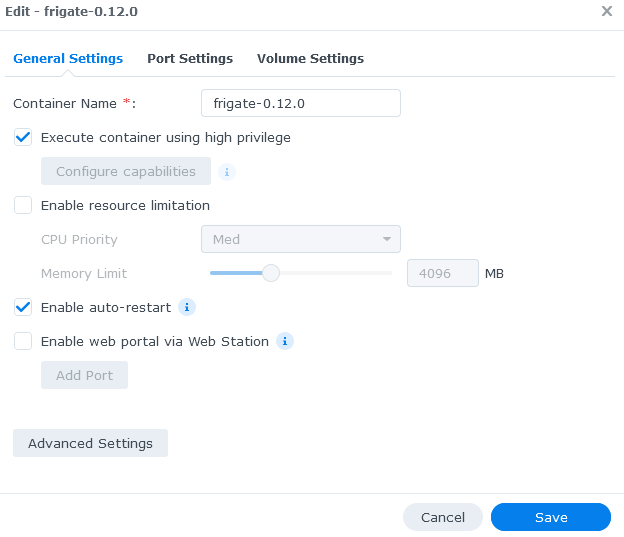
|
||||
|
||||
|
||||
**Advanced Settings:**
|
||||
|
||||
If you want to use the password template feature, you should add the "FRIGATE_RTSP_PASSWORD" environment variable and set it to your preferred password under advanced settings. The rest of the environment variables should be left as default for now.
|
||||
|
||||
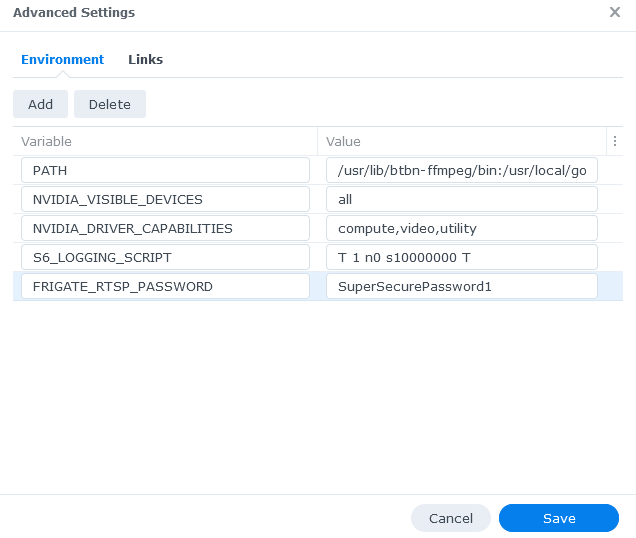
|
||||
|
||||
|
||||
**Port Settings:**
|
||||
|
||||
The network mode should be set to `bridge`. You need to map the default frigate container ports to your local Synology NAS ports that you want to use to access Frigate.
|
||||
@@ -229,6 +235,7 @@ There may be other services running on your NAS that are using the same ports th
|
||||
|
||||
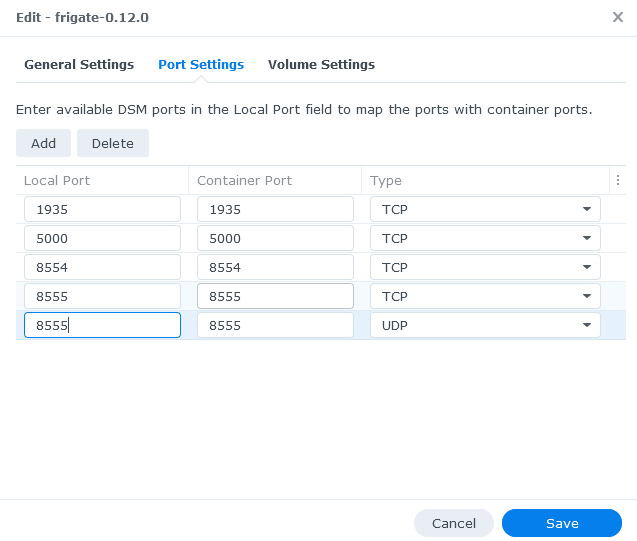
|
||||
|
||||
|
||||
**Volume Settings:**
|
||||
|
||||
You need to configure 2 paths:
|
||||
@@ -242,15 +249,14 @@ You need to configure 2 paths:
|
||||
|
||||
These instructions were tested on a QNAP with an Intel J3455 CPU and 16G RAM, running QTS 4.5.4.2117.
|
||||
|
||||
QNAP has a graphic tool named Container Station to install and manage docker containers. However, there are two limitations with Container Station that make it unsuitable to install Frigate:
|
||||
QNAP has a graphic tool named Container Station to install and manage docker containers. However, there are two limitations with Container Station that make it unsuitable to install Frigate:
|
||||
|
||||
1. Container Station does not incorporate GitHub Container Registry (ghcr), which hosts Frigate docker image version 0.12.0 and above.
|
||||
2. Container Station uses default 64 Mb shared memory size (shm-size), and does not have a mechanism to adjust it. Frigate requires a larger shm-size to be able to work properly with more than two high resolution cameras.
|
||||
2. Container Station uses default 64 Mb shared memory size (shm-size), and does not have a mechanism to adjust it. Frigate requires a larger shm-size to be able to work properly with more than two high resolution cameras.
|
||||
|
||||
Because of above limitations, the installation has to be done from command line. Here are the steps:
|
||||
Because of above limitations, the installation has to be done from command line. Here are the steps:
|
||||
|
||||
**Preparation**
|
||||
|
||||
1. Install Container Station from QNAP App Center if it is not installed.
|
||||
2. Enable ssh on your QNAP (please do an Internet search on how to do this).
|
||||
3. Prepare Frigate config file, name it `config.yml`.
|
||||
@@ -261,8 +267,7 @@ Because of above limitations, the installation has to be done from command line.
|
||||
**Installation**
|
||||
|
||||
Run the following commands to install Frigate (using `stable` version as example):
|
||||
|
||||
```shell
|
||||
```bash
|
||||
# Download Frigate image
|
||||
docker pull ghcr.io/blakeblackshear/frigate:stable
|
||||
# Create directory to host Frigate config file on QNAP file system.
|
||||
@@ -303,4 +308,6 @@ docker run \
|
||||
ghcr.io/blakeblackshear/frigate:stable
|
||||
```
|
||||
|
||||
Log into QNAP, open Container Station. Frigate docker container should be listed under 'Overview' and running. Visit Frigate Web UI by clicking Frigate docker, and then clicking the URL shown at the top of the detail page.
|
||||
Log into QNAP, open Container Station. Frigate docker container should be listed under 'Overview' and running. Visit Frigate Web UI by clicking Frigate docker, and then clicking the URL shown at the top of the detail page.
|
||||
|
||||
|
||||
|
||||
@@ -1,67 +0,0 @@
|
||||
---
|
||||
id: video_pipeline
|
||||
title: Video pipeline
|
||||
---
|
||||
|
||||
Frigate uses a sophisticated video pipeline that starts with the camera feed and progressively applies transformations to it (e.g. decoding, motion detection, etc.).
|
||||
|
||||
This guide provides an overview to help users understand some of the key Frigate concepts.
|
||||
|
||||
## Overview
|
||||
|
||||
At a high level, there are five processing steps that could be applied to a camera feed
|
||||
|
||||
```mermaid
|
||||
%%{init: {"themeVariables": {"edgeLabelBackground": "transparent"}}}%%
|
||||
|
||||
flowchart LR
|
||||
Feed(Feed\nacquisition) --> Decode(Video\ndecoding)
|
||||
Decode --> Motion(Motion\ndetection)
|
||||
Motion --> Object(Object\ndetection)
|
||||
Feed --> Recording(Recording\nand\nvisualization)
|
||||
Motion --> Recording
|
||||
Object --> Recording
|
||||
```
|
||||
|
||||
As the diagram shows, all feeds first need to be acquired. Depending on the data source, it may be as simple as using FFmpeg to connect to an RTSP source via TCP or something more involved like connecting to an Apple Homekit camera using go2rtc. A single camera can produce a main (i.e. high resolution) and a sub (i.e. lower resolution) video feed.
|
||||
|
||||
Typically, the sub-feed will be decoded to produce full-frame images. As part of this process, the resolution may be downscaled and an image sampling frequency may be imposed (e.g. keep 5 frames per second).
|
||||
|
||||
These frames will then be compared over time to detect movement areas (a.k.a. motion boxes). These motion boxes are combined into motion regions and are analyzed by a machine learning model to detect known objects. Finally, the snapshot and recording retention config will decide what video clips and events should be saved.
|
||||
|
||||
## Detailed view of the video pipeline
|
||||
|
||||
The following diagram adds a lot more detail than the simple view explained before. The goal is to show the detailed data paths between the processing steps.
|
||||
|
||||
```mermaid
|
||||
%%{init: {"themeVariables": {"edgeLabelBackground": "transparent"}}}%%
|
||||
|
||||
flowchart TD
|
||||
RecStore[(Recording\nstore)]
|
||||
SnapStore[(Snapshot\nstore)]
|
||||
|
||||
subgraph Acquisition
|
||||
Cam["Camera"] -->|FFmpeg supported| Stream
|
||||
Cam -->|"Other streaming\nprotocols"| go2rtc
|
||||
go2rtc("go2rtc") --> Stream
|
||||
Stream[Capture main and\nsub streams] --> |detect stream|Decode(Decode and\ndownscale)
|
||||
end
|
||||
subgraph Motion
|
||||
Decode --> MotionM(Apply\nmotion masks)
|
||||
MotionM --> MotionD(Motion\ndetection)
|
||||
end
|
||||
subgraph Detection
|
||||
MotionD --> |motion regions| ObjectD(Object detection)
|
||||
Decode --> ObjectD
|
||||
ObjectD --> ObjectFilter(Apply object filters & zones)
|
||||
ObjectFilter --> ObjectZ(Track objects)
|
||||
end
|
||||
Decode --> |decoded frames|Birdseye
|
||||
MotionD --> |motion event|Birdseye
|
||||
ObjectZ --> |object event|Birdseye
|
||||
|
||||
MotionD --> |"video segments\n(retain motion)"|RecStore
|
||||
ObjectZ --> |detection clip|RecStore
|
||||
Stream -->|"video segments\n(retain all)"| RecStore
|
||||
ObjectZ --> |detection snapshot|SnapStore
|
||||
```
|
||||
@@ -3,8 +3,6 @@ id: configuring_go2rtc
|
||||
title: Configuring go2rtc
|
||||
---
|
||||
|
||||
# Configuring go2rtc
|
||||
|
||||
Use of the bundled go2rtc is optional. You can still configure FFmpeg to connect directly to your cameras. However, adding go2rtc to your configuration is required for the following features:
|
||||
|
||||
- WebRTC or MSE for live viewing with higher resolutions and frame rates than the jsmpeg stream which is limited to the detect stream
|
||||
@@ -13,7 +11,7 @@ Use of the bundled go2rtc is optional. You can still configure FFmpeg to connect
|
||||
|
||||
# Setup a go2rtc stream
|
||||
|
||||
First, you will want to configure go2rtc to connect to your camera stream by adding the stream you want to use for live view in your Frigate config file. If you set the stream name under go2rtc to match the name of your camera, it will automatically be mapped and you will get additional live view options for the camera. Avoid changing any other parts of your config at this step. Note that go2rtc supports [many different stream types](https://github.com/AlexxIT/go2rtc/tree/v1.8.4#module-streams), not just rtsp.
|
||||
First, you will want to configure go2rtc to connect to your camera stream by adding the stream you want to use for live view in your Frigate config file. If you set the stream name under go2rtc to match the name of your camera, it will automatically be mapped and you will get additional live view options for the camera. Avoid changing any other parts of your config at this step. Note that go2rtc supports [many different stream types](https://github.com/AlexxIT/go2rtc/tree/v1.7.1#module-streams), not just rtsp.
|
||||
|
||||
```yaml
|
||||
go2rtc:
|
||||
@@ -26,7 +24,7 @@ The easiest live view to get working is MSE. After adding this to the config, re
|
||||
|
||||
### What if my video doesn't play?
|
||||
|
||||
If you are unable to see your video feed, first check the go2rtc logs in the Frigate UI under Logs in the sidebar. If go2rtc is having difficulty connecting to your camera, you should see some error messages in the log. If you do not see any errors, then the video codec of the stream may not be supported in your browser. If your camera stream is set to H265, try switching to H264. You can see more information about [video codec compatibility](https://github.com/AlexxIT/go2rtc/tree/v1.8.4#codecs-madness) in the go2rtc documentation. If you are not able to switch your camera settings from H265 to H264 or your stream is a different format such as MJPEG, you can use go2rtc to re-encode the video using the [FFmpeg parameters](https://github.com/AlexxIT/go2rtc/tree/v1.8.4#source-ffmpeg). It supports rotating and resizing video feeds and hardware acceleration. Keep in mind that transcoding video from one format to another is a resource intensive task and you may be better off using the built-in jsmpeg view. Here is an example of a config that will re-encode the stream to H264 without hardware acceleration:
|
||||
If you are unable to see your video feed, first check the go2rtc logs in the Frigate UI under Logs in the sidebar. If go2rtc is having difficulty connecting to your camera, you should see some error messages in the log. If you do not see any errors, then the video codec of the stream may not be supported in your browser. If your camera stream is set to H265, try switching to H264. You can see more information about [video codec compatibility](https://github.com/AlexxIT/go2rtc/tree/v1.7.1#codecs-madness) in the go2rtc documentation. If you are not able to switch your camera settings from H265 to H264 or your stream is a different format such as MJPEG, you can use go2rtc to re-encode the video using the [FFmpeg parameters](https://github.com/AlexxIT/go2rtc/tree/v1.7.1#source-ffmpeg). It supports rotating and resizing video feeds and hardware acceleration. Keep in mind that transcoding video from one format to another is a resource intensive task and you may be better off using the built-in jsmpeg view. Here is an example of a config that will re-encode the stream to H264 without hardware acceleration:
|
||||
|
||||
```yaml
|
||||
go2rtc:
|
||||
|
||||
@@ -3,7 +3,11 @@ id: false_positives
|
||||
title: Reducing false positives
|
||||
---
|
||||
|
||||
## Object Scores
|
||||
Tune your object filters to adjust false positives: `min_area`, `max_area`, `min_ratio`, `max_ratio`, `min_score`, `threshold`.
|
||||
|
||||
The `min_area` and `max_area` values are compared against the area (number of pixels) from a given detected object. If the area is outside this range, the object will be ignored as a false positive. This allows objects that must be too small or too large to be ignored.
|
||||
|
||||
Similarly, the `min_ratio` and `max_ratio` values are compared against a given detected object's width/height ratio (in pixels). If the ratio is outside this range, the object will be ignored as a false positive. This allows objects that are proportionally too short-and-wide (higher ratio) or too tall-and-narrow (smaller ratio) to be ignored.
|
||||
|
||||
For object filters in your configuration, any single detection below `min_score` will be ignored as a false positive. `threshold` is based on the median of the history of scores (padded to 3 values) for a tracked object. Consider the following frames when `min_score` is set to 0.6 and threshold is set to 0.85:
|
||||
|
||||
@@ -18,32 +22,4 @@ For object filters in your configuration, any single detection below `min_score`
|
||||
|
||||
In frame 2, the score is below the `min_score` value, so Frigate ignores it and it becomes a 0.0. The computed score is the median of the score history (padding to at least 3 values), and only when that computed score crosses the `threshold` is the object marked as a true positive. That happens in frame 4 in the example.
|
||||
|
||||
### Minimum Score
|
||||
|
||||
Any detection below `min_score` will be immediately thrown out and never tracked because it is considered a false positive. If `min_score` is too low then false positives may be detected and tracked which can confuse the object tracker and may lead to wasted resources. If `min_score` is too high then lower scoring true positives like objects that are further away or partially occluded may be thrown out which can also confuse the tracker and cause valid events to be lost or disjointed.
|
||||
|
||||
### Threshold
|
||||
|
||||
`threshold` is used to determine that the object is a true positive. Once an object is detected with a score >= `threshold` object is considered a true positive. If `threshold` is too low then some higher scoring false positives may create an event. If `threshold` is too high then true positive events may be missed due to the object never scoring high enough.
|
||||
|
||||
## Object Shape
|
||||
|
||||
False positives can also be reduced by filtering a detection based on its shape.
|
||||
|
||||
### Object Area
|
||||
|
||||
`min_area` and `max_area` filter on the area of an objects bounding box in pixels and can be used to reduce false positives that are outside the range of expected sizes. For example when a leaf is detected as a dog or when a large tree is detected as a person, these can be reduced by adding a `min_area` / `max_area` filter. The recordings timeline can be used to determine the area of the bounding box in that frame by selecting a timeline item then mousing over or tapping the red box.
|
||||
|
||||
### Object Proportions
|
||||
|
||||
`min_ratio` and `max_ratio` filter on the ratio of width / height of an objects bounding box and can be used to reduce false positives. For example if a false positive is detected as very tall for a dog which is often wider, a `min_ratio` filter can be used to filter out these false positives.
|
||||
|
||||
## Other Tools
|
||||
|
||||
### Zones
|
||||
|
||||
[Required zones](/configuration/zones.md) can be a great tool to reduce false positives that may be detected in the sky or other areas that are not of interest. The required zones will only create events for objects that enter the zone.
|
||||
|
||||
### Object Masks
|
||||
|
||||
[Object Filter Masks](/configuration/masks) are a last resort but can be useful when false positives are in the relatively same place but can not be filtered due to their size or shape.
|
||||
If you're seeing false positives from stationary objects, please see Object Masks here: https://docs.frigate.video/configuration/masks/
|
||||
|
||||
@@ -3,145 +3,7 @@ id: getting_started
|
||||
title: Getting started
|
||||
---
|
||||
|
||||
# Getting Started
|
||||
|
||||
## Setting up hardware
|
||||
|
||||
This section guides you through setting up a server with Debian Bookworm and Docker. If you already have an environment with Linux and Docker installed, you can continue to [Installing Frigate](#installing-frigate) below.
|
||||
|
||||
### Install Debian 12 (Bookworm)
|
||||
|
||||
There are many guides on how to install Debian Server, so this will be an abbreviated guide. Connect a temporary monitor and keyboard to your device so you can install a minimal server without a desktop environment.
|
||||
|
||||
#### Prepare installation media
|
||||
|
||||
1. Download the small installation image from the [Debian website](https://www.debian.org/distrib/netinst)
|
||||
1. Flash the ISO to a USB device (popular tool is [balena Etcher](https://etcher.balena.io/))
|
||||
1. Boot your device from USB
|
||||
|
||||
#### Install and setup Debian for remote access
|
||||
|
||||
1. Ensure your device is connected to the network so updates and software options can be installed
|
||||
1. Choose the non-graphical install option if you don't have a mouse connected, but either install method works fine
|
||||
1. You will be prompted to set the root user password and create a user with a password
|
||||
1. Install the minimum software. Fewer dependencies result in less maintenance.
|
||||
1. Uncheck "Debian desktop environment" and "GNOME"
|
||||
1. Check "SSH server"
|
||||
1. Keep "standard system utilities" checked
|
||||
1. After reboot, login as root at the command prompt to add user to sudoers
|
||||
1. Install sudo
|
||||
```bash
|
||||
apt update && apt install -y sudo
|
||||
```
|
||||
1. Add the user you created to the sudo group (change `blake` to your own user)
|
||||
```bash
|
||||
usermod -aG sudo blake
|
||||
```
|
||||
1. Shutdown by running `poweroff`
|
||||
|
||||
At this point, you can install the device in a permanent location. The remaining steps can be performed via SSH from another device. If you don't have an SSH client, you can install one of the options listed in the [Visual Studio Code documentation](https://code.visualstudio.com/docs/remote/troubleshooting#_installing-a-supported-ssh-client).
|
||||
|
||||
#### Finish setup via SSH
|
||||
|
||||
1. Connect via SSH and login with your non-root user created during install
|
||||
1. Setup passwordless sudo so you don't have to type your password for each sudo command (change `blake` in the command below to your user)
|
||||
|
||||
```bash
|
||||
echo 'blake ALL=(ALL) NOPASSWD:ALL' | sudo tee /etc/sudoers.d/user
|
||||
```
|
||||
|
||||
1. Logout and login again to activate passwordless sudo
|
||||
1. Setup automatic security updates for the OS (optional)
|
||||
1. Ensure everything is up to date by running
|
||||
```bash
|
||||
sudo apt update && sudo apt upgrade -y
|
||||
```
|
||||
1. Install unattended upgrades
|
||||
```bash
|
||||
sudo apt install -y unattended-upgrades
|
||||
echo unattended-upgrades unattended-upgrades/enable_auto_updates boolean true | sudo debconf-set-selections
|
||||
sudo dpkg-reconfigure -f noninteractive unattended-upgrades
|
||||
```
|
||||
|
||||
Now you have a minimal Debian server that requires very little maintenance.
|
||||
|
||||
### Install Docker
|
||||
|
||||
1. Install Docker Engine (not Docker Desktop) using the [official docs](https://docs.docker.com/engine/install/debian/)
|
||||
1. Specifically, follow the steps in the [Install using the apt repository](https://docs.docker.com/engine/install/debian/#install-using-the-repository) section
|
||||
2. Add your user to the docker group as described in the [Linux postinstall steps](https://docs.docker.com/engine/install/linux-postinstall/)
|
||||
|
||||
## Installing Frigate
|
||||
|
||||
This section shows how to create a minimal directory structure for a Docker installation on Debian. If you have installed Frigate as a Home Assistant addon or another way, you can continue to [Configuring Frigate](#configuring-frigate).
|
||||
|
||||
### Setup directories
|
||||
|
||||
Frigate requires a valid config file to start. The following directory structure is the bare minimum to get started. Once Frigate is running, you can use the built-in config editor which supports config validation.
|
||||
|
||||
```
|
||||
.
|
||||
├── docker-compose.yml
|
||||
├── config/
|
||||
│ └── config.yml
|
||||
└── storage/
|
||||
```
|
||||
|
||||
This will create the above structure:
|
||||
|
||||
```bash
|
||||
mkdir storage config && touch docker-compose.yml config/config.yml
|
||||
```
|
||||
|
||||
If you are setting up Frigate on a Linux device via SSH, you can use [nano](https://itsfoss.com/nano-editor-guide/) to edit the following files. If you prefer to edit remote files with a full editor instead of a terminal, I recommend using [Visual Studio Code](https://code.visualstudio.com/) with the [Remote SSH extension](https://code.visualstudio.com/docs/remote/ssh-tutorial).
|
||||
|
||||
:::note
|
||||
|
||||
This `docker-compose.yml` file is just a starter for amd64 devices. You will need to customize it for your setup as detailed in the [Installation docs](/frigate/installation#docker).
|
||||
|
||||
:::
|
||||
`docker-compose.yml`
|
||||
|
||||
```yaml
|
||||
version: "3.9"
|
||||
services:
|
||||
frigate:
|
||||
container_name: frigate
|
||||
restart: unless-stopped
|
||||
image: ghcr.io/blakeblackshear/frigate:stable
|
||||
volumes:
|
||||
- ./config:/config
|
||||
- ./storage:/media/frigate
|
||||
- type: tmpfs # Optional: 1GB of memory, reduces SSD/SD Card wear
|
||||
target: /tmp/cache
|
||||
tmpfs:
|
||||
size: 1000000000
|
||||
ports:
|
||||
- "5000:5000"
|
||||
- "8554:8554" # RTSP feeds
|
||||
```
|
||||
|
||||
`config.yml`
|
||||
|
||||
```yaml
|
||||
mqtt:
|
||||
enabled: False
|
||||
|
||||
cameras:
|
||||
dummy_camera: # <--- this will be changed to your actual camera later
|
||||
enabled: False
|
||||
ffmpeg:
|
||||
inputs:
|
||||
- path: rtsp://127.0.0.1:554/rtsp
|
||||
roles:
|
||||
- detect
|
||||
```
|
||||
|
||||
Now you should be able to start Frigate by running `docker compose up -d` from within the folder containing `docker-compose.yml`. Frigate should now be accessible at `server_ip:5000` and you can finish the configuration using the built-in configuration editor.
|
||||
|
||||
## Configuring Frigate
|
||||
|
||||
This section assumes that you already have an environment setup as described in [Installation](../frigate/installation.md). You should also configure your cameras according to the [camera setup guide](/frigate/camera_setup). Pay particular attention to the section on choosing a detect resolution.
|
||||
This guide walks through the steps to build a configuration file for Frigate. It assumes that you already have an environment setup as described in [Installation](../frigate/installation.md). You should also configure your cameras according to the [camera setup guide](/frigate/camera_setup). Pay particular attention to the section on choosing a detect resolution.
|
||||
|
||||
### Step 1: Add a detect stream
|
||||
|
||||
@@ -153,7 +15,6 @@ mqtt:
|
||||
|
||||
cameras:
|
||||
name_of_your_camera: # <------ Name the camera
|
||||
enabled: True
|
||||
ffmpeg:
|
||||
inputs:
|
||||
- path: rtsp://10.0.10.10:554/rtsp # <----- The stream you want to use for detection
|
||||
@@ -175,21 +36,7 @@ FFmpeg arguments for other types of cameras can be found [here](../configuration
|
||||
|
||||
Now that you have a working camera configuration, you want to setup hardware acceleration to minimize the CPU required to decode your video streams. See the [hardware acceleration](../configuration/hardware_acceleration.md) config reference for examples applicable to your hardware.
|
||||
|
||||
Here is an example configuration with hardware acceleration configured to work with most Intel processors with an integrated GPU using the [preset](../configuration/ffmpeg_presets.md):
|
||||
|
||||
`docker-compose.yml` (after modifying, you will need to run `docker compose up -d` to apply changes)
|
||||
|
||||
```yaml
|
||||
version: "3.9"
|
||||
services:
|
||||
frigate:
|
||||
...
|
||||
devices:
|
||||
- /dev/dri/renderD128 # for intel hwaccel, needs to be updated for your hardware
|
||||
...
|
||||
```
|
||||
|
||||
`config.yml`
|
||||
Here is an example configuration with hardware acceleration configured for Intel processors with an integrated GPU using the [preset](../configuration/ffmpeg_presets.md):
|
||||
|
||||
```yaml
|
||||
mqtt: ...
|
||||
@@ -206,19 +53,6 @@ cameras:
|
||||
|
||||
By default, Frigate will use a single CPU detector. If you have a USB Coral, you will need to add a detectors section to your config.
|
||||
|
||||
`docker-compose.yml` (after modifying, you will need to run `docker compose up -d` to apply changes)
|
||||
|
||||
```yaml
|
||||
version: "3.9"
|
||||
services:
|
||||
frigate:
|
||||
...
|
||||
devices:
|
||||
- /dev/bus/usb:/dev/bus/usb # passes the USB Coral, needs to be modified for other versions
|
||||
- /dev/apex_0:/dev/apex_0 # passes a PCIe Coral, follow driver instructions here https://coral.ai/docs/m2/get-started/#2a-on-linux
|
||||
...
|
||||
```
|
||||
|
||||
```yaml
|
||||
mqtt: ...
|
||||
|
||||
|
||||
@@ -263,15 +263,6 @@ Returns the snapshot image from the latest event for the given camera and label
|
||||
|
||||
Returns the snapshot image from the specific point in that cameras recordings.
|
||||
|
||||
### `GET /api/<camera_name>/grid.jpg`
|
||||
|
||||
Returns the latest camera image with the regions grid overlaid.
|
||||
|
||||
| param | Type | Description |
|
||||
| ------------ | ----- | ------------------------------------------------------------------------------------------ |
|
||||
| `color` | str | The color of the grid (red,green,blue,black,white). Defaults to "green". |
|
||||
| `font_scale` | float | Font scale. Can be used to increase font size on high resolution cameras. Defaults to 0.5. |
|
||||
|
||||
### `GET /clips/<camera>-<id>.jpg`
|
||||
|
||||
JPG snapshot for the given camera and event id.
|
||||
@@ -302,14 +293,6 @@ It is also possible to export this recording as a timelapse.
|
||||
}
|
||||
```
|
||||
|
||||
### `DELETE /api/export/<export_name>`
|
||||
|
||||
Delete an export from disk.
|
||||
|
||||
### `PATCH /api/export/<export_name_current>/<export_name_new>`
|
||||
|
||||
Renames an export.
|
||||
|
||||
### `GET /api/<camera_name>/recordings/summary`
|
||||
|
||||
Hourly summary of recordings data for a camera.
|
||||
@@ -378,7 +361,3 @@ Recording retention config still applies to manual events, if frigate is configu
|
||||
### `PUT /api/events/<event_id>/end`
|
||||
|
||||
End a specific manual event without a predetermined length.
|
||||
|
||||
### `POST /api/restart`
|
||||
|
||||
Restarts Frigate process.
|
||||
|
||||
@@ -177,7 +177,7 @@ The Frigate integration seamlessly supports the use of multiple Frigate servers.
|
||||
In order for multiple Frigate instances to function correctly, the
|
||||
`topic_prefix` and `client_id` parameters must be set differently per server.
|
||||
See [MQTT
|
||||
configuration](mqtt)
|
||||
configuration](mqtt.md)
|
||||
for how to set these.
|
||||
|
||||
#### API URLs
|
||||
|
||||
@@ -220,33 +220,3 @@ Topic to turn the PTZ autotracker for a camera on and off. Expected values are `
|
||||
### `frigate/<camera_name>/ptz_autotracker/state`
|
||||
|
||||
Topic with current state of the PTZ autotracker for a camera. Published values are `ON` and `OFF`.
|
||||
|
||||
### `frigate/<camera_name>/ptz_autotracker/active`
|
||||
|
||||
Topic to determine if PTZ autotracker is actively tracking an object. Published values are `ON` and `OFF`.
|
||||
|
||||
### `frigate/<camera_name>/birdseye/set`
|
||||
|
||||
Topic to turn Birdseye for a camera on and off. Expected values are `ON` and `OFF`. Birdseye mode
|
||||
must be enabled in the configuration.
|
||||
|
||||
### `frigate/<camera_name>/birdseye/state`
|
||||
|
||||
Topic with current state of Birdseye for a camera. Published values are `ON` and `OFF`.
|
||||
|
||||
### `frigate/<camera_name>/birdseye_mode/set`
|
||||
|
||||
Topic to set Birdseye mode for a camera. Birdseye offers different modes to customize under which circumstances the camera is shown.
|
||||
|
||||
_Note: Changing the value from `CONTINUOUS` -> `MOTION | OBJECTS` will take up to 30 seconds for
|
||||
the camera to be removed from the view._
|
||||
|
||||
| Command | Description |
|
||||
| ------------ | ----------------------------------------------------------------- |
|
||||
| `CONTINUOUS` | Always included |
|
||||
| `MOTION` | Show when detected motion within the last 30 seconds are included |
|
||||
| `OBJECTS` | Shown if an active object tracked within the last 30 seconds |
|
||||
|
||||
### `frigate/<camera_name>/birdseye_mode/state`
|
||||
|
||||
Topic with current state of the Birdseye mode for a camera. Published values are `CONTINUOUS`, `MOTION`, `OBJECTS`.
|
||||
|
||||
@@ -19,7 +19,7 @@ Once logged in, you can generate an API key for Frigate in Settings.
|
||||
|
||||
### Set your API key
|
||||
|
||||
In Frigate, you can use an environment variable or a docker secret named `PLUS_API_KEY` to enable the `SEND TO FRIGATE+` buttons on the events page. Home Assistant Addon users can set it under Settings > Addons > Frigate NVR > Configuration > Options (be sure to toggle the "Show unused optional configuration options" switch).
|
||||
In Frigate, you can set the `PLUS_API_KEY` environment variable to enable the `SEND TO FRIGATE+` buttons on the events page. You can set it in your Docker Compose file or in your Docker run command. Home Assistant Addon users can set it under Settings > Addons > Frigate NVR > Configuration > Options (be sure to toggle the "Show unused optional configuration options" switch).
|
||||
|
||||
:::caution
|
||||
|
||||
|
||||
@@ -9,34 +9,6 @@ With a subscription, and at each annual renewal, you will receive 12 model train
|
||||
|
||||
Information on how to integrate Frigate+ with Frigate can be found in the [integrations docs](/integrations/plus).
|
||||
|
||||
## Improving your model
|
||||
|
||||
You may find that Frigate+ models result in more false positives initially, but by submitting true and false positives, the model will improve. Because a limited number of users submitted images to Frigate+ prior to this launch, you may need to submit several hundred images per camera to see good results. With all the new images now being submitted, future base models will improve as more and more users (including you) submit examples to Frigate+.
|
||||
|
||||
False positives can be reduced by submitting **both** true positives and false positives. This will help the model differentiate between what is and isn't correct. You should aim for a target of 80% true positive submissions and 20% false positives across all of your images. If you are experiencing false positives in a specific area, submitting true positives for any object type near that area in similar lighting conditions will help teach the model what that area looks like when no objects are present.
|
||||
|
||||
You may find that it's helpful to lower your thresholds a little in order to generate more false/true positives near the threshold value. For example, if you have some false positives that are scoring at 68% and some true positives scoring at 72%, you can try lowering your threshold to 65% and submitting both true and false positives within that range. This will help the model learn and widen the gap between true and false positive scores.
|
||||
|
||||
Note that only verified images will be used when training your model. Submitting an image from Frigate as a true or false positive will not verify the image. You still must verify the image in Frigate+ in order for it to be used in training.
|
||||
|
||||
In order to request your first model, you will need to have annotated and verified at least 10 images. Each subsequent model request will require that 10 additional images are verified. However, this is the bare minimum. For the best results, you should provide at least 100 verified images per camera. Keep in mind that varying conditions should be included. You will want images from cloudy days, sunny days, dawn, dusk, and night.
|
||||
|
||||
As circumstances change, you may need to submit new examples to address new types of false positives. For example, the change from summer days to snowy winter days or other changes such as a new grill or patio furniture may require additional examples and training.
|
||||
|
||||
## Properly labeling images
|
||||
|
||||
For the best results, follow the following guidelines.
|
||||
|
||||
**Label every object in the image**: It is important that you label all objects in each image before verifying. If you don't label a car for example, the model will be taught that part of the image is _not_ a car and it will start to get confused.
|
||||
|
||||
**Make tight bounding boxes**: Tighter bounding boxes improve the recognition and ensure that accurate bounding boxes are predicted at runtime.
|
||||
|
||||
**Label the full object even when occluded**: If you have a person standing behind a car, label the full person even though a portion of their body may be hidden behind the car. This helps predict accurate bounding boxes and improves zone accuracy and filters at runtime.
|
||||
|
||||
**`amazon`, `ups`, and `fedex` should label the logo**: For a Fedex truck, label the truck as a `car` and make a different bounding box just for the Fedex logo. If there are multiple logos, label each of them.
|
||||
|
||||

|
||||
|
||||
## Frequently asked questions
|
||||
|
||||
### Are my models trained just on my image uploads? How are they built?
|
||||
@@ -45,7 +17,7 @@ Frigate+ models are built by fine tuning a base model with the images you have a
|
||||
|
||||
### What is a training credit and how do I use them?
|
||||
|
||||
Essentially, `1 training credit = 1 trained model`. When you have uploaded, annotated, and verified additional images and you are ready to train your model, you will submit a model request which will use one credit. The model that is trained will utilize all of the verified images in your account. When new base models are available, it will require the use of a training credit to generate a new user model on the new base model.
|
||||
Essentially, `1 training credit = 1 trained model`. When you have uploaded, annotated, and verified additional images and you are ready to train your model, you will submit a model request which will use one credit. The model that is trained will utilize all of the verified images in your account.
|
||||
|
||||
### Are my video feeds sent to the cloud for analysis when using Frigate+ models?
|
||||
|
||||
@@ -137,3 +109,31 @@ When using Frigate+ models, Frigate will choose the snapshot of a person object
|
||||
`amazon`, `ups`, and `fedex` labels are used to automatically assign a sub label to car objects.
|
||||
|
||||

|
||||
|
||||
## Properly labeling images
|
||||
|
||||
For the best results, follow the following guidelines.
|
||||
|
||||
**Label every object in the image**: It is important that you label all objects in each image before verifying. If you don't label a car for example, the model will be taught that part of the image is _not_ a car and it will start to get confused.
|
||||
|
||||
**Make tight bounding boxes**: Tighter bounding boxes improve the recognition and ensure that accurate bounding boxes are predicted at runtime.
|
||||
|
||||
**Label the full object even when occluded**: If you have a person standing behind a car, label the full person even though a portion of their body may be hidden behind the car. This helps predict accurate bounding boxes and improves zone accuracy and filters at runtime.
|
||||
|
||||
**`amazon`, `ups`, and `fedex` should label the logo**: For a Fedex truck, label the truck as a `car` and make a different bounding box just for the Fedex logo. If there are multiple logos, label each of them.
|
||||
|
||||

|
||||
|
||||
## Improving your model
|
||||
|
||||
You may find that Frigate+ models result in more false positives initially, but by submitting true and false positives, the model will improve. This may be because your cameras don't look quite enough like the user submissions that were used to train the base model. Over time, this will improve as more and more users (including you) submit examples to Frigate+.
|
||||
|
||||
False positives can be reduced by submitting **both** true positives and false positives. This will help the model differentiate between what is and isn't correct.
|
||||
|
||||
You may find that it's helpful to lower your thresholds a little in order to generate more false/true positives near the threshold value. For example, if you have some false positives that are scoring at 68% and some true positives scoring at 72%, you can try lowering your threshold to 65% and submitting both true and false positives within that range. This will help the model learn and widen the gap between true and false positive scores.
|
||||
|
||||
Note that only verified images will be used when training your model. Submitting an image from Frigate as a true or false positive will not verify the image. You still must verify the image in Frigate+ in order for it to be used in training.
|
||||
|
||||
In order to request your first model, you will need to have annotated and verified at least 10 images. Each subsequent model request will require that 10 additional images are verified. However, this is the bare minimum. For the best results, you should provide at least 100 verified images per camera. Keep in mind that varying conditions should be included. You will want images from cloudy days, sunny days, dawn, dusk, and night.
|
||||
|
||||
As circumstances change, you may need to submit new examples to address new types of false positives. For example, the change from summer days to snowy winter days or other changes such as a new grill or patio furniture may require additional examples and training.
|
||||
|
||||
@@ -23,17 +23,6 @@ Ensure your cameras send h264 encoded video, or [transcode them](/configuration/
|
||||
|
||||
You can open `chrome://media-internals/` in another tab and then try to playback, the media internals page will give information about why playback is failing.
|
||||
|
||||
### What do I do if my cameras sub stream is not good enough?
|
||||
|
||||
Frigate generally [recommends cameras with configurable sub streams](/frigate/hardware.md). However, if your camera does not have a sub stream that a suitable resolution, the main stream can be resized.
|
||||
|
||||
To do this efficiently the following setup is required:
|
||||
1. A GPU or iGPU must be available to do the scaling.
|
||||
2. [ffmpeg presets for hwaccel](/configuration/hardware_acceleration.md) must be used
|
||||
3. Set the desired detection resolution for `detect -> width` and `detect -> height`.
|
||||
|
||||
When this is done correctly, the GPU will do the decoding and scaling which will result in a small increase in CPU usage but with better results.
|
||||
|
||||
### My mjpeg stream or snapshots look green and crazy
|
||||
|
||||
This almost always means that the width/height defined for your camera are not correct. Double check the resolution with VLC or another player. Also make sure you don't have the width and height values backwards.
|
||||
|
||||
@@ -3,7 +3,7 @@ id: recordings
|
||||
title: Troubleshooting Recordings
|
||||
---
|
||||
|
||||
### WARNING : Unable to keep up with recording segments in cache for camera. Keeping the 5 most recent segments out of 6 and discarding the rest...
|
||||
## `WARNING : Unable to keep up with recording segments in cache for {camera}. Keeping the 5 most recent segments out of 6 and discarding the rest...`
|
||||
|
||||
This error can be caused by a number of different issues. The first step in troubleshooting is to enable debug logging for recording, this will enable logging showing how long it takes for recordings to be moved from RAM cache to the disk.
|
||||
|
||||
@@ -21,18 +21,18 @@ DEBUG : Copied /media/frigate/recordings/{segment_path} in 0.2 seconds.
|
||||
|
||||
It is important to let this run until the errors begin to happen, to confirm that there is not a slow down in the disk at the time of the error.
|
||||
|
||||
#### Copy Times > 1 second
|
||||
### Copy Times > 1 second
|
||||
|
||||
If the storage is too slow to keep up with the recordings then the maintainer will fall behind and purge the oldest recordings to ensure the cache does not fill up causing a crash. In this case it is important to diagnose why the copy times are slow.
|
||||
|
||||
##### Check Storage Type
|
||||
#### Check Storage Type
|
||||
|
||||
Mounting a network share is a popular option for storing Recordings, but this can lead to reduced copy times and cause problems. Some users have found that using `NFS` instead of `SMB` considerably decreased the copy times and fixed the issue. It is also important to ensure that the network connection between the device running Frigate and the network share is stable and fast.
|
||||
|
||||
##### Check mount options
|
||||
#### Check mount options
|
||||
|
||||
Some users found that mounting a drive via `fstab` with the `sync` option caused dramatically reduce performance and led to this issue. Using `async` instead greatly reduced copy times.
|
||||
|
||||
#### Copy Times < 1 second
|
||||
### Copy Times < 1 second
|
||||
|
||||
If the storage is working quickly then this error may be caused by CPU load on the machine being too high for Frigate to have the resources to keep up. Try temporarily shutting down other services to see if the issue improves.
|
||||
|
||||
@@ -1,77 +1,70 @@
|
||||
const path = require("path");
|
||||
const path = require('path');
|
||||
|
||||
module.exports = {
|
||||
title: "Frigate",
|
||||
tagline: "NVR With Realtime Object Detection for IP Cameras",
|
||||
url: "https://docs.frigate.video",
|
||||
baseUrl: "/",
|
||||
onBrokenLinks: "throw",
|
||||
onBrokenMarkdownLinks: "warn",
|
||||
favicon: "img/favicon.ico",
|
||||
organizationName: "blakeblackshear",
|
||||
projectName: "frigate",
|
||||
themes: ["@docusaurus/theme-mermaid"],
|
||||
markdown: {
|
||||
mermaid: true,
|
||||
},
|
||||
title: 'Frigate',
|
||||
tagline: 'NVR With Realtime Object Detection for IP Cameras',
|
||||
url: 'https://docs.frigate.video',
|
||||
baseUrl: '/',
|
||||
onBrokenLinks: 'throw',
|
||||
onBrokenMarkdownLinks: 'warn',
|
||||
favicon: 'img/favicon.ico',
|
||||
organizationName: 'blakeblackshear',
|
||||
projectName: 'frigate',
|
||||
themeConfig: {
|
||||
algolia: {
|
||||
appId: "WIURGBNBPY",
|
||||
apiKey: "d02cc0a6a61178b25da550212925226b",
|
||||
indexName: "frigate",
|
||||
appId: 'WIURGBNBPY',
|
||||
apiKey: 'd02cc0a6a61178b25da550212925226b',
|
||||
indexName: 'frigate',
|
||||
},
|
||||
docs: {
|
||||
sidebar: {
|
||||
hideable: true,
|
||||
},
|
||||
},
|
||||
prism: {
|
||||
additionalLanguages: ["bash", "json"],
|
||||
}
|
||||
},
|
||||
navbar: {
|
||||
title: "Frigate",
|
||||
title: 'Frigate',
|
||||
logo: {
|
||||
alt: "Frigate",
|
||||
src: "img/logo.svg",
|
||||
srcDark: "img/logo-dark.svg",
|
||||
alt: 'Frigate',
|
||||
src: 'img/logo.svg',
|
||||
srcDark: 'img/logo-dark.svg',
|
||||
},
|
||||
items: [
|
||||
{
|
||||
to: "/",
|
||||
activeBasePath: "docs",
|
||||
label: "Docs",
|
||||
position: "left",
|
||||
to: '/',
|
||||
activeBasePath: 'docs',
|
||||
label: 'Docs',
|
||||
position: 'left',
|
||||
},
|
||||
{
|
||||
href: "https://frigate.video",
|
||||
label: "Website",
|
||||
position: "right",
|
||||
href: 'https://frigate.video',
|
||||
label: 'Website',
|
||||
position: 'right',
|
||||
},
|
||||
{
|
||||
href: "http://demo.frigate.video",
|
||||
label: "Demo",
|
||||
position: "right",
|
||||
href: 'http://demo.frigate.video',
|
||||
label: 'Demo',
|
||||
position: 'right',
|
||||
},
|
||||
{
|
||||
href: "https://github.com/blakeblackshear/frigate",
|
||||
label: "GitHub",
|
||||
position: "right",
|
||||
href: 'https://github.com/blakeblackshear/frigate',
|
||||
label: 'GitHub',
|
||||
position: 'right',
|
||||
},
|
||||
],
|
||||
},
|
||||
footer: {
|
||||
style: "dark",
|
||||
style: 'dark',
|
||||
links: [
|
||||
{
|
||||
title: "Community",
|
||||
title: 'Community',
|
||||
items: [
|
||||
{
|
||||
label: "GitHub",
|
||||
href: "https://github.com/blakeblackshear/frigate",
|
||||
label: 'GitHub',
|
||||
href: 'https://github.com/blakeblackshear/frigate',
|
||||
},
|
||||
{
|
||||
label: "Discussions",
|
||||
href: "https://github.com/blakeblackshear/frigate/discussions",
|
||||
label: 'Discussions',
|
||||
href: 'https://github.com/blakeblackshear/frigate/discussions',
|
||||
},
|
||||
],
|
||||
},
|
||||
@@ -79,22 +72,21 @@ module.exports = {
|
||||
copyright: `Copyright © ${new Date().getFullYear()} Blake Blackshear`,
|
||||
},
|
||||
},
|
||||
plugins: [path.resolve(__dirname, "plugins", "raw-loader")],
|
||||
plugins: [path.resolve(__dirname, 'plugins', 'raw-loader')],
|
||||
presets: [
|
||||
[
|
||||
"@docusaurus/preset-classic",
|
||||
'@docusaurus/preset-classic',
|
||||
{
|
||||
docs: {
|
||||
routeBasePath: "/",
|
||||
sidebarPath: require.resolve("./sidebars.js"),
|
||||
routeBasePath: '/',
|
||||
sidebarPath: require.resolve('./sidebars.js'),
|
||||
// Please change this to your repo.
|
||||
editUrl:
|
||||
"https://github.com/blakeblackshear/frigate/edit/master/docs/",
|
||||
sidebarCollapsible: false,
|
||||
editUrl: 'https://github.com/blakeblackshear/frigate/edit/master/docs/',
|
||||
sidebarCollapsible: false
|
||||
},
|
||||
|
||||
theme: {
|
||||
customCss: require.resolve("./src/css/custom.css"),
|
||||
customCss: require.resolve('./src/css/custom.css'),
|
||||
},
|
||||
},
|
||||
],
|
||||
|
||||
19819
docs/package-lock.json
generated
19819
docs/package-lock.json
generated
File diff suppressed because it is too large
Load Diff
@@ -14,15 +14,14 @@
|
||||
"write-heading-ids": "docusaurus write-heading-ids"
|
||||
},
|
||||
"dependencies": {
|
||||
"@docusaurus/core": "3.0.0",
|
||||
"@docusaurus/preset-classic": "3.0.0",
|
||||
"@docusaurus/theme-mermaid": "3.0.0",
|
||||
"@mdx-js/react": "^3.0.0",
|
||||
"@docusaurus/core": "^2.4.1",
|
||||
"@docusaurus/preset-classic": "^2.4.1",
|
||||
"@mdx-js/react": "^1.6.22",
|
||||
"clsx": "^1.2.1",
|
||||
"prism-react-renderer": "^2.1.0",
|
||||
"prism-react-renderer": "^1.3.5",
|
||||
"raw-loader": "^4.0.2",
|
||||
"react": "^18.2.0",
|
||||
"react-dom": "^18.2.0"
|
||||
"react": "^17.0.2",
|
||||
"react-dom": "^17.0.2"
|
||||
},
|
||||
"browserslist": {
|
||||
"production": [
|
||||
@@ -37,11 +36,10 @@
|
||||
]
|
||||
},
|
||||
"devDependencies": {
|
||||
"@docusaurus/module-type-aliases": "^3.0.0",
|
||||
"@docusaurus/types": "^3.0.0",
|
||||
"@types/react": "^18.2.29"
|
||||
"@docusaurus/module-type-aliases": "^2.4.0",
|
||||
"@types/react": "^17.0.0"
|
||||
},
|
||||
"engines": {
|
||||
"node": ">=18.0"
|
||||
"node": ">=16.14"
|
||||
}
|
||||
}
|
||||
|
||||
@@ -5,7 +5,6 @@ module.exports = {
|
||||
"frigate/hardware",
|
||||
"frigate/installation",
|
||||
"frigate/camera_setup",
|
||||
"frigate/video_pipeline",
|
||||
],
|
||||
Guides: [
|
||||
"guides/getting_started",
|
||||
@@ -22,7 +21,7 @@ module.exports = {
|
||||
{
|
||||
type: "link",
|
||||
label: "Go2RTC Configuration Reference",
|
||||
href: "https://github.com/AlexxIT/go2rtc/tree/v1.8.4#configuration",
|
||||
href: "https://github.com/AlexxIT/go2rtc/tree/v1.7.1#configuration",
|
||||
},
|
||||
],
|
||||
Detectors: [
|
||||
@@ -33,7 +32,6 @@ module.exports = {
|
||||
"configuration/cameras",
|
||||
"configuration/record",
|
||||
"configuration/snapshots",
|
||||
"configuration/motion_detection",
|
||||
"configuration/birdseye",
|
||||
"configuration/live",
|
||||
"configuration/restream",
|
||||
|
||||
@@ -1,4 +1,3 @@
|
||||
import argparse
|
||||
import datetime
|
||||
import logging
|
||||
import multiprocessing as mp
|
||||
@@ -21,7 +20,7 @@ from frigate.comms.dispatcher import Communicator, Dispatcher
|
||||
from frigate.comms.inter_process import InterProcessCommunicator
|
||||
from frigate.comms.mqtt import MqttClient
|
||||
from frigate.comms.ws import WebSocketClient
|
||||
from frigate.config import BirdseyeModeEnum, FrigateConfig
|
||||
from frigate.config import FrigateConfig
|
||||
from frigate.const import (
|
||||
CACHE_DIR,
|
||||
CLIPS_DIR,
|
||||
@@ -37,7 +36,7 @@ from frigate.events.external import ExternalEventProcessor
|
||||
from frigate.events.maintainer import EventProcessor
|
||||
from frigate.http import create_app
|
||||
from frigate.log import log_process, root_configurer
|
||||
from frigate.models import Event, Recordings, RecordingsToDelete, Regions, Timeline
|
||||
from frigate.models import Event, Recordings, RecordingsToDelete, Timeline
|
||||
from frigate.object_detection import ObjectDetectProcess
|
||||
from frigate.object_processing import TrackedObjectProcessor
|
||||
from frigate.output import output_frames
|
||||
@@ -50,7 +49,6 @@ from frigate.stats import StatsEmitter, stats_init
|
||||
from frigate.storage import StorageMaintainer
|
||||
from frigate.timeline import TimelineProcessor
|
||||
from frigate.types import CameraMetricsTypes, FeatureMetricsTypes, PTZMetricsTypes
|
||||
from frigate.util.object import get_camera_regions_grid
|
||||
from frigate.version import VERSION
|
||||
from frigate.video import capture_camera, track_camera
|
||||
from frigate.watchdog import FrigateWatchdog
|
||||
@@ -71,7 +69,6 @@ class FrigateApp:
|
||||
self.feature_metrics: dict[str, FeatureMetricsTypes] = {}
|
||||
self.ptz_metrics: dict[str, PTZMetricsTypes] = {}
|
||||
self.processes: dict[str, int] = {}
|
||||
self.region_grids: dict[str, list[list[dict[str, int]]]] = {}
|
||||
|
||||
def set_environment_vars(self) -> None:
|
||||
for key, value in self.config.environment_vars.items():
|
||||
@@ -164,25 +161,10 @@ class FrigateApp:
|
||||
# issue https://github.com/python/typeshed/issues/8799
|
||||
# from mypy 0.981 onwards
|
||||
"frame_queue": mp.Queue(maxsize=2),
|
||||
"region_grid_queue": mp.Queue(maxsize=1),
|
||||
"capture_process": None,
|
||||
"process": None,
|
||||
"audio_rms": mp.Value("d", 0.0), # type: ignore[typeddict-item]
|
||||
"audio_dBFS": mp.Value("d", 0.0), # type: ignore[typeddict-item]
|
||||
"birdseye_enabled": mp.Value( # type: ignore[typeddict-item]
|
||||
# issue https://github.com/python/typeshed/issues/8799
|
||||
# from mypy 0.981 onwards
|
||||
"i",
|
||||
self.config.cameras[camera_name].birdseye.enabled,
|
||||
),
|
||||
"birdseye_mode": mp.Value( # type: ignore[typeddict-item]
|
||||
# issue https://github.com/python/typeshed/issues/8799
|
||||
# from mypy 0.981 onwards
|
||||
"i",
|
||||
BirdseyeModeEnum.get_index(
|
||||
self.config.cameras[camera_name].birdseye.mode.value
|
||||
),
|
||||
),
|
||||
}
|
||||
self.ptz_metrics[camera_name] = {
|
||||
"ptz_autotracker_enabled": mp.Value( # type: ignore[typeddict-item]
|
||||
@@ -191,8 +173,7 @@ class FrigateApp:
|
||||
"i",
|
||||
self.config.cameras[camera_name].onvif.autotracking.enabled,
|
||||
),
|
||||
"ptz_tracking_active": mp.Event(),
|
||||
"ptz_motor_stopped": mp.Event(),
|
||||
"ptz_stopped": mp.Event(),
|
||||
"ptz_reset": mp.Event(),
|
||||
"ptz_start_time": mp.Value("d", 0.0), # type: ignore[typeddict-item]
|
||||
# issue https://github.com/python/typeshed/issues/8799
|
||||
@@ -206,14 +187,8 @@ class FrigateApp:
|
||||
"ptz_zoom_level": mp.Value("d", 0.0), # type: ignore[typeddict-item]
|
||||
# issue https://github.com/python/typeshed/issues/8799
|
||||
# from mypy 0.981 onwards
|
||||
"ptz_max_zoom": mp.Value("d", 0.0), # type: ignore[typeddict-item]
|
||||
# issue https://github.com/python/typeshed/issues/8799
|
||||
# from mypy 0.981 onwards
|
||||
"ptz_min_zoom": mp.Value("d", 0.0), # type: ignore[typeddict-item]
|
||||
# issue https://github.com/python/typeshed/issues/8799
|
||||
# from mypy 0.981 onwards
|
||||
}
|
||||
self.ptz_metrics[camera_name]["ptz_motor_stopped"].set()
|
||||
self.ptz_metrics[camera_name]["ptz_stopped"].set()
|
||||
self.feature_metrics[camera_name] = {
|
||||
"audio_enabled": mp.Value( # type: ignore[typeddict-item]
|
||||
# issue https://github.com/python/typeshed/issues/8799
|
||||
@@ -279,17 +254,6 @@ class FrigateApp:
|
||||
except PermissionError:
|
||||
logger.error("Unable to write to /config to save DB state")
|
||||
|
||||
def cleanup_timeline_db(db: SqliteExtDatabase) -> None:
|
||||
db.execute_sql(
|
||||
"DELETE FROM timeline WHERE source_id NOT IN (SELECT id FROM event);"
|
||||
)
|
||||
|
||||
try:
|
||||
with open(f"{CONFIG_DIR}/.timeline", "w") as f:
|
||||
f.write(str(datetime.datetime.now().timestamp()))
|
||||
except PermissionError:
|
||||
logger.error("Unable to write to /config to save DB state")
|
||||
|
||||
# Migrate DB location
|
||||
old_db_path = DEFAULT_DB_PATH
|
||||
if not os.path.isfile(self.config.database.path) and os.path.isfile(
|
||||
@@ -305,11 +269,6 @@ class FrigateApp:
|
||||
router = Router(migrate_db)
|
||||
router.run()
|
||||
|
||||
# this is a temporary check to clean up user DB from beta
|
||||
# will be removed before final release
|
||||
if not os.path.exists(f"{CONFIG_DIR}/.timeline"):
|
||||
cleanup_timeline_db(migrate_db)
|
||||
|
||||
# check if vacuum needs to be run
|
||||
if os.path.exists(f"{CONFIG_DIR}/.vacuum"):
|
||||
with open(f"{CONFIG_DIR}/.vacuum") as f:
|
||||
@@ -368,7 +327,7 @@ class FrigateApp:
|
||||
60, 10 * len([c for c in self.config.cameras.values() if c.enabled])
|
||||
),
|
||||
)
|
||||
models = [Event, Recordings, RecordingsToDelete, Regions, Timeline]
|
||||
models = [Event, Recordings, RecordingsToDelete, Timeline]
|
||||
self.db.bind(models)
|
||||
|
||||
def init_stats(self) -> None:
|
||||
@@ -461,7 +420,6 @@ class FrigateApp:
|
||||
self.config,
|
||||
self.onvif_controller,
|
||||
self.ptz_metrics,
|
||||
self.dispatcher,
|
||||
self.stop_event,
|
||||
)
|
||||
self.ptz_autotracker_thread.start()
|
||||
@@ -487,7 +445,6 @@ class FrigateApp:
|
||||
args=(
|
||||
self.config,
|
||||
self.video_output_queue,
|
||||
self.camera_metrics,
|
||||
),
|
||||
)
|
||||
output_processor.daemon = True
|
||||
@@ -495,19 +452,6 @@ class FrigateApp:
|
||||
output_processor.start()
|
||||
logger.info(f"Output process started: {output_processor.pid}")
|
||||
|
||||
def init_historical_regions(self) -> None:
|
||||
# delete region grids for removed or renamed cameras
|
||||
cameras = list(self.config.cameras.keys())
|
||||
Regions.delete().where(~(Regions.camera << cameras)).execute()
|
||||
|
||||
# create or update region grids for each camera
|
||||
for camera in self.config.cameras.values():
|
||||
self.region_grids[camera.name] = get_camera_regions_grid(
|
||||
camera.name,
|
||||
camera.detect,
|
||||
max(self.config.model.width, self.config.model.height),
|
||||
)
|
||||
|
||||
def start_camera_processors(self) -> None:
|
||||
for name, config in self.config.cameras.items():
|
||||
if not self.config.cameras[name].enabled:
|
||||
@@ -525,10 +469,8 @@ class FrigateApp:
|
||||
self.detection_queue,
|
||||
self.detection_out_events[name],
|
||||
self.detected_frames_queue,
|
||||
self.inter_process_queue,
|
||||
self.camera_metrics[name],
|
||||
self.ptz_metrics[name],
|
||||
self.region_grids[name],
|
||||
),
|
||||
)
|
||||
camera_process.daemon = True
|
||||
@@ -629,13 +571,6 @@ class FrigateApp:
|
||||
)
|
||||
|
||||
def start(self) -> None:
|
||||
parser = argparse.ArgumentParser(
|
||||
prog="Frigate",
|
||||
description="An NVR with realtime local object detection for IP cameras.",
|
||||
)
|
||||
parser.add_argument("--validate-config", action="store_true")
|
||||
args = parser.parse_args()
|
||||
|
||||
self.init_logger()
|
||||
logger.info(f"Starting Frigate ({VERSION})")
|
||||
try:
|
||||
@@ -659,12 +594,6 @@ class FrigateApp:
|
||||
print("*************************************************************")
|
||||
self.log_process.terminate()
|
||||
sys.exit(1)
|
||||
if args.validate_config:
|
||||
print("*************************************************************")
|
||||
print("*** Your config file is valid. ***")
|
||||
print("*************************************************************")
|
||||
self.log_process.terminate()
|
||||
sys.exit(0)
|
||||
self.set_environment_vars()
|
||||
self.set_log_levels()
|
||||
self.init_queues()
|
||||
@@ -682,7 +611,6 @@ class FrigateApp:
|
||||
self.start_detectors()
|
||||
self.start_video_output_processor()
|
||||
self.start_ptz_autotracker()
|
||||
self.init_historical_regions()
|
||||
self.start_detected_frames_processor()
|
||||
self.start_camera_processors()
|
||||
self.start_camera_capture_processes()
|
||||
|
||||
@@ -4,12 +4,11 @@ import logging
|
||||
from abc import ABC, abstractmethod
|
||||
from typing import Any, Callable
|
||||
|
||||
from frigate.config import BirdseyeModeEnum, FrigateConfig
|
||||
from frigate.const import INSERT_MANY_RECORDINGS, REQUEST_REGION_GRID
|
||||
from frigate.config import FrigateConfig
|
||||
from frigate.const import INSERT_MANY_RECORDINGS
|
||||
from frigate.models import Recordings
|
||||
from frigate.ptz.onvif import OnvifCommandEnum, OnvifController
|
||||
from frigate.types import CameraMetricsTypes, FeatureMetricsTypes, PTZMetricsTypes
|
||||
from frigate.util.object import get_camera_regions_grid
|
||||
from frigate.util.services import restart_frigate
|
||||
|
||||
logger = logging.getLogger(__name__)
|
||||
@@ -63,8 +62,6 @@ class Dispatcher:
|
||||
"motion_threshold": self._on_motion_threshold_command,
|
||||
"recordings": self._on_recordings_command,
|
||||
"snapshots": self._on_snapshots_command,
|
||||
"birdseye": self._on_birdseye_command,
|
||||
"birdseye_mode": self._on_birdseye_mode_command,
|
||||
}
|
||||
|
||||
for comm in self.comms:
|
||||
@@ -93,15 +90,6 @@ class Dispatcher:
|
||||
restart_frigate()
|
||||
elif topic == INSERT_MANY_RECORDINGS:
|
||||
Recordings.insert_many(payload).execute()
|
||||
elif topic == REQUEST_REGION_GRID:
|
||||
camera = payload
|
||||
self.camera_metrics[camera]["region_grid_queue"].put(
|
||||
get_camera_regions_grid(
|
||||
camera,
|
||||
self.config.cameras[camera].detect,
|
||||
max(self.config.model.width, self.config.model.height),
|
||||
)
|
||||
)
|
||||
else:
|
||||
self.publish(topic, payload, retain=False)
|
||||
|
||||
@@ -185,23 +173,14 @@ class Dispatcher:
|
||||
ptz_autotracker_settings = self.config.cameras[camera_name].onvif.autotracking
|
||||
|
||||
if payload == "ON":
|
||||
if not self.config.cameras[
|
||||
camera_name
|
||||
].onvif.autotracking.enabled_in_config:
|
||||
logger.error(
|
||||
"Autotracking must be enabled in the config to be turned on via MQTT."
|
||||
)
|
||||
return
|
||||
if not self.ptz_metrics[camera_name]["ptz_autotracker_enabled"].value:
|
||||
logger.info(f"Turning on ptz autotracker for {camera_name}")
|
||||
self.ptz_metrics[camera_name]["ptz_autotracker_enabled"].value = True
|
||||
self.ptz_metrics[camera_name]["ptz_start_time"].value = 0
|
||||
ptz_autotracker_settings.enabled = True
|
||||
elif payload == "OFF":
|
||||
if self.ptz_metrics[camera_name]["ptz_autotracker_enabled"].value:
|
||||
logger.info(f"Turning off ptz autotracker for {camera_name}")
|
||||
self.ptz_metrics[camera_name]["ptz_autotracker_enabled"].value = False
|
||||
self.ptz_metrics[camera_name]["ptz_start_time"].value = 0
|
||||
ptz_autotracker_settings.enabled = False
|
||||
|
||||
self.publish(f"{camera_name}/ptz_autotracker/state", payload, retain=True)
|
||||
@@ -309,43 +288,3 @@ class Dispatcher:
|
||||
logger.info(f"Setting ptz command to {command} for {camera_name}")
|
||||
except KeyError as k:
|
||||
logger.error(f"Invalid PTZ command {payload}: {k}")
|
||||
|
||||
def _on_birdseye_command(self, camera_name: str, payload: str) -> None:
|
||||
"""Callback for birdseye topic."""
|
||||
birdseye_settings = self.config.cameras[camera_name].birdseye
|
||||
|
||||
if payload == "ON":
|
||||
if not self.camera_metrics[camera_name]["birdseye_enabled"].value:
|
||||
logger.info(f"Turning on birdseye for {camera_name}")
|
||||
self.camera_metrics[camera_name]["birdseye_enabled"].value = True
|
||||
birdseye_settings.enabled = True
|
||||
|
||||
elif payload == "OFF":
|
||||
if self.camera_metrics[camera_name]["birdseye_enabled"].value:
|
||||
logger.info(f"Turning off birdseye for {camera_name}")
|
||||
self.camera_metrics[camera_name]["birdseye_enabled"].value = False
|
||||
birdseye_settings.enabled = False
|
||||
|
||||
self.publish(f"{camera_name}/birdseye/state", payload, retain=True)
|
||||
|
||||
def _on_birdseye_mode_command(self, camera_name: str, payload: str) -> None:
|
||||
"""Callback for birdseye mode topic."""
|
||||
|
||||
if payload not in ["CONTINUOUS", "MOTION", "OBJECTS"]:
|
||||
logger.info(f"Invalid birdseye_mode command: {payload}")
|
||||
return
|
||||
|
||||
birdseye_config = self.config.cameras[camera_name].birdseye
|
||||
if not birdseye_config.enabled:
|
||||
logger.info(f"Birdseye mode not enabled for {camera_name}")
|
||||
return
|
||||
|
||||
new_birdseye_mode = BirdseyeModeEnum(payload.lower())
|
||||
logger.info(f"Setting birdseye mode for {camera_name} to {new_birdseye_mode}")
|
||||
|
||||
# update the metric (need the mode converted to an int)
|
||||
self.camera_metrics[camera_name][
|
||||
"birdseye_mode"
|
||||
].value = BirdseyeModeEnum.get_index(new_birdseye_mode)
|
||||
|
||||
self.publish(f"{camera_name}/birdseye_mode/state", payload, retain=True)
|
||||
|
||||
@@ -71,7 +71,7 @@ class MqttClient(Communicator): # type: ignore[misc]
|
||||
)
|
||||
self.publish(
|
||||
f"{camera_name}/ptz_autotracker/state",
|
||||
"ON" if camera.onvif.autotracking.enabled_in_config else "OFF",
|
||||
"ON" if camera.onvif.autotracking.enabled else "OFF",
|
||||
retain=True,
|
||||
)
|
||||
self.publish(
|
||||
@@ -89,18 +89,6 @@ class MqttClient(Communicator): # type: ignore[misc]
|
||||
"OFF",
|
||||
retain=False,
|
||||
)
|
||||
self.publish(
|
||||
f"{camera_name}/birdseye/state",
|
||||
"ON" if camera.birdseye.enabled else "OFF",
|
||||
retain=True,
|
||||
)
|
||||
self.publish(
|
||||
f"{camera_name}/birdseye_mode/state",
|
||||
camera.birdseye.mode.value.upper()
|
||||
if camera.birdseye.enabled
|
||||
else "OFF",
|
||||
retain=True,
|
||||
)
|
||||
|
||||
self.publish("available", "online", retain=True)
|
||||
|
||||
@@ -172,8 +160,6 @@ class MqttClient(Communicator): # type: ignore[misc]
|
||||
"ptz_autotracker",
|
||||
"motion_threshold",
|
||||
"motion_contour_area",
|
||||
"birdseye",
|
||||
"birdseye_mode",
|
||||
]
|
||||
|
||||
for name in self.config.cameras.keys():
|
||||
|
||||
@@ -1,6 +1,5 @@
|
||||
"""Websocket communicator."""
|
||||
|
||||
import errno
|
||||
import json
|
||||
import logging
|
||||
import threading
|
||||
@@ -13,7 +12,7 @@ from ws4py.server.wsgirefserver import (
|
||||
WSGIServer,
|
||||
)
|
||||
from ws4py.server.wsgiutils import WebSocketWSGIApplication
|
||||
from ws4py.websocket import WebSocket as WebSocket_
|
||||
from ws4py.websocket import WebSocket
|
||||
|
||||
from frigate.comms.dispatcher import Communicator
|
||||
from frigate.config import FrigateConfig
|
||||
@@ -21,18 +20,6 @@ from frigate.config import FrigateConfig
|
||||
logger = logging.getLogger(__name__)
|
||||
|
||||
|
||||
class WebSocket(WebSocket_):
|
||||
def unhandled_error(self, error):
|
||||
"""
|
||||
Handles the unfriendly socket closures on the server side
|
||||
without showing a confusing error message
|
||||
"""
|
||||
if hasattr(error, "errno") and error.errno == errno.ECONNRESET:
|
||||
pass
|
||||
else:
|
||||
logging.getLogger("ws4py").exception("Failed to receive data")
|
||||
|
||||
|
||||
class WebSocketClient(Communicator): # type: ignore[misc]
|
||||
"""Frigate wrapper for ws client."""
|
||||
|
||||
@@ -98,10 +85,7 @@ class WebSocketClient(Communicator): # type: ignore[misc]
|
||||
logger.debug(f"payload for {topic} wasn't text. Skipping...")
|
||||
return
|
||||
|
||||
try:
|
||||
self.websocket_server.manager.broadcast(ws_message)
|
||||
except ConnectionResetError:
|
||||
pass
|
||||
self.websocket_server.manager.broadcast(ws_message)
|
||||
|
||||
def stop(self) -> None:
|
||||
self.websocket_server.manager.close_all()
|
||||
|
||||
@@ -5,7 +5,6 @@ import json
|
||||
import logging
|
||||
import os
|
||||
from enum import Enum
|
||||
from pathlib import Path
|
||||
from typing import Dict, List, Optional, Tuple, Union
|
||||
|
||||
import matplotlib.pyplot as plt
|
||||
@@ -17,9 +16,7 @@ from frigate.const import (
|
||||
ALL_ATTRIBUTE_LABELS,
|
||||
AUDIO_MIN_CONFIDENCE,
|
||||
CACHE_DIR,
|
||||
CACHE_SEGMENT_FORMAT,
|
||||
DEFAULT_DB_PATH,
|
||||
MAX_PRE_CAPTURE,
|
||||
REGEX_CAMERA_NAME,
|
||||
YAML_EXT,
|
||||
)
|
||||
@@ -50,13 +47,6 @@ DEFAULT_TIME_FORMAT = "%m/%d/%Y %H:%M:%S"
|
||||
# DEFAULT_TIME_FORMAT = "%d.%m.%Y %H:%M:%S"
|
||||
|
||||
FRIGATE_ENV_VARS = {k: v for k, v in os.environ.items() if k.startswith("FRIGATE_")}
|
||||
# read docker secret files as env vars too
|
||||
if os.path.isdir("/run/secrets"):
|
||||
for secret_file in os.listdir("/run/secrets"):
|
||||
if secret_file.startswith("FRIGATE_"):
|
||||
FRIGATE_ENV_VARS[secret_file] = Path(
|
||||
os.path.join("/run/secrets", secret_file)
|
||||
).read_text()
|
||||
|
||||
DEFAULT_TRACKED_OBJECTS = ["person"]
|
||||
DEFAULT_LISTEN_AUDIO = ["bark", "fire_alarm", "scream", "speech", "yell"]
|
||||
@@ -181,13 +171,10 @@ class PtzAutotrackConfig(FrigateBaseModel):
|
||||
timeout: int = Field(
|
||||
default=10, title="Seconds to delay before returning to preset."
|
||||
)
|
||||
movement_weights: Optional[Union[str, List[str]]] = Field(
|
||||
movement_weights: Optional[Union[float, List[float]]] = Field(
|
||||
default=[],
|
||||
title="Internal value used for PTZ movements based on the speed of your camera's motor.",
|
||||
)
|
||||
enabled_in_config: Optional[bool] = Field(
|
||||
title="Keep track of original state of autotracking."
|
||||
)
|
||||
|
||||
@validator("movement_weights", pre=True)
|
||||
def validate_weights(cls, v):
|
||||
@@ -201,8 +188,8 @@ class PtzAutotrackConfig(FrigateBaseModel):
|
||||
else:
|
||||
raise ValueError("Invalid type for movement_weights")
|
||||
|
||||
if len(weights) != 5:
|
||||
raise ValueError("movement_weights must have exactly 5 floats")
|
||||
if len(weights) != 3:
|
||||
raise ValueError("movement_weights must have exactly 3 floats")
|
||||
|
||||
return weights
|
||||
|
||||
@@ -233,9 +220,7 @@ class RetainConfig(FrigateBaseModel):
|
||||
|
||||
|
||||
class EventsConfig(FrigateBaseModel):
|
||||
pre_capture: int = Field(
|
||||
default=5, title="Seconds to retain before event starts.", le=MAX_PRE_CAPTURE
|
||||
)
|
||||
pre_capture: int = Field(default=5, title="Seconds to retain before event starts.")
|
||||
post_capture: int = Field(default=5, title="Seconds to retain after event ends.")
|
||||
required_zones: List[str] = Field(
|
||||
default_factory=list,
|
||||
@@ -262,8 +247,8 @@ class RecordExportConfig(FrigateBaseModel):
|
||||
|
||||
class RecordConfig(FrigateBaseModel):
|
||||
enabled: bool = Field(default=False, title="Enable record on all cameras.")
|
||||
sync_recordings: bool = Field(
|
||||
default=False, title="Sync recordings with disk on startup and once a day."
|
||||
sync_on_startup: bool = Field(
|
||||
default=False, title="Sync recordings with disk on startup."
|
||||
)
|
||||
expire_interval: int = Field(
|
||||
default=60,
|
||||
@@ -367,9 +352,6 @@ class DetectConfig(FrigateBaseModel):
|
||||
default=5, title="Number of frames per second to process through detection."
|
||||
)
|
||||
enabled: bool = Field(default=True, title="Detection Enabled.")
|
||||
min_initialized: Optional[int] = Field(
|
||||
title="Minimum number of consecutive hits for an object to be initialized by the tracker."
|
||||
)
|
||||
max_disappeared: Optional[int] = Field(
|
||||
title="Maximum number of frames the object can dissapear before detection ends."
|
||||
)
|
||||
@@ -519,14 +501,6 @@ class BirdseyeModeEnum(str, Enum):
|
||||
motion = "motion"
|
||||
continuous = "continuous"
|
||||
|
||||
@classmethod
|
||||
def get_index(cls, type):
|
||||
return list(cls).index(type)
|
||||
|
||||
@classmethod
|
||||
def get(cls, index):
|
||||
return list(cls)[index]
|
||||
|
||||
|
||||
class BirdseyeConfig(FrigateBaseModel):
|
||||
enabled: bool = Field(default=True, title="Enable birdseye view.")
|
||||
@@ -746,9 +720,6 @@ class CameraConfig(FrigateBaseModel):
|
||||
default=60,
|
||||
title="How long to wait for the image with the highest confidence score.",
|
||||
)
|
||||
webui_url: Optional[str] = Field(
|
||||
title="URL to visit the camera directly from system page",
|
||||
)
|
||||
zones: Dict[str, ZoneConfig] = Field(
|
||||
default_factory=dict, title="Zone configuration."
|
||||
)
|
||||
@@ -872,7 +843,7 @@ class CameraConfig(FrigateBaseModel):
|
||||
|
||||
ffmpeg_output_args = (
|
||||
record_args
|
||||
+ [f"{os.path.join(CACHE_DIR, self.name)}@{CACHE_SEGMENT_FORMAT}.mp4"]
|
||||
+ [f"{os.path.join(CACHE_DIR, self.name)}-%Y%m%d%H%M%S.mp4"]
|
||||
+ ffmpeg_output_args
|
||||
)
|
||||
|
||||
@@ -1164,11 +1135,6 @@ class FrigateConfig(FrigateBaseModel):
|
||||
else DEFAULT_DETECT_DIMENSIONS["height"]
|
||||
)
|
||||
|
||||
# Default min_initialized configuration
|
||||
min_initialized = camera_config.detect.fps / 2
|
||||
if camera_config.detect.min_initialized is None:
|
||||
camera_config.detect.min_initialized = min_initialized
|
||||
|
||||
# Default max_disappeared configuration
|
||||
max_disappeared = camera_config.detect.fps * 5
|
||||
if camera_config.detect.max_disappeared is None:
|
||||
@@ -1197,9 +1163,6 @@ class FrigateConfig(FrigateBaseModel):
|
||||
# set config pre-value
|
||||
camera_config.record.enabled_in_config = camera_config.record.enabled
|
||||
camera_config.audio.enabled_in_config = camera_config.audio.enabled
|
||||
camera_config.onvif.autotracking.enabled_in_config = (
|
||||
camera_config.onvif.autotracking.enabled
|
||||
)
|
||||
|
||||
# Add default filters
|
||||
object_keys = camera_config.objects.track
|
||||
|
||||
@@ -12,7 +12,7 @@ FRIGATE_LOCALHOST = "http://127.0.0.1:5000"
|
||||
PLUS_ENV_VAR = "PLUS_API_KEY"
|
||||
PLUS_API_HOST = "https://api.frigate.video"
|
||||
|
||||
# Attribute & Object Consts
|
||||
# Attributes
|
||||
|
||||
ATTRIBUTE_LABEL_MAP = {
|
||||
"person": ["face", "amazon"],
|
||||
@@ -21,11 +21,6 @@ ATTRIBUTE_LABEL_MAP = {
|
||||
ALL_ATTRIBUTE_LABELS = [
|
||||
item for sublist in ATTRIBUTE_LABEL_MAP.values() for item in sublist
|
||||
]
|
||||
LABEL_CONSOLIDATION_MAP = {
|
||||
"car": 0.8,
|
||||
"face": 0.5,
|
||||
}
|
||||
LABEL_CONSOLIDATION_DEFAULT = 0.9
|
||||
|
||||
# Audio Consts
|
||||
|
||||
@@ -50,23 +45,9 @@ DRIVER_INTEL_iHD = "iHD"
|
||||
|
||||
# Record Values
|
||||
|
||||
CACHE_SEGMENT_FORMAT = "%Y%m%d%H%M%S%z"
|
||||
MAX_PRE_CAPTURE = 60
|
||||
MAX_SEGMENT_DURATION = 600
|
||||
MAX_SEGMENTS_IN_CACHE = 6
|
||||
MAX_PLAYLIST_SECONDS = 7200 # support 2 hour segments for a single playlist to account for cameras with inconsistent segment times
|
||||
|
||||
# Internal Comms Topics
|
||||
|
||||
INSERT_MANY_RECORDINGS = "insert_many_recordings"
|
||||
REQUEST_REGION_GRID = "request_region_grid"
|
||||
|
||||
# Autotracking
|
||||
|
||||
AUTOTRACKING_MAX_AREA_RATIO = 0.6
|
||||
AUTOTRACKING_MOTION_MIN_DISTANCE = 20
|
||||
AUTOTRACKING_MOTION_MAX_POINTS = 500
|
||||
AUTOTRACKING_MAX_MOVE_METRICS = 500
|
||||
AUTOTRACKING_ZOOM_OUT_HYSTERESIS = 1.2
|
||||
AUTOTRACKING_ZOOM_IN_HYSTERESIS = 0.9
|
||||
AUTOTRACKING_ZOOM_EDGE_THRESHOLD = 0.05
|
||||
|
||||
@@ -1,200 +0,0 @@
|
||||
import logging
|
||||
import os.path
|
||||
import urllib.request
|
||||
from typing import Literal
|
||||
|
||||
import numpy as np
|
||||
|
||||
try:
|
||||
from hide_warnings import hide_warnings
|
||||
except: # noqa: E722
|
||||
|
||||
def hide_warnings(func):
|
||||
pass
|
||||
|
||||
|
||||
from pydantic import Field
|
||||
|
||||
from frigate.detectors.detection_api import DetectionApi
|
||||
from frigate.detectors.detector_config import BaseDetectorConfig
|
||||
|
||||
logger = logging.getLogger(__name__)
|
||||
|
||||
DETECTOR_KEY = "rknn"
|
||||
|
||||
supported_socs = ["rk3562", "rk3566", "rk3568", "rk3588"]
|
||||
|
||||
yolov8_suffix = {
|
||||
"default-yolov8n": "n",
|
||||
"default-yolov8s": "s",
|
||||
"default-yolov8m": "m",
|
||||
"default-yolov8l": "l",
|
||||
"default-yolov8x": "x",
|
||||
}
|
||||
|
||||
|
||||
class RknnDetectorConfig(BaseDetectorConfig):
|
||||
type: Literal[DETECTOR_KEY]
|
||||
core_mask: int = Field(default=0, ge=0, le=7, title="Core mask for NPU.")
|
||||
|
||||
|
||||
class Rknn(DetectionApi):
|
||||
type_key = DETECTOR_KEY
|
||||
|
||||
def __init__(self, config: RknnDetectorConfig):
|
||||
# find out SoC
|
||||
try:
|
||||
with open("/proc/device-tree/compatible") as file:
|
||||
soc = file.read().split(",")[-1].strip("\x00")
|
||||
except FileNotFoundError:
|
||||
logger.error("Make sure to run docker in privileged mode.")
|
||||
raise Exception("Make sure to run docker in privileged mode.")
|
||||
|
||||
if soc not in supported_socs:
|
||||
logger.error(
|
||||
"Your SoC is not supported. Your SoC is: {}. Currently these SoCs are supported: {}.".format(
|
||||
soc, supported_socs
|
||||
)
|
||||
)
|
||||
raise Exception(
|
||||
"Your SoC is not supported. Your SoC is: {}. Currently these SoCs are supported: {}.".format(
|
||||
soc, supported_socs
|
||||
)
|
||||
)
|
||||
|
||||
if not os.path.isfile("/usr/lib/librknnrt.so"):
|
||||
if "rk356" in soc:
|
||||
os.rename("/usr/lib/librknnrt_rk356x.so", "/usr/lib/librknnrt.so")
|
||||
elif "rk3588" in soc:
|
||||
os.rename("/usr/lib/librknnrt_rk3588.so", "/usr/lib/librknnrt.so")
|
||||
|
||||
self.model_path = config.model.path or "default-yolov8n"
|
||||
self.core_mask = config.core_mask
|
||||
self.height = config.model.height
|
||||
self.width = config.model.width
|
||||
|
||||
if self.model_path in yolov8_suffix:
|
||||
if self.model_path == "default-yolov8n":
|
||||
self.model_path = "/models/rknn/yolov8n-320x320-{soc}.rknn".format(
|
||||
soc=soc
|
||||
)
|
||||
else:
|
||||
model_suffix = yolov8_suffix[self.model_path]
|
||||
self.model_path = (
|
||||
"/config/model_cache/rknn/yolov8{suffix}-320x320-{soc}.rknn".format(
|
||||
suffix=model_suffix, soc=soc
|
||||
)
|
||||
)
|
||||
|
||||
os.makedirs("/config/model_cache/rknn", exist_ok=True)
|
||||
if not os.path.isfile(self.model_path):
|
||||
logger.info(
|
||||
"Downloading yolov8{suffix} model.".format(suffix=model_suffix)
|
||||
)
|
||||
urllib.request.urlretrieve(
|
||||
"https://github.com/MarcA711/rknn-models/releases/download/v1.5.2-{soc}/yolov8{suffix}-320x320-{soc}.rknn".format(
|
||||
soc=soc, suffix=model_suffix
|
||||
),
|
||||
self.model_path,
|
||||
)
|
||||
|
||||
if (config.model.width != 320) or (config.model.height != 320):
|
||||
logger.error(
|
||||
"Make sure to set the model width and heigth to 320 in your config.yml."
|
||||
)
|
||||
raise Exception(
|
||||
"Make sure to set the model width and heigth to 320 in your config.yml."
|
||||
)
|
||||
|
||||
if config.model.input_pixel_format != "bgr":
|
||||
logger.error(
|
||||
'Make sure to set the model input_pixel_format to "bgr" in your config.yml.'
|
||||
)
|
||||
raise Exception(
|
||||
'Make sure to set the model input_pixel_format to "bgr" in your config.yml.'
|
||||
)
|
||||
|
||||
if config.model.input_tensor != "nhwc":
|
||||
logger.error(
|
||||
'Make sure to set the model input_tensor to "nhwc" in your config.yml.'
|
||||
)
|
||||
raise Exception(
|
||||
'Make sure to set the model input_tensor to "nhwc" in your config.yml.'
|
||||
)
|
||||
|
||||
from rknnlite.api import RKNNLite
|
||||
|
||||
self.rknn = RKNNLite(verbose=False)
|
||||
if self.rknn.load_rknn(self.model_path) != 0:
|
||||
logger.error("Error initializing rknn model.")
|
||||
if self.rknn.init_runtime(core_mask=self.core_mask) != 0:
|
||||
logger.error(
|
||||
"Error initializing rknn runtime. Do you run docker in privileged mode?"
|
||||
)
|
||||
|
||||
def __del__(self):
|
||||
self.rknn.release()
|
||||
|
||||
def postprocess(self, results):
|
||||
"""
|
||||
Processes yolov8 output.
|
||||
|
||||
Args:
|
||||
results: array with shape: (1, 84, n, 1) where n depends on yolov8 model size (for 320x320 model n=2100)
|
||||
|
||||
Returns:
|
||||
detections: array with shape (20, 6) with 20 rows of (class, confidence, y_min, x_min, y_max, x_max)
|
||||
"""
|
||||
|
||||
results = np.transpose(results[0, :, :, 0]) # array shape (2100, 84)
|
||||
scores = np.max(
|
||||
results[:, 4:], axis=1
|
||||
) # array shape (2100,); max confidence of each row
|
||||
|
||||
# remove lines with score scores < 0.4
|
||||
filtered_arg = np.argwhere(scores > 0.4)
|
||||
results = results[filtered_arg[:, 0]]
|
||||
scores = scores[filtered_arg[:, 0]]
|
||||
|
||||
num_detections = len(scores)
|
||||
|
||||
if num_detections == 0:
|
||||
return np.zeros((20, 6), np.float32)
|
||||
|
||||
if num_detections > 20:
|
||||
top_arg = np.argpartition(scores, -20)[-20:]
|
||||
results = results[top_arg]
|
||||
scores = scores[top_arg]
|
||||
num_detections = 20
|
||||
|
||||
classes = np.argmax(results[:, 4:], axis=1)
|
||||
|
||||
boxes = np.transpose(
|
||||
np.vstack(
|
||||
(
|
||||
(results[:, 1] - 0.5 * results[:, 3]) / self.height,
|
||||
(results[:, 0] - 0.5 * results[:, 2]) / self.width,
|
||||
(results[:, 1] + 0.5 * results[:, 3]) / self.height,
|
||||
(results[:, 0] + 0.5 * results[:, 2]) / self.width,
|
||||
)
|
||||
)
|
||||
)
|
||||
|
||||
detections = np.zeros((20, 6), np.float32)
|
||||
detections[:num_detections, 0] = classes
|
||||
detections[:num_detections, 1] = scores
|
||||
detections[:num_detections, 2:] = boxes
|
||||
|
||||
return detections
|
||||
|
||||
@hide_warnings
|
||||
def inference(self, tensor_input):
|
||||
return self.rknn.inference(inputs=tensor_input)
|
||||
|
||||
def detect_raw(self, tensor_input):
|
||||
output = self.inference(
|
||||
[
|
||||
tensor_input,
|
||||
]
|
||||
)
|
||||
return self.postprocess(output[0])
|
||||
@@ -303,7 +303,6 @@ class TensorRtDetector(DetectionApi):
|
||||
ordered[:, 3] = np.clip(ordered[:, 3] + ordered[:, 1], 0, 1)
|
||||
# put result into the correct order and limit to top 20
|
||||
detections = ordered[:, [5, 4, 1, 0, 3, 2]][:20]
|
||||
|
||||
# pad to 20x6 shape
|
||||
append_cnt = 20 - len(detections)
|
||||
if append_cnt > 0:
|
||||
|
||||
@@ -205,10 +205,14 @@ class AudioEventMaintainer(threading.Thread):
|
||||
|
||||
# only run audio detection when volume is above min_volume
|
||||
if rms >= self.config.audio.min_volume:
|
||||
# add audio info to recordings queue
|
||||
self.recordings_info_queue.put(
|
||||
(self.config.name, datetime.datetime.now().timestamp(), dBFS)
|
||||
)
|
||||
|
||||
# create waveform relative to max range and look for detections
|
||||
waveform = (audio / AUDIO_MAX_BIT_RANGE).astype(np.float32)
|
||||
model_detections = self.detector.detect(waveform)
|
||||
audio_detections = []
|
||||
|
||||
for label, score, _ in model_detections:
|
||||
logger.debug(f"Heard {label} with a score of {score}")
|
||||
@@ -220,17 +224,6 @@ class AudioEventMaintainer(threading.Thread):
|
||||
"threshold", 0.8
|
||||
):
|
||||
self.handle_detection(label, score)
|
||||
audio_detections.append(label)
|
||||
|
||||
# add audio info to recordings queue
|
||||
self.recordings_info_queue.put(
|
||||
(
|
||||
self.config.name,
|
||||
datetime.datetime.now().timestamp(),
|
||||
dBFS,
|
||||
audio_detections,
|
||||
)
|
||||
)
|
||||
|
||||
self.expire_detections()
|
||||
|
||||
@@ -240,10 +233,7 @@ class AudioEventMaintainer(threading.Thread):
|
||||
rms = np.sqrt(np.mean(np.absolute(np.square(audio_as_float))))
|
||||
|
||||
# Transform RMS to dBFS (decibels relative to full scale)
|
||||
if rms > 0:
|
||||
dBFS = 20 * np.log10(np.abs(rms) / AUDIO_MAX_BIT_RANGE)
|
||||
else:
|
||||
dBFS = 0
|
||||
dBFS = 20 * np.log10(np.abs(rms) / AUDIO_MAX_BIT_RANGE)
|
||||
|
||||
self.inter_process_communicator.queue.put(
|
||||
(f"{self.config.name}/audio/dBFS", float(dBFS))
|
||||
|
||||
@@ -83,23 +83,18 @@ class EventCleanup(threading.Thread):
|
||||
datetime.datetime.now() - datetime.timedelta(days=expire_days)
|
||||
).timestamp()
|
||||
# grab all events after specific time
|
||||
expired_events = (
|
||||
Event.select(
|
||||
Event.id,
|
||||
Event.camera,
|
||||
)
|
||||
.where(
|
||||
Event.camera.not_in(self.camera_keys),
|
||||
Event.start_time < expire_after,
|
||||
Event.label == event.label,
|
||||
Event.retain_indefinitely == False,
|
||||
)
|
||||
.namedtuples()
|
||||
.iterator()
|
||||
expired_events = Event.select(
|
||||
Event.id,
|
||||
Event.camera,
|
||||
).where(
|
||||
Event.camera.not_in(self.camera_keys),
|
||||
Event.start_time < expire_after,
|
||||
Event.label == event.label,
|
||||
Event.retain_indefinitely == False,
|
||||
)
|
||||
# delete the media from disk
|
||||
for expired in expired_events:
|
||||
media_name = f"{expired.camera}-{expired.id}"
|
||||
for event in expired_events:
|
||||
media_name = f"{event.camera}-{event.id}"
|
||||
media_path = Path(
|
||||
f"{os.path.join(CLIPS_DIR, media_name)}.{file_extension}"
|
||||
)
|
||||
@@ -141,19 +136,14 @@ class EventCleanup(threading.Thread):
|
||||
datetime.datetime.now() - datetime.timedelta(days=expire_days)
|
||||
).timestamp()
|
||||
# grab all events after specific time
|
||||
expired_events = (
|
||||
Event.select(
|
||||
Event.id,
|
||||
Event.camera,
|
||||
)
|
||||
.where(
|
||||
Event.camera == name,
|
||||
Event.start_time < expire_after,
|
||||
Event.label == event.label,
|
||||
Event.retain_indefinitely == False,
|
||||
)
|
||||
.namedtuples()
|
||||
.iterator()
|
||||
expired_events = Event.select(
|
||||
Event.id,
|
||||
Event.camera,
|
||||
).where(
|
||||
Event.camera == name,
|
||||
Event.start_time < expire_after,
|
||||
Event.label == event.label,
|
||||
Event.retain_indefinitely == False,
|
||||
)
|
||||
|
||||
# delete the grabbed clips from disk
|
||||
|
||||
@@ -106,10 +106,10 @@ class ExternalEventProcessor:
|
||||
# write jpg snapshot with optional annotations
|
||||
if draw.get("boxes") and isinstance(draw.get("boxes"), list):
|
||||
for box in draw.get("boxes"):
|
||||
x = int(box["box"][0] * camera_config.detect.width)
|
||||
y = int(box["box"][1] * camera_config.detect.height)
|
||||
width = int(box["box"][2] * camera_config.detect.width)
|
||||
height = int(box["box"][3] * camera_config.detect.height)
|
||||
x = box["box"][0] * camera_config.detect.width
|
||||
y = box["box"][1] * camera_config.detect.height
|
||||
width = box["box"][2] * camera_config.detect.width
|
||||
height = box["box"][3] * camera_config.detect.height
|
||||
|
||||
draw_box_with_label(
|
||||
img_frame,
|
||||
|
||||
@@ -55,8 +55,8 @@ _user_agent_args = [
|
||||
]
|
||||
|
||||
PRESETS_HW_ACCEL_DECODE = {
|
||||
"preset-rpi-32-h264": "-c:v:1 h264_v4l2m2m",
|
||||
"preset-rpi-64-h264": "-c:v:1 h264_v4l2m2m",
|
||||
"preset-rpi-64-h265": "-c:v:1 hevc_v4l2m2m",
|
||||
"preset-vaapi": f"-hwaccel_flags allow_profile_mismatch -hwaccel vaapi -hwaccel_device {_gpu_selector.get_selected_gpu()} -hwaccel_output_format vaapi",
|
||||
"preset-intel-qsv-h264": f"-hwaccel qsv -qsv_device {_gpu_selector.get_selected_gpu()} -hwaccel_output_format qsv -c:v h264_qsv",
|
||||
"preset-intel-qsv-h265": f"-load_plugin hevc_hw -hwaccel qsv -qsv_device {_gpu_selector.get_selected_gpu()} -hwaccel_output_format qsv -c:v hevc_qsv",
|
||||
@@ -65,28 +65,24 @@ PRESETS_HW_ACCEL_DECODE = {
|
||||
"preset-nvidia-mjpeg": "-hwaccel cuda -hwaccel_output_format cuda",
|
||||
"preset-jetson-h264": "-c:v h264_nvmpi -resize {1}x{2}",
|
||||
"preset-jetson-h265": "-c:v hevc_nvmpi -resize {1}x{2}",
|
||||
"preset-rk-h264": "-c:v h264_rkmpp_decoder",
|
||||
"preset-rk-h265": "-c:v hevc_rkmpp_decoder",
|
||||
}
|
||||
|
||||
PRESETS_HW_ACCEL_SCALE = {
|
||||
"preset-rpi-32-h264": "-r {0} -vf fps={0},scale={1}:{2}",
|
||||
"preset-rpi-64-h264": "-r {0} -vf fps={0},scale={1}:{2}",
|
||||
"preset-rpi-64-h265": "-r {0} -vf fps={0},scale={1}:{2}",
|
||||
"preset-vaapi": "-r {0} -vf fps={0},scale_vaapi=w={1}:h={2}:format=nv12,hwdownload,format=nv12,format=yuv420p",
|
||||
"preset-vaapi": "-r {0} -vf fps={0},scale_vaapi=w={1}:h={2},hwdownload,format=yuv420p",
|
||||
"preset-intel-qsv-h264": "-r {0} -vf vpp_qsv=framerate={0}:w={1}:h={2}:format=nv12,hwdownload,format=nv12,format=yuv420p",
|
||||
"preset-intel-qsv-h265": "-r {0} -vf vpp_qsv=framerate={0}:w={1}:h={2}:format=nv12,hwdownload,format=nv12,format=yuv420p",
|
||||
"preset-nvidia-h264": "-r {0} -vf fps={0},scale_cuda=w={1}:h={2}:format=nv12,hwdownload,format=nv12,format=yuv420p",
|
||||
"preset-nvidia-h265": "-r {0} -vf fps={0},scale_cuda=w={1}:h={2}:format=nv12,hwdownload,format=nv12,format=yuv420p",
|
||||
"preset-jetson-h264": "-r {0}", # scaled in decoder
|
||||
"preset-jetson-h265": "-r {0}", # scaled in decoder
|
||||
"preset-rk-h264": "-r {0} -vf fps={0},scale={1}:{2}",
|
||||
"preset-rk-h265": "-r {0} -vf fps={0},scale={1}:{2}",
|
||||
"default": "-r {0} -vf fps={0},scale={1}:{2}",
|
||||
}
|
||||
|
||||
PRESETS_HW_ACCEL_ENCODE_BIRDSEYE = {
|
||||
"preset-rpi-32-h264": "ffmpeg -hide_banner {0} -c:v h264_v4l2m2m {1}",
|
||||
"preset-rpi-64-h264": "ffmpeg -hide_banner {0} -c:v h264_v4l2m2m {1}",
|
||||
"preset-rpi-64-h265": "ffmpeg -hide_banner {0} -c:v hevc_v4l2m2m {1}",
|
||||
"preset-vaapi": "ffmpeg -hide_banner -hwaccel vaapi -hwaccel_output_format vaapi -hwaccel_device {2} {0} -c:v h264_vaapi -g 50 -bf 0 -profile:v high -level:v 4.1 -sei:v 0 -an -vf format=vaapi|nv12,hwupload {1}",
|
||||
"preset-intel-qsv-h264": "ffmpeg -hide_banner {0} -c:v h264_qsv -g 50 -bf 0 -profile:v high -level:v 4.1 -async_depth:v 1 {1}",
|
||||
"preset-intel-qsv-h265": "ffmpeg -hide_banner {0} -c:v h264_qsv -g 50 -bf 0 -profile:v high -level:v 4.1 -async_depth:v 1 {1}",
|
||||
@@ -94,14 +90,12 @@ PRESETS_HW_ACCEL_ENCODE_BIRDSEYE = {
|
||||
"preset-nvidia-h265": "ffmpeg -hide_banner {0} -c:v h264_nvenc -g 50 -profile:v high -level:v auto -preset:v p2 -tune:v ll {1}",
|
||||
"preset-jetson-h264": "ffmpeg -hide_banner {0} -c:v h264_nvmpi -profile high {1}",
|
||||
"preset-jetson-h265": "ffmpeg -hide_banner {0} -c:v h264_nvmpi -profile high {1}",
|
||||
"preset-rk-h264": "ffmpeg -hide_banner {0} -c:v h264_rkmpp_encoder -profile high {1}",
|
||||
"preset-rk-h265": "ffmpeg -hide_banner {0} -c:v hevc_rkmpp_encoder -profile high {1}",
|
||||
"default": "ffmpeg -hide_banner {0} -c:v libx264 -g 50 -profile:v high -level:v 4.1 -preset:v superfast -tune:v zerolatency {1}",
|
||||
}
|
||||
|
||||
PRESETS_HW_ACCEL_ENCODE_TIMELAPSE = {
|
||||
"preset-rpi-64-h264": "ffmpeg -hide_banner {0} -c:v h264_v4l2m2m -pix_fmt yuv420p {1}",
|
||||
"preset-rpi-64-h265": "ffmpeg -hide_banner {0} -c:v hevc_v4l2m2m -pix_fmt yuv420p {1}",
|
||||
"preset-rpi-32-h264": "ffmpeg -hide_banner {0} -c:v h264_v4l2m2m {1}",
|
||||
"preset-rpi-64-h264": "ffmpeg -hide_banner {0} -c:v h264_v4l2m2m {1}",
|
||||
"preset-vaapi": "ffmpeg -hide_banner -hwaccel vaapi -hwaccel_output_format vaapi -hwaccel_device {2} {0} -c:v h264_vaapi {1}",
|
||||
"preset-intel-qsv-h264": "ffmpeg -hide_banner {0} -c:v h264_qsv -profile:v high -level:v 4.1 -async_depth:v 1 {1}",
|
||||
"preset-intel-qsv-h265": "ffmpeg -hide_banner {0} -c:v hevc_qsv -profile:v high -level:v 4.1 -async_depth:v 1 {1}",
|
||||
@@ -109,8 +103,6 @@ PRESETS_HW_ACCEL_ENCODE_TIMELAPSE = {
|
||||
"preset-nvidia-h265": "ffmpeg -hide_banner -hwaccel cuda -hwaccel_output_format cuda -extra_hw_frames 8 {0} -c:v hevc_nvenc {1}",
|
||||
"preset-jetson-h264": "ffmpeg -hide_banner {0} -c:v h264_nvmpi -profile high {1}",
|
||||
"preset-jetson-h265": "ffmpeg -hide_banner {0} -c:v hevc_nvmpi -profile high {1}",
|
||||
"preset-rk-h264": "ffmpeg -hide_banner {0} -c:v h264_rkmpp_encoder -profile high {1}",
|
||||
"preset-rk-h265": "ffmpeg -hide_banner {0} -c:v hevc_rkmpp_encoder -profile high {1}",
|
||||
"default": "ffmpeg -hide_banner {0} -c:v libx264 -preset:v ultrafast -tune:v zerolatency {1}",
|
||||
}
|
||||
|
||||
|
||||
313
frigate/http.py
313
frigate/http.py
@@ -4,7 +4,6 @@ import glob
|
||||
import json
|
||||
import logging
|
||||
import os
|
||||
import re
|
||||
import subprocess as sp
|
||||
import time
|
||||
import traceback
|
||||
@@ -42,7 +41,7 @@ from frigate.const import (
|
||||
RECORD_DIR,
|
||||
)
|
||||
from frigate.events.external import ExternalEventProcessor
|
||||
from frigate.models import Event, Recordings, Regions, Timeline
|
||||
from frigate.models import Event, Recordings, Timeline
|
||||
from frigate.object_processing import TrackedObject
|
||||
from frigate.plus import PlusApi
|
||||
from frigate.ptz.onvif import OnvifController
|
||||
@@ -116,7 +115,7 @@ def is_healthy():
|
||||
@bp.route("/events/summary")
|
||||
def events_summary():
|
||||
tz_name = request.args.get("timezone", default="utc", type=str)
|
||||
hour_modifier, minute_modifier, seconds_offset = get_tz_modifiers(tz_name)
|
||||
hour_modifier, minute_modifier = get_tz_modifiers(tz_name)
|
||||
has_clip = request.args.get("has_clip", type=int)
|
||||
has_snapshot = request.args.get("has_snapshot", type=int)
|
||||
|
||||
@@ -150,7 +149,12 @@ def events_summary():
|
||||
Event.camera,
|
||||
Event.label,
|
||||
Event.sub_label,
|
||||
(Event.start_time + seconds_offset).cast("int") / (3600 * 24),
|
||||
fn.strftime(
|
||||
"%Y-%m-%d",
|
||||
fn.datetime(
|
||||
Event.start_time, "unixepoch", hour_modifier, minute_modifier
|
||||
),
|
||||
),
|
||||
Event.zones,
|
||||
)
|
||||
)
|
||||
@@ -257,7 +261,7 @@ def send_to_plus(id):
|
||||
except Exception as ex:
|
||||
logger.exception(ex)
|
||||
return make_response(
|
||||
jsonify({"success": False, "message": "Error uploading image"}),
|
||||
jsonify({"success": False, "message": str(ex)}),
|
||||
400,
|
||||
)
|
||||
|
||||
@@ -277,7 +281,7 @@ def send_to_plus(id):
|
||||
except Exception as ex:
|
||||
logger.exception(ex)
|
||||
return make_response(
|
||||
jsonify({"success": False, "message": "Error uploading annotation"}),
|
||||
jsonify({"success": False, "message": str(ex)}),
|
||||
400,
|
||||
)
|
||||
|
||||
@@ -348,7 +352,7 @@ def false_positive(id):
|
||||
except Exception as ex:
|
||||
logger.exception(ex)
|
||||
return make_response(
|
||||
jsonify({"success": False, "message": "Error uploading false positive"}),
|
||||
jsonify({"success": False, "message": str(ex)}),
|
||||
400,
|
||||
)
|
||||
|
||||
@@ -451,9 +455,8 @@ def get_labels():
|
||||
else:
|
||||
events = Event.select(Event.label).distinct()
|
||||
except Exception as e:
|
||||
logger.error(e)
|
||||
return make_response(
|
||||
jsonify({"success": False, "message": "Failed to get labels"}), 404
|
||||
jsonify({"success": False, "message": f"Failed to get labels: {e}"}), 404
|
||||
)
|
||||
|
||||
labels = sorted([e.label for e in events])
|
||||
@@ -466,9 +469,9 @@ def get_sub_labels():
|
||||
|
||||
try:
|
||||
events = Event.select(Event.sub_label).distinct()
|
||||
except Exception:
|
||||
except Exception as e:
|
||||
return make_response(
|
||||
jsonify({"success": False, "message": "Failed to get sub_labels"}),
|
||||
jsonify({"success": False, "message": f"Failed to get sub_labels: {e}"}),
|
||||
404,
|
||||
)
|
||||
|
||||
@@ -513,7 +516,6 @@ def delete_event(id):
|
||||
media.unlink(missing_ok=True)
|
||||
|
||||
event.delete_instance()
|
||||
Timeline.delete().where(Timeline.source_id == id).execute()
|
||||
return make_response(
|
||||
jsonify({"success": True, "message": "Event " + id + " deleted"}), 200
|
||||
)
|
||||
@@ -646,7 +648,7 @@ def event_snapshot(id):
|
||||
)
|
||||
# read snapshot from disk
|
||||
with open(
|
||||
os.path.join(CLIPS_DIR, f"{event.camera}-{event.id}.jpg"), "rb"
|
||||
os.path.join(CLIPS_DIR, f"{event.camera}-{id}.jpg"), "rb"
|
||||
) as image_file:
|
||||
jpg_bytes = image_file.read()
|
||||
except DoesNotExist:
|
||||
@@ -722,126 +724,6 @@ def label_snapshot(camera_name, label):
|
||||
return response
|
||||
|
||||
|
||||
@bp.route("/<camera_name>/grid.jpg")
|
||||
def grid_snapshot(camera_name):
|
||||
request.args.get("type", default="region")
|
||||
|
||||
if camera_name in current_app.frigate_config.cameras:
|
||||
detect = current_app.frigate_config.cameras[camera_name].detect
|
||||
frame = current_app.detected_frames_processor.get_current_frame(camera_name, {})
|
||||
retry_interval = float(
|
||||
current_app.frigate_config.cameras.get(camera_name).ffmpeg.retry_interval
|
||||
or 10
|
||||
)
|
||||
|
||||
if frame is None or datetime.now().timestamp() > (
|
||||
current_app.detected_frames_processor.get_current_frame_time(camera_name)
|
||||
+ retry_interval
|
||||
):
|
||||
return make_response(
|
||||
jsonify({"success": False, "message": "Unable to get valid frame"}),
|
||||
500,
|
||||
)
|
||||
|
||||
try:
|
||||
grid = (
|
||||
Regions.select(Regions.grid)
|
||||
.where(Regions.camera == camera_name)
|
||||
.get()
|
||||
.grid
|
||||
)
|
||||
except DoesNotExist:
|
||||
return make_response(
|
||||
jsonify({"success": False, "message": "Unable to get region grid"}),
|
||||
500,
|
||||
)
|
||||
|
||||
color_arg = request.args.get("color", default="", type=str).lower()
|
||||
draw_font_scale = request.args.get("font_scale", default=0.5, type=float)
|
||||
|
||||
if color_arg == "red":
|
||||
draw_color = (0, 0, 255)
|
||||
elif color_arg == "blue":
|
||||
draw_color = (255, 0, 0)
|
||||
elif color_arg == "black":
|
||||
draw_color = (0, 0, 0)
|
||||
elif color_arg == "white":
|
||||
draw_color = (255, 255, 255)
|
||||
else:
|
||||
draw_color = (0, 255, 0)
|
||||
|
||||
grid_size = len(grid)
|
||||
grid_coef = 1.0 / grid_size
|
||||
width = detect.width
|
||||
height = detect.height
|
||||
for x in range(grid_size):
|
||||
for y in range(grid_size):
|
||||
cell = grid[x][y]
|
||||
|
||||
if len(cell["sizes"]) == 0:
|
||||
continue
|
||||
|
||||
std_dev = round(cell["std_dev"] * width, 2)
|
||||
mean = round(cell["mean"] * width, 2)
|
||||
cv2.rectangle(
|
||||
frame,
|
||||
(int(x * grid_coef * width), int(y * grid_coef * height)),
|
||||
(
|
||||
int((x + 1) * grid_coef * width),
|
||||
int((y + 1) * grid_coef * height),
|
||||
),
|
||||
draw_color,
|
||||
2,
|
||||
)
|
||||
cv2.putText(
|
||||
frame,
|
||||
f"#: {len(cell['sizes'])}",
|
||||
(
|
||||
int(x * grid_coef * width + 10),
|
||||
int((y * grid_coef + 0.02) * height),
|
||||
),
|
||||
cv2.FONT_HERSHEY_SIMPLEX,
|
||||
fontScale=draw_font_scale,
|
||||
color=draw_color,
|
||||
thickness=2,
|
||||
)
|
||||
cv2.putText(
|
||||
frame,
|
||||
f"std: {std_dev}",
|
||||
(
|
||||
int(x * grid_coef * width + 10),
|
||||
int((y * grid_coef + 0.05) * height),
|
||||
),
|
||||
cv2.FONT_HERSHEY_SIMPLEX,
|
||||
fontScale=draw_font_scale,
|
||||
color=draw_color,
|
||||
thickness=2,
|
||||
)
|
||||
cv2.putText(
|
||||
frame,
|
||||
f"avg: {mean}",
|
||||
(
|
||||
int(x * grid_coef * width + 10),
|
||||
int((y * grid_coef + 0.08) * height),
|
||||
),
|
||||
cv2.FONT_HERSHEY_SIMPLEX,
|
||||
fontScale=draw_font_scale,
|
||||
color=draw_color,
|
||||
thickness=2,
|
||||
)
|
||||
|
||||
ret, jpg = cv2.imencode(".jpg", frame, [int(cv2.IMWRITE_JPEG_QUALITY), 70])
|
||||
response = make_response(jpg.tobytes())
|
||||
response.headers["Content-Type"] = "image/jpeg"
|
||||
response.headers["Cache-Control"] = "no-store"
|
||||
return response
|
||||
else:
|
||||
return make_response(
|
||||
jsonify({"success": False, "message": "Camera not found"}),
|
||||
404,
|
||||
)
|
||||
|
||||
|
||||
@bp.route("/events/<id>/clip.mp4")
|
||||
def event_clip(id):
|
||||
download = request.args.get("download", type=bool)
|
||||
@@ -858,7 +740,7 @@ def event_clip(id):
|
||||
jsonify({"success": False, "message": "Clip not available"}), 404
|
||||
)
|
||||
|
||||
file_name = f"{event.camera}-{event.id}.mp4"
|
||||
file_name = f"{event.camera}-{id}.mp4"
|
||||
clip_path = os.path.join(CLIPS_DIR, file_name)
|
||||
|
||||
if not os.path.isfile(clip_path):
|
||||
@@ -876,7 +758,7 @@ def event_clip(id):
|
||||
response.headers["Content-Length"] = os.path.getsize(clip_path)
|
||||
response.headers[
|
||||
"X-Accel-Redirect"
|
||||
] = f"/clips/{file_name}" # nginx: https://nginx.org/en/docs/http/ngx_http_proxy_module.html#proxy_ignore_headers
|
||||
] = f"/clips/{file_name}" # nginx: http://wiki.nginx.org/NginxXSendfile
|
||||
|
||||
return response
|
||||
|
||||
@@ -1005,7 +887,7 @@ def events():
|
||||
if time_range != DEFAULT_TIME_RANGE:
|
||||
# get timezone arg to ensure browser times are used
|
||||
tz_name = request.args.get("timezone", default="utc", type=str)
|
||||
hour_modifier, minute_modifier, _ = get_tz_modifiers(tz_name)
|
||||
hour_modifier, minute_modifier = get_tz_modifiers(tz_name)
|
||||
|
||||
times = time_range.split(",")
|
||||
time_after = times[0]
|
||||
@@ -1062,7 +944,7 @@ def events():
|
||||
if is_submitted is not None:
|
||||
if is_submitted == 0:
|
||||
clauses.append((Event.plus_id.is_null()))
|
||||
elif is_submitted > 0:
|
||||
else:
|
||||
clauses.append((Event.plus_id != ""))
|
||||
|
||||
if len(clauses) == 0:
|
||||
@@ -1074,10 +956,9 @@ def events():
|
||||
.order_by(Event.start_time.desc())
|
||||
.limit(limit)
|
||||
.dicts()
|
||||
.iterator()
|
||||
)
|
||||
|
||||
return jsonify(list(events))
|
||||
return jsonify([e for e in events])
|
||||
|
||||
|
||||
@bp.route("/events/<camera_name>/<label>/create", methods=["POST"])
|
||||
@@ -1112,9 +993,8 @@ def create_event(camera_name, label):
|
||||
frame,
|
||||
)
|
||||
except Exception as e:
|
||||
logger.error(e)
|
||||
return make_response(
|
||||
jsonify({"success": False, "message": "An unknown error occurred"}),
|
||||
jsonify({"success": False, "message": f"An unknown error occurred: {e}"}),
|
||||
500,
|
||||
)
|
||||
|
||||
@@ -1307,12 +1187,11 @@ def config_set():
|
||||
with open(config_file, "w") as f:
|
||||
f.write(old_raw_config)
|
||||
f.close()
|
||||
logger.error(f"\nConfig Error:\n\n{str(traceback.format_exc())}")
|
||||
return make_response(
|
||||
jsonify(
|
||||
{
|
||||
"success": False,
|
||||
"message": "Error parsing config. Check logs for error message.",
|
||||
"message": f"\nConfig Error:\n\n{str(traceback.format_exc())}",
|
||||
}
|
||||
),
|
||||
400,
|
||||
@@ -1486,10 +1365,7 @@ def latest_frame(camera_name):
|
||||
@bp.route("/<camera_name>/recordings/<frame_time>/snapshot.png")
|
||||
def get_snapshot_from_recording(camera_name: str, frame_time: str):
|
||||
if camera_name not in current_app.frigate_config.cameras:
|
||||
return make_response(
|
||||
jsonify({"success": False, "message": "Camera not found"}),
|
||||
404,
|
||||
)
|
||||
return "Camera named {} not found".format(camera_name), 404
|
||||
|
||||
frame_time = float(frame_time)
|
||||
recording_query = (
|
||||
@@ -1504,8 +1380,6 @@ def get_snapshot_from_recording(camera_name: str, frame_time: str):
|
||||
)
|
||||
)
|
||||
.where(Recordings.camera == camera_name)
|
||||
.order_by(Recordings.start_time.desc())
|
||||
.limit(1)
|
||||
)
|
||||
|
||||
try:
|
||||
@@ -1579,7 +1453,7 @@ def get_recordings_storage_usage():
|
||||
@bp.route("/<camera_name>/recordings/summary")
|
||||
def recordings_summary(camera_name):
|
||||
tz_name = request.args.get("timezone", default="utc", type=str)
|
||||
hour_modifier, minute_modifier, seconds_offset = get_tz_modifiers(tz_name)
|
||||
hour_modifier, minute_modifier = get_tz_modifiers(tz_name)
|
||||
recording_groups = (
|
||||
Recordings.select(
|
||||
fn.strftime(
|
||||
@@ -1593,9 +1467,22 @@ def recordings_summary(camera_name):
|
||||
fn.SUM(Recordings.objects).alias("objects"),
|
||||
)
|
||||
.where(Recordings.camera == camera_name)
|
||||
.group_by((Recordings.start_time + seconds_offset).cast("int") / 3600)
|
||||
.order_by(Recordings.start_time.desc())
|
||||
.namedtuples()
|
||||
.group_by(
|
||||
fn.strftime(
|
||||
"%Y-%m-%d %H",
|
||||
fn.datetime(
|
||||
Recordings.start_time, "unixepoch", hour_modifier, minute_modifier
|
||||
),
|
||||
)
|
||||
)
|
||||
.order_by(
|
||||
fn.strftime(
|
||||
"%Y-%m-%d H",
|
||||
fn.datetime(
|
||||
Recordings.start_time, "unixepoch", hour_modifier, minute_modifier
|
||||
),
|
||||
).desc()
|
||||
)
|
||||
)
|
||||
|
||||
event_groups = (
|
||||
@@ -1609,15 +1496,22 @@ def recordings_summary(camera_name):
|
||||
fn.COUNT(Event.id).alias("count"),
|
||||
)
|
||||
.where(Event.camera == camera_name, Event.has_clip)
|
||||
.group_by((Event.start_time + seconds_offset).cast("int") / 3600)
|
||||
.namedtuples()
|
||||
.group_by(
|
||||
fn.strftime(
|
||||
"%Y-%m-%d %H",
|
||||
fn.datetime(
|
||||
Event.start_time, "unixepoch", hour_modifier, minute_modifier
|
||||
),
|
||||
),
|
||||
)
|
||||
.objects()
|
||||
)
|
||||
|
||||
event_map = {g.hour: g.count for g in event_groups}
|
||||
|
||||
days = {}
|
||||
|
||||
for recording_group in recording_groups:
|
||||
for recording_group in recording_groups.objects():
|
||||
parts = recording_group.hour.split()
|
||||
hour = parts[1]
|
||||
day = parts[0]
|
||||
@@ -1661,11 +1555,9 @@ def recordings(camera_name):
|
||||
Recordings.start_time <= before,
|
||||
)
|
||||
.order_by(Recordings.start_time)
|
||||
.dicts()
|
||||
.iterator()
|
||||
)
|
||||
|
||||
return jsonify(list(recordings))
|
||||
return jsonify([e for e in recordings.dicts()])
|
||||
|
||||
|
||||
@bp.route("/<camera_name>/start/<int:start_ts>/end/<int:end_ts>/clip.mp4")
|
||||
@@ -1699,7 +1591,7 @@ def recording_clip(camera_name, start_ts, end_ts):
|
||||
if clip.end_time > end_ts:
|
||||
playlist_lines.append(f"outpoint {int(end_ts - clip.start_time)}")
|
||||
|
||||
file_name = secure_filename(f"clip_{camera_name}_{start_ts}-{end_ts}.mp4")
|
||||
file_name = f"clip_{camera_name}_{start_ts}-{end_ts}.mp4"
|
||||
path = os.path.join(CACHE_DIR, file_name)
|
||||
|
||||
if not os.path.exists(path):
|
||||
@@ -1753,7 +1645,7 @@ def recording_clip(camera_name, start_ts, end_ts):
|
||||
response.headers["Content-Length"] = os.path.getsize(path)
|
||||
response.headers[
|
||||
"X-Accel-Redirect"
|
||||
] = f"/cache/{file_name}" # nginx: https://nginx.org/en/docs/http/ngx_http_proxy_module.html#proxy_ignore_headers
|
||||
] = f"/cache/{file_name}" # nginx: http://wiki.nginx.org/NginxXSendfile
|
||||
|
||||
return response
|
||||
|
||||
@@ -1770,7 +1662,6 @@ def vod_ts(camera_name, start_ts, end_ts):
|
||||
)
|
||||
.where(Recordings.camera == camera_name)
|
||||
.order_by(Recordings.start_time.asc())
|
||||
.iterator()
|
||||
)
|
||||
|
||||
clips = []
|
||||
@@ -1868,17 +1759,16 @@ def vod_event(id):
|
||||
404,
|
||||
)
|
||||
|
||||
clip_path = os.path.join(CLIPS_DIR, f"{event.camera}-{event.id}.mp4")
|
||||
clip_path = os.path.join(CLIPS_DIR, f"{event.camera}-{id}.mp4")
|
||||
|
||||
if not os.path.isfile(clip_path):
|
||||
end_ts = (
|
||||
datetime.now().timestamp() if event.end_time is None else event.end_time
|
||||
)
|
||||
vod_response = vod_ts(event.camera, event.start_time, end_ts)
|
||||
# If the recordings are not found and the event started more than 5 minutes ago, set has_clip to false
|
||||
# If the recordings are not found, set has_clip to false
|
||||
if (
|
||||
event.start_time < datetime.now().timestamp() - 300
|
||||
and type(vod_response) == tuple
|
||||
type(vod_response) == tuple
|
||||
and len(vod_response) == 2
|
||||
and vod_response[1] == 404
|
||||
):
|
||||
@@ -1955,68 +1845,9 @@ def export_recording(camera_name: str, start_time, end_time):
|
||||
)
|
||||
|
||||
|
||||
def export_filename_check_extension(filename: str):
|
||||
if filename.endswith(".mp4"):
|
||||
return filename
|
||||
else:
|
||||
return filename + ".mp4"
|
||||
|
||||
|
||||
def export_filename_is_valid(filename: str):
|
||||
if re.search(r"[^:_A-Za-z0-9]", filename) or filename.startswith("in_progress."):
|
||||
return False
|
||||
else:
|
||||
return True
|
||||
|
||||
|
||||
@bp.route("/export/<file_name_current>/<file_name_new>", methods=["PATCH"])
|
||||
def export_rename(file_name_current, file_name_new: str):
|
||||
safe_file_name_current = secure_filename(
|
||||
export_filename_check_extension(file_name_current)
|
||||
)
|
||||
file_current = os.path.join(EXPORT_DIR, safe_file_name_current)
|
||||
|
||||
if not os.path.exists(file_current):
|
||||
return make_response(
|
||||
jsonify({"success": False, "message": f"{file_name_current} not found."}),
|
||||
404,
|
||||
)
|
||||
|
||||
if not export_filename_is_valid(file_name_new):
|
||||
return make_response(
|
||||
jsonify(
|
||||
{
|
||||
"success": False,
|
||||
"message": f"{file_name_new} contains illegal characters.",
|
||||
}
|
||||
),
|
||||
400,
|
||||
)
|
||||
|
||||
safe_file_name_new = secure_filename(export_filename_check_extension(file_name_new))
|
||||
file_new = os.path.join(EXPORT_DIR, safe_file_name_new)
|
||||
|
||||
if os.path.exists(file_new):
|
||||
return make_response(
|
||||
jsonify({"success": False, "message": f"{file_name_new} already exists."}),
|
||||
400,
|
||||
)
|
||||
|
||||
os.rename(file_current, file_new)
|
||||
return make_response(
|
||||
jsonify(
|
||||
{
|
||||
"success": True,
|
||||
"message": "Successfully renamed file.",
|
||||
}
|
||||
),
|
||||
200,
|
||||
)
|
||||
|
||||
|
||||
@bp.route("/export/<file_name>", methods=["DELETE"])
|
||||
def export_delete(file_name: str):
|
||||
safe_file_name = secure_filename(export_filename_check_extension(file_name))
|
||||
safe_file_name = secure_filename(file_name)
|
||||
file = os.path.join(EXPORT_DIR, safe_file_name)
|
||||
|
||||
if not os.path.exists(file):
|
||||
@@ -2146,35 +1977,7 @@ def logs(service: str):
|
||||
file.close()
|
||||
return contents, 200
|
||||
except FileNotFoundError as e:
|
||||
logger.error(e)
|
||||
return make_response(
|
||||
jsonify({"success": False, "message": "Could not find log file"}),
|
||||
jsonify({"success": False, "message": f"Could not find log file: {e}"}),
|
||||
500,
|
||||
)
|
||||
|
||||
|
||||
@bp.route("/restart", methods=["POST"])
|
||||
def restart():
|
||||
try:
|
||||
restart_frigate()
|
||||
except Exception as e:
|
||||
logging.error(f"Error restarting Frigate: {e}")
|
||||
return make_response(
|
||||
jsonify(
|
||||
{
|
||||
"success": False,
|
||||
"message": "Unable to restart Frigate.",
|
||||
}
|
||||
),
|
||||
500,
|
||||
)
|
||||
|
||||
return make_response(
|
||||
jsonify(
|
||||
{
|
||||
"success": True,
|
||||
"message": "Restarting (this can take up to one minute)...",
|
||||
}
|
||||
),
|
||||
200,
|
||||
)
|
||||
|
||||
@@ -57,12 +57,6 @@ class Timeline(Model): # type: ignore[misc]
|
||||
data = JSONField() # ex: tracked object id, region, box, etc.
|
||||
|
||||
|
||||
class Regions(Model): # type: ignore[misc]
|
||||
camera = CharField(null=False, primary_key=True, max_length=20)
|
||||
grid = JSONField() # json blob of grid
|
||||
last_update = DateTimeField()
|
||||
|
||||
|
||||
class Recordings(Model): # type: ignore[misc]
|
||||
id = CharField(null=False, primary_key=True, max_length=30)
|
||||
camera = CharField(index=True, max_length=20)
|
||||
|
||||
@@ -1,5 +1,3 @@
|
||||
import logging
|
||||
|
||||
import cv2
|
||||
import imutils
|
||||
import numpy as np
|
||||
@@ -8,8 +6,6 @@ from scipy.ndimage import gaussian_filter
|
||||
from frigate.config import MotionConfig
|
||||
from frigate.motion import MotionDetector
|
||||
|
||||
logger = logging.getLogger(__name__)
|
||||
|
||||
|
||||
class ImprovedMotionDetector(MotionDetector):
|
||||
def __init__(
|
||||
@@ -142,8 +138,8 @@ class ImprovedMotionDetector(MotionDetector):
|
||||
self.motion_frame_size[0] * self.motion_frame_size[1]
|
||||
)
|
||||
|
||||
# once the motion is less than 5% and the number of contours is < 4, assume its calibrated
|
||||
if pct_motion < 0.05 and len(motion_boxes) <= 4:
|
||||
# once the motion drops to less than 1% for the first time, assume its calibrated
|
||||
if pct_motion < 0.01:
|
||||
self.calibrating = False
|
||||
|
||||
# if calibrating or the motion contours are > 80% of the image area (lightning, ir, ptz) recalibrate
|
||||
|
||||
@@ -105,10 +105,6 @@ class TrackedObject:
|
||||
def __init__(
|
||||
self, camera, colormap, camera_config: CameraConfig, frame_cache, obj_data
|
||||
):
|
||||
# set the score history then remove as it is not part of object state
|
||||
self.score_history = obj_data["score_history"]
|
||||
del obj_data["score_history"]
|
||||
|
||||
self.obj_data = obj_data
|
||||
self.camera = camera
|
||||
self.colormap = colormap
|
||||
@@ -140,8 +136,11 @@ class TrackedObject:
|
||||
return self.computed_score < threshold
|
||||
|
||||
def compute_score(self):
|
||||
"""get median of scores for object."""
|
||||
return median(self.score_history)
|
||||
scores = self.score_history[:]
|
||||
# pad with zeros if you dont have at least 3 scores
|
||||
if len(scores) < 3:
|
||||
scores += [0.0] * (3 - len(scores))
|
||||
return median(scores)
|
||||
|
||||
def update(self, current_frame_time, obj_data):
|
||||
thumb_update = False
|
||||
@@ -152,7 +151,6 @@ class TrackedObject:
|
||||
self.score_history.append(0.0)
|
||||
else:
|
||||
self.score_history.append(obj_data["score"])
|
||||
|
||||
# only keep the last 10 scores
|
||||
if len(self.score_history) > 10:
|
||||
self.score_history = self.score_history[-10:]
|
||||
@@ -248,8 +246,10 @@ class TrackedObject:
|
||||
if self.obj_data["frame_time"] - self.previous["frame_time"] > 60:
|
||||
significant_change = True
|
||||
|
||||
# update autotrack at most 3 objects per second
|
||||
if self.obj_data["frame_time"] - self.previous["frame_time"] >= (1 / 3):
|
||||
# update autotrack at half fps
|
||||
if self.obj_data["frame_time"] - self.previous["frame_time"] > (
|
||||
1 / (self.camera_config.detect.fps / 2)
|
||||
):
|
||||
autotracker_update = True
|
||||
|
||||
self.obj_data.update(obj_data)
|
||||
@@ -499,9 +499,6 @@ class CameraState:
|
||||
# draw thicker box around ptz autotracked object
|
||||
if (
|
||||
self.camera_config.onvif.autotracking.enabled
|
||||
and self.ptz_autotracker_thread.ptz_autotracker.autotracker_init[
|
||||
self.name
|
||||
]
|
||||
and self.ptz_autotracker_thread.ptz_autotracker.tracked_object[
|
||||
self.name
|
||||
]
|
||||
@@ -510,7 +507,6 @@ class CameraState:
|
||||
== self.ptz_autotracker_thread.ptz_autotracker.tracked_object[
|
||||
self.name
|
||||
].obj_data["id"]
|
||||
and obj["frame_time"] == frame_time
|
||||
):
|
||||
thickness = 5
|
||||
color = self.config.model.colormap[obj["label"]]
|
||||
|
||||
@@ -20,11 +20,10 @@ from ws4py.server.wsgirefserver import (
|
||||
WSGIServer,
|
||||
)
|
||||
from ws4py.server.wsgiutils import WebSocketWSGIApplication
|
||||
from ws4py.websocket import WebSocket
|
||||
|
||||
from frigate.comms.ws import WebSocket
|
||||
from frigate.config import BirdseyeModeEnum, FrigateConfig
|
||||
from frigate.const import BASE_DIR, BIRDSEYE_PIPE
|
||||
from frigate.types import CameraMetricsTypes
|
||||
from frigate.util.image import (
|
||||
SharedMemoryFrameManager,
|
||||
copy_yuv_to_position,
|
||||
@@ -36,13 +35,10 @@ logger = logging.getLogger(__name__)
|
||||
|
||||
def get_standard_aspect_ratio(width: int, height: int) -> tuple[int, int]:
|
||||
"""Ensure that only standard aspect ratios are used."""
|
||||
# it is imoprtant that all ratios have the same scale
|
||||
known_aspects = [
|
||||
(16, 9),
|
||||
(9, 16),
|
||||
(20, 10),
|
||||
(16, 6), # reolink duo 2
|
||||
(32, 9), # panoramic cameras
|
||||
(32, 9),
|
||||
(12, 9),
|
||||
(9, 12),
|
||||
] # aspects are scaled to have common relative size
|
||||
@@ -63,8 +59,8 @@ def get_canvas_shape(width: int, height: int) -> tuple[int, int]:
|
||||
a_w, a_h = get_standard_aspect_ratio(width, height)
|
||||
|
||||
if round(a_w / a_h, 2) != round(width / height, 2):
|
||||
canvas_width = int(width // 4 * 4)
|
||||
canvas_height = int((canvas_width / a_w * a_h) // 4 * 4)
|
||||
canvas_width = width
|
||||
canvas_height = int((canvas_width / a_w) * a_h)
|
||||
logger.warning(
|
||||
f"The birdseye resolution is a non-standard aspect ratio, forcing birdseye resolution to {canvas_width} x {canvas_height}"
|
||||
)
|
||||
@@ -108,12 +104,9 @@ class Canvas:
|
||||
return camera_aspect
|
||||
|
||||
|
||||
class FFMpegConverter(threading.Thread):
|
||||
class FFMpegConverter:
|
||||
def __init__(
|
||||
self,
|
||||
camera: str,
|
||||
input_queue: queue.Queue,
|
||||
stop_event: mp.Event,
|
||||
in_width: int,
|
||||
in_height: int,
|
||||
out_width: int,
|
||||
@@ -121,11 +114,6 @@ class FFMpegConverter(threading.Thread):
|
||||
quality: int,
|
||||
birdseye_rtsp: bool = False,
|
||||
):
|
||||
threading.Thread.__init__(self)
|
||||
self.name = f"{camera}_output_converter"
|
||||
self.camera = camera
|
||||
self.input_queue = input_queue
|
||||
self.stop_event = stop_event
|
||||
self.bd_pipe = None
|
||||
|
||||
if birdseye_rtsp:
|
||||
@@ -175,7 +163,7 @@ class FFMpegConverter(threading.Thread):
|
||||
os.close(stdin)
|
||||
self.reading_birdseye = False
|
||||
|
||||
def __write(self, b) -> None:
|
||||
def write(self, b) -> None:
|
||||
self.process.stdin.write(b)
|
||||
|
||||
if self.bd_pipe:
|
||||
@@ -211,25 +199,9 @@ class FFMpegConverter(threading.Thread):
|
||||
self.process.kill()
|
||||
self.process.communicate()
|
||||
|
||||
def run(self) -> None:
|
||||
while not self.stop_event.is_set():
|
||||
try:
|
||||
frame = self.input_queue.get(True, timeout=1)
|
||||
self.__write(frame)
|
||||
except queue.Empty:
|
||||
pass
|
||||
|
||||
self.exit()
|
||||
|
||||
|
||||
class BroadcastThread(threading.Thread):
|
||||
def __init__(
|
||||
self,
|
||||
camera: str,
|
||||
converter: FFMpegConverter,
|
||||
websocket_server,
|
||||
stop_event: mp.Event,
|
||||
):
|
||||
def __init__(self, camera, converter, websocket_server, stop_event):
|
||||
super(BroadcastThread, self).__init__()
|
||||
self.camera = camera
|
||||
self.converter = converter
|
||||
@@ -266,7 +238,6 @@ class BirdsEyeFrameManager:
|
||||
config: FrigateConfig,
|
||||
frame_manager: SharedMemoryFrameManager,
|
||||
stop_event: mp.Event,
|
||||
camera_metrics: dict[str, CameraMetricsTypes],
|
||||
):
|
||||
self.config = config
|
||||
self.mode = config.birdseye.mode
|
||||
@@ -277,7 +248,6 @@ class BirdsEyeFrameManager:
|
||||
self.frame = np.ndarray(self.yuv_shape, dtype=np.uint8)
|
||||
self.canvas = Canvas(width, height)
|
||||
self.stop_event = stop_event
|
||||
self.camera_metrics = camera_metrics
|
||||
|
||||
# initialize the frame as black and with the Frigate logo
|
||||
self.blank_frame = np.zeros(self.yuv_shape, np.uint8)
|
||||
@@ -487,7 +457,7 @@ class BirdsEyeFrameManager:
|
||||
def calculate_layout(self, cameras_to_add: list[str], coefficient) -> tuple[any]:
|
||||
"""Calculate the optimal layout for 2+ cameras."""
|
||||
|
||||
def map_layout(camera_layout: list[list[any]], row_height: int):
|
||||
def map_layout(row_height: int):
|
||||
"""Map the calculated layout."""
|
||||
candidate_layout = []
|
||||
starting_x = 0
|
||||
@@ -516,7 +486,7 @@ class BirdsEyeFrameManager:
|
||||
x + scaled_width > self.canvas.width
|
||||
or y + scaled_height > self.canvas.height
|
||||
):
|
||||
return x + scaled_width, y + scaled_height, None
|
||||
return 0, 0, None
|
||||
|
||||
final_row.append((cameras[0], (x, y, scaled_width, scaled_height)))
|
||||
x += scaled_width
|
||||
@@ -524,9 +494,6 @@ class BirdsEyeFrameManager:
|
||||
y += row_height
|
||||
candidate_layout.append(final_row)
|
||||
|
||||
if max_width == 0:
|
||||
max_width = x
|
||||
|
||||
return max_width, y, candidate_layout
|
||||
|
||||
canvas_aspect_x, canvas_aspect_y = self.canvas.get_aspect(coefficient)
|
||||
@@ -588,35 +555,18 @@ class BirdsEyeFrameManager:
|
||||
return None
|
||||
|
||||
row_height = int(self.canvas.height / coefficient)
|
||||
total_width, total_height, standard_candidate_layout = map_layout(
|
||||
camera_layout, row_height
|
||||
)
|
||||
|
||||
if not standard_candidate_layout:
|
||||
# if standard layout didn't work
|
||||
# try reducing row_height by the % overflow
|
||||
scale_down_percent = max(
|
||||
total_width / self.canvas.width,
|
||||
total_height / self.canvas.height,
|
||||
)
|
||||
row_height = int(row_height / scale_down_percent)
|
||||
total_width, total_height, standard_candidate_layout = map_layout(
|
||||
camera_layout, row_height
|
||||
)
|
||||
|
||||
if not standard_candidate_layout:
|
||||
return None
|
||||
total_width, total_height, standard_candidate_layout = map_layout(row_height)
|
||||
|
||||
# layout can't be optimized more
|
||||
if total_width / self.canvas.width >= 0.99:
|
||||
return standard_candidate_layout
|
||||
|
||||
scale_up_percent = min(
|
||||
1 / (total_width / self.canvas.width),
|
||||
1 / (total_height / self.canvas.height),
|
||||
1 - (total_width / self.canvas.width),
|
||||
1 - (total_height / self.canvas.height),
|
||||
)
|
||||
row_height = int(row_height * scale_up_percent)
|
||||
_, _, scaled_layout = map_layout(camera_layout, row_height)
|
||||
row_height = int(row_height * (1 + round(scale_up_percent, 1)))
|
||||
_, _, scaled_layout = map_layout(row_height)
|
||||
|
||||
if scaled_layout:
|
||||
return scaled_layout
|
||||
@@ -629,25 +579,9 @@ class BirdsEyeFrameManager:
|
||||
if not camera_config.enabled:
|
||||
return False
|
||||
|
||||
# get our metrics (sync'd across processes)
|
||||
# which allows us to control it via mqtt (or any other dispatcher)
|
||||
camera_metrics = self.camera_metrics[camera]
|
||||
|
||||
# disabling birdseye is a little tricky
|
||||
if not camera_metrics["birdseye_enabled"].value:
|
||||
# if we've rendered a frame (we have a value for last_active_frame)
|
||||
# then we need to set it to zero
|
||||
if self.cameras[camera]["last_active_frame"] > 0:
|
||||
self.cameras[camera]["last_active_frame"] = 0
|
||||
|
||||
return False
|
||||
|
||||
# get the birdseye mode state from camera metrics
|
||||
birdseye_mode = BirdseyeModeEnum.get(camera_metrics["birdseye_mode"].value)
|
||||
|
||||
# update the last active frame for the camera
|
||||
self.cameras[camera]["current_frame"] = frame_time
|
||||
if self.camera_active(birdseye_mode, object_count, motion_count):
|
||||
if self.camera_active(camera_config.mode, object_count, motion_count):
|
||||
self.cameras[camera]["last_active_frame"] = frame_time
|
||||
|
||||
now = datetime.datetime.now().timestamp()
|
||||
@@ -671,11 +605,7 @@ class BirdsEyeFrameManager:
|
||||
return False
|
||||
|
||||
|
||||
def output_frames(
|
||||
config: FrigateConfig,
|
||||
video_output_queue,
|
||||
camera_metrics: dict[str, CameraMetricsTypes],
|
||||
):
|
||||
def output_frames(config: FrigateConfig, video_output_queue):
|
||||
threading.current_thread().name = "output"
|
||||
setproctitle("frigate.output")
|
||||
|
||||
@@ -702,20 +632,15 @@ def output_frames(
|
||||
websocket_server.initialize_websockets_manager()
|
||||
websocket_thread = threading.Thread(target=websocket_server.serve_forever)
|
||||
|
||||
inputs: dict[str, queue.Queue] = {}
|
||||
converters = {}
|
||||
broadcasters = {}
|
||||
|
||||
for camera, cam_config in config.cameras.items():
|
||||
inputs[camera] = queue.Queue(maxsize=cam_config.detect.fps)
|
||||
width = int(
|
||||
cam_config.live.height
|
||||
* (cam_config.frame_shape[1] / cam_config.frame_shape[0])
|
||||
)
|
||||
converters[camera] = FFMpegConverter(
|
||||
camera,
|
||||
inputs[camera],
|
||||
stop_event,
|
||||
cam_config.frame_shape[1],
|
||||
cam_config.frame_shape[0],
|
||||
width,
|
||||
@@ -727,11 +652,7 @@ def output_frames(
|
||||
)
|
||||
|
||||
if config.birdseye.enabled:
|
||||
inputs["birdseye"] = queue.Queue(maxsize=10)
|
||||
converters["birdseye"] = FFMpegConverter(
|
||||
"birdseye",
|
||||
inputs["birdseye"],
|
||||
stop_event,
|
||||
config.birdseye.width,
|
||||
config.birdseye.height,
|
||||
config.birdseye.width,
|
||||
@@ -740,23 +661,15 @@ def output_frames(
|
||||
config.birdseye.restream,
|
||||
)
|
||||
broadcasters["birdseye"] = BroadcastThread(
|
||||
"birdseye",
|
||||
converters["birdseye"],
|
||||
websocket_server,
|
||||
stop_event,
|
||||
"birdseye", converters["birdseye"], websocket_server, stop_event
|
||||
)
|
||||
|
||||
websocket_thread.start()
|
||||
|
||||
for t in converters.values():
|
||||
t.start()
|
||||
|
||||
for t in broadcasters.values():
|
||||
t.start()
|
||||
|
||||
birdseye_manager = BirdsEyeFrameManager(
|
||||
config, frame_manager, stop_event, camera_metrics
|
||||
)
|
||||
birdseye_manager = BirdsEyeFrameManager(config, frame_manager, stop_event)
|
||||
|
||||
if config.birdseye.restream:
|
||||
birdseye_buffer = frame_manager.create(
|
||||
@@ -785,11 +698,7 @@ def output_frames(
|
||||
ws.environ["PATH_INFO"].endswith(camera) for ws in websocket_server.manager
|
||||
):
|
||||
# write to the converter for the camera if clients are listening to the specific camera
|
||||
try:
|
||||
inputs[camera].put_nowait(frame.tobytes())
|
||||
except queue.Full:
|
||||
# drop frames if queue is full
|
||||
pass
|
||||
converters[camera].write(frame.tobytes())
|
||||
|
||||
if config.birdseye.enabled and (
|
||||
config.birdseye.restream
|
||||
@@ -810,11 +719,7 @@ def output_frames(
|
||||
if config.birdseye.restream:
|
||||
birdseye_buffer[:] = frame_bytes
|
||||
|
||||
try:
|
||||
inputs["birdseye"].put_nowait(frame_bytes)
|
||||
except queue.Full:
|
||||
# drop frames if queue is full
|
||||
pass
|
||||
converters["birdseye"].write(frame_bytes)
|
||||
|
||||
if camera in previous_frames:
|
||||
frame_manager.delete(f"{camera}{previous_frames[camera]}")
|
||||
@@ -834,9 +739,10 @@ def output_frames(
|
||||
frame = frame_manager.get(frame_id, config.cameras[camera].frame_shape_yuv)
|
||||
frame_manager.delete(frame_id)
|
||||
|
||||
for c in converters.values():
|
||||
c.exit()
|
||||
for b in broadcasters.values():
|
||||
b.join()
|
||||
|
||||
websocket_server.manager.close_all()
|
||||
websocket_server.manager.stop()
|
||||
websocket_server.manager.join()
|
||||
|
||||
@@ -3,7 +3,6 @@ import json
|
||||
import logging
|
||||
import os
|
||||
import re
|
||||
from pathlib import Path
|
||||
from typing import Any, List
|
||||
|
||||
import cv2
|
||||
@@ -37,10 +36,6 @@ class PlusApi:
|
||||
self.key = None
|
||||
if PLUS_ENV_VAR in os.environ:
|
||||
self.key = os.environ.get(PLUS_ENV_VAR)
|
||||
elif os.path.isdir("/run/secrets") and PLUS_ENV_VAR in os.listdir(
|
||||
"/run/secrets"
|
||||
):
|
||||
self.key = Path(os.path.join("/run/secrets", PLUS_ENV_VAR)).read_text()
|
||||
# check for the addon options file
|
||||
elif os.path.isfile("/data/options.json"):
|
||||
with open("/data/options.json") as f:
|
||||
|
||||
File diff suppressed because it is too large
Load Diff
@@ -77,7 +77,6 @@ class OnvifController:
|
||||
|
||||
request = ptz.create_type("GetConfigurations")
|
||||
configs = ptz.GetConfigurations(request)[0]
|
||||
logger.debug(f"Onvif configs for {camera_name}: {configs}")
|
||||
|
||||
request = ptz.create_type("GetConfigurationOptions")
|
||||
request.ConfigurationToken = profile.PTZConfiguration.token
|
||||
@@ -100,17 +99,6 @@ class OnvifController:
|
||||
None,
|
||||
)
|
||||
|
||||
# status request for autotracking and filling ptz-parameters
|
||||
status_request = ptz.create_type("GetStatus")
|
||||
status_request.ProfileToken = profile.token
|
||||
self.cams[camera_name]["status_request"] = status_request
|
||||
try:
|
||||
status = ptz.GetStatus(status_request)
|
||||
logger.debug(f"Onvif status config for {camera_name}: {status}")
|
||||
except Exception as e:
|
||||
logger.warning(f"Unable to get status from camera: {camera_name}: {e}")
|
||||
status = None
|
||||
|
||||
# autoracking relative panning/tilting needs a relative zoom value set to 0
|
||||
# if camera supports relative movement
|
||||
if self.config.cameras[camera_name].onvif.autotracking.zooming:
|
||||
@@ -133,9 +121,10 @@ class OnvifController:
|
||||
# setup relative moving request for autotracking
|
||||
move_request = ptz.create_type("RelativeMove")
|
||||
move_request.ProfileToken = profile.token
|
||||
logger.debug(f"{camera_name}: Relative move request: {move_request}")
|
||||
if move_request.Translation is None and fov_space_id is not None:
|
||||
move_request.Translation = status.Position
|
||||
move_request.Translation = ptz.GetStatus(
|
||||
{"ProfileToken": profile.token}
|
||||
).Position
|
||||
move_request.Translation.PanTilt.space = ptz_config["Spaces"][
|
||||
"RelativePanTiltTranslationSpace"
|
||||
][fov_space_id]["URI"]
|
||||
@@ -163,10 +152,7 @@ class OnvifController:
|
||||
)
|
||||
|
||||
if move_request.Speed is None:
|
||||
move_request.Speed = configs.DefaultPTZSpeed if configs else None
|
||||
logger.debug(
|
||||
f"{camera_name}: Relative move request after setup: {move_request}"
|
||||
)
|
||||
move_request.Speed = ptz.GetStatus({"ProfileToken": profile.token}).Position
|
||||
self.cams[camera_name]["relative_move_request"] = move_request
|
||||
|
||||
# setup absolute moving request for autotracking zooming
|
||||
@@ -174,6 +160,13 @@ class OnvifController:
|
||||
move_request.ProfileToken = profile.token
|
||||
self.cams[camera_name]["absolute_move_request"] = move_request
|
||||
|
||||
# status request for autotracking
|
||||
status_request = ptz.create_type("GetStatus")
|
||||
status_request.ProfileToken = profile.token
|
||||
self.cams[camera_name]["status_request"] = status_request
|
||||
status = ptz.GetStatus(status_request)
|
||||
logger.debug(f"Onvif status config for {camera_name}: {status}")
|
||||
|
||||
# setup existing presets
|
||||
try:
|
||||
presets: list[dict] = ptz.GetPresets({"ProfileToken": profile.token})
|
||||
@@ -183,7 +176,7 @@ class OnvifController:
|
||||
|
||||
for preset in presets:
|
||||
self.cams[camera_name]["presets"][
|
||||
(getattr(preset, "Name") or f"preset {preset['token']}").lower()
|
||||
getattr(preset, "Name", f"preset {preset['token']}").lower()
|
||||
] = preset["token"]
|
||||
|
||||
# get list of supported features
|
||||
@@ -201,22 +194,6 @@ class OnvifController:
|
||||
|
||||
if ptz_config.Spaces and ptz_config.Spaces.RelativeZoomTranslationSpace:
|
||||
supported_features.append("zoom-r")
|
||||
try:
|
||||
# get camera's zoom limits from onvif config
|
||||
self.cams[camera_name][
|
||||
"relative_zoom_range"
|
||||
] = ptz_config.Spaces.RelativeZoomTranslationSpace[0]
|
||||
except Exception:
|
||||
if (
|
||||
self.config.cameras[camera_name].onvif.autotracking.zooming
|
||||
== ZoomingModeEnum.relative
|
||||
):
|
||||
self.config.cameras[
|
||||
camera_name
|
||||
].onvif.autotracking.zooming = ZoomingModeEnum.disabled
|
||||
logger.warning(
|
||||
f"Disabling autotracking zooming for {camera_name}: Relative zoom not supported"
|
||||
)
|
||||
|
||||
if ptz_config.Spaces and ptz_config.Spaces.AbsoluteZoomPositionSpace:
|
||||
supported_features.append("zoom-a")
|
||||
@@ -228,9 +205,7 @@ class OnvifController:
|
||||
self.cams[camera_name]["zoom_limits"] = configs.ZoomLimits
|
||||
except Exception:
|
||||
if self.config.cameras[camera_name].onvif.autotracking.zooming:
|
||||
self.config.cameras[
|
||||
camera_name
|
||||
].onvif.autotracking.zooming = ZoomingModeEnum.disabled
|
||||
self.config.cameras[camera_name].onvif.autotracking.zooming = False
|
||||
logger.warning(
|
||||
f"Disabling autotracking zooming for {camera_name}: Absolute zoom not supported"
|
||||
)
|
||||
@@ -296,9 +271,7 @@ class OnvifController:
|
||||
logger.error(f"{camera_name} does not support ONVIF RelativeMove (FOV).")
|
||||
return
|
||||
|
||||
logger.debug(
|
||||
f"{camera_name} called RelativeMove: pan: {pan} tilt: {tilt} zoom: {zoom}"
|
||||
)
|
||||
logger.debug(f"{camera_name} called RelativeMove: pan: {pan} tilt: {tilt}")
|
||||
|
||||
if self.cams[camera_name]["active"]:
|
||||
logger.warning(
|
||||
@@ -307,9 +280,9 @@ class OnvifController:
|
||||
return
|
||||
|
||||
self.cams[camera_name]["active"] = True
|
||||
self.ptz_metrics[camera_name]["ptz_motor_stopped"].clear()
|
||||
self.ptz_metrics[camera_name]["ptz_stopped"].clear()
|
||||
logger.debug(
|
||||
f"{camera_name}: PTZ start time: {self.ptz_metrics[camera_name]['ptz_frame_time'].value}"
|
||||
f"PTZ start time: {self.ptz_metrics[camera_name]['ptz_frame_time'].value}"
|
||||
)
|
||||
self.ptz_metrics[camera_name]["ptz_start_time"].value = self.ptz_metrics[
|
||||
camera_name
|
||||
@@ -374,9 +347,7 @@ class OnvifController:
|
||||
return
|
||||
|
||||
self.cams[camera_name]["active"] = True
|
||||
self.ptz_metrics[camera_name]["ptz_motor_stopped"].clear()
|
||||
self.ptz_metrics[camera_name]["ptz_start_time"].value = 0
|
||||
self.ptz_metrics[camera_name]["ptz_stop_time"].value = 0
|
||||
self.ptz_metrics[camera_name]["ptz_stopped"].clear()
|
||||
move_request = self.cams[camera_name]["move_request"]
|
||||
onvif: ONVIFCamera = self.cams[camera_name]["onvif"]
|
||||
preset_token = self.cams[camera_name]["presets"][preset]
|
||||
@@ -386,7 +357,7 @@ class OnvifController:
|
||||
"PresetToken": preset_token,
|
||||
}
|
||||
)
|
||||
|
||||
self.ptz_metrics[camera_name]["ptz_stopped"].set()
|
||||
self.cams[camera_name]["active"] = False
|
||||
|
||||
def _zoom(self, camera_name: str, command: OnvifCommandEnum) -> None:
|
||||
@@ -421,9 +392,9 @@ class OnvifController:
|
||||
return
|
||||
|
||||
self.cams[camera_name]["active"] = True
|
||||
self.ptz_metrics[camera_name]["ptz_motor_stopped"].clear()
|
||||
self.ptz_metrics[camera_name]["ptz_stopped"].clear()
|
||||
logger.debug(
|
||||
f"{camera_name}: PTZ start time: {self.ptz_metrics[camera_name]['ptz_frame_time'].value}"
|
||||
f"PTZ start time: {self.ptz_metrics[camera_name]['ptz_frame_time'].value}"
|
||||
)
|
||||
self.ptz_metrics[camera_name]["ptz_start_time"].value = self.ptz_metrics[
|
||||
camera_name
|
||||
@@ -445,7 +416,7 @@ class OnvifController:
|
||||
move_request.Speed = {"Zoom": speed}
|
||||
move_request.Position = {"Zoom": zoom}
|
||||
|
||||
logger.debug(f"{camera_name}: Absolute zoom: {zoom}")
|
||||
logger.debug(f"Absolute zoom: {zoom}")
|
||||
|
||||
onvif.get_service("ptz").AbsoluteMove(move_request)
|
||||
|
||||
@@ -523,10 +494,7 @@ class OnvifController:
|
||||
|
||||
onvif: ONVIFCamera = self.cams[camera_name]["onvif"]
|
||||
status_request = self.cams[camera_name]["status_request"]
|
||||
try:
|
||||
status = onvif.get_service("ptz").GetStatus(status_request)
|
||||
except Exception:
|
||||
pass # We're unsupported, that'll be reported in the next check.
|
||||
status = onvif.get_service("ptz").GetStatus(status_request)
|
||||
|
||||
# there doesn't seem to be an onvif standard with this optional parameter
|
||||
# some cameras can report MoveStatus with or without PanTilt or Zoom attributes
|
||||
@@ -551,11 +519,11 @@ class OnvifController:
|
||||
zoom_status is None or zoom_status.lower() == "idle"
|
||||
):
|
||||
self.cams[camera_name]["active"] = False
|
||||
if not self.ptz_metrics[camera_name]["ptz_motor_stopped"].is_set():
|
||||
self.ptz_metrics[camera_name]["ptz_motor_stopped"].set()
|
||||
if not self.ptz_metrics[camera_name]["ptz_stopped"].is_set():
|
||||
self.ptz_metrics[camera_name]["ptz_stopped"].set()
|
||||
|
||||
logger.debug(
|
||||
f"{camera_name}: PTZ stop time: {self.ptz_metrics[camera_name]['ptz_frame_time'].value}"
|
||||
f"PTZ stop time: {self.ptz_metrics[camera_name]['ptz_frame_time'].value}"
|
||||
)
|
||||
|
||||
self.ptz_metrics[camera_name]["ptz_stop_time"].value = self.ptz_metrics[
|
||||
@@ -563,11 +531,11 @@ class OnvifController:
|
||||
]["ptz_frame_time"].value
|
||||
else:
|
||||
self.cams[camera_name]["active"] = True
|
||||
if self.ptz_metrics[camera_name]["ptz_motor_stopped"].is_set():
|
||||
self.ptz_metrics[camera_name]["ptz_motor_stopped"].clear()
|
||||
if self.ptz_metrics[camera_name]["ptz_stopped"].is_set():
|
||||
self.ptz_metrics[camera_name]["ptz_stopped"].clear()
|
||||
|
||||
logger.debug(
|
||||
f"{camera_name}: PTZ start time: {self.ptz_metrics[camera_name]['ptz_frame_time'].value}"
|
||||
f"PTZ start time: {self.ptz_metrics[camera_name]['ptz_frame_time'].value}"
|
||||
)
|
||||
|
||||
self.ptz_metrics[camera_name][
|
||||
@@ -577,7 +545,7 @@ class OnvifController:
|
||||
|
||||
if (
|
||||
self.config.cameras[camera_name].onvif.autotracking.zooming
|
||||
!= ZoomingModeEnum.disabled
|
||||
== ZoomingModeEnum.absolute
|
||||
):
|
||||
# store absolute zoom level as 0 to 1 interpolated from the values of the camera
|
||||
self.ptz_metrics[camera_name]["ptz_zoom_level"].value = numpy.interp(
|
||||
@@ -589,23 +557,5 @@ class OnvifController:
|
||||
],
|
||||
)
|
||||
logger.debug(
|
||||
f'{camera_name}: Camera zoom level: {self.ptz_metrics[camera_name]["ptz_zoom_level"].value}'
|
||||
f'Camera zoom level: {self.ptz_metrics[camera_name]["ptz_zoom_level"].value}'
|
||||
)
|
||||
|
||||
# some hikvision cams won't update MoveStatus, so warn if it hasn't changed
|
||||
if (
|
||||
not self.ptz_metrics[camera_name]["ptz_motor_stopped"].is_set()
|
||||
and not self.ptz_metrics[camera_name]["ptz_reset"].is_set()
|
||||
and self.ptz_metrics[camera_name]["ptz_start_time"].value != 0
|
||||
and self.ptz_metrics[camera_name]["ptz_frame_time"].value
|
||||
> (self.ptz_metrics[camera_name]["ptz_start_time"].value + 10)
|
||||
and self.ptz_metrics[camera_name]["ptz_stop_time"].value == 0
|
||||
):
|
||||
logger.debug(
|
||||
f'Start time: {self.ptz_metrics[camera_name]["ptz_start_time"].value}, Stop time: {self.ptz_metrics[camera_name]["ptz_stop_time"].value}, Frame time: {self.ptz_metrics[camera_name]["ptz_frame_time"].value}'
|
||||
)
|
||||
# set the stop time so we don't come back into this again and spam the logs
|
||||
self.ptz_metrics[camera_name]["ptz_stop_time"].value = self.ptz_metrics[
|
||||
camera_name
|
||||
]["ptz_frame_time"].value
|
||||
logger.warning(f"Camera {camera_name} is still in ONVIF 'MOVING' status.")
|
||||
|
||||
@@ -3,15 +3,17 @@
|
||||
import datetime
|
||||
import itertools
|
||||
import logging
|
||||
import os
|
||||
import threading
|
||||
from multiprocessing.synchronize import Event as MpEvent
|
||||
from pathlib import Path
|
||||
|
||||
from peewee import DatabaseError, chunked
|
||||
|
||||
from frigate.config import FrigateConfig, RetainModeEnum
|
||||
from frigate.const import CACHE_DIR, RECORD_DIR
|
||||
from frigate.models import Event, Recordings
|
||||
from frigate.record.util import remove_empty_directories, sync_recordings
|
||||
from frigate.util.builtin import clear_and_unlink, get_tomorrow_at_time
|
||||
from frigate.models import Event, Recordings, RecordingsToDelete
|
||||
from frigate.record.util import remove_empty_directories
|
||||
|
||||
logger = logging.getLogger(__name__)
|
||||
|
||||
@@ -31,7 +33,11 @@ class RecordingCleanup(threading.Thread):
|
||||
logger.debug(f"Checking tmp clip {p}.")
|
||||
if p.stat().st_mtime < (datetime.datetime.now().timestamp() - 60 * 1):
|
||||
logger.debug("Deleting tmp clip.")
|
||||
clear_and_unlink(p)
|
||||
|
||||
# empty contents of file before unlinking https://github.com/blakeblackshear/frigate/issues/4769
|
||||
with open(p, "w"):
|
||||
pass
|
||||
p.unlink(missing_ok=True)
|
||||
|
||||
def expire_recordings(self) -> None:
|
||||
"""Delete recordings based on retention config."""
|
||||
@@ -42,17 +48,12 @@ class RecordingCleanup(threading.Thread):
|
||||
expire_before = (
|
||||
datetime.datetime.now() - datetime.timedelta(days=expire_days)
|
||||
).timestamp()
|
||||
no_camera_recordings: Recordings = (
|
||||
Recordings.select(
|
||||
Recordings.id,
|
||||
Recordings.path,
|
||||
)
|
||||
.where(
|
||||
Recordings.camera.not_in(list(self.config.cameras.keys())),
|
||||
Recordings.end_time < expire_before,
|
||||
)
|
||||
.namedtuples()
|
||||
.iterator()
|
||||
no_camera_recordings: Recordings = Recordings.select(
|
||||
Recordings.id,
|
||||
Recordings.path,
|
||||
).where(
|
||||
Recordings.camera.not_in(list(self.config.cameras.keys())),
|
||||
Recordings.end_time < expire_before,
|
||||
)
|
||||
|
||||
deleted_recordings = set()
|
||||
@@ -94,8 +95,6 @@ class RecordingCleanup(threading.Thread):
|
||||
Recordings.end_time < expire_date,
|
||||
)
|
||||
.order_by(Recordings.start_time)
|
||||
.namedtuples()
|
||||
.iterator()
|
||||
)
|
||||
|
||||
# Get all the events to check against
|
||||
@@ -112,14 +111,14 @@ class RecordingCleanup(threading.Thread):
|
||||
Event.has_clip,
|
||||
)
|
||||
.order_by(Event.start_time)
|
||||
.namedtuples()
|
||||
.objects()
|
||||
)
|
||||
|
||||
# loop over recordings and see if they overlap with any non-expired events
|
||||
# TODO: expire segments based on segment stats according to config
|
||||
event_start = 0
|
||||
deleted_recordings = set()
|
||||
for recording in recordings:
|
||||
for recording in recordings.objects().iterator():
|
||||
keep = False
|
||||
# Now look for a reason to keep this recording segment
|
||||
for idx in range(event_start, len(events)):
|
||||
@@ -174,28 +173,76 @@ class RecordingCleanup(threading.Thread):
|
||||
logger.debug("End all cameras.")
|
||||
logger.debug("End expire recordings.")
|
||||
|
||||
def sync_recordings(self) -> None:
|
||||
"""Check the db for stale recordings entries that don't exist in the filesystem."""
|
||||
logger.debug("Start sync recordings.")
|
||||
|
||||
# get all recordings in the db
|
||||
recordings = Recordings.select(Recordings.id, Recordings.path)
|
||||
|
||||
# get all recordings files on disk and put them in a set
|
||||
files_on_disk = {
|
||||
os.path.join(root, file)
|
||||
for root, _, files in os.walk(RECORD_DIR)
|
||||
for file in files
|
||||
}
|
||||
|
||||
# Use pagination to process records in chunks
|
||||
page_size = 1000
|
||||
num_pages = (recordings.count() + page_size - 1) // page_size
|
||||
recordings_to_delete = set()
|
||||
|
||||
for page in range(num_pages):
|
||||
for recording in recordings.paginate(page, page_size):
|
||||
if recording.path not in files_on_disk:
|
||||
recordings_to_delete.add(recording.id)
|
||||
|
||||
# convert back to list of dictionaries for insertion
|
||||
recordings_to_delete = [
|
||||
{"id": recording_id} for recording_id in recordings_to_delete
|
||||
]
|
||||
|
||||
if len(recordings_to_delete) / max(1, recordings.count()) > 0.5:
|
||||
logger.debug(
|
||||
f"Deleting {(len(recordings_to_delete) / recordings.count()):2f}% of recordings could be due to configuration error. Aborting..."
|
||||
)
|
||||
return
|
||||
|
||||
logger.debug(
|
||||
f"Deleting {len(recordings_to_delete)} recordings with missing files"
|
||||
)
|
||||
|
||||
# create a temporary table for deletion
|
||||
RecordingsToDelete.create_table(temporary=True)
|
||||
|
||||
# insert ids to the temporary table
|
||||
max_inserts = 1000
|
||||
for batch in chunked(recordings_to_delete, max_inserts):
|
||||
RecordingsToDelete.insert_many(batch).execute()
|
||||
|
||||
try:
|
||||
# delete records in the main table that exist in the temporary table
|
||||
query = Recordings.delete().where(
|
||||
Recordings.id.in_(RecordingsToDelete.select(RecordingsToDelete.id))
|
||||
)
|
||||
query.execute()
|
||||
except DatabaseError as e:
|
||||
logger.error(f"Database error during delete: {e}")
|
||||
|
||||
logger.debug("End sync recordings.")
|
||||
|
||||
def run(self) -> None:
|
||||
# on startup sync recordings with disk if enabled
|
||||
if self.config.record.sync_recordings:
|
||||
sync_recordings(limited=False)
|
||||
next_sync = get_tomorrow_at_time(3)
|
||||
if self.config.record.sync_on_startup:
|
||||
self.sync_recordings()
|
||||
|
||||
# Expire tmp clips every minute, recordings and clean directories every hour.
|
||||
for counter in itertools.cycle(range(self.config.record.expire_interval)):
|
||||
if self.stop_event.wait(60):
|
||||
logger.info("Exiting recording cleanup...")
|
||||
break
|
||||
|
||||
self.clean_tmp_clips()
|
||||
|
||||
if (
|
||||
self.config.record.sync_recordings
|
||||
and datetime.datetime.now().astimezone(datetime.timezone.utc)
|
||||
> next_sync
|
||||
):
|
||||
sync_recordings(limited=True)
|
||||
next_sync = get_tomorrow_at_time(3)
|
||||
|
||||
if counter == 0:
|
||||
self.expire_recordings()
|
||||
remove_empty_directories(RECORD_DIR)
|
||||
|
||||
@@ -6,7 +6,6 @@ import os
|
||||
import subprocess as sp
|
||||
import threading
|
||||
from enum import Enum
|
||||
from pathlib import Path
|
||||
|
||||
from frigate.config import FrigateConfig
|
||||
from frigate.const import EXPORT_DIR, MAX_PLAYLIST_SECONDS
|
||||
@@ -122,7 +121,6 @@ class RecordingExporter(threading.Thread):
|
||||
f"Failed to export recording for command {' '.join(ffmpeg_cmd)}"
|
||||
)
|
||||
logger.error(p.stderr)
|
||||
Path(file_name).unlink(missing_ok=True)
|
||||
return
|
||||
|
||||
logger.debug(f"Updating finalized export {file_name}")
|
||||
|
||||
@@ -20,10 +20,8 @@ import psutil
|
||||
from frigate.config import FrigateConfig, RetainModeEnum
|
||||
from frigate.const import (
|
||||
CACHE_DIR,
|
||||
CACHE_SEGMENT_FORMAT,
|
||||
INSERT_MANY_RECORDINGS,
|
||||
MAX_SEGMENT_DURATION,
|
||||
MAX_SEGMENTS_IN_CACHE,
|
||||
RECORD_DIR,
|
||||
)
|
||||
from frigate.models import Event, Recordings
|
||||
@@ -33,8 +31,6 @@ from frigate.util.services import get_video_properties
|
||||
|
||||
logger = logging.getLogger(__name__)
|
||||
|
||||
QUEUE_READ_TIMEOUT = 0.00001 # seconds
|
||||
|
||||
|
||||
class SegmentInfo:
|
||||
def __init__(
|
||||
@@ -78,13 +74,15 @@ class RecordingMaintainer(threading.Thread):
|
||||
self.end_time_cache: dict[str, Tuple[datetime.datetime, float]] = {}
|
||||
|
||||
async def move_files(self) -> None:
|
||||
cache_files = [
|
||||
d
|
||||
for d in os.listdir(CACHE_DIR)
|
||||
if os.path.isfile(os.path.join(CACHE_DIR, d))
|
||||
and d.endswith(".mp4")
|
||||
and not d.startswith("clip_")
|
||||
]
|
||||
cache_files = sorted(
|
||||
[
|
||||
d
|
||||
for d in os.listdir(CACHE_DIR)
|
||||
if os.path.isfile(os.path.join(CACHE_DIR, d))
|
||||
and d.endswith(".mp4")
|
||||
and not d.startswith("clip_")
|
||||
]
|
||||
)
|
||||
|
||||
files_in_use = []
|
||||
for process in psutil.process_iter():
|
||||
@@ -108,12 +106,8 @@ class RecordingMaintainer(threading.Thread):
|
||||
|
||||
cache_path = os.path.join(CACHE_DIR, cache)
|
||||
basename = os.path.splitext(cache)[0]
|
||||
camera, date = basename.rsplit("@", maxsplit=1)
|
||||
|
||||
# important that start_time is utc because recordings are stored and compared in utc
|
||||
start_time = datetime.datetime.strptime(
|
||||
date, CACHE_SEGMENT_FORMAT
|
||||
).astimezone(datetime.timezone.utc)
|
||||
camera, date = basename.rsplit("-", maxsplit=1)
|
||||
start_time = datetime.datetime.strptime(date, "%Y%m%d%H%M%S")
|
||||
|
||||
grouped_recordings[camera].append(
|
||||
{
|
||||
@@ -122,14 +116,9 @@ class RecordingMaintainer(threading.Thread):
|
||||
}
|
||||
)
|
||||
|
||||
# delete all cached files past the most recent MAX_SEGMENTS_IN_CACHE
|
||||
keep_count = MAX_SEGMENTS_IN_CACHE
|
||||
# delete all cached files past the most recent 5
|
||||
keep_count = 5
|
||||
for camera in grouped_recordings.keys():
|
||||
# sort based on start time
|
||||
grouped_recordings[camera] = sorted(
|
||||
grouped_recordings[camera], key=lambda s: s["start_time"]
|
||||
)
|
||||
|
||||
segment_count = len(grouped_recordings[camera])
|
||||
if segment_count > keep_count:
|
||||
logger.warning(
|
||||
@@ -226,8 +215,12 @@ class RecordingMaintainer(threading.Thread):
|
||||
|
||||
# if cached file's start_time is earlier than the retain days for the camera
|
||||
if start_time <= (
|
||||
datetime.datetime.now().astimezone(datetime.timezone.utc)
|
||||
- datetime.timedelta(days=self.config.cameras[camera].record.retain.days)
|
||||
(
|
||||
datetime.datetime.now()
|
||||
- datetime.timedelta(
|
||||
days=self.config.cameras[camera].record.retain.days
|
||||
)
|
||||
)
|
||||
):
|
||||
# if the cached segment overlaps with the events:
|
||||
overlaps = False
|
||||
@@ -261,36 +254,20 @@ class RecordingMaintainer(threading.Thread):
|
||||
# if it ends more than the configured pre_capture for the camera
|
||||
else:
|
||||
pre_capture = self.config.cameras[camera].record.events.pre_capture
|
||||
camera_info = self.object_recordings_info[camera]
|
||||
most_recently_processed_frame_time = (
|
||||
camera_info[-1][0] if len(camera_info) > 0 else 0
|
||||
)
|
||||
retain_cutoff = datetime.datetime.fromtimestamp(
|
||||
most_recently_processed_frame_time - pre_capture
|
||||
).astimezone(datetime.timezone.utc)
|
||||
if end_time < retain_cutoff:
|
||||
most_recently_processed_frame_time = self.object_recordings_info[
|
||||
camera
|
||||
][-1][0]
|
||||
retain_cutoff = most_recently_processed_frame_time - pre_capture
|
||||
if end_time.timestamp() < retain_cutoff:
|
||||
Path(cache_path).unlink(missing_ok=True)
|
||||
self.end_time_cache.pop(cache_path, None)
|
||||
# else retain days includes this segment
|
||||
else:
|
||||
# assume that empty means the relevant recording info has not been received yet
|
||||
camera_info = self.object_recordings_info[camera]
|
||||
most_recently_processed_frame_time = (
|
||||
camera_info[-1][0] if len(camera_info) > 0 else 0
|
||||
record_mode = self.config.cameras[camera].record.retain.mode
|
||||
return await self.move_segment(
|
||||
camera, start_time, end_time, duration, cache_path, record_mode
|
||||
)
|
||||
|
||||
# ensure delayed segment info does not lead to lost segments
|
||||
if (
|
||||
datetime.datetime.fromtimestamp(
|
||||
most_recently_processed_frame_time
|
||||
).astimezone(datetime.timezone.utc)
|
||||
>= end_time
|
||||
):
|
||||
record_mode = self.config.cameras[camera].record.retain.mode
|
||||
return await self.move_segment(
|
||||
camera, start_time, end_time, duration, cache_path, record_mode
|
||||
)
|
||||
|
||||
def segment_stats(
|
||||
self, camera: str, start_time: datetime.datetime, end_time: datetime.datetime
|
||||
) -> SegmentInfo:
|
||||
@@ -324,10 +301,6 @@ class RecordingMaintainer(threading.Thread):
|
||||
if frame[0] < start_time.timestamp():
|
||||
continue
|
||||
|
||||
# add active audio label count to count of active objects
|
||||
active_count += len(frame[2])
|
||||
|
||||
# add sound level to audio values
|
||||
audio_values.append(frame[1])
|
||||
|
||||
average_dBFS = 0 if not audio_values else np.average(audio_values)
|
||||
@@ -351,18 +324,18 @@ class RecordingMaintainer(threading.Thread):
|
||||
self.end_time_cache.pop(cache_path, None)
|
||||
return
|
||||
|
||||
# directory will be in utc due to start_time being in utc
|
||||
directory = os.path.join(
|
||||
RECORD_DIR,
|
||||
start_time.strftime("%Y-%m-%d/%H"),
|
||||
start_time.astimezone(tz=datetime.timezone.utc).strftime("%Y-%m-%d/%H"),
|
||||
camera,
|
||||
)
|
||||
|
||||
if not os.path.exists(directory):
|
||||
os.makedirs(directory)
|
||||
|
||||
# file will be in utc due to start_time being in utc
|
||||
file_name = f"{start_time.strftime('%M.%S.mp4')}"
|
||||
file_name = (
|
||||
f"{start_time.replace(tzinfo=datetime.timezone.utc).strftime('%M.%S.mp4')}"
|
||||
)
|
||||
file_path = os.path.join(directory, file_name)
|
||||
|
||||
try:
|
||||
@@ -433,13 +406,11 @@ class RecordingMaintainer(threading.Thread):
|
||||
return None
|
||||
|
||||
def run(self) -> None:
|
||||
camera_count = sum(camera.enabled for camera in self.config.cameras.values())
|
||||
# Check for new files every 5 seconds
|
||||
wait_time = 0.0
|
||||
while not self.stop_event.wait(wait_time):
|
||||
run_start = datetime.datetime.now().timestamp()
|
||||
stale_frame_count = 0
|
||||
stale_frame_count_threshold = 10
|
||||
|
||||
# empty the object recordings info queue
|
||||
while True:
|
||||
try:
|
||||
@@ -449,12 +420,7 @@ class RecordingMaintainer(threading.Thread):
|
||||
current_tracked_objects,
|
||||
motion_boxes,
|
||||
regions,
|
||||
) = self.object_recordings_info_queue.get(
|
||||
True, timeout=QUEUE_READ_TIMEOUT
|
||||
)
|
||||
|
||||
if frame_time < run_start - stale_frame_count_threshold:
|
||||
stale_frame_count += 1
|
||||
) = self.object_recordings_info_queue.get(False)
|
||||
|
||||
if self.process_info[camera]["record_enabled"].value:
|
||||
self.object_recordings_info[camera].append(
|
||||
@@ -466,55 +432,28 @@ class RecordingMaintainer(threading.Thread):
|
||||
)
|
||||
)
|
||||
except queue.Empty:
|
||||
q_size = self.object_recordings_info_queue.qsize()
|
||||
if q_size > camera_count:
|
||||
logger.debug(
|
||||
f"object_recordings_info loop queue not empty ({q_size})."
|
||||
)
|
||||
break
|
||||
|
||||
if stale_frame_count > 0:
|
||||
logger.debug(f"Found {stale_frame_count} old frames.")
|
||||
|
||||
# empty the audio recordings info queue if audio is enabled
|
||||
if self.audio_recordings_info_queue:
|
||||
stale_frame_count = 0
|
||||
|
||||
while True:
|
||||
try:
|
||||
(
|
||||
camera,
|
||||
frame_time,
|
||||
dBFS,
|
||||
audio_detections,
|
||||
) = self.audio_recordings_info_queue.get(
|
||||
True, timeout=QUEUE_READ_TIMEOUT
|
||||
)
|
||||
|
||||
if frame_time < run_start - stale_frame_count_threshold:
|
||||
stale_frame_count += 1
|
||||
) = self.audio_recordings_info_queue.get(False)
|
||||
|
||||
if self.process_info[camera]["record_enabled"].value:
|
||||
self.audio_recordings_info[camera].append(
|
||||
(
|
||||
frame_time,
|
||||
dBFS,
|
||||
audio_detections,
|
||||
)
|
||||
)
|
||||
except queue.Empty:
|
||||
q_size = self.audio_recordings_info_queue.qsize()
|
||||
if q_size > camera_count:
|
||||
logger.debug(
|
||||
f"object_recordings_info loop audio queue not empty ({q_size})."
|
||||
)
|
||||
break
|
||||
|
||||
if stale_frame_count > 0:
|
||||
logger.error(
|
||||
f"Found {stale_frame_count} old audio frames, segments from recordings may be missing"
|
||||
)
|
||||
|
||||
try:
|
||||
asyncio.run(self.move_files())
|
||||
except Exception as e:
|
||||
|
||||
@@ -1,16 +1,7 @@
|
||||
"""Recordings Utilities."""
|
||||
|
||||
import datetime
|
||||
import logging
|
||||
import os
|
||||
|
||||
from peewee import DatabaseError, chunked
|
||||
|
||||
from frigate.const import RECORD_DIR
|
||||
from frigate.models import Recordings, RecordingsToDelete
|
||||
|
||||
logger = logging.getLogger(__name__)
|
||||
|
||||
|
||||
def remove_empty_directories(directory: str) -> None:
|
||||
# list all directories recursively and sort them by path,
|
||||
@@ -26,122 +17,3 @@ def remove_empty_directories(directory: str) -> None:
|
||||
continue
|
||||
if len(os.listdir(path)) == 0:
|
||||
os.rmdir(path)
|
||||
|
||||
|
||||
def sync_recordings(limited: bool) -> None:
|
||||
"""Check the db for stale recordings entries that don't exist in the filesystem."""
|
||||
|
||||
def delete_db_entries_without_file(check_timestamp: float) -> bool:
|
||||
"""Delete db entries where file was deleted outside of frigate."""
|
||||
|
||||
if limited:
|
||||
recordings = Recordings.select(Recordings.id, Recordings.path).where(
|
||||
Recordings.start_time >= check_timestamp
|
||||
)
|
||||
else:
|
||||
# get all recordings in the db
|
||||
recordings = Recordings.select(Recordings.id, Recordings.path)
|
||||
|
||||
# Use pagination to process records in chunks
|
||||
page_size = 1000
|
||||
num_pages = (recordings.count() + page_size - 1) // page_size
|
||||
recordings_to_delete = set()
|
||||
|
||||
for page in range(num_pages):
|
||||
for recording in recordings.paginate(page, page_size):
|
||||
if not os.path.exists(recording.path):
|
||||
recordings_to_delete.add(recording.id)
|
||||
|
||||
if len(recordings_to_delete) == 0:
|
||||
return True
|
||||
|
||||
logger.info(
|
||||
f"Deleting {len(recordings_to_delete)} recording DB entries with missing files"
|
||||
)
|
||||
|
||||
# convert back to list of dictionaries for insertion
|
||||
recordings_to_delete = [
|
||||
{"id": recording_id} for recording_id in recordings_to_delete
|
||||
]
|
||||
|
||||
if float(len(recordings_to_delete)) / max(1, recordings.count()) > 0.5:
|
||||
logger.debug(
|
||||
f"Deleting {(float(len(recordings_to_delete)) / recordings.count()):2f}% of recordings DB entries, could be due to configuration error. Aborting..."
|
||||
)
|
||||
return False
|
||||
|
||||
# create a temporary table for deletion
|
||||
RecordingsToDelete.create_table(temporary=True)
|
||||
|
||||
# insert ids to the temporary table
|
||||
max_inserts = 1000
|
||||
for batch in chunked(recordings_to_delete, max_inserts):
|
||||
RecordingsToDelete.insert_many(batch).execute()
|
||||
|
||||
try:
|
||||
# delete records in the main table that exist in the temporary table
|
||||
query = Recordings.delete().where(
|
||||
Recordings.id.in_(RecordingsToDelete.select(RecordingsToDelete.id))
|
||||
)
|
||||
query.execute()
|
||||
except DatabaseError as e:
|
||||
logger.error(f"Database error during recordings db cleanup: {e}")
|
||||
|
||||
return True
|
||||
|
||||
def delete_files_without_db_entry(files_on_disk: list[str]):
|
||||
"""Delete files where file is not inside frigate db."""
|
||||
files_to_delete = []
|
||||
|
||||
for file in files_on_disk:
|
||||
if not Recordings.select().where(Recordings.path == file).exists():
|
||||
files_to_delete.append(file)
|
||||
|
||||
if len(files_to_delete) == 0:
|
||||
return True
|
||||
|
||||
logger.info(
|
||||
f"Deleting {len(files_to_delete)} recordings files with missing DB entries"
|
||||
)
|
||||
|
||||
if float(len(files_to_delete)) / max(1, len(files_on_disk)) > 0.5:
|
||||
logger.debug(
|
||||
f"Deleting {(float(len(files_to_delete)) / len(files_on_disk)):2f}% of recordings DB entries, could be due to configuration error. Aborting..."
|
||||
)
|
||||
return False
|
||||
|
||||
for file in files_to_delete:
|
||||
os.unlink(file)
|
||||
|
||||
return True
|
||||
|
||||
logger.debug("Start sync recordings.")
|
||||
|
||||
# start checking on the hour 36 hours ago
|
||||
check_point = datetime.datetime.now().replace(
|
||||
minute=0, second=0, microsecond=0
|
||||
).astimezone(datetime.timezone.utc) - datetime.timedelta(hours=36)
|
||||
db_success = delete_db_entries_without_file(check_point.timestamp())
|
||||
|
||||
# only try to cleanup files if db cleanup was successful
|
||||
if db_success:
|
||||
if limited:
|
||||
# get recording files from last 36 hours
|
||||
hour_check = f"{RECORD_DIR}/{check_point.strftime('%Y-%m-%d/%H')}"
|
||||
files_on_disk = {
|
||||
os.path.join(root, file)
|
||||
for root, _, files in os.walk(RECORD_DIR)
|
||||
for file in files
|
||||
if root > hour_check
|
||||
}
|
||||
else:
|
||||
# get all recordings files on disk and put them in a set
|
||||
files_on_disk = {
|
||||
os.path.join(root, file)
|
||||
for root, _, files in os.walk(RECORD_DIR)
|
||||
for file in files
|
||||
}
|
||||
|
||||
delete_files_without_db_entry(files_on_disk)
|
||||
|
||||
logger.debug("End sync recordings.")
|
||||
|
||||
@@ -248,7 +248,6 @@ def stats_snapshot(
|
||||
|
||||
total_detection_fps = 0
|
||||
|
||||
stats["cameras"] = {}
|
||||
for name, camera_stats in camera_metrics.items():
|
||||
total_detection_fps += camera_stats["detection_fps"].value
|
||||
pid = camera_stats["process"].pid if camera_stats["process"] else None
|
||||
@@ -260,7 +259,7 @@ def stats_snapshot(
|
||||
if camera_stats["capture_process"]
|
||||
else None
|
||||
)
|
||||
stats["cameras"][name] = {
|
||||
stats[name] = {
|
||||
"camera_fps": round(camera_stats["camera_fps"].value, 2),
|
||||
"process_fps": round(camera_stats["process_fps"].value, 2),
|
||||
"skipped_fps": round(camera_stats["skipped_fps"].value, 2),
|
||||
@@ -303,7 +302,6 @@ def stats_snapshot(
|
||||
storage_stats = shutil.disk_usage(path)
|
||||
except FileNotFoundError:
|
||||
stats["service"]["storage"][path] = {}
|
||||
continue
|
||||
|
||||
stats["service"]["storage"][path] = {
|
||||
"total": round(storage_stats.total / pow(2, 20), 1),
|
||||
|
||||
@@ -10,7 +10,6 @@ from peewee import fn
|
||||
from frigate.config import FrigateConfig
|
||||
from frigate.const import RECORD_DIR
|
||||
from frigate.models import Event, Recordings
|
||||
from frigate.util.builtin import clear_and_unlink
|
||||
|
||||
logger = logging.getLogger(__name__)
|
||||
bandwidth_equation = Recordings.segment_size / (
|
||||
@@ -36,7 +35,7 @@ class StorageMaintainer(threading.Thread):
|
||||
if self.camera_storage_stats.get(camera, {}).get("needs_refresh", True):
|
||||
self.camera_storage_stats[camera] = {
|
||||
"needs_refresh": (
|
||||
Recordings.select(fn.COUNT("*"))
|
||||
Recordings.select(fn.COUNT(Recordings.id))
|
||||
.where(Recordings.camera == camera, Recordings.segment_size > 0)
|
||||
.scalar()
|
||||
< 50
|
||||
@@ -100,19 +99,13 @@ class StorageMaintainer(threading.Thread):
|
||||
[b["bandwidth"] for b in self.camera_storage_stats.values()]
|
||||
)
|
||||
|
||||
recordings: Recordings = (
|
||||
Recordings.select(
|
||||
Recordings.id,
|
||||
Recordings.start_time,
|
||||
Recordings.end_time,
|
||||
Recordings.segment_size,
|
||||
Recordings.path,
|
||||
)
|
||||
.order_by(Recordings.start_time.asc())
|
||||
.namedtuples()
|
||||
.iterator()
|
||||
)
|
||||
|
||||
recordings: Recordings = Recordings.select(
|
||||
Recordings.id,
|
||||
Recordings.start_time,
|
||||
Recordings.end_time,
|
||||
Recordings.segment_size,
|
||||
Recordings.path,
|
||||
).order_by(Recordings.start_time.asc())
|
||||
retained_events: Event = (
|
||||
Event.select(
|
||||
Event.start_time,
|
||||
@@ -123,12 +116,12 @@ class StorageMaintainer(threading.Thread):
|
||||
Event.has_clip,
|
||||
)
|
||||
.order_by(Event.start_time.asc())
|
||||
.namedtuples()
|
||||
.objects()
|
||||
)
|
||||
|
||||
event_start = 0
|
||||
deleted_recordings = set()
|
||||
for recording in recordings:
|
||||
for recording in recordings.objects().iterator():
|
||||
# check if 1 hour of storage has been reclaimed
|
||||
if deleted_segments_size > hourly_bandwidth:
|
||||
break
|
||||
@@ -160,43 +153,28 @@ class StorageMaintainer(threading.Thread):
|
||||
|
||||
# Delete recordings not retained indefinitely
|
||||
if not keep:
|
||||
try:
|
||||
clear_and_unlink(Path(recording.path), missing_ok=False)
|
||||
deleted_recordings.add(recording.id)
|
||||
deleted_segments_size += recording.segment_size
|
||||
except FileNotFoundError:
|
||||
# this file was not found so we must assume no space was cleaned up
|
||||
pass
|
||||
deleted_segments_size += recording.segment_size
|
||||
Path(recording.path).unlink(missing_ok=True)
|
||||
deleted_recordings.add(recording.id)
|
||||
|
||||
# check if need to delete retained segments
|
||||
if deleted_segments_size < hourly_bandwidth:
|
||||
logger.error(
|
||||
f"Could not clear {hourly_bandwidth} MB, currently {deleted_segments_size} MB have been cleared. Retained recordings must be deleted."
|
||||
)
|
||||
recordings = (
|
||||
Recordings.select(
|
||||
Recordings.id,
|
||||
Recordings.path,
|
||||
Recordings.segment_size,
|
||||
)
|
||||
.order_by(Recordings.start_time.asc())
|
||||
.namedtuples()
|
||||
.iterator()
|
||||
)
|
||||
recordings = Recordings.select(
|
||||
Recordings.id,
|
||||
Recordings.path,
|
||||
Recordings.segment_size,
|
||||
).order_by(Recordings.start_time.asc())
|
||||
|
||||
for recording in recordings:
|
||||
for recording in recordings.objects().iterator():
|
||||
if deleted_segments_size > hourly_bandwidth:
|
||||
break
|
||||
|
||||
try:
|
||||
clear_and_unlink(Path(recording.path), missing_ok=False)
|
||||
deleted_segments_size += recording.segment_size
|
||||
deleted_recordings.add(recording.id)
|
||||
except FileNotFoundError:
|
||||
# this file was not found so we must assume no space was cleaned up
|
||||
pass
|
||||
else:
|
||||
logger.info(f"Cleaned up {deleted_segments_size} MB of recordings")
|
||||
deleted_segments_size += recording.segment_size
|
||||
Path(recording.path).unlink(missing_ok=True)
|
||||
deleted_recordings.add(recording.id)
|
||||
|
||||
logger.debug(f"Expiring {len(deleted_recordings)} recordings")
|
||||
# delete up to 100,000 at a time
|
||||
|
||||
@@ -1641,9 +1641,7 @@ class TestConfig(unittest.TestCase):
|
||||
"width": 1920,
|
||||
"fps": 5,
|
||||
},
|
||||
"onvif": {
|
||||
"autotracking": {"movement_weights": "0, 1, 1.23, 2.34, 0.50"}
|
||||
},
|
||||
"onvif": {"autotracking": {"movement_weights": "1.23, 2.34, 0.50"}},
|
||||
}
|
||||
},
|
||||
}
|
||||
@@ -1651,11 +1649,9 @@ class TestConfig(unittest.TestCase):
|
||||
|
||||
runtime_config = frigate_config.runtime_config()
|
||||
assert runtime_config.cameras["back"].onvif.autotracking.movement_weights == [
|
||||
"0.0",
|
||||
"1.0",
|
||||
"1.23",
|
||||
"2.34",
|
||||
"0.5",
|
||||
1.23,
|
||||
2.34,
|
||||
0.50,
|
||||
]
|
||||
|
||||
def test_fails_invalid_movement_weights(self):
|
||||
|
||||
@@ -1,6 +1,6 @@
|
||||
from unittest import TestCase, main
|
||||
|
||||
from frigate.util.object import box_overlaps, reduce_boxes
|
||||
from frigate.video import box_overlaps, reduce_boxes
|
||||
|
||||
|
||||
class TestBoxOverlaps(TestCase):
|
||||
|
||||
@@ -1,7 +1,6 @@
|
||||
import datetime
|
||||
import logging
|
||||
import os
|
||||
import tempfile
|
||||
import unittest
|
||||
from unittest.mock import MagicMock
|
||||
|
||||
@@ -27,7 +26,6 @@ class TestHttp(unittest.TestCase):
|
||||
self.db = SqliteQueueDatabase(TEST_DB)
|
||||
models = [Event, Recordings]
|
||||
self.db.bind(models)
|
||||
self.test_dir = tempfile.mkdtemp()
|
||||
|
||||
self.minimal_config = {
|
||||
"mqtt": {"host": "mqtt"},
|
||||
@@ -96,7 +94,6 @@ class TestHttp(unittest.TestCase):
|
||||
rec_bd_id = "1234568.backdoor"
|
||||
_insert_mock_recording(
|
||||
rec_fd_id,
|
||||
os.path.join(self.test_dir, f"{rec_fd_id}.tmp"),
|
||||
time_keep,
|
||||
time_keep + 10,
|
||||
camera="front_door",
|
||||
@@ -105,7 +102,6 @@ class TestHttp(unittest.TestCase):
|
||||
)
|
||||
_insert_mock_recording(
|
||||
rec_bd_id,
|
||||
os.path.join(self.test_dir, f"{rec_bd_id}.tmp"),
|
||||
time_keep + 10,
|
||||
time_keep + 20,
|
||||
camera="back_door",
|
||||
@@ -127,7 +123,6 @@ class TestHttp(unittest.TestCase):
|
||||
rec_fd_id = "1234567.frontdoor"
|
||||
_insert_mock_recording(
|
||||
rec_fd_id,
|
||||
os.path.join(self.test_dir, f"{rec_fd_id}.tmp"),
|
||||
time_keep,
|
||||
time_keep + 10,
|
||||
camera="front_door",
|
||||
@@ -146,33 +141,13 @@ class TestHttp(unittest.TestCase):
|
||||
|
||||
id = "123456.keep"
|
||||
time_keep = datetime.datetime.now().timestamp()
|
||||
_insert_mock_event(
|
||||
id,
|
||||
time_keep,
|
||||
time_keep + 30,
|
||||
True,
|
||||
)
|
||||
_insert_mock_event(id, time_keep, time_keep + 30, True)
|
||||
rec_k_id = "1234567.keep"
|
||||
rec_k2_id = "1234568.keep"
|
||||
rec_k3_id = "1234569.keep"
|
||||
_insert_mock_recording(
|
||||
rec_k_id,
|
||||
os.path.join(self.test_dir, f"{rec_k_id}.tmp"),
|
||||
time_keep,
|
||||
time_keep + 10,
|
||||
)
|
||||
_insert_mock_recording(
|
||||
rec_k2_id,
|
||||
os.path.join(self.test_dir, f"{rec_k2_id}.tmp"),
|
||||
time_keep + 10,
|
||||
time_keep + 20,
|
||||
)
|
||||
_insert_mock_recording(
|
||||
rec_k3_id,
|
||||
os.path.join(self.test_dir, f"{rec_k3_id}.tmp"),
|
||||
time_keep + 20,
|
||||
time_keep + 30,
|
||||
)
|
||||
_insert_mock_recording(rec_k_id, time_keep, time_keep + 10)
|
||||
_insert_mock_recording(rec_k2_id, time_keep + 10, time_keep + 20)
|
||||
_insert_mock_recording(rec_k3_id, time_keep + 20, time_keep + 30)
|
||||
|
||||
id2 = "7890.delete"
|
||||
time_delete = datetime.datetime.now().timestamp() - 360
|
||||
@@ -180,24 +155,9 @@ class TestHttp(unittest.TestCase):
|
||||
rec_d_id = "78901.delete"
|
||||
rec_d2_id = "78902.delete"
|
||||
rec_d3_id = "78903.delete"
|
||||
_insert_mock_recording(
|
||||
rec_d_id,
|
||||
os.path.join(self.test_dir, f"{rec_d_id}.tmp"),
|
||||
time_delete,
|
||||
time_delete + 10,
|
||||
)
|
||||
_insert_mock_recording(
|
||||
rec_d2_id,
|
||||
os.path.join(self.test_dir, f"{rec_d2_id}.tmp"),
|
||||
time_delete + 10,
|
||||
time_delete + 20,
|
||||
)
|
||||
_insert_mock_recording(
|
||||
rec_d3_id,
|
||||
os.path.join(self.test_dir, f"{rec_d3_id}.tmp"),
|
||||
time_delete + 20,
|
||||
time_delete + 30,
|
||||
)
|
||||
_insert_mock_recording(rec_d_id, time_delete, time_delete + 10)
|
||||
_insert_mock_recording(rec_d2_id, time_delete + 10, time_delete + 20)
|
||||
_insert_mock_recording(rec_d3_id, time_delete + 20, time_delete + 30)
|
||||
|
||||
storage.calculate_camera_bandwidth()
|
||||
storage.reduce_storage_consumption()
|
||||
@@ -216,42 +176,18 @@ class TestHttp(unittest.TestCase):
|
||||
|
||||
id = "123456.keep"
|
||||
time_keep = datetime.datetime.now().timestamp()
|
||||
_insert_mock_event(
|
||||
id,
|
||||
time_keep,
|
||||
time_keep + 30,
|
||||
True,
|
||||
)
|
||||
_insert_mock_event(id, time_keep, time_keep + 30, True)
|
||||
rec_k_id = "1234567.keep"
|
||||
rec_k2_id = "1234568.keep"
|
||||
rec_k3_id = "1234569.keep"
|
||||
_insert_mock_recording(
|
||||
rec_k_id,
|
||||
os.path.join(self.test_dir, f"{rec_k_id}.tmp"),
|
||||
time_keep,
|
||||
time_keep + 10,
|
||||
)
|
||||
_insert_mock_recording(
|
||||
rec_k2_id,
|
||||
os.path.join(self.test_dir, f"{rec_k2_id}.tmp"),
|
||||
time_keep + 10,
|
||||
time_keep + 20,
|
||||
)
|
||||
_insert_mock_recording(
|
||||
rec_k3_id,
|
||||
os.path.join(self.test_dir, f"{rec_k3_id}.tmp"),
|
||||
time_keep + 20,
|
||||
time_keep + 30,
|
||||
)
|
||||
_insert_mock_recording(rec_k_id, time_keep, time_keep + 10)
|
||||
_insert_mock_recording(rec_k2_id, time_keep + 10, time_keep + 20)
|
||||
_insert_mock_recording(rec_k3_id, time_keep + 20, time_keep + 30)
|
||||
|
||||
time_delete = datetime.datetime.now().timestamp() - 7200
|
||||
for i in range(0, 59):
|
||||
id = f"{123456 + i}.delete"
|
||||
_insert_mock_recording(
|
||||
id,
|
||||
os.path.join(self.test_dir, f"{id}.tmp"),
|
||||
time_delete,
|
||||
time_delete + 600,
|
||||
f"{123456 + i}.delete", time_delete, time_delete + 600
|
||||
)
|
||||
|
||||
storage.calculate_camera_bandwidth()
|
||||
@@ -283,23 +219,13 @@ def _insert_mock_event(id: str, start: int, end: int, retain: bool) -> Event:
|
||||
|
||||
|
||||
def _insert_mock_recording(
|
||||
id: str,
|
||||
file: str,
|
||||
start: int,
|
||||
end: int,
|
||||
camera="front_door",
|
||||
seg_size=8,
|
||||
seg_dur=10,
|
||||
id: str, start: int, end: int, camera="front_door", seg_size=8, seg_dur=10
|
||||
) -> Event:
|
||||
"""Inserts a basic recording model with a given id."""
|
||||
# we must open the file so storage maintainer will delete it
|
||||
with open(file, "w"):
|
||||
pass
|
||||
|
||||
return Recordings.insert(
|
||||
id=id,
|
||||
camera=camera,
|
||||
path=file,
|
||||
path=f"/recordings/{id}",
|
||||
start_time=start,
|
||||
end_time=end,
|
||||
duration=seg_dur,
|
||||
|
||||
@@ -5,13 +5,11 @@ import numpy as np
|
||||
from norfair.drawing.color import Palette
|
||||
from norfair.drawing.drawer import Drawer
|
||||
|
||||
from frigate.util.image import intersection, transliterate_to_latin
|
||||
from frigate.util.object import (
|
||||
from frigate.util.image import intersection
|
||||
from frigate.video import (
|
||||
get_cluster_boundary,
|
||||
get_cluster_candidates,
|
||||
get_cluster_region,
|
||||
get_region_from_grid,
|
||||
reduce_detections,
|
||||
)
|
||||
|
||||
|
||||
@@ -82,11 +80,6 @@ class TestRegion(unittest.TestCase):
|
||||
|
||||
assert len(cluster_candidates) == 2
|
||||
|
||||
def test_transliterate_to_latin(self):
|
||||
self.assertEqual(transliterate_to_latin("frégate"), "fregate")
|
||||
self.assertEqual(transliterate_to_latin("utilité"), "utilite")
|
||||
self.assertEqual(transliterate_to_latin("imágé"), "image")
|
||||
|
||||
def test_cluster_boundary(self):
|
||||
boxes = [(100, 100, 200, 200), (215, 215, 325, 325)]
|
||||
boundary_boxes = [
|
||||
@@ -197,125 +190,3 @@ class TestObjectBoundingBoxes(unittest.TestCase):
|
||||
|
||||
assert intersection(box_a, box_b) == None
|
||||
assert intersection(box_b, box_c) == (899, 128, 985, 151)
|
||||
|
||||
def test_overlapping_objects_reduced(self):
|
||||
"""Test that object not on edge of region is used when a higher scoring object at the edge of region is provided."""
|
||||
detections = [
|
||||
(
|
||||
"car",
|
||||
0.81,
|
||||
(1209, 73, 1437, 163),
|
||||
20520,
|
||||
2.53333333,
|
||||
(1150, 0, 1500, 200),
|
||||
),
|
||||
(
|
||||
"car",
|
||||
0.88,
|
||||
(1238, 73, 1401, 171),
|
||||
15974,
|
||||
1.663265306122449,
|
||||
(1242, 0, 1602, 360),
|
||||
),
|
||||
]
|
||||
frame_shape = (720, 2560)
|
||||
consolidated_detections = reduce_detections(frame_shape, detections)
|
||||
assert consolidated_detections == [
|
||||
(
|
||||
"car",
|
||||
0.81,
|
||||
(1209, 73, 1437, 163),
|
||||
20520,
|
||||
2.53333333,
|
||||
(1150, 0, 1500, 200),
|
||||
)
|
||||
]
|
||||
|
||||
def test_non_overlapping_objects_not_reduced(self):
|
||||
"""Test that non overlapping objects are not reduced."""
|
||||
detections = [
|
||||
(
|
||||
"car",
|
||||
0.81,
|
||||
(1209, 73, 1437, 163),
|
||||
20520,
|
||||
2.53333333,
|
||||
(1150, 0, 1500, 200),
|
||||
),
|
||||
(
|
||||
"car",
|
||||
0.83203125,
|
||||
(1121, 55, 1214, 100),
|
||||
4185,
|
||||
2.066666666666667,
|
||||
(922, 0, 1242, 320),
|
||||
),
|
||||
(
|
||||
"car",
|
||||
0.85546875,
|
||||
(1414, 97, 1571, 186),
|
||||
13973,
|
||||
1.7640449438202248,
|
||||
(1248, 0, 1568, 320),
|
||||
),
|
||||
]
|
||||
frame_shape = (720, 2560)
|
||||
consolidated_detections = reduce_detections(frame_shape, detections)
|
||||
assert len(consolidated_detections) == len(detections)
|
||||
|
||||
def test_overlapping_different_size_objects_not_reduced(self):
|
||||
"""Test that overlapping objects that are significantly different in size are not reduced."""
|
||||
detections = [
|
||||
(
|
||||
"car",
|
||||
0.81,
|
||||
(164, 279, 816, 719),
|
||||
286880,
|
||||
1.48,
|
||||
(90, 0, 910, 820),
|
||||
),
|
||||
(
|
||||
"car",
|
||||
0.83203125,
|
||||
(248, 340, 328, 385),
|
||||
3600,
|
||||
1.777,
|
||||
(0, 0, 460, 460),
|
||||
),
|
||||
]
|
||||
frame_shape = (720, 2560)
|
||||
consolidated_detections = reduce_detections(frame_shape, detections)
|
||||
assert len(consolidated_detections) == len(detections)
|
||||
|
||||
|
||||
class TestRegionGrid(unittest.TestCase):
|
||||
def setUp(self) -> None:
|
||||
pass
|
||||
|
||||
def test_region_in_range(self):
|
||||
"""Test that region is kept at minimal size when within std dev."""
|
||||
frame_shape = (720, 1280)
|
||||
box = [450, 450, 550, 550]
|
||||
region_grid = [
|
||||
[],
|
||||
[],
|
||||
[],
|
||||
[{}, {}, {}, {}, {}, {"sizes": [0.25], "mean": 0.26, "std_dev": 0.01}],
|
||||
]
|
||||
|
||||
region = get_region_from_grid(frame_shape, box, 320, region_grid)
|
||||
assert region[2] - region[0] == 320
|
||||
|
||||
def test_region_out_of_range(self):
|
||||
"""Test that region is upsized when outside of std dev."""
|
||||
frame_shape = (720, 1280)
|
||||
box = [450, 450, 550, 550]
|
||||
region_grid = [
|
||||
[],
|
||||
[],
|
||||
[],
|
||||
[{}, {}, {}, {}, {}, {"sizes": [0.5], "mean": 0.5, "std_dev": 0.1}],
|
||||
]
|
||||
|
||||
region = get_region_from_grid(frame_shape, box, 320, region_grid)
|
||||
assert region[2] - region[0] > 320
|
||||
|
||||
@@ -85,7 +85,6 @@ class TimelineProcessor(threading.Thread):
|
||||
if (
|
||||
prev_event_data["current_zones"] != event_data["current_zones"]
|
||||
and len(event_data["current_zones"]) > 0
|
||||
and not event_data["stationary"]
|
||||
):
|
||||
timeline_entry[Timeline.class_type] = "entered_zone"
|
||||
timeline_entry[Timeline.data]["zones"] = event_data["current_zones"]
|
||||
@@ -102,11 +101,5 @@ class TimelineProcessor(threading.Thread):
|
||||
)[0]
|
||||
Timeline.insert(timeline_entry).execute()
|
||||
elif event_type == "end":
|
||||
if event_data["has_clip"] or event_data["has_snapshot"]:
|
||||
timeline_entry[Timeline.class_type] = "gone"
|
||||
Timeline.insert(timeline_entry).execute()
|
||||
else:
|
||||
# if event was not saved then the timeline entries should be deleted
|
||||
Timeline.delete().where(
|
||||
Timeline.source_id == event_data["id"]
|
||||
).execute()
|
||||
timeline_entry[Timeline.class_type] = "gone"
|
||||
Timeline.insert(timeline_entry).execute()
|
||||
|
||||
@@ -13,7 +13,6 @@ from frigate.util import intersection_over_union
|
||||
class CentroidTracker(ObjectTracker):
|
||||
def __init__(self, config: DetectConfig):
|
||||
self.tracked_objects = {}
|
||||
self.untracked_object_boxes = []
|
||||
self.disappeared = {}
|
||||
self.positions = {}
|
||||
self.max_disappeared = config.max_disappeared
|
||||
|
||||
@@ -1,4 +1,3 @@
|
||||
import logging
|
||||
import random
|
||||
import string
|
||||
|
||||
@@ -12,8 +11,6 @@ from frigate.track import ObjectTracker
|
||||
from frigate.types import PTZMetricsTypes
|
||||
from frigate.util.image import intersection_over_union
|
||||
|
||||
logger = logging.getLogger(__name__)
|
||||
|
||||
|
||||
# Normalizes distance from estimate relative to object size
|
||||
# Other ideas:
|
||||
@@ -65,9 +62,9 @@ class NorfairTracker(ObjectTracker):
|
||||
ptz_metrics: PTZMetricsTypes,
|
||||
):
|
||||
self.tracked_objects = {}
|
||||
self.untracked_object_boxes: list[list[int]] = []
|
||||
self.disappeared = {}
|
||||
self.positions = {}
|
||||
self.max_disappeared = config.detect.max_disappeared
|
||||
self.camera_config = config
|
||||
self.detect_config = config.detect
|
||||
self.ptz_metrics = ptz_metrics
|
||||
@@ -80,8 +77,8 @@ class NorfairTracker(ObjectTracker):
|
||||
self.tracker = Tracker(
|
||||
distance_function=frigate_distance,
|
||||
distance_threshold=2.5,
|
||||
initialization_delay=self.detect_config.min_initialized,
|
||||
hit_counter_max=self.detect_config.max_disappeared,
|
||||
initialization_delay=config.detect.fps / 2,
|
||||
hit_counter_max=self.max_disappeared,
|
||||
)
|
||||
if self.ptz_autotracker_enabled.value:
|
||||
self.ptz_motion_estimator = PtzMotionEstimator(
|
||||
@@ -96,12 +93,6 @@ class NorfairTracker(ObjectTracker):
|
||||
obj["start_time"] = obj["frame_time"]
|
||||
obj["motionless_count"] = 0
|
||||
obj["position_changes"] = 0
|
||||
obj["score_history"] = [
|
||||
p.data["score"]
|
||||
for p in next(
|
||||
(o for o in self.tracker.tracked_objects if o.global_id == track_id)
|
||||
).past_detections
|
||||
]
|
||||
self.tracked_objects[id] = obj
|
||||
self.disappeared[id] = 0
|
||||
self.positions[id] = {
|
||||
@@ -282,10 +273,11 @@ class NorfairTracker(ObjectTracker):
|
||||
min(self.detect_config.width - 1, estimate[2]),
|
||||
min(self.detect_config.height - 1, estimate[3]),
|
||||
)
|
||||
estimate_velocity = tuple(t.estimate_velocity.flatten().astype(int))
|
||||
obj = {
|
||||
**t.last_detection.data,
|
||||
"estimate": estimate,
|
||||
"estimate_velocity": t.estimate_velocity,
|
||||
"estimate_velocity": estimate_velocity,
|
||||
}
|
||||
active_ids.append(t.global_id)
|
||||
if t.global_id not in self.track_id_map:
|
||||
@@ -307,12 +299,6 @@ class NorfairTracker(ObjectTracker):
|
||||
for e_id in expired_ids:
|
||||
self.deregister(self.track_id_map[e_id], e_id)
|
||||
|
||||
# update list of object boxes that don't have a tracked object yet
|
||||
tracked_object_boxes = [obj["box"] for obj in self.tracked_objects.values()]
|
||||
self.untracked_object_boxes = [
|
||||
o[2] for o in detections if o[2] not in tracked_object_boxes
|
||||
]
|
||||
|
||||
def debug_draw(self, frame, frame_time):
|
||||
active_detections = [
|
||||
Drawable(id=obj.id, points=obj.last_detection.points, label=obj.label)
|
||||
|
||||
@@ -25,21 +25,16 @@ class CameraMetricsTypes(TypedDict):
|
||||
skipped_fps: Synchronized
|
||||
audio_rms: Synchronized
|
||||
audio_dBFS: Synchronized
|
||||
birdseye_enabled: Synchronized
|
||||
birdseye_mode: Synchronized
|
||||
|
||||
|
||||
class PTZMetricsTypes(TypedDict):
|
||||
ptz_autotracker_enabled: Synchronized
|
||||
ptz_tracking_active: Event
|
||||
ptz_motor_stopped: Event
|
||||
ptz_stopped: Event
|
||||
ptz_reset: Event
|
||||
ptz_start_time: Synchronized
|
||||
ptz_stop_time: Synchronized
|
||||
ptz_frame_time: Synchronized
|
||||
ptz_zoom_level: Synchronized
|
||||
ptz_max_zoom: Synchronized
|
||||
ptz_min_zoom: Synchronized
|
||||
|
||||
|
||||
class FeatureMetricsTypes(TypedDict):
|
||||
|
||||
@@ -8,15 +8,12 @@ import shlex
|
||||
import urllib.parse
|
||||
from collections import Counter
|
||||
from collections.abc import Mapping
|
||||
from pathlib import Path
|
||||
from typing import Any, Tuple
|
||||
|
||||
import numpy as np
|
||||
import pytz
|
||||
import yaml
|
||||
from ruamel.yaml import YAML
|
||||
from tzlocal import get_localzone
|
||||
from zoneinfo import ZoneInfoNotFoundError
|
||||
|
||||
from frigate.const import REGEX_HTTP_CAMERA_USER_PASS, REGEX_RTSP_CAMERA_USER_PASS
|
||||
|
||||
@@ -116,8 +113,10 @@ def load_config_with_no_duplicates(raw_config) -> dict:
|
||||
|
||||
def clean_camera_user_pass(line: str) -> str:
|
||||
"""Removes user and password from line."""
|
||||
rtsp_cleaned = re.sub(REGEX_RTSP_CAMERA_USER_PASS, "://*:*@", line)
|
||||
return re.sub(REGEX_HTTP_CAMERA_USER_PASS, "user=*&password=*", rtsp_cleaned)
|
||||
if "rtsp://" in line:
|
||||
return re.sub(REGEX_RTSP_CAMERA_USER_PASS, "://*:*@", line)
|
||||
else:
|
||||
return re.sub(REGEX_HTTP_CAMERA_USER_PASS, "user=*&password=*", line)
|
||||
|
||||
|
||||
def escape_special_characters(path: str) -> str:
|
||||
@@ -158,7 +157,7 @@ def load_labels(path, encoding="utf-8", prefill=91):
|
||||
return labels
|
||||
|
||||
|
||||
def get_tz_modifiers(tz_name: str) -> Tuple[str, str, int]:
|
||||
def get_tz_modifiers(tz_name: str) -> Tuple[str, str]:
|
||||
seconds_offset = (
|
||||
datetime.datetime.now(pytz.timezone(tz_name)).utcoffset().total_seconds()
|
||||
)
|
||||
@@ -166,7 +165,7 @@ def get_tz_modifiers(tz_name: str) -> Tuple[str, str, int]:
|
||||
minutes_offset = int(seconds_offset / 60 - hours_offset * 60)
|
||||
hour_modifier = f"{hours_offset} hour"
|
||||
minute_modifier = f"{minutes_offset} minute"
|
||||
return hour_modifier, minute_modifier, seconds_offset
|
||||
return hour_modifier, minute_modifier
|
||||
|
||||
|
||||
def to_relative_box(
|
||||
@@ -263,32 +262,3 @@ def find_by_key(dictionary, target_key):
|
||||
if result is not None:
|
||||
return result
|
||||
return None
|
||||
|
||||
|
||||
def get_tomorrow_at_time(hour: int) -> datetime.datetime:
|
||||
"""Returns the datetime of the following day at 2am."""
|
||||
try:
|
||||
tomorrow = datetime.datetime.now(get_localzone()) + datetime.timedelta(days=1)
|
||||
except ZoneInfoNotFoundError:
|
||||
tomorrow = datetime.datetime.now(datetime.timezone.utc) + datetime.timedelta(
|
||||
days=1
|
||||
)
|
||||
logger.warning(
|
||||
"Using utc for maintenance due to missing or incorrect timezone set"
|
||||
)
|
||||
|
||||
return tomorrow.replace(hour=hour, minute=0, second=0).astimezone(
|
||||
datetime.timezone.utc
|
||||
)
|
||||
|
||||
|
||||
def clear_and_unlink(file: Path, missing_ok: bool = True) -> None:
|
||||
"""clear file then unlink to avoid space retained by file descriptors."""
|
||||
if not missing_ok and not file.exists():
|
||||
raise FileNotFoundError()
|
||||
|
||||
# empty contents of file before unlinking https://github.com/blakeblackshear/frigate/issues/4769
|
||||
with open(file, "w"):
|
||||
pass
|
||||
|
||||
file.unlink(missing_ok=missing_ok)
|
||||
|
||||
@@ -9,32 +9,10 @@ from typing import AnyStr, Optional
|
||||
|
||||
import cv2
|
||||
import numpy as np
|
||||
from unidecode import unidecode
|
||||
|
||||
logger = logging.getLogger(__name__)
|
||||
|
||||
|
||||
def transliterate_to_latin(text: str) -> str:
|
||||
"""
|
||||
Transliterate a given text to Latin.
|
||||
|
||||
This function uses the unidecode library to transliterate the input text to Latin.
|
||||
It is useful for converting texts with diacritics or non-Latin characters to a
|
||||
Latin equivalent.
|
||||
|
||||
Args:
|
||||
text (str): The text to be transliterated.
|
||||
|
||||
Returns:
|
||||
str: The transliterated text.
|
||||
|
||||
Example:
|
||||
>>> transliterate_to_latin('frégate')
|
||||
'fregate'
|
||||
"""
|
||||
return unidecode(text)
|
||||
|
||||
|
||||
def draw_timestamp(
|
||||
frame,
|
||||
timestamp,
|
||||
@@ -138,10 +116,7 @@ def draw_box_with_label(
|
||||
):
|
||||
if color is None:
|
||||
color = (0, 0, 255)
|
||||
try:
|
||||
display_text = transliterate_to_latin("{}: {}".format(label, info))
|
||||
except Exception:
|
||||
display_text = "{}: {}".format(label, info)
|
||||
display_text = "{}: {}".format(label, info)
|
||||
cv2.rectangle(frame, (x_min, y_min), (x_max, y_max), color, thickness)
|
||||
font_scale = 0.5
|
||||
font = cv2.FONT_HERSHEY_SIMPLEX
|
||||
@@ -312,14 +287,17 @@ def yuv_crop_and_resize(frame, region, height=None):
|
||||
# copy u2
|
||||
yuv_cropped_frame[
|
||||
size + uv_channel_y_offset : size + uv_channel_y_offset + uv_crop_height,
|
||||
size // 2 + uv_channel_x_offset : size // 2
|
||||
size // 2
|
||||
+ uv_channel_x_offset : size // 2
|
||||
+ uv_channel_x_offset
|
||||
+ uv_crop_width,
|
||||
] = frame[u2[1] : u2[3], u2[0] : u2[2]]
|
||||
|
||||
# copy v1
|
||||
yuv_cropped_frame[
|
||||
size + size // 4 + uv_channel_y_offset : size
|
||||
size
|
||||
+ size // 4
|
||||
+ uv_channel_y_offset : size
|
||||
+ size // 4
|
||||
+ uv_channel_y_offset
|
||||
+ uv_crop_height,
|
||||
@@ -328,11 +306,14 @@ def yuv_crop_and_resize(frame, region, height=None):
|
||||
|
||||
# copy v2
|
||||
yuv_cropped_frame[
|
||||
size + size // 4 + uv_channel_y_offset : size
|
||||
size
|
||||
+ size // 4
|
||||
+ uv_channel_y_offset : size
|
||||
+ size // 4
|
||||
+ uv_channel_y_offset
|
||||
+ uv_crop_height,
|
||||
size // 2 + uv_channel_x_offset : size // 2
|
||||
size // 2
|
||||
+ uv_channel_x_offset : size // 2
|
||||
+ uv_channel_x_offset
|
||||
+ uv_crop_width,
|
||||
] = frame[v2[1] : v2[3], v2[0] : v2[2]]
|
||||
|
||||
@@ -1,548 +0,0 @@
|
||||
"""Utils for reading and writing object detection data."""
|
||||
|
||||
import datetime
|
||||
import logging
|
||||
import math
|
||||
from collections import defaultdict
|
||||
|
||||
import cv2
|
||||
import numpy as np
|
||||
from peewee import DoesNotExist
|
||||
|
||||
from frigate.config import DetectConfig, ModelConfig
|
||||
from frigate.const import LABEL_CONSOLIDATION_DEFAULT, LABEL_CONSOLIDATION_MAP
|
||||
from frigate.detectors.detector_config import PixelFormatEnum
|
||||
from frigate.models import Event, Regions, Timeline
|
||||
from frigate.util.image import (
|
||||
area,
|
||||
calculate_region,
|
||||
clipped,
|
||||
intersection,
|
||||
intersection_over_union,
|
||||
yuv_region_2_bgr,
|
||||
yuv_region_2_rgb,
|
||||
yuv_region_2_yuv,
|
||||
)
|
||||
|
||||
logger = logging.getLogger(__name__)
|
||||
|
||||
GRID_SIZE = 8
|
||||
|
||||
|
||||
def get_camera_regions_grid(
|
||||
name: str,
|
||||
detect: DetectConfig,
|
||||
min_region_size: int,
|
||||
) -> list[list[dict[str, any]]]:
|
||||
"""Build a grid of expected region sizes for a camera."""
|
||||
# get grid from db if available
|
||||
try:
|
||||
regions: Regions = Regions.select().where(Regions.camera == name).get()
|
||||
grid = regions.grid
|
||||
last_update = regions.last_update
|
||||
except DoesNotExist:
|
||||
grid = []
|
||||
for x in range(GRID_SIZE):
|
||||
row = []
|
||||
for y in range(GRID_SIZE):
|
||||
row.append({"sizes": []})
|
||||
grid.append(row)
|
||||
last_update = 0
|
||||
|
||||
# get events for timeline entries
|
||||
events = (
|
||||
Event.select(Event.id)
|
||||
.where(Event.camera == name)
|
||||
.where((Event.false_positive == None) | (Event.false_positive == False))
|
||||
.where(Event.start_time > last_update)
|
||||
)
|
||||
valid_event_ids = [e["id"] for e in events.dicts()]
|
||||
logger.debug(f"Found {len(valid_event_ids)} new events for {name}")
|
||||
|
||||
# no new events, return as is
|
||||
if not valid_event_ids:
|
||||
return grid
|
||||
|
||||
new_update = datetime.datetime.now().timestamp()
|
||||
timeline = (
|
||||
Timeline.select(
|
||||
*[
|
||||
Timeline.camera,
|
||||
Timeline.source,
|
||||
Timeline.data,
|
||||
]
|
||||
)
|
||||
.where(Timeline.source_id << valid_event_ids)
|
||||
.limit(10000)
|
||||
.dicts()
|
||||
)
|
||||
|
||||
logger.debug(f"Found {len(timeline)} new entries for {name}")
|
||||
|
||||
width = detect.width
|
||||
height = detect.height
|
||||
|
||||
for t in timeline:
|
||||
if t.get("source") != "tracked_object":
|
||||
continue
|
||||
|
||||
box = t["data"]["box"]
|
||||
|
||||
# calculate centroid position
|
||||
x = box[0] + (box[2] / 2)
|
||||
y = box[1] + (box[3] / 2)
|
||||
|
||||
x_pos = int(x * GRID_SIZE)
|
||||
y_pos = int(y * GRID_SIZE)
|
||||
|
||||
calculated_region = calculate_region(
|
||||
(height, width),
|
||||
box[0] * width,
|
||||
box[1] * height,
|
||||
(box[0] + box[2]) * width,
|
||||
(box[1] + box[3]) * height,
|
||||
min_region_size,
|
||||
1.35,
|
||||
)
|
||||
# save width of region to grid as relative
|
||||
grid[x_pos][y_pos]["sizes"].append(
|
||||
(calculated_region[2] - calculated_region[0]) / width
|
||||
)
|
||||
|
||||
for x in range(GRID_SIZE):
|
||||
for y in range(GRID_SIZE):
|
||||
cell = grid[x][y]
|
||||
|
||||
if len(cell["sizes"]) == 0:
|
||||
continue
|
||||
|
||||
std_dev = np.std(cell["sizes"])
|
||||
mean = np.mean(cell["sizes"])
|
||||
logger.debug(f"std dev: {std_dev} mean: {mean}")
|
||||
cell["x"] = x
|
||||
cell["y"] = y
|
||||
cell["std_dev"] = std_dev
|
||||
cell["mean"] = mean
|
||||
|
||||
# update db with new grid
|
||||
region = {
|
||||
Regions.camera: name,
|
||||
Regions.grid: grid,
|
||||
Regions.last_update: new_update,
|
||||
}
|
||||
(
|
||||
Regions.insert(region)
|
||||
.on_conflict(
|
||||
conflict_target=[Regions.camera],
|
||||
update=region,
|
||||
)
|
||||
.execute()
|
||||
)
|
||||
|
||||
return grid
|
||||
|
||||
|
||||
def get_cluster_region_from_grid(frame_shape, min_region, cluster, boxes, region_grid):
|
||||
min_x = frame_shape[1]
|
||||
min_y = frame_shape[0]
|
||||
max_x = 0
|
||||
max_y = 0
|
||||
for b in cluster:
|
||||
min_x = min(boxes[b][0], min_x)
|
||||
min_y = min(boxes[b][1], min_y)
|
||||
max_x = max(boxes[b][2], max_x)
|
||||
max_y = max(boxes[b][3], max_y)
|
||||
return get_region_from_grid(
|
||||
frame_shape, [min_x, min_y, max_x, max_y], min_region, region_grid
|
||||
)
|
||||
|
||||
|
||||
def get_region_from_grid(
|
||||
frame_shape: tuple[int],
|
||||
cluster: list[int],
|
||||
min_region: int,
|
||||
region_grid: list[list[dict[str, any]]],
|
||||
) -> list[int]:
|
||||
"""Get a region for a box based on the region grid."""
|
||||
box = calculate_region(
|
||||
frame_shape, cluster[0], cluster[1], cluster[2], cluster[3], min_region
|
||||
)
|
||||
centroid = (
|
||||
box[0] + (min(frame_shape[1], box[2]) - box[0]) / 2,
|
||||
box[1] + (min(frame_shape[0], box[3]) - box[1]) / 2,
|
||||
)
|
||||
grid_x = int(centroid[0] / frame_shape[1] * GRID_SIZE)
|
||||
grid_y = int(centroid[1] / frame_shape[0] * GRID_SIZE)
|
||||
|
||||
cell = region_grid[grid_x][grid_y]
|
||||
|
||||
# if there is no known data, use original region calculation
|
||||
if not cell or not cell["sizes"]:
|
||||
return box
|
||||
|
||||
# convert the calculated region size to relative
|
||||
calc_size = (box[2] - box[0]) / frame_shape[1]
|
||||
|
||||
# if region is within expected size, don't resize
|
||||
if (
|
||||
(cell["mean"] - cell["std_dev"])
|
||||
<= calc_size
|
||||
<= (cell["mean"] + cell["std_dev"])
|
||||
):
|
||||
return box
|
||||
# TODO not sure how to handle case where cluster is larger than expected region
|
||||
elif calc_size > (cell["mean"] + cell["std_dev"]):
|
||||
return box
|
||||
|
||||
size = cell["mean"] * frame_shape[1]
|
||||
|
||||
# get region based on grid size
|
||||
return calculate_region(
|
||||
frame_shape,
|
||||
max(0, centroid[0] - size / 2),
|
||||
max(0, centroid[1] - size / 2),
|
||||
min(frame_shape[1], centroid[0] + size / 2),
|
||||
min(frame_shape[0], centroid[1] + size / 2),
|
||||
min_region,
|
||||
)
|
||||
|
||||
|
||||
def is_object_filtered(obj, objects_to_track, object_filters):
|
||||
object_name = obj[0]
|
||||
object_score = obj[1]
|
||||
object_box = obj[2]
|
||||
object_area = obj[3]
|
||||
object_ratio = obj[4]
|
||||
|
||||
if object_name not in objects_to_track:
|
||||
return True
|
||||
|
||||
if object_name in object_filters:
|
||||
obj_settings = object_filters[object_name]
|
||||
|
||||
# if the min area is larger than the
|
||||
# detected object, don't add it to detected objects
|
||||
if obj_settings.min_area > object_area:
|
||||
return True
|
||||
|
||||
# if the detected object is larger than the
|
||||
# max area, don't add it to detected objects
|
||||
if obj_settings.max_area < object_area:
|
||||
return True
|
||||
|
||||
# if the score is lower than the min_score, skip
|
||||
if obj_settings.min_score > object_score:
|
||||
return True
|
||||
|
||||
# if the object is not proportionally wide enough
|
||||
if obj_settings.min_ratio > object_ratio:
|
||||
return True
|
||||
|
||||
# if the object is proportionally too wide
|
||||
if obj_settings.max_ratio < object_ratio:
|
||||
return True
|
||||
|
||||
if obj_settings.mask is not None:
|
||||
# compute the coordinates of the object and make sure
|
||||
# the location isn't outside the bounds of the image (can happen from rounding)
|
||||
object_xmin = object_box[0]
|
||||
object_xmax = object_box[2]
|
||||
object_ymax = object_box[3]
|
||||
y_location = min(int(object_ymax), len(obj_settings.mask) - 1)
|
||||
x_location = min(
|
||||
int((object_xmax + object_xmin) / 2.0),
|
||||
len(obj_settings.mask[0]) - 1,
|
||||
)
|
||||
|
||||
# if the object is in a masked location, don't add it to detected objects
|
||||
if obj_settings.mask[y_location][x_location] == 0:
|
||||
return True
|
||||
|
||||
return False
|
||||
|
||||
|
||||
def get_min_region_size(model_config: ModelConfig) -> int:
|
||||
"""Get the min region size."""
|
||||
return max(model_config.height, model_config.width)
|
||||
|
||||
|
||||
def create_tensor_input(frame, model_config: ModelConfig, region):
|
||||
if model_config.input_pixel_format == PixelFormatEnum.rgb:
|
||||
cropped_frame = yuv_region_2_rgb(frame, region)
|
||||
elif model_config.input_pixel_format == PixelFormatEnum.bgr:
|
||||
cropped_frame = yuv_region_2_bgr(frame, region)
|
||||
else:
|
||||
cropped_frame = yuv_region_2_yuv(frame, region)
|
||||
|
||||
# Resize if needed
|
||||
if cropped_frame.shape != (model_config.height, model_config.width, 3):
|
||||
cropped_frame = cv2.resize(
|
||||
cropped_frame,
|
||||
dsize=(model_config.width, model_config.height),
|
||||
interpolation=cv2.INTER_LINEAR,
|
||||
)
|
||||
|
||||
# Expand dimensions since the model expects images to have shape: [1, height, width, 3]
|
||||
return np.expand_dims(cropped_frame, axis=0)
|
||||
|
||||
|
||||
def box_overlaps(b1, b2):
|
||||
if b1[2] < b2[0] or b1[0] > b2[2] or b1[1] > b2[3] or b1[3] < b2[1]:
|
||||
return False
|
||||
return True
|
||||
|
||||
|
||||
def box_inside(b1, b2):
|
||||
# check if b2 is inside b1
|
||||
if b2[0] >= b1[0] and b2[1] >= b1[1] and b2[2] <= b1[2] and b2[3] <= b1[3]:
|
||||
return True
|
||||
return False
|
||||
|
||||
|
||||
def reduce_boxes(boxes, iou_threshold=0.0):
|
||||
clusters = []
|
||||
|
||||
for box in boxes:
|
||||
matched = 0
|
||||
for cluster in clusters:
|
||||
if intersection_over_union(box, cluster) > iou_threshold:
|
||||
matched = 1
|
||||
cluster[0] = min(cluster[0], box[0])
|
||||
cluster[1] = min(cluster[1], box[1])
|
||||
cluster[2] = max(cluster[2], box[2])
|
||||
cluster[3] = max(cluster[3], box[3])
|
||||
|
||||
if not matched:
|
||||
clusters.append(list(box))
|
||||
|
||||
return [tuple(c) for c in clusters]
|
||||
|
||||
|
||||
def intersects_any(box_a, boxes):
|
||||
for box in boxes:
|
||||
if box_overlaps(box_a, box):
|
||||
return True
|
||||
return False
|
||||
|
||||
|
||||
def inside_any(box_a, boxes):
|
||||
for box in boxes:
|
||||
# check if box_a is inside of box
|
||||
if box_inside(box, box_a):
|
||||
return True
|
||||
return False
|
||||
|
||||
|
||||
def get_cluster_boundary(box, min_region):
|
||||
# compute the max region size for the current box (box is 10% of region)
|
||||
box_width = box[2] - box[0]
|
||||
box_height = box[3] - box[1]
|
||||
max_region_area = abs(box_width * box_height) / 0.1
|
||||
max_region_size = max(min_region, int(math.sqrt(max_region_area)))
|
||||
|
||||
centroid = (box_width / 2 + box[0], box_height / 2 + box[1])
|
||||
|
||||
max_x_dist = int(max_region_size - box_width / 2 * 1.1)
|
||||
max_y_dist = int(max_region_size - box_height / 2 * 1.1)
|
||||
|
||||
return [
|
||||
int(centroid[0] - max_x_dist),
|
||||
int(centroid[1] - max_y_dist),
|
||||
int(centroid[0] + max_x_dist),
|
||||
int(centroid[1] + max_y_dist),
|
||||
]
|
||||
|
||||
|
||||
def get_cluster_candidates(frame_shape, min_region, boxes):
|
||||
# and create a cluster of other boxes using it's max region size
|
||||
# only include boxes where the region is an appropriate(except the region could possibly be smaller?)
|
||||
# size in the cluster. in order to be in the cluster, the furthest corner needs to be within x,y offset
|
||||
# determined by the max_region size minus half the box + 20%
|
||||
# TODO: see if we can do this with numpy
|
||||
cluster_candidates = []
|
||||
used_boxes = []
|
||||
# loop over each box
|
||||
for current_index, b in enumerate(boxes):
|
||||
if current_index in used_boxes:
|
||||
continue
|
||||
cluster = [current_index]
|
||||
used_boxes.append(current_index)
|
||||
cluster_boundary = get_cluster_boundary(b, min_region)
|
||||
# find all other boxes that fit inside the boundary
|
||||
for compare_index, compare_box in enumerate(boxes):
|
||||
if compare_index in used_boxes:
|
||||
continue
|
||||
|
||||
# if the box is not inside the potential cluster area, cluster them
|
||||
if not box_inside(cluster_boundary, compare_box):
|
||||
continue
|
||||
|
||||
# get the region if you were to add this box to the cluster
|
||||
potential_cluster = cluster + [compare_index]
|
||||
cluster_region = get_cluster_region(
|
||||
frame_shape, min_region, potential_cluster, boxes
|
||||
)
|
||||
# if region could be smaller and either box would be too small
|
||||
# for the resulting region, dont cluster
|
||||
should_cluster = True
|
||||
if (cluster_region[2] - cluster_region[0]) > min_region:
|
||||
for b in potential_cluster:
|
||||
box = boxes[b]
|
||||
# boxes should be more than 5% of the area of the region
|
||||
if area(box) / area(cluster_region) < 0.05:
|
||||
should_cluster = False
|
||||
break
|
||||
|
||||
if should_cluster:
|
||||
cluster.append(compare_index)
|
||||
used_boxes.append(compare_index)
|
||||
cluster_candidates.append(cluster)
|
||||
|
||||
# return the unique clusters only
|
||||
unique = {tuple(sorted(c)) for c in cluster_candidates}
|
||||
return [list(tup) for tup in unique]
|
||||
|
||||
|
||||
def get_cluster_region(frame_shape, min_region, cluster, boxes):
|
||||
min_x = frame_shape[1]
|
||||
min_y = frame_shape[0]
|
||||
max_x = 0
|
||||
max_y = 0
|
||||
for b in cluster:
|
||||
min_x = min(boxes[b][0], min_x)
|
||||
min_y = min(boxes[b][1], min_y)
|
||||
max_x = max(boxes[b][2], max_x)
|
||||
max_y = max(boxes[b][3], max_y)
|
||||
return calculate_region(
|
||||
frame_shape, min_x, min_y, max_x, max_y, min_region, multiplier=1.2
|
||||
)
|
||||
|
||||
|
||||
def get_startup_regions(
|
||||
frame_shape: tuple[int],
|
||||
region_min_size: int,
|
||||
region_grid: list[list[dict[str, any]]],
|
||||
) -> list[list[int]]:
|
||||
"""Get a list of regions to run on startup."""
|
||||
# return 8 most popular regions for the camera
|
||||
all_cells = np.concatenate(region_grid).flat
|
||||
startup_cells = sorted(all_cells, key=lambda c: len(c["sizes"]), reverse=True)[0:8]
|
||||
regions = []
|
||||
|
||||
for cell in startup_cells:
|
||||
# rest of the cells are empty
|
||||
if not cell["sizes"]:
|
||||
break
|
||||
|
||||
x = frame_shape[1] / GRID_SIZE * (0.5 + cell["x"])
|
||||
y = frame_shape[0] / GRID_SIZE * (0.5 + cell["y"])
|
||||
size = cell["mean"] * frame_shape[1]
|
||||
regions.append(
|
||||
calculate_region(
|
||||
frame_shape,
|
||||
x - size / 2,
|
||||
y - size / 2,
|
||||
x + size / 2,
|
||||
y + size / 2,
|
||||
region_min_size,
|
||||
multiplier=1,
|
||||
)
|
||||
)
|
||||
|
||||
return regions
|
||||
|
||||
|
||||
def reduce_detections(
|
||||
frame_shape: tuple[int],
|
||||
all_detections: list[tuple[any]],
|
||||
) -> list[tuple[any]]:
|
||||
"""Take a list of detections and reduce overlaps to create a list of confident detections."""
|
||||
|
||||
def reduce_overlapping_detections(detections: list[tuple[any]]) -> list[tuple[any]]:
|
||||
"""apply non-maxima suppression to suppress weak, overlapping bounding boxes."""
|
||||
detected_object_groups = defaultdict(lambda: [])
|
||||
for detection in detections:
|
||||
detected_object_groups[detection[0]].append(detection)
|
||||
|
||||
selected_objects = []
|
||||
for group in detected_object_groups.values():
|
||||
# o[2] is the box of the object: xmin, ymin, xmax, ymax
|
||||
# apply max/min to ensure values do not exceed the known frame size
|
||||
boxes = [
|
||||
(
|
||||
o[2][0],
|
||||
o[2][1],
|
||||
o[2][2] - o[2][0],
|
||||
o[2][3] - o[2][1],
|
||||
)
|
||||
for o in group
|
||||
]
|
||||
|
||||
# reduce confidences for objects that are on edge of region
|
||||
# 0.6 should be used to ensure that the object is still considered and not dropped
|
||||
# due to min score requirement of NMSBoxes
|
||||
confidences = [0.6 if clipped(o, frame_shape) else o[1] for o in group]
|
||||
|
||||
idxs = cv2.dnn.NMSBoxes(boxes, confidences, 0.5, 0.4)
|
||||
|
||||
# add objects
|
||||
for index in idxs:
|
||||
index = index if isinstance(index, np.int32) else index[0]
|
||||
obj = group[index]
|
||||
selected_objects.append(obj)
|
||||
|
||||
# set the detections list to only include top objects
|
||||
return selected_objects
|
||||
|
||||
def get_consolidated_object_detections(detections: list[tuple[any]]):
|
||||
"""Drop detections that overlap too much."""
|
||||
detected_object_groups = defaultdict(lambda: [])
|
||||
for detection in detections:
|
||||
detected_object_groups[detection[0]].append(detection)
|
||||
|
||||
consolidated_detections = []
|
||||
for group in detected_object_groups.values():
|
||||
# if the group only has 1 item, skip
|
||||
if len(group) == 1:
|
||||
consolidated_detections.append(group[0])
|
||||
continue
|
||||
|
||||
# sort smallest to largest by area
|
||||
sorted_by_area = sorted(group, key=lambda g: g[3])
|
||||
|
||||
for current_detection_idx in range(0, len(sorted_by_area)):
|
||||
current_detection = sorted_by_area[current_detection_idx]
|
||||
current_label = current_detection[0]
|
||||
current_box = current_detection[2]
|
||||
overlap = 0
|
||||
for to_check_idx in range(
|
||||
min(current_detection_idx + 1, len(sorted_by_area)),
|
||||
len(sorted_by_area),
|
||||
):
|
||||
to_check = sorted_by_area[to_check_idx][2]
|
||||
|
||||
# if area of current detection / area of check < 5% they should not be compared
|
||||
# this covers cases where a large car parked in a driveway doesn't block detections
|
||||
# of cars in the street behind it
|
||||
if area(current_box) / area(to_check) < 0.05:
|
||||
continue
|
||||
|
||||
intersect_box = intersection(current_box, to_check)
|
||||
# if % of smaller detection is inside of another detection, consolidate
|
||||
if intersect_box is not None and area(intersect_box) / area(
|
||||
current_box
|
||||
) > LABEL_CONSOLIDATION_MAP.get(
|
||||
current_label, LABEL_CONSOLIDATION_DEFAULT
|
||||
):
|
||||
overlap = 1
|
||||
break
|
||||
if overlap == 0:
|
||||
consolidated_detections.append(
|
||||
sorted_by_area[current_detection_idx]
|
||||
)
|
||||
|
||||
return consolidated_detections
|
||||
|
||||
return get_consolidated_object_detections(
|
||||
reduce_overlapping_detections(all_detections)
|
||||
)
|
||||
479
frigate/video.py
479
frigate/video.py
@@ -1,5 +1,6 @@
|
||||
import datetime
|
||||
import logging
|
||||
import math
|
||||
import multiprocessing as mp
|
||||
import os
|
||||
import queue
|
||||
@@ -7,50 +8,119 @@ import signal
|
||||
import subprocess as sp
|
||||
import threading
|
||||
import time
|
||||
from collections import defaultdict
|
||||
|
||||
import cv2
|
||||
import numpy as np
|
||||
from setproctitle import setproctitle
|
||||
|
||||
from frigate.config import CameraConfig, DetectConfig, ModelConfig
|
||||
from frigate.const import (
|
||||
ALL_ATTRIBUTE_LABELS,
|
||||
ATTRIBUTE_LABEL_MAP,
|
||||
CACHE_DIR,
|
||||
CACHE_SEGMENT_FORMAT,
|
||||
REQUEST_REGION_GRID,
|
||||
)
|
||||
from frigate.const import ALL_ATTRIBUTE_LABELS, ATTRIBUTE_LABEL_MAP, CACHE_DIR
|
||||
from frigate.detectors.detector_config import PixelFormatEnum
|
||||
from frigate.log import LogPipe
|
||||
from frigate.motion import MotionDetector
|
||||
from frigate.motion.improved_motion import ImprovedMotionDetector
|
||||
from frigate.object_detection import RemoteObjectDetector
|
||||
from frigate.ptz.autotrack import ptz_moving_at_frame_time
|
||||
from frigate.track import ObjectTracker
|
||||
from frigate.track.norfair_tracker import NorfairTracker
|
||||
from frigate.types import PTZMetricsTypes
|
||||
from frigate.util.builtin import EventsPerSecond, get_tomorrow_at_time
|
||||
from frigate.util.builtin import EventsPerSecond
|
||||
from frigate.util.image import (
|
||||
FrameManager,
|
||||
SharedMemoryFrameManager,
|
||||
area,
|
||||
calculate_region,
|
||||
draw_box_with_label,
|
||||
)
|
||||
from frigate.util.object import (
|
||||
box_inside,
|
||||
create_tensor_input,
|
||||
get_cluster_candidates,
|
||||
get_cluster_region,
|
||||
get_cluster_region_from_grid,
|
||||
get_min_region_size,
|
||||
get_startup_regions,
|
||||
inside_any,
|
||||
intersects_any,
|
||||
is_object_filtered,
|
||||
reduce_detections,
|
||||
intersection,
|
||||
intersection_over_union,
|
||||
yuv_region_2_bgr,
|
||||
yuv_region_2_rgb,
|
||||
yuv_region_2_yuv,
|
||||
)
|
||||
from frigate.util.services import listen
|
||||
|
||||
logger = logging.getLogger(__name__)
|
||||
|
||||
|
||||
def filtered(obj, objects_to_track, object_filters):
|
||||
object_name = obj[0]
|
||||
object_score = obj[1]
|
||||
object_box = obj[2]
|
||||
object_area = obj[3]
|
||||
object_ratio = obj[4]
|
||||
|
||||
if object_name not in objects_to_track:
|
||||
return True
|
||||
|
||||
if object_name in object_filters:
|
||||
obj_settings = object_filters[object_name]
|
||||
|
||||
# if the min area is larger than the
|
||||
# detected object, don't add it to detected objects
|
||||
if obj_settings.min_area > object_area:
|
||||
return True
|
||||
|
||||
# if the detected object is larger than the
|
||||
# max area, don't add it to detected objects
|
||||
if obj_settings.max_area < object_area:
|
||||
return True
|
||||
|
||||
# if the score is lower than the min_score, skip
|
||||
if obj_settings.min_score > object_score:
|
||||
return True
|
||||
|
||||
# if the object is not proportionally wide enough
|
||||
if obj_settings.min_ratio > object_ratio:
|
||||
return True
|
||||
|
||||
# if the object is proportionally too wide
|
||||
if obj_settings.max_ratio < object_ratio:
|
||||
return True
|
||||
|
||||
if obj_settings.mask is not None:
|
||||
# compute the coordinates of the object and make sure
|
||||
# the location isn't outside the bounds of the image (can happen from rounding)
|
||||
object_xmin = object_box[0]
|
||||
object_xmax = object_box[2]
|
||||
object_ymax = object_box[3]
|
||||
y_location = min(int(object_ymax), len(obj_settings.mask) - 1)
|
||||
x_location = min(
|
||||
int((object_xmax + object_xmin) / 2.0),
|
||||
len(obj_settings.mask[0]) - 1,
|
||||
)
|
||||
|
||||
# if the object is in a masked location, don't add it to detected objects
|
||||
if obj_settings.mask[y_location][x_location] == 0:
|
||||
return True
|
||||
|
||||
return False
|
||||
|
||||
|
||||
def get_min_region_size(model_config: ModelConfig) -> int:
|
||||
"""Get the min region size."""
|
||||
return max(model_config.height, model_config.width)
|
||||
|
||||
|
||||
def create_tensor_input(frame, model_config: ModelConfig, region):
|
||||
if model_config.input_pixel_format == PixelFormatEnum.rgb:
|
||||
cropped_frame = yuv_region_2_rgb(frame, region)
|
||||
elif model_config.input_pixel_format == PixelFormatEnum.bgr:
|
||||
cropped_frame = yuv_region_2_bgr(frame, region)
|
||||
else:
|
||||
cropped_frame = yuv_region_2_yuv(frame, region)
|
||||
|
||||
# Resize if needed
|
||||
if cropped_frame.shape != (model_config.height, model_config.width, 3):
|
||||
cropped_frame = cv2.resize(
|
||||
cropped_frame,
|
||||
dsize=(model_config.width, model_config.height),
|
||||
interpolation=cv2.INTER_LINEAR,
|
||||
)
|
||||
|
||||
# Expand dimensions since the model expects images to have shape: [1, height, width, 3]
|
||||
return np.expand_dims(cropped_frame, axis=0)
|
||||
|
||||
|
||||
def stop_ffmpeg(ffmpeg_process, logger):
|
||||
logger.info("Terminating the existing ffmpeg process...")
|
||||
ffmpeg_process.terminate()
|
||||
@@ -234,15 +304,14 @@ class CameraWatchdog(threading.Thread):
|
||||
poll = p["process"].poll()
|
||||
|
||||
if self.config.record.enabled and "record" in p["roles"]:
|
||||
latest_segment_time = self.get_latest_segment_datetime(
|
||||
latest_segment_time = self.get_latest_segment_timestamp(
|
||||
p.get(
|
||||
"latest_segment_time",
|
||||
datetime.datetime.now().astimezone(datetime.timezone.utc),
|
||||
"latest_segment_time", datetime.datetime.now().timestamp()
|
||||
)
|
||||
)
|
||||
|
||||
if datetime.datetime.now().astimezone(datetime.timezone.utc) > (
|
||||
latest_segment_time + datetime.timedelta(seconds=120)
|
||||
if datetime.datetime.now().timestamp() > (
|
||||
latest_segment_time + 120
|
||||
):
|
||||
self.logger.error(
|
||||
f"No new recording segments were created for {self.camera_name} in the last 120s. restarting the ffmpeg record process..."
|
||||
@@ -290,7 +359,7 @@ class CameraWatchdog(threading.Thread):
|
||||
)
|
||||
self.capture_thread.start()
|
||||
|
||||
def get_latest_segment_datetime(self, latest_segment: datetime.datetime) -> int:
|
||||
def get_latest_segment_timestamp(self, latest_timestamp) -> int:
|
||||
"""Checks if ffmpeg is still writing recording segments to cache."""
|
||||
cache_files = sorted(
|
||||
[
|
||||
@@ -301,19 +370,17 @@ class CameraWatchdog(threading.Thread):
|
||||
and not d.startswith("clip_")
|
||||
]
|
||||
)
|
||||
newest_segment_time = latest_segment
|
||||
newest_segment_timestamp = latest_timestamp
|
||||
|
||||
for file in cache_files:
|
||||
if self.camera_name in file:
|
||||
basename = os.path.splitext(file)[0]
|
||||
_, date = basename.rsplit("@", maxsplit=1)
|
||||
segment_time = datetime.datetime.strptime(
|
||||
date, CACHE_SEGMENT_FORMAT
|
||||
).astimezone(datetime.timezone.utc)
|
||||
if segment_time > newest_segment_time:
|
||||
newest_segment_time = segment_time
|
||||
_, date = basename.rsplit("-", maxsplit=1)
|
||||
ts = datetime.datetime.strptime(date, "%Y%m%d%H%M%S").timestamp()
|
||||
if ts > newest_segment_timestamp:
|
||||
newest_segment_timestamp = ts
|
||||
|
||||
return newest_segment_time
|
||||
return newest_segment_timestamp
|
||||
|
||||
|
||||
class CameraCapture(threading.Thread):
|
||||
@@ -388,10 +455,8 @@ def track_camera(
|
||||
detection_queue,
|
||||
result_connection,
|
||||
detected_objects_queue,
|
||||
inter_process_queue,
|
||||
process_info,
|
||||
ptz_metrics,
|
||||
region_grid,
|
||||
):
|
||||
stop_event = mp.Event()
|
||||
|
||||
@@ -406,7 +471,6 @@ def track_camera(
|
||||
listen()
|
||||
|
||||
frame_queue = process_info["frame_queue"]
|
||||
region_grid_queue = process_info["region_grid_queue"]
|
||||
detection_enabled = process_info["detection_enabled"]
|
||||
motion_enabled = process_info["motion_enabled"]
|
||||
improve_contrast_enabled = process_info["improve_contrast_enabled"]
|
||||
@@ -435,9 +499,7 @@ def track_camera(
|
||||
|
||||
process_frames(
|
||||
name,
|
||||
inter_process_queue,
|
||||
frame_queue,
|
||||
region_grid_queue,
|
||||
frame_shape,
|
||||
model_config,
|
||||
config.detect,
|
||||
@@ -453,12 +515,50 @@ def track_camera(
|
||||
motion_enabled,
|
||||
stop_event,
|
||||
ptz_metrics,
|
||||
region_grid,
|
||||
)
|
||||
|
||||
logger.info(f"{name}: exiting subprocess")
|
||||
|
||||
|
||||
def box_overlaps(b1, b2):
|
||||
if b1[2] < b2[0] or b1[0] > b2[2] or b1[1] > b2[3] or b1[3] < b2[1]:
|
||||
return False
|
||||
return True
|
||||
|
||||
|
||||
def box_inside(b1, b2):
|
||||
# check if b2 is inside b1
|
||||
if b2[0] >= b1[0] and b2[1] >= b1[1] and b2[2] <= b1[2] and b2[3] <= b1[3]:
|
||||
return True
|
||||
return False
|
||||
|
||||
|
||||
def reduce_boxes(boxes, iou_threshold=0.0):
|
||||
clusters = []
|
||||
|
||||
for box in boxes:
|
||||
matched = 0
|
||||
for cluster in clusters:
|
||||
if intersection_over_union(box, cluster) > iou_threshold:
|
||||
matched = 1
|
||||
cluster[0] = min(cluster[0], box[0])
|
||||
cluster[1] = min(cluster[1], box[1])
|
||||
cluster[2] = max(cluster[2], box[2])
|
||||
cluster[3] = max(cluster[3], box[3])
|
||||
|
||||
if not matched:
|
||||
clusters.append(list(box))
|
||||
|
||||
return [tuple(c) for c in clusters]
|
||||
|
||||
|
||||
def intersects_any(box_a, boxes):
|
||||
for box in boxes:
|
||||
if box_overlaps(box_a, box):
|
||||
return True
|
||||
return False
|
||||
|
||||
|
||||
def detect(
|
||||
detect_config: DetectConfig,
|
||||
object_detector,
|
||||
@@ -497,17 +597,134 @@ def detect(
|
||||
region,
|
||||
)
|
||||
# apply object filters
|
||||
if is_object_filtered(det, objects_to_track, object_filters):
|
||||
if filtered(det, objects_to_track, object_filters):
|
||||
continue
|
||||
detections.append(det)
|
||||
return detections
|
||||
|
||||
|
||||
def get_cluster_boundary(box, min_region):
|
||||
# compute the max region size for the current box (box is 10% of region)
|
||||
box_width = box[2] - box[0]
|
||||
box_height = box[3] - box[1]
|
||||
max_region_area = abs(box_width * box_height) / 0.1
|
||||
max_region_size = max(min_region, int(math.sqrt(max_region_area)))
|
||||
|
||||
centroid = (box_width / 2 + box[0], box_height / 2 + box[1])
|
||||
|
||||
max_x_dist = int(max_region_size - box_width / 2 * 1.1)
|
||||
max_y_dist = int(max_region_size - box_height / 2 * 1.1)
|
||||
|
||||
return [
|
||||
int(centroid[0] - max_x_dist),
|
||||
int(centroid[1] - max_y_dist),
|
||||
int(centroid[0] + max_x_dist),
|
||||
int(centroid[1] + max_y_dist),
|
||||
]
|
||||
|
||||
|
||||
def get_cluster_candidates(frame_shape, min_region, boxes):
|
||||
# and create a cluster of other boxes using it's max region size
|
||||
# only include boxes where the region is an appropriate(except the region could possibly be smaller?)
|
||||
# size in the cluster. in order to be in the cluster, the furthest corner needs to be within x,y offset
|
||||
# determined by the max_region size minus half the box + 20%
|
||||
# TODO: see if we can do this with numpy
|
||||
cluster_candidates = []
|
||||
used_boxes = []
|
||||
# loop over each box
|
||||
for current_index, b in enumerate(boxes):
|
||||
if current_index in used_boxes:
|
||||
continue
|
||||
cluster = [current_index]
|
||||
used_boxes.append(current_index)
|
||||
cluster_boundary = get_cluster_boundary(b, min_region)
|
||||
# find all other boxes that fit inside the boundary
|
||||
for compare_index, compare_box in enumerate(boxes):
|
||||
if compare_index in used_boxes:
|
||||
continue
|
||||
|
||||
# if the box is not inside the potential cluster area, cluster them
|
||||
if not box_inside(cluster_boundary, compare_box):
|
||||
continue
|
||||
|
||||
# get the region if you were to add this box to the cluster
|
||||
potential_cluster = cluster + [compare_index]
|
||||
cluster_region = get_cluster_region(
|
||||
frame_shape, min_region, potential_cluster, boxes
|
||||
)
|
||||
# if region could be smaller and either box would be too small
|
||||
# for the resulting region, dont cluster
|
||||
should_cluster = True
|
||||
if (cluster_region[2] - cluster_region[0]) > min_region:
|
||||
for b in potential_cluster:
|
||||
box = boxes[b]
|
||||
# boxes should be more than 5% of the area of the region
|
||||
if area(box) / area(cluster_region) < 0.05:
|
||||
should_cluster = False
|
||||
break
|
||||
|
||||
if should_cluster:
|
||||
cluster.append(compare_index)
|
||||
used_boxes.append(compare_index)
|
||||
cluster_candidates.append(cluster)
|
||||
|
||||
# return the unique clusters only
|
||||
unique = {tuple(sorted(c)) for c in cluster_candidates}
|
||||
return [list(tup) for tup in unique]
|
||||
|
||||
|
||||
def get_cluster_region(frame_shape, min_region, cluster, boxes):
|
||||
min_x = frame_shape[1]
|
||||
min_y = frame_shape[0]
|
||||
max_x = 0
|
||||
max_y = 0
|
||||
for b in cluster:
|
||||
min_x = min(boxes[b][0], min_x)
|
||||
min_y = min(boxes[b][1], min_y)
|
||||
max_x = max(boxes[b][2], max_x)
|
||||
max_y = max(boxes[b][3], max_y)
|
||||
return calculate_region(
|
||||
frame_shape, min_x, min_y, max_x, max_y, min_region, multiplier=1.2
|
||||
)
|
||||
|
||||
|
||||
def get_consolidated_object_detections(detected_object_groups):
|
||||
"""Drop detections that overlap too much"""
|
||||
consolidated_detections = []
|
||||
for group in detected_object_groups.values():
|
||||
# if the group only has 1 item, skip
|
||||
if len(group) == 1:
|
||||
consolidated_detections.append(group[0])
|
||||
continue
|
||||
|
||||
# sort smallest to largest by area
|
||||
sorted_by_area = sorted(group, key=lambda g: g[3])
|
||||
|
||||
for current_detection_idx in range(0, len(sorted_by_area)):
|
||||
current_detection = sorted_by_area[current_detection_idx][2]
|
||||
overlap = 0
|
||||
for to_check_idx in range(
|
||||
min(current_detection_idx + 1, len(sorted_by_area)),
|
||||
len(sorted_by_area),
|
||||
):
|
||||
to_check = sorted_by_area[to_check_idx][2]
|
||||
intersect_box = intersection(current_detection, to_check)
|
||||
# if 90% of smaller detection is inside of another detection, consolidate
|
||||
if (
|
||||
intersect_box is not None
|
||||
and area(intersect_box) / area(current_detection) > 0.9
|
||||
):
|
||||
overlap = 1
|
||||
break
|
||||
if overlap == 0:
|
||||
consolidated_detections.append(sorted_by_area[current_detection_idx])
|
||||
|
||||
return consolidated_detections
|
||||
|
||||
|
||||
def process_frames(
|
||||
camera_name: str,
|
||||
inter_process_queue: mp.Queue,
|
||||
frame_queue: mp.Queue,
|
||||
region_grid_queue: mp.Queue,
|
||||
frame_shape,
|
||||
model_config: ModelConfig,
|
||||
detect_config: DetectConfig,
|
||||
@@ -523,36 +740,20 @@ def process_frames(
|
||||
motion_enabled: mp.Value,
|
||||
stop_event,
|
||||
ptz_metrics: PTZMetricsTypes,
|
||||
region_grid,
|
||||
exit_on_empty: bool = False,
|
||||
):
|
||||
fps = process_info["process_fps"]
|
||||
detection_fps = process_info["detection_fps"]
|
||||
current_frame_time = process_info["detection_frame"]
|
||||
next_region_update = get_tomorrow_at_time(2)
|
||||
|
||||
fps_tracker = EventsPerSecond()
|
||||
fps_tracker.start()
|
||||
|
||||
startup_scan = True
|
||||
stationary_frame_counter = 0
|
||||
startup_scan_counter = 0
|
||||
|
||||
region_min_size = get_min_region_size(model_config)
|
||||
|
||||
while not stop_event.is_set():
|
||||
if (
|
||||
datetime.datetime.now().astimezone(datetime.timezone.utc)
|
||||
> next_region_update
|
||||
):
|
||||
inter_process_queue.put((REQUEST_REGION_GRID, camera_name))
|
||||
|
||||
try:
|
||||
region_grid = region_grid_queue.get(True, 10)
|
||||
except queue.Empty:
|
||||
logger.error(f"Unable to get updated region grid for {camera_name}")
|
||||
|
||||
next_region_update = get_tomorrow_at_time(2)
|
||||
|
||||
try:
|
||||
if exit_on_empty:
|
||||
frame_time = frame_queue.get(False)
|
||||
@@ -589,85 +790,65 @@ def process_frames(
|
||||
# check every Nth frame for stationary objects
|
||||
# disappeared objects are not stationary
|
||||
# also check for overlapping motion boxes
|
||||
if stationary_frame_counter == detect_config.stationary.interval:
|
||||
stationary_frame_counter = 0
|
||||
stationary_object_ids = []
|
||||
else:
|
||||
stationary_frame_counter += 1
|
||||
stationary_object_ids = [
|
||||
obj["id"]
|
||||
for obj in object_tracker.tracked_objects.values()
|
||||
# if it has exceeded the stationary threshold
|
||||
if obj["motionless_count"] >= detect_config.stationary.threshold
|
||||
# and it hasn't disappeared
|
||||
and object_tracker.disappeared[obj["id"]] == 0
|
||||
# and it doesn't overlap with any current motion boxes when not calibrating
|
||||
and not intersects_any(
|
||||
obj["box"],
|
||||
[] if motion_detector.is_calibrating() else motion_boxes,
|
||||
)
|
||||
]
|
||||
stationary_object_ids = [
|
||||
obj["id"]
|
||||
for obj in object_tracker.tracked_objects.values()
|
||||
# if it has exceeded the stationary threshold
|
||||
if obj["motionless_count"] >= detect_config.stationary.threshold
|
||||
# and it isn't due for a periodic check
|
||||
and (
|
||||
detect_config.stationary.interval == 0
|
||||
or obj["motionless_count"] % detect_config.stationary.interval != 0
|
||||
)
|
||||
# and it hasn't disappeared
|
||||
and object_tracker.disappeared[obj["id"]] == 0
|
||||
# and it doesn't overlap with any current motion boxes when not calibrating
|
||||
and not intersects_any(
|
||||
obj["box"], [] if motion_detector.is_calibrating() else motion_boxes
|
||||
)
|
||||
]
|
||||
|
||||
# get tracked object boxes that aren't stationary
|
||||
tracked_object_boxes = [
|
||||
(
|
||||
# use existing object box for stationary objects
|
||||
obj["estimate"]
|
||||
if obj["motionless_count"] < detect_config.stationary.threshold
|
||||
else obj["box"]
|
||||
)
|
||||
obj["estimate"]
|
||||
for obj in object_tracker.tracked_objects.values()
|
||||
if obj["id"] not in stationary_object_ids
|
||||
]
|
||||
object_boxes = tracked_object_boxes + object_tracker.untracked_object_boxes
|
||||
|
||||
# get consolidated regions for tracked objects
|
||||
combined_boxes = tracked_object_boxes
|
||||
# only add in the motion boxes when not calibrating
|
||||
if not motion_detector.is_calibrating():
|
||||
combined_boxes += motion_boxes
|
||||
|
||||
cluster_candidates = get_cluster_candidates(
|
||||
frame_shape, region_min_size, combined_boxes
|
||||
)
|
||||
|
||||
regions = [
|
||||
get_cluster_region(
|
||||
frame_shape, region_min_size, candidate, object_boxes
|
||||
)
|
||||
for candidate in get_cluster_candidates(
|
||||
frame_shape, region_min_size, object_boxes
|
||||
frame_shape, region_min_size, candidate, combined_boxes
|
||||
)
|
||||
for candidate in cluster_candidates
|
||||
]
|
||||
|
||||
# only add in the motion boxes when not calibrating and a ptz is not moving via autotracking
|
||||
# ptz_moving_at_frame_time() always returns False for non-autotracking cameras
|
||||
if not motion_detector.is_calibrating() and not ptz_moving_at_frame_time(
|
||||
frame_time,
|
||||
ptz_metrics["ptz_start_time"].value,
|
||||
ptz_metrics["ptz_stop_time"].value,
|
||||
):
|
||||
# find motion boxes that are not inside tracked object regions
|
||||
standalone_motion_boxes = [
|
||||
b for b in motion_boxes if not inside_any(b, regions)
|
||||
]
|
||||
|
||||
if standalone_motion_boxes:
|
||||
motion_clusters = get_cluster_candidates(
|
||||
frame_shape,
|
||||
region_min_size,
|
||||
standalone_motion_boxes,
|
||||
)
|
||||
motion_regions = [
|
||||
get_cluster_region_from_grid(
|
||||
frame_shape,
|
||||
region_min_size,
|
||||
candidate,
|
||||
standalone_motion_boxes,
|
||||
region_grid,
|
||||
)
|
||||
for candidate in motion_clusters
|
||||
]
|
||||
regions += motion_regions
|
||||
|
||||
# if starting up, get the next startup scan region
|
||||
if startup_scan:
|
||||
for region in get_startup_regions(
|
||||
frame_shape, region_min_size, region_grid
|
||||
):
|
||||
regions.append(region)
|
||||
startup_scan = False
|
||||
if startup_scan_counter < 9:
|
||||
ymin = int(frame_shape[0] / 3 * startup_scan_counter / 3)
|
||||
ymax = int(frame_shape[0] / 3 + ymin)
|
||||
xmin = int(frame_shape[1] / 3 * startup_scan_counter / 3)
|
||||
xmax = int(frame_shape[1] / 3 + xmin)
|
||||
regions.append(
|
||||
calculate_region(
|
||||
frame_shape,
|
||||
xmin,
|
||||
ymin,
|
||||
xmax,
|
||||
ymax,
|
||||
region_min_size,
|
||||
multiplier=1.2,
|
||||
)
|
||||
)
|
||||
startup_scan_counter += 1
|
||||
|
||||
# resize regions and detect
|
||||
# seed with stationary objects
|
||||
@@ -697,10 +878,50 @@ def process_frames(
|
||||
)
|
||||
)
|
||||
|
||||
consolidated_detections = reduce_detections(frame_shape, detections)
|
||||
#########
|
||||
# merge objects
|
||||
#########
|
||||
# group by name
|
||||
detected_object_groups = defaultdict(lambda: [])
|
||||
for detection in detections:
|
||||
detected_object_groups[detection[0]].append(detection)
|
||||
|
||||
selected_objects = []
|
||||
for group in detected_object_groups.values():
|
||||
# apply non-maxima suppression to suppress weak, overlapping bounding boxes
|
||||
# o[2] is the box of the object: xmin, ymin, xmax, ymax
|
||||
# apply max/min to ensure values do not exceed the known frame size
|
||||
boxes = [
|
||||
(
|
||||
o[2][0],
|
||||
o[2][1],
|
||||
o[2][2] - o[2][0],
|
||||
o[2][3] - o[2][1],
|
||||
)
|
||||
for o in group
|
||||
]
|
||||
confidences = [o[1] for o in group]
|
||||
idxs = cv2.dnn.NMSBoxes(boxes, confidences, 0.5, 0.4)
|
||||
|
||||
# add objects
|
||||
for index in idxs:
|
||||
index = index if isinstance(index, np.int32) else index[0]
|
||||
obj = group[index]
|
||||
selected_objects.append(obj)
|
||||
|
||||
# set the detections list to only include top objects
|
||||
detections = selected_objects
|
||||
|
||||
# if detection was run on this frame, consolidate
|
||||
if len(regions) > 0:
|
||||
# group by name
|
||||
detected_object_groups = defaultdict(lambda: [])
|
||||
for detection in detections:
|
||||
detected_object_groups[detection[0]].append(detection)
|
||||
|
||||
consolidated_detections = get_consolidated_object_detections(
|
||||
detected_object_groups
|
||||
)
|
||||
tracked_detections = [
|
||||
d
|
||||
for d in consolidated_detections
|
||||
|
||||
@@ -1,35 +0,0 @@
|
||||
"""Peewee migrations -- 019_create_regions_table.py.
|
||||
|
||||
Some examples (model - class or model name)::
|
||||
|
||||
> Model = migrator.orm['model_name'] # Return model in current state by name
|
||||
|
||||
> migrator.sql(sql) # Run custom SQL
|
||||
> migrator.python(func, *args, **kwargs) # Run python code
|
||||
> migrator.create_model(Model) # Create a model (could be used as decorator)
|
||||
> migrator.remove_model(model, cascade=True) # Remove a model
|
||||
> migrator.add_fields(model, **fields) # Add fields to a model
|
||||
> migrator.change_fields(model, **fields) # Change fields
|
||||
> migrator.remove_fields(model, *field_names, cascade=True)
|
||||
> migrator.rename_field(model, old_field_name, new_field_name)
|
||||
> migrator.rename_table(model, new_table_name)
|
||||
> migrator.add_index(model, *col_names, unique=False)
|
||||
> migrator.drop_index(model, *col_names)
|
||||
> migrator.add_not_null(model, *field_names)
|
||||
> migrator.drop_not_null(model, *field_names)
|
||||
> migrator.add_default(model, field_name, default)
|
||||
|
||||
"""
|
||||
import peewee as pw
|
||||
|
||||
SQL = pw.SQL
|
||||
|
||||
|
||||
def migrate(migrator, database, fake=False, **kwargs):
|
||||
migrator.sql(
|
||||
'CREATE TABLE IF NOT EXISTS "regions" ("camera" VARCHAR(20) NOT NULL PRIMARY KEY, "last_update" DATETIME NOT NULL, "grid" JSON)'
|
||||
)
|
||||
|
||||
|
||||
def rollback(migrator, database, fake=False, **kwargs):
|
||||
pass
|
||||
@@ -1,40 +0,0 @@
|
||||
"""Peewee migrations -- 020_update_index_recordings.py.
|
||||
|
||||
Some examples (model - class or model name)::
|
||||
|
||||
> Model = migrator.orm['model_name'] # Return model in current state by name
|
||||
|
||||
> migrator.sql(sql) # Run custom SQL
|
||||
> migrator.python(func, *args, **kwargs) # Run python code
|
||||
> migrator.create_model(Model) # Create a model (could be used as decorator)
|
||||
> migrator.remove_model(model, cascade=True) # Remove a model
|
||||
> migrator.add_fields(model, **fields) # Add fields to a model
|
||||
> migrator.change_fields(model, **fields) # Change fields
|
||||
> migrator.remove_fields(model, *field_names, cascade=True)
|
||||
> migrator.rename_field(model, old_field_name, new_field_name)
|
||||
> migrator.rename_table(model, new_table_name)
|
||||
> migrator.add_index(model, *col_names, unique=False)
|
||||
> migrator.drop_index(model, *col_names)
|
||||
> migrator.add_not_null(model, *field_names)
|
||||
> migrator.drop_not_null(model, *field_names)
|
||||
> migrator.add_default(model, field_name, default)
|
||||
|
||||
"""
|
||||
import peewee as pw
|
||||
|
||||
SQL = pw.SQL
|
||||
|
||||
|
||||
def migrate(migrator, database, fake=False, **kwargs):
|
||||
migrator.sql("DROP INDEX recordings_end_time_start_time")
|
||||
migrator.sql(
|
||||
'CREATE INDEX "recordings_camera_start_time_end_time" ON "recordings" ("camera", "start_time" DESC, "end_time" DESC)'
|
||||
)
|
||||
migrator.sql(
|
||||
'CREATE INDEX "recordings_api_recordings_summary" ON "recordings" ("camera", "start_time" DESC, "duration", "motion", "objects")'
|
||||
)
|
||||
migrator.sql('CREATE INDEX "recordings_start_time" ON "recordings" ("start_time")')
|
||||
|
||||
|
||||
def rollback(migrator, database, fake=False, **kwargs):
|
||||
pass
|
||||
@@ -1,7 +0,0 @@
|
||||
[build]
|
||||
base = "docs/"
|
||||
publish = "build"
|
||||
command = "npm run build"
|
||||
environment = { NODE_VERSION = "20" }
|
||||
|
||||
|
||||
@@ -1,3 +1,5 @@
|
||||
[tool.isort]
|
||||
profile = "black"
|
||||
|
||||
[tool.ruff]
|
||||
ignore = ["E501","E711","E712"]
|
||||
extend-select = ["I"]
|
||||
ignore = ["E501","E711","E712"]
|
||||
@@ -86,19 +86,4 @@ export const handlers = [
|
||||
])
|
||||
);
|
||||
}),
|
||||
rest.get(`api/labels`, (req, res, ctx) => {
|
||||
return res(
|
||||
ctx.status(200),
|
||||
ctx.json([
|
||||
'person',
|
||||
'car',
|
||||
])
|
||||
);
|
||||
}),
|
||||
rest.get(`api/go2rtc`, (req, res, ctx) => {
|
||||
return res(
|
||||
ctx.status(200),
|
||||
ctx.json({"config_path":"/dev/shm/go2rtc.yaml","host":"frigate.yourdomain.local","rtsp":{"listen":"0.0.0.0:8554","default_query":"mp4","PacketSize":0},"version":"1.7.1"})
|
||||
);
|
||||
}),
|
||||
];
|
||||
|
||||
1581
web/package-lock.json
generated
1581
web/package-lock.json
generated
File diff suppressed because it is too large
Load Diff
@@ -24,7 +24,6 @@
|
||||
"preact-router": "^4.1.0",
|
||||
"react": "npm:@preact/compat@^17.1.2",
|
||||
"react-dom": "npm:@preact/compat@^17.1.2",
|
||||
"react-use-websocket": "^3.0.0",
|
||||
"strftime": "^0.10.1",
|
||||
"swr": "^1.3.0",
|
||||
"video.js": "^8.5.2",
|
||||
@@ -49,7 +48,6 @@
|
||||
"eslint-plugin-prettier": "^5.0.0",
|
||||
"eslint-plugin-vitest-globals": "^1.4.0",
|
||||
"fake-indexeddb": "^4.0.1",
|
||||
"jest-websocket-mock": "^2.5.0",
|
||||
"jsdom": "^22.0.0",
|
||||
"msw": "^1.2.1",
|
||||
"postcss": "^8.4.29",
|
||||
|
||||
@@ -40,7 +40,7 @@ export default function AppBar() {
|
||||
setShowDialog(false);
|
||||
setShowDialogWait(true);
|
||||
sendRestart();
|
||||
}, [setShowDialog, sendRestart]);
|
||||
}, [setShowDialog]); // eslint-disable-line react-hooks/exhaustive-deps
|
||||
|
||||
const handleDismissRestartDialog = useCallback(() => {
|
||||
setShowDialog(false);
|
||||
|
||||
@@ -1,12 +1,10 @@
|
||||
/* eslint-disable jest/no-disabled-tests */
|
||||
import { h } from 'preact';
|
||||
import { WS as frigateWS, WsProvider, useWs } from '../ws';
|
||||
import { WS, WsProvider, useWs } from '../ws';
|
||||
import { useCallback, useContext } from 'preact/hooks';
|
||||
import { fireEvent, render, screen } from 'testing-library';
|
||||
import { WS } from 'jest-websocket-mock';
|
||||
|
||||
function Test() {
|
||||
const { state } = useContext(frigateWS);
|
||||
const { state } = useContext(WS);
|
||||
return state.__connected ? (
|
||||
<div data-testid="data">
|
||||
{Object.keys(state).map((key) => (
|
||||
@@ -21,32 +19,44 @@ function Test() {
|
||||
const TEST_URL = 'ws://test-foo:1234/ws';
|
||||
|
||||
describe('WsProvider', () => {
|
||||
let wsClient, wsServer;
|
||||
beforeEach(async () => {
|
||||
let createWebsocket, wsClient;
|
||||
beforeEach(() => {
|
||||
wsClient = {
|
||||
close: vi.fn(),
|
||||
send: vi.fn(),
|
||||
};
|
||||
wsServer = new WS(TEST_URL);
|
||||
createWebsocket = vi.fn((url) => {
|
||||
wsClient.args = [url];
|
||||
return new Proxy(
|
||||
{},
|
||||
{
|
||||
get(_target, prop, _receiver) {
|
||||
return wsClient[prop];
|
||||
},
|
||||
set(_target, prop, value) {
|
||||
wsClient[prop] = typeof value === 'function' ? vi.fn(value) : value;
|
||||
if (prop === 'onopen') {
|
||||
wsClient[prop]();
|
||||
}
|
||||
return true;
|
||||
},
|
||||
}
|
||||
);
|
||||
});
|
||||
});
|
||||
|
||||
afterEach(() => {
|
||||
WS.clean();
|
||||
});
|
||||
|
||||
test.skip('connects to the ws server', async () => {
|
||||
test('connects to the ws server', async () => {
|
||||
render(
|
||||
<WsProvider config={mockConfig} wsUrl={TEST_URL}>
|
||||
<WsProvider config={mockConfig} createWebsocket={createWebsocket} wsUrl={TEST_URL}>
|
||||
<Test />
|
||||
</WsProvider>
|
||||
);
|
||||
await wsServer.connected;
|
||||
await screen.findByTestId('data');
|
||||
expect(wsClient.args).toEqual([TEST_URL]);
|
||||
expect(screen.getByTestId('__connected')).toHaveTextContent('true');
|
||||
});
|
||||
|
||||
test.skip('receives data through useWs', async () => {
|
||||
test('receives data through useWs', async () => {
|
||||
function Test() {
|
||||
const {
|
||||
value: { payload, retain },
|
||||
@@ -61,17 +71,16 @@ describe('WsProvider', () => {
|
||||
}
|
||||
|
||||
const { rerender } = render(
|
||||
<WsProvider config={mockConfig} wsUrl={TEST_URL}>
|
||||
<WsProvider config={mockConfig} createWebsocket={createWebsocket} wsUrl={TEST_URL}>
|
||||
<Test />
|
||||
</WsProvider>
|
||||
);
|
||||
await wsServer.connected;
|
||||
await screen.findByTestId('payload');
|
||||
wsClient.onmessage({
|
||||
data: JSON.stringify({ topic: 'tacos', payload: JSON.stringify({ yes: true }), retain: false }),
|
||||
});
|
||||
rerender(
|
||||
<WsProvider config={mockConfig} wsUrl={TEST_URL}>
|
||||
<WsProvider config={mockConfig} createWebsocket={createWebsocket} wsUrl={TEST_URL}>
|
||||
<Test />
|
||||
</WsProvider>
|
||||
);
|
||||
@@ -79,7 +88,7 @@ describe('WsProvider', () => {
|
||||
expect(screen.getByTestId('retain')).toHaveTextContent('false');
|
||||
});
|
||||
|
||||
test.skip('can send values through useWs', async () => {
|
||||
test('can send values through useWs', async () => {
|
||||
function Test() {
|
||||
const { send, connected } = useWs('tacos');
|
||||
const handleClick = useCallback(() => {
|
||||
@@ -89,11 +98,10 @@ describe('WsProvider', () => {
|
||||
}
|
||||
|
||||
render(
|
||||
<WsProvider config={mockConfig} wsUrl={TEST_URL}>
|
||||
<WsProvider config={mockConfig} createWebsocket={createWebsocket} wsUrl={TEST_URL}>
|
||||
<Test />
|
||||
</WsProvider>
|
||||
);
|
||||
await wsServer.connected;
|
||||
await screen.findByRole('button');
|
||||
fireEvent.click(screen.getByRole('button'));
|
||||
await expect(wsClient.send).toHaveBeenCalledWith(
|
||||
@@ -101,32 +109,19 @@ describe('WsProvider', () => {
|
||||
);
|
||||
});
|
||||
|
||||
test.skip('prefills the recordings/detect/snapshots state from config', async () => {
|
||||
test('prefills the recordings/detect/snapshots state from config', async () => {
|
||||
vi.spyOn(Date, 'now').mockReturnValue(123456);
|
||||
const config = {
|
||||
cameras: {
|
||||
front: {
|
||||
name: 'front',
|
||||
detect: { enabled: true },
|
||||
record: { enabled: false },
|
||||
snapshots: { enabled: true },
|
||||
audio: { enabled: false },
|
||||
},
|
||||
side: {
|
||||
name: 'side',
|
||||
detect: { enabled: false },
|
||||
record: { enabled: false },
|
||||
snapshots: { enabled: false },
|
||||
audio: { enabled: false },
|
||||
},
|
||||
front: { name: 'front', detect: { enabled: true }, record: { enabled: false }, snapshots: { enabled: true }, audio: { enabled: false } },
|
||||
side: { name: 'side', detect: { enabled: false }, record: { enabled: false }, snapshots: { enabled: false }, audio: { enabled: false } },
|
||||
},
|
||||
};
|
||||
render(
|
||||
<WsProvider config={config} wsUrl={TEST_URL}>
|
||||
<WsProvider config={config} createWebsocket={createWebsocket} wsUrl={TEST_URL}>
|
||||
<Test />
|
||||
</WsProvider>
|
||||
);
|
||||
await wsServer.connected;
|
||||
await screen.findByTestId('data');
|
||||
expect(screen.getByTestId('front/detect/state')).toHaveTextContent(
|
||||
'{"lastUpdate":123456,"payload":"ON","retain":false}'
|
||||
|
||||
@@ -7,7 +7,6 @@ import axios from 'axios';
|
||||
axios.defaults.baseURL = `${baseUrl}api/`;
|
||||
axios.defaults.headers.common = {
|
||||
'X-CSRF-TOKEN': 1,
|
||||
'X-CACHE-BYPASS': 1,
|
||||
};
|
||||
|
||||
export function ApiProvider({ children, options }) {
|
||||
|
||||
@@ -1,11 +1,12 @@
|
||||
import { h, createContext } from 'preact';
|
||||
import { baseUrl } from './baseUrl';
|
||||
import { produce } from 'immer';
|
||||
import { useCallback, useContext, useEffect, useReducer } from 'preact/hooks';
|
||||
import useWebSocket, { ReadyState } from 'react-use-websocket';
|
||||
import { useCallback, useContext, useEffect, useRef, useReducer } from 'preact/hooks';
|
||||
|
||||
const initialState = Object.freeze({ __connected: false });
|
||||
export const WS = createContext({ state: initialState, readyState: null, sendJsonMessage: () => {} });
|
||||
export const WS = createContext({ state: initialState, connection: null });
|
||||
|
||||
const defaultCreateWebsocket = (url) => new WebSocket(url);
|
||||
|
||||
function reducer(state, { topic, payload, retain }) {
|
||||
switch (topic) {
|
||||
@@ -32,18 +33,11 @@ function reducer(state, { topic, payload, retain }) {
|
||||
export function WsProvider({
|
||||
config,
|
||||
children,
|
||||
createWebsocket = defaultCreateWebsocket,
|
||||
wsUrl = `${baseUrl.replace(/^http/, 'ws')}ws`,
|
||||
}) {
|
||||
const [state, dispatch] = useReducer(reducer, initialState);
|
||||
|
||||
const { sendJsonMessage, readyState } = useWebSocket(wsUrl, {
|
||||
|
||||
onMessage: (event) => {
|
||||
dispatch(JSON.parse(event.data));
|
||||
},
|
||||
onOpen: () => dispatch({ topic: '__CLIENT_CONNECTED' }),
|
||||
shouldReconnect: () => true,
|
||||
});
|
||||
const wsRef = useRef();
|
||||
|
||||
useEffect(() => {
|
||||
Object.keys(config.cameras).forEach((camera) => {
|
||||
@@ -55,25 +49,46 @@ export function WsProvider({
|
||||
});
|
||||
}, [config]);
|
||||
|
||||
return <WS.Provider value={{ state, readyState, sendJsonMessage }}>{children}</WS.Provider>;
|
||||
useEffect(
|
||||
() => {
|
||||
const ws = createWebsocket(wsUrl);
|
||||
ws.onopen = () => {
|
||||
dispatch({ topic: '__CLIENT_CONNECTED' });
|
||||
};
|
||||
|
||||
ws.onmessage = (event) => {
|
||||
dispatch(JSON.parse(event.data));
|
||||
};
|
||||
|
||||
wsRef.current = ws;
|
||||
|
||||
return () => {
|
||||
ws.close(3000, 'Provider destroyed');
|
||||
};
|
||||
},
|
||||
// Forces reconnecting
|
||||
[state.__reconnectAttempts, wsUrl] // eslint-disable-line react-hooks/exhaustive-deps
|
||||
);
|
||||
|
||||
return <WS.Provider value={{ state, ws: wsRef.current }}>{children}</WS.Provider>;
|
||||
}
|
||||
|
||||
export function useWs(watchTopic, publishTopic) {
|
||||
const { state, readyState, sendJsonMessage } = useContext(WS);
|
||||
const { state, ws } = useContext(WS);
|
||||
|
||||
const value = state[watchTopic] || { payload: null };
|
||||
|
||||
const send = useCallback(
|
||||
(payload, retain = false) => {
|
||||
if (readyState === ReadyState.OPEN) {
|
||||
sendJsonMessage({
|
||||
ws.send(
|
||||
JSON.stringify({
|
||||
topic: publishTopic || watchTopic,
|
||||
payload,
|
||||
payload: typeof payload !== 'string' ? JSON.stringify(payload) : payload,
|
||||
retain,
|
||||
});
|
||||
}
|
||||
})
|
||||
);
|
||||
},
|
||||
[sendJsonMessage, readyState, watchTopic, publishTopic]
|
||||
[ws, watchTopic, publishTopic]
|
||||
);
|
||||
|
||||
return { value, send, connected: state.__connected };
|
||||
|
||||
@@ -67,7 +67,6 @@ export default function Button({
|
||||
disabled = false,
|
||||
ariaCapitalize = false,
|
||||
href,
|
||||
target,
|
||||
type = 'contained',
|
||||
...attrs
|
||||
}) {
|
||||
@@ -102,7 +101,6 @@ export default function Button({
|
||||
tabindex="0"
|
||||
className={classes}
|
||||
href={href}
|
||||
target={target}
|
||||
ref={ref}
|
||||
onmouseenter={handleMousenter}
|
||||
onmouseleave={handleMouseleave}
|
||||
|
||||
Some files were not shown because too many files have changed in this diff Show More
Reference in New Issue
Block a user